What Is CCTV Cloud Storage?
Ever worried about losing your security footage if something happens to your NVR or DVR? That's where CCTV cloud storage steps in, offering a way to keep your video recordings safe and accessible from anywhere. It's a modern solution for keeping an eye on what matters most.
This approach leverages the internet to send your video feeds to remote servers. Instead of relying solely on local hardware, your footage is stored digitally in vast data centers. This offers significant advantages, especially when you consider that NIST guidelines for data backup emphasize off-site redundancy.
Let's dive into what that means for your surveillance system.
Quick Answer
CCTV cloud storage means your security camera footage is sent over the internet to remote servers for safekeeping. It acts as a digital backup, accessible from any device with an internet connection. This offers advantages like remote access and protection against local hardware failure.
Many systems use AES-256 data encryption for security.
What Exactly Is CCTV Cloud Storage?
At its heart, CCTV cloud storage is a service that allows your security cameras to send their video recordings to an off-site location, typically managed by a third-party provider. Think of it like backing up your computer files to a service like Google Drive or Dropbox, but specifically for your surveillance video. Instead of relying on a physical Network Video Recorder (NVR) or Digital Video Recorder (DVR) box in your home or business, your footage is uploaded and stored on remote servers accessible via the internet.
This means your video data isn't tied to a single piece of hardware that could be stolen, damaged, or malfunction. It offers a layer of security and accessibility that traditional local storage sometimes struggles with. It's becoming increasingly popular for both home users and businesses looking for a more robust and flexible surveillance solution.
Moving Your Security Footage Off-Site
The main idea behind CCTV cloud storage is off-site data backup. This is crucial because local storage devices, like NVRs and DVRs, are vulnerable. If a burglar breaks in and steals your NVR, they take your recordings with them.
Similarly, a fire, flood, or even a simple hardware failure can wipe out all your recorded evidence.
By sending your video streams to the cloud, you ensure that even if your physical premises are compromised, your recorded footage remains safe and recoverable. This distributed approach aligns with best practices for data redundancy, ensuring business continuity and the preservation of critical evidence. It’s a proactive step to safeguard your visual records.

Image source: Bing (Web (fair-use with source credit))
How Does CCTV Cloud Storage Work?
The process is pretty straightforward once your system is set up. Your IP cameras or your NVR/DVR (if it supports cloud connectivity) capture video. This video data is then compressed and transmitted over your internet connection to the cloud provider's data centers.
This transmission is usually encrypted to protect the data during transit.
Once the footage arrives at the data center, it's stored on their servers according to your subscription plan. This plan typically dictates how much storage you get and for how long the footage is retained, often referred to as video retention period. You can then access this footage anytime, anywhere, using a web browser or a dedicated mobile app on your smartphone or tablet, as long as you have an internet connection.
Your Cameras, Their Servers
Here's a more detailed look at the workflow:
- Capture: Your security cameras record video, either continuously, on a schedule, or when motion is detected. You can learn more about different recording modes on security cameras, like continuous recording or event-based recording.
- Upload: The recorded video data is sent from your cameras or local recorder to the cloud storage provider's servers. This requires sufficient internet bandwidth; if you have issues here, understanding how to reduce security camera bandwidth can be helpful.
- Storage: The cloud provider stores your footage on their servers. Retention periods vary, often ranging from 7 days to 90 days or longer, depending on your plan. This is a key consideration when you think about how long should security footage be kept.
- Access: You log into your account via a web portal or app to view, download, or manage your stored footage. This makes it easy to save security camera footage or transfer security camera footage when needed.
Top Benefits of Cloud Video Surveillance
Moving your surveillance footage to the cloud comes with some really attractive advantages. For starters, the accessibility is a game-changer. Being able to check in on your property or business from your phone while on vacation, or quickly pull up footage from a past incident without being physically present at the location, offers immense convenience and peace of mind.
These systems often handle software updates automatically, meaning you don't have to worry about manually patching your NVR or cameras to keep them secure and functional. This also means less IT hassle for you. Plus, many cloud storage solutions are designed to be scalable.
Need more storage? You can usually upgrade your plan with just a few clicks, avoiding the need to buy and install new hardware.

Image source: Web (Bing) / manuals.plus (Web image (fair-use with source credit))
Here’s a breakdown of the key upsides:
- Remote Accessibility: View live and recorded footage from anywhere with an internet connection, using a computer, tablet, or smartphone.
- Off-Site Data Backup: Your recordings are stored on secure, remote servers, protecting them from local theft, damage, or hardware failure. This is a core part of how do security cameras store footage effectively.
- Reduced Hardware Costs: You might not need to purchase expensive, high-capacity NVRs or DVRs, or at least can opt for smaller ones, as the bulk of the storage is in the cloud. This is a big shift from what is local storage for security cameras.
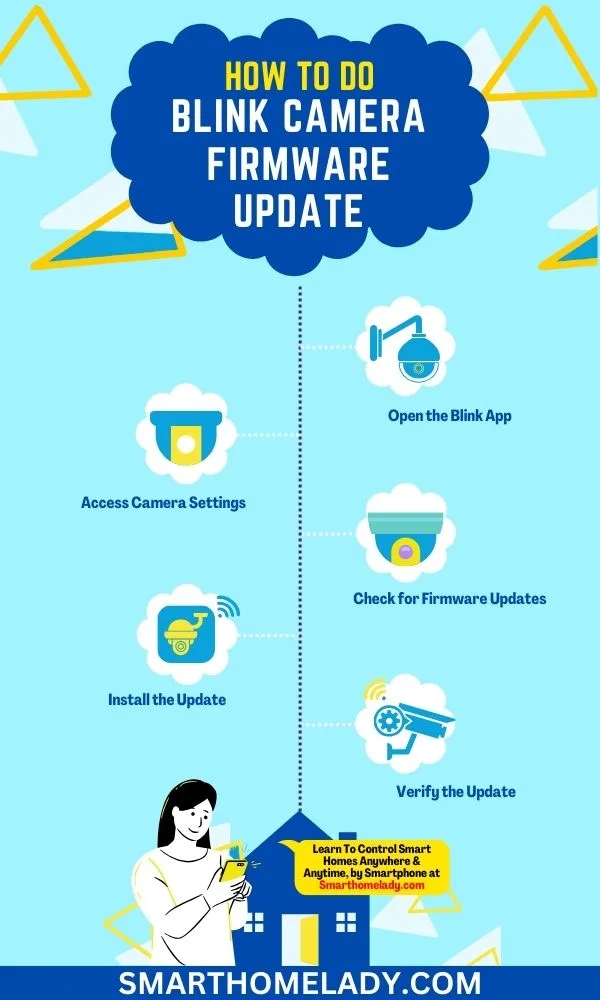
- Automatic Updates: Cloud providers typically manage software and firmware updates for their platform, ensuring your system stays current and secure. If your cameras themselves need updates, you’ll want to know how to update security camera firmware.
- Scalability: Easily increase or decrease your storage capacity as your needs change, often with just a few clicks.
- Disaster Recovery: In the event of a physical incident at your location, your footage is safely stored elsewhere, vital for post-event analysis.
Drawbacks and What to Watch Out For
While cloud storage is great, it's not without its challenges. The biggest hurdle for many is internet connectivity. If your internet connection is unstable, slow, or goes down completely, your cameras won't be able to upload footage, and you might not be able to access what’s already stored.
This can be a real problem, especially if you need to retrieve footage quickly during an incident.
Then there's the matter of ongoing costs. Unlike a one-time purchase for a local NVR, cloud storage usually involves a monthly or annual subscription fee. Over time, these subscription costs can add up, and the total expenditure might eventually exceed the cost of a local storage solution, depending on your needs and how long you plan to keep footage.
This is a key difference when considering cloud vs local storage security cameras.
Real Talk on Costs and Connectivity
Let's break down the potential downsides:
- Internet Dependency:
- Requires a stable and reasonably fast internet connection for reliable uploads.
- If your internet is down, uploads stop, and live viewing might be impossible.
- If your internet service provider (ISP) has data caps, continuous video uploads can quickly exceed them. Understand how much data does a security camera use and do security cameras use a lot of WiFi.
- Poor Wi-Fi signal can lead to dropped connections or lower quality uploads. Check out how to improve security camera WiFi signal.
- Subscription Costs:
- Ongoing monthly or annual fees for storage, which can increase with higher camera counts or longer retention periods.
- These costs are for access and storage, not just hardware.
- Bandwidth Consumption:
- Uploading high-resolution video 24/7 can consume significant bandwidth, potentially impacting other internet usage.
- Consider if your current internet plan can handle the load, or if you need an upgrade.
Who Needs Cloud CCTV Storage Most?
Cloud CCTV storage isn't a one-size-fits-all solution, but it really shines for specific users and scenarios. Small businesses often find it a game-changer. They might lack the IT staff or budget for complex on-premise server management.
A cloud service simplifies security, offering robust protection without a massive upfront hardware investment.
Homeowners also benefit greatly if they value convenient remote monitoring and secure off-site backup. If you travel frequently, manage multiple properties, or just want the extra assurance that your recordings are safe from local theft or damage, cloud storage is a compelling choice. It makes securing your home or business significantly easier.
Here’s a quick guide on who might benefit most:
- Small to Medium Businesses (SMBs):
- Limited IT resources and budget for on-premise hardware.
- Need for remote access across multiple locations or for management on the go.
- Desire for a simple, scalable security solution.
- Retail Stores:
- Monitoring inventory, employee activity, and customer traffic.
- Quick access to footage for incident reporting or dispute resolution.
- Property Managers:
- Overseeing multiple rental units or commercial spaces from a distance.
- Providing tenants with limited access to common area footage if needed.
- Homeowners:
- Wanting to monitor pets, children, or package deliveries remotely.
- Seeking protection against theft or damage to local recording devices.
- Those who travel frequently and need continuous peace of mind.
- Businesses with Distributed Locations:
- Centralized monitoring and management of security feeds from various sites.
Comparing Cloud Storage to Local NVR/DVRs
When deciding on your CCTV system, the biggest choice typically involves cloud storage versus traditional local recording using an NVR or DVR. Each option brings its own strengths and weaknesses, and the best fit hinges on your specific needs, budget, and technical comfort. It’s rarely a universal answer.
Local storage means purchasing the hardware, the NVR or DVR, which then records onto internal hard drives. All your footage stays on-site. Cloud storage, conversely, transmits your video data to remote servers managed by a service provider.
This distinction significantly impacts how you access, manage, and protect your visual data. Grasping these differences is key to making an informed choice for your security setup.
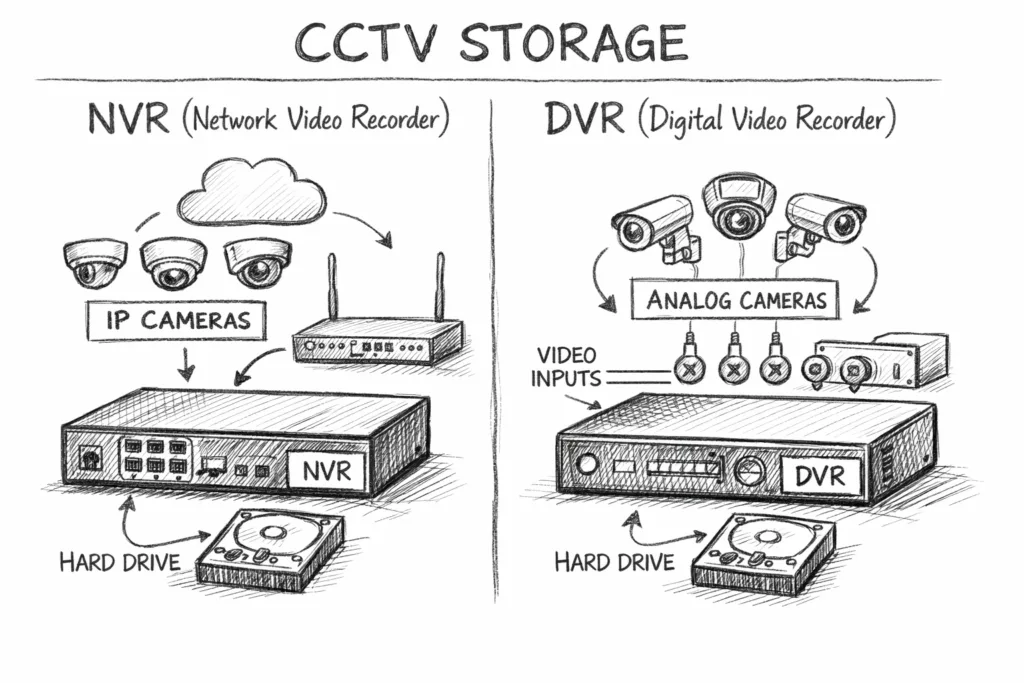
Image source: Bing (Web (fair-use with source credit))
Here’s a side-by-side look to help you weigh the options:
| Feature | CCTV Cloud Storage | Local NVR/DVR Storage |
|---|---|---|
| Initial Cost | Lower (buy cameras, pay subscription) | Higher (buy NVR/DVR, hard drives, cameras) |
| Ongoing Costs | Subscription fees (monthly/annual) | Minimal (electricity, potential hard drive replacement) |
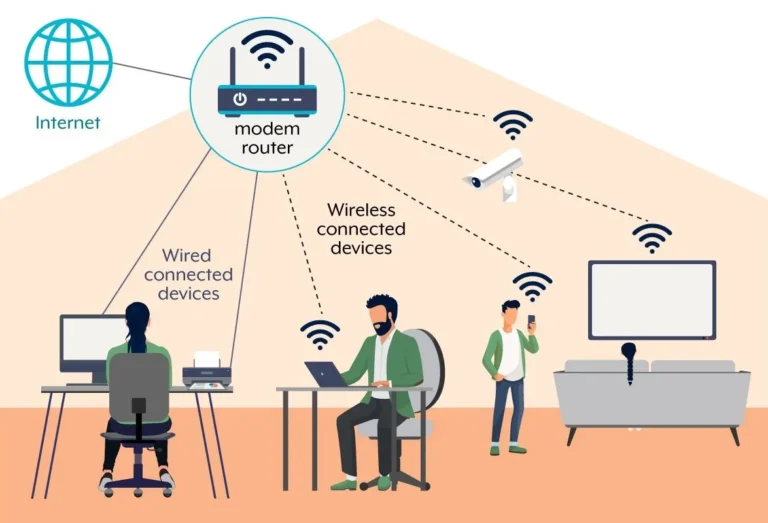
| Accessibility | Anywhere with internet access | Requires physical access to the unit or local network |
| Data Security | Off-site backup, relies on provider's security measures | On-site; vulnerable to theft, damage, or hardware failure |
| Scalability | Highly scalable; easily upgrade storage/features | Limited by NVR/DVR capacity; requires hardware upgrades |
| Setup Complexity | Generally simpler; connect cameras, activate service | More complex; hardware setup, configuration, maintenance |
| Internet Req. | Essential for upload and remote access | Not required for recording, but needed for remote access |
| Bandwidth Use | High (for uploads) | Low (for recording), Moderate (for remote access) |
| Maintenance | Provider handles server maintenance | User responsible for hardware, software, and updates |
| Data Retention | Varies by subscription plan | Limited by hard drive size and user management |
Mistakes to Avoid When Using Cloud CCTV
While cloud storage offers many advantages, it’s easy to stumble if you don’t approach it thoughtfully. One common pitfall is underestimating your internet bandwidth needs. If you have multiple high-resolution cameras constantly uploading, your connection can quickly become saturated, leading to dropped feeds or delayed recordings.
It’s crucial to check your current internet speeds and compare them against the requirements of your chosen cloud service and camera setup.
Another mistake is not carefully reviewing the service agreement and privacy policy. You're entrusting your sensitive video data to a third party. Understanding how they store, secure, and access your footage, as well as their data retention policies, is vital.
Forgetting to update your security camera firmware is also a risk; manufacturers release updates to patch vulnerabilities, so staying current is essential for protecting your system.
Here are key missteps to sidestep:
- Ignoring Bandwidth Requirements:
- Not verifying if your internet plan can handle the constant upload stream from multiple cameras. This can lead to a poor user experience, similar to why is my security camera delayed.
- Forgetting that higher resolutions (like 4K) demand significantly more bandwidth than lower resolutions.
- Skimping on Security Settings:
- Using weak, default, or reused passwords for your cloud account and cameras.
- Not enabling two-factor authentication if offered by the provider.
- Overlooking Data Retention Policies:
- Assuming footage is stored indefinitely when plans often have limits (e.g., 7, 30, or 90 days).
- Not understanding how to download or back up footage before it's automatically deleted. Learn how to back up security camera footage effectively.
- Failing to Update Firmware:
- Leaving camera and NVR firmware outdated, leaving systems vulnerable to exploits. Regularly check how to update security camera firmware for all your devices.
- Choosing the Wrong Storage Tier:
- Paying for more storage or retention than you actually need, or not enough, leading to gaps in your recording history.
Expert Tips for Cloud Surveillance
To get the most out of your cloud CCTV system, a few best practices can make a big difference. First, always ensure your internet connection is stable and has enough upload speed. It’s worth investing in a slightly higher-tier internet plan if you have multiple high-resolution cameras.
You might also want to ensure your router is capable of handling the traffic; an outdated router could become a bottleneck.
Also, pay attention to data encryption. Most reputable cloud storage providers use strong encryption, often AES-256, to protect your footage both in transit and at rest. When selecting a service, confirm their encryption standards.
Regularly test remote access from different devices and networks to confirm everything is working as expected. Don't wait for an emergency to find out you can't connect.
Here are some actionable tips for optimizing your cloud setup:
- Prioritize Network Stability:
- Ensure your Wi-Fi network or wired Ethernet connection is robust and provides consistent upload speeds. Consider upgrading your router if it's old or underpowered.
- Position cameras and routers to maximize signal strength for wireless connections.
- Understand Encryption:
- Verify that your cloud provider uses strong end-to-end encryption (e.g., AES-256) to secure your video data. This protects against unauthorized access.
- Test Remote Access Regularly:
- Periodically log in from various devices (phone, tablet, laptop) and networks (home, public Wi-Fi) to confirm seamless access to live and recorded video. This helps identify issues before they become critical.
- Configure Motion Detection Wisely:
- Properly set up motion detection zones and sensitivity to reduce false alerts and save storage space. If you're experiencing issues, consult why is my security camera not detecting motion.
- Manage Your Storage Plan:
- Regularly review your subscription tier and video retention period. Adjust as needed to balance cost with your security requirements. If you need to free up space, learn how to delete security camera recordings.
Frequently Asked Questions About CCTV Cloud Storage
What is the minimum internet speed needed for CCTV cloud storage?
While it varies based on camera resolution and number, a general guideline is an upload speed of at least 2 Mbps per 1080p camera for continuous recording. For motion-based recording, speeds can be lower. Your chosen provider will often specify minimum requirements.
Can I access my cloud footage if my internet goes down?
No, you typically cannot access footage that hasn't been uploaded yet if your internet is down. Live viewing is also impossible. Some systems offer local recording as a backup that can sync later, but cloud-dependent access ceases without connectivity.
How secure is my footage in the cloud?
Reputable providers use robust security measures, including strong encryption (like AES-256) and secure data centers. However, security also depends on your own password practices and network security. Always use strong, unique passwords and enable two-factor authentication.
How long is my footage typically stored in the cloud?
Storage duration, or retention period, varies significantly by plan. Common options include 7 days, 30 days, 60 days, or 90 days. Some premium plans may offer longer storage.
You usually select this when signing up or can adjust it later.
What happens if I cancel my cloud storage subscription?
If you cancel your subscription, your footage will typically be deleted from the cloud servers after your current billing period ends, or according to the provider's policy. You may have a grace period to download any footage you wish to keep before it's permanently removed.