What Is Continuous Recording on Security Cameras
Ever wonder if your security camera is always watching, or just when something happens? That's where continuous recording comes in. Think of it like a DVR for your security cameras, but instead of recording your favorite TV shows, it’s constantly capturing everything happening in front of the lens.
Basically, continuous recording means your security camera is always saving video footage, no matter what. It’s not waiting for motion; it's just recording, 24/7. This is different from other modes, like motion-activated recording, which only starts saving when it detects movement.
Quick Answer
Continuous recording on security cameras means the device saves video footage constantly. It captures everything happening in view, 24 hours a day. This ensures no event is missed.
Manufacturer specifications often list storage requirements based on resolution and frame rates.
What "Continuous Recording" Actually Means for Your Cameras
At its core, continuous recording is exactly what it sounds like: your security camera is perpetually recording video. It doesn't pause or wait for a trigger. This means that from the moment you activate it, the camera is capturing every second that passes, providing an uninterrupted feed of whatever is within its field of view.
This is a fundamental distinction from other recording modes that rely on external stimuli.
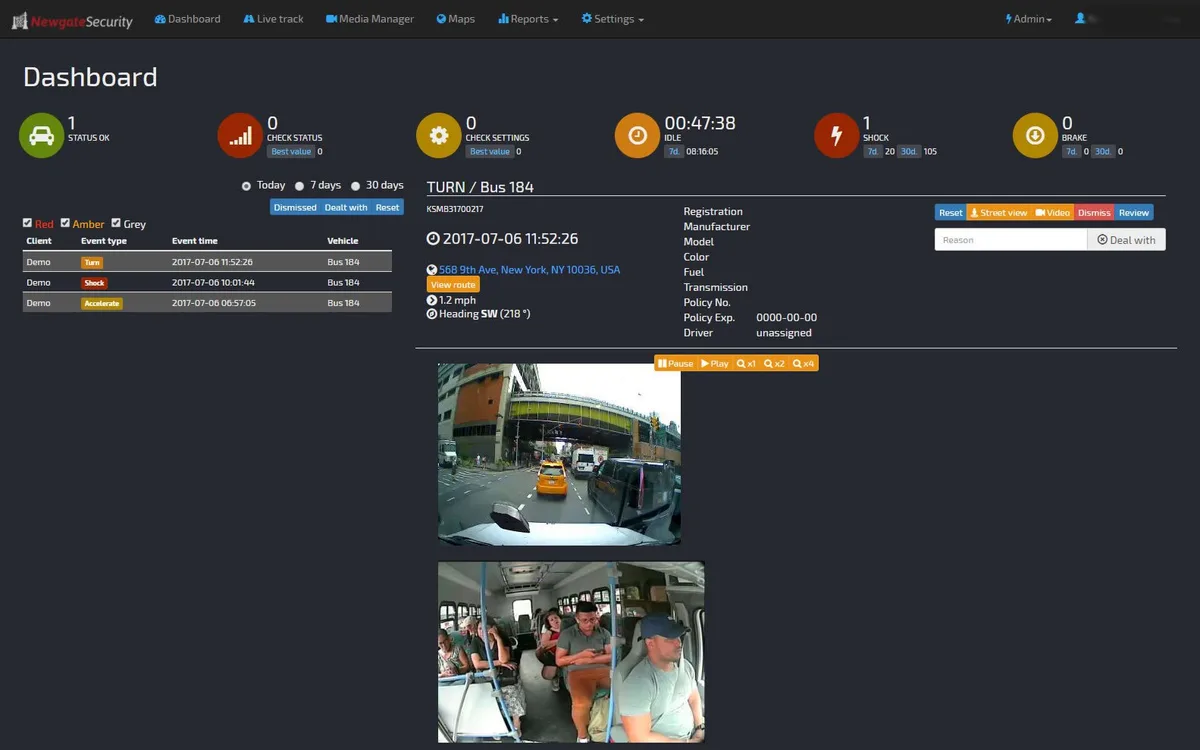
Image source: Bing (Web (fair-use with source credit))
Constant Footage vs. Motion-Triggered
The biggest difference people notice is between continuous recording and motion-activated recording. With motion-activated recording, the camera is essentially dormant until its sensors detect movement. When movement occurs, it starts recording, and usually stops after a set period of inactivity or when the motion ceases.
This saves storage space and makes reviewing footage quicker, as you only watch the 'active' moments.
However, motion detection isn't always perfect. It can miss subtle events, be triggered by environmental factors like changing light or passing cars, or even fail to pick up slow-moving subjects. Continuous recording bypasses these issues by simply documenting everything, offering a full picture regardless of whether a sensor was tripped.
Why Go Continuous? The Big Benefits for Security
Opting for continuous recording on your security cameras offers a significant boost to your surveillance strategy. It provides a comprehensive and detailed record, which can be invaluable. This level of documentation goes beyond simply reacting to events; it allows for thorough review and analysis.
Never Miss a Moment: Key Advantages
- Complete Event Timeline: You get an unbroken chronological record of all activity. This means if something happens, you can trace it back to its exact origin point.
- Capturing Subtle Actions: Not all security events involve obvious motion. Continuous recording can capture minor details, like someone loitering, a slight shift in an object, or a sequence of events that might appear unrelated if only looking at motion-triggered clips.
- No False Alarms or Missed Triggers: Unlike motion detection, which can be fooled by shadows or environmental changes, continuous recording relies on direct visual capture. You won't have to worry about gaps in your footage due to sensor malfunctions or misinterpretations.
- Post-Event Analysis: If an incident occurs, having the full recording allows for detailed analysis, helping to understand exactly what transpired, who was involved, and how it unfolded. This is particularly useful for investigations or insurance claims.
- Peace of Mind: Knowing that every moment is being recorded provides a strong sense of security and reassurance, whether you're monitoring your home or a business.
Who Needs Continuous Recording? Evaluating Your Needs
Deciding if continuous recording is the right choice for you isn't a one-size-fits-all answer. It really comes down to your specific security goals, the environment you're monitoring, and your tolerance for managing data. Thinking through these points will help you determine if always-on recording is a must-have or an unnecessary burden.
When It Makes Sense: Ideal Scenarios
Continuous recording is highly beneficial in situations where a complete, unfiltered record is paramount. Consider this option if you are monitoring:
- High-Traffic Areas: Doorways, entrances, reception areas, or cash registers where consistent monitoring is crucial.
- Critical Infrastructure: Sensitive areas within a business or home that require detailed oversight.
- Areas Prone to Subtle Activity: Locations where minor but potentially suspicious actions might occur without triggering motion sensors.
- Evidence Gathering: When the goal is to have the most comprehensive data possible for potential investigations or legal purposes.
- Loss Prevention: Businesses looking to track inventory movement or employee activity meticulously.
When to Think Twice: Potential Drawbacks
Conversely, continuous recording might be overkill or impractical in other scenarios. You might want to explore alternatives if:
- Storage is Severely Limited: You only have a small SD card or a very basic cloud plan.
- Bandwidth is Constrained: Your internet connection can't handle the constant upload stream, or you have a strict data cap.
- Battery-Powered Cameras: These are almost always designed for motion detection to conserve power. Continuous recording would deplete batteries extremely quickly.
- Privacy is a Major Concern: In certain private areas, constant recording might raise privacy issues for individuals within the view of the camera, even if it's your own property.
The Realities of Continuous Recording: Storage & Bandwidth Demands
If you're leaning towards continuous recording, it's essential to understand its impact on your system's storage and internet bandwidth. These aren't minor considerations; they're the primary factors that can make or break a continuous recording setup. Ignoring them can lead to unexpected costs or frustrating performance issues.
How Much Storage Do You Really Need?
Recording 24/7 generates a massive amount of data. The exact amount depends heavily on your camera's resolution, frame rate, and compression settings. For example, a 1080p camera recording at 15 frames per second (fps) will use significantly less storage than a 4K camera running at 30 fps.
Per manufacturer specifications for many modern IP cameras, continuous recording in 1080p resolution can consume several gigabytes per hour.
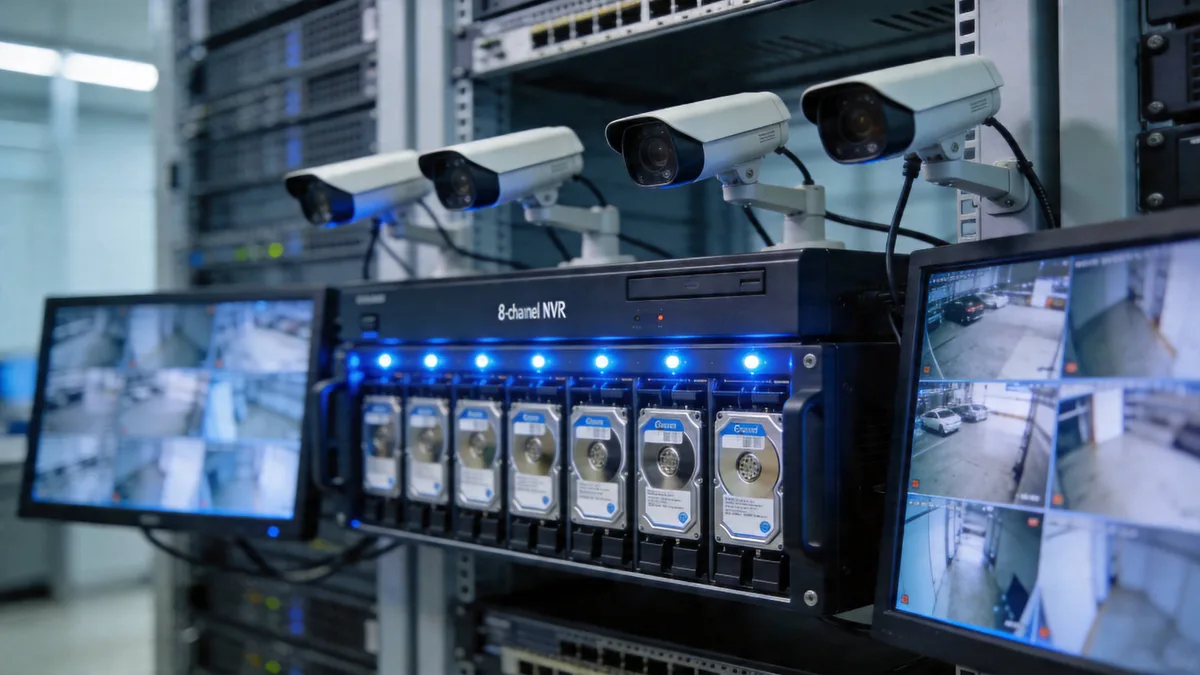
Image source: Bing (Web (fair-use with source credit))
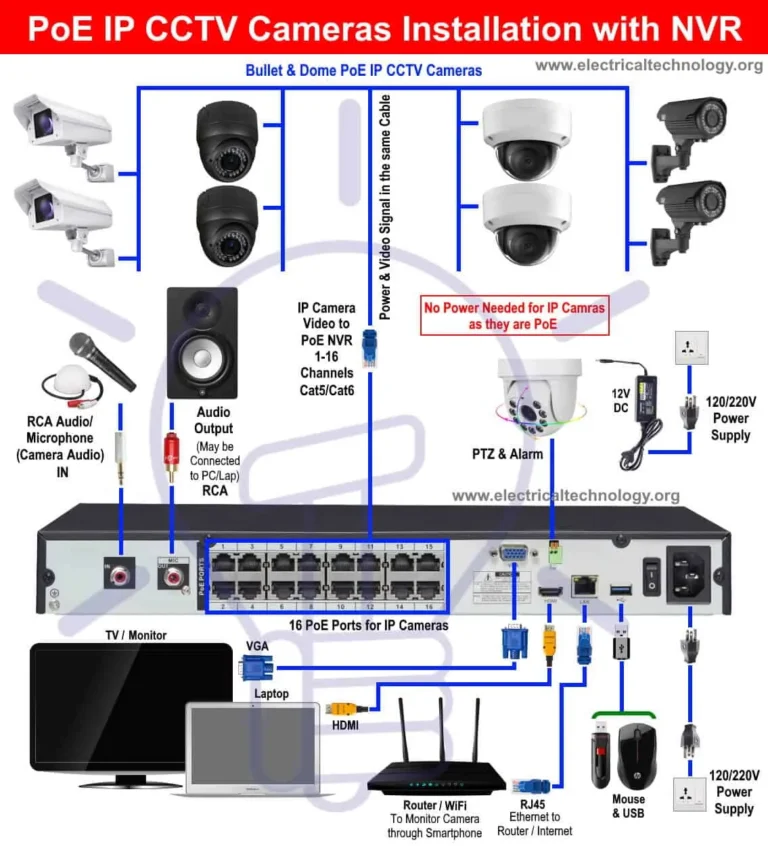
This means that to store even just a few days of footage, you'll likely need a large-capacity hard drive (e.g., a Network Video Recorder, or NVR) or a substantial cloud storage subscription. If you have multiple cameras, the storage requirements multiply rapidly. Planning for ample storage is key to ensuring you don't constantly overwrite older footage before you've had a chance to review it.
As of 2026, typical home security camera systems often require at least 1TB for a week of continuous recording across a few cameras, with business systems needing considerably more.
Understanding Bandwidth Impact
Beyond storage, continuous recording also demands a steady and robust internet connection, especially for cloud-based systems. When your cameras are constantly uploading video streams to the cloud, they consume a significant amount of your available internet bandwidth. This can impact the performance of other devices on your network, potentially slowing down web browsing, streaming, or even other smart home devices.
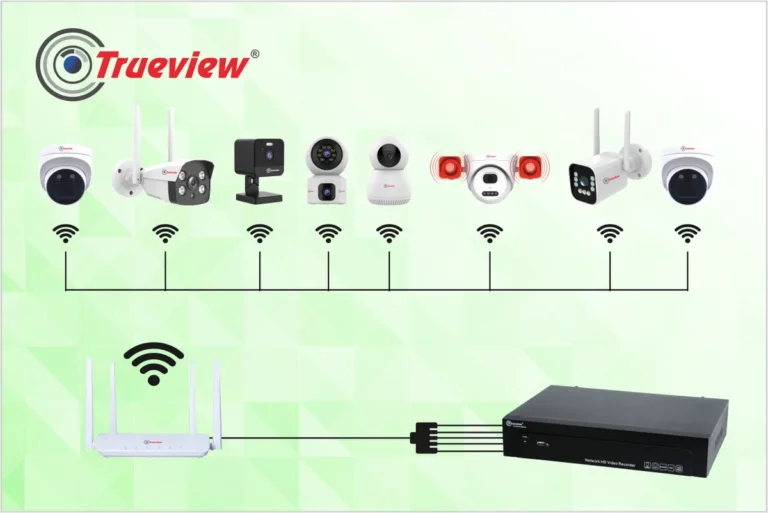
For Wi-Fi cameras, it's crucial to ensure your router can handle the load and that your internet plan offers sufficient upload speeds. If your internet service has data caps, continuous recording can quickly lead to exceeding those limits, resulting in extra charges or throttled speeds. Some systems offer adjustable quality settings to help balance footage detail with bandwidth usage, but true continuous recording still requires a consistent data flow.
Mistakes to Sidestep with Continuous Recording
Even with the best intentions, users can run into trouble when setting up continuous recording. These aren't usually technical glitches, but rather oversights in planning or configuration. Avoiding these common pitfalls will save you time, frustration, and potentially the loss of important footage.
Common Pitfalls to Avoid
- Underestimating Storage Needs: This is by far the most frequent mistake. People assume their existing storage is sufficient, only to find it fills up within a day or two. This leads to constant overwriting, meaning older footage is lost before it can be reviewed. Always calculate your needs based on camera resolution, frame rate, and desired retention period.
- Ignoring Bandwidth Caps: For cloud-based systems, failing to check your internet plan's upload speed and data caps can result in unexpected charges or severely degraded performance. If your upload speed is slow, even with unlimited data, the video quality will suffer.
- Using Continuous on Battery Cams: It seems obvious in retrospect, but some users try to enable continuous recording on cameras designed solely for battery operation. This is a fast track to a dead battery and a useless camera. These devices are built for efficiency, relying on motion to conserve power.
- Setting Too High a Resolution Unnecessarily: While higher resolution means clearer images, it also means exponentially larger files. If your primary concern is just general activity logging, a lower resolution (like 1080p) might provide sufficient detail while greatly reducing storage and bandwidth demands compared to 4K.
Setting Up and Managing Continuous Recording
Getting continuous recording up and running usually involves a few key steps, primarily within your camera's or Network Video Recorder's (NVR) settings. The exact interface varies by brand and model, but the underlying principles are consistent. Proper setup is crucial for reliable, long-term recording.
Practical Steps for Continuous Capture
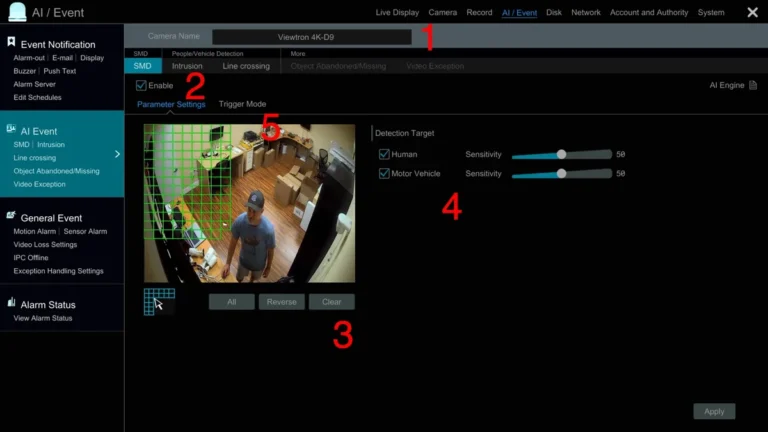
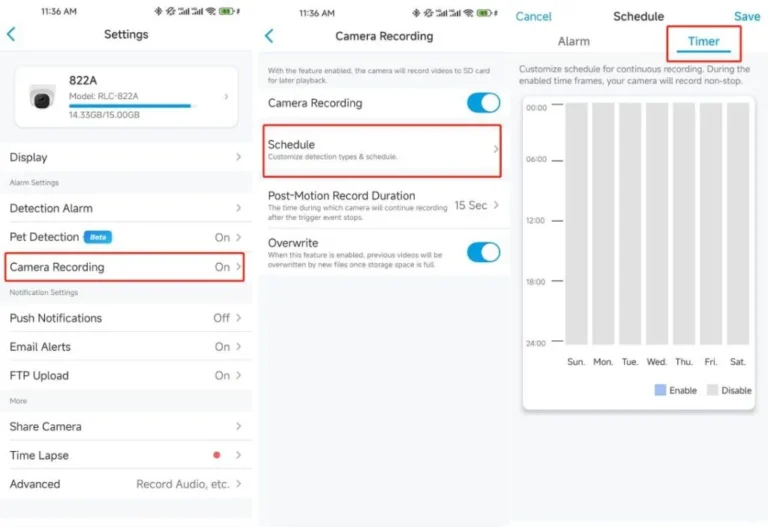
- Access Camera/NVR Settings: Log into your security camera system's interface, either through a mobile app, desktop software, or the NVR/DVR web portal.
- Locate Recording Settings: Find the section related to recording schedules, modes, or video settings. This might be under "Recording," "Schedule," "Video," or "Advanced Settings."
- Select Continuous Mode: Choose the option for "Continuous Recording," "24/7 Recording," or "Always Recording." Avoid any "motion detection" or "event recording" options for this purpose.
- Configure Storage: Ensure your NVR, DVR, or cloud storage is configured to accommodate the continuous stream. This might involve selecting a recording duration (e.g., record for 7 days, then overwrite) or ensuring the drive is not set to stop recording when full.
- Adjust Resolution and Frame Rate: Dial in the video quality settings. For maximum storage efficiency, consider a lower frame rate (e.g., 15 fps) or resolution if high detail isn't critical for the specific camera's placement.
- Test and Monitor: After applying settings, review a few minutes of footage to confirm it's recording continuously. Check storage usage and bandwidth consumption to ensure your setup is sustainable.
Frequently Asked Questions About 24/7 Camera Recording
### How long can cameras record continuously?
The duration of continuous recording is primarily limited by your storage capacity (local storage like an SD card or NVR hard drive, or cloud storage) and, for cloud systems, your internet bandwidth. A camera could theoretically record indefinitely if it had an unlimited storage supply and a powerful enough internet connection. In practice, most systems will overwrite the oldest footage once storage is full.
### Does continuous recording drain batteries faster?
Yes, significantly. Cameras designed for battery power use motion detection to conserve energy. Enabling continuous recording on such devices would deplete their batteries very rapidly, often within a day or two, making them impractical for this mode of operation.
### Is continuous recording necessary for home security?
It's not always necessary, but it offers maximum security coverage. For many homes, motion-activated recording is sufficient, catching key events like intrusions or deliveries. However, if you need to document every person and vehicle that passes by, or want to analyze subtle patterns of activity, continuous recording provides that complete picture.
### How does continuous recording affect video quality?
Continuous recording itself doesn't inherently lower video quality; it simply means the camera is always capturing footage at its set resolution and frame rate. However, to manage storage and bandwidth, users often reduce resolution or frame rate for continuous recording, which can impact perceived video quality compared to a high-setting motion-detection clip.
### Can I review footage from weeks or months ago with continuous recording?
This depends entirely on your storage capacity and retention settings. If you have a large enough hard drive on an NVR or a robust cloud storage plan with a long retention period (e.g., 30 days or more), you can typically access footage from weeks or even months ago. If storage is limited, older footage will be automatically overwritten.
Deciding Your Best Recording Method
Ultimately, the choice between continuous recording and other methods like motion-activated recording boils down to your specific priorities. If your goal is to capture every single moment, no matter how minor, and you have the storage and bandwidth to support it, then continuous recording is your strongest option. It offers the most comprehensive surveillance data.
However, if you're working with limited storage, have a metered internet plan, or find sifting through hours of uneventful footage cumbersome, motion-activated recording is likely a better fit. It intelligently captures events when they happen, saving resources and making footage review more efficient. Many modern systems allow you to customize these settings per camera, letting you use continuous recording for critical areas and motion detection for less vital ones.
It’s about finding the right balance for your unique security needs.