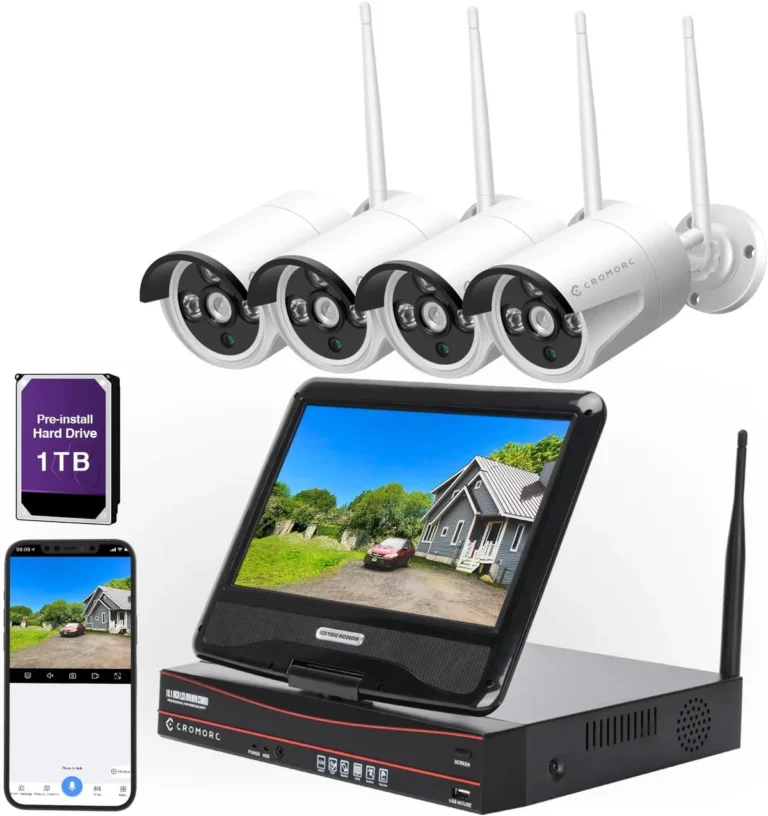
How Do Security Cameras Store Footage
Understanding how security cameras store footage is key to setting up an effective surveillance system. The way video is saved directly impacts accessibility, security, and potential costs. We've analyzed the most common methods to help you make the right choice for your needs.
This breakdown covers local, cloud, and hybrid storage, detailing their features, benefits, and drawbacks. Manufacturer specifications for systems like NVRs often indicate storage capacities starting from 1TB, providing months of continuous recording for multiple cameras. Let's explore the options so you can secure your property effectively.
Your Camera Footage Needs a Home: Local vs. Cloud vs. Hybrid
Choosing where your security camera footage lives is one of the most important decisions you'll make. It's not just about saving video; it's about making sure you can access it when you need it, keeping it safe, and managing your costs. Think of it like choosing between keeping your important documents at home in a safe or storing them in a secure off-site vault.
Different setups have different strengths. Local storage keeps everything on-site, offering direct control, while cloud storage offers accessibility from anywhere. A hybrid approach tries to give you the best of both worlds.
As of 2026, many manufacturers offer solutions that blend these methods, adapting to various user needs.
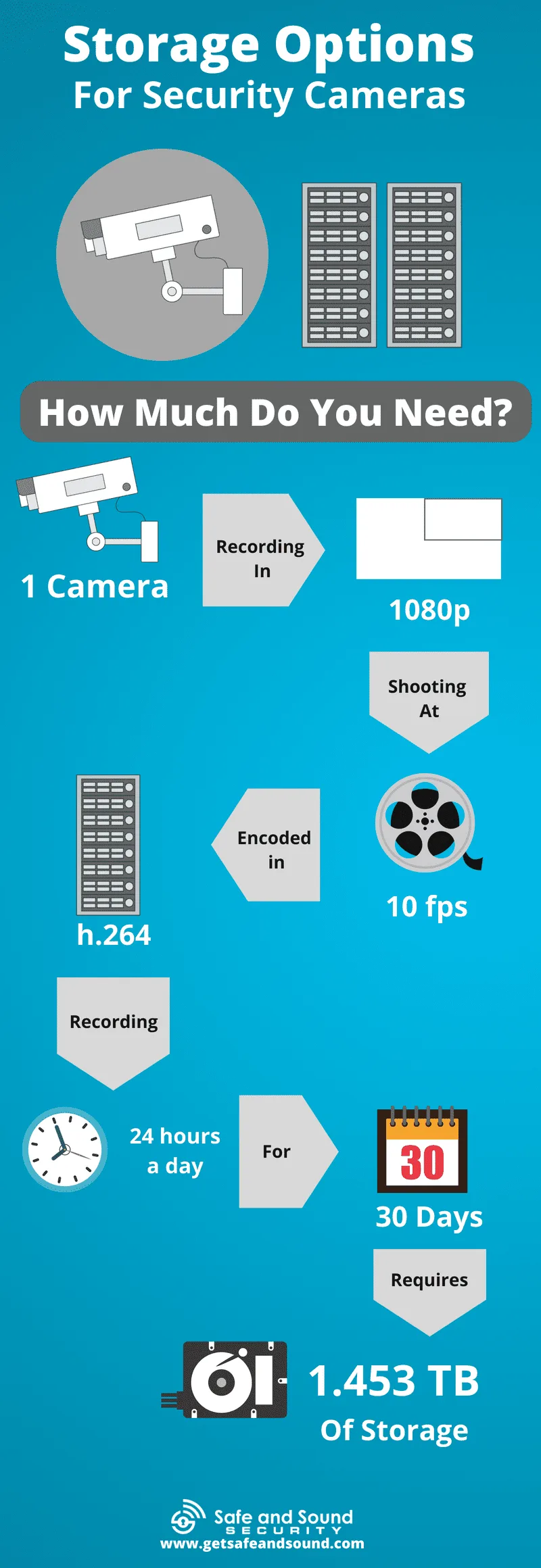
Image source: Web (Bing) / getsafeandsound.com (Web image (fair-use with source credit))
When to Choose Local Storage (and its different types)
Local storage means your video recordings are kept on hardware physically located at your property. This gives you direct control over your data. It's often a good choice if you're concerned about privacy or have a less-than-perfect internet connection, as it doesn't rely on constant data uploads.
The primary benefit here is that your footage isn't being sent over the internet to a third-party server. This can offer peace of mind for those who prefer their sensitive data to remain within their own network. Plus, once you've purchased the hardware, there are typically no ongoing monthly fees for the storage itself, which can be a significant cost saving over time for many users.
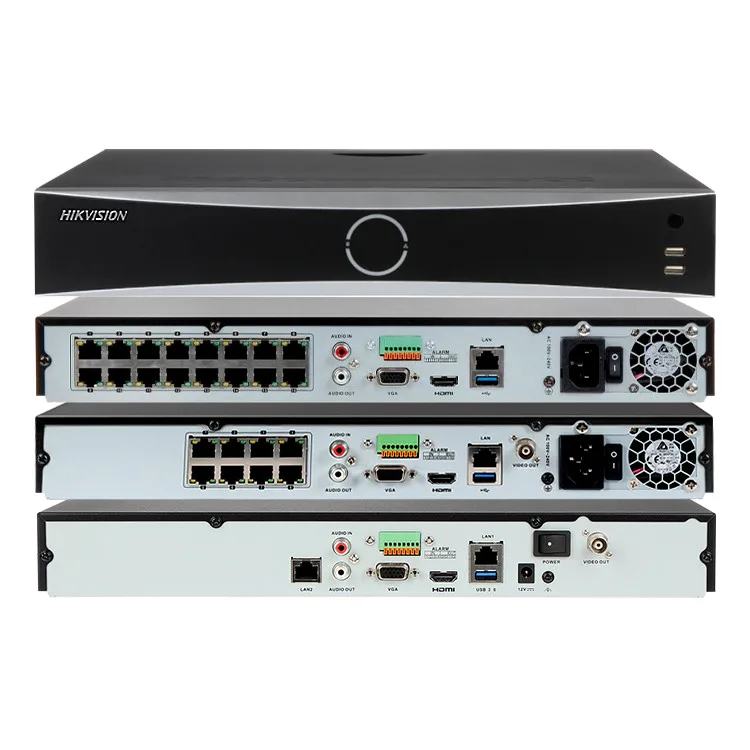
Image source: Web (Bing) / cctv-outlet.com (Web image (fair-use with source credit))
Common Local Storage Types
There are a few main ways cameras handle local recording:
- MicroSD Cards: Many standalone security cameras have a slot for a microSD card, similar to what you'd find in a smartphone or digital camera. This is a super simple, cost-effective way to store footage directly on the device.
- Pros: Inexpensive, easy to install, no extra hardware needed for the camera itself.
- Cons: Limited capacity (typically up to 256GB, sometimes 512GB), card can be stolen if the camera is taken, can wear out over time.
- Network Video Recorders (NVRs): These are dedicated appliances designed to record video from multiple IP (internet protocol) cameras. An NVR typically has one or more hard drives installed internally, providing substantial storage capacity. You usually connect your IP cameras to your network, and the NVR pulls the video streams from the network to record.
- Pros: High storage capacity, centralizes recordings from many cameras, often offers more advanced features like continuous recording and scheduled saves.
- Cons: Requires initial hardware purchase, can be more complex to set up than individual cameras, susceptible to theft or damage if the NVR is on-site.
- Digital Video Recorders (DVRs): DVRs are similar to NVRs but are designed for older analog CCTV cameras. They connect directly to cameras via coaxial cables rather than through a network.
- Pros: Can upgrade older analog systems without replacing all cameras immediately.
- Cons: Lower resolution and fewer features compared to NVR systems, requires cameras to be physically wired to the DVR.
When you're looking at an NVR, manufacturer specs often indicate that units can accommodate hard drives up to 8TB or even more, offering massive storage potential.
When to Choose Cloud Storage (and its subscription realities)
Cloud storage is a popular option, especially for many consumer-grade smart cameras, because it offers a high degree of accessibility and a hands-off approach to data management. Your video footage is sent over your internet connection to secure servers managed by the camera's provider. You can then access these recordings from anywhere using a web browser or a mobile app.
The biggest draw for cloud storage is convenience and off-site security. Even if your property is compromised and cameras or local storage devices are stolen or destroyed, your video evidence remains safely stored remotely. This offers a significant layer of redundancy and peace of mind.
However, cloud storage typically comes with recurring costs. Most providers offer tiered subscription plans based on the number of cameras, the duration you want footage saved (e.g., 7 days, 30 days, or 60 days), and advanced features. For example, a common plan might save footage for 30 days for one camera at $5-$10 per month, with additional cameras costing extra.
This can add up significantly over the lifespan of your security system. Your internet connection is also critical; a stable, high-speed connection is necessary for reliable cloud recording and playback.
Cloud Storage Scenarios
- Standalone Smart Cameras: Many popular brands offer cameras that are designed to work primarily with their cloud service. Setup is usually quick via a smartphone app.
- NVR/DVR Cloud Backup: Some NVR and DVR systems offer an optional cloud backup service for critical event clips, providing an extra layer of security for important footage without requiring all video to be stored in the cloud.
If your internet goes out, cloud-dependent cameras may stop recording or only store footage locally on an SD card if available, until connectivity is restored.
Hybrid Storage: The Best of Both Worlds?
Hybrid storage solutions aim to give you the advantages of both local and cloud storage, mitigating the individual drawbacks of each. This approach offers flexibility and redundancy, ensuring your footage is accessible and secure. Typically, this involves a system that records footage both locally and can simultaneously upload certain clips or all footage to a cloud service.
Imagine a scenario where your primary recording happens on an NVR's hard drive. At the same time, any motion-activated events, or perhaps all footage from the last 24 hours, are sent to a secure cloud server. If someone breaches your property and damages or steals the NVR, the cloud copy remains safe.
Conversely, if your internet connection is temporarily lost, you still have the local recordings on the NVR, preventing gaps in your surveillance history.
This strategy is particularly beneficial for businesses or homes where having continuous, accessible, and backed-up footage is paramount. While it might involve the cost of both local hardware and a cloud subscription, the increased reliability and data protection often justify the expense for critical surveillance needs. It allows you to control primary storage locally while gaining the off-site backup and remote access benefits of the cloud.
Key Features That Impact Your Storage Choice
When you're evaluating how security cameras store footage, several technical features play a big role in determining your storage needs and the best system for you. Understanding these will help you avoid running out of space or losing important recordings.
- Storage Capacity: This is how much data your storage solution can hold, usually measured in gigabytes (GB) or terabytes (TB). A higher capacity means you can store footage for longer periods. For instance, a 1TB hard drive in an NVR might store weeks of footage from several cameras, while a small 32GB microSD card in a single camera might only hold a few days. Manufacturer specifications often detail estimated recording times based on resolution and frame rate.
- Recording Resolution: Higher resolutions (like 1080p or 4K) produce clearer images but also create larger video files, requiring more storage space. If you need to capture fine details, you'll need more storage than if a lower resolution (like 720p) is acceptable.
- Frame Rate (FPS, Frames Per Second): This determines how smooth the video playback is. Higher frame rates (e.g., 30 FPS) capture more detail in fast-moving scenes but generate larger files. Lower frame rates (e.g., 15 FPS) save storage space but make motion appear less fluid.
- Video Compression: Modern cameras use compression codecs (like H.264 or H.265) to reduce file sizes without drastically compromising video quality. H.265, for example, is significantly more efficient than H.264, meaning it can offer similar quality at roughly half the storage space.
- Recording Modes:
- Continuous Recording: Records 24/7, providing a complete history but consuming the most storage.
- Motion Detection Recording: Only records when movement is detected, saving significant space but potentially missing events if the detection is not perfectly calibrated.
- Event-Based Recording: Records short clips triggered by specific events, like alarms or sensor triggers. This is very space-efficient but provides only snippets of activity.
Choosing a system with efficient compression like H.265, combined with intelligent recording modes like motion detection, can drastically extend how long your footage is stored on a given capacity.