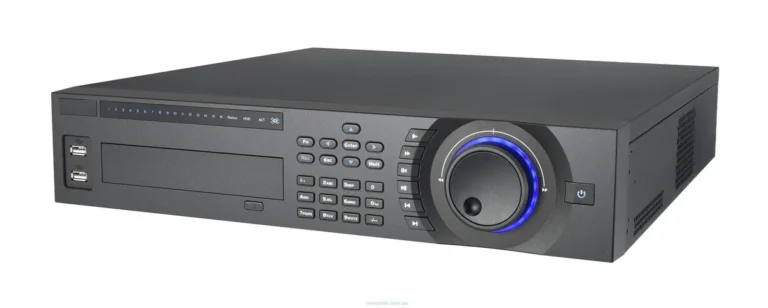
Which Is Better, DVR or NVR?
When you're setting up a security camera system, figuring out whether to go with a DVR or an NVR can feel like a big decision. The choice directly impacts how your cameras connect, the quality of your footage, and the overall flexibility of your system. This guide breaks down exactly what you need to know.
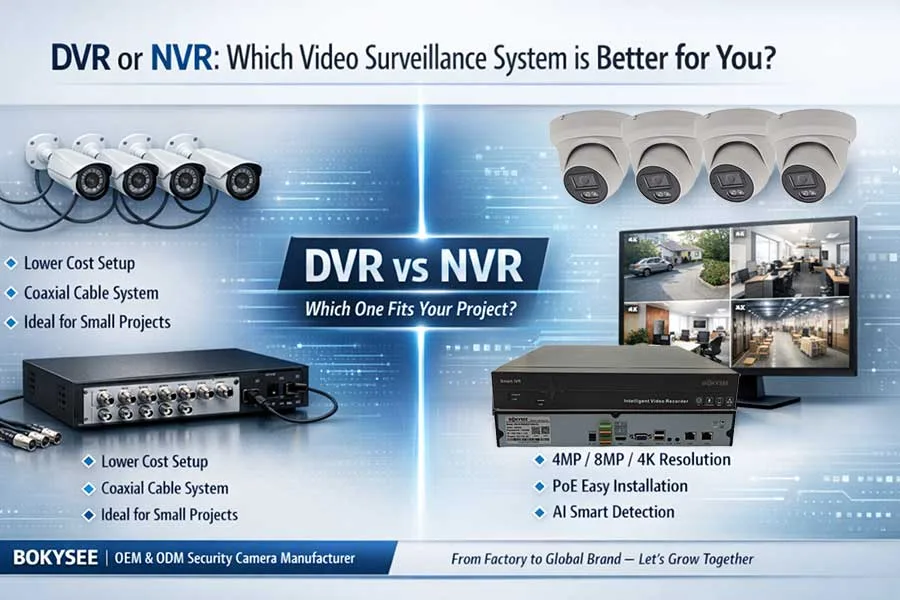
Image source: Web (Bing) / bokysee.com (Web image (fair-use with source credit))
Quick Answer
DVRs use analog cameras wired directly, while NVRs use IP cameras over a network. NVR systems generally offer higher resolution and more flexibility, making them better for new installations. DVRs are often a more budget-friendly choice for upgrading existing analog setups.
As of 2026, NVR technology is more prevalent for advanced features.
Understanding the Difference: DVR vs. NVR Basics
At their core, both DVR and NVR systems serve as the central hub for your security cameras, recording footage and allowing playback. However, the fundamental difference lies in the type of cameras they support and how those cameras connect. A DVR (Digital Video Recorder) works with older analog CCTV cameras, while an NVR (Network Video Recorder) is designed for modern IP (Internet Protocol) cameras.
This distinction affects everything from installation complexity to video quality.
How DVR Systems Work: The Analog Approach
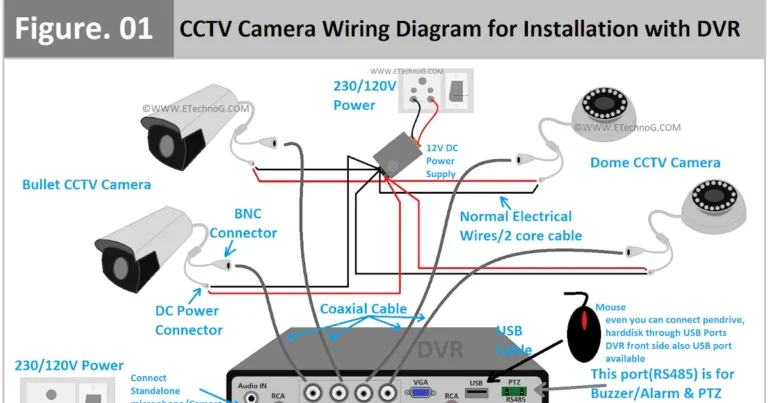
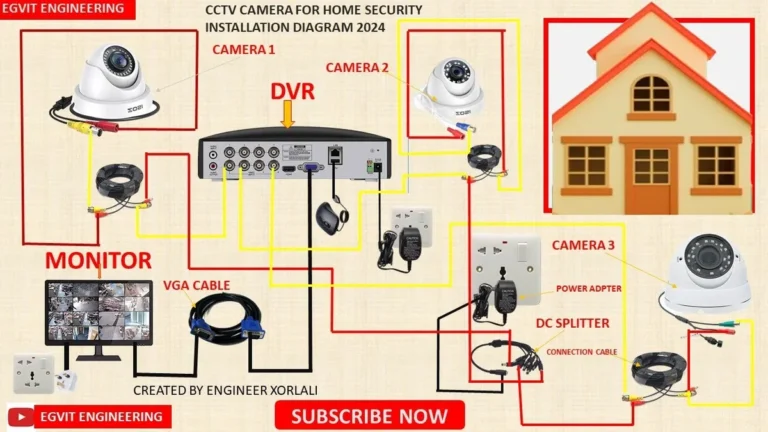
A DVR system uses analog CCTV cameras that send their video signal to the DVR unit. The DVR then digitizes this analog signal, compresses it, and stores it. This means the video signal travels from the camera in its raw, analog form until it reaches the DVR.
This type of setup is often seen in older surveillance installations.
DVR Core Components and Connections
The setup for a DVR system involves running coaxial cables (typically with BNC connectors) from each analog camera directly to the DVR unit. Each of these cables carries both the video signal and power to the camera. Because the video signal is analog and needs to be digitized by the DVR, the cameras generally need to be located within a certain cable length from the recorder itself.
Manufacturer specifications for coaxial cable runs often suggest limits to maintain signal integrity, typically around 100 meters for optimal performance.
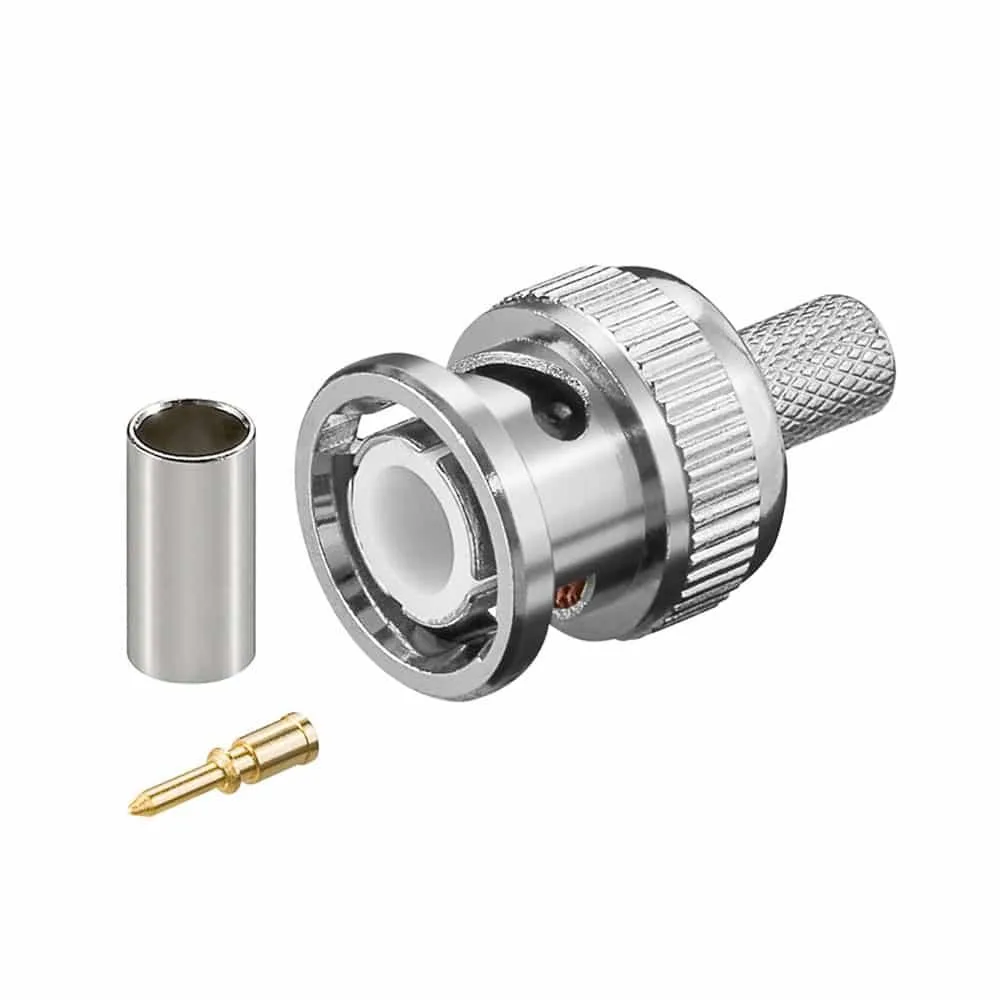
Image source: Web (Bing) / home-cctv.com (Web image (fair-use with source credit))
DVR Pros and Cons
DVR systems often appeal because they can be more cost-effective upfront, especially if you're upgrading an existing analog setup. You might be able to reuse existing coaxial wiring, saving on installation costs. The direct connection also means a simpler wiring process if cameras are close to the DVR.
However, DVRs are limited by the resolution of analog cameras, which is typically much lower than IP cameras. They also offer less flexibility in camera placement, and advanced features are usually more limited. If you encounter issues with your analog setup, you might find that how to fix security camera video lag or why is my security camera delayed become more frequent concerns.
DVR Advantages:
- Generally lower initial cost.
- Can often use existing coaxial wiring.
- Simpler wiring if cameras are close to the DVR.
DVR Disadvantages:
- Limited by lower analog camera resolutions.
- Less flexibility in camera placement due to cable runs.
- Fewer advanced features compared to NVRs.
- Signal degradation can occur over longer cable runs.
How NVR Systems Work: The Networked Approach
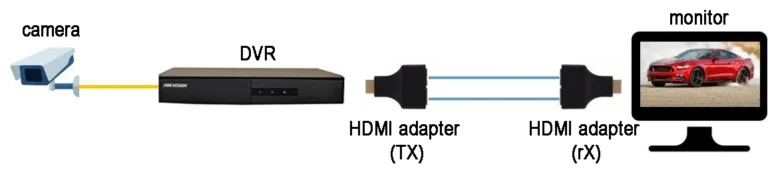
An NVR system works with IP cameras, which are essentially self-contained digital devices. These IP cameras digitize the video signal within the camera itself and then transmit it as digital data over a standard network, usually via Ethernet cables. The NVR acts as a network device, receiving these digital video streams and recording them.
This architecture offers greater flexibility and higher potential for image quality.
NVR Core Components and Connections
With an NVR system, IP cameras connect to your network, often using Ethernet cables. Many NVRs feature Power over Ethernet (PoE) ports, which means a single Ethernet cable can supply both data connectivity and power to the camera. This significantly simplifies installation and reduces the need for separate power outlets near each camera.
The NVR itself connects to your network, and you can then access the system through your local network or remotely via the internet. For more on network connectivity, understanding how to improve security camera WiFi signal can be beneficial.
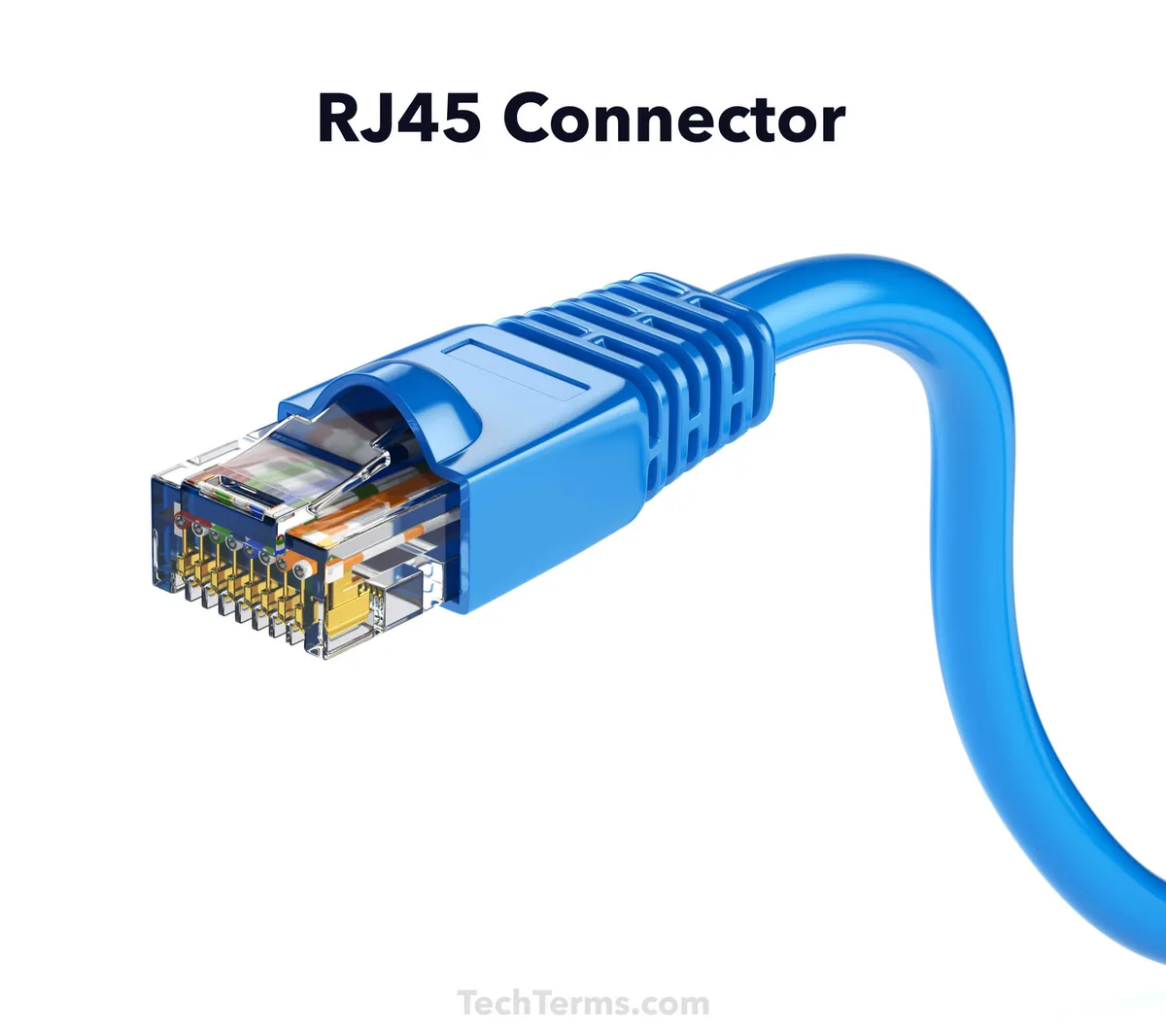
Image source: Web (Bing) / schemadigital.com (Web image (fair-use with source credit))
NVR Pros and Cons
NVR systems are favored for their superior image quality, with IP cameras supporting much higher resolutions like 1080p, 4K, and even higher. Their network-based architecture provides much greater flexibility in camera placement; as long as the camera can connect to your network (wired or wirelessly), it can communicate with the NVR. This makes NVRs ideal for larger properties or complex layouts.
They also tend to support more advanced features like video analytics and easier remote access. The primary considerations can be a higher initial cost for cameras and potentially more complex network setup if you're not familiar with networking. Issues such as why is my security camera showing a black screen might point to network or power issues with IP cameras.
NVR Advantages:
- Higher resolution and better image quality.
- Greater flexibility in camera placement.
- Supports advanced features like video analytics.
- Often easier remote access and scalability.
- PoE simplifies power and data wiring.
NVR Disadvantages:
- Generally higher upfront cost for cameras.
- Can require more network knowledge for setup.
- Reliance on network infrastructure means potential network-related issues.
DVR vs. NVR: A Direct Comparison
The choice between a DVR and an NVR hinges on your specific needs, existing infrastructure, and desired system capabilities. While both record video, their underlying technology dictates significant differences in performance and installation. Understanding these distinctions is key to selecting the right system for your home or business security.
Key Features at a Glance
| Feature | DVR (Digital Video Recorder) | NVR (Network Video Recorder) |
|---|---|---|
| Camera Type | Analog (CCTV) | IP (Internet Protocol) |
| Signal Path | Analog to DVR, then digitized | Digital from camera over network |
| Connectivity | Coaxial Cable (BNC) | Ethernet Cable (RJ45), often with PoE |
| Resolution | Typically lower (e.g., up to 960H, some 720p/1080p analog) | High resolutions (e.g., 1080p, 4K, 8MP+) |
| Wiring | Each camera to DVR directly | Cameras to network switch/router, NVR to network |
| Power | Separate power supply for each camera | Often via PoE through Ethernet cable |
| Scalability | Limited by DVR ports and analog signal quality | High, depends on network capacity and NVR channels |
| Features | Basic recording, playback, motion detection | Advanced analytics, AI features, wider integration capabilities |
Who Should Choose a DVR?
A DVR system is often the best choice if you're looking to upgrade an existing security setup without a complete overhaul or if budget is a primary concern. It leverages older, but still functional, analog camera technology.
Best For Existing Analog Setups
If your property already has coaxial cables run for an older CCTV system, a DVR can be a straightforward and cost-effective replacement for a faulty recorder. Instead of running entirely new cables for IP cameras, you can often connect your existing analog cameras to a new DVR unit. This makes it a practical solution for maintaining security on a budget by reusing what's already in place.
You might need to check if how to update security camera firmware is relevant for your existing cameras if you're re-using them.
Budget-Conscious Installations
DVR systems, particularly the analog cameras they use, tend to have a lower entry price point compared to IP cameras and NVRs. If you need basic surveillance and are working with a limited budget, a DVR can provide essential recording capabilities. This option is also attractive if you only need to cover a few specific areas close to where the DVR will be located, minimizing the need for extensive new wiring.
Who Should Choose an NVR?
An NVR system is generally the preferred choice for those looking for the latest in surveillance technology, offering superior image quality and greater system flexibility. It’s especially beneficial when starting a new security system or significantly upgrading an old one.
Best For New Installations and Flexibility
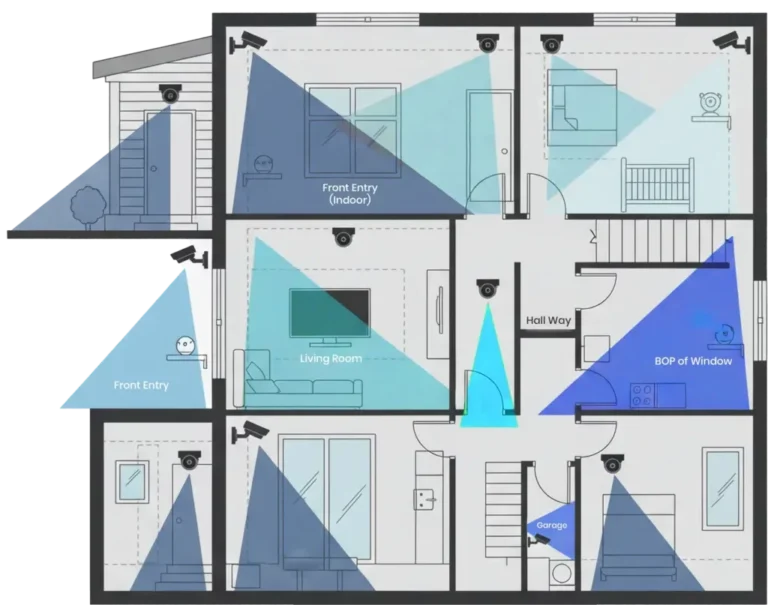
If you're installing a security camera system from scratch, an NVR paired with IP cameras offers the most modern and adaptable solution. You can position cameras virtually anywhere within your network's reach, whether that's across a large property or in difficult-to-wire locations. This flexibility is a significant advantage over DVR systems that require direct coaxial cable runs from each camera back to the recorder.
The ability to leverage existing network infrastructure, or easily expand it, makes NVRs a future-proof choice. For troubleshooting network-related camera issues, understanding how to reduce security camera bandwidth or how to improve security camera WiFi signal can be very helpful.
When High Resolution and Advanced Features Matter
IP cameras used with NVRs typically offer significantly higher resolutions than their analog counterparts, often starting at 1080p and going up to 4K or 8MP. This means clearer images, better detail, and the ability to zoom in on footage without losing clarity. Furthermore, NVR systems commonly integrate advanced features such as AI-powered video analytics (like person detection or facial recognition), smart motion detection, and easier remote access.
These capabilities can offer enhanced security and more efficient monitoring. If you're experiencing blurry images, investigating why is my security camera blurry is important, but an NVR system inherently provides better visual clarity from the start.
Common DVR and NVR Setup Mistakes to Avoid
Setting up a security camera system, whether DVR or NVR, can present challenges. Avoiding common pitfalls ensures a smoother installation and a more reliable system. One frequent error is underestimating cable length limitations with DVRs, leading to signal degradation or complete video loss.
For NVRs, overlooking network capacity or Wi-Fi dead spots can cause intermittent connections or lag. Another mistake is not planning camera placement effectively; for instance, positioning cameras where they'll be directly facing the sun at certain times of the day, or failing to account for blind spots. Also, failing to secure your network for NVR systems can leave them vulnerable to unauthorized access.
- Ignoring Cable Limitations: With DVRs, exceeding recommended coaxial cable lengths can cause signal issues.
- Poor Network Planning (NVR): Insufficient bandwidth, weak Wi-Fi signals, or overloaded routers can lead to choppy footage or connection drops. Understanding how much data does a security camera use helps in planning.
- Suboptimal Camera Placement: Blind spots, glare from direct sunlight, or obstructions can render cameras ineffective.
- Inadequate Network Security (NVR): Failing to change default passwords or secure the Wi-Fi network leaves the system open to breaches.
- Not Testing the System: Skipping thorough testing after installation can lead to discovering issues later, such as with how to fix security camera motion detection or recording failures.
Frequently Asked Questions: DVR vs. NVR
Can I mix DVR and NVR cameras in one system?
No, DVRs and NVRs are designed for specific camera types and are not compatible with each other. You cannot connect an IP camera to a DVR, nor can you connect an analog camera directly to an NVR.
Which system offers better image quality?
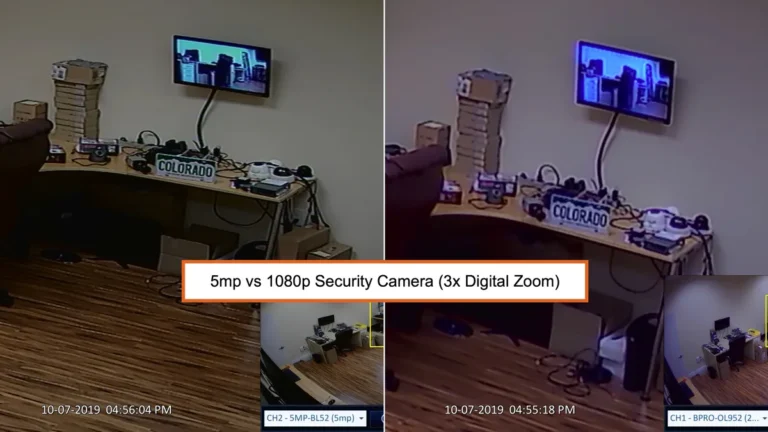
NVR systems, using IP cameras, generally offer superior image quality with higher resolutions like 1080p, 4K, and beyond. DVR systems are limited by the resolution of analog cameras, which is typically much lower.
Is an NVR system harder to set up than a DVR?
Setting up an NVR can be slightly more complex if you are unfamiliar with networking. However, features like PoE can simplify wiring. DVR setup is generally straightforward if cameras are close to the unit.
How long can footage be stored on either system?
Storage duration depends on the hard drive capacity in the DVR or NVR, the number of cameras, and the recording resolution and frame rate. Systems can often store weeks or months of footage. Understanding how long should security footage be kept is a separate consideration.
Can I access my cameras remotely with both DVR and NVR?
Yes, most modern DVR and NVR systems offer remote access capabilities through dedicated apps or web interfaces, allowing you to view live or recorded footage from your smartphone or computer. This requires a stable internet connection for both systems.
Final Verdict: Which System is Right for You?
When deciding between a DVR and an NVR, consider your current setup and future needs. If you have an existing analog system and are on a tight budget, a DVR can be a cost-effective way to maintain surveillance. You can often reuse existing coaxial cabling, which significantly reduces installation time and expense.
However, understand that you'll be limited by the lower resolution of analog cameras and less flexibility in placement.
For those starting fresh, upgrading a dated system, or needing the best possible image quality and system flexibility, an NVR is the clear winner. IP cameras offer superior resolutions, and the network-based architecture allows for easier camera placement and scalability. While the initial investment might be higher, the enhanced features, better performance, and future-proofing make NVR systems the more modern and capable choice for comprehensive security.
If you find your system isn't performing as expected, resources on why is my security camera not detecting motion or how to reset a security camera can help troubleshoot.