Cloud vs Local Storage Security Cameras
When you're looking at security cameras, one of the biggest questions you'll face is where all that video footage actually gets saved. This choice between cloud storage and local storage can feel complicated, but understanding the core differences makes it much simpler. It impacts everything from how you access your video to how much you'll spend over time.
Deciding where your security camera footage lives is a key step, and it’s not just about convenience. It’s about security, privacy, and ongoing costs. As of 2026, understanding your options ensures you get the system that truly fits your needs, whether that's instant remote access or keeping everything securely on your property.
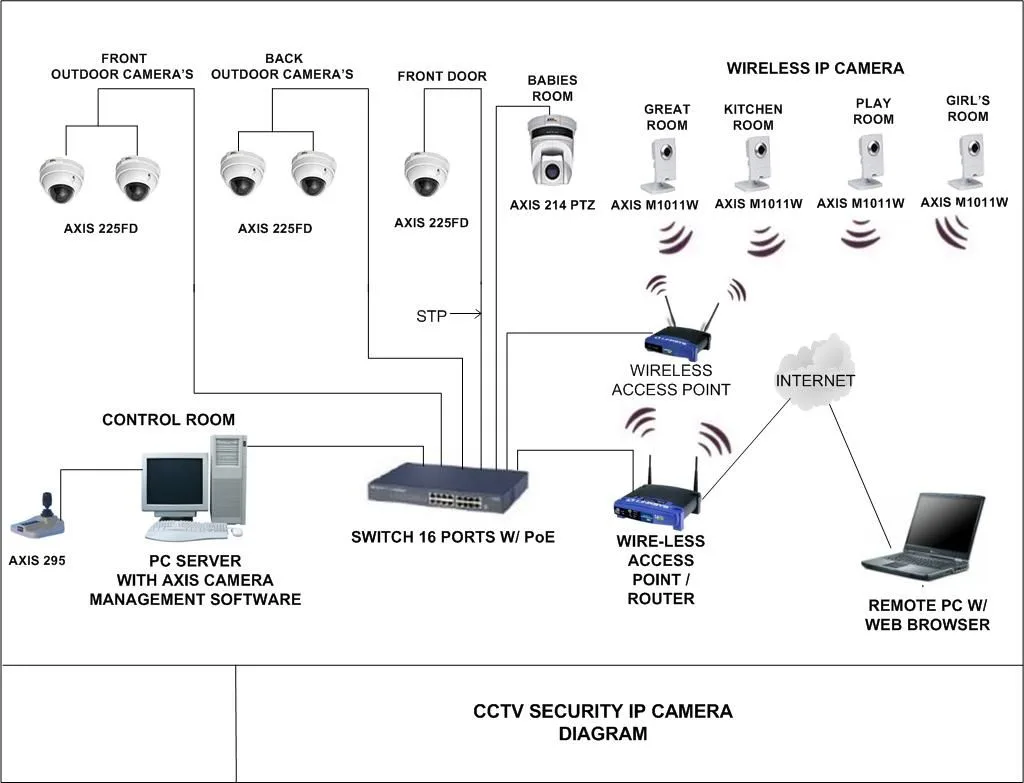
Image source: Web (Bing) / studylistselah55.s3-website-us-east-1.amazonaws.com (Web image (fair-use with source credit))
Quick Answer
Cloud storage automatically backs up camera footage online for remote access. Local storage saves footage directly on-site, offering more control. Cloud offers convenience but has ongoing fees; local storage has a higher upfront cost but no recurring fees.
For most users prioritizing ease and off-site security, cloud is simpler. For cost-conscious or privacy-focused users, local storage is better.
Cloud Storage for Security Cameras: How It Works and What to Expect
Cloud storage for security cameras means your video feeds are sent over the internet to servers managed by the camera manufacturer or a dedicated service provider. Think of it like backing up your photos to an online photo service, but for your surveillance video. This setup is designed to be largely hands-off once it's configured.
The camera continuously uploads video clips or entire recordings to these remote servers, typically based on motion detection or scheduled intervals.
Accessing Footage From Anywhere
This is the biggest draw for many people. If your camera system uses cloud storage, you can usually access your recorded video from any internet-connected device, like your smartphone, tablet, or computer. Manufacturer apps or web portals provide the gateway to view live feeds or download past recordings.
This makes it incredibly useful for checking in on your home or business while you're away on vacation or at work.
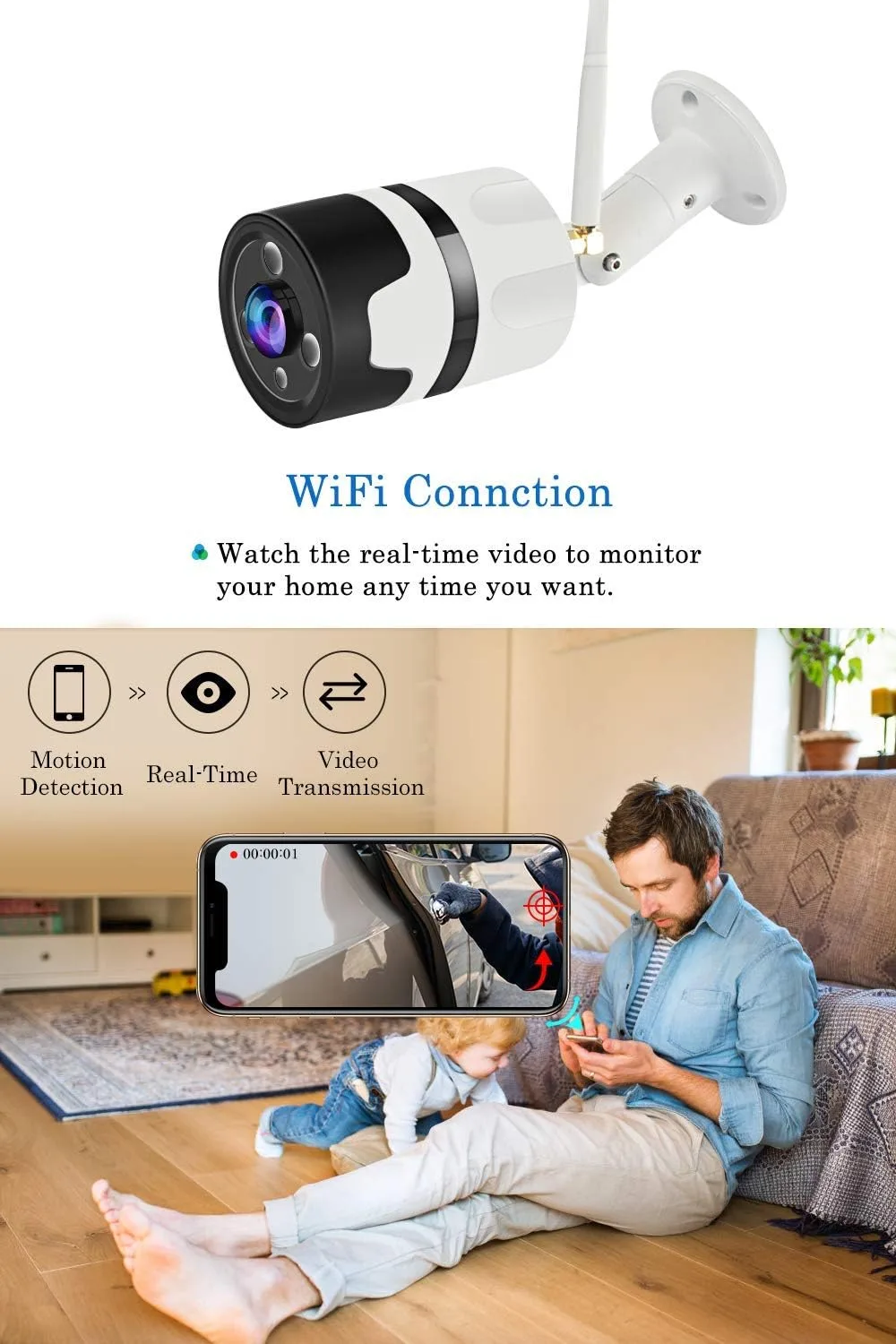
Image source: Web (Bing) / manuals.plus (Web image (fair-use with source credit))
Automatic Backups and Off-Site Security
A major advantage of cloud storage is that your footage is automatically backed up off-site. This means if a burglar breaks into your home and steals the physical camera or recording device, your video evidence is still safe and accessible on the cloud servers. This offers a significant layer of security for your recordings, ensuring that the footage isn't lost just because the camera itself is gone.
Subscription Fees and Internet Reliance
The main downside to cloud storage is that it almost always comes with a recurring subscription fee. These costs can vary widely, from a few dollars a month for basic plans that store a limited amount of footage for a short period, to higher tiers for more cameras, longer storage durations, or advanced features. Additionally, cloud storage is entirely dependent on a stable internet connection.
If your Wi-Fi goes down, your camera might not be able to upload footage, and in some cases, it might even stop recording altogether until the connection is restored.
Local Storage for Security Cameras: Keeping Control In-House
Local storage means your security camera footage is saved directly onto a device that resides at your location. This is the traditional approach and offers a direct, tangible way to manage your video data. Instead of sending data miles away to a remote server, it stays right there with you.
This method often involves purchasing specific hardware for recording and storage purposes.
On-Site Recording Options (NVR/DVR, MicroSD)
There are a few common ways to implement local storage. The most common are:
- MicroSD Cards: Many modern security cameras have a built-in slot for a microSD card. This card acts as the sole storage device, recording footage directly onto it. It's simple and often included with the camera, but storage capacity is limited by the card size.
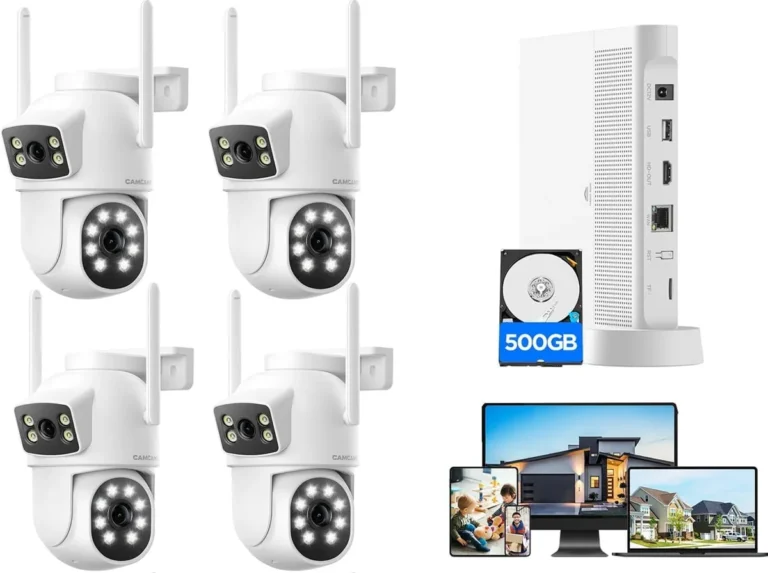
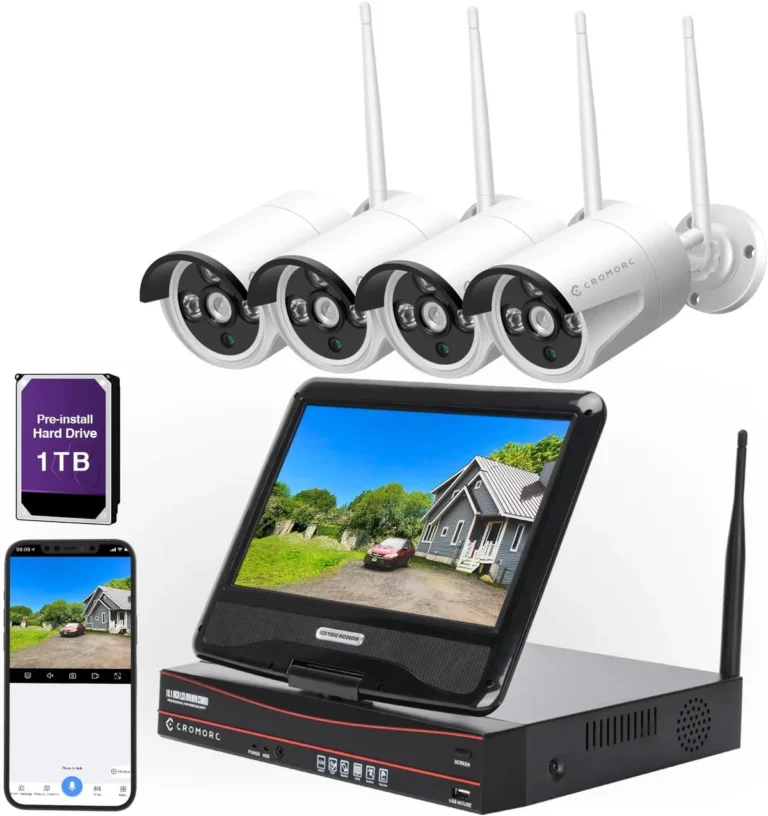
- Network Video Recorders (NVRs): These are dedicated devices, essentially a small computer, designed to record video from multiple IP cameras over your network. You typically install hard drives inside an NVR, giving you significant storage capacity.
- Digital Video Recorders (DVRs): Similar to NVRs, but DVRs are used with analog cameras. They receive video signals directly from the cameras via coaxial cables.
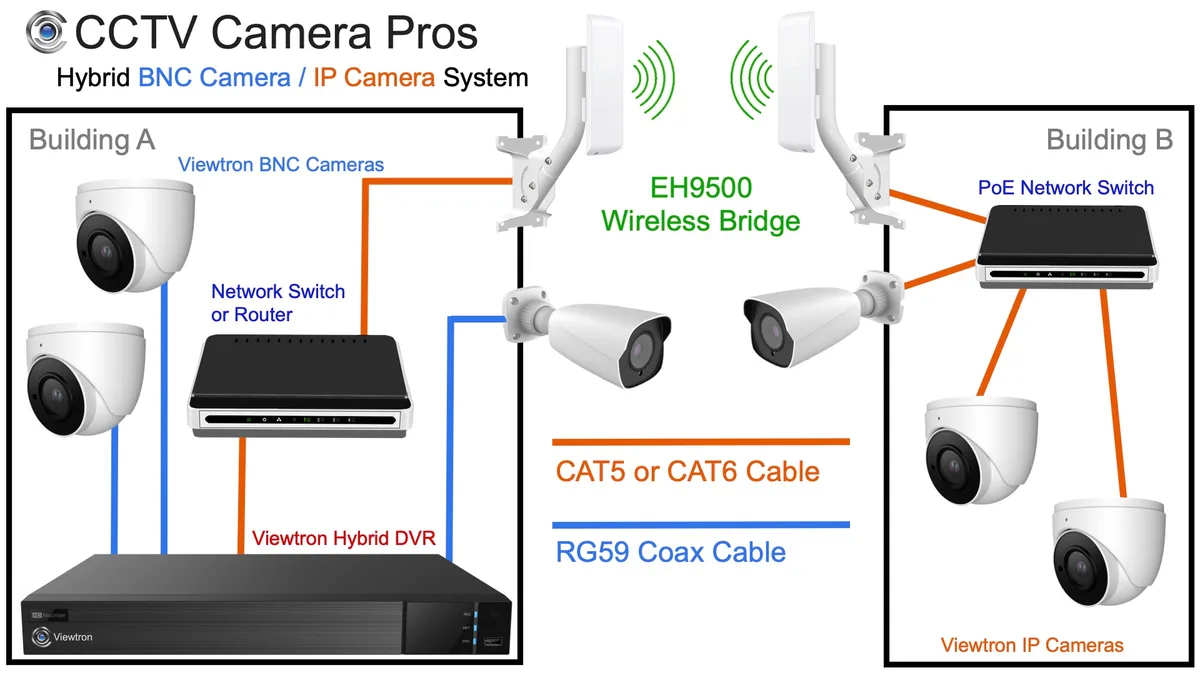
Image source: Bing (Web (fair-use with source credit))
One-Time Costs and Data Ownership
The primary benefit of local storage is the cost structure. After the initial purchase of the camera, microSD card, or NVR/DVR system, there are typically no ongoing monthly fees for storage. This can lead to substantial savings over the long term, especially for systems with many cameras or when you need to retain footage for extended periods.
You also have complete control over your data; it remains on your property and under your management.
Physical Security Risks and Maintenance
The major drawback of local storage is the risk to your footage if the physical recording device is stolen or damaged. If someone breaks in and takes the NVR, DVR, or even the camera with the microSD card, your recorded evidence is lost along with the hardware. Local systems also require more hands-on management.
You're responsible for ensuring the recording device is powered on, has sufficient storage space (potentially requiring hard drive upgrades or card replacements), and is functioning correctly. Per manufacturer specifications for NVRs, routine checks for hard drive health are recommended to prevent data loss.
Cloud vs. Local Storage: Key Differences and Trade-offs
Choosing between cloud and local storage for your security cameras involves weighing several critical factors. It's not a one-size-fits-all decision; what works best depends heavily on your priorities, budget, and technical comfort level. We've identified key areas where these two storage methods diverge significantly, impacting your overall security system experience and long-term investment.
Feature Comparison Table (Accessibility, Cost, Security, Reliability)
Here's a quick rundown to see how they stack up:
| Feature | Cloud Storage for Security Cameras | Local Storage for Security Cameras |
|---|---|---|
| Accessibility | High (anywhere with internet) | Moderate to High (requires network setup for remote access) |
| Upfront Cost | Low to Moderate (for cameras) | Moderate to High (for NVR/DVR systems, higher capacity cards) |
| Ongoing Cost | High (monthly/annual subscription fees) | Low (minimal electricity, potential hardware replacement over time) |
| Data Security | Provider dependent, risk of service breach | You control it, risk of physical theft of device |
| Recording Loss | Low (off-site backup) | High (if recording device is stolen/damaged) |
| Internet Outage | Recording/uploading may stop | Recording generally continues uninterrupted |
| Setup Ease | Generally simpler, plug-and-play focus | Can be more complex, especially with NVR/DVR systems |
| Data Control | Limited (provider sets retention, access policies) | High (you manage retention, access) |
| Maintenance | Minimal (provider handles server upkeep) | Requires hardware checks, storage management |
Who Should Choose Cloud Storage? Ideal Scenarios
Cloud storage is often the go-to for individuals and businesses prioritizing ease of use and immediate accessibility, even if it means a recurring cost. If you frequently travel, manage multiple properties, or simply want a system that's straightforward to set up and manage without deep technical knowledge, cloud-based camera systems are likely a good fit. It removes a lot of the hardware management headaches.
For Maximum Convenience and Remote Access
If your primary need is to check in on your property from anywhere, at any time, cloud storage shines. Whether you're on vacation across the globe or just at the office, a stable internet connection lets you view live feeds or review recorded events via a smartphone app or web portal. This instant access provides significant peace of mind, allowing for quick checks without needing to be physically present or connect to a local network.
Aggregate user reviews frequently cite this "anywhere access" as the top benefit.
For Those Prioritizing Ease of Setup
Many cloud-dependent security camera systems are designed for a "plug-and-play" experience. You typically connect the camera to your Wi-Fi network, create an account with the service provider, and subscribe to a plan. The system handles the recording and storage automatically in the background.
This minimal setup process makes it an attractive option for users who want robust security without a steep learning curve or the need for complex network configurations, which often require IT expertise.
Who Should Choose Local Storage? Ideal Scenarios
Local storage appeals to those who value long-term cost savings, greater control over their data, and are comfortable with a bit more hands-on management. If you're looking to avoid monthly fees or have privacy concerns about sending video data to a third party, an on-site solution is likely the better choice. It's also a strong contender if you anticipate needing to retain footage for extended periods without incurring escalating subscription costs.
For Long-Term Cost Savings and Data Control
The absence of recurring subscription fees is a major draw for local storage. While the initial investment in an NVR/DVR system or higher-capacity microSD cards might be higher, the total cost of ownership over several years can be significantly lower. You own the hardware and the data it records.
This also means you have full control over how long footage is stored, without external policies dictating retention limits. Per manufacturer specifications, many NVRs can support up to 16TB of storage, offering months of continuous recording without additional costs.
For Privacy-Conscious Users and Limited Internet
If the thought of your sensitive video footage residing on a third-party server makes you uneasy, local storage offers a high degree of privacy. Your data stays within your home or business network. This is also an excellent option if your internet connection is unreliable, slow, or expensive, as local recording doesn't depend on an active upload stream.
Even if your internet goes out, the cameras can continue to record locally without interruption, ensuring you don't miss critical events.
Common Mistakes to Avoid When Choosing Storage
When you're setting up a security camera system, it's easy to get caught up in features and forget the basics of storage. Many people make the same few mistakes that can lead to frustration or unexpected costs down the line. Paying attention to these common pitfalls can save you a lot of trouble and ensure your system works as reliably as you expect it to.
Overlooking Ongoing Cloud Costs
A prevalent mistake is focusing solely on the upfront price of cloud-enabled cameras and ignoring the long-term subscription fees. While some services offer a few cameras for free with limited storage, expanding to more cameras or longer recording history can quickly become expensive. A family might start with one camera for $10/month, but adding two more cameras and extending recording from 7 to 30 days could push that cost to $30-$50 monthly.
Over five years, that's an extra $1800-$3000.
Underestimating Local Storage Vulnerabilities
Conversely, some users choose local storage to avoid fees but forget about its inherent physical risks. If your NVR or DVR is stolen, your footage is gone with it. This is a critical security gap if your primary concern is preserving evidence after a break-in.
Think about where the NVR is located; if it's easily accessible to an intruder, it becomes a liability.
Ignoring Internet Speed Requirements
For cloud systems, insufficient internet upload speed is a common bottleneck. Cameras need enough bandwidth to send continuous or event-based video streams to the cloud. If your upload speed is too low, you might experience choppy footage, dropped connections, or delayed alerts.
For example, uploading a 1080p stream at 25 frames per second can require an upload speed of 5-10 Mbps or more per camera. Before committing to cloud, check your internet service provider's upload speed capabilities.
Frequently Asked Questions About Camera Storage
Can I use both cloud and local storage?
Yes, many modern security camera systems offer a hybrid approach. This means footage can be recorded locally to an NVR or microSD card for immediate access and redundancy, while also being simultaneously uploaded to the cloud for off-site backup. This gives you the best of both worlds: immediate access and control of your data, plus the security of an off-site backup in case of local disaster or theft.
How much storage do I really need?
The amount of storage you need depends on several factors: the number of cameras, the recording resolution (higher resolution takes more space), the frame rate (FPS), and how long you want to retain footage. For local storage, a single 1TB hard drive in an NVR might store about 1-2 weeks of continuous 1080p footage from four cameras, but this can vary by compression standards like H.265 which uses space more efficiently than older H.264. For cloud, plans are usually priced by the number of cameras and the duration of stored history (e.g., 7 days, 30 days).
What happens if my internet goes down with cloud storage?
If your internet connection drops, cloud-based security cameras typically stop uploading footage to the cloud. Depending on the camera's design, it may or may not continue to record locally to a microSD card. Some cameras will simply stop recording entirely until the internet is restored.
This means you could miss critical events that occur during an internet outage, which is a significant security gap for some users.
Is my data safe with cloud providers?
Most reputable cloud storage providers for security cameras employ robust security measures, including encryption (often AES-256 bit) during transmission and at rest on their servers. However, no system is entirely impenetrable. The risk of a data breach, though generally low with major providers, still exists.
You are entrusting your sensitive video data to a third party, and their security practices directly impact the safety of your recordings. Always choose providers that are transparent about their security protocols.
Final Verdict: Which Security Camera Storage Is Best For You?
When it comes down to it, the choice between cloud and local storage for your security cameras isn't about which is universally "better," but which is better for you. Your decision should be guided by your specific needs, budget, and comfort level with technology and privacy.
If you prioritize convenience, easy remote access, and automatic off-site backups, and you're comfortable with ongoing monthly fees, cloud storage is likely your best bet. It simplifies management and ensures your footage is safe even if your property is compromised. On the other hand, if you're focused on minimizing long-term costs, maintaining complete control over your data, and don't want recurring payments, local storage offers a compelling alternative.
Just be sure to consider the physical security of your recording device and plan for potential maintenance.