What Is a PoE Security Camera
Ever feel like running all those separate power and data cables for security cameras is a hassle? The good news is, there's a smarter way to power your surveillance system using just one cable. This is where the technology behind what is a PoE security camera really shines.
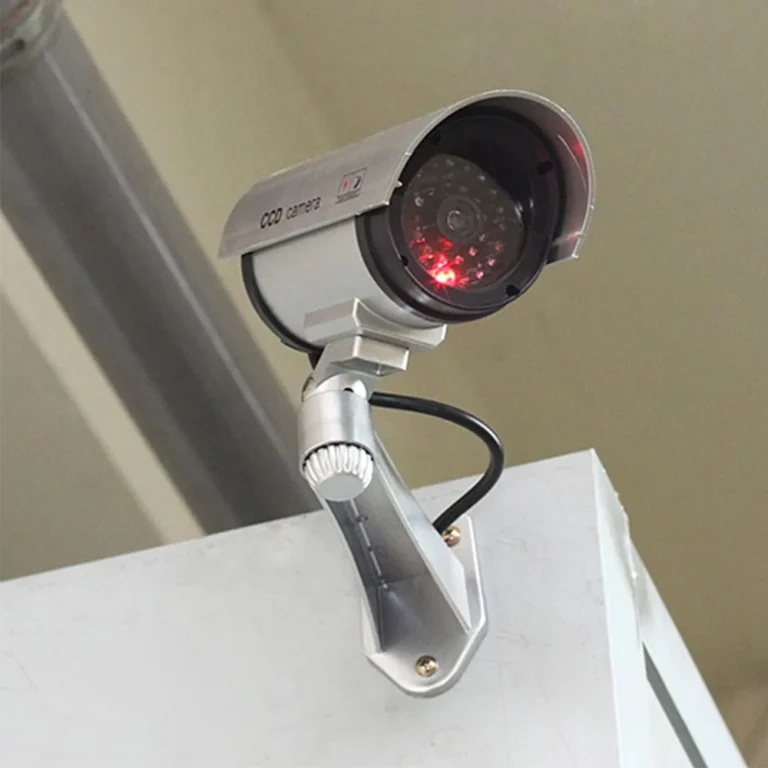
What is a PoE security camera? It’s an IP camera that draws its power directly through the same Ethernet cable that sends its video data. This simplifies installation dramatically, eliminating the need for nearby electrical outlets.
Per the IEEE 802.3af standard, this technology can deliver up to 15.4 watts of power per port, streamlining your setup and reducing clutter.
Quick Answer
A PoE security camera is a network-connected surveillance camera that receives both its power and its data transmission through a single Ethernet cable. This Power over Ethernet (PoE) technology eliminates the need for a separate power adapter or outlet near the camera. It simplifies installation and reduces wiring complexity, making it a popular choice for modern security systems.
What Exactly Is a PoE Security Camera?
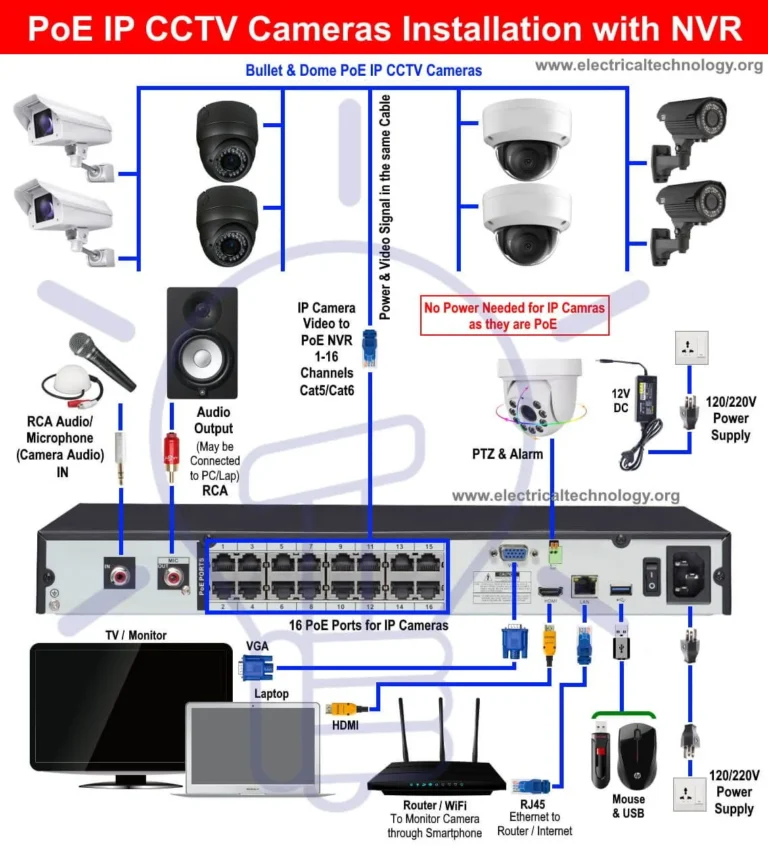
At its heart, a PoE security camera is an IP (Internet Protocol) camera that leverages Power over Ethernet technology. Instead of needing a dedicated power cord plugged into a wall outlet, it gets all the electricity it needs to operate directly through the Ethernet cable connecting it to your network. This is a game-changer for installation and maintenance.
Think about traditional cameras: you need to run both a video cable and a separate power cable to each camera. With PoE, that all changes. One cable does the job of two, significantly cutting down on the amount of wiring you need to manage.
This makes it ideal for mounting cameras in places where power outlets aren't readily available.
The Magic of One Cable: How PoE Delivers Power and Data
The real magic of a PoE security camera lies in how it combines power and data transmission over a single Ethernet cable. This isn't just a convenience; it's a fundamental shift in how surveillance systems are deployed. It relies on a few key components working together seamlessly.
The Role of Ethernet Cables
Ethernet cables, commonly known as Cat5e, Cat6, or Cat6a, are the backbone of any PoE system. These cables are designed to carry digital data signals, but they also have unused pairs of wires that can safely carry electrical current. When a PoE-compatible device, like a security camera, is connected, it can draw power from these specific wires.
The IEEE 802.3 standards define how this power is delivered, ensuring compatibility and safety.
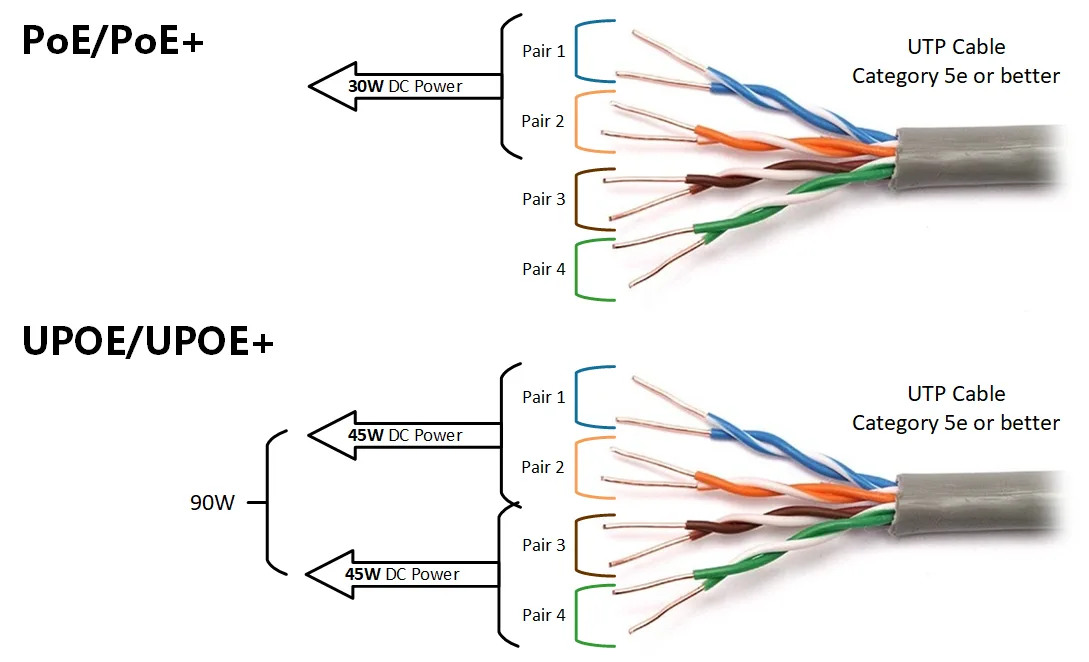
Image source: Bing (Web (fair-use with source credit))
The Network Switch or Injector
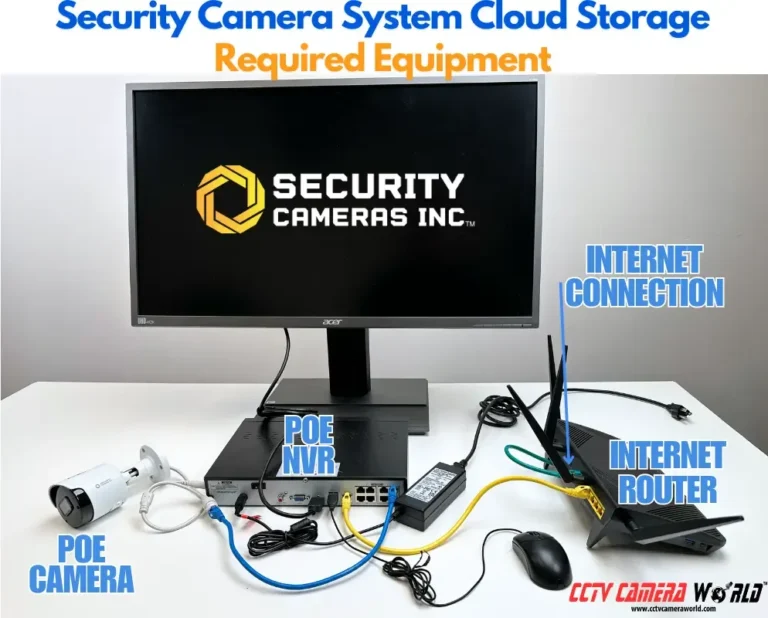
To make PoE work, you need a source of power on the network. This typically comes from one of two places: a PoE-enabled network switch or a PoE injector. A PoE switch has built-in PoE technology, meaning all the ports on the switch can deliver power to connected devices.
This is common in larger installations where you might have multiple cameras.
Alternatively, a PoE injector acts like a standalone power supply for a single Ethernet cable. You connect your regular network switch to one port of the injector, and then the injector provides PoE power to the cable going out to your camera. This is a good option for adding just one or two PoE cameras without replacing your entire existing switch.
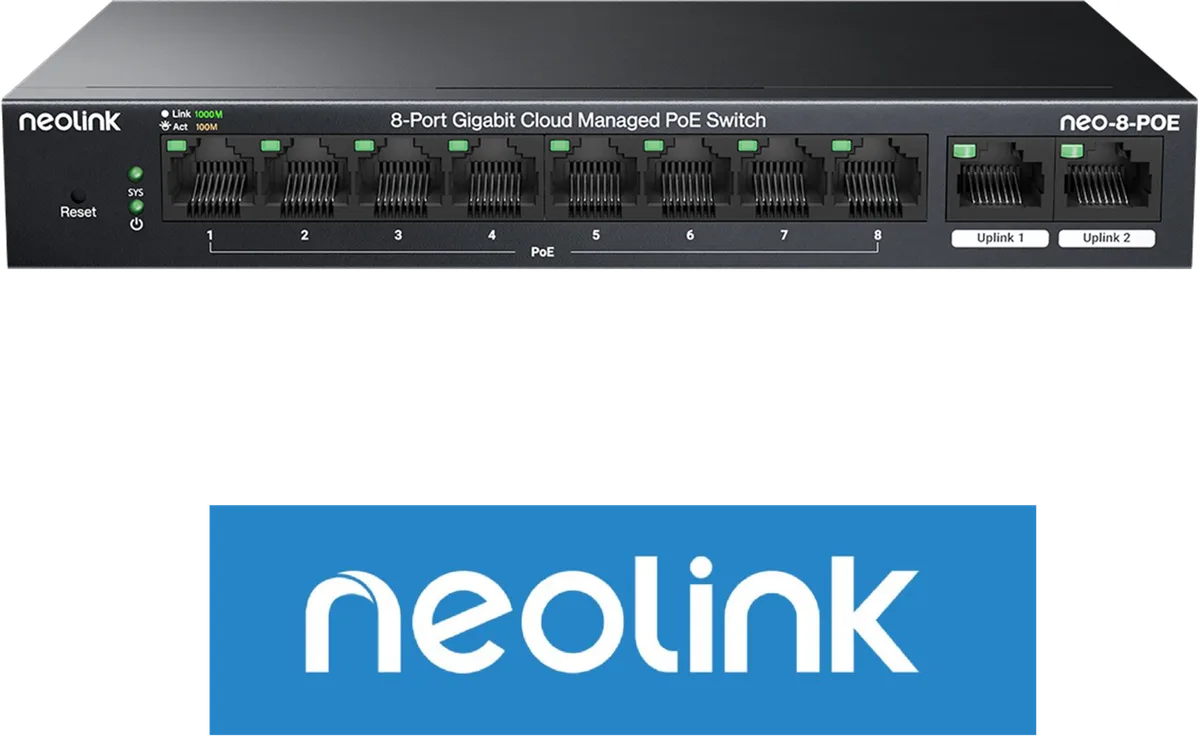
Image source: Bing (Web (fair-use with source credit))
The Camera Itself
The PoE security camera is designed to accept both the data and the power signals. It has the necessary internal circuitry to detect the presence of PoE power on the Ethernet cable and then utilize it to operate. This includes powering its sensors, processors, and any built-in infrared LEDs for night vision.
As of 2026, many cameras also support different PoE standards, such as 802.3at (PoE+) for higher power needs.
Key Features That Make PoE Cameras Stand Out
PoE security cameras aren't just about how they're powered; they come packed with features that make them effective surveillance tools. The technology allows for more robust hardware and more advanced capabilities because power is consistently supplied and easily managed.
Resolution and Image Quality
These cameras typically offer high-definition video, ranging from 1080p (Full HD) to 4K resolution. This means you get clear, sharp images that can capture fine details, making it easier to identify people, objects, or license plates. The digital nature of IP cameras also means less signal degradation compared to older analog systems.
Night Vision and Low-Light Performance
Most PoE security cameras are equipped with infrared (IR) LEDs. These invisible lights illuminate the camera's field of view in complete darkness, allowing the camera to capture black-and-white video footage at night. The effectiveness of this feature can vary, with some cameras offering longer IR ranges than others.
Motion Detection and Smart Alerts
Many PoE cameras include built-in motion detection. They can analyze the video feed for movement and trigger recordings or send alerts to your phone or email. More advanced models might offer features like person detection or package detection, helping to reduce false alarms from things like swaying trees or passing cars.
Durability and Weatherproofing
Because PoE cameras are often mounted outdoors, they are typically built to withstand various environmental conditions. Look for an IP rating (Ingress Protection) to understand their resistance to dust and water. An IP66 or IP67 rating, for instance, indicates they are protected against dust ingress and can withstand high-pressure water jets or even temporary immersion.
Why Choose PoE? The Big Benefits
When you're looking at security camera options, the advantages of going with PoE can be pretty compelling. It's not just about having a cool tech feature; it translates into real-world benefits for installation and ongoing use.
Simpler Setup, Less Clutter
This is the most significant benefit. Instead of running two separate cables (one for video data and one for power) to each camera location, you only need to run one Ethernet cable. This dramatically reduces the amount of wiring needed, making installations cleaner, faster, and less visually intrusive, especially in finished spaces or historical buildings.
Reliable Power, Fewer Outlets Needed
PoE cameras draw power directly from the network. This means you don't need to worry about finding an electrical outlet near every camera you install, which can be a major challenge for outdoor or remote locations. The power comes from a central switch or injector, often located near your router or NVR, providing a consistent power source.
Cost-Effectiveness Over Time
While the initial cost of PoE cameras and switches might be slightly higher than some analog alternatives, the long-term savings can be substantial. You save on the cost of electrical work, the need for power adapters for each camera, and the labor involved in running extra cables. This simplified setup also makes troubleshooting and maintenance easier.
Enhanced Network Performance
Since these cameras use standard Ethernet networking, they can often leverage higher bandwidth than older analog systems. This supports higher video resolutions and frame rates, leading to smoother footage. It also means they integrate more seamlessly into your existing network infrastructure, allowing for easier remote viewing and management via apps or web interfaces.
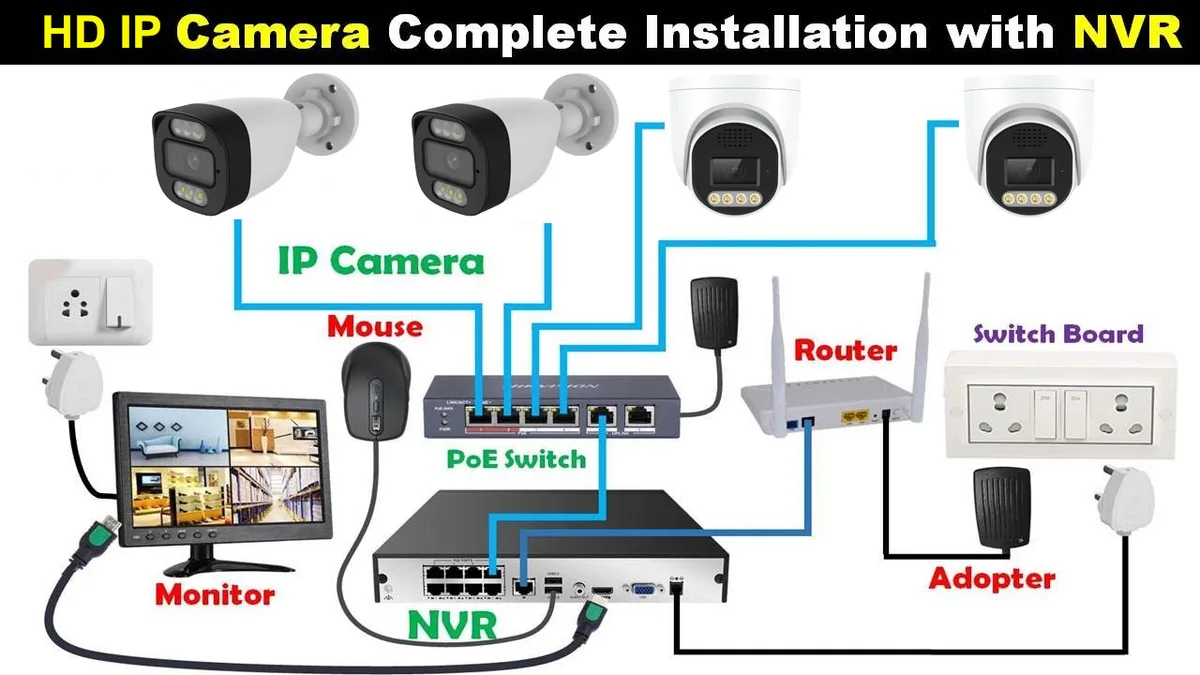
Image source: Bing (Web (fair-use with source credit))
Not Without Their Quirks: Potential Downsides
While the benefits of PoE security cameras are clear, it's also wise to understand their limitations. Like any technology, there are a few things to keep in mind to ensure you get the best performance and avoid potential headaches.
Cable Length Limitations
Ethernet cables have a maximum reliable length of 100 meters (about 328 feet) for both data and power transmission. If your camera location is further than this from your PoE switch or injector, you'll need to use network extenders or other solutions to boost the signal and power. This isn't usually a problem for typical home or small business setups, but it's something to consider for larger properties.
Power Budget Considerations
A PoE switch has a total power budget, which is the maximum amount of power it can supply across all its PoE-enabled ports combined. Each PoE camera has a specific power requirement, often listed in watts. You need to ensure that the total power draw of all connected PoE devices does not exceed the switch's total power budget.
Exceeding this budget can lead to devices not powering on or behaving erratically. For example, a switch with a 120W budget could power eight 15W cameras (8 * 15W = 120W) or four 30W cameras (using the higher PoE+ standard, 4 * 30W = 120W).
Network Security
As with any device connected to your network, PoE security cameras can be potential entry points for cyber threats if not properly secured. It’s crucial to change default passwords, keep camera firmware updated, and consider network segmentation to isolate your cameras from your main network if you're highly concerned about security.
Where Do PoE Security Cameras Shine? Real-World Uses
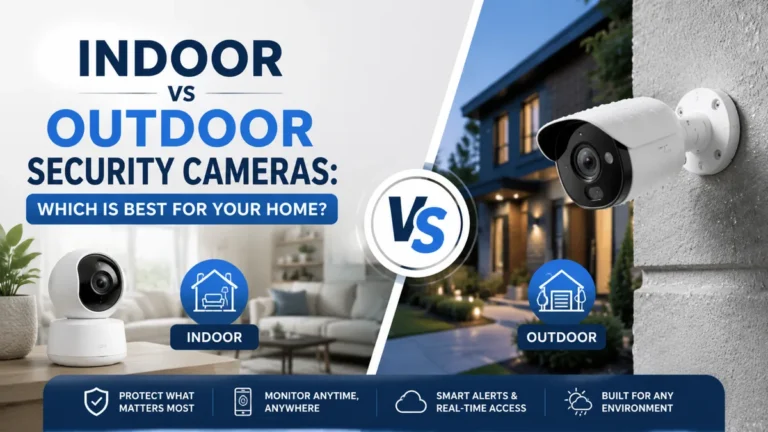
PoE security cameras are incredibly versatile and find their place in a wide range of applications, from keeping an eye on your home to safeguarding commercial properties. Their ease of installation and reliable performance make them a go-to choice for many. Let's look at a few common scenarios where they really stand out.
Securing Your Home
For homeowners, PoE cameras offer a robust way to monitor properties. You can place cameras at entrances, along the perimeter, or in garages to deter intruders and capture clear evidence if an incident occurs. The single-cable setup means you can often install them without needing to hire an electrician, making DIY home security more accessible.
Protecting Your Business
Businesses of all sizes benefit from the surveillance capabilities of PoE cameras. Retail stores use them to monitor inventory and customer activity, offices use them for employee and visitor safety, and warehouses deploy them to keep track of assets and operations. The high-resolution video is invaluable for investigations and loss prevention.
Monitoring Warehouses and Large Spaces
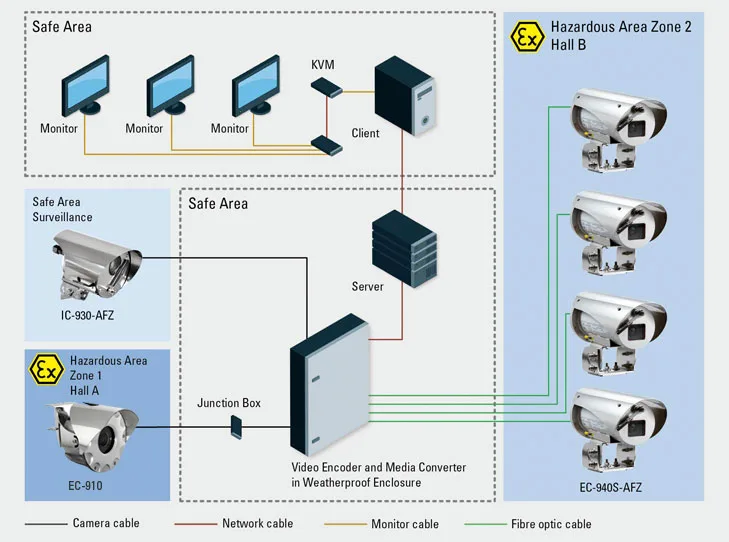
The ability to run Ethernet cables up to 100 meters means PoE cameras are excellent for covering large areas like warehouses, construction sites, or expansive outdoor lots. You can strategically place cameras to cover blind spots and monitor activity without the hassle of running multiple power lines across significant distances.
Setting Up Your PoE System: The Basics
Getting your PoE security cameras up and running involves a few straightforward steps. The simplified wiring means the setup is generally less daunting than traditional systems. You'll want to plan where each camera will go and how the cabling will run back to your network equipment.
Planning Your Placement
Decide on the vantage points that offer the best coverage for your specific needs. Consider what you want to monitor, perhaps an entrance, a driveway, or a specific area inside. Think about potential obstructions like trees or buildings that might block the camera's view or interfere with its signal.
Ensure the chosen spot is secure and accessible for the initial setup.
Running the Cables
This is where the single Ethernet cable makes a big difference. You'll need to run an Ethernet cable from your PoE switch or injector to each camera location. Make sure to use outdoor-rated Ethernet cable if you're running it outdoors to protect it from UV damage and moisture.
Cable clips or conduits can help keep runs tidy and protected.
Connecting to Your Network
Once the cables are run and cameras are mounted, connect one end of the Ethernet cable to the camera and the other end to a PoE-enabled port on your switch or to your PoE injector. If using an injector, the injector connects to your main network switch via a standard Ethernet cable. Your cameras should then power on automatically, and you can usually access them through your network's IP address or a dedicated app.
When to Consider Alternatives to PoE
PoE security cameras are a fantastic solution for many scenarios, but they aren't always the perfect fit. If your property has unique challenges or your needs are very specific, other options might be more suitable. Sometimes, the simplicity of a different approach outweighs the advantages of PoE.
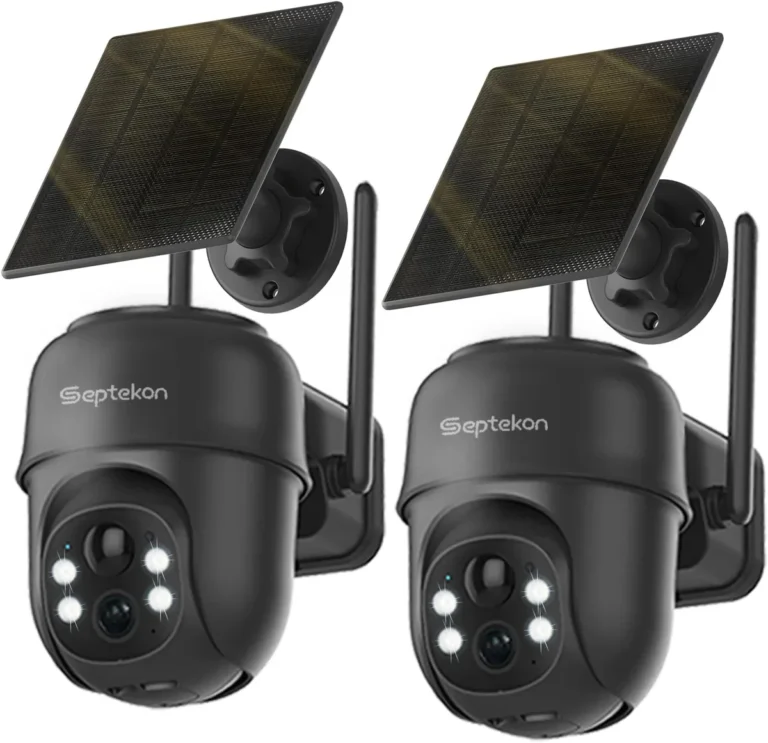
Wireless security cameras, for instance, are a strong alternative if running any cables at all feels impossible or is prohibited by property rules. These cameras connect to your Wi-Fi network, requiring only a power source nearby. This offers maximum placement flexibility but can sometimes be subject to Wi-Fi signal strength issues or potential interference.
Analog CCTV systems, while older, might still be a consideration if you're on a very tight budget and already have coaxial cabling in place. However, they generally offer lower resolutions and a less integrated system compared to modern IP-based PoE cameras. Each option has its trade-offs, so it's about matching the technology to your situation.
Common Pitfalls to Sidestep When Going PoE
Even with the simplified setup, there are a few common mistakes people make with PoE security cameras. Being aware of these can save you a lot of frustration down the line. Avoiding these issues ensures a smoother installation and more reliable performance.
One frequent error is using the wrong type of Ethernet cable, especially for outdoor runs. Standard indoor Ethernet cables aren't built to withstand UV exposure, temperature fluctuations, or moisture, leading to premature failure. Always opt for outdoor-rated or shielded cables when the cable will be exposed to the elements.
Another pitfall involves underestimating the power budget of your PoE switch. If you connect more cameras than your switch can power, they simply won't work. It’s essential to calculate the total wattage required by your cameras and ensure your switch's power budget can comfortably accommodate it, leaving a little headroom.
Costs / Pricing / Data / Specs
Understanding the typical costs associated with PoE security cameras is key for budgeting. The price can vary significantly based on the camera's resolution, features, and brand. Entry-level PoE cameras might start around $50 to $100, while higher-end models with advanced analytics and superior image quality can range from $200 to $500 or more.
Beyond the cameras themselves, you'll also need to factor in the cost of a PoE-enabled network switch or injector. A basic 4-port PoE injector might cost around $30-$50, while a 16-port managed PoE switch could range from $200 to $600 or higher. The Ethernet cable, connectors, and any mounting hardware add to the overall expense.
For example, a small business setting up a four-camera system might look at:
- Cameras: 4 x $150 (mid-range) = $600
- PoE Switch: 1 x $250 (8-port managed switch) = $250
- Cabling: $50-$100 for bulk cable and connectors.
- Total Estimated Cost: $900, $950 for the core equipment.
Expert Tips / Pro Advice
When working with PoE security cameras, a few expert insights can make a big difference. Firstly, always verify that your PoE switch or injector supports the necessary PoE standards your cameras require. Most cameras today use IEEE 802.3af (PoE) or 802.3at (PoE+) but checking compatibility saves headaches.
Another pro tip is to consider cable quality carefully, especially for longer runs. Using Cat6 or Cat6a Ethernet cables can provide better performance and a more stable power delivery compared to older Cat5e cables, particularly if you're pushing the 100-meter limit. Proper cable management, like using conduits or zip ties, not only looks neater but also protects your investment from damage.
Finally, don't overlook network security. Always change the default administrator passwords on both your cameras and your PoE switch. Regularly checking for and installing firmware updates from the manufacturer is crucial for patching any security vulnerabilities.
Consider placing your cameras on a separate VLAN if your network infrastructure allows, to further isolate them from your main business or home network.
Safety / Legal / Compliance / Warnings
While PoE technology is designed to be safe, there are a few warnings and considerations. Always ensure that the equipment you are using is certified by recognized standards bodies, such as UL or ETL, to guarantee it meets safety requirements for electrical devices. Using uncertified power supplies or counterfeit components can pose fire risks or damage your equipment.
When installing cameras outdoors, ensure they are properly rated for weather resistance (e.g., IP66 or higher) to prevent water damage, which could lead to short circuits or system failure. Also, be mindful of local regulations regarding surveillance. In some areas, there may be restrictions on where cameras can be placed or how video footage can be used, especially concerning privacy.
Frequently Asked Questions About PoE Security Cameras
Can I use any Ethernet cable?
No, it's best to use Cat5e or higher quality Ethernet cables for PoE. While older Cat5 cables might work for data, they may not reliably carry power for PoE devices over longer distances. Outdoor-rated or shielded cables are recommended for external runs.
How far can a PoE cable really go?
Standard Ethernet cable runs for both data and power are limited to 100 meters (about 328 feet) from the power source. Exceeding this distance can cause signal degradation or insufficient power delivery to the camera.
What happens if my switch doesn't have enough power?
If the total power demand of your PoE cameras exceeds your switch's power budget, the cameras may not power on, or they might disconnect intermittently. You'll need a switch with a higher total wattage or fewer devices connected.
Are PoE cameras secure?
PoE cameras can be secure if properly configured. It’s essential to change default passwords, keep firmware updated, and potentially segment them onto a separate network to minimize cybersecurity risks.