Can CCTV Cameras Be Viewed From Anywhere?
Ever worried about what’s happening at home or your business when you’re miles away? The ability to check in on your CCTV cameras from anywhere with an internet connection offers real peace of mind and a powerful layer of security. It’s a capability that many modern systems provide, but it’s not always a simple plug-and-play solution.
Getting remote access to your surveillance footage hinges on a few technical pieces falling into place, primarily how your cameras connect to the internet and how you're granted access. For instance, manufacturer specifications often highlight internet upload speeds of at least 2 Mbps per camera for reliable remote viewing. This guide breaks down what makes remote viewing possible and what you need to consider.
Quick Answer: It Depends on Your Setup
Yes, in most cases, CCTV cameras can be viewed from anywhere. This requires your cameras to be connected to the internet and your system to be configured for remote access, usually via a dedicated app or web portal. Factors like home internet speed and network setup are crucial for smooth operation.
How Remote CCTV Viewing Actually Works
Seeing your camera feeds when you’re not physically present involves a chain of connections and technologies. It's not magic; it's a deliberate technical setup designed for accessibility.
Connecting Cameras to the Internet
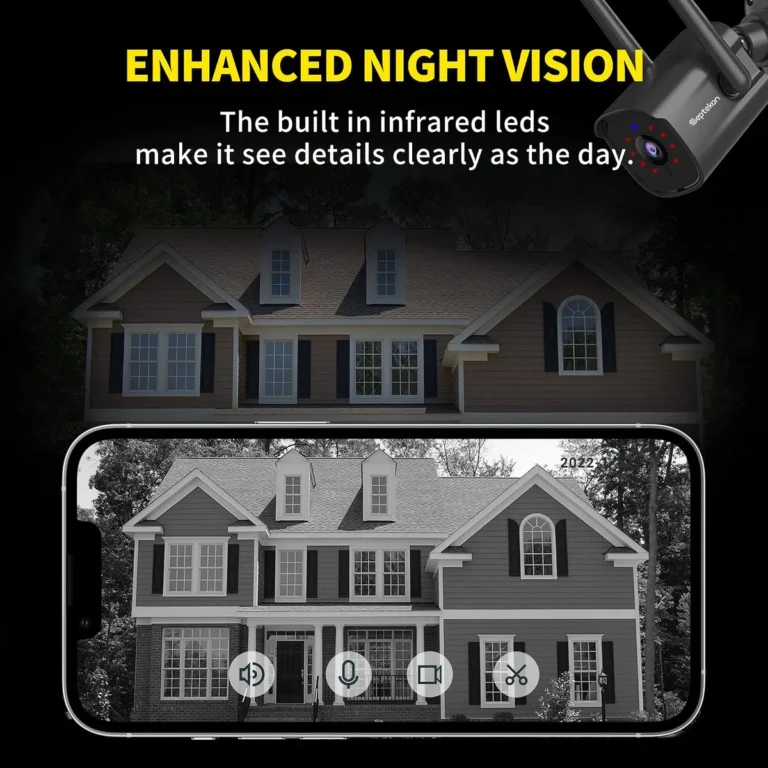
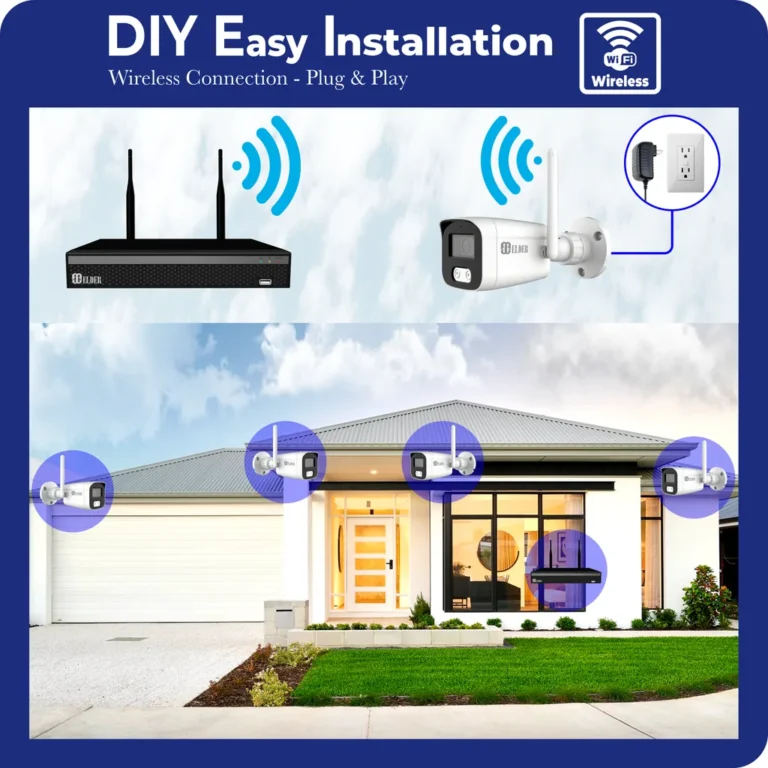
The most fundamental requirement is getting your CCTV cameras online. If your cameras are IP (Internet Protocol) cameras, they connect directly to your home's router, which in turn connects to the internet. For older analog systems, you'd typically have a DVR (Digital Video Recorder) that records footage and is then connected to the internet.
Modern systems often integrate this internet connection directly. Without an internet gateway, your cameras are essentially isolated and inaccessible remotely.
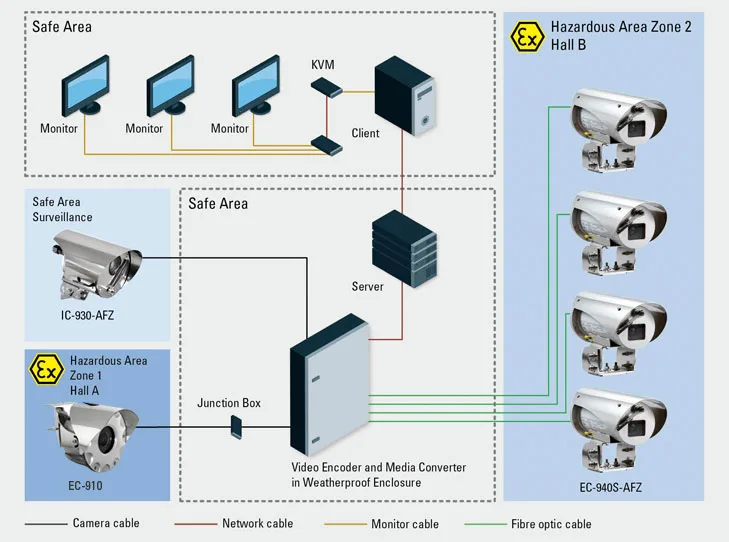
Image source: Web (Bing) / ar.inspiredpencil.com (Web image (fair-use with source credit))
The Role of Your Home Network
Your home network acts as the bridge between your cameras and the outside world. Your router manages the flow of data, assigning local IP addresses to your cameras and allowing them to communicate with your internet service provider (ISP). For remote access, your router must be configured to allow external connections to reach your cameras or your recording device (like an NVR or DVR).
This might involve specific settings your ISP provides or features built into the camera system's software. Understanding your router's capabilities is key to enabling this.
Accessing the Feed: Apps and Portals
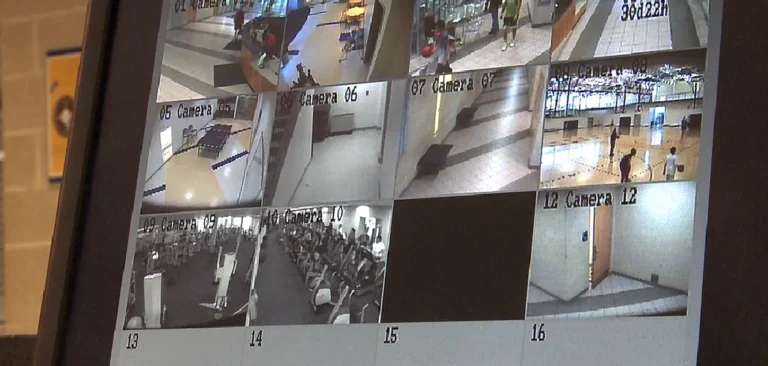
Once your cameras are online and your network is set up, you need a user-friendly way to view the footage. Most manufacturers provide dedicated mobile apps (for iOS and Android) or web-based portals. These interfaces allow you to log in remotely, see live video streams, and often access recorded clips.
These applications simplify the complex network connections into a straightforward visual interface, making it easy for you to monitor your property from your smartphone, tablet, or computer. If you're experiencing connection issues, you might need to look into how to fix security camera video lag.
What You Need for Anywhere Access
Achieving that "view from anywhere" capability depends heavily on the type of CCTV system you have. The core difference often boils down to where your footage is processed and stored, and how that information is relayed to you.
Cloud-Based Systems Explained
In a cloud-based CCTV setup, your cameras are designed to connect directly to the internet and stream their data to servers managed by the camera manufacturer. This means the heavy lifting, recording, processing, and storing footage, happens off-site in what's called the cloud.
- How it Works: Cameras upload live video feeds and recorded events to remote servers.
- Access: You use the manufacturer’s app or website to connect to these cloud servers and view your footage.
- Pros: Setup is typically very straightforward, often just requiring Wi-Fi connection and account creation. You can usually access your system from any internet-connected device.
- Cons: You’re reliant on the service provider's infrastructure, and there can be monthly subscription fees for cloud storage or advanced features. Privacy concerns might also arise as footage is stored off-site.
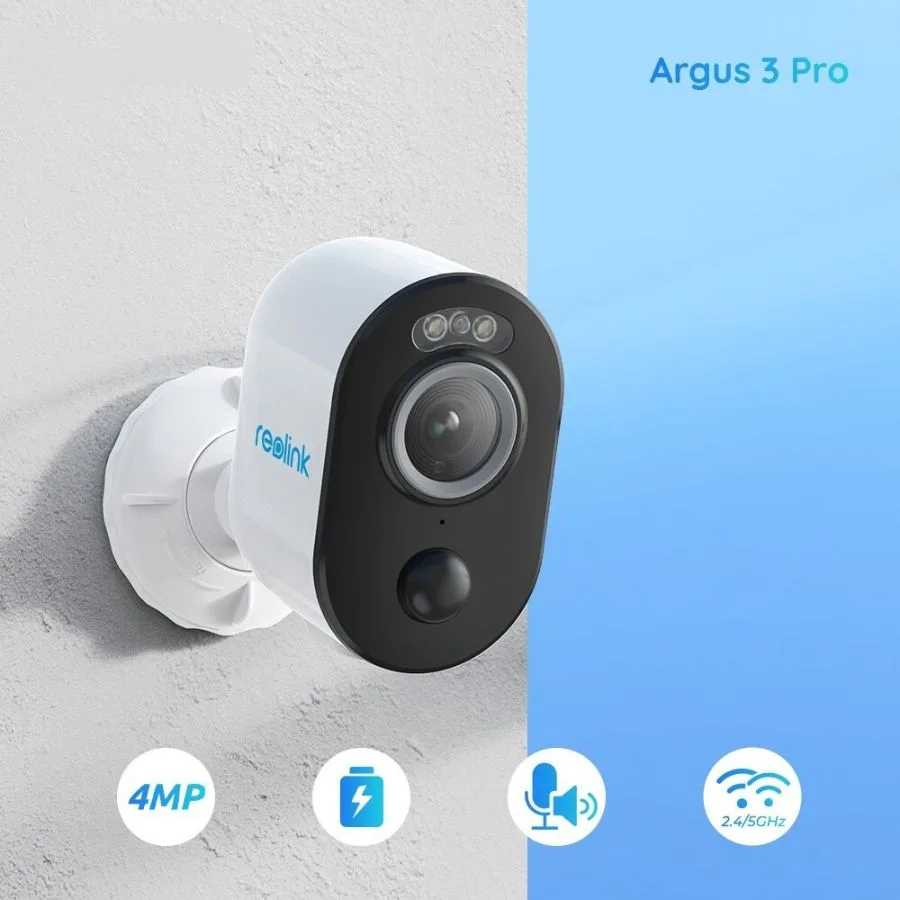
Image source: Web (Bing) / wifisec.ru (Web image (fair-use with source credit))
NVR/DVR Remote Access Explained
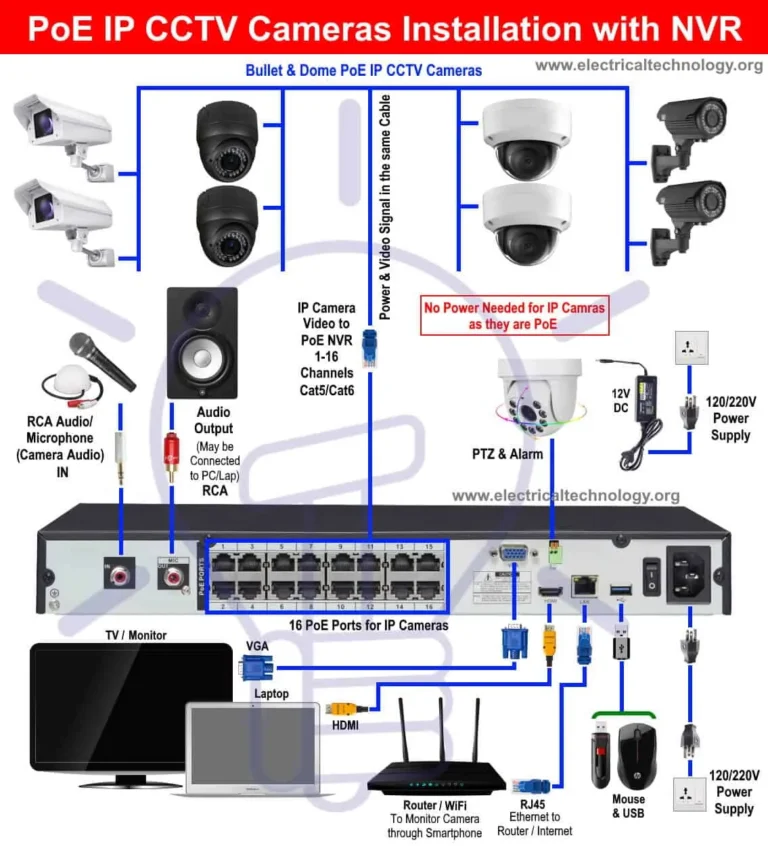
Traditional systems use a Network Video Recorder (NVR) for IP cameras or a Digital Video Recorder (DVR) for analog cameras. These devices are typically housed on your property and store footage locally on hard drives. For remote viewing, these NVRs/DVRs must be connected to your home's internet router.
The manufacturer’s software then provides a way to connect to the NVR/DVR remotely, acting as a gateway.
- How it Works: Cameras send footage to a local NVR/DVR, which then connects to the internet.
- Access: Manufacturer-provided apps or web interfaces allow you to connect to your NVR/DVR remotely.
- Pros: You maintain control over your footage storage, and there are often no ongoing subscription fees for basic remote access.
- Cons: Initial setup can be more complex, sometimes requiring router configuration like port forwarding. The performance relies heavily on your home's upload internet speed and network stability. If you notice performance issues, understanding why is my security camera delayed can be helpful.
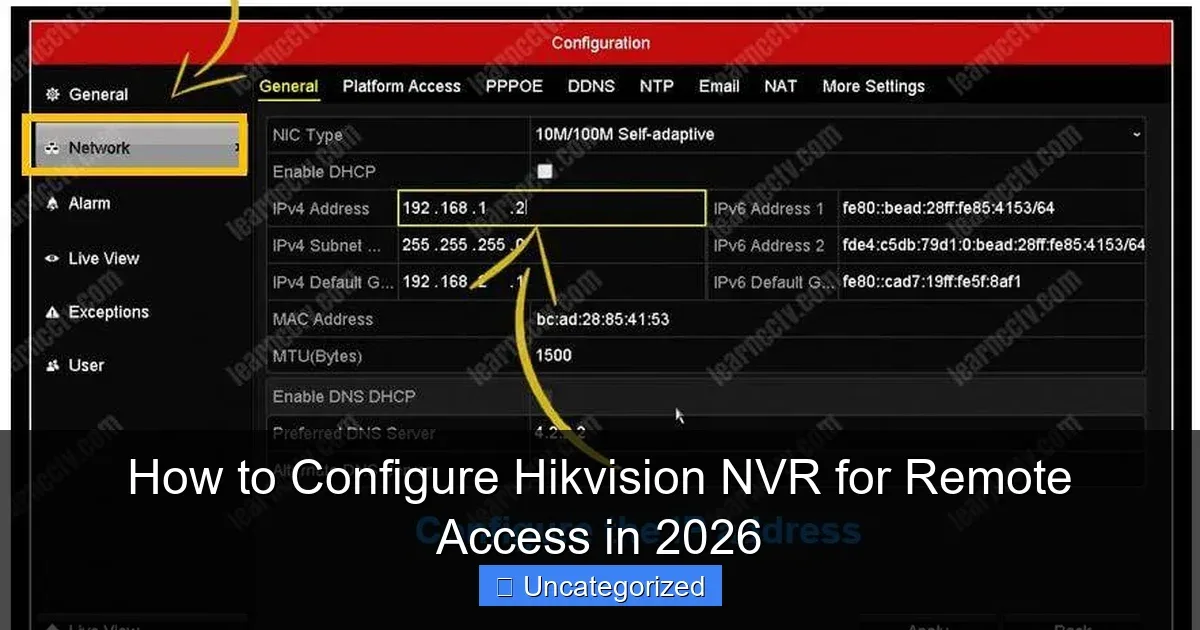
Image source: Web (Bing) / surveillanceguides.com (Web image (fair-use with source credit))
Key Factors for Successful Remote Viewing
Even with the right system, several technical factors play a critical role in ensuring you can reliably view your CCTV cameras from anywhere. If you experience choppy video or dropped connections, these are the first things to check.
Internet Speed & Reliability
Your home’s internet upload speed is paramount for remote viewing. When you access your cameras from afar, you're essentially requesting your camera feed to be sent out from your home network to your remote device. If your upload speed is too slow, the video stream will be compressed, choppy, or may fail to load entirely.
Manufacturer specifications often suggest a minimum upload speed of 1-2 Mbps per camera for smooth HD streaming. Aggregate reviews report that many home internet plans offer sufficient upload speeds, but it's worth checking your ISP's plan details. Consistent internet reliability at your location is also vital; frequent outages will obviously interrupt remote access.
If you’re having trouble with signal strength, learning how to improve security camera WiFi signal can make a big difference.
System Compatibility
Not all CCTV cameras or recorders are created equal when it comes to remote access. Older systems or very basic models might not have been designed with internet connectivity for remote viewing in mind. Ensure your specific camera model, NVR, or DVR explicitly supports remote access through a mobile app or web interface.
Check the product's specifications or user manual. For instance, some systems require a specific firmware version to enable remote viewing features, so keeping your firmware updated is essential; you can learn how to update security camera firmware to ensure you have the latest capabilities.
Common Roadblocks and How to Fix Them
Even with the best intentions and equipment, you might run into issues trying to access your CCTV cameras remotely. Understanding these common problems and their solutions can save you a lot of frustration.
Connection Issues
The most frequent roadblock is simply not being able to establish a connection. This can stem from a few places. Your home internet might be down, or its upload speed might be too low, leading to a poor or non-existent stream.
Check your router and internet service. If your home has a dynamic IP address (which changes periodically), some older systems might struggle to reconnect automatically unless the manufacturer’s service handles this. For those with port forwarding, incorrect router configurations are a major culprit.
Double-checking every number and setting in your router’s admin panel is crucial. Sometimes, a simple reboot of your router and the camera system can resolve temporary glitches. If motion detection isn't triggering, it could also be related to connectivity; understanding why is my security camera not detecting motion can help isolate the problem.
Security Vulnerabilities
If your system is accessible from anywhere, it’s also potentially accessible to unauthorized users. This is a significant concern, and it’s why security best practices are non-negotiable.
- Weak Passwords: Using default or easily guessable passwords for your cameras, NVR/DVR, or your Wi-Fi network is a primary security risk. Always change default credentials to strong, unique passwords.
- Outdated Firmware: Older firmware might contain security holes that have since been patched. Regularly checking for and installing firmware updates is vital. You can often find out how to reset a security camera if you've lost access due to a security lockout or forgotten credentials.
- Unsecured Network: If your home Wi-Fi network itself isn’t secure (e.g., using WEP encryption or a weak password), anyone nearby could potentially access your network and, by extension, your cameras.
Who Benefits Most from Remote CCTV Viewing?
The ability to keep an eye on your property remotely isn’t just a convenience; it’s a crucial feature for several groups of people. For homeowners, it provides peace of mind when they’re at work, on vacation, or simply out running errands. You can check in on kids, pets, or deliveries without being physically present.
Small business owners find it invaluable for monitoring operations, employee activity, and inventory when they can’t be on-site 24/7. It helps with security, preventing theft, and ensuring operational efficiency. Property managers can keep an eye on multiple locations or tenant access points from a single dashboard, streamlining oversight.
Ultimately, anyone seeking enhanced security, greater oversight, or simply reassurance about their property’s status will find significant value in remote CCTV viewing. For a broader understanding of how footage is managed, consider learning about how do security cameras store footage.
Making the Right Choice for Your Needs
Deciding if remote CCTV viewing is right for you involves weighing the pros and cons against your specific situation. Cloud-based systems, as previously discussed, offer simplicity. They’re often plug-and-play, ideal for users who want easy setup without deep technical knowledge.
If you prioritize accessibility across multiple devices with minimal fuss, this is likely your best bet.
On the other hand, NVR/DVR systems with remote access offer more control over your data and potentially lower long-term costs if you avoid subscription fees. These are great for users who are comfortable with a slightly more involved setup or who have specific privacy requirements regarding their footage. You’ll want to ensure your home internet service can handle the outgoing data.
If you’re trying to decide between these, remember to consider your technical comfort level and your budget for ongoing services.
Common Roadblocks and How to Fix Them
Even with the best intentions and equipment, you might run into issues trying to access your CCTV cameras remotely. Understanding these common problems and their solutions can save you a lot of frustration.
Connection Issues
The most frequent roadblock is simply not being able to establish a connection. This can stem from a few places. Your home internet might be down, or its upload speed might be too low, leading to a poor or non-existent stream.
Check your router and internet service. If your home has a dynamic IP address (which changes periodically), some older systems might struggle to reconnect automatically unless the manufacturer’s service handles this. For those with port forwarding, incorrect router configurations are a major culprit.
Double-checking every number and setting in your router’s admin panel is crucial. Sometimes, a simple reboot of your router and the camera system can resolve temporary glitches. If motion detection isn't triggering, it could also be related to connectivity; understanding why is my security camera not detecting motion can help isolate the problem.
Security Vulnerabilities
If your system is accessible from anywhere, it’s also potentially accessible to unauthorized users. This is a significant concern, and it’s why security best practices are non-negotiable.
- Weak Passwords: Using default or easily guessable passwords for your cameras, NVR/DVR, or your Wi-Fi network is a primary security risk. Always change default credentials to strong, unique passwords.
- Outdated Firmware: Older firmware might contain security holes that have since been patched. Regularly checking for and installing firmware updates is vital. You can often find out how to reset a security camera if you've lost access due to a security lockout or forgotten credentials.
- Unsecured Network: If your home Wi-Fi network itself isn’t secure (e.g., using WEP encryption or a weak password), anyone nearby could potentially access your network and, by extension, your cameras.