How Does a CCTV NVR Work?
Ever wondered what makes a modern security camera system keep its footage safe and sound? How does a CCTV NVR work to capture and store all that visual data? It's simpler than you might think, relying on a clever network of devices working together.
Think of your NVR as the central brain and hard drive for your entire security setup. It's designed to receive digital video streams directly from your IP cameras, process them, and store them for later review. Our research indicates that for seamless operation, ensuring compatibility between your cameras and NVR is key.
Quick Answer
A CCTV NVR (Network Video Recorder) works by receiving digital video streams over a network from IP cameras. It processes these streams, compresses them using codecs like H.265, and stores them on its internal hard drive. The NVR also allows for remote viewing, playback, and management of recorded footage via a network connection.
Understanding Your NVR: The Heart of Your Digital Surveillance
At its core, a Network Video Recorder, or NVR, is the central hub for a digital Closed-Circuit Television (CCTV) system that uses Internet Protocol (IP) cameras. Unlike older analog systems that rely on coaxial cables and DVRs (Digital Video Recorders), NVR systems leverage your existing network infrastructure, often Ethernet. This allows for greater flexibility, higher resolutions, and easier expansion.
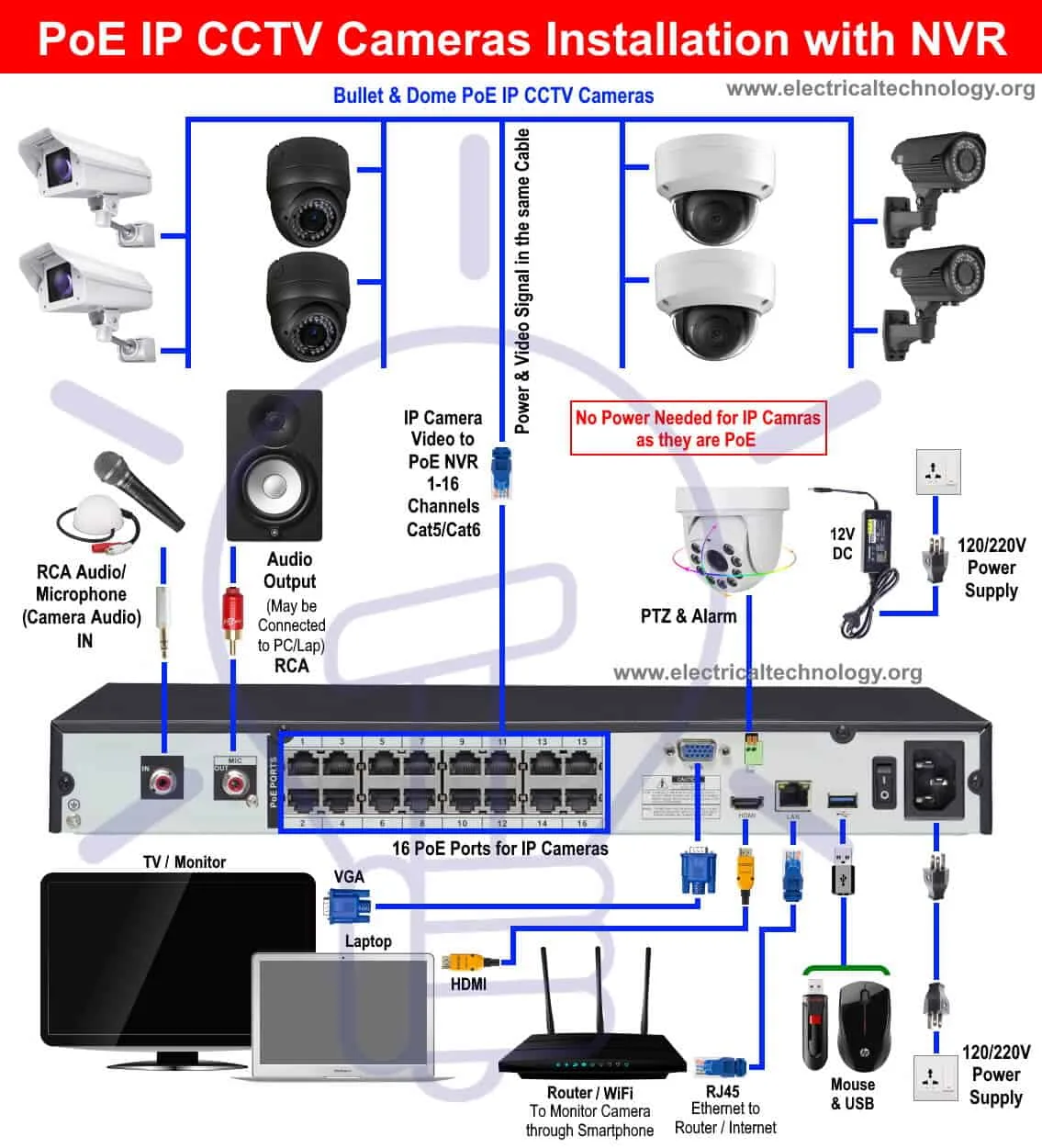
Image source: Web (Bing) / electricaltechnology.org (Web image (fair-use with source credit))
An NVR itself is essentially a specialized computer designed for recording video. It typically houses one or more hard drives to store the captured footage, has ports to connect to your network (and often directly to IP cameras via built-in PoE switches), and runs software to manage the recording and playback functions. For optimal performance, manufacturers often recommend specific hard drive types formatted for continuous recording.
What Exactly is an NVR and Why Do You Need One?
So, what makes an NVR the "heart" of the operation? It's the device that orchestrates everything. Your IP cameras capture the video, but the NVR is where that video gets processed, stored, and made accessible.
Without an NVR, your IP cameras would essentially be broadcasting live feeds with no way to record or review them later.
You might need an NVR if you're setting up a new security system or upgrading an older one. They're ideal for situations requiring high-definition video, remote access from anywhere in the world, and the ability to store weeks or even months of footage. Aggregate user reviews show that NVRs offer a robust solution for both home and business surveillance needs.
- Centralized Management: All your cameras feed into one device for easier monitoring and control.
- Scalability: You can often add more cameras to an NVR system as your needs grow.
- High-Definition Video: NVRs are designed to handle the high bandwidth and resolution of modern IP cameras, supporting up to 4K recording as standard on many models as of 2026.
- Remote Access: Most NVRs come with mobile apps or web interfaces, letting you view live and recorded footage on your phone, tablet, or computer.
Seeing is Believing: How NVRs Connect and Record IP Cameras
The magic of an NVR lies in its network-based operation. Instead of dedicated analog cables running from each camera back to a central box, IP cameras connect to your network, usually via Ethernet cables. Many NVRs come with built-in Power over Ethernet (PoE) ports.
PoE is a neat technology that allows the Ethernet cable to carry both data and electrical power to the camera.
This means you often don't need a separate power outlet for each camera, simplifying installation significantly. The NVR acts as both a switch (to connect multiple cameras) and the recorder. Once connected, the NVR discovers the cameras on the network, authenticates them (usually via a password you set), and begins receiving the digital video streams.
Here's a simplified look at the flow:
- Camera Captures Video: The IP camera's sensor records the scene.
- Video Encoded: The camera's internal processor compresses the video stream into a digital format (like H.264 or H.265) to reduce file size and bandwidth usage.
- Stream Sent Over Network: The compressed video data travels over the Ethernet cable (or Wi-Fi, if applicable) to the NVR.
- NVR Receives and Records: The NVR receives the data, decodes it, and saves it onto its internal hard drive(s).
- Playback and Access: You can then access the recorded footage through the NVR's interface, either directly connected to a monitor or remotely via an app.
If you're experiencing issues with your cameras not being recognized by the NVR, it often comes down to a network configuration or a simple why your security cameras might be delayed problem that the NVR can't overcome.
Inside the Box: Key Features and What They Mean for You
When you look at an NVR, or at its specifications online, you'll see a few key features that tell you what it's capable of. Understanding these will help you pick the right one for your needs and know what to expect from your system.
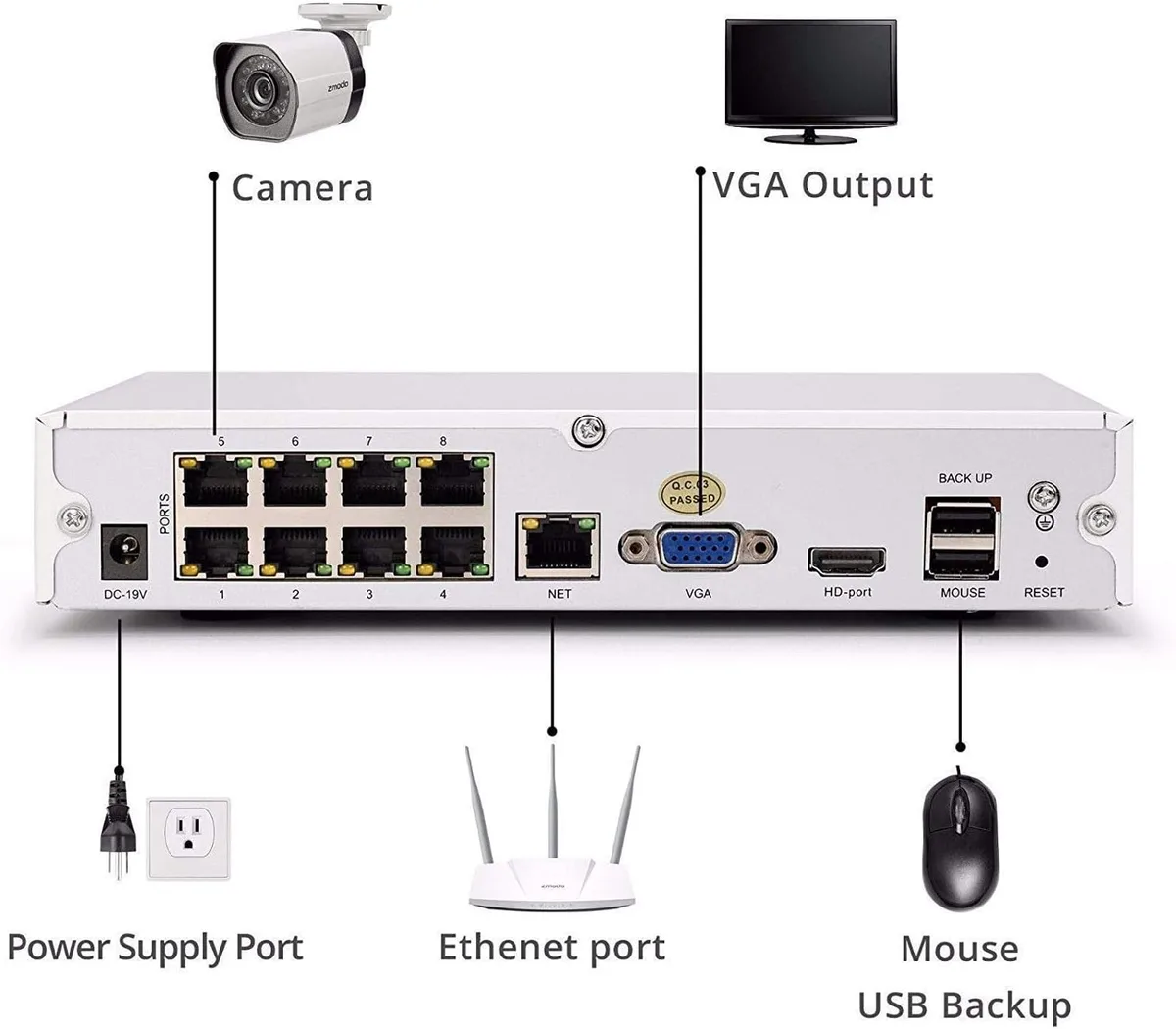
Image source: Web (Bing) / manuals.plus (Web image (fair-use with source credit))
- Number of Recording Channels: This is the most fundamental spec. It tells you how many IP cameras the NVR can support simultaneously. Common options are 4, 8, 16, or 32 channels. You'll want to choose an NVR with at least as many channels as you plan to install cameras, plus a few extra for future expansion.
- Storage Capacity (Hard Drive Size): Measured in Terabytes (TB), this dictates how much footage you can store. The more cameras you have, the higher the resolution, and the longer you want to keep recordings, the larger the storage capacity you'll need. Manufacturer specifications indicate that H.265 compression can reduce storage needs by up to 50% compared to H.264.
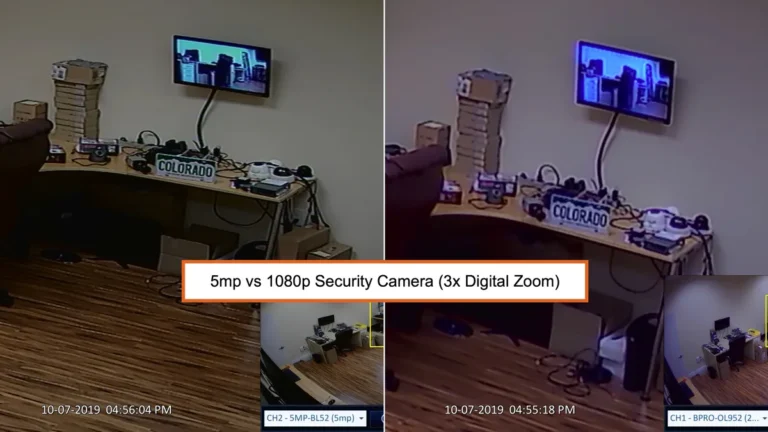
- Maximum Recording Resolution: This refers to the highest video resolution the NVR can record from each camera. Most modern NVRs support at least 1080p (Full HD) and many can handle 4K (8MP) or even higher. Ensure the NVR's max resolution matches or exceeds your cameras' capabilities.
- Bandwidth Throughput: This is critical. It's the total amount of data the NVR can process from all connected cameras. If the incoming bandwidth from your cameras exceeds the NVR's throughput, you'll experience recording issues, dropped frames, or problems with security camera video lag.
Beyond these, features like PoE ports (mentioned earlier), specific video compression standards (H.265 is more efficient than H.264), and audio support also play a role in system performance and user experience.
Real-World Setups: Where and Why NVRs Are Used
NVR systems have become incredibly versatile, finding their way into a wide array of applications where robust surveillance is needed. Their flexibility and scalability make them a go-to choice for many.
- Home Security: For homeowners, NVRs provide a reliable way to monitor property entrances, yards, and garages. They offer peace of mind, allowing you to check in remotely or review footage if an incident occurs. The ability to store recordings locally also means you aren't reliant on a subscription service.
- Small to Medium Businesses: Retail stores, offices, and warehouses use NVRs to deter theft, monitor employee activity, and ensure the safety of customers and staff. The high-resolution capabilities are crucial for capturing clear identifying details. For businesses concerned about data privacy, understanding how long security footage should be kept is essential for compliance.
- Commercial Properties: Larger buildings and complexes can benefit from NVR systems that support a higher number of cameras. This allows for comprehensive coverage of parking lots, common areas, and perimeters.
- Public Spaces: In some public environments, NVRs are used for security and monitoring, though often integrated into more complex command-and-control systems.
The key advantage across all these use cases is the centralized management and the high-quality, consistent recording an NVR provides, acting as a digital guardian for valuable assets and safety.
The NVR Advantage: Top Benefits of Going Digital
Switching to or starting with an NVR system brings a host of advantages that often outweigh traditional methods. These benefits directly impact security effectiveness, operational efficiency, and user convenience.
- Superior Video Quality: IP cameras connected to an NVR can capture footage at much higher resolutions (1080p, 4K) than older analog systems. This means clearer images, finer details, and better identification capabilities.
- Network Flexibility: Because NVRs use standard IP networking, cameras can be placed almost anywhere an Ethernet cable can reach, or even over Wi-Fi with a good signal. This makes installation far more flexible and often less disruptive than running new coaxial cables. You can also easily extend your system by adding more cameras to the network.
- Easy Remote Access: Most NVRs offer user-friendly mobile apps and web interfaces. This allows you to view live camera feeds and recorded footage from your smartphone, tablet, or computer from anywhere with an internet connection. This capability is crucial for businesses and homeowners alike. Our research shows that easy remote access is a top driver for NVR adoption.
- Enhanced Features: NVR systems often support advanced features like intelligent motion detection, two-way audio, and analytics. These can provide more actionable alerts and insights than basic recording. If you're struggling with false alarms, checking your security camera motion detection settings on the NVR is a good first step.
- Scalability and Future-Proofing: As technology advances, NVR systems are designed to accommodate higher resolutions and more features. You can often upgrade cameras or add more to an existing NVR without replacing the entire system, making it a more future-proof investment. For instance, if your NVR supports a high bandwidth throughput, you can easily swap out older 1080p cameras for newer 4K models without needing a new recorder.