What Is a WiFi Security Camera
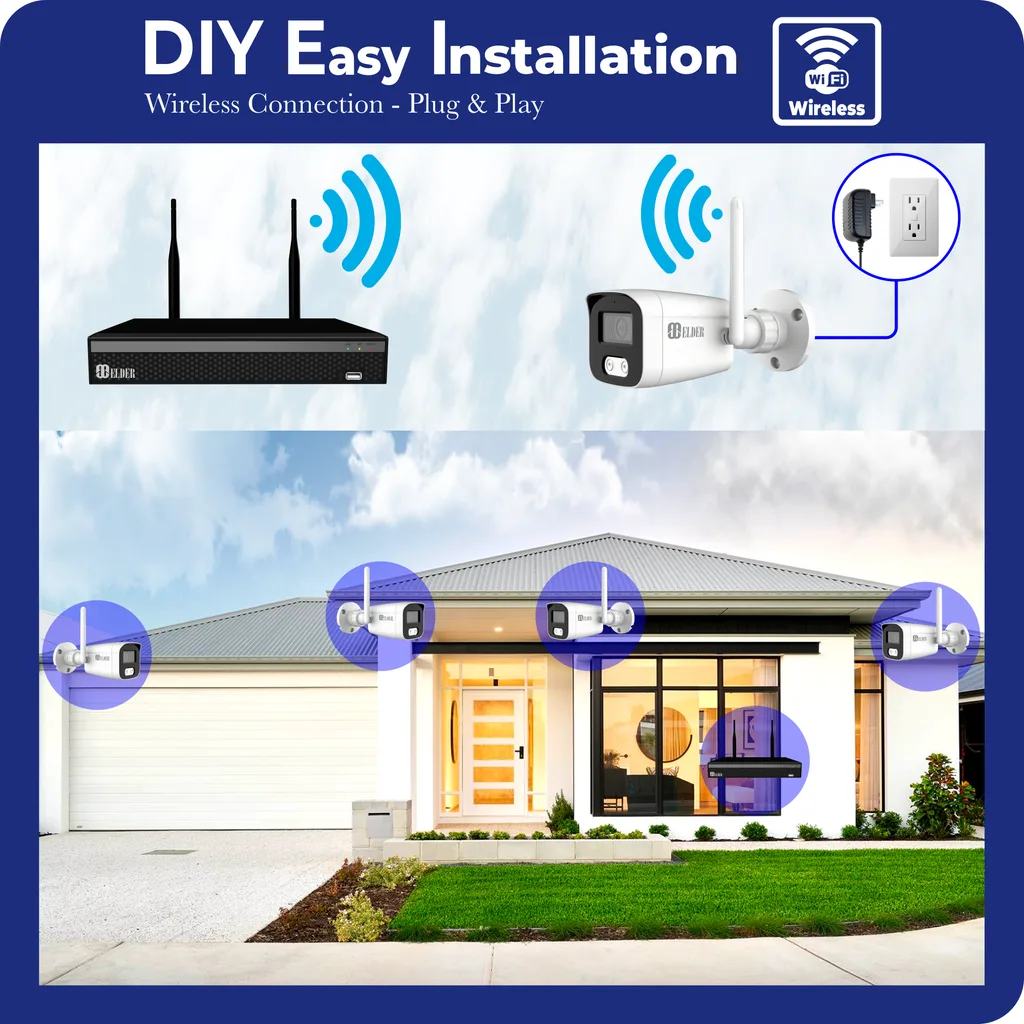
Image source: Bing (Web (fair-use with source credit))
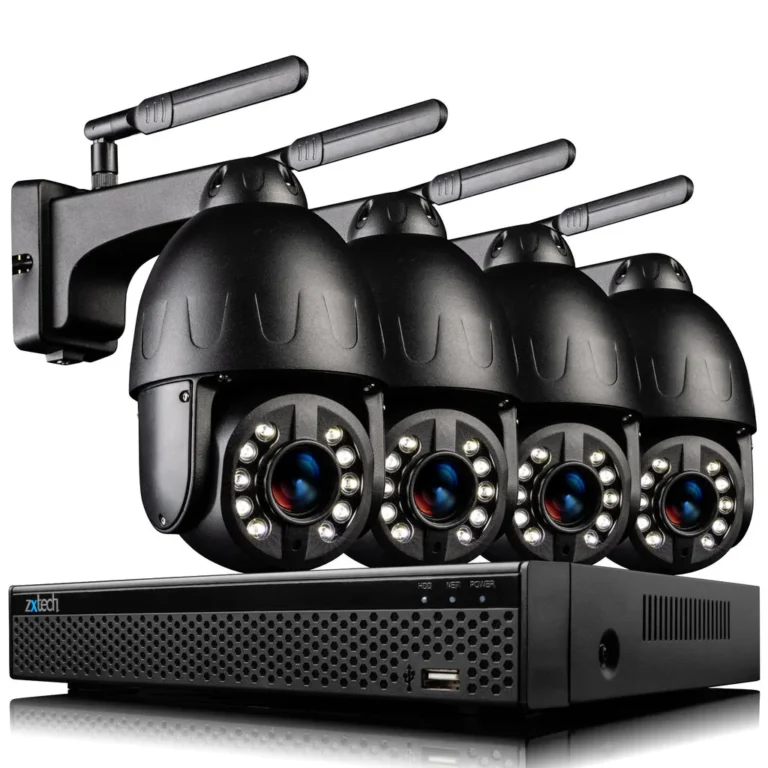
Wondering if a WiFi security camera is the right choice for keeping an eye on your home? These smart devices use your wireless internet to send video footage directly to your phone or computer, offering a convenient way to monitor your property from anywhere. They're a popular option for many homeowners due to their straightforward setup and flexible placement.
The core technology allows for real-time streaming and notifications, with many models offering HD video resolution, often exceeding 1080p. Understanding their capabilities and limitations is key to choosing the best system for your needs.
Quick Answer
A WiFi security camera is a surveillance device that connects to your home's wireless internet to transmit video footage. It allows for remote viewing on smartphones and computers, usually accompanied by motion-activated alerts. These cameras offer easy installation and flexibility but rely heavily on a stable WiFi connection and may involve subscription fees for extended recording.
How They Work: The Tech Behind the Stream
At its core, a WiFi security camera is a digital camera that leverages your existing home wireless network to send its video feed. Instead of needing physical cables to connect to a recording device like a Digital Video Recorder (DVR) or Network Video Recorder (NVR), it transmits data wirelessly. This transmission is typically done using standard WiFi protocols, similar to how your laptop or phone connects to the internet.
Once the camera is powered on and connected to your WiFi network, it starts capturing video. This footage is then compressed and sent as data packets over your wireless signal to a central server or directly to a companion app on your smartphone or tablet. Many manufacturers use secure protocols to encrypt this data stream, protecting your privacy during transmission.
As of 2026, most new WiFi security cameras support WiFi 6 standards for improved speed and reliability.
Key Features: What to Look For
When you're looking at WiFi security cameras, a few key features really stand out and make a big difference in how useful the camera will be. These aren't just bells and whistles; they're often the deciding factors in whether a camera meets your security needs.
Remote Viewing and Alerts
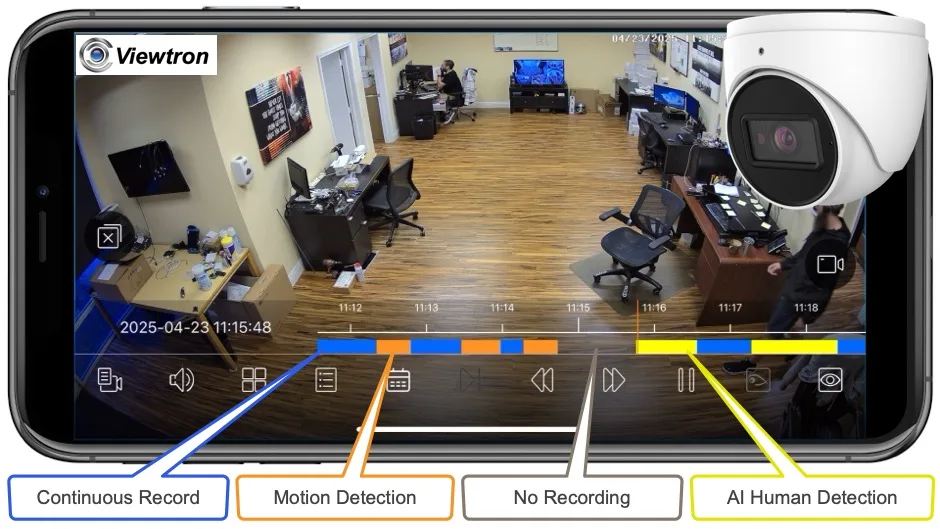
This is probably the biggest reason people opt for WiFi cameras. The ability to check in on your home or property from miles away is incredibly powerful. You can access a live video stream through a dedicated mobile app on your smartphone or tablet.
Most systems also provide motion detection capabilities, meaning the camera can sense movement within its field of view and trigger an alert. These alerts are usually sent as push notifications directly to your phone, letting you know immediately if something unusual is happening. Some advanced models can even distinguish between different types of motion, like a person versus a car, helping to reduce false alarms.
Two-Way Audio and Night Vision
Two-way audio is a feature that lets you not only see and hear what's happening but also speak and listen through the camera. This is great for communicating with family members, greeting visitors, or even deterring unwanted guests. You can talk through the app, and your voice will come out of the camera's speaker.
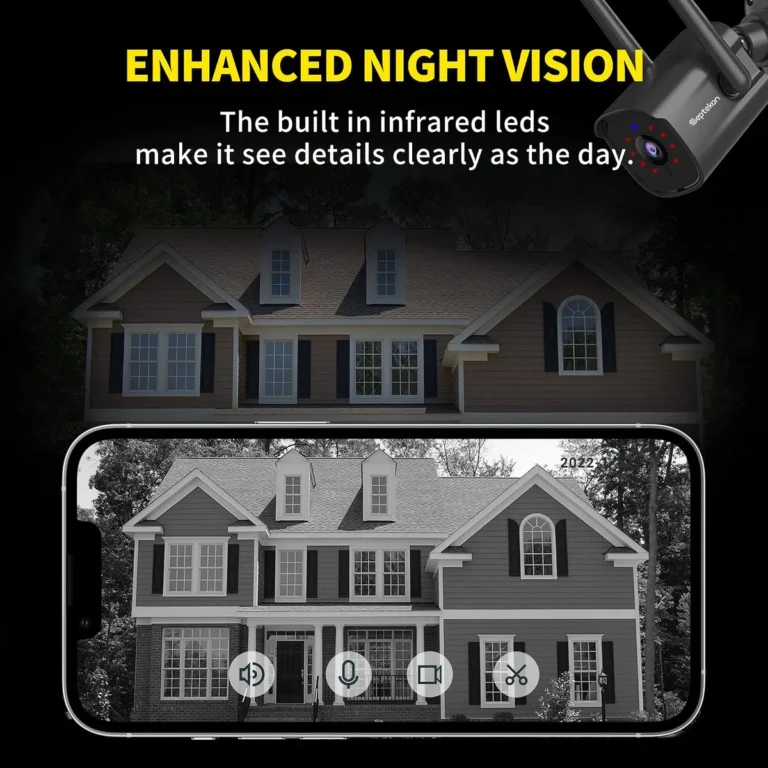
Night vision is another essential feature, especially for outdoor cameras or areas with poor lighting. These cameras typically use infrared (IR) LEDs that emit a faint light invisible to the human eye, allowing the camera sensor to capture a clear black-and-white image in complete darkness.
Storage Options: Cloud vs. Local
How your video footage is stored is a critical consideration. WiFi security cameras generally offer two main storage solutions: cloud storage and local storage. Cloud storage means your video clips are uploaded and saved on remote servers managed by the camera manufacturer.
This is convenient because you can access your footage from any internet-connected device, and the recordings are safe even if the camera itself is damaged or stolen. However, most cloud services come with a monthly subscription fee, and the cost can add up over time.
Local storage usually involves inserting a microSD card directly into the camera itself. This means recordings are kept on the device, and you can typically access them by removing the card or through the app if the camera supports local playback. The advantage here is no ongoing fees.
The downside is that if the camera is stolen or damaged, you lose all your recorded footage. Some systems offer a combination of both, giving you redundancy and flexibility.

WiFi Cameras vs. Other Security Options
While WiFi security cameras are incredibly popular, they aren't the only game in town. Understanding how they stack up against other types of surveillance systems helps you pinpoint which technology best suits your specific needs. It's not always about having the fanciest tech; it's about having the right tech for the job.
Wired Cameras: The Traditional Choice
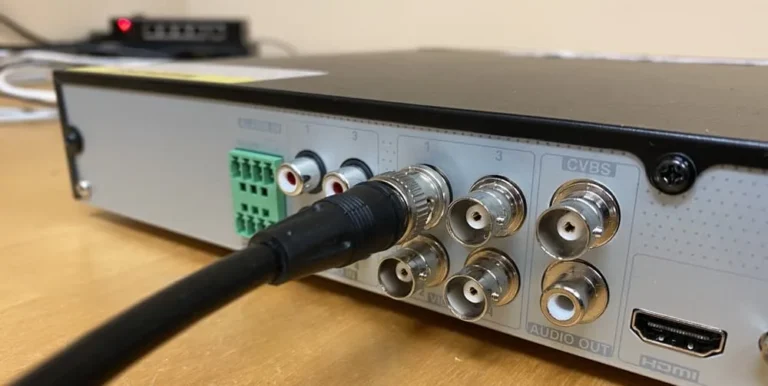
Wired security camera systems, often using coaxial cables for video and separate power cables, have been around for a long time. Their biggest advantage is reliability. Because they don't rely on wireless signals, they're less susceptible to interference or signal drop-offs.
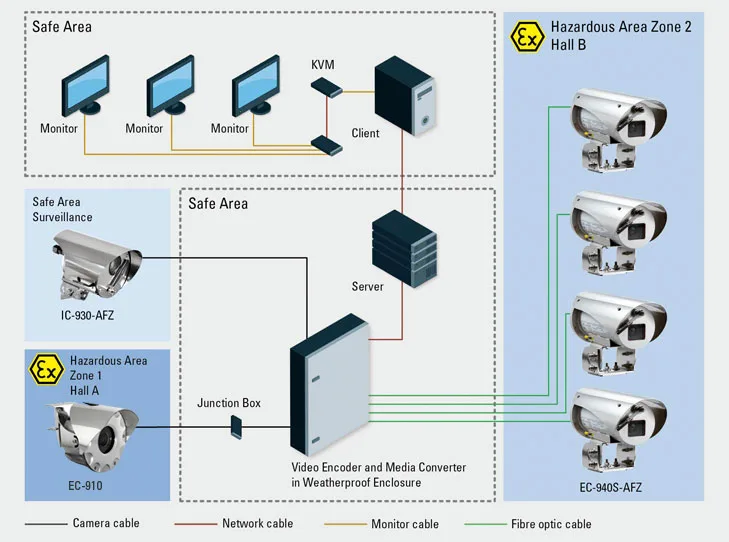
Manufacturer specifications often indicate a very stable video feed. They typically connect to a DVR (Digital Video Recorder) or NVR (Network Video Recorder) which stores footage locally on a hard drive. Installation is the main hurdle; running cables through walls and attics can be time-consuming and may require professional help.
While this upfront effort can be significant, it often means no ongoing subscription fees for basic recording. These systems are best for permanent installations where maximum reliability is paramount.
Battery-Powered Cameras: For Ultimate Flexibility
Battery-powered WiFi security cameras offer a different kind of flexibility. Because they don't need to be plugged into a power outlet, you can place them almost anywhere, even in locations without easy access to electricity. This makes them ideal for temporary setups, monitoring areas like sheds, or for renters who can't make permanent modifications.
However, this freedom comes with a trade-off: battery life. Depending on usage, motion detection frequency, and recording duration, batteries can drain quickly and require regular recharging or replacement. Some models can connect to a solar panel accessory to keep the battery topped up, extending their operational time significantly.
These are great if ease of placement trumps continuous recording needs.
Who Needs a WiFi Security Camera? Common Use Cases
So, who really benefits from a WiFi security camera? Honestly, a lot of different people use them for a lot of different reasons. They've become a go-to for many homeowners and renters looking for an accessible way to boost their home security and peace of mind.
- Homeowners: For monitoring entry points like doors and windows, keeping an eye on the yard, or checking on deliveries. It’s about having an extra set of eyes on your property, whether you're at work or on vacation.
- Renters: Since installation is generally simple and doesn't require major wiring, these cameras are perfect for apartments and rental properties where permanent changes are often not allowed.
- Pet Owners: Ever wonder what your furry friends get up to when you're out? WiFi cameras allow you to check in, see if they're anxious, or just watch their antics. Some models even include two-way audio so you can talk to them.
- Parents: Many parents use these as baby monitors or "nanny cams" to keep an eye on children and caregivers. Features like two-way audio and clear night vision are particularly valuable here.
- Small Business Owners: For monitoring store entrances, stockrooms, or general activity during operating hours, WiFi cameras offer a cost-effective and easy-to-manage security solution.
- Property Managers: Keeping an eye on vacant properties, common areas, or even individual units can be streamlined with remote access provided by WiFi cameras.
Potential Pitfalls: What to Watch Out For
While WiFi security cameras offer a lot of convenience, it's essential to be aware of the potential issues. Going into it with your eyes open means you're less likely to be caught off guard by limitations or unexpected costs.
Internet Dependency and Signal Issues
The biggest potential pitfall is that these cameras are entirely dependent on your home's WiFi network and your internet service. If your internet goes down, your camera effectively stops working as a remote monitoring device. It might still record locally to an SD card if it has that feature, but you won't be able to view the feed or receive alerts until your internet is back up.
Even with a working internet connection, a weak or unstable WiFi signal in the camera's location can cause problems. This can lead to choppy video, dropped connections, or failure to receive motion alerts. Manufacturer specifications often recommend having a strong signal strength (typically -65 dBm or better) for reliable performance.
Subscription Costs and Privacy Considerations
Many WiFi security cameras come with the attractive feature of cloud storage, which keeps your recorded footage safe off-site. However, this convenience usually comes with a recurring monthly or annual subscription fee. These fees can vary significantly, ranging from a few dollars a month for basic plans to much higher costs for extended storage or advanced features.
It's crucial to factor these ongoing costs into your budget, as they can add up over the lifespan of the camera. Beyond cost, privacy is a significant consideration. When you use a cloud-based service, your video data is being stored on third-party servers.
While reputable companies employ robust security measures and encryption, understanding their data privacy policies and ensuring they comply with regulations like GDPR or CCPA is important.
Making the Choice: Your WiFi Camera Decision Guide
Deciding if a WiFi security camera is your best bet involves weighing its convenience against potential drawbacks and comparing it to alternative solutions. Think of it like choosing a tool for a job; you wouldn't use a screwdriver to hammer a nail. For many, the simplicity of setup and remote access makes WiFi cameras the clear winner, especially for renters or those who want a quick security upgrade.
However, if ironclad reliability without internet dependency is your absolute top priority, a wired system might be worth the extra installation effort.
Consider your specific environment. If your home WiFi signal is strong and consistent throughout the areas you want to monitor, a WiFi camera is likely a solid choice. If you have dead zones or experience frequent internet outages, you might need to explore options like extenders or look at wired systems.
As of 2026, manufacturers are continuously improving WiFi chipsets and software to enhance signal strength and stability, but a strong foundational network is still key.
When is a WiFi Camera the Right Choice?
A WiFi camera shines when you need easy installation and flexible placement. If you're a renter, you likely can't run cables or make permanent changes to your home, making a wireless setup ideal. It’s also a great option if you want to quickly add surveillance to a specific area, like monitoring a new baby's room or keeping an eye on your package deliveries.
The ability to check in remotely via a smartphone app provides immediate peace of mind and proactive awareness.
When Might an Alternative Be Better?
If your home has spotty WiFi coverage or you experience frequent internet disruptions, a WiFi camera's reliability could be compromised. In such cases, a wired security system connected to a DVR or NVR offers a more stable and consistent recording solution. These systems are less prone to interference and don't rely on your internet connection for local recording.
For situations where continuous, uninterrupted recording is paramount and installation complexity isn't a major barrier, wired systems often provide superior performance.
Frequently Asked Questions About WiFi Security Cameras
How long does setup typically take?
Setup for a WiFi security camera is usually quite fast, often taking between 15 to 30 minutes. This includes plugging in the camera, downloading the manufacturer's app, connecting the camera to your WiFi network, and basic configuration like setting motion zones.
Can I use a WiFi camera without a subscription?
Yes, you can often use a WiFi camera without a subscription, especially for live viewing and motion alerts. However, accessing recorded video footage often requires a cloud storage subscription. Some cameras support local storage via microSD cards, which avoids monthly fees for recording playback.
Are WiFi security cameras secure?
Reputable WiFi security cameras use encryption protocols to secure data transmission between the camera, your network, and your app. However, like any connected device, they can be vulnerable. Using strong, unique passwords for both your WiFi network and your camera account, and keeping firmware updated, are crucial security steps.
What happens if my internet goes out?
If your internet connection fails, your WiFi security camera will likely lose its ability to stream live video or send alerts. If the camera has a local storage option (like an SD card slot), it may continue to record footage locally. You'll only be able to access this footage once your internet service is restored.