What Is Cellular Backup for Security Systems
Your home security system is your first line of defense, but what happens when the internet goes down, the power flickers, or a burglar cuts the phone line? That's where cellular backup for security systems comes in, acting as a critical lifeline. It ensures your alarm can still communicate with the monitoring center, even when your primary connection fails.
This essential feature provides a vital layer of redundancy, ensuring that in critical moments, help can still be dispatched. Per Underwriters Laboratories (UL) standards, reliable communication pathways are paramount for certified alarm systems. Understanding what cellular backup is and how it works is key to securing your peace of mind.
Quick Answer
Cellular backup for security systems provides a redundant communication path using a cellular network. When your main internet or landline connection fails, the system automatically switches to cellular. This ensures your alarm can still send signals to a monitoring center.
It’s a vital safety feature, preventing breaches during service outages or intentional line cutting.
Why Cellular Backup Is Crucial for Your Security System
Your security system is only as effective as its ability to communicate. While most modern systems rely on your home’s broadband internet, this connection isn't always reliable. Power outages, internet service provider (ISP) issues, or even accidental disconnections can render your alarm system silent when you need it most.
In these situations, a burglar could exploit the downtime.
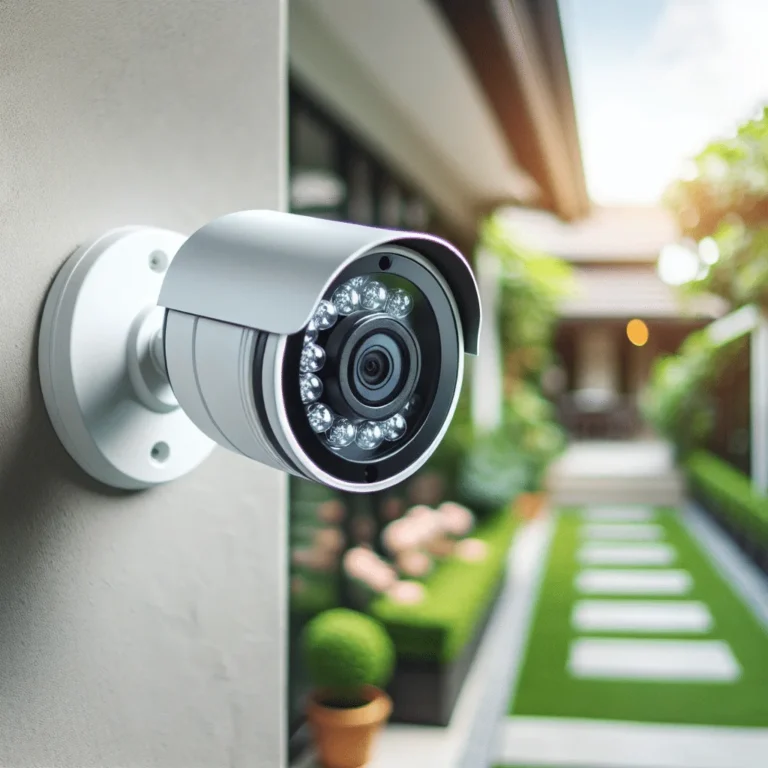
Cellular backup acts as a failsafe. It utilizes a dedicated cellular module within your security system that connects to a mobile network, similar to your smartphone. This means even if your home internet is down, your alarm can still transmit signals to a professional monitoring center.
This ensures that if an event is triggered, emergency services can be alerted. Our research indicates that systems with cellular backup are significantly more resilient against various disruption scenarios, offering a higher level of continuous protection compared to single-path systems. For those who value uninterrupted security, understanding this feature is non-negotiable.
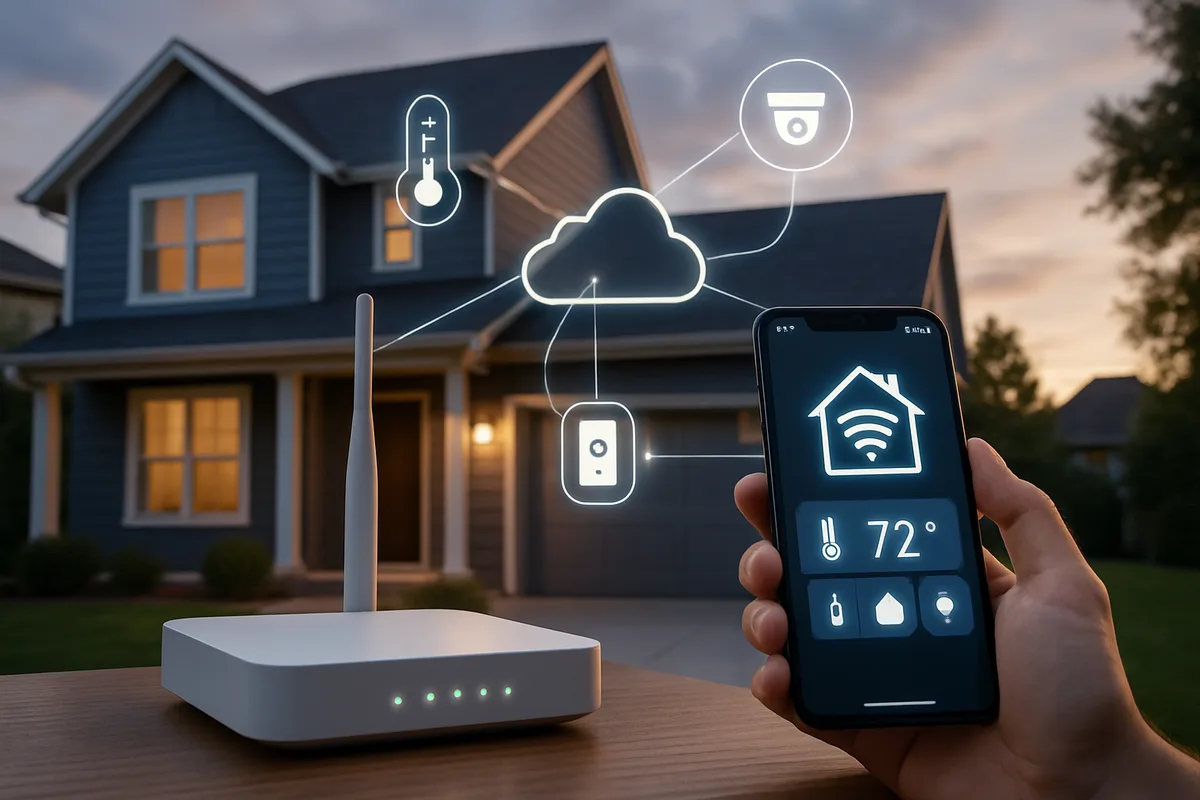
Image source: Web (Bing) / thecluebox.com (Web image (fair-use with source credit))
What Exactly Is Cellular Backup?
Cellular backup, often called a cellular communicator or cellular module, is an add-on component or integrated feature for home and business security systems. Its sole purpose is to provide an alternative communication channel to the central monitoring station if the primary connection fails. Think of it as a backup phone line, but it uses cell towers instead of physical wires.
When your security system's main communication method, typically your home internet (broadband/IP) or a landline telephone line, is disrupted, the cellular backup automatically kicks in. It uses its own built-in cellular antenna and a SIM card (like in a phone) to connect to a mobile network. This ensures that alarm signals, such as break-ins, fires, or medical emergencies, can still reach the professionals who can dispatch help.
This redundancy is a critical aspect of ensuring your what is a home security system remains operational.
How It Works: The Tech Behind the Safety Net
The technology is quite straightforward, designed for reliability. Your security system panel is equipped with a cellular module. This module contains a SIM card that's registered with a cellular network provider.
When the system is armed and an alarm event occurs, it first attempts to send the signal through your primary connection, usually your broadband internet.
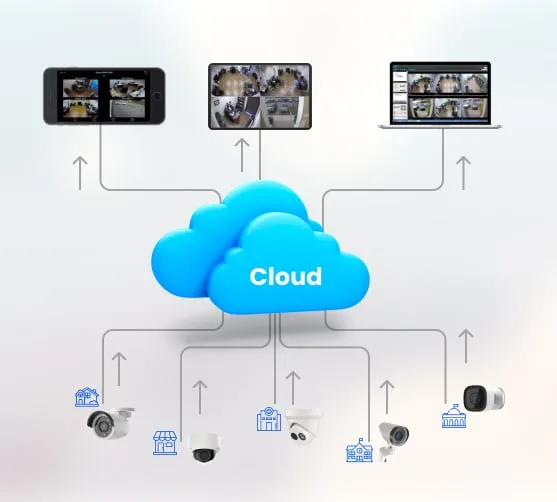
If that connection is unavailable or fails, the system immediately attempts to use the cellular module. The module transmits the alarm data wirelessly to the nearest cell tower, which then routes the signal to your security monitoring company's central station. This process happens automatically and quickly, often within seconds.
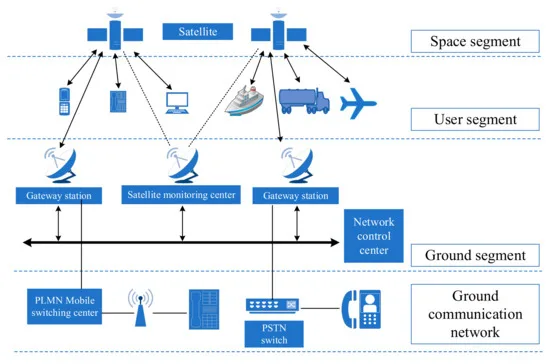
Image source: Web (Bing) / ar.inspiredpencil.com (Web image (fair-use with source credit))
This parallel path ensures that even if your internet is down for days due to a storm, or if a cable is cut, your alarm can still get through. This resilience is a key reason why many homeowners opt for systems offering this dual-communication capability, enhancing overall what are the benefits of a home security system.
The Core Components: What Makes It Tick
At its heart, a cellular backup system involves a few key parts:
- Cellular Module/Communicator: This is the physical hardware, a small circuit board integrated into the security system’s main panel or added as a separate device. It contains the necessary radios and antennas to communicate with cellular networks.
- SIM Card: Much like in a mobile phone, a SIM card is essential. It identifies the device to the cellular network and allows it to transmit and receive data. Monitoring companies often provide these SIM cards or work with specific carriers.
- Cellular Network: This is the infrastructure provided by mobile carriers (like Verizon, AT&T, T-Mobile in the US) that the module connects to. Signal strength and coverage in your area are critical.
- Monitoring Service: The central station that receives alarm signals and dispatches appropriate authorities (police, fire department). They need to be compatible with the type of signals your cellular backup sends.
Key Benefits: Why You Need This Extra Layer
The primary advantage of cellular backup is the peace of mind that comes from knowing your security system can still function during common service interruptions. This isn't just about preventing burglaries; it's about ensuring safety in emergencies.
- Reliability: It provides a crucial backup when your primary internet or landline fails, which can happen due to power outages, ISP problems, or even intentional tampering.
- Continuous Monitoring: Even if your home network goes offline, your professionally monitored system can still alert authorities. This is especially important if you have a what is a professionally monitored security system that relies on constant communication.
- Tamper Resistance: Unlike a traditional landline that can be easily cut, cellular signals are much harder to disrupt discreetly.
Protection Against Common Threats (Internet Outages, Power Loss, Line Cutting)
Our analysis of security system vulnerabilities highlights several common threats that cellular backup directly addresses:
- Internet Service Provider (ISP) Outages: ISPs can experience downtime due to equipment failure, maintenance, or weather. During these times, an internet-dependent alarm system would be offline. Cellular backup ensures that your system continues to communicate via a different network.
- Power Failures: While most security systems have battery backup for the main panel, if your router or modem also loses power and you don't have a dedicated battery for them, your internet connection will also go down. The cellular module, often powered by the system's own backup battery, can still transmit signals.
- Landline Tampering: Traditional landlines are vulnerable to being cut by intruders before they attempt a break-in. This renders traditional dial-up communicators useless. Cellular systems bypass this physical vulnerability entirely.
- System Malfunctions: Occasionally, your router or modem might malfunction, or there could be an issue with your internal network, even if your ISP is technically online. Cellular backup provides a completely separate communication channel, avoiding these internal network glitches.
This layered approach significantly boosts the overall how effective are home security systems.
Potential Drawbacks and Things to Watch For
While cellular backup is a powerful addition, it's not without its considerations. Understanding these potential downsides helps you make an informed decision.
- Monthly Fees: Most cellular backup systems require a subscription fee to cover the cellular data plan and the monitoring service. This is an additional cost on top of the equipment and initial installation. Aggregate user reviews suggest these fees can range from $10 to $30 per month, depending on the provider and features.
- Signal Strength Dependency: The effectiveness of cellular backup hinges entirely on the cellular signal strength in your home. If you live in an area with poor or inconsistent cell service, the backup might not be reliable. Some systems offer signal strength indicators during installation to help assess this.
- Network Congestion: While rare, in areas with extremely high cellular traffic, there's a theoretical possibility of network congestion impacting transmission times.
Signal Strength Issues and Network Compatibility
The most common pitfall is inadequate cellular signal strength. If your home is in a rural area, surrounded by dense materials, or has other interference, the cellular module might struggle to maintain a stable connection. This can lead to delayed or failed alarm transmissions.
Manufacturers often recommend checking signal strength with a test device during installation. It’s also important to ensure your system is compatible with available networks; most modern systems support major carriers and 4G LTE, but older or niche systems might have limitations.
Subscription Costs and Data Needs
Using cellular backup means you'll likely incur recurring costs. The cellular module requires a data plan to send signals. This is typically bundled into your overall security monitoring service fee.
The amount of data used is usually very small, as alarm signals are brief. Per manufacturer specifications, typical data usage for alarms is often less than 100MB per month, so you’re not paying for a full smartphone data plan. However, these costs add up over time and should be factored into the overall expense of your security system.
Who Benefits Most from Cellular Backup?
While beneficial for almost anyone with a monitored security system, certain individuals and situations make cellular backup an almost essential component. It's a smart investment for those prioritizing maximum reliability and peace of mind.
- Homeowners in Areas with Unreliable Infrastructure: If you live in a region prone to frequent power outages, severe weather events that knock out internet, or areas where cell service is spotty but still functional, cellular backup is a must-have.
- Businesses Requiring Continuous Operation: For businesses that cannot afford any downtime, especially those with high-value inventory or critical operations, cellular backup provides an extra layer of security assurance.
- Renters or Those in Older Buildings: Sometimes, renters may have limited control over their internet service provider or the building's wiring. Cellular backup offers a reliable communication method independent of the building's internal network setup.
- Anyone Relying on a Landline: If you still use a traditional landline for your alarm system, upgrading to a system with cellular backup is highly recommended. It provides a much more robust and tamper-resistant communication method.
Ideal Scenarios and Users
Consider cellular backup if you have a what is a professionally installed security system that you want to ensure is always active. It’s perfect for families who travel frequently, as it provides reassurance that their home is monitored even when they’re away and the internet might be temporarily disconnected. It’s also a key feature for those who have invested in smart home security components that rely on constant connectivity.
When It's Probably Not Necessary
If you live in an area with exceptionally stable power and internet service, and your home has never experienced an outage, you might be able to forgo cellular backup. However, given the relatively low cost of adding it to many systems and the significant security boost it provides, the expense is often justified by the increased peace of mind. For systems that are self-monitored, the need for cellular backup is reduced, as the primary goal is notification rather than dispatch in many cases, although it can still be useful for ensuring you receive those notifications.
Setting Up and Maintaining Your Cellular Backup
Getting cellular backup operational involves a few key steps, and ongoing maintenance ensures it stays reliable over time. This isn't a set-it-and-forget-it feature; a little attention goes a long way.
- Professional Installation Recommended: While some DIY systems offer cellular add-ons, professional installation is generally advised. This ensures the module is correctly wired, activated, and tested for signal strength. If you have a what is a wireless home security system or a wired one, the installer can determine the best placement for optimal signal.
- Activation with Monitoring Service: The cellular module needs to be activated with your chosen security monitoring company. They will register the SIM card and configure the system to communicate with their central station. This process usually happens during the installation appointment.
- Signal Testing: A crucial part of setup is performing a full system test. This involves arming the system and triggering an alarm, then verifying that the signal is received by the monitoring station via the cellular backup. The installer should confirm adequate signal strength, often measured in dBm (decibel-milliwatts).
Installation and Activation Essentials
When your system is installed, the technician will typically:
- Install the Cellular Module: This might be a physical board plugged into the main control panel or a separate small box.
- Insert the SIM Card: The pre-activated SIM card provided by the monitoring company is placed into the module.
- Perform Signal Strength Test: Using a diagnostic tool, the installer checks the signal quality from the module's location within your home. If the signal is weak, they may recommend relocating the panel or using an external antenna.
- System Activation: The monitoring company remotely activates the module and ensures it communicates correctly.
This process is vital for ensuring your how do home alarm systems work with this backup in place.
Ongoing Checks and Best Practices
- Regular System Testing: Most security systems have a self-test feature. It’s wise to run a full system test (including cellular backup) periodically, perhaps quarterly. This can usually be done by placing your system in "test mode" with the monitoring company, then triggering an alarm to confirm communication.
- Battery Maintenance: The cellular module itself, like the main panel, is usually powered by the system's backup battery. Ensure this battery is checked and replaced according to the manufacturer's recommendations (often every 3-5 years). A healthy backup battery ensures the cellular module has power during an outage. This ties into understanding how long do home security systems last.
- Software Updates: Keep your system's firmware up to date. Manufacturers occasionally release updates that can improve cellular communication reliability or security.
Common Mistakes to Avoid with Cellular Backup
To ensure your cellular backup is a reliable safety net, steer clear of these common errors:
- Assuming Signal Strength is Universal: Don't assume you have good cell service just because your phone works. Different frequencies and device sensitivities can affect the module's ability to connect. Always test signal strength during installation.
- Neglecting Regular Testing: Relying on cellular backup without testing it is risky. It's like having an emergency kit but never checking if the batteries still work. Perform monthly or quarterly tests.
- Ignoring Subscription Fees: Failing to budget for or pay the monthly cellular communication fee means the backup service will be deactivated, rendering it useless. Make sure this is part of your ongoing security costs.
- Using an Uncertified Monitoring Company: Ensure your monitoring service is reputable and certified by bodies like UL. They are equipped to handle the signals from your cellular backup and dispatch emergency services promptly. This is crucial for professional monitoring.
- Placing the Panel in a Signal Dead Zone: The physical location of your security system's main panel is critical for cellular signal reception. If it's in a basement corner or a metal-enclosed area, the signal might be too weak.
These mistakes can undermine the very purpose of having a cellular backup, leaving you vulnerable when you need protection the most.
Cellular Backup vs. Other Communication Methods
When you’re looking at how your security system talks to the outside world, cellular backup is just one piece of the puzzle. Understanding how it stacks up against other common methods helps you choose the best setup for your needs.
The goal is redundancy, having multiple ways for your alarm to send a signal. A system might use one or a combination of these:
- Landline: The oldest method. Your alarm dials a monitoring station's number over your home phone line.
- Broadband/IP (Internet): Most modern systems use your home internet connection. It’s fast and reliable when your internet is up.
- Cellular: Uses a dedicated cellular module to connect via mobile networks.
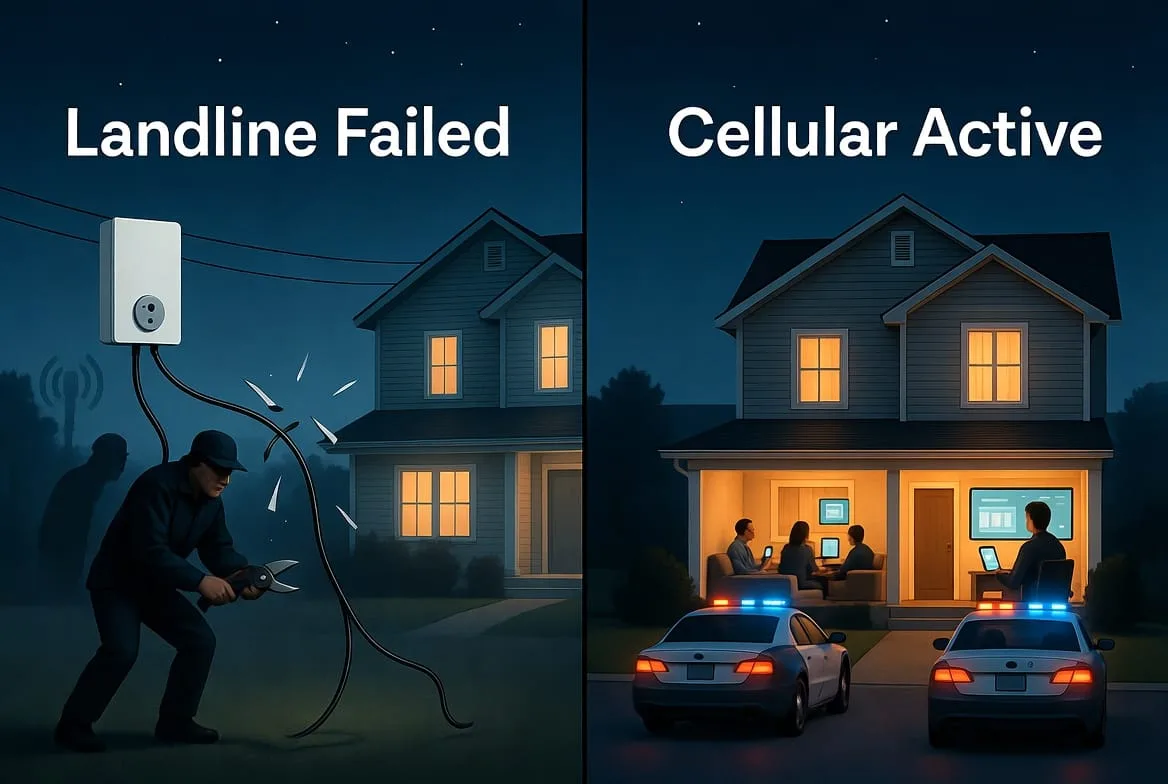
Image source: Bing (Web (fair-use with source credit))
Landline and Broadband: What's the Difference?
Landline Communication:
- Pros: Relatively inexpensive if you already have a landline. Simple technology.
- Cons: Very vulnerable to being cut by intruders. Can be affected by phone line issues or power outages if your phone base requires power. Increasingly phased out by phone companies.
- Best For: Very basic, low-cost systems where tamper resistance isn't a top priority.
Broadband/IP Communication:
- Pros: Fast and often included in your existing internet service cost. Can transmit more complex data, useful for smart home features and video.
- Cons: Entirely dependent on your home internet being active. Vulnerable to ISP outages, modem/router issues, or power loss to your network equipment.
- Best For: Homes with very stable internet service, often used as a primary communication path.
When Dual-Path Makes Sense
Many security experts recommend a dual-path communication system. This means your alarm has two ways to communicate simultaneously or as a backup. The most common and effective dual-path setup is Broadband/IP + Cellular Backup.
In this configuration:
- The system first tries to send signals over your home internet (broadband/IP).
- If the internet fails, it automatically switches to the cellular backup.
This combination offers the speed and often lower cost of broadband with the robust redundancy of cellular. It’s the gold standard for professional monitoring as it significantly minimizes the chances of your alarm being unable to communicate. For anyone considering a new system or an upgrade, looking for this dual-path capability is a wise move, ensuring a more robust what is a smart home security system.
Cellular Backup: Safety and Compliance Considerations
When you're dealing with security systems, safety and compliance aren't optional; they're essential. Cellular backup systems need to meet certain standards to ensure they function reliably when it matters most.
- UL Certification: Many security systems and their components, including cellular communicators, are tested and certified by Underwriters Laboratories (UL). UL certification signifies that the equipment meets stringent safety and performance standards. For instance, UL-listed systems ensure the battery backup and communication pathways (including cellular) meet specific uptime and reliability requirements during power failures. This certification is often a requirement for insurance discounts or professional monitoring services.
- Network Reliability: While not a direct regulatory compliance for the user, the underlying cellular networks must maintain a certain level of reliability as dictated by telecommunications regulators. In the US, the Federal Communications Commission (FCC) oversees this. Your security provider should partner with carriers that meet these standards.
- Monitoring Center Standards: Professional monitoring centers themselves must adhere to strict operational standards, often including UL listings. This ensures they are equipped to receive and process alarm signals from various communication methods, including cellular backup, and dispatch emergency services promptly.
- Local Regulations: In some areas, local fire codes or building regulations might implicitly or explicitly favor or require certain levels of system communication reliability, which can be achieved through cellular backup.
Choosing a system and a monitoring provider that prioritizes these certifications and regulatory adherence is crucial for trusting your cellular backup to perform in an emergency. This aligns with ensuring your system is how do home alarm systems work reliably and safely.
Frequently Asked Questions About Cellular Backup
How much does cellular backup typically cost per month?
Monthly fees for cellular backup services usually range from $10 to $30. This cost covers the cellular data plan and is often bundled with your professional monitoring service. Actual pricing varies based on your provider and the specific features included in your plan.
Can I use my own cellular SIM card for my security system's backup?
Generally, no. Most security systems require a specific SIM card provided by your monitoring company or a pre-approved partner. These SIMs are configured to work with the security system's communication protocols and the monitoring center's network.
How quickly does cellular backup switch over if my internet fails?
The switchover is typically very fast, often happening within seconds of detecting the primary connection failure. Your system is designed to detect an interruption and immediately attempt to use the cellular channel to ensure continuous monitoring.
What happens if there's no cell signal at my home?
If there is no cellular signal or it's too weak at your home's location, cellular backup will not function reliably. This is why signal strength testing during installation is critical. In such cases, a dual-path system relying on both broadband and perhaps a landline (if still viable) might be considered, or alternative solutions explored.
Do I need a separate cellular plan for my security system?
No, you do not need a separate personal cellular plan. The cellular backup system uses its own dedicated SIM card and data plan, which is managed and billed through your security monitoring service provider.
How often should I test my cellular backup?
It is recommended to test your cellular backup at least quarterly. Many systems allow you to put them in "test mode" with your monitoring company, then trigger an alarm to ensure the signal is received correctly. Always follow your provider's specific testing guidelines.
Your Decision Guide: Is Cellular Backup Right for You?
After exploring how cellular backup works, its benefits, and potential drawbacks, the decision often comes down to prioritizing reliability. If you rely on your security system for the safety of your home, family, or business, then the added layer of protection cellular backup offers is a significant advantage.
Consider the stability of your home’s internet and power supply. If you’ve experienced frequent outages, or live in an area where they are common, cellular backup is a smart investment. Even if your service is usually stable, the relatively small monthly cost for this backup often outweighs the potential risk of a breach during an unforeseen interruption.
It ensures that your alarm system’s ability to call for help isn't dependent on a single point of failure. As of 2026, its widespread adoption by professional monitoring services underscores its importance in modern security.