How to Protect Security Cameras From Hackers
Protecting your security cameras from hackers is more critical than ever. With smart devices connecting to the internet, the potential for unauthorized access to your feeds and sensitive data grows. It's not just about preventing someone from watching your front door; it's about safeguarding your entire network and privacy.
In our research, we found that many common security camera vulnerabilities stem from simple oversights, like using default passwords or neglecting firmware updates. Per NIST guidelines, robust cybersecurity practices are essential, and your cameras are no exception. Let's dive into how you can fortify your surveillance system.
Why Hackers Target Your Security Cameras
Hackers target security cameras for a variety of reasons, often seeing them as easy entry points into a network. It's not always about the camera itself, but what it represents: a direct line into your home or business. This makes them a tempting target for cybercriminals looking to exploit vulnerabilities for personal gain or to cause disruption.
Your camera's connection to the internet, whether through Wi-Fi or an Ethernet cable, makes it an Internet of Things (IoT) device. These devices, by their nature, can sometimes have less robust security than traditional computers, making them prime targets. Understanding these motivations helps us build better defenses.
The Real Risks: What Happens When Your Cameras Are Compromised
When your security cameras are hacked, the consequences can range from inconvenient to downright dangerous. It’s crucial to understand the spectrum of risks involved, as they extend far beyond just a visual intrusion.
Snooping and Stalking
The most immediate and unsettling risk is live feed snooping. Hackers can gain unauthorized access to view your camera's live stream. This means they can see what's happening inside your home, your office, or on your property at any given moment.
For individuals, this is a severe invasion of privacy, potentially enabling stalking or pre-attack reconnaissance.
Data Theft and Privacy Breaches
Beyond live feeds, many cameras record footage. If a hacker gains access to your camera system, they could potentially download these recordings. This footage might contain sensitive personal information, financial data visible on screens, or details about your daily routines.
For businesses, this could mean the theft of proprietary information or client data, leading to significant legal and financial repercussions. As of 2026, data privacy regulations like the GDPR and CCPA impose strict penalties for such breaches.
Network Gateway for Larger Attacks
Perhaps the most insidious risk is using a compromised camera as a jumping-off point. A hacker who gains access to your camera's network connection might then exploit that access to pivot to other devices on your network. This could include your computers, smartphones, or even other smart home appliances.
They might deploy malware, steal credentials, or launch further attacks, turning your security camera into the weak link that compromises your entire digital life. This illustrates why securing your network is paramount.
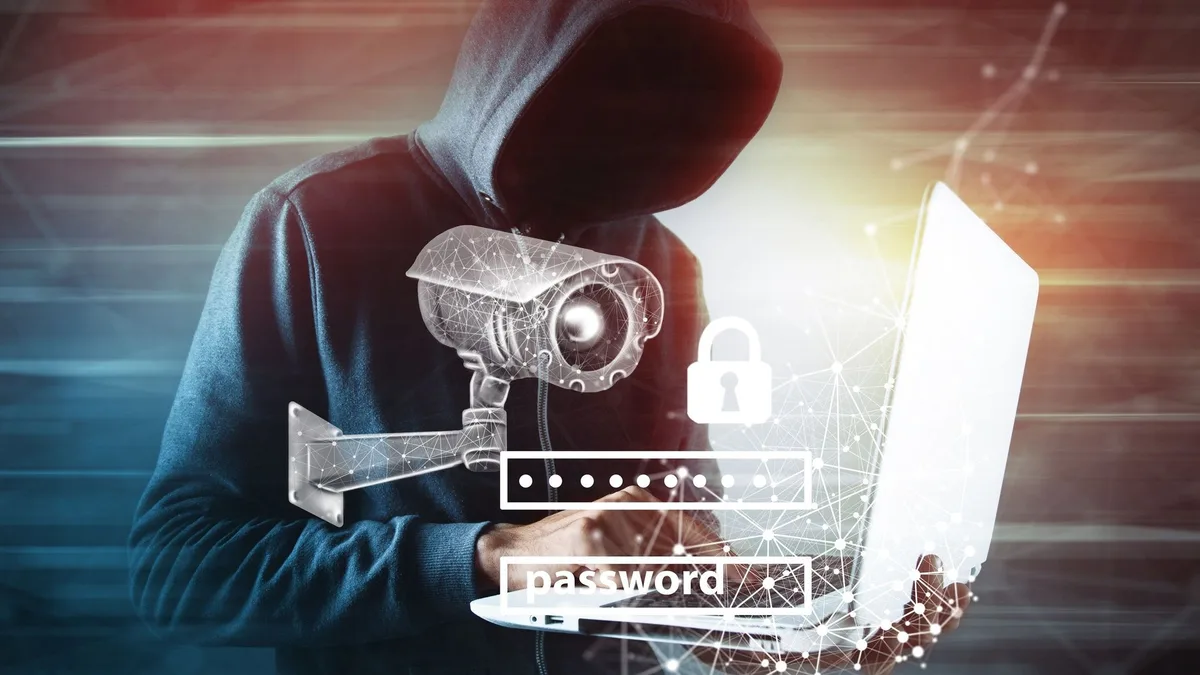
Image source: Bing (Web (fair-use with source credit))
Your Camera's Weakest Links: Common Vulnerabilities
Most security camera hacks aren't the result of sophisticated, never-before-seen exploits. Instead, they exploit common, often easily fixed, weaknesses that many users overlook. Identifying these weak links is the first step toward securing your cameras effectively.
Default Passwords and Weak Credentials
This is by far the biggest culprit. Many camera manufacturers ship their products with universal default passwords like "admin" or "password." When users don't change these immediately upon setup, hackers can simply run automated scripts that try these common credentials. If they succeed, they instantly gain control of your camera and potentially your network.
It’s the digital equivalent of leaving your front door unlocked with the key in the lock.
Outdated Firmware
Just like your computer or smartphone, security cameras run on software called firmware. Manufacturers release updates to patch security holes, improve performance, and add new features. If you neglect to update your camera's firmware, you're leaving known vulnerabilities open for exploitation.
Hackers actively scan for devices running older, unpatched firmware versions. Per manufacturer specifications, regular updates are crucial for maintaining device security.
Unsecured Network Connections
How your camera connects to the internet matters. If your Wi-Fi network uses outdated encryption protocols like WEP, or if your Wi-Fi password itself is weak and easily guessed, your camera is vulnerable. Even a wired connection can be a risk if the network it's plugged into isn't properly secured with a strong firewall or if the router itself has security flaws.
Securing the pathway to your camera is just as important as securing the camera itself.
Quick Answer
To protect security cameras from hackers, always change default passwords, keep firmware updated, and secure your Wi-Fi network with WPA2/WPA3 encryption. Enable two-factor authentication and consider network segmentation. These steps prevent unauthorized access and safeguard your privacy.
Building Your Digital Fortress: Essential Security Steps
Now that we understand the risks and common weak points, let's talk about building a robust defense for your security cameras. These are foundational steps that significantly reduce your exposure to cyber threats. Think of it like reinforcing the walls and doors of your home.
Strong Passwords and Account Security
This is non-negotiable. Treat your security camera’s login credentials with the same care you would your online banking password.
Beyond "Password123"
Never use the default username and password that comes with your camera. Manufacturers often use generic credentials that are widely known and easily found online. Instead, create a unique, strong password for each camera or its associated account.
A strong password should be a mix of uppercase and lowercase letters, numbers, and symbols, ideally at least 12 characters long. Using a password manager can help you generate and keep track of complex passwords for all your devices.
Enabling Two-Factor Authentication (2FA)
If your camera system or its associated mobile app offers Two-Factor Authentication (2FA), enable it immediately. 2FA adds an extra layer of security by requiring a second form of verification, usually a code sent to your phone, after you enter your password. This means even if a hacker steals your password, they still can't access your account without physical access to your phone or other second factor. This is a vital feature for any connected device.
Keeping Firmware Up-to-Date
As mentioned earlier, firmware updates are critical for patching security vulnerabilities. Most reputable camera manufacturers provide firmware updates through their apps or websites.
- Check Regularly: Make it a habit to check for updates at least once a month.
- Enable Auto-Updates: If your camera model supports it, enable automatic firmware updates. This ensures you always have the latest security patches without manual intervention.
- Follow Manufacturer Instructions: Always follow the manufacturer's specific instructions for applying updates.
Securing Your Wi-Fi Network
Your Wi-Fi network is the highway your camera uses to communicate. If the highway is unsecured, anyone can potentially travel on it.
- Use Strong Encryption: Ensure your router is set to use WPA2 or, ideally, WPA3 encryption. Avoid older, weaker protocols like WEP or WPA.
- Change Router Default Password: Just like your cameras, your Wi-Fi router has default login credentials. Change these immediately.
- Create a Guest Network: Consider setting up a separate guest Wi-Fi network for your smart devices, including security cameras. This isolates them from your primary network where your computers and sensitive data reside. If one device on the guest network is compromised, it's much harder for the hacker to reach your main devices.
Image source: Web (Bing) / vectorstock.com (Web image (fair-use with source credit))
Advanced Tactics for Pro-Level Protection
Once you've got the basics covered, strong passwords, updated firmware, and secure Wi-Fi, you might want to consider some more advanced measures. These steps add even more layers to your digital fortress and are particularly useful if you have a complex home network or are particularly concerned about privacy and security. These techniques are often discussed in guides on securing smart home devices and form part of a comprehensive strategy.
Network Segmentation (VLANs)
This is a more technical step, but it's incredibly effective. Network segmentation involves dividing your network into smaller, isolated sub-networks. You can use Virtual Local Area Networks (VLANs) to achieve this.
For example, you could create a separate VLAN specifically for your IoT devices, including your security cameras.
- How it Works: If a hacker compromises a device on the IoT VLAN, they are effectively trapped within that segment. They cannot easily access other devices on your main network (like your personal computers or financial data) because the VLANs act as firewalls between them.
- Implementation: This usually requires a router that supports VLANs, which are common in higher-end consumer routers or business-grade equipment. Setting up VLANs can be complex and might require consulting your router's manual or seeking expert help if you're unsure.
Using a Firewall
A firewall acts as a barrier between your internal network and the outside internet, monitoring and controlling incoming and outgoing network traffic based on predetermined security rules. Most modern routers have a built-in firewall.
- Router Firewall: Ensure your router's firewall is enabled and properly configured. You can often customize rules to block specific ports or IP addresses if you identify suspicious activity.
- Software Firewall: Some security cameras or their management software might also allow for configuring software firewalls, further restricting what network traffic they can send or receive. This can be useful for limiting a camera's outbound connections to only those absolutely necessary for its operation.
VPNs for Remote Access
When you access your security cameras remotely, you're opening a connection from the outside internet into your home network. A Virtual Private Network (VPN) can make this remote access much more secure.
- How it Enhances Security: Instead of connecting directly to your camera’s IP address, you first connect to a VPN server. Your traffic is then encrypted between your remote device and the VPN server, and then between the VPN server and your home network. This masks your direct connection and encrypts the data in transit, making it much harder for eavesdroppers to intercept your camera feed or credentials.
- Router-Level VPN: For even better security, some advanced routers allow you to set up a VPN server on your router itself. This means you can connect to your home network securely from anywhere in the world, and all devices on your network, including cameras, benefit from the encrypted tunnel. This offers a significant security boost compared to direct remote access. This can be a critical component when considering [what features should a home security system have] for remote users.
Mistakes That Leave Your Cameras Exposed
Even with the best intentions, several common errors can undermine your efforts to secure your security cameras. These aren't necessarily malicious actions, but rather oversight or a lack of awareness that hackers can readily exploit. Avoiding these pitfalls is just as important as implementing security measures.
Ignoring Manufacturer Security Advisories
Reputable camera manufacturers often release security advisories when they discover a new vulnerability or when a significant update is available. These advisories might detail how to mitigate a specific risk or announce an urgent firmware patch. Failing to monitor these communications or act on them quickly leaves your devices exposed to known threats.
Think of it like ignoring a recall notice for a faulty appliance; the potential for harm is real.
Relying Solely on Cloud Security
Many modern security cameras offer cloud-based storage and remote access features. While convenient, relying solely on the manufacturer's cloud security can be risky. If the manufacturer's servers are compromised, or if there's a breach in their security infrastructure, your data and access could be at risk.
It's always better to layer your security, combining cloud features with strong local network security and secure access methods, as detailed in discussions about [what is a smart home security system].
Connecting Cameras to Public Wi-Fi
This might seem obvious, but it's a mistake people sometimes make when trying to extend their surveillance coverage or when setting up cameras temporarily. Public Wi-Fi networks (like those in coffee shops, airports, or hotels) are notoriously insecure. They are often unencrypted or poorly secured, making them a playground for hackers looking to intercept data.
Never connect your security cameras to a public Wi-Fi network, as it provides an open invitation for attackers to gain access to your camera and, potentially, your entire network.
Frequently Asked Questions About Camera Security
Can hackers access my camera feed without me knowing?
Yes, hackers can absolutely access your camera feed without you knowing. This often happens if default passwords aren't changed or if the camera's firmware is outdated, creating exploitable security holes. They use automated tools to scan for these vulnerabilities.
How often should I update my camera's firmware?
You should update your camera's firmware as soon as an update is available from the manufacturer. Many cameras offer an auto-update feature; enabling this is the easiest way to ensure you're always protected against the latest known threats. Regularly checking the manufacturer's website is also a good practice.
Is it safe to use a camera's mobile app for remote viewing?
Using a camera's mobile app for remote viewing is generally safe if the app itself is secure and you've taken other security precautions. Always ensure the app is updated, use a strong password for your camera account, and enable two-factor authentication if offered. A compromised app, however, could grant hackers access.
What is the difference between wired and wireless security cameras in terms of hacking risk?
Wired cameras (using Ethernet) can be more secure if your network is well-protected because they don't rely on Wi-Fi signal strength or encryption. However, both wired and wireless cameras are vulnerable if their software or login credentials are weak. Wireless cameras add the complexity of securing the Wi-Fi network itself.
This is a key consideration when looking at [wired vs wireless home security system] options.
Can my security camera be used to mine cryptocurrency?
While less common than feed snooping, it's technically possible for a compromised camera to be used in a botnet for activities like cryptocurrency mining or launching Distributed Denial-of-Service (DDoS) attacks. This happens when the device's processing power is hijacked. This highlights the importance of securing all connected devices.
How do I know if my security camera has been hacked?
Signs might include unexpected reboots, altered camera settings, unusual network activity (check your router's logs), or your camera suddenly pointing in a different direction. If you notice these or can no longer access your camera feed legitimately, assume it may have been compromised. Investigating unexpected behavior is part of [how do home alarm systems work] when issues arise.
When to Call in the Experts
While many security camera protection steps are DIY-friendly, there are times when professional help is the smartest choice. If you're dealing with complex network setups, have experienced a suspected breach, or simply want the highest level of assurance, don't hesitate to seek expert advice.
Complex Network Configurations
If your home or business uses a sophisticated network setup with multiple routers, VLANs, or custom firewall rules, it can be challenging to ensure your cameras are correctly integrated and secured. An IT security professional can audit your network, identify potential vulnerabilities, and configure your system for optimal protection. They understand how all the different components interact and can implement advanced measures like secure remote access protocols.
Suspected or Confirmed Breach
If you believe your security cameras have already been compromised, or if you notice suspicious activity that indicates a breach, it's critical to act swiftly. A cybersecurity expert can help you identify the extent of the breach, remove any malware, secure your devices, and help you recover your system. They can also advise on legal and notification requirements if sensitive data has been exposed.
This is often a critical step before considering [how often should a security system be replaced].
High-Value Assets or Extreme Privacy Concerns
For businesses with highly sensitive data, or individuals with extreme privacy concerns, a higher level of security might be warranted. This could involve dedicated network security appliances, advanced intrusion detection systems, and specialized camera configurations. Professionals can assess your specific needs and implement tailored solutions that go beyond standard consumer-level security.
They can also provide guidance on ongoing monitoring and maintenance to ensure long-term security.