How Do Home Alarm Systems Work
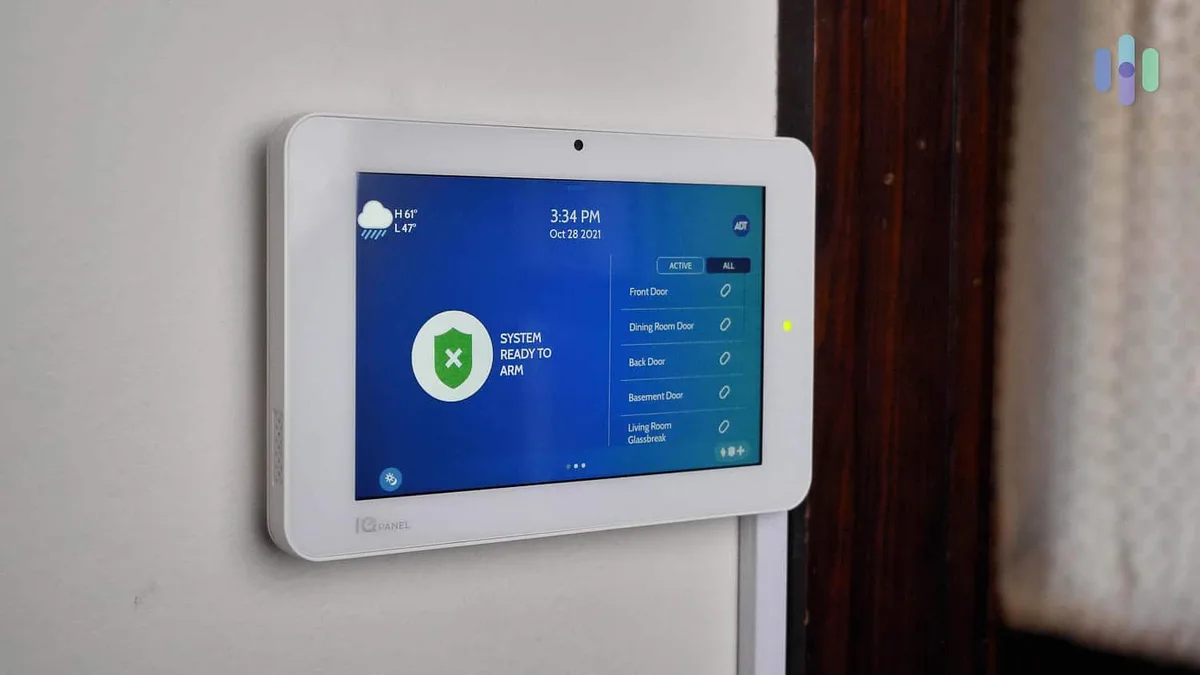
Image source: Web (Bing) / security.org (Web image (fair-use with source credit))
Home alarm systems can seem complicated, but understanding how they work is simpler than you might think. At their core, these systems use a network of sensors to detect unwanted entry and then alert you or authorities. We've dug into the tech to break down exactly what's happening behind the scenes when your alarm goes off.
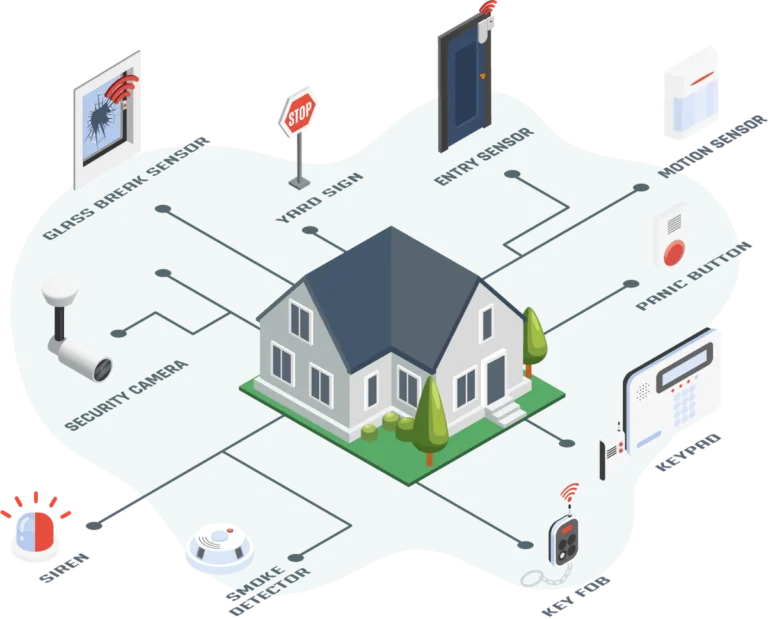
In our research, we found that most home alarm systems rely on a central control panel communicating wirelessly or via wires with various sensors placed around your property. These components work together to identify a breach. Per Underwriters Laboratories (UL) standards, systems are tested for reliability and performance, ensuring they function as intended when you need them most.
Quick Answer
Home alarm systems work by using sensors to detect intrusions, like opened doors or movement, which then trigger a central control panel. This panel sounds a siren and can also send alerts to your smartphone or a professional monitoring service. These systems provide security by deterring potential intruders and facilitating a rapid response.
What's Actually Inside a Home Alarm System?
A home alarm system isn't just one gadget; it's a collection of components that talk to each other. Think of it like a team where each player has a specific job to do to protect your home. Understanding these parts is key to grasping how the whole system keeps you safe.
The Brains of the Operation: Control Panel & CPU
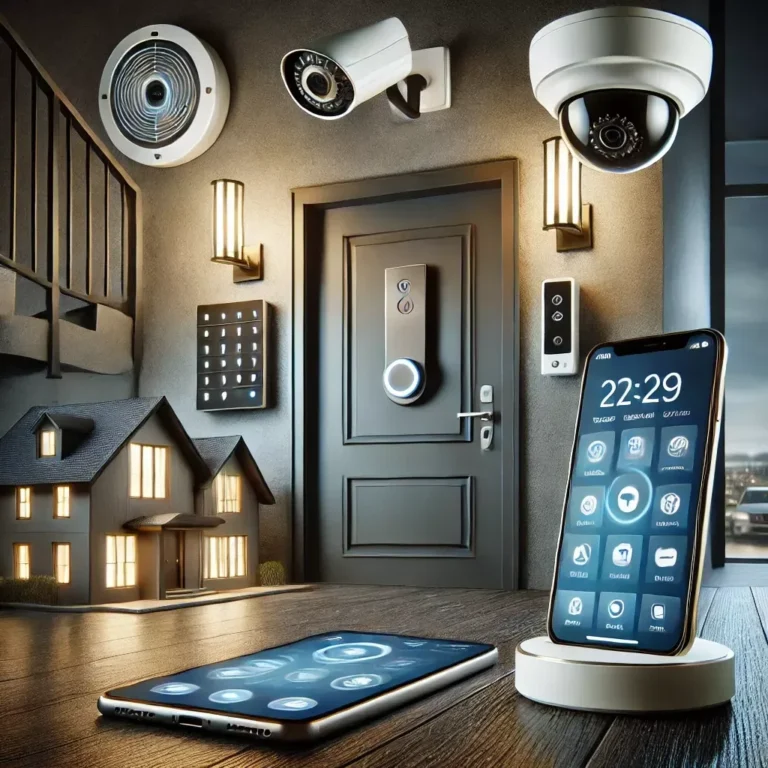
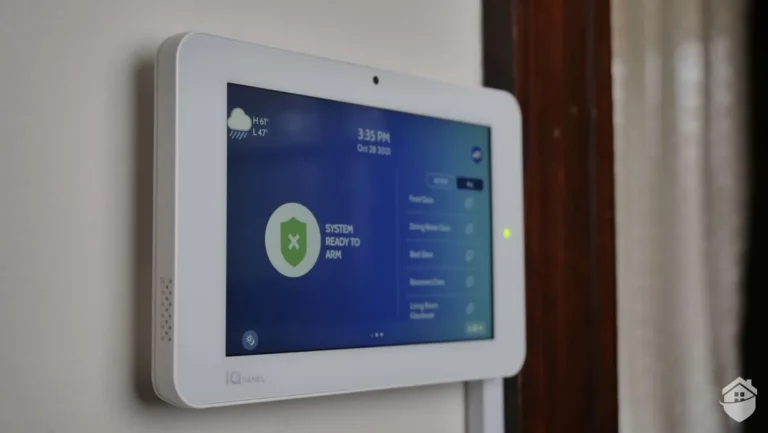
The control panel is the central hub of your alarm system, often a keypad or a touchscreen device mounted near an entry point. This is where you arm and disarm the system, and it houses the main processing unit (CPU). This CPU receives signals from all the sensors, processes them, and decides what action to take, whether that's sounding a siren or sending an alert.
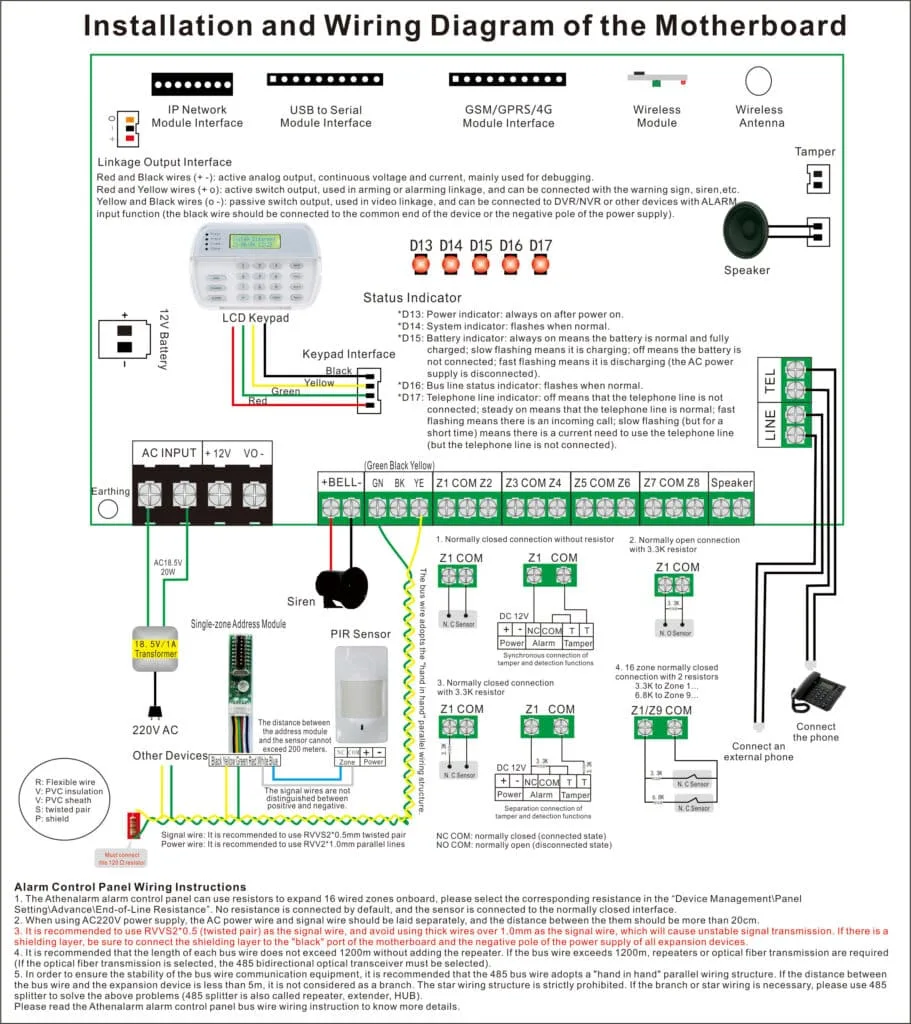
Image source: Bing (Web (fair-use with source credit))
It's the brain that interprets everything and tells the other parts what to do. Manufacturer specifications indicate that modern control panels often connect to your home's Wi-Fi or cellular network, allowing for remote access and notifications.
The Eyes and Ears: Sensors in Action (Motion, Door/Window, Glass Break)
These are the frontline defenders. Sensors are placed strategically to detect specific types of intrusion. Door and window sensors, also called contact sensors, consist of two parts.
When the door or window is closed, the two parts connect, completing a circuit. Open it, and the connection breaks, sending a signal to the control panel.
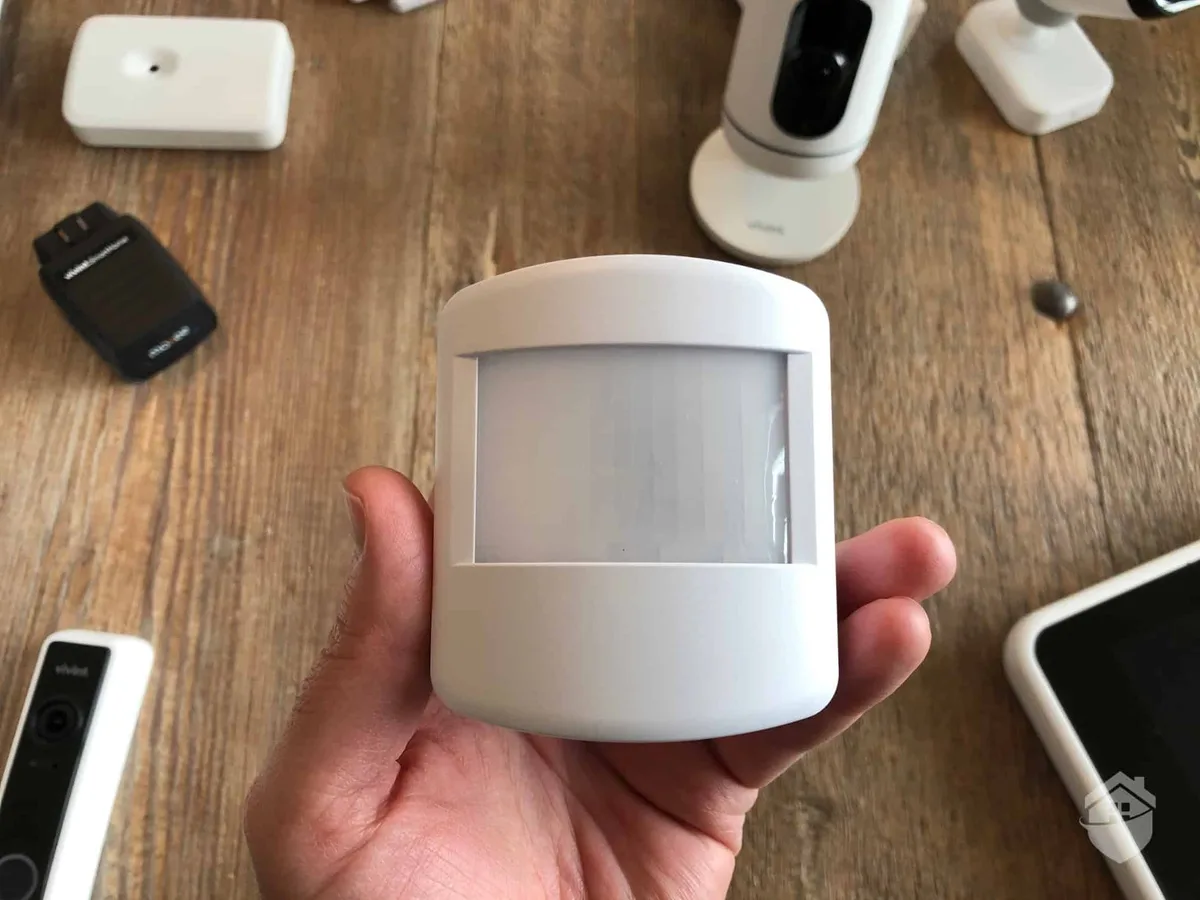
Image source: Web (Bing) / safehome.org (Web image (fair-use with source credit))
Motion detectors use infrared technology (PIR) to sense changes in heat signatures, or sometimes microwave or dual-tech sensors that combine different methods. Glass break detectors are designed to listen for the specific frequency of breaking glass.
The Noise Maker: Sirens and Alerts
When a sensor is tripped and the system is armed, the siren is usually the first thing that activates. It's designed to be loud, often exceeding 90 decibels, to startle intruders and alert neighbors. This audible alarm is a primary deterrent.
Beyond the siren, many systems offer electronic alerts. These can be immediate notifications sent directly to your smartphone via a dedicated app or text message. If you have a professionally monitored system, this signal is also routed to a central monitoring station, which can then dispatch emergency services.
The Communication Link: Wireless vs. Wired Connections
How do all these pieces talk to each other? It's typically one of two ways: wired or wireless. Wired systems have physical wires running from each sensor back to the control panel.
This method is generally considered very reliable and less prone to interference, but installation can be more complex and invasive, requiring drilling through walls.
Wireless systems, on the other hand, use radio frequencies to communicate. They typically connect via Wi-Fi, cellular signals, or specific low-power protocols like Z-Wave or Zigbee. These are much easier and quicker to install, making them popular for renters and DIY setups.
Aggregate reviews report that while generally reliable, wireless systems can sometimes experience interference or signal issues depending on home construction and device placement.
Seeing is Believing: How Components Interact Visually
While we can't show you live diagrams here, picturing how the parts of your alarm system work together is crucial. Think of it like a chain reaction: one event triggers the next, all leading to your home's protection. Visualizing this flow helps you understand why specific placements and configurations matter.
The "Trigger" Moment: Sensor Activation to Alert
Imagine a door sensor. It's made of two pieces, a magnet and a reed switch, that sit very close together when the door is shut. When the door swings open, these two pieces separate.
That physical separation breaks a tiny electrical circuit. This break is the signal your sensor sends. It's a simple, physical event that initiates the alarm process.
Visualizing the Signal Path: From Sensor to Siren
Once the sensor registers the "open" state, it immediately sends a radio wave or a signal through a wire to the control panel. The control panel's CPU receives this signal and checks if the system is armed. If it is, the CPU then sends a command to the siren.
This command tells the siren to blast its loud alarm. At the same time, if it's a smart system, it simultaneously triggers an alert to be sent out. This sequence happens in milliseconds.
App vs. Control Panel: Seeing Your System Status
Your control panel might have a small LED light or a digital display showing if the system is armed or disarmed. If you have a smart home security system, you can also see this status visually on your smartphone app. The app usually shows a clear icon, like a shield, indicating the current state.
It might also visually display which specific sensor was triggered, for instance, showing a picture of a door with a red icon if that's what initiated the alarm.
Common Visual Mistakes That Cause False Alarms
False alarms are frustrating, and often, they boil down to a simple visual oversight during setup or in how the system is maintained. Most of these issues relate to how sensors "see" their environment.
Misplaced Motion Detectors
Motion detectors, especially PIR (Passive Infrared) types, are designed to detect changes in heat. If you point one directly at a heat source, like a radiator, a sunny window, or even a vent blowing warm air, it can trigger an alarm. Visually inspect where the detector is aimed; ensure it's not facing direct sunlight or a heating element.
Also, consider how pets move around. If a motion detector is aimed at floor level where a pet walks, it might mistake their movement for an intruder.
Improperly Sealed Doors and Windows
Door and window sensors rely on a close proximity between their two magnetic parts. If a door or window doesn't close tightly, the two parts might not connect properly, or they might be too far apart. This can cause the sensor to continuously send an "open" signal, even if the door is technically closed.
Visually check that your doors and windows are snug against their frames and that the sensors themselves are firmly attached and aligned correctly.
Ignoring Glass Break Sensor Limitations
Glass break detectors listen for the specific sound frequency of shattering glass. However, they can be tricked. Loud noises, like a strong gust of wind rattling a window, a dog barking very close to the sensor, or even certain types of music played at high volume, can sometimes trigger a false alarm.
It’s about visually ensuring the sensor isn't placed in an area prone to such sonic disturbances, or next to fragile items that might vibrate loudly.
Keeping Your System Sharp: Maintenance and Testing Visual Cues
A home alarm system is like any other piece of technology; it needs regular attention to keep it working reliably. Thankfully, most maintenance tasks involve simple visual checks that anyone can do. Proactive checks can prevent those annoying false alarms and ensure your system is ready to protect you when it counts.
Battery Check Visual Indicators
Many wireless sensors and control panels use batteries. Low battery warnings are almost always visual. You'll often see a blinking light on the sensor itself, or a specific message will appear on your control panel's display or in your mobile app.
If you spot these indicators, it's time to replace the batteries. Manufacturer specifications typically list the expected battery life, often ranging from 1 to 5 years depending on the device and usage. Don't wait until a sensor completely dies; address these visual cues promptly.
Sensor Alignment Visual Guide
Over time, sensors can shift, especially if doors or windows are frequently used or if there's vibration. For door/window sensors, a quick visual check involves ensuring the two parts of the sensor are still aligned and close enough to connect when the door or window is closed. For motion detectors, visually confirm they are still securely mounted and aimed at the desired coverage area, not knocked askew by a bumped wall or a pet's playful jump.
If a sensor looks out of place, you might need to reposition it.
When to Seek Expert Help: Visual Red Flags
Most of the time, your alarm system will behave as expected. However, sometimes, issues pop up that are beyond a simple visual check or battery change. Recognizing when to call in a professional is part of smart system ownership.
Look for persistent visual anomalies. If a sensor consistently shows as "trouble" or "tampered" on your control panel or app, even after checking its battery and alignment, it could indicate an internal fault. Similarly, if your control panel is displaying error codes you don't understand or if the siren is acting erratically (e.g., chirping constantly), it's a sign something is wrong internally.
For professionally installed systems, your provider will often have remote diagnostic capabilities to pinpoint issues. For DIY systems, contact the manufacturer's support line if visual checks don't resolve the problem.
Frequently Asked Questions About Home Alarm Systems
How does a wireless system communicate?
Wireless alarm systems communicate using radio frequency signals. These signals are sent from sensors to the central control panel, and from the panel to any other connected devices like sirens or cellular communicators. Common wireless protocols include Wi-Fi for internet connectivity, cellular for backup communication, and low-power radio technologies like Z-Wave or Zigbee for short-range sensor communication.
Can pets trigger my alarm?
Yes, pets can trigger alarm systems, particularly motion detectors. Many modern motion sensors are designed with pet immunity settings, allowing them to ignore movement from animals below a certain weight (often around 40-80 pounds). However, very active or larger pets may still set off alarms.
Proper placement, avoiding direct lines of sight to pet beds or high-traffic pet areas, is key.
What's the difference between a monitored and unmonitored system?
An unmonitored alarm system will sound a local siren when triggered, alerting people nearby. A monitored system, however, also sends an alert to a professional monitoring center. When the center receives an alert, trained staff verify the alarm (often by calling you) and then dispatch emergency services like police or fire departments if necessary.
Monitored systems usually come with a monthly fee.