How Does Cellular Security Monitoring Work
Ever worried about what happens if your alarm goes off when you're not home? How does cellular security monitoring work to get you help quickly and reliably? It's a smart system that uses the same wireless networks your phone uses to keep a constant connection to a professional monitoring center.
This system is designed for peace of mind, using a dedicated cellular communicator. Manufacturer specifications indicate these communicators are built to withstand power interruptions, often running for 24 hours or more on backup batteries. Let's break down how this vital connection keeps your home secure.
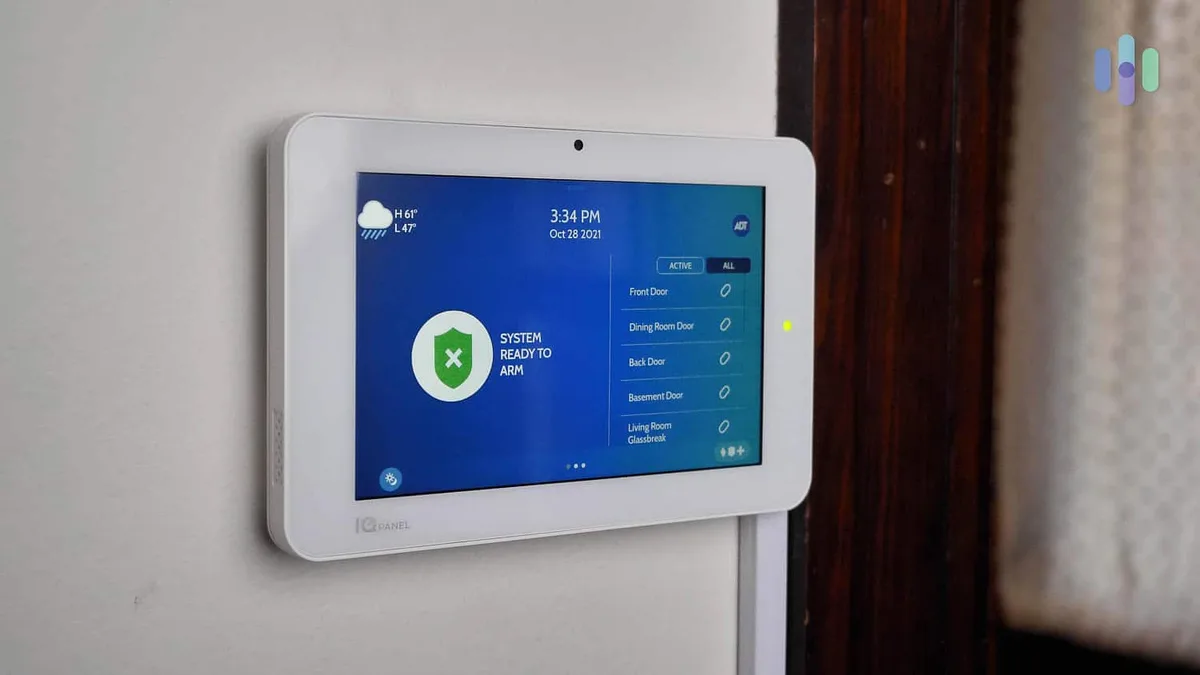
Image source: Web (Bing) / security.org (Web image (fair-use with source credit))
Quick Answer
Cellular security monitoring uses a wireless communicator, like a cell phone, to send alarm signals to a central station. When a sensor is triggered, the system alerts the monitoring center, which then contacts authorities. This method offers superior reliability over landlines or internet, especially during outages.
It's a key component of many modern home security setups.
The Core Idea: Your Alarm's Own Wireless Line
Think of cellular security monitoring as your home alarm system having its own dedicated, super-reliable phone line, but without any physical wires. Instead of relying on a traditional landline or your home's internet connection, it uses the same mobile phone network that your smartphone connects to. This is a big deal because it makes the system much harder to disable.
Burglars can't just cut a phone line to stop an alert from going out.
This wireless approach is crucial for modern security. It allows for faster signal transmission and removes the vulnerability of a physical wire that could be tampered with. Many systems, like those from major providers, leverage this cellular backbone for their core communication, ensuring a prompt alert when it matters most.
It's part of what makes a professionally monitored system so effective in getting help to your home quickly.
Key Components: What Makes It Tick (and Connect)
To really understand how cellular security monitoring works, we need to look at the main pieces of the puzzle. These are the parts that work together to detect trouble and send out that all-important signal. Most systems will include a core set of these components, though the exact models and features can vary.
The Control Panel: The System's Brain
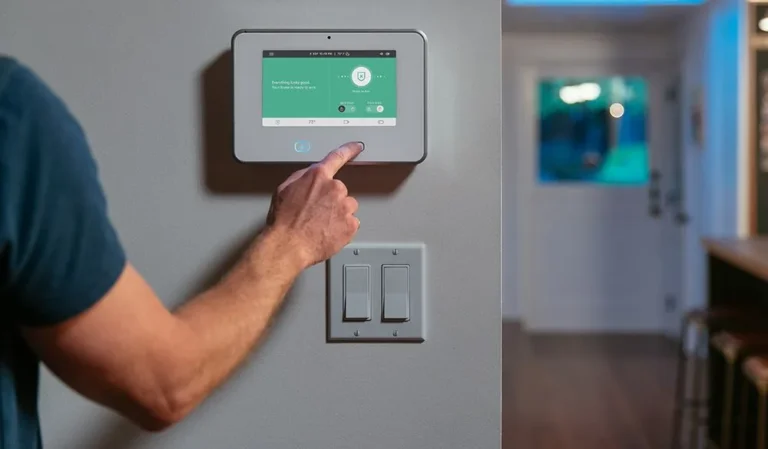
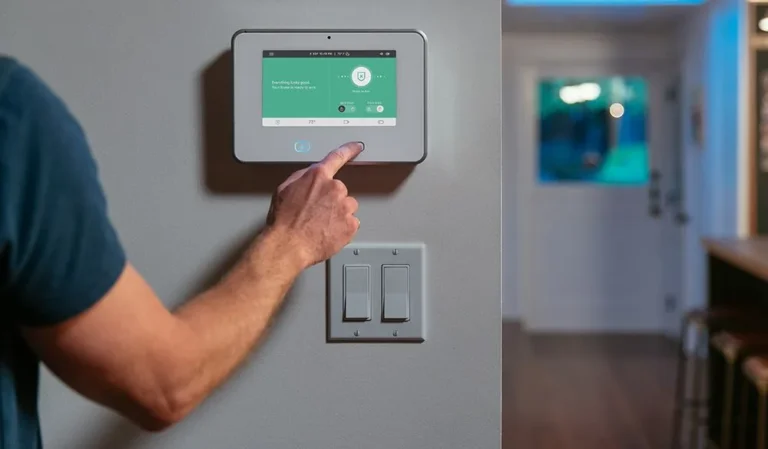
The control panel is essentially the command center for your entire security system. It's where all the signals from your various sensors converge. When a door opens, a window is forced, or a motion detector senses movement, that information is sent wirelessly to the control panel.
The panel then processes this input and decides what to do next.
Modern control panels are quite sophisticated. They have built-in processors, memory, and the ability to communicate with other devices. They also typically house a backup battery to ensure the system stays active even if the main power goes out.
This brain is crucial because it interprets the data from your sensors and initiates the communication process. You can learn more about what a system generally includes at what a home security system includes.
The Cellular Communicator: The Wireless Link
This is the star of the show for cellular security monitoring. The cellular communicator is a small device, often integrated directly into the control panel or available as a separate add-on module. Its primary job is to transmit alarm signals wirelessly to a central monitoring station.
It achieves this by using a SIM card, much like the one in your mobile phone, to connect to a cellular network.
When the control panel detects an emergency, it sends a coded message to the communicator. The communicator then uses its cellular connection to send this message to the monitoring station. This bypasses the need for a phone line or internet, offering a more robust and secure communication path.
Manufacturer specifications confirm these communicators are designed for low power consumption and reliable signal transmission, often with enhanced antennas for better reception.
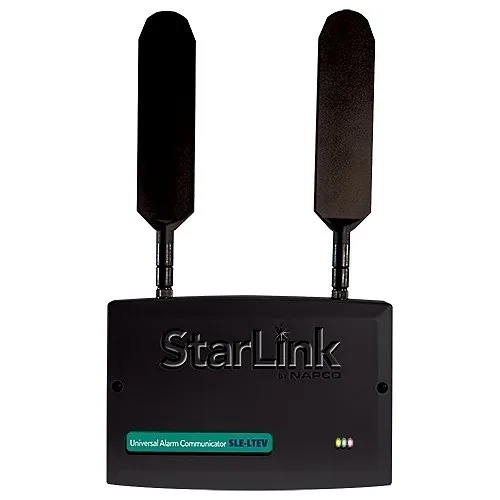
Image source: Web (Bing) / zionssecurity.com (Web image (fair-use with source credit))
The Sensors: The Eyes and Ears
Sensors are the distributed components that actually detect specific events. These are the devices that alert the control panel when something is amiss. They are typically small, wireless, and battery-powered, making installation relatively straightforward.
The variety of sensors available means you can customize your system to cover different potential threats.
Common types include:
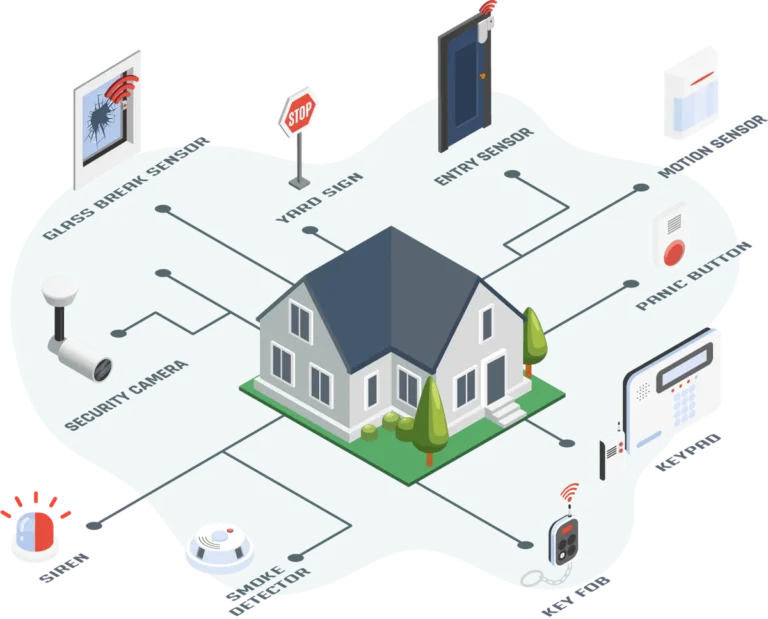
- Door and Window Sensors: These consist of two parts, a magnet and a sensor. When the door or window is closed, the magnet is near the sensor, and the circuit is complete. If they are separated (the door/window opens), the sensor sends a signal to the control panel.
- Motion Detectors: These use infrared or microwave technology to sense movement within a specific area. They are great for covering larger interior spaces.
- Smoke and Carbon Monoxide Detectors: Integrated smoke and CO detectors can send an immediate alert to the monitoring station in case of fire or dangerous gas levels, offering critical life-safety protection.
- Glass Break Sensors: These listen for the specific frequency of breaking glass.
These sensors are the first line of detection, feeding critical information back to the central hub. They are key to what features a home security system should have.
The Signal's Journey: From Home to Help
Understanding how cellular security monitoring works means following the signal from the moment an event is detected all the way to emergency services being dispatched. It's a quick, automated process designed for rapid response. While each system might have minor variations, the fundamental flow is consistent across most professionally monitored setups.
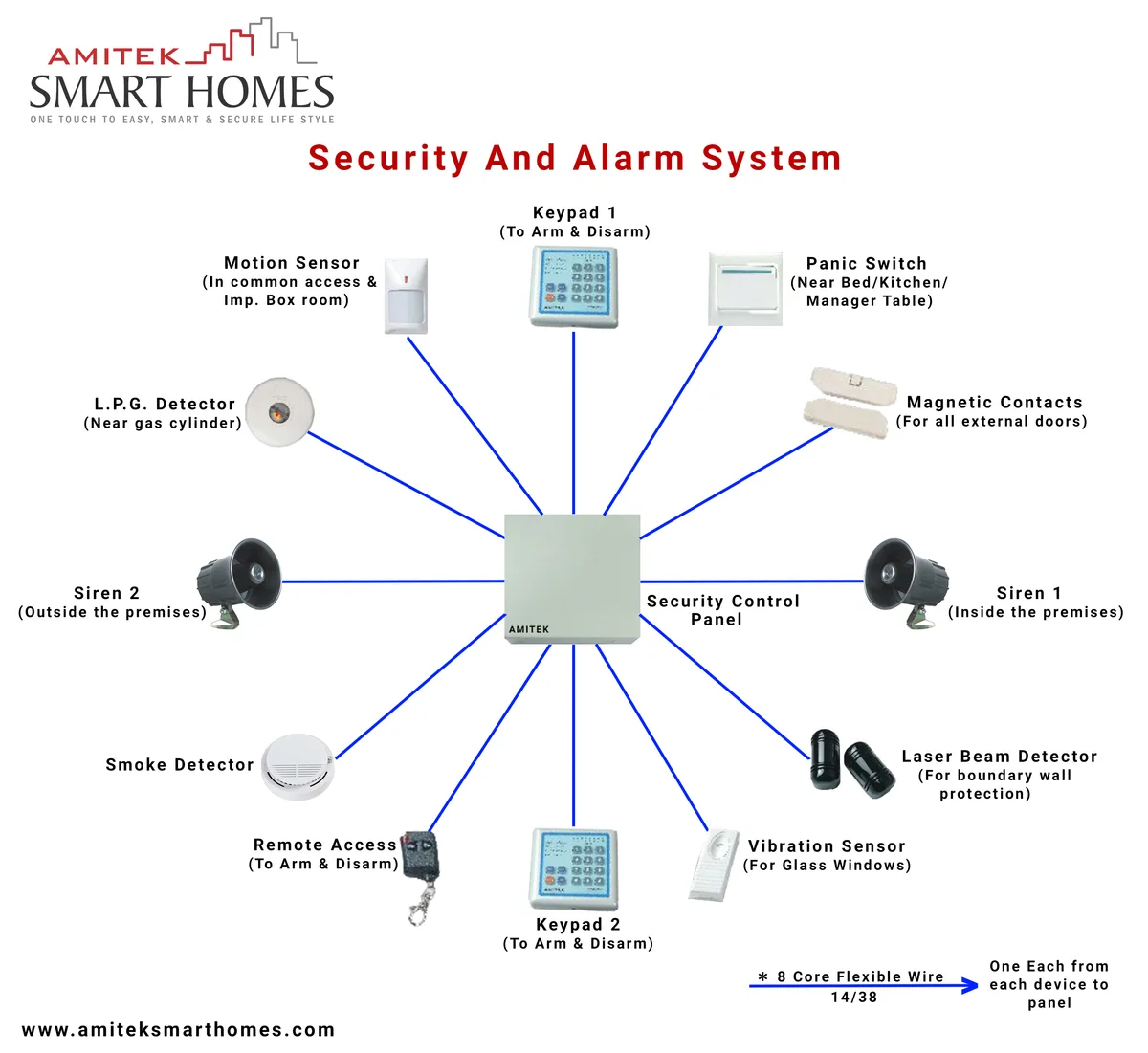
Image source: Web (Bing) / circuitdiagram.co (Web image (fair-use with source credit))
Step 1: Detecting the Incident
It all begins with one of your sensors. Let's say a burglar forces open a back door. The magnetic contact sensor on that door is designed to detect when its two parts are separated.
As soon as it registers this separation, it sends a wireless signal to your home's main security control panel. This initial signal is the trigger for the entire process.
Other triggers could be a motion detector sensing movement in a room, a smoke alarm detecting smoke, or even you pressing a panic button. The type of sensor that activates determines the specific alert information sent to the panel.
Step 2: The Panel Takes Over
Upon receiving the signal from the sensor, the control panel acts as the central processor. It identifies which sensor sent the alert and cross-references this with its programming. For example, it knows that "Sensor 3" is the back door and that this type of event (door forced open) requires an immediate alarm.
The control panel then initiates communication. It sends a coded digital message to the cellular communicator module. This message contains vital information, such as the type of alarm, the specific sensor that triggered it, and the unique identifier of your security system.
Step 3: The Cellular Connection to the Monitoring Station
Now, the cellular communicator springs into action. It takes the coded message from the control panel and transmits it wirelessly through the cellular network. This is much like your phone sending a text message or making a call.
The signal travels from your home's communicator, through the nearest cellular tower, and directly to a central monitoring station.
These stations are staffed 24/7 by trained professionals. They have specialized equipment that receives and decodes the signals sent by your system. The speed of cellular networks means this transmission typically happens within seconds.
This is a critical advantage over older methods that might experience delays. This robust connection is a key reason why professionally monitored systems are so effective.
Step 4: Response and Dispatch
Once the central monitoring station receives and decodes the signal, they immediately access your account information. They'll verify your address and confirm the type of alarm (burglary, fire, medical, etc.). As per their standard operating procedure, they will usually attempt to contact you or your designated emergency contacts first.
If they cannot reach you, or if you confirm a genuine emergency, they will then dispatch the appropriate local emergency services, police for burglaries, fire department for fires, or paramedics for medical alerts. The precise information provided by your security system, such as the specific zone or sensor that triggered, helps responders act more efficiently. This entire sequence is designed to be as swift and seamless as possible.
Why Cellular? The Advantages Over Other Methods
Cellular security monitoring has become the preferred method for many homeowners and businesses for a good reason: it offers a robust and reliable communication channel. Unlike traditional landline connections or even some internet-based systems, cellular brings a significant set of advantages that enhance the overall effectiveness and security of your alarm setup. Understanding these benefits helps explain why it's a common feature in modern wireless home security systems.
One of the most compelling advantages is its resistance to tampering. Burglars cannot easily cut cellular signals like they can physical phone lines. This inherent security means the alarm signal has a much higher probability of reaching the monitoring center.
Furthermore, these systems are designed to operate independently of your home's internet connection. Should your Wi-Fi go down due to a router issue or a local outage, your cellular backup ensures the alarm can still communicate. For example, the National Institute of Standards and Technology (NIST) emphasizes the importance of resilient communication pathways in critical infrastructure, a principle that extends to home security.
Common Challenges: What Can Go Wrong
While cellular security monitoring is incredibly reliable, it's not completely immune to issues. Like any technology, there are potential challenges that can affect its performance. Being aware of these can help you prevent problems or troubleshoot them more effectively if they arise.
Issues with Signal Strength
The most common challenge with any cellular-based device is signal strength. Just like your mobile phone can sometimes show fewer bars in certain areas or inside buildings, the cellular communicator in your security system needs a good signal to transmit alerts effectively. If the signal is weak, it can lead to delayed transmissions or, in rare cases, a failure to send an alert altogether.
Most control panels will alert you if they detect a consistently weak cellular signal. This often prompts a need to relocate the control panel, especially if it's a DIY installation, or to consider an external antenna if your provider offers one. The ideal scenario is to have the system installed by professionals who can test signal strength in multiple locations before finalizing the setup.
Power Outages and Backup Power
Cellular security systems are designed with power outages in mind, but understanding their limitations is key. The control panel and its cellular communicator are equipped with backup batteries. These are intended to keep the system running for a specified period if the main household power fails.
Manufacturer specifications often state these batteries can last between 24 to 48 hours, depending on the system's power draw and battery age.
However, these are batteries, and they will eventually run out of charge. If a power outage is prolonged, the system will eventually lose power and cease to function. The cellular communicator's signal will also be lost once its battery is depleted.
This is why regular testing of your system's backup batteries is recommended, and how often a security system should be replaced is an important consideration for long-term reliability.
What to Expect: The Monitoring Service in Action
When your cellular security system triggers an alarm, the signal doesn't just disappear into thin air. It's received by a central monitoring station, which is staffed by trained professionals around the clock. These stations are equipped with sophisticated technology to interpret the signals and initiate a response.
It's the human element that turns a technological alert into real-world action.
The monitoring service will typically try to verify the alarm before dispatching authorities. This usually involves calling your primary contact number. If they can't reach you, or if you confirm it's an emergency, they will then contact the appropriate local law enforcement or fire department.
This verification step is crucial to minimize false alarms and ensure that emergency services are dispatched only when truly needed. This professional monitoring is a key differentiator from self-monitored home security.
How Fast is the Response?
The speed of response can vary, but generally, cellular monitoring is very quick. The signal transmission itself usually takes only a few seconds. The monitoring center's internal protocols dictate how quickly they will attempt to contact you and then dispatch help.
Many systems are designed to have emergency services on their way within 60 to 90 seconds of an unverified alarm. However, this doesn't include the actual travel time of first responders to your location.
What Information Do They Get?
Your cellular security system is programmed to send specific data. This includes your account number, the type of alarm (burglary, fire, medical, panic), and which specific sensor or zone was triggered. This detailed information is vital for emergency responders.
For instance, knowing an alarm was triggered by a specific window sensor helps police target their approach.
Frequently Asked Questions About Cellular Security Monitoring
How long does setup take?
Setup time can vary greatly. A professionally installed system typically takes 2-4 hours, depending on the size of your home and the number of sensors. A DIY system might take anywhere from 1 to 5 hours, depending on your technical comfort and the complexity of the installation.
Can I use my own cell phone plan for the communicator?
No, you cannot use your personal cell phone plan. The cellular communicator in a security system requires a specialized SIM card that connects to a dedicated network managed by the security provider or monitoring company. This ensures the necessary communication protocols and security features are in place.
What if there's a dead zone for cellular service?
If your home is in a cellular dead zone, a cellular security system might not be the best option, or it may require a more robust antenna system. Many professional installers will test signal strength beforehand. If signal strength is a major concern, you might consider a system with a dual-path communicator that uses both cellular and internet as a backup for each other.
Does cellular monitoring cost more than landline or internet?
Typically, cellular monitoring can be slightly more expensive per month than basic landline monitoring due to the dedicated cellular service. However, it's often comparable to, or sometimes less expensive than, systems that require a dedicated internet line. When you factor in the elimination of a traditional landline bill, the overall cost can be competitive.
This is part of what are the benefits of a home security system.
How long do the backup batteries last?
The backup batteries in control panels and communicators are designed to last between 24 to 48 hours under normal operating conditions. However, battery life can be affected by age, temperature, and how often the system uses power. It’s recommended to test your system's backup battery regularly and replace batteries as recommended by the manufacturer, typically every 3-5 years.
Can my cellular system be hacked?
While no system is entirely impenetrable, cellular security systems employ advanced encryption and security protocols to make them extremely difficult to hack. The dedicated communication path and the SIM card used are different from standard consumer devices. However, like any connected technology, staying informed about security updates and best practices recommended by your provider is always wise.