How Often Should Security Camera Batteries Be Charged
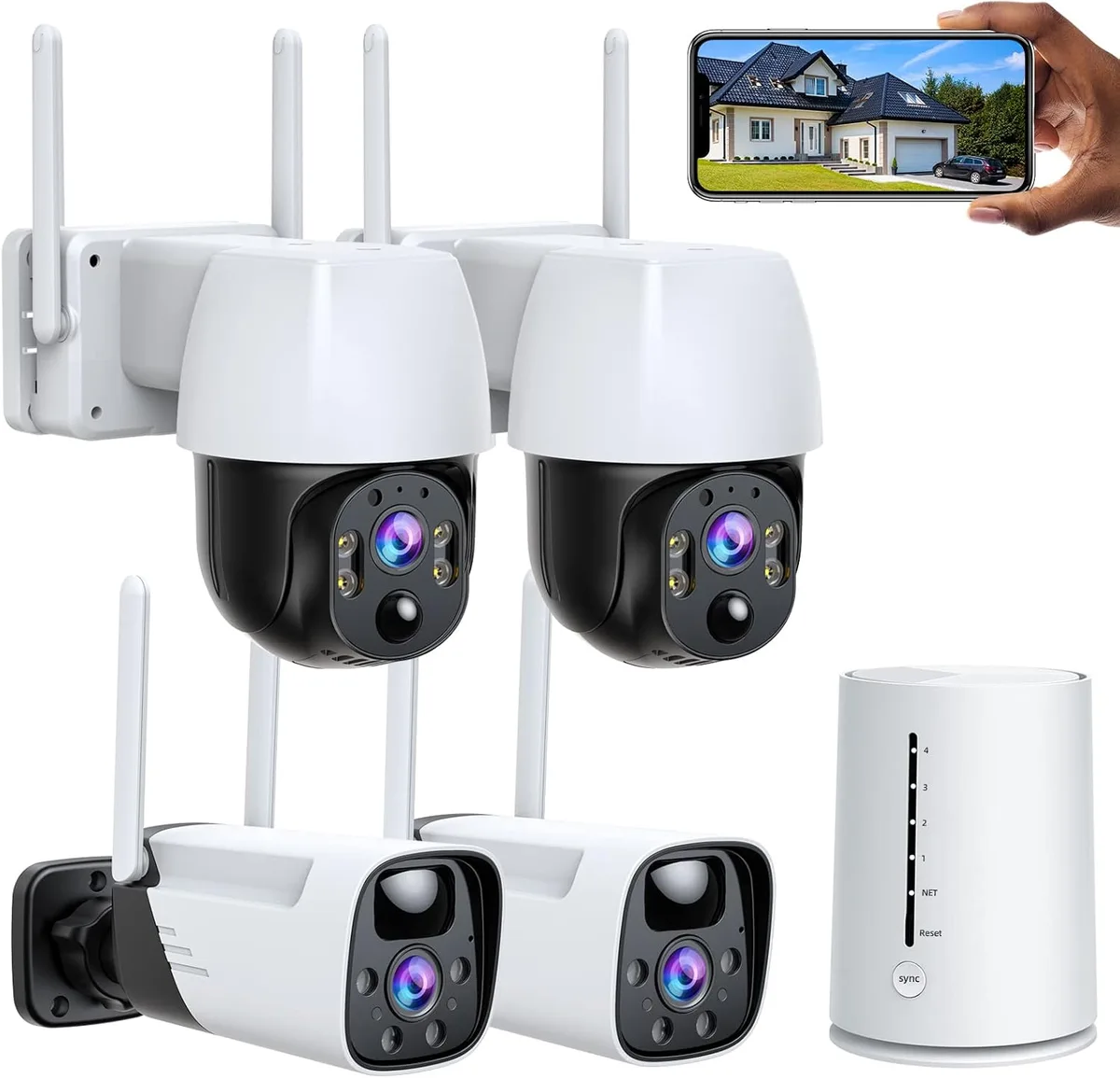
Image source: Web (Bing) / amazon.com (Web image (fair-use with source credit))
How often should security camera batteries be charged? That's the million-dollar question for anyone relying on wireless surveillance. You don't want to find out your camera died just when you needed it most.
It's a balancing act between convenience and ensuring continuous protection for your home or business.
Understanding what impacts battery life is key, as there's no single answer that fits everyone. Factors like your camera's settings, the environment it's in, and how frequently it's triggered all play a significant role. For instance, manufacturer specifications often cite battery life in ideal conditions, such as up to six months on standby, but real-world usage can drastically shorten that.
Quick Answer
Security camera batteries typically need charging every 1 to 6 months. This varies widely based on usage, camera settings, and environmental conditions. Frequent motion detection, high video quality settings, and extreme temperatures will shorten battery life, requiring more frequent charging.
Your Camera's Battery Life: What REALLY Drains It?
The biggest misconception about wireless security cameras is that their battery life is straightforward. In reality, "battery life" is an estimate, and your specific usage patterns will dictate how often you're reaching for the charger. Think of it like a smartphone, some people's phones last all day, while others need a midday boost.
For security cameras, several key factors are the primary culprits for draining power faster than you'd like.
- Motion Detection Frequency: This is usually the top battery hog. Every time motion is detected, the camera wakes up, starts recording, and sends a notification. If your camera is placed in a high-traffic area, like a busy driveway or a street-facing window, it will be triggered far more often than a camera watching a quiet backyard. Our research indicates that cameras in active environments can see their battery life cut in half compared to those in low-activity zones.
- Video Quality and Features: Higher resolution video (like 1080p or 4K) requires more processing power, thus consuming more battery. Features like infrared night vision, two-way audio, and built-in sirens also draw power when active. Many cameras allow you to adjust these settings to conserve battery. For example, turning off audio recording or lowering the video resolution can make a noticeable difference.
- Wi-Fi Signal Strength: A weak Wi-Fi signal forces the camera to work harder to maintain its connection. This constant effort to stay online drains the battery more rapidly. Poor signal strength can be caused by distance from your router or physical obstructions like thick walls.
- Environmental Conditions: Extreme temperatures are harsh on all batteries, and security camera batteries are no exception. Manufacturer specifications often cite optimal performance between 68°F and 77°F (20°C to 25°C). In freezing cold or scorching heat, battery capacity can significantly decrease, leading to shorter runtimes and more frequent charging needs. For example, lithium-ion batteries, commonly used in these cameras, can lose up to 50% of their capacity at freezing temperatures.
- Battery Age and Health: Like any rechargeable battery, those in your security cameras degrade over time. After a year or two of regular charging cycles, their maximum capacity will naturally decrease. This means even with the same usage, an older battery won't last as long as a new one.
Understanding Your Camera's Battery Usage Habits: A Quick Check
Before you can figure out how often to charge your security camera batteries, you need to understand what your cameras are actually doing. Most modern wireless security cameras come with companion apps that give you a window into their activity. These apps are your best friend for figuring out your unique battery drain.
Think of it like checking your phone's battery usage in its settings. You can usually see which apps are using the most power. Similarly, your camera app should show you the battery level for each individual camera.
More importantly, it often logs events.
- Event History: Most apps will show you a log of when the camera was triggered by motion, when it started recording, or if it had any connection issues. By reviewing this log over a week or two, you can get a good sense of how many events each camera is handling. A camera with 10 events a day uses considerably less power than one with 100 events.
- Activity Zones: If your camera supports activity zones, pay attention to how you've set them up. Overlapping zones or zones that cover very large areas can lead to more frequent, unnecessary triggers. You might be surprised how many minor movements, like a tree branch swaying, are activating your camera.
- App Notifications: Are you getting a constant stream of notifications? If so, that's a clear sign your camera is busy. Each notification usually corresponds to an event that's draining the battery.
By spending a little time with your camera's app, you can move from a generic "charge every few months" estimate to a much more accurate, personalized charging schedule. This proactive approach prevents unexpected downtime.
Deciphering Battery Alerts: What Your Camera App Tells You
Your security camera's app is designed to be your primary alert system for potential power issues. Manufacturers understand that nobody wants their camera to go dead without warning. That's why most apps provide timely notifications to let you know when a battery is running low.
Heeding these alerts is crucial for maintaining continuous surveillance.
These alerts aren't typically a single, ominous "dead battery" message. Instead, they're usually tiered, giving you a heads-up well in advance. Understanding what these different alerts mean can help you plan your charging routine effectively.
- Low Battery Warning: This is usually the first notification you'll receive. It typically pops up when the battery level drops below a certain threshold, often around 20%. This is your cue to start thinking about charging. It means you likely have at least a week or two of normal operation left, depending on your camera's usage.
- Critical Battery Warning: If the low battery warning is ignored, the app will likely send a more urgent alert when the battery level gets very low, often around 5-10%. At this point, the camera might start experiencing performance issues, such as reduced recording quality or fewer motion detection events being captured. It's a strong signal to charge the battery immediately or swap it out if you have spares.
- Battery Status Indicator: Beyond alerts, the app usually has a persistent battery status icon or percentage displayed for each camera. Regularly checking this visual cue, even when you don't receive an alert, is a good habit. It lets you track the gradual drain and anticipate when charging might be needed in the near future.
Some apps even offer customizable alert settings, allowing you to set your own battery percentage thresholds for receiving notifications. This level of control empowers you to manage your camera's power based on your comfort level. Per manufacturer specifications, most battery systems are designed to provide at least 24 hours of notice before complete power loss once a low battery alert is issued.
When to Charge: The Decision Tree for Battery Power
Knowing how often to charge your security camera batteries isn't a one-size-fits-all answer. It’s more of a personalized workflow determined by a few key questions about your setup. We’ve broken down the process into a simple decision tree to help you pinpoint the best charging schedule for your specific situation.
Start by asking yourself these questions:
Does your camera get triggered frequently?
- Yes: If your camera is in a busy spot (e.g., front porch, driveway with lots of car traffic, pet-frequented area) and records multiple events daily, you'll likely need to charge more often.
- No: If your camera is in a low-activity area (e.g., overlooking a quiet backyard, an infrequently used hallway) and records only a few events per week, you can wait longer between charges.
Are you using the highest video quality and features?
- Yes: If you've set your camera to record in 4K resolution, use continuous recording, or have all advanced features (like AI person detection) enabled constantly, expect shorter battery life.
- No: If you've opted for lower resolutions, motion-activated recording only, or disabled less critical features, your battery will last considerably longer.
What are the typical weather conditions where the camera is mounted?
- Extreme Hot or Cold: Temperatures significantly above 85°F (29°C) or below 32°F (0°C) will impact battery performance, reducing its capacity and requiring more frequent charging.
- Mild: Moderate temperatures allow the battery to perform closer to its advertised specifications.
Based on your answers, here’s a general guideline:
- Frequent Triggers + High Settings + Extreme Temps: Aim to check your battery status weekly and charge every 2-4 weeks.
- Frequent Triggers + High Settings + Mild Temps: Check bi-weekly, charge every 4-6 weeks.
- Infrequent Triggers + Lower Settings + Extreme Temps: Check monthly, charge every 6-10 weeks.
- Infrequent Triggers + Lower Settings + Mild Temps: Check monthly to bi-monthly, charge every 3-6 months.
Remember, these are starting points. Always refer to your camera's app for precise battery levels and alerts. If you have spare batteries, swapping them out is often easier than waiting for a charge, especially if you get a critical warning.
For continuous power, consider exploring options like wired cameras, which eliminate battery concerns altogether, or investigating if your camera model supports solar charging accessories. This decision process helps you avoid the pitfalls of a dead camera.
Maximizing Battery Life: Tips for Less Frequent Charging
Want to stretch that time between charges? It's totally possible, and it mostly comes down to optimizing your camera's settings and placement. By making a few smart adjustments, you can significantly extend how long your security camera batteries last, saving you time and hassle.
Here are some of our best tips based on how these devices perform in the real world:
- Adjust Motion Detection Sensitivity and Zones: This is your number one tool. Dial down the sensitivity if you're getting too many false alerts from wind, shadows, or passing cars. Set up specific activity zones so the camera only focuses on key areas, ignoring less important background motion. For example, if a camera covers your front door and sidewalk, an activity zone focused only on the doorway will miss a car driving down the street, saving battery.
- Optimize Video Quality: Unless you absolutely need crystal-clear 4K footage for every event, consider dropping the resolution slightly. Many cameras offer a good balance at 1080p or even 720p, which drastically reduces the power needed for recording and transmitting video. Similarly, if night vision is only needed during active events, ensure it's not constantly on.
- Choose Your Recording Method Wisely: If your camera offers both motion-activated recording and continuous recording options, opt for motion-activated. This ensures the camera only powers up its recording functions when there's actual activity to capture. Continuous recording, while comprehensive, is a massive battery drain.
- Improve Wi-Fi Signal: A strong, stable Wi-Fi connection means your camera doesn't have to struggle to communicate with your router. If your camera is far from the router, consider a Wi-Fi extender or a mesh network system. This not only improves reliability but also conserves battery power.
- Position Cameras for Optimal Performance: Avoid placing cameras where they'll be directly exposed to intense sunlight for extended periods, as this can overheat the battery. Similarly, in freezing climates, try to mount cameras in a location that gets some ambient warmth, perhaps on a side of the house that receives more sun or is sheltered from harsh winds.
- Utilize Power Management Features: Many camera apps have built-in power-saving modes. Explore these options, which might include scheduling recording times or disabling certain features during specific hours. It's about matching the camera's power usage to your actual security needs throughout the day and night.
- Consider a Spare Battery System: While not a way to extend single battery life, having a fully charged spare battery ready to swap in can drastically reduce downtime. When one battery runs low, you quickly swap it out and charge the depleted one at your convenience. This provides a seamless security experience without lengthy charging interruptions.
Common Battery Pitfalls: What NOT to Do
When you're managing the batteries for your wireless security cameras, there are a few common mistakes that can lead to frustration, missed events, or even premature battery failure. Avoiding these pitfalls will help ensure your cameras are always ready when you need them. It's not about being a tech wizard; it's about understanding the basics of battery care.
Here are some of the most frequent errors people make:
- Ignoring Low Battery Alerts: This sounds obvious, but it's surprisingly common. You get the notification, think "I'll charge it later," and then life gets busy. Later becomes too late, and your camera goes offline at a critical moment. Treat these alerts as immediate action items.
- Charging in Extreme Temperatures: Just like using your camera in extreme heat or cold can hurt battery life, so can charging it under those conditions. Charging a battery that's already very hot or very cold can stress the internal components and potentially damage it. Always try to charge batteries indoors at a moderate room temperature.
- Using the Wrong Charger: While many cameras use standard USB charging cables, some might have proprietary connectors or require a specific power output. Using an incompatible charger might not charge the battery effectively, could charge it too slowly, or, in the worst case, could pose a safety hazard or damage the battery. Always use the charger that came with your camera or a reputable, compatible alternative.
- Storing Batteries Completely Drained or Fully Charged for Long Periods: If you need to store a spare battery, it's best to store it at around a 50% charge. Leaving a battery completely drained for an extended time can lead to a deep discharge, which may permanently reduce its capacity. Conversely, storing a battery at 100% charge for months can also degrade its lifespan.
- Assuming Battery Life is Static: As we've covered, battery performance changes. Don't assume that because a battery lasted six months last year, it will do so again this year. Wear and tear, changing environmental conditions, and even firmware updates can affect drain rates. Regular monitoring is key.
- Over-reliance on Default Settings: Many cameras come with aggressive default settings that prioritize features over battery conservation. It's crucial to dive into the app and customize settings like motion detection zones, recording quality, and notification frequency to match your actual needs and maximize battery performance.
By being mindful of these common mistakes, you can help your security camera batteries perform at their best and ensure your home stays protected without interruption.
Frequently Asked Questions
How long do typical wireless security camera batteries last?
Typical wireless security camera batteries can last anywhere from one to six months. This timeframe heavily depends on how often the camera is triggered by motion and the specific settings you use, like video resolution and night vision.
Should I charge my camera battery overnight?
Yes, most security camera batteries are designed to be charged overnight and can be left plugged in. Modern batteries and charging systems have safeguards to prevent overcharging, so you can safely leave them connected until they reach full capacity.
What happens if I don't charge my security camera battery in time?
If you don't charge your security camera battery in time, the camera will eventually shut down when the battery dies. This means it will stop recording, detecting motion, and sending alerts, leaving your property unprotected during that period.
Can I use a different charger for my camera battery?
It's best to use the charger recommended by the camera manufacturer or a high-quality, compatible charger. Using an incorrect charger might not charge the battery properly, could damage it, or even create a safety risk due to incorrect voltage or amperage.
How can I tell if my camera battery needs replacing?
If your camera battery no longer holds a charge for its expected duration, even after a full charging cycle, it likely needs replacement. You might also notice a drastic reduction in battery life compared to when it was new, or the camera app might indicate the battery's health is poor.