What Is Self-Monitored Home Security
Feeling the need for an extra layer of home protection but not sure where to start? You’re probably hearing a lot about "self-monitored home security," and while it sounds technical, it's actually a super practical approach for many households. It puts you firmly in control of your home's safety signals.
Essentially, this system cuts out the middleman. Instead of a third-party company watching for alarms and calling you, your security devices directly alert you via your smartphone. It’s a modern, hands-on way to keep an eye on your property, relying on technology and your own responsiveness.
Quick Answer
Self-monitored home security means your alarm system alerts you directly on your phone when triggered. You then decide how to respond, like calling the authorities yourself. This setup typically involves wireless sensors and cameras that communicate with a central hub, sending instant notifications.
It's an alternative to professional monitoring services, offering more control and often lower monthly costs.
How Self-Monitored Security Systems Actually Work
Self-monitored security systems operate on a simple, direct principle: technology alerts you. When a sensor in your home detects an unusual event, like a door opening unexpectedly or motion in a restricted area, it triggers a signal. This signal is sent through your home network, usually via Wi-Fi, to a central hub or directly to your connected devices.
The primary method of communication is your smartphone or tablet. You'll receive an instant notification, which could be a push alert, an email, or a text message, detailing the event. This immediate notification is the core of the system, allowing you to assess the situation from wherever you are.
The Core Components You'll See
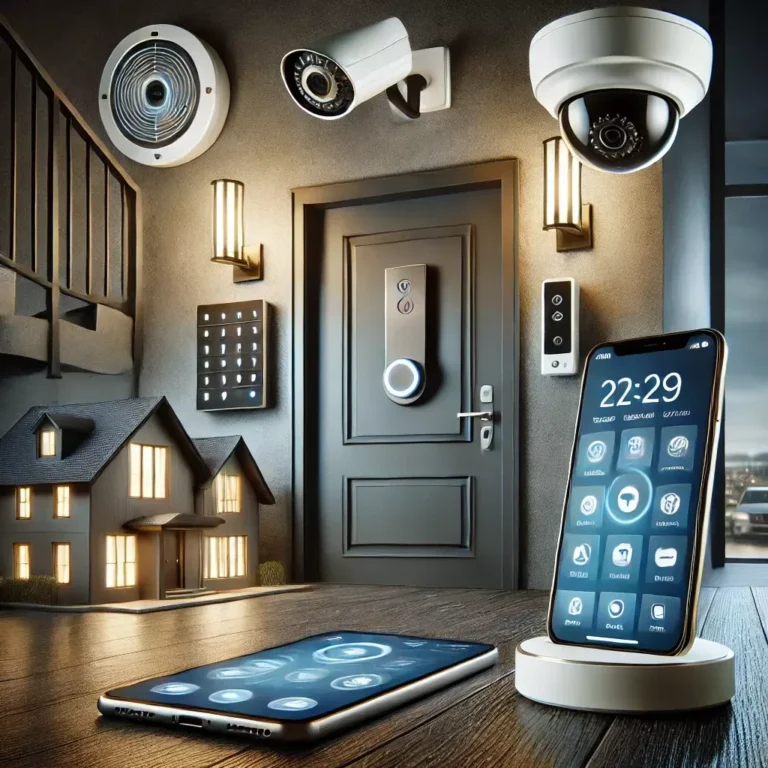
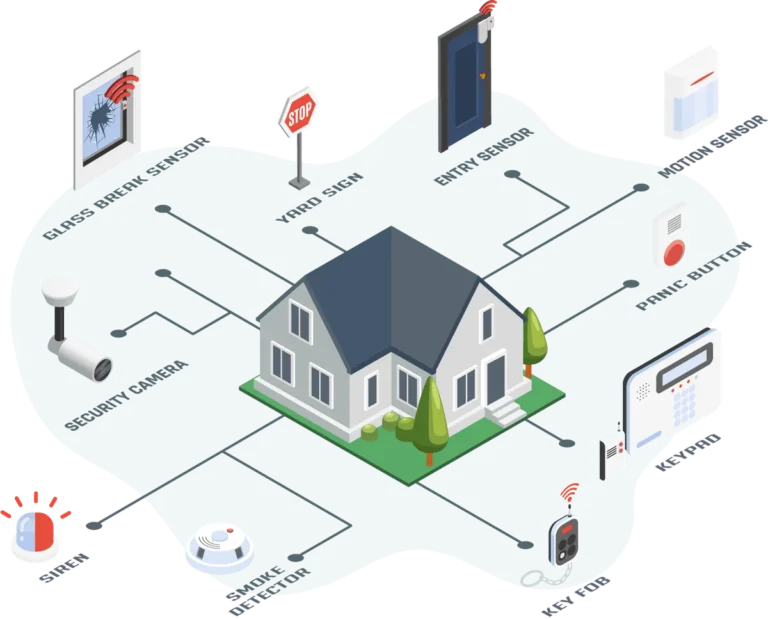
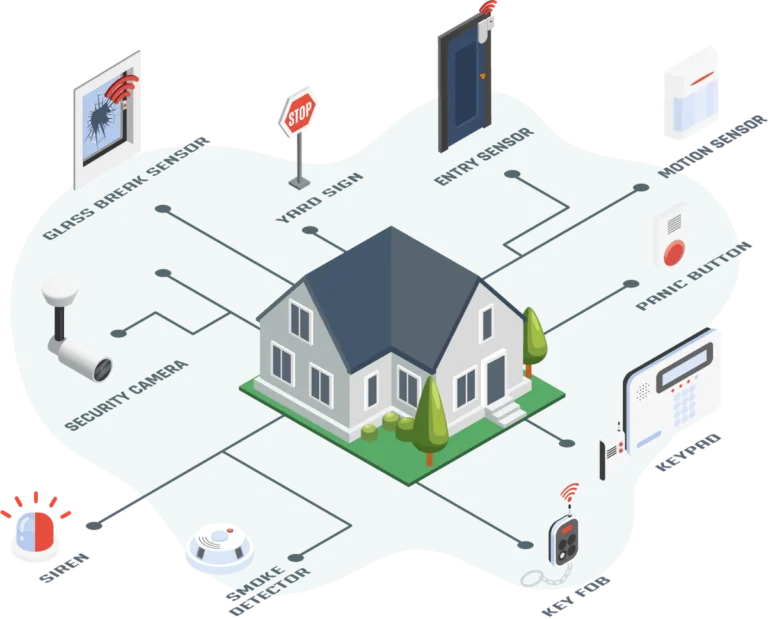
These systems are built from a few key pieces that work together. At the heart of it is the central hub or base station, which acts like the brain, connecting all the other devices. This hub communicates wirelessly with your home's Wi-Fi network to send out those crucial alerts.
Then, you have the sensors. These are the eyes and ears of your system:
- Entry sensors: These are usually two-part magnetic devices placed on doors and windows. When the door or window is opened, the magnetic connection breaks, triggering an alert.
- Motion detectors: These use infrared technology to sense body heat and movement within a specific area. They're great for covering larger spaces or hallways.
- Security cameras: Indoor and outdoor cameras can provide visual confirmation of events, allowing you to see exactly what's happening.
Your smartphone or tablet is also a critical component, as it's how you'll receive alerts and control the system.
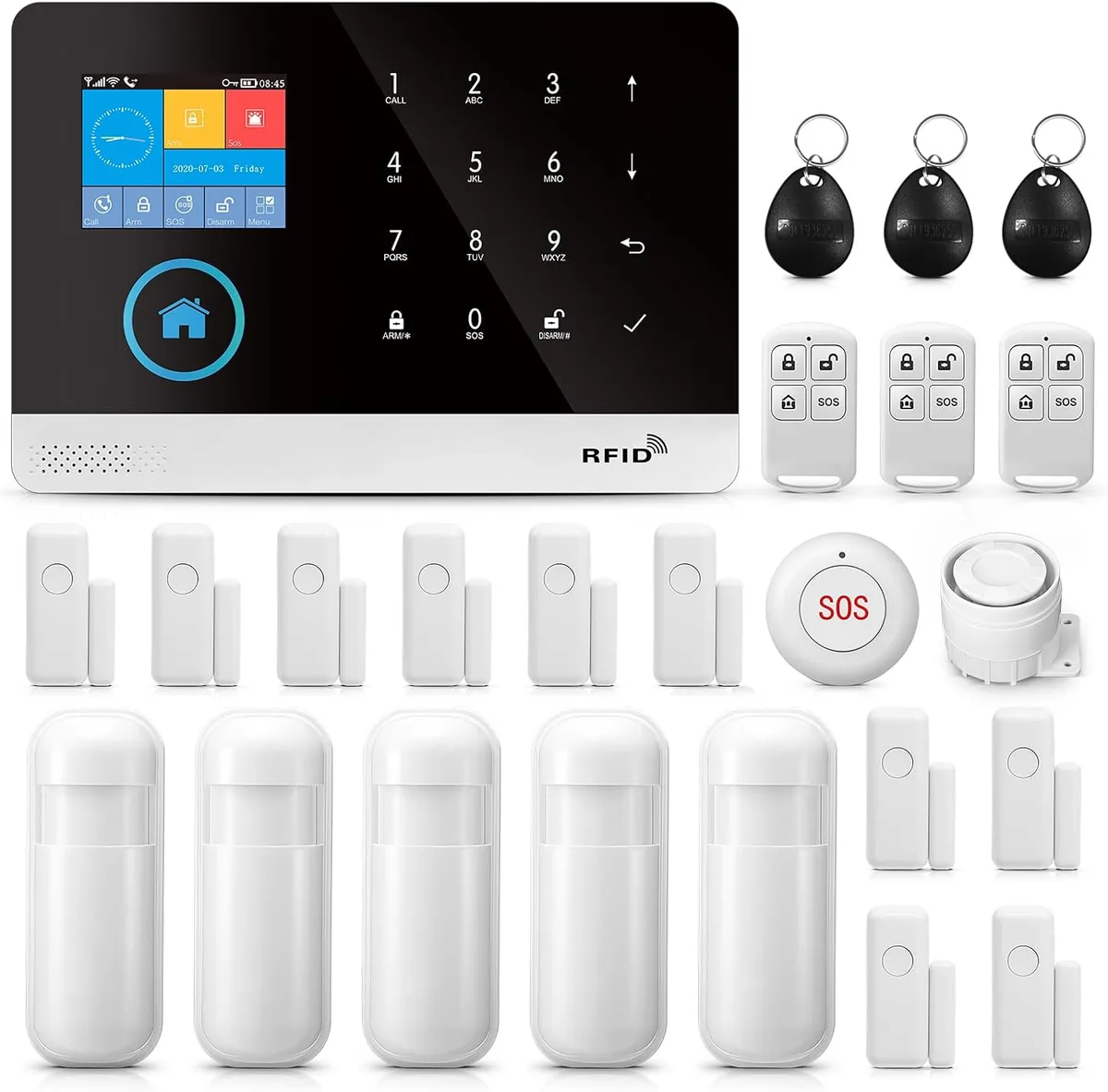
Image source: Web (Bing) / amazon.co.uk (Web image (fair-use with source credit))
How Alerts Reach Your Phone
The journey of an alert from your home to your pocket is pretty straightforward. When a sensor is tripped, it sends a signal to the system's hub. This hub then uses your home's internet connection to transmit that signal to the security company's servers, which in turn push the notification to your registered mobile device.
This process is designed to be quick. Manufacturers often state that notifications can arrive in seconds. For example, Alarm.com, a provider of smart home security solutions, confirms that their systems are engineered for rapid, reliable communication of security events.
This speed is vital for effective self-monitoring, as it gives you precious time to react.
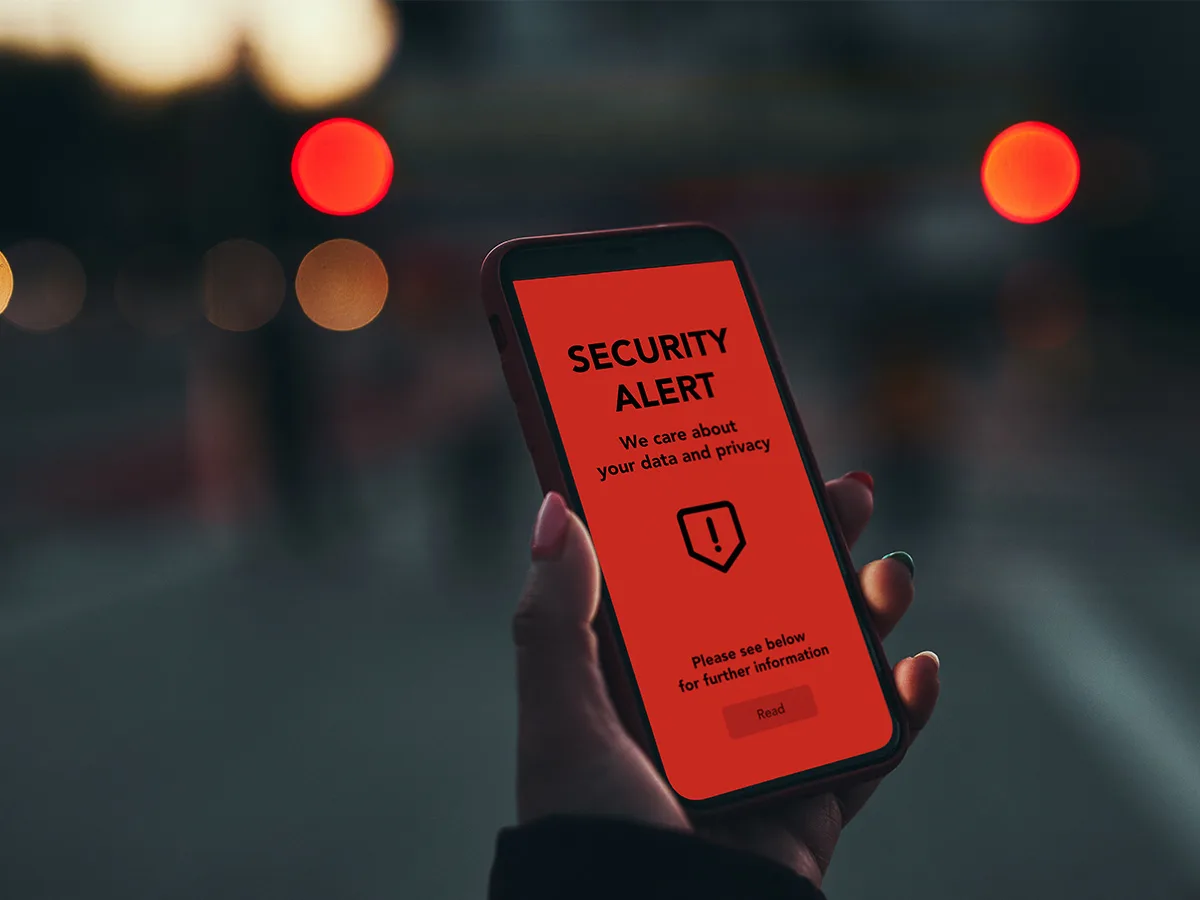
Image source: Bing (Web (fair-use with source credit))
Who Is Self-Monitored Security Best For?
When you're looking at home security options, "self-monitored" isn't the right fit for absolutely everyone. It really shines for a specific type of homeowner or renter who values control and cost savings. The core idea is that you are your own security operator.
If you're comfortable using smartphone apps, checking notifications promptly, and making quick decisions under pressure, this system is likely a great match. It’s also fantastic if you’re trying to keep monthly expenses low while still getting the benefits of modern security tech.
The Ideal User Profile
The ideal user for a self-monitored system is someone who is tech-savvy and likes to be in command. They’re likely comfortable managing apps on their phone and responding to alerts in a timely manner, perhaps because they work from home, are retired, or have a flexible schedule. This setup is perfect for those who want to avoid recurring monthly fees typically associated with professional monitoring services, making it a budget-friendly choice.
These systems are also excellent for renters who may not be able to install complex, wired systems and want a portable solution. As of 2026, many smart home security providers offer wireless, easy-to-install components that can be disassembled and moved when needed.
When It Might Not Be the Best Fit
On the flip side, self-monitored security might not be the best choice if you're frequently in areas with poor or no cellular service, or if you have a job that requires you to be completely unreachable for extended periods. If you're not a fan of managing alerts yourself or prefer having a professional handle emergency calls, then this system's core function becomes a drawback.
This also means you’re responsible for managing any false alarms. If a pet triggers a motion sensor or a strong gust of wind slams a door, you’ll receive an alert, and it’s up to you to assess and dismiss it. Repeated false alarms could potentially lead to issues with local authorities in some municipalities if not handled correctly.
Weighing the Pros and Cons of Going Solo
Deciding on a self-monitored security system means trading some conveniences for significant advantages. It's a trade-off that appeals to many, but it’s crucial to understand both sides of the coin before you commit. You gain a lot of control, but that also means taking on more direct responsibility.
The primary appeal is often financial, but the operational differences are just as important. Think of it as choosing between managing your own finances versus hiring a financial advisor; both have merits, but they require different approaches and levels of engagement from you.
The Advantages of Self-Monitoring
The biggest draw for self-monitored security is typically the cost. You bypass the monthly fees that professional monitoring services charge, which can save you a substantial amount of money over time. Instead of paying perhaps $30-$60 per month for monitoring, you might only pay for the initial equipment.
Beyond savings, you get unparalleled control. When an alert triggers, you get it directly. This means you can verify if it’s a false alarm and dismiss it instantly, or if it’s real, you can immediately contact emergency services yourself without waiting for a call from a monitoring center.
This directness can be empowering and faster in certain situations.
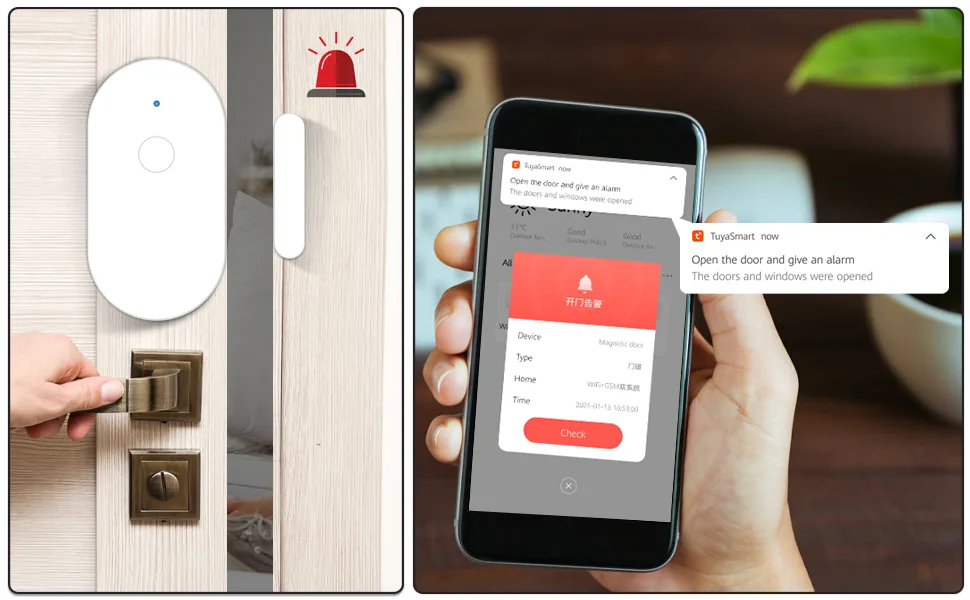
Image source: Bing (Web (fair-use with source credit))
The Potential Downsides and Responsibilities
The main downside to self-monitoring is that you are the first responder. If your phone battery dies, you’re in a meeting without access to your phone, or you’re simply not around to receive or act on an alert, your security system can only do so much. There’s no backup from a professional service to dispatch help if you miss the notification.
This also means you’re responsible for managing any false alarms. If a pet triggers a motion sensor or a strong gust of wind slams a door, you’ll receive an alert, and it’s up to you to assess and dismiss it. Repeated false alarms could potentially lead to issues with local authorities in some municipalities if not handled correctly.
Common Mistakes to Sidestep with Self-Monitored Systems
When you opt for a self-monitored security system, you’re stepping into a role that requires a bit more active engagement than a professionally monitored setup. Because you’re the one in charge of responding, certain pitfalls can make the system less effective or even frustrating. Being aware of these common missteps can help you maximize your system's benefits.
The key is understanding that while the technology is smart, your personal engagement is what makes it truly work. It’s like owning a smart car; the car has advanced features, but it’s your driving and awareness that ensure a safe journey.
Over-Reliance on Alerts
One of the most significant mistakes people make is assuming the alert is enough. A notification pinging on your phone is just the first step. The system relies on your action.
If you become desensitized to alerts, or if your phone settings are too quiet, you might miss a critical notification.
Our research indicates that users can sometimes experience "alert fatigue," where frequent, non-urgent notifications lead them to ignore subsequent alerts. It’s vital to configure your system thoughtfully, perhaps by placing sensors strategically to minimize common false alarms, and to always treat alerts as if they are genuine emergencies until you've verified otherwise.
False Alarm Management
False alarms are a fact of life with any security system, but with self-monitoring, you're solely responsible for handling them. A common error is not properly identifying the cause of a false alarm, or not having a plan to quickly dismiss it. This can lead to unnecessary stress and, in some areas, potential fines from local law enforcement if too many false alarms are reported.
For instance, a pet moving in front of a motion sensor, a loose window, or even strong drafts can trigger alerts. It's important to understand how your sensors work and adjust their placement or sensitivity settings if possible. Some systems offer features to help reduce false alarms, like pet-immune motion detectors or geofencing that can arm/disarm the system based on your phone's location.
Setting Up and Managing Your System
Getting a self-monitored security system up and running is designed to be straightforward, often allowing you to avoid the need for professional installation services. The DIY nature is a big part of the appeal, offering flexibility and saving on installation costs. You’ll typically be interacting with a mobile app throughout the process.
Once set up, managing the system involves regular checks to ensure it's functioning correctly and adapting it as your needs change. It’s an ongoing process, but one that’s generally quite manageable for most users.
Getting Started with DIY Installation
Most modern self-monitored security systems are built for easy DIY installation. The process usually begins by downloading the system’s dedicated mobile app onto your smartphone or tablet. This app will guide you through each step, from pairing the hub with your home Wi-Fi network to adding and placing your sensors.
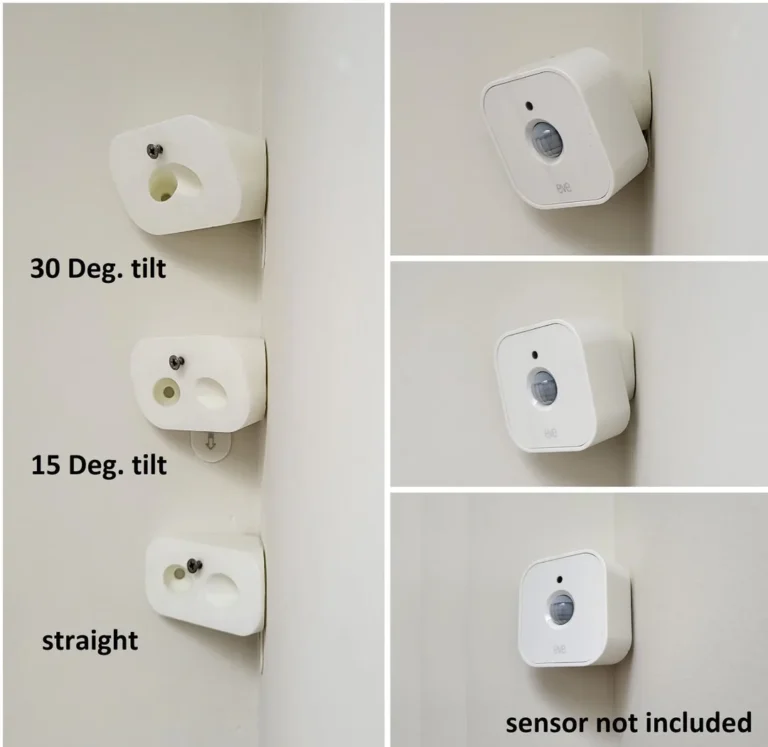
Sensors are typically wireless and use adhesive backing or simple screws for mounting. For example, entry sensors are placed on doors and windows, while motion detectors might be mounted in corners of rooms. The app will often provide visual cues and instructions on optimal placement for each device to ensure the best coverage and accuracy.
The entire setup can often be completed in under an hour, depending on the number of components.
Day-to-Day Operation and Maintenance
After installation, daily operation is primarily managed through the mobile app. This is where you'll receive alerts, arm and disarm the system, and check the status of your devices. You'll get notifications if a sensor is triggered, if a battery is low, or if a device goes offline.
Maintenance is generally minimal. You'll need to periodically check and replace batteries in your wireless sensors, a task for which the system will usually provide advance warning. Cleaning camera lenses and ensuring your Wi-Fi network is stable are also important for consistent performance.
Keeping your app and the system’s firmware updated is also recommended, as manufacturers often release updates to improve functionality or security.
Frequently Asked Questions About Self-Monitored Security
Do these systems still alert the authorities?
Not automatically. The system alerts you directly on your smartphone or other connected devices. You then have to make the decision and take the action to contact emergency services, like the police or fire department, yourself.
This is the key difference from professionally monitored systems.
What kind of equipment do I need for a basic setup?
A basic self-monitored system typically includes a central hub or base station, at least two entry sensors (one for your main door, one for a ground-floor window), and a motion detector for a common area like a living room. You'll also need a smartphone or tablet to receive alerts and manage the system through its app.
Can I add more components later if I need them?
Yes, most self-monitored systems are modular and designed for expansion. You can usually purchase additional entry sensors, motion detectors, security cameras, smoke detectors, or even smart locks and integrate them into your existing system through the mobile app. This allows you to customize your security coverage as your needs evolve.
What happens if my internet goes out?
This is a critical consideration. Most self-monitored systems rely heavily on your home's Wi-Fi network to send alerts. If your internet connection is down, you likely won't receive notifications.
Some advanced systems offer cellular backup, which uses a cellular signal like your phone does, to send alerts even if your Wi-Fi is offline, though this often comes with an additional monthly fee.
Is it hard to set up and troubleshoot?
Generally, setup is designed to be user-friendly and can often be completed without technical expertise. Most systems come with clear instructions and rely on intuitive mobile apps. Troubleshooting usually involves checking your Wi-Fi connection, ensuring devices are properly paired, and confirming battery levels.
Many manufacturers offer online support resources or customer service for assistance.
Your Decision Guide: Is This the Right Security Choice for You?
Choosing a self-monitored security system boils down to a personal assessment of your needs, comfort with technology, and willingness to be the primary responder. If the idea of direct control over your home’s alerts and potentially lower monthly costs appeals to you, then this system is a strong contender. It puts your responsiveness and vigilance at the forefront of your home’s protection strategy.
Consider your daily routine: are you generally available and able to react to phone notifications? If so, the system’s direct alert mechanism is a powerful tool. However, if you’re often in situations where you can’t access your phone or prefer a more hands-off approach where professionals handle emergencies, you might want to explore other options, such as professionally monitored systems.