Can CCTV Work Without Internet?
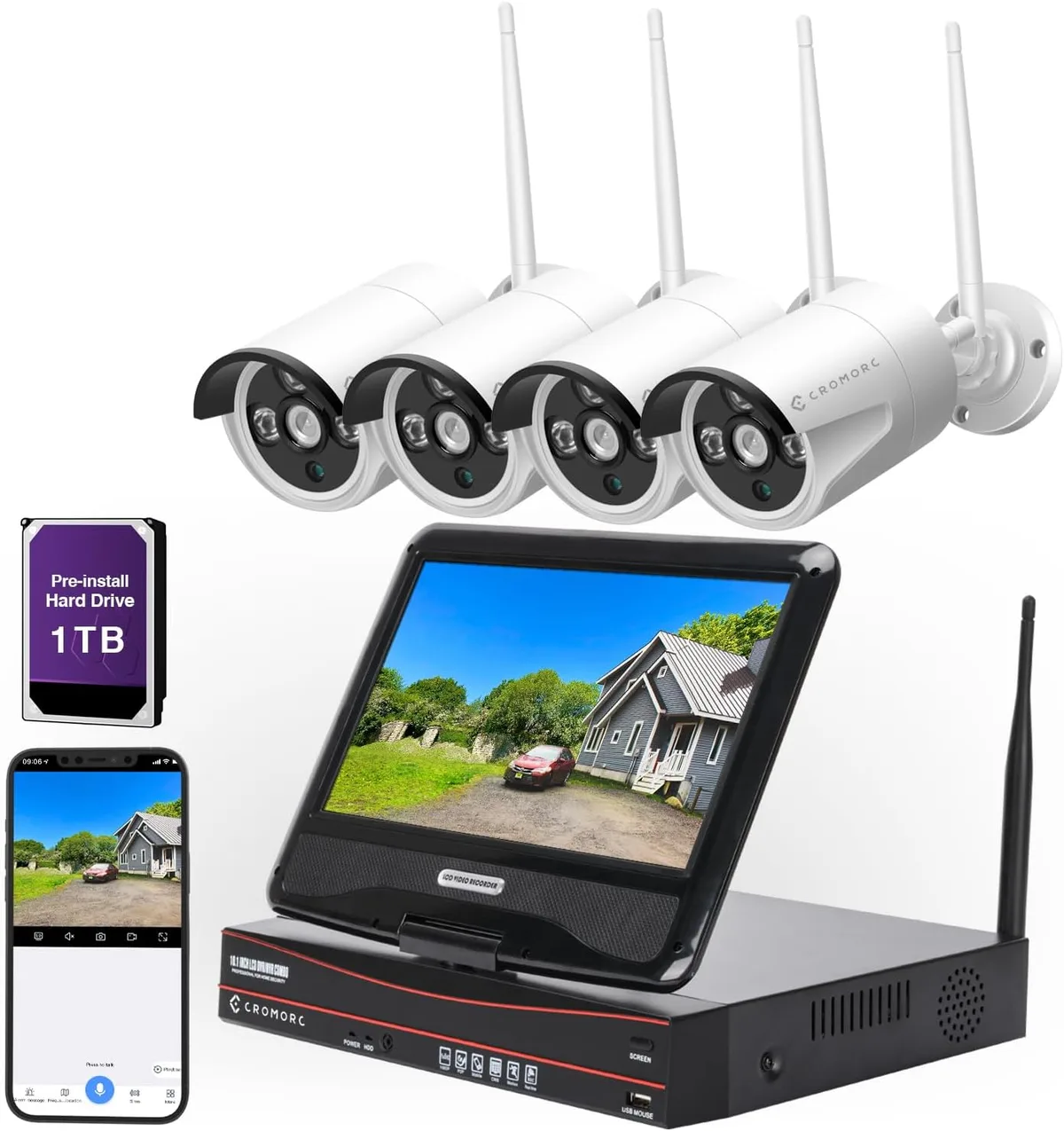
Image source: Web (Bing) / amazon.co.uk (Web image (fair-use with source credit))
Can your CCTV record security footage if your internet connection goes down? That's a common worry for anyone relying on cameras for peace of mind or evidence. Fortunately, the answer is generally yes, but it depends on the type of system you have and how it's set up.
Understanding the core technology behind your CCTV setup is key to knowing its internet dependency. While many modern systems boast cloud connectivity and remote viewing, their fundamental recording function often works just fine without an active internet link. For instance, systems using a Network Video Recorder (NVR) often support local storage via internal hard drives, and manufacturer specifications indicate these can store footage independently.
Quick Answer: Yes, But With Big Caveats
Most CCTV systems can record video even without an active internet connection. This relies on local storage, such as a hard drive in a Digital Video Recorder (DVR) or Network Video Recorder (NVR), or an SD card in standalone cameras. However, you'll lose remote viewing and other internet-dependent features until the connection is restored.
How CCTV Works Without Internet: The Local Connection
At its heart, Closed-Circuit Television (CCTV) is designed to capture and record video locally. The "closed-circuit" part means the signal is transmitted directly from the camera to a recording device, rather than broadcast widely. This direct pathway is what allows many systems to function independently of an internet connection.
Think of it like a home telephone line versus a mobile phone; the landline works even if the cell towers are down.
DVR vs. NVR: The Core Difference
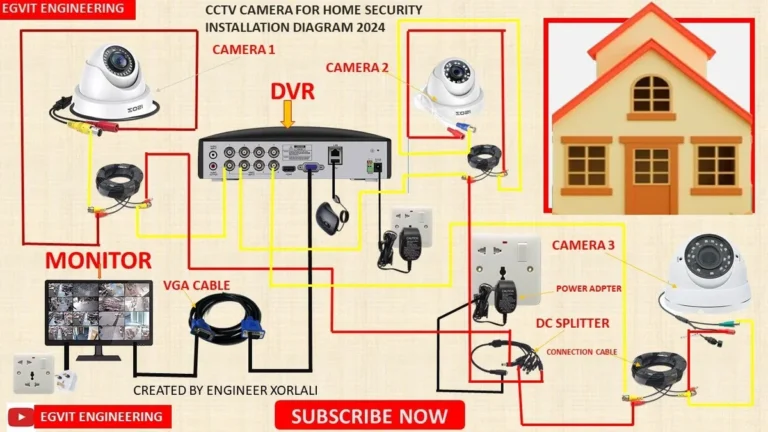
The main difference between a Digital Video Recorder (DVR) and a Network Video Recorder (NVR) impacts how they handle internet dependency. DVR systems typically use analog cameras that connect directly to the DVR unit. This unit then processes and records the footage onto its internal hard drive.
NVR systems, on the other hand, use Internet Protocol (IP) cameras. These cameras capture digital video and send it over a network connection (usually Ethernet) to the NVR. The NVR then records this digital stream.
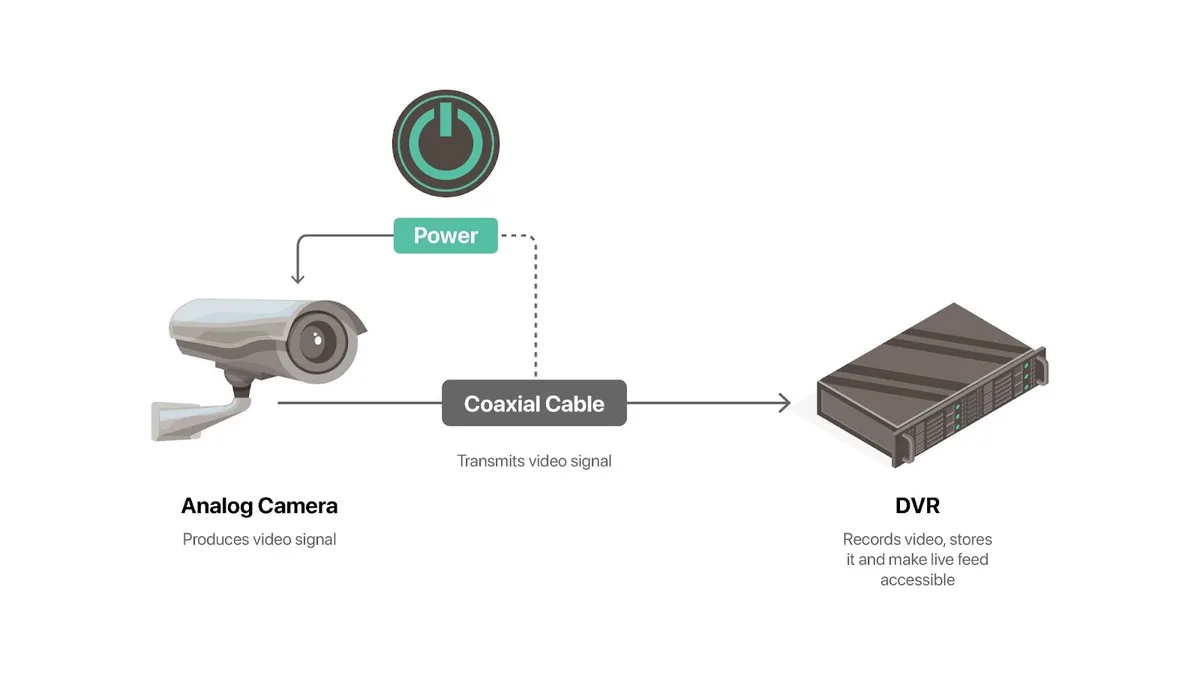
Image source: Web (Bing) / sirixmonitoring.com (Web image (fair-use with source credit))
While NVRs use network connections, that network doesn't have to be the internet. You can create a local network between your IP cameras and the NVR using a router or a PoE (Power over Ethernet) switch. This local setup ensures recording continues even if your home or business internet is down.
For example, the ONVIF standard, which many IP cameras adhere to, facilitates interoperability within local networks.
Recording Locally: The Benefits and Drawbacks
Going offline for your CCTV recording brings a mix of advantages and disadvantages. It's a trade-off between enhanced privacy and control, versus the convenience of remote access and cloud backups.
Pros: Why Local Recording is Great
- Privacy: Your footage stays on your premises, reducing the risk of unauthorized access to your video feeds by third parties. This is especially important for sensitive locations.
- Reliability: Recording continues uninterrupted during internet outages, power surges affecting the router, or if your Internet Service Provider (ISP) experiences issues.
- No Subscription Fees: Unlike many cloud-based systems, local storage means no ongoing monthly costs for data storage. You purchase the storage device (like a hard drive) once.
- Independence: You're not reliant on a specific cloud service provider's uptime or policy changes.
Cons: What You Miss Out On
- No Remote Viewing: The biggest drawback is not being able to check in on your property remotely via a smartphone app or web browser when you're away.
- Local Risk: If your recording device is stolen or damaged in an event (like a fire), you could lose all your stored footage. This is where off-site backups, often cloud-based, become crucial.
- Manual Management: You'll need to manage storage space yourself, potentially deleting old footage to make room for new recordings unless you have a system set to overwrite old files. Some users find how to delete security camera recordings a straightforward task, but others prefer automation.
- Firmware Updates: While the core recording might work offline, firmware updates for your cameras or NVR/DVR often require an internet connection to download and install. How to update security camera firmware typically involves an online step.
Real-World Scenarios: Who Needs Offline CCTV?
Not everyone needs or wants their security camera footage accessible from anywhere on the planet at all times. Certain situations make offline or primarily local recording a much more sensible choice.
Homeowners Prioritizing Privacy
For many homeowners, the primary goal of CCTV is to monitor their property for immediate threats or deter potential intruders. They might not care about checking live feeds while on vacation, but they absolutely need the system to record if an incident occurs. For these users, the enhanced privacy of keeping all footage on-site is a significant benefit.
They want to know that their personal lives and property aren't being transmitted to a distant server.
Businesses in Remote Locations
Businesses operating in rural areas or locations with unreliable or no internet service face a unique challenge. Installing a CCTV system that requires an internet connection would be impractical or impossible. In these cases, a robust local recording solution is not just a preference, but a necessity.
Think of construction sites, remote storage facilities, or agricultural operations where internet infrastructure might be lacking. The system must function as a standalone unit.
Setting Up for Internet-Free Recording
If you're looking to have CCTV work without internet, the setup process focuses on creating a self-contained local network. This ensures that cameras can communicate with their recording device and save footage directly, bypassing the need for an external connection.
Wired Connections are Key
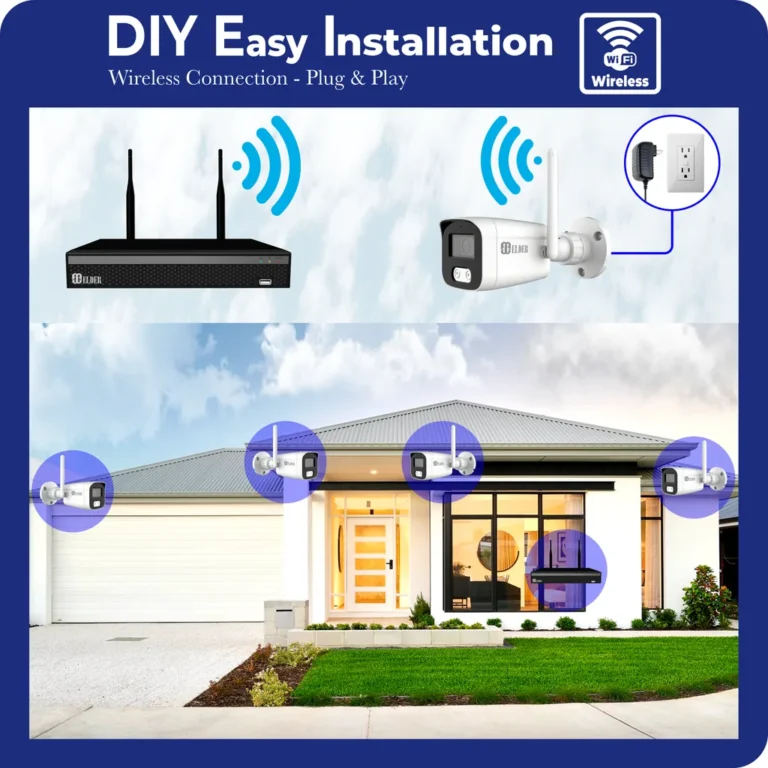
For maximum reliability in an internet-free setup, wired connections are strongly recommended. This typically involves using Ethernet cables for IP cameras connecting to an NVR, or coaxial cables for analog cameras connecting to a DVR. Wired connections offer a more stable and secure data stream compared to wireless options.
They are less susceptible to interference and signal degradation that can plague Wi-Fi, especially over longer distances. Power over Ethernet (PoE) technology further simplifies this by allowing a single Ethernet cable to carry both data and power to the camera, streamlining installation.
Storage Considerations
The heart of any internet-free CCTV system is its local storage. This is where your video recordings are saved. The primary devices for this are either a Digital Video Recorder (DVR) or a Network Video Recorder (NVR).
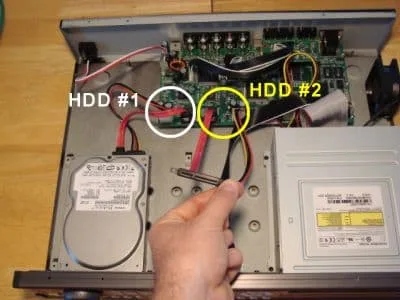
Image source: Web (Bing) / cctvcamerapros.com (Web image (fair-use with source credit))
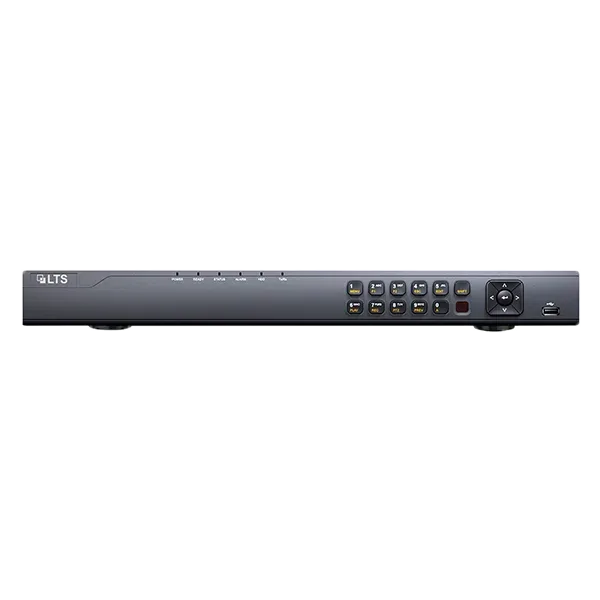
- DVRs: These systems typically come with a pre-installed hard drive, often ranging from 1TB to several terabytes (TB). The capacity determines how much footage you can store before it starts overwriting the oldest recordings.
- NVRs: Similar to DVRs, NVRs also house internal hard drives. You'll often have more flexibility in choosing the storage size. Some NVRs even support multiple hard drives for vastly increased capacity.
In some cases, standalone IP cameras with built-in SD card slots can also record locally without an NVR. However, managing multiple SD cards can become cumbersome for larger setups. For serious surveillance, a dedicated DVR or NVR with a substantial hard drive is the standard for reliable, internet-free recording.
The amount of data a security camera uses can vary significantly, so planning your storage capacity is crucial. For instance, a 4K camera recording continuously will fill a 1TB drive much faster than a 1080p camera recording only on motion detection. You can learn more about how do security cameras store footage to better understand these options.
Common Mistakes When Going Offline
When setting up CCTV to work without internet, a few common missteps can trip people up. One of the biggest is assuming that because a camera is "smart" (like an IP camera), it inherently needs internet. This is not true if it's connected to a local NVR or DVR.
Another frequent error is neglecting storage management. Systems that overwrite old footage when the drive is full might lose critical evidence if not monitored. Users also sometimes overlook the need for a stable local network, trying to rely on weak Wi-Fi signals for IP cameras that would be better served by wired Ethernet.
It's also essential to remember that many remote viewing apps and smart alerts simply won't function without an internet link, so managing expectations is key. If your system is showing a black screen, it might be a connection issue or a problem with the recording device itself, not necessarily an internet dependency. You might find help understanding why is my security camera showing a black screen in these situations.
FAQs About Internet-Free CCTV
Can I view my CCTV footage remotely if I don't have internet at the camera location?
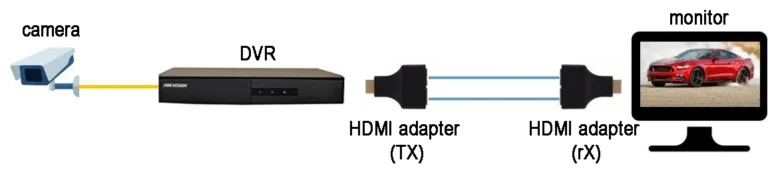
No, remote viewing typically requires an internet connection for both your CCTV system and the device you're using to view it. Without internet, you can only access footage by physically connecting to your DVR or NVR, usually through a monitor connected directly to the unit.
Does my CCTV system still record if my internet goes down?
Yes, if your system is configured for local recording using a DVR or NVR with a hard drive, it will continue to record footage even if your internet connection is lost. The cameras will send their video feed directly to the recording device.
How do I access footage from my CCTV if I don't have internet?
You'll need to access the DVR or NVR directly. This usually involves connecting a monitor and a mouse to the unit. You can then navigate the menus to view live feeds and playback recorded video.
Some systems also allow footage transfer to a USB drive for later viewing on a computer. Learn more about how to transfer security camera footage this way.
What happens to my recorded footage if my internet connection is intermittent?
If your internet connection is intermittent, your CCTV system will continue to record locally whenever the internet is down. Once the connection is restored, the system may try to sync or upload recorded events depending on its configuration, but the primary recording function remains independent.
Is it possible to set up IP cameras without an NVR if I don't have internet?
Yes, some IP cameras have built-in SD card slots for local storage. You can record directly onto the card within the camera. However, managing multiple individual cameras this way can be less convenient than using a central NVR for a larger system.
Your Decision Guide: Is Offline CCTV Right for You?
Deciding whether to rely on internet-free CCTV recording comes down to your priorities and circumstances. If maximum privacy and uninterrupted local recording during internet outages are paramount, then a system that prioritizes local storage is likely your best bet. This is particularly true if you're in an area with unreliable internet or if you want to avoid ongoing subscription fees.
However, if remote access is a non-negotiable feature, allowing you to check in on your property from anywhere, then an internet connection is essential. You'll need to ensure your internet service is stable enough to support continuous remote viewing and any cloud-based features you desire. Remember that even with an internet connection, understanding what is continuous recording on security cameras can help you optimize storage and network usage.
Ultimately, assess your specific security needs, your tolerance for risk, and your comfort level with technology to make the right choice for your situation.