How Does CCTV Motion Detection Work?
Ever wonder why your security camera suddenly starts recording, even when nothing seems to be happening? That's the magic of motion detection at work. It's a smart way for CCTV systems to only capture footage when there's a change in the scene, saving you storage space and making it easier to find important events.
This technology, often powered by sophisticated video analytics, is more than just a simple trigger. It's designed to intelligently differentiate between significant movements and minor environmental changes, helping to cut down on those annoying false alarms. As of 2026, advancements continue to refine this process, making systems even smarter.
Quick Answer
CCTV motion detection works by analyzing changes in video frames. When a camera captures a new image, it compares it to the previous one. If the difference exceeds a set threshold, indicating movement, the system triggers a recording or an alert.
This uses pixel-based analysis, sometimes enhanced by AI, to identify activity within predefined zones, reducing unnecessary footage and false alarms.
How Cameras "See" Motion: Pixel Changes Explained
At its core, CCTV motion detection relies on analyzing digital images frame by frame. Think of a video feed as a rapid sequence of still pictures. When a camera is set up, it continuously captures these frames.
The motion detection system then compares each new frame to the one that came immediately before it.
If there’s no change, or only very minor changes (like a slight shift in lighting), the system registers it as a static scene. However, when an object moves, a person walks by, a car drives past, or even an animal scurries across your yard, it causes a significant difference in the pixel data between consecutive frames. The system identifies this discrepancy.
This is the fundamental principle behind pixel-based detection.
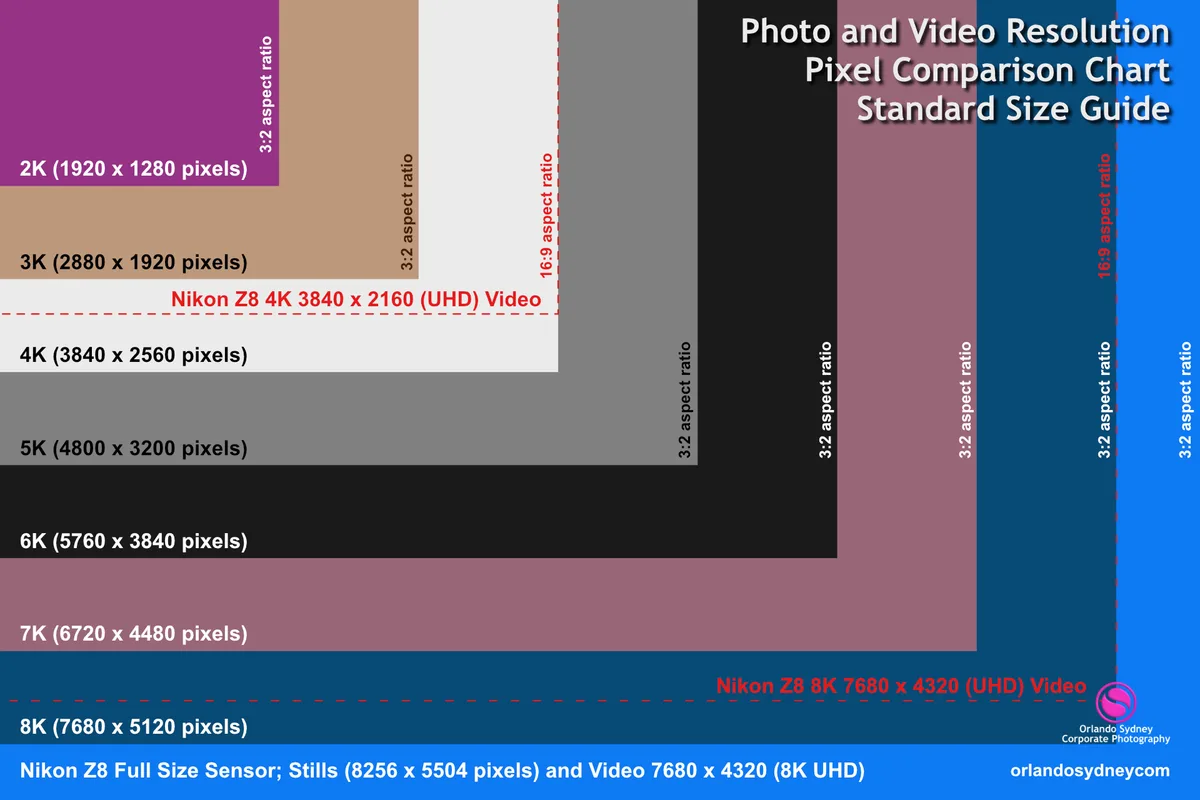
Image source: Web (Bing) / je.bogenschiessen-tsv.de (Web image (fair-use with source credit))
This comparison happens incredibly fast, often at rates of 30 frames per second or more. Manufacturer specifications indicate that even basic systems can process thousands of pixels per frame for analysis. The software looks for patterns of differing pixels that suggest an object is moving through the camera's field of view.
This visual analysis is what allows the system to "see" activity.
Setting Up Detection Zones: Visualizing Your Coverage
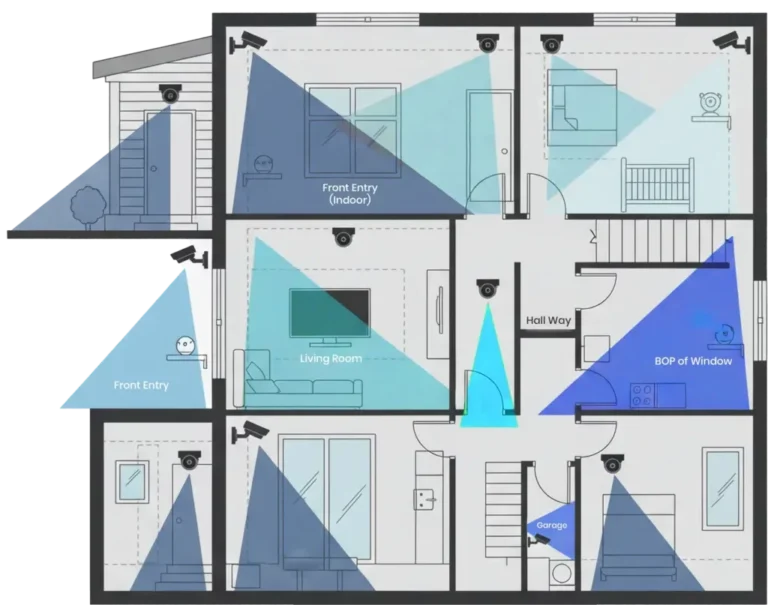
To make motion detection more effective and reduce false alarms, most CCTV systems allow you to define specific areas within the camera’s view where you want to monitor for movement. These are often called detection zones, or sometimes masking areas. You can draw these zones directly on the live video feed.
For instance, you might only want to be alerted if someone enters your backyard, but not if a car drives down the street in the background. By setting a detection zone around your yard, you tell the camera to ignore movement outside that specific area. This is crucial for focusing the system's attention where it matters most for your security.
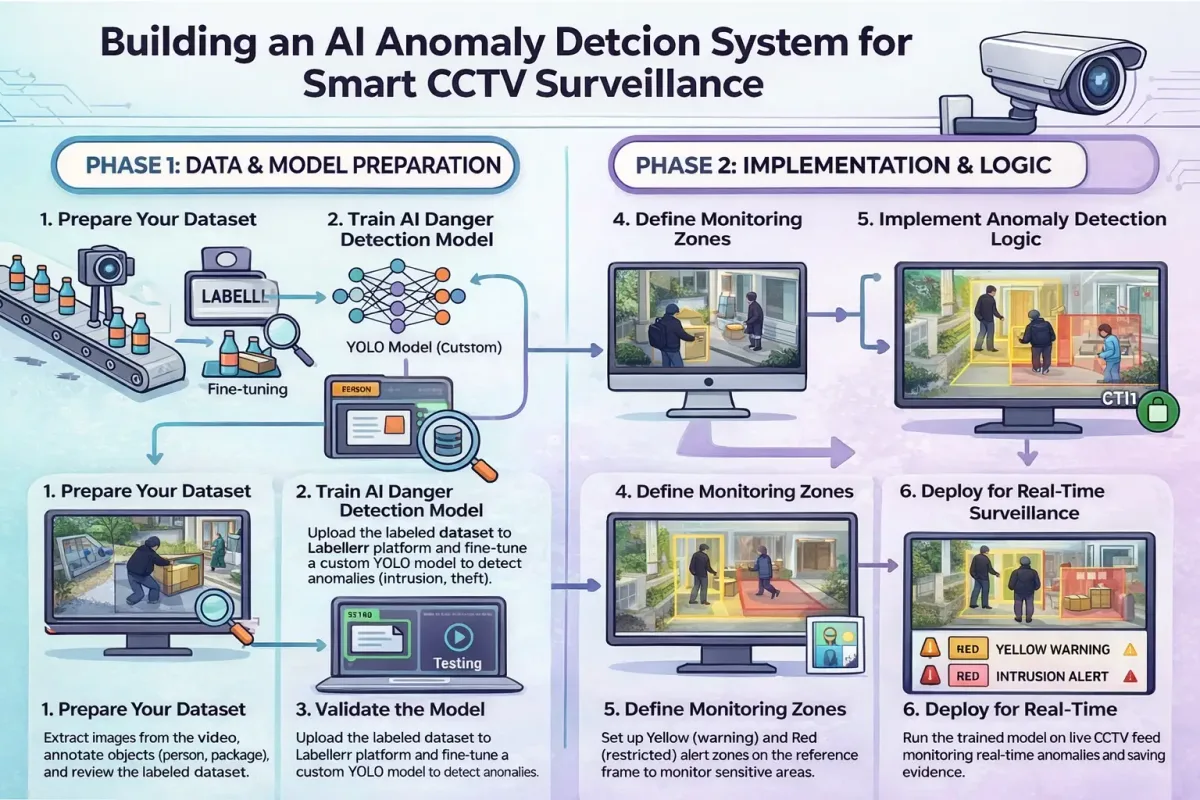
Image source: Bing (Web (fair-use with source credit))
You can often set up multiple zones, or even create "exclusion zones" where you specifically want the system to ignore motion. For example, a busy sidewalk might be an exclusion zone, while the entrance to your property is a primary detection zone. This granular control is a key feature for optimizing how your security cameras respond to activity.
You can set up these zones through the camera's or the recorder's interface, often found within the "Motion Detection" or "Video Analytics" settings.
Why Visuals Are Key to Grasping Motion Detection
Understanding how CCTV motion detection truly functions is much easier when you can visualize the process. It’s not just about abstract concepts; it's about how images change and how software interprets those changes. Seeing diagrams or examples makes the technical aspects click.
We've all seen security footage; now let's look at what happens before that footage is captured and flagged. The underlying technology involves analyzing visual data in real-time, making it a fundamentally visual process.
Image source: Bing (Web (fair-use with source credit))
How Cameras "See" Motion: Pixel Changes Explained
At its core, CCTV motion detection relies on analyzing digital images frame by frame. Think of a video feed as a rapid sequence of still pictures. When a camera is set up, it continuously captures these frames.
The motion detection system then compares each new frame to the one that came immediately before it.
If there’s no change, or only very minor changes (like a slight shift in lighting), the system registers it as a static scene. However, when an object moves, a person walks by, a car drives past, or even an animal scurries across your yard, it causes a significant difference in the pixel data between consecutive frames. The system identifies this discrepancy.
This is the fundamental principle behind pixel-based detection.
This comparison happens incredibly fast, often at rates of 30 frames per second or more. Manufacturer specifications indicate that even basic systems can process thousands of pixels per frame for analysis. The software looks for patterns of differing pixels that suggest an object is moving through the camera's field of view.
This visual analysis is what allows the system to "see" activity.
Setting Up Detection Zones: Visualizing Your Coverage
To make motion detection more effective and reduce false alarms, most CCTV systems allow you to define specific areas within the camera’s view where you want to monitor for movement. These are often called detection zones, or sometimes masking areas. You can draw these zones directly on the live video feed.
For instance, you might only want to be alerted if someone enters your backyard, but not if a car drives down the street in the background. By setting a detection zone around your yard, you tell the camera to ignore movement outside that specific area. This is crucial for focusing the system's attention where it matters most for your security.
You can often set up multiple zones, or even create "exclusion zones" where you specifically want the system to ignore motion. For example, a busy sidewalk might be an exclusion zone, while the entrance to your property is a primary detection zone. This granular control is a key feature for optimizing how your security cameras respond to activity.
You can set up these zones through the camera's or the recorder's interface, often found within the "Motion Detection" or "Video Analytics" settings.
Common Motion Detection Pitfalls and How to Avoid Them
Even with advanced technology, CCTV motion detection isn't perfect. The biggest headache for most users is the dreaded false alarm, when the system triggers a recording or alert for something that isn't a real security threat. Think of swaying tree branches, passing headlights, or even heavy rain.
These environmental factors can trick less sophisticated systems into thinking there's activity.
Our research indicates that sensitivity settings are often the main culprit. If the sensitivity is set too high, even minor changes like a spider crawling across the lens can trigger an alert. Conversely, if it's too low, you might miss actual events.
If your system isn't working as expected, you might need to look into how to fix security camera motion detection.
Why Do False Alarms Happen?
- Environmental Changes: Wind blowing trees and bushes, shadows moving, or changes in lighting (like a cloud passing over the sun) can all look like motion to a camera.
- Camera Placement: If a camera is pointed directly at a busy street or a heavily trafficked area, you'll get a lot of motion triggers that aren't relevant to your property.
- Animal Movement: Small animals like squirrels, birds, or even neighborhood pets can easily trigger motion detection if the system isn't calibrated correctly.
- System Limitations: Older or basic motion detection systems might struggle to differentiate between actual intruders and harmless environmental factors.
How to Minimize False Alarms
- Adjust Sensitivity: This is your first line of defense. Start with a moderate setting and gradually increase or decrease it based on testing. You'll want to check why is my security camera not detecting motion if it's too low.
- Use Detection Zones: As discussed, carefully define where the system should and shouldn't look for motion. Exclude areas prone to environmental triggers.
- Consider AI Features: Newer cameras often use Artificial Intelligence (AI) to recognize objects. They can distinguish between a person, a vehicle, and a cat, significantly reducing false alarms from non-human movement.
- Review Footage Regularly: Keep an eye on what's triggering your system. This helps you fine-tune settings and identify patterns of false alerts.
- Check Camera Angle: Ensure your camera isn't pointed at sources of constant, irrelevant movement like a public road if you're only concerned with your private property.
When Motion Detection Really Shines: Practical Use Cases
Motion detection transforms a passive security camera into an active guardian. It’s not just about recording; it’s about efficiency and immediate awareness. By triggering recordings only when something changes, it drastically cuts down on the amount of footage you need to review.
This is a huge benefit for anyone using CCTV for home security or business surveillance.
Imagine needing to find a specific event from days or weeks of continuous recording. It would be a monumental task. Event-based recording, triggered by motion, means you're only sifting through footage that actually contains activity.
This aligns with what is event-based recording, a common feature in modern systems.
Benefits in Action:
- Home Security: Get instant alerts on your phone if someone approaches your front door or moves in your backyard, even when you're not home. This proactive approach enhances your home's safety.
- Business Surveillance: Monitor store entrances, stock rooms, or sensitive areas. Motion detection can alert you to unexpected activity during off-hours, helping prevent theft or vandalism. Retail loss prevention relies heavily on this.
- Property Management: Keep an eye on large properties, such as construction sites or vacant lots, without the need for constant monitoring. Motion alerts can flag unauthorized access or activity.
- Event Monitoring: At events, motion detection can help identify potential issues in restricted areas or crowds, allowing security personnel to respond quickly.
This targeted recording also helps manage storage space efficiently. Instead of needing massive hard drives to store 24/7 footage, you can often get by with less, especially if you're using event-based recording. This impacts how much data does a security camera use and how do security cameras store footage.
Pro Tips for Sharpening Your CCTV Motion Detection
Getting the most out of your CCTV motion detection system often comes down to a few key adjustments and smart practices. It’s not just about plugging it in and forgetting about it. A little bit of fine-tuning can make a big difference in accuracy and usability, turning a sometimes frustrating feature into a reliable security tool.
Our research shows that users who spend a bit of time calibrating their systems report significantly fewer false alarms and more relevant recordings. This proactive approach can save you a lot of headaches down the line. If your system isn't working as expected, you might need to look into how to update security camera firmware or even how to reset a security camera.
Key Optimization Strategies:
- Test and Calibrate: After initial setup, actively test your system. Walk in front of the camera at different times of day and under various lighting conditions. See what triggers it and what doesn't. Adjust sensitivity accordingly. This also helps diagnose why is my security camera showing a black screen or why is my security camera blurry if those issues are contributing.
- Understand Your Camera's Limits: Different cameras have different capabilities. Some older models might struggle with low light or fast movements, leading to missed events. Newer cameras with AI object recognition are far better at distinguishing threats from environmental factors.
- Smart Zone Management: Don't just set a single large zone. Break down your camera's view into smaller, more specific detection zones. If your camera is overlooking a driveway and a sidewalk, create separate zones for each to manage alerts more effectively. This is also crucial if you want to improve security camera WiFi signal, as a stronger connection means more reliable data for analysis.
- Combine with Other Features: Many systems allow you to combine motion detection with other recording triggers. For instance, you could set it to record only when motion is detected and it’s outside of your usual operating hours. This adds another layer of intelligent recording.
- Consider Resolution and Frame Rate: While not directly motion detection settings, a clear image (high resolution) and a smooth video feed (adequate frame rate) are essential for the system to accurately identify changes. If your video is choppy, you might see how to fix security camera video lag.
Frequently Asked Questions About CCTV Motion Detection
How long does setup take for motion detection?
Setup time varies greatly depending on your system. Basic camera motion detection might take just a few minutes to configure zones and sensitivity. More complex network video recorder (NVR) or digital video recorder (DVR) systems with multiple cameras could take an hour or more.
Can I use motion detection in low light or at night?
Yes, most modern CCTV cameras use infrared (IR) illumination for night vision. Motion detection algorithms are designed to work with these low-light or black-and-white images. However, performance can sometimes be reduced compared to daytime, potentially leading to more false alarms from subtle changes.
How much storage space does motion detection save?
This varies widely based on scene activity, camera resolution, and frame rate. However, compared to continuous recording, motion detection can reduce storage needs by 70% to 90%. For example, a camera in a quiet area might only need 10-20% of the storage compared to recording 24/7.
What's the difference between motion detection and AI detection?
Basic motion detection flags any pixel change. AI detection, or intelligent video analytics (IVA), uses machine learning to identify what is moving. It can distinguish between people, vehicles, animals, or even specific types of events, leading to much more accurate alerts and fewer false alarms.
How do I prevent false alarms from swaying trees?
You can prevent false alarms from trees by carefully drawing detection zones that exclude the trees or large bushes. If a tree is within a critical zone, you may need to lower the sensitivity setting or explore AI features that can differentiate between foliage and human movement.