How Much Does CCTV Installation Cost?
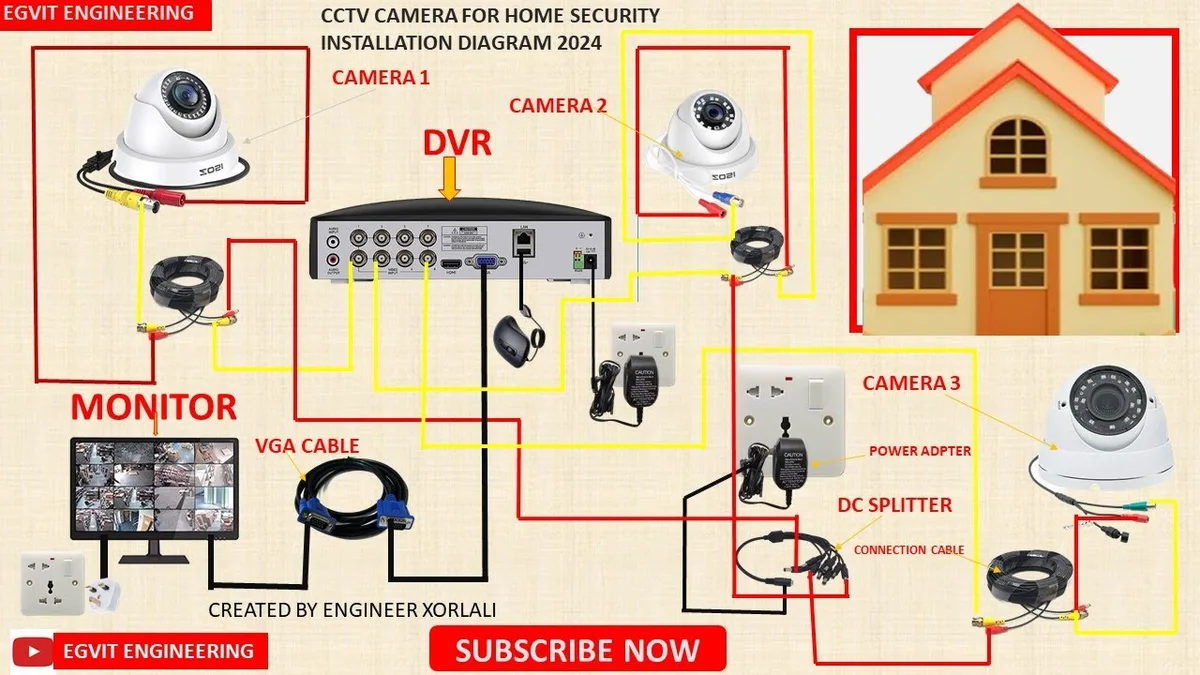
Image source: Web (Bing) / electrician-1.com (Web image (fair-use with source credit))
How Much Does CCTV Installation Cost? It Depends.
Deciding on a CCTV system is a smart move for home or business security, but figuring out the total cost can feel like a puzzle. The price you'll pay for CCTV installation isn't a simple flat fee; it shifts quite a bit based on your specific needs and property.
Our research shows that installation costs can range from a few hundred dollars for a basic setup to several thousand for comprehensive commercial systems. Factors like the number of cameras, their resolution, and whether you go the DIY route versus hiring a professional all play a significant role.
Quick Answer
CCTV installation costs typically range from $300 to $2,500 for homes and $1,000 to $10,000+ for businesses. This wide range depends on camera count, resolution, storage, and labor. Professional installation adds $500-$2,000+ to the hardware cost.
Your CCTV Cost Depends On These Key Factors
Figuring out the sticker price for CCTV installation means looking at several interconnected elements. It’s not just about buying cameras; it’s about the whole system and how it gets put in place.
The base cost usually comes from the hardware itself, the cameras, the recorder (like a DVR or NVR), and all the necessary cables and connectors. Beyond that, the complexity of the installation process and any specialized features you want will add to the final bill. We've broken down the main drivers below.
What's Driving the Price Tag?
Several core components contribute to the overall cost of a CCTV installation. Think of it like building a house: you have the foundation, the walls, the roof, and then all the finishing touches.
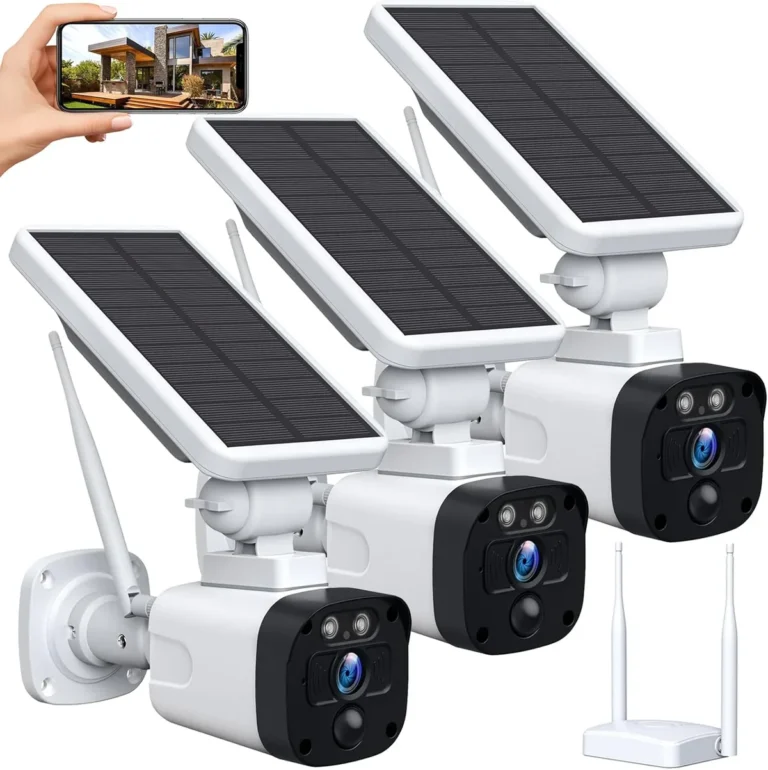
- The Cameras: This is often the biggest chunk. The more cameras you need, the higher the cost. Different camera types and their specific features also influence pricing significantly.
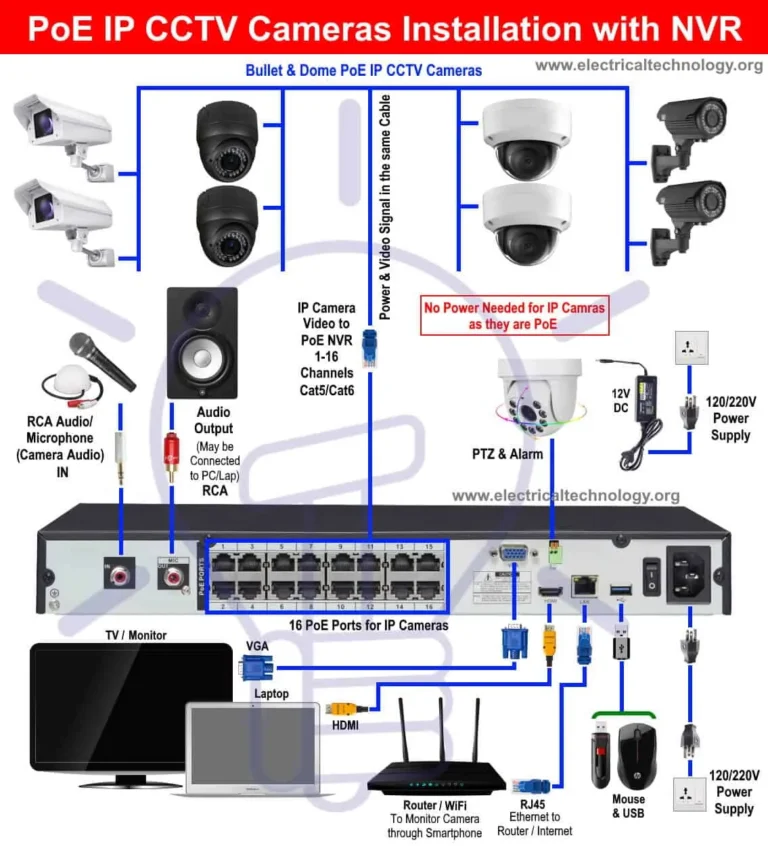
- The Recorder: Whether you choose a Digital Video Recorder (DVR) for analog cameras or a Network Video Recorder (NVR) for IP cameras, this device is crucial for storing footage. Its capacity and processing power affect its price.
- Storage Media: Hard drives for DVRs/NVRs or cloud storage subscriptions are ongoing costs that need to be factored in.
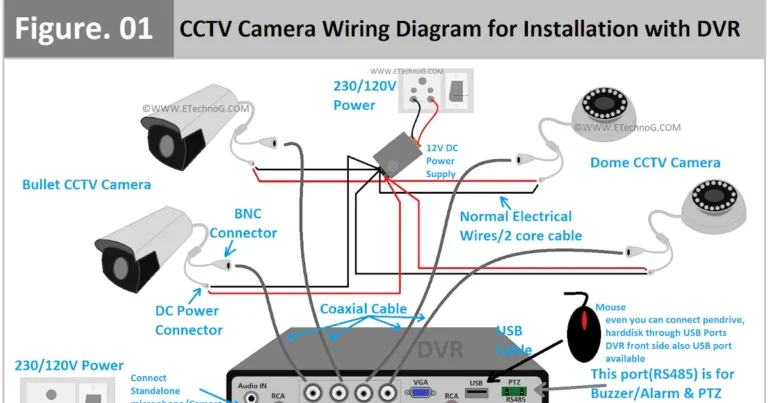
- Cabling and Accessories: You’ll need specific cables (like BNC for analog or Ethernet for IP), connectors, power supplies, and potentially conduit or mounting hardware.
- Labor: If you're not doing it yourself, the cost of professional installation by a qualified technician is a major factor.
Camera Count and Type: More Cameras, More Cost?
This is probably the most straightforward variable. The more eyes you need on your property, the more cameras you'll purchase and the more points you’ll need to install. A single camera for a front door is vastly different from a system needing twenty cameras to cover a warehouse.
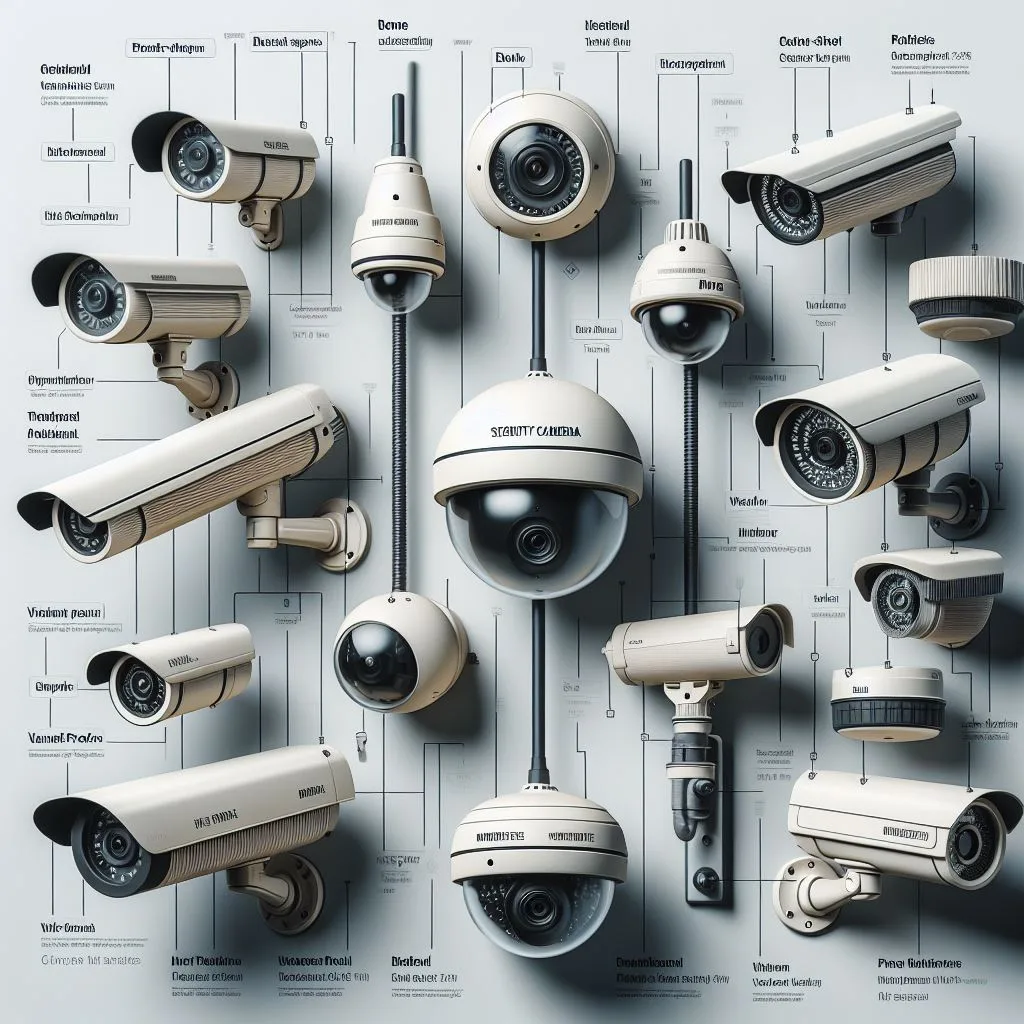
Image source: Bing (Web (fair-use with source credit))
- Basic Home Setup: For a small home, you might only need 2 to 4 cameras. This could range from $200 to $800 for the hardware alone, depending on the quality.
- Medium Business: A small office or shop might require 4 to 8 cameras, potentially pushing hardware costs to $400 to $1,500.
- Large Property or Commercial Site: A larger business, warehouse, or estate could easily need 16, 32, or even more cameras. This can drive hardware costs well into the thousands, from $1,500 upwards.
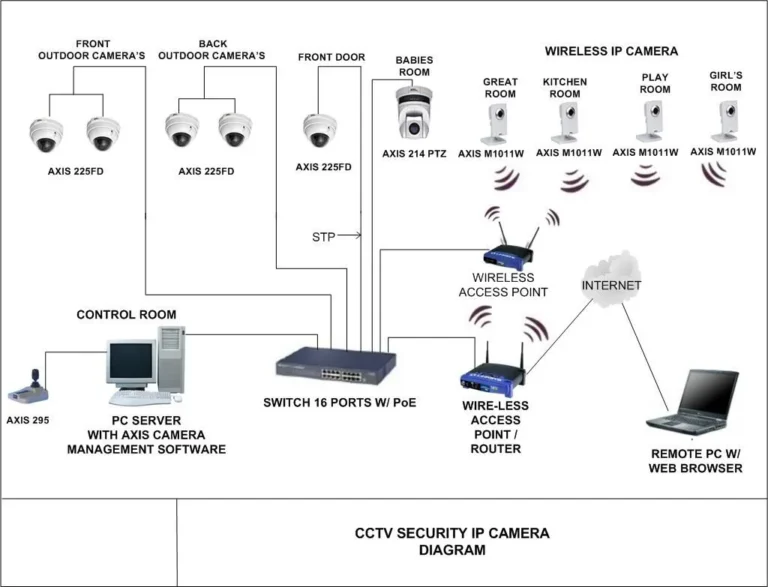
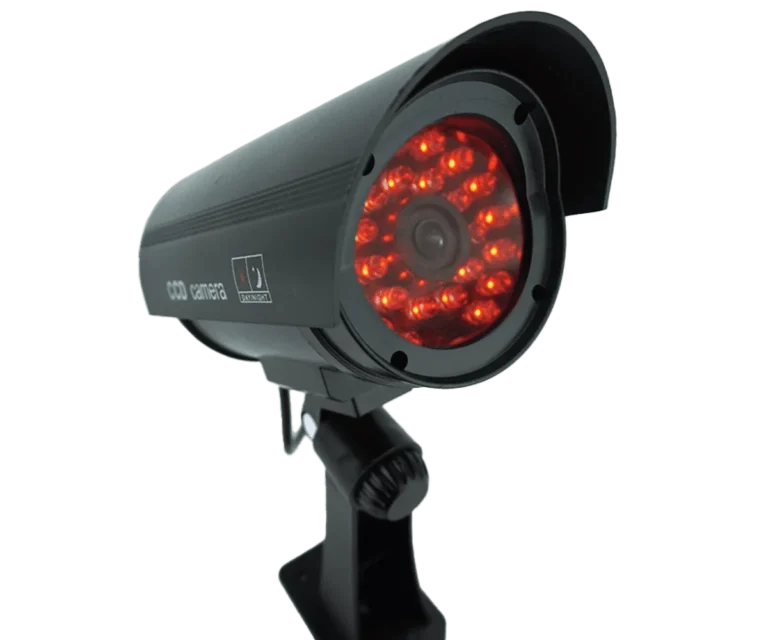
The type of camera also matters. Bullet cameras, dome cameras, and PTZ (Pan-Tilt-Zoom) cameras all have different price points. PTZ cameras, which offer remote control of their movement and zoom, are considerably more expensive than static dome or bullet cameras.
Resolution, Night Vision, and Smart Features: What You Get for Your Money
The quality and capabilities of your cameras directly impact their price. You're not just buying a lens and a sensor; you're investing in clarity, detail, and advanced functionality.
- Resolution: This is measured in pixels. A 1080p (Full HD) camera offers clear images, while a 4K camera provides significantly more detail, allowing you to zoom in further without losing clarity. 4K cameras are generally more expensive. For example, manufacturer specifications indicate that 4K cameras can cost 50-100% more than comparable 1080p models.
- Night Vision: Most modern cameras come with infrared (IR) LEDs for night vision. The range of this IR illumination (measured in feet or meters) can affect the price. Cameras with longer IR ranges, say 100 feet versus 50 feet, typically cost more.
- Field of View (FOV): A wider FOV means a single camera can cover more area. Cameras with very wide-angle lenses (e.g., 120 degrees or more) can be more costly than standard 80-90 degree FOV cameras.
- Smart Features: Cameras with built-in artificial intelligence (AI) for advanced motion detection (like differentiating between people, vehicles, or animals), facial recognition, or even license plate recognition will command a higher price. These advanced features require more sophisticated processing power.
Wired vs. Wireless: Installation Complexity and Ongoing Costs
When setting up your CCTV system, you'll face a choice: wired or wireless cameras. Each has its own cost implications, not just for the hardware but for the installation itself.
Wired Systems: These typically use Ethernet cables (for IP cameras) or coaxial cables (for analog cameras) to transmit both video and power (though some systems use separate power cables).
- Pros: Generally more reliable connections, less prone to interference, and often perceived as more secure.
- Cons: Installation can be more labor-intensive and costly, especially if you need to drill through walls, run cables through attics or crawl spaces, or conceal them for aesthetic reasons. Running long cable runs can also sometimes degrade signal quality if not done correctly.
- Cost Impact: Professional installation of wired systems can be significantly higher due to the time and effort involved in running cables.
Wireless Systems: These cameras connect to your network via Wi-Fi, and many are battery-powered or use a separate power adapter.
- Pros: Easier and quicker to install, as you don't need to run video cables. Great for renters or situations where drilling is difficult.
- Cons: Can be susceptible to Wi-Fi signal issues, potentially leading to dropped connections or lag, which can impact recording. Battery-powered models require regular charging or battery replacement. You can learn more about how to improve security camera WiFi signal to mitigate these issues.
- Cost Impact: The hardware might be comparable in price to wired equivalents, but the reduced installation labor often makes the total project cost lower, especially for DIY setups. However, if you need Wi-Fi extenders or a more robust mesh network to ensure coverage, those add-on costs can climb.
Professional Installation vs. DIY: Labor Costs and Time Investment
This is a critical decision point that directly influences the "how much does CCTV installation cost?" question. Your choice here can save you money or cost you time and potential headaches.
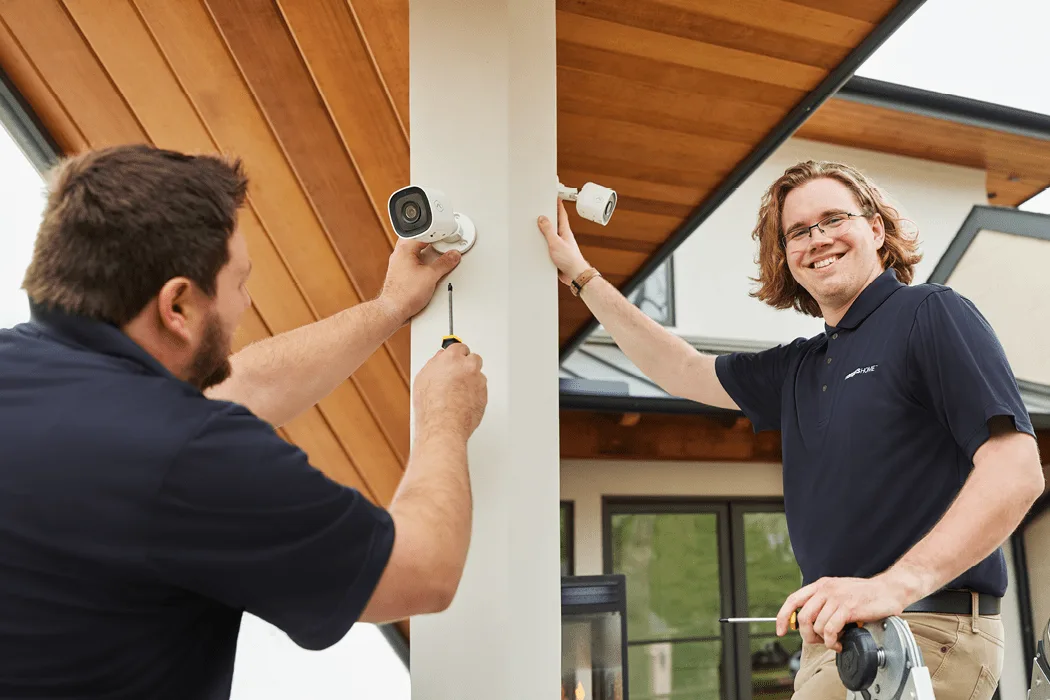
Image source: Web (Bing) / ar.inspiredpencil.com (Web image (fair-use with source credit))
Professional Installation:
- Cost: Typically adds $500 to $2,000+ to the overall project cost, depending on the system's complexity, the number of cameras, and the installer's rates. Per-camera labor costs can range from $75 to $250.
- Pros: Ensures proper setup, optimal camera placement, correct wiring and network configuration, and can offer warranties on their work. They can also advise on the best system for your needs and handle any regulatory compliance.
- Cons: The most expensive option upfront.
DIY Installation:
- Cost: Saves on labor costs, so you primarily pay for the hardware. This can save hundreds or even thousands of dollars compared to professional services.
- Pros: Significant cost savings. You have complete control over the installation process. Many modern CCTV systems are designed for user-friendly setup.
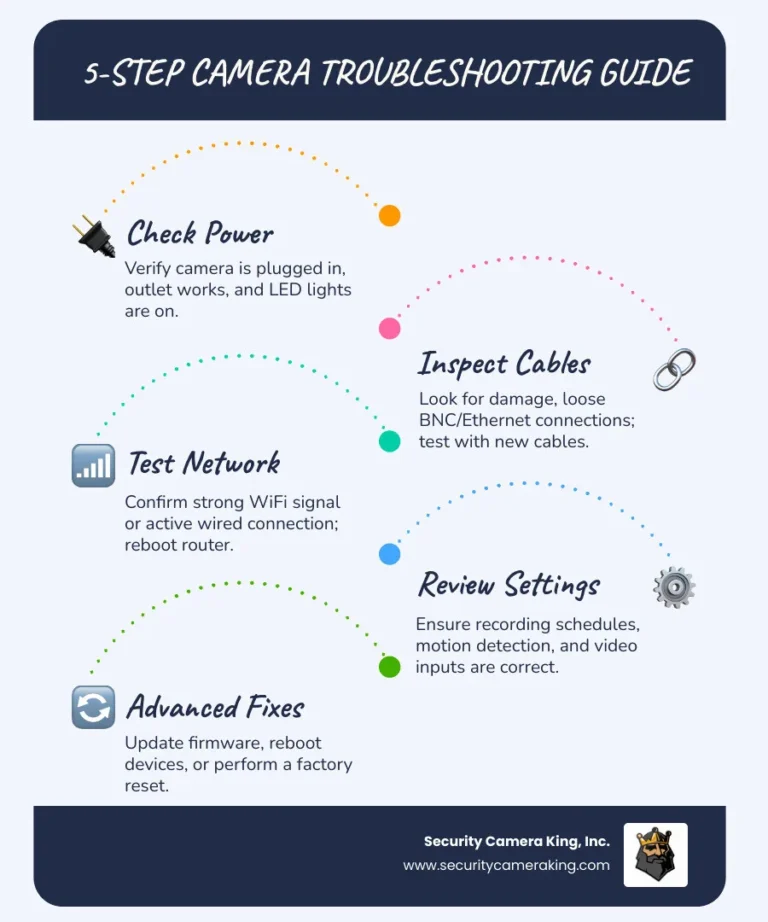
- Cons: Requires technical aptitude, time, and patience. Mistakes can lead to poor performance, damaged equipment, or security vulnerabilities. If you encounter issues, you’re on your own for troubleshooting (though resources like articles on how to fix security camera motion detection can help).
Ultimately, the decision hinges on your budget, technical comfort level, and the complexity of the installation. For larger, more intricate systems, professional installation is often worth the investment to ensure everything functions correctly from day one and to avoid common pitfalls.
Storage Solutions: Local Drives vs. Cloud Subscriptions
Where and how your CCTV footage is stored is a key factor in both the upfront cost and the ongoing expenses. You have two primary options, each with its own price structure.
Local Storage (DVR/NVR with Hard Drive):
- Upfront Cost: This is typically a one-time purchase. The cost of the Digital Video Recorder (DVR) or Network Video Recorder (NVR) itself varies based on the number of channels it supports and its processing power. For example, a basic 4-channel NVR might cost $100-$250, while a 32-channel enterprise-grade NVR could run $500-$1,500+. The internal hard drive (HDD) is another component, with larger capacities (e.g., 4TB, 8TB) costing more. A 4TB HDD might add $100-$200 to the system cost.
- Ongoing Cost: Minimal. Once purchased, the storage hardware is yours. You might eventually need to replace a failing hard drive, which is an infrequent expense.
- Considerations: The total amount of footage you can store depends on the HDD size, camera resolution, and frame rate. You'll need to manage the storage, potentially deleting old footage to make space for new recordings. Articles on how to save security camera footage or how to delete security camera recordings can be helpful here. The question of how long should security footage be kept is also crucial.
Cloud Storage:
- Upfront Cost: Often very low or even zero for the hardware, as the storage is remote. Some systems offer a free tier with limited recording history (e.g., 24 hours or 7 days).
- Ongoing Cost: This is a subscription-based model, typically paid monthly or annually. Prices vary significantly based on the amount of storage, the number of cameras, and how long you want to retain footage (e.g., 7-day, 30-day, or 60-day plans). Basic plans might start at $5-$10 per camera per month, while plans for multiple cameras with longer retention could be $30-$50+ per month. Cloud storage is a key consideration when evaluating how much data does a security camera use and whether your internet plan can support it, influencing whether Do security cameras use a lot of WiFi.
- Considerations: Offers convenience, off-site backup in case of theft or damage to your property, and often easier remote access. However, it’s a recurring expense. You'll need a reliable internet connection.
Common Installation Headaches to Avoid
Even with the best intentions, CCTV installations can run into snags that add unexpected costs or lead to poor performance. Being aware of these common issues can help you prevent them or budget for solutions.
Blind Spots and Poor Placement Mistakes
The whole point of CCTV is to capture relevant activity, so having cameras that miss crucial areas is a major problem. This often stems from inadequate planning or rushing the installation.
- The Issue: A camera pointed too high might miss someone’s face at the door, or a camera placed too close to a corner might not capture activity down a hallway. Overlapping fields of view can create unnecessary redundancy, while large gaps leave your property vulnerable.
- Cost Impact: While not a direct monetary cost, poor placement means the system isn't doing its job. You might end up needing to buy and install additional cameras to cover the missed areas, significantly increasing your total expense. It’s better to do a thorough site survey upfront.
Network Bottlenecks and Bandwidth Woes
For IP-based CCTV systems, your network infrastructure is as important as the cameras themselves. Insufficient bandwidth or a weak Wi-Fi signal can cripple performance.
- The Issue: If your home or business network can't handle the data stream from multiple high-resolution cameras, you'll experience lag, dropped connections, and choppy video. This is particularly true for wireless systems. Articles like why is my security camera delayed often point to network issues.
- Cost Impact: You might need to upgrade your router, add Wi-Fi extenders or access points, or even run new Ethernet cabling. These upgrades can add hundreds of dollars to the total cost, especially if professional network configuration is required.
Storage Limitations and Data Management
Running out of storage space or not having a clear plan for managing recorded footage can be a significant headache. This impacts your ability to review past events.
- The Issue: If your hard drive is full, the system might stop recording, or it might automatically overwrite the oldest footage without you realizing it. This is particularly problematic if you need to access older evidence. Understanding what is continuous recording on security cameras versus event-based recording helps here.
- Cost Impact: You might need to purchase a larger hard drive or upgrade your cloud storage plan. If you’ve lost crucial footage because you didn’t have enough storage or a proper backup plan, the cost of that lost evidence could be immeasurable. Learning how to back up security camera footage is vital.
Privacy Pitfalls and Legal Lingering
While CCTV enhances security, improper use or installation can lead to legal issues and fines. Understanding privacy laws is crucial, especially when recording audio or public areas.
- The Issue: Recording audio without consent is illegal in many jurisdictions. Placing cameras in areas where individuals have a reasonable expectation of privacy (like bathrooms or private offices without consent) can also lead to legal trouble. Regulations like GDPR or CCPA in some regions impose strict rules on data collection and storage.
- Cost Impact: Ignorance is not bliss when it comes to privacy laws. Fines for non-compliance can be substantial. Furthermore, a poorly placed camera that inadvertently records sensitive information might need to be repositioned or disabled, potentially requiring additional installation work. Adhering to guidelines from bodies like the National Institute of Standards and Technology (NIST) on security and privacy best practices is advisable.
How to Get an Accurate CCTV Installation Quote
Getting a precise estimate for your CCTV installation involves more than just picking a system. It requires a clear understanding of what factors influence the price and how to communicate those needs to potential installers.
Factors Affecting Your Specific Quote
Installers will assess several key elements to determine your personalized quote. These go beyond just the number of cameras and cover the nuances of your property and desired functionality.
- Property Size and Layout: Larger homes or businesses, especially those with multiple stories, complex layouts, or extensive grounds, will naturally require more cameras and longer cable runs, increasing labor and material costs.
- Camera Placement Needs: Difficult-to-reach areas (e.g., high eaves, tight corners) or the need for specialized mounts (e.g., pole mounts) can add time and complexity to the installation.
- System Type and Features: Whether you opt for basic analog cameras or high-definition IP cameras with AI features will significantly alter the hardware cost. The need for advanced features like remote viewing on mobile apps, motion-activated recording, or night vision also plays a role.
- Wiring Requirements: The existing infrastructure and the need to run new cables through walls, ceilings, or underground will heavily influence labor costs. Wireless systems might seem cheaper upfront, but if a robust Wi-Fi network is needed, that cost can rise.
- DVR/NVR and Storage: The capacity and type of recording device, along with the required storage space (hard drive size or cloud subscription plan), are itemized in quotes.
Asking the Right Questions to Installers
To ensure you're comparing quotes accurately and understanding what you're paying for, ask specific questions. This proactive approach helps avoid surprises.
- What is included in the installation fee? Make sure it covers all hardware, labor, configuration, and basic testing. Does it include cabling, mounting hardware, and power supplies?
- What type of cameras are you recommending, and why? Understand the resolution (e.g., 1080p, 4K), field of view, and night vision capabilities for each camera proposed.
- What is the warranty on both the equipment and the installation labor? Reputable installers offer warranties on their workmanship, typically ranging from 90 days to a year.
- What are the ongoing costs, if any? This includes cloud storage subscription fees, software updates, or potential maintenance plans.
- Can you provide a detailed breakdown of costs? This should itemize hardware, labor per camera, recorder costs, and any additional accessories.
- What is the estimated timeline for the installation? Get a realistic idea of how long the job will take, from start to finish.
Understanding Ongoing Costs: Beyond Installation Day
While the initial purchase and installation represent a significant chunk of your CCTV investment, it's crucial to consider the long-term expenses. These recurring costs can add up over the life of your system.
- Cloud Storage Subscriptions: If you opt for cloud storage, this is an ongoing monthly or annual fee. Prices vary based on data retention periods and the number of cameras. For instance, a 30-day cloud storage plan for 4 cameras might cost between $30-$50 per month, as opposed to a one-time HDD purchase. Many systems offer plans detailed on their manufacturer sites.
- Hard Drive Replacement: Local storage drives can fail over time, typically after 3-5 years of continuous use. Replacing a 4TB drive might cost $100-$200.
- Maintenance and Updates: Some professional installers offer optional maintenance plans for periodic checks and system tune-ups, which can prevent future issues. Software updates for your cameras and recorder are usually free, but some advanced analytics or remote access features might require subscriptions. You may need to learn how to update security camera firmware to keep it current.
- Power Consumption: While generally low, CCTV systems do consume electricity. This is a minor ongoing cost but is worth noting for large commercial setups.
- Internet Bandwidth: For IP cameras, especially those streaming high-resolution footage, your internet plan needs to be robust enough. If you need to upgrade your internet service to accommodate the cameras, this becomes an ongoing cost. Consider resources on how to reduce security camera bandwidth.
Frequently Asked Questions About CCTV Installation Costs
How long does CCTV installation typically take?
Installation time varies widely, from 2-4 hours for a simple 2-4 camera home system with DIY setup, to 1-3 days for a complex commercial installation with dozens of cameras requiring extensive wiring. Professional installers can usually provide a more accurate timeframe after a site assessment.
Is it cheaper to buy cameras and install them myself?
Yes, generally, DIY installation significantly reduces costs by eliminating labor fees, which can account for 50% or more of a professional installation’s total price. However, it requires technical skill and time, and mistakes can be costly.
What is the average cost per camera for installation?
For professional installations, the labor cost per camera typically ranges from $75 to $250. This doesn't include the camera hardware itself, which can cost from $50 for basic models to $300+ for high-end options.
Do I need to pay monthly fees for CCTV?
You may have ongoing monthly fees if you choose cloud storage for your footage or opt for a professional monitoring service. Systems using local storage with no remote access usually have no recurring fees beyond your existing internet service.
What are the hidden costs of CCTV installation?
Hidden costs can include needing to upgrade your home or business network for IP cameras, purchasing additional cabling or mounting hardware for difficult installations, or paying for extended cloud storage plans beyond the initial free period.