How Long Does CCTV Footage Last?
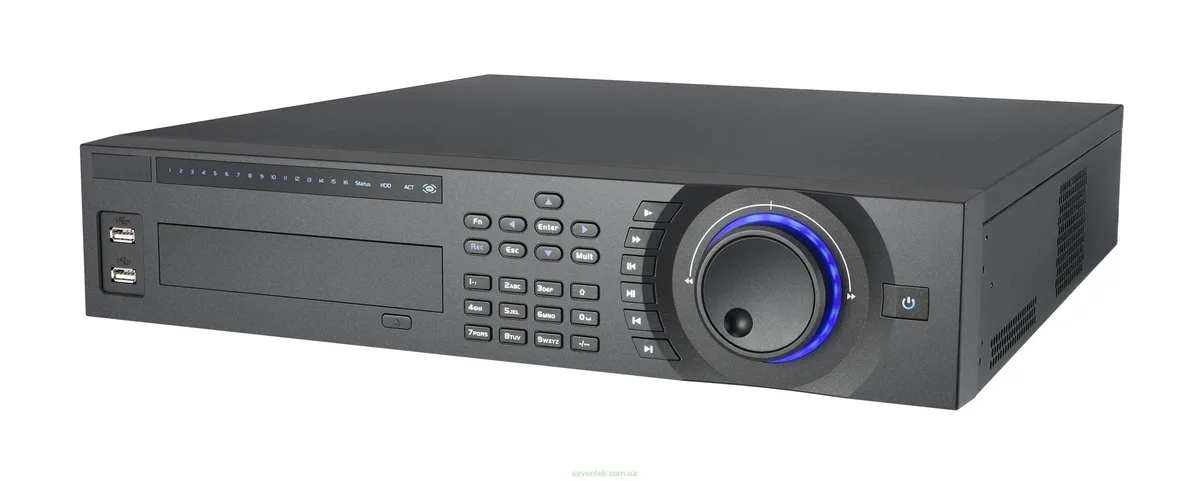
Image source: Web (Bing) / dtsdigitalcctv.co.uk (Web image (fair-use with source credit))
Figuring out how long your CCTV footage stays accessible can feel like a puzzle. It's not a simple "X days" answer because multiple factors constantly influence your system's recording duration. What you're looking for is a clear understanding of what impacts that length and how to manage it effectively for your needs.
The lifespan of your recorded video isn't set in stone; it's a direct result of your system's configuration and capacity. For example, manufacturer specifications often indicate that a single terabyte of storage can hold anywhere from 30 to 90 days of footage, depending heavily on camera resolution and recording settings. Understanding these variables is key to knowing what to expect and how to plan.
Quick Answer: It Depends on Your System
CCTV footage lasts anywhere from a few days to several months. This duration is controlled by your storage capacity, recording settings, and whether you use local or cloud storage. Continuous recording uses space faster than motion detection.
Core Explanation: What Controls Your Footage Length?
The amount of time your security camera system can hold onto recordings hinges on two main factors: your storage capacity and your recording settings. Think of storage capacity as the size of the hard drive or cloud space you've allocated, and recording settings as how you've instructed the system to fill that space. It's a bit like asking how long a gas tank lasts, it depends on how big the tank is and how fast you're driving.
Storage Capacity vs. Recording Settings
Storage capacity refers to the sheer amount of digital space available for your video recordings. This is usually measured in terabytes (TB) for on-site Digital Video Recorders (DVRs) or Network Video Recorders (NVRs), or in gigabytes (GB) or terabytes (TB) for cloud-based storage plans. The larger your storage, the more footage you can theoretically keep.
However, this is only half the story.
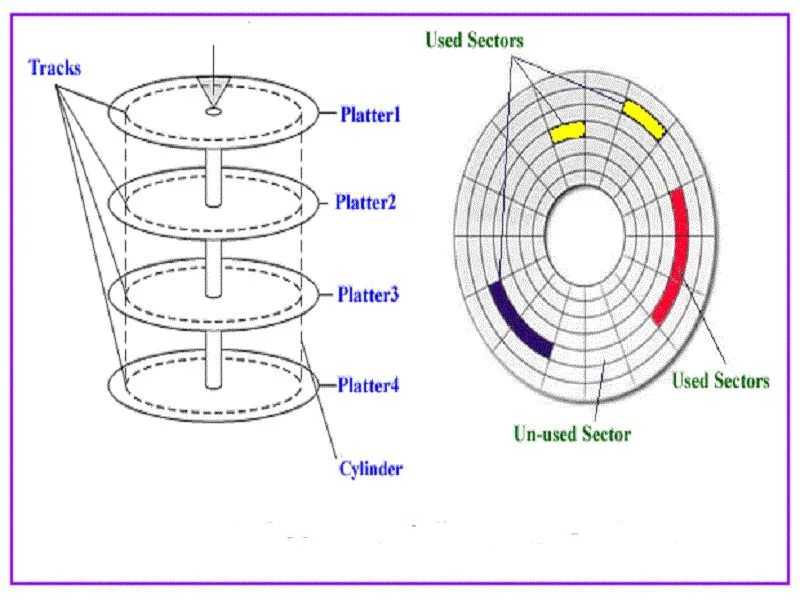
Your recording settings dictate how quickly that storage space fills up. Recording every second of footage, known as continuous recording, consumes space at a much higher rate than systems set to record only when motion is detected. For instance, per aggregate user feedback, a typical 1080p camera recording continuously might use 15-20 GB of storage per day, while the same camera using motion detection might use only 2-5 GB per day.
This significant difference means that continuous recording will dramatically shorten how long your footage is retained compared to event-based recording.
Local vs. Cloud Storage
Where your footage is stored also plays a major role in its duration. You're generally looking at two main options: local storage and cloud storage. Each has its own way of managing how long recordings are kept.
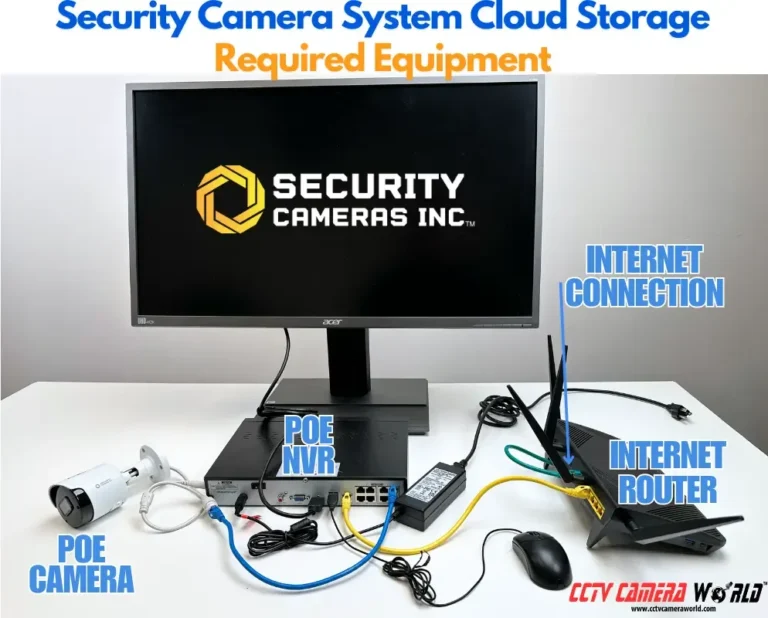
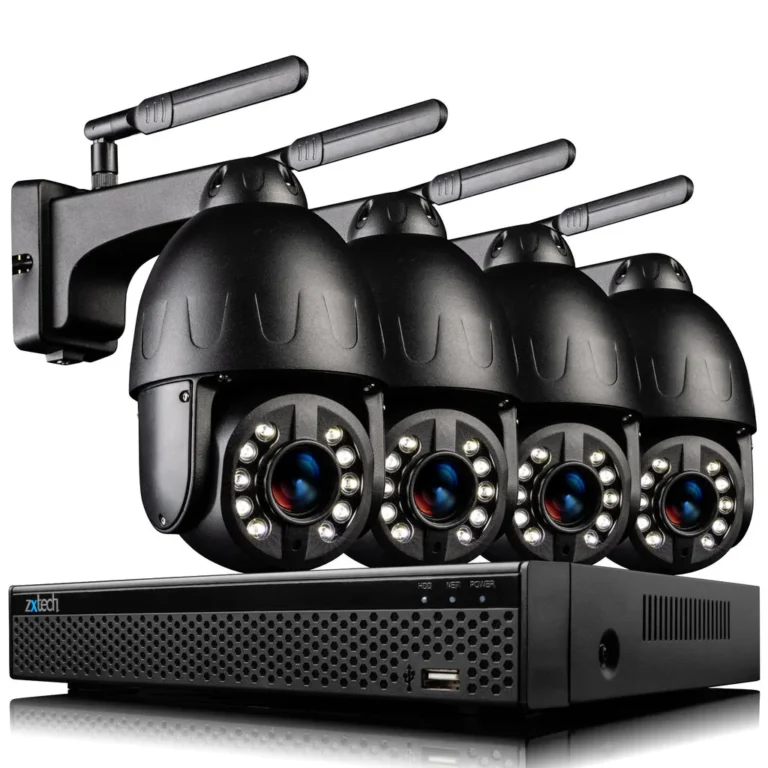
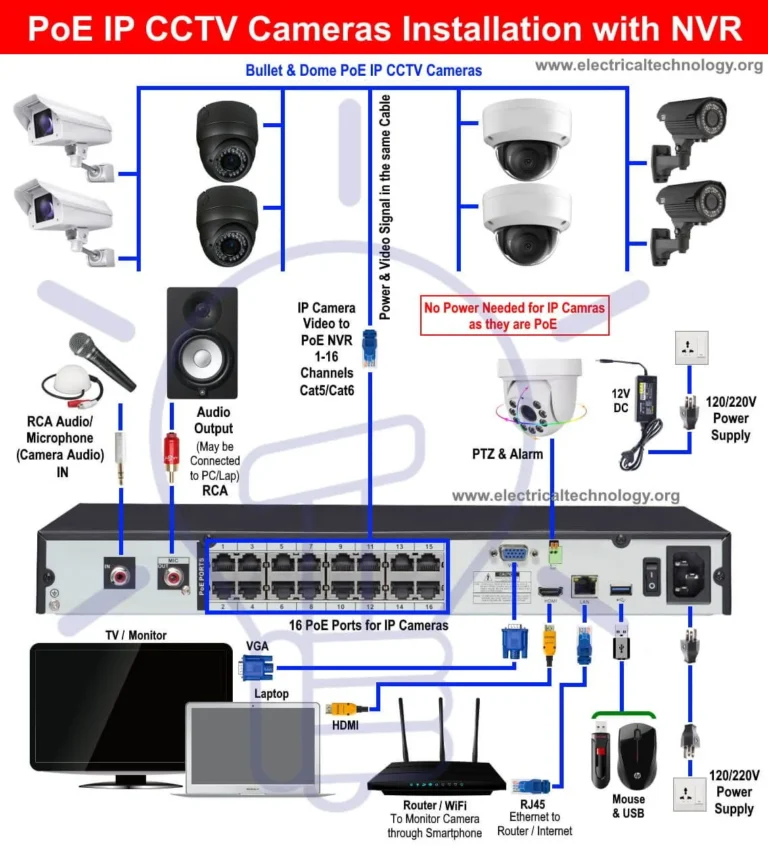
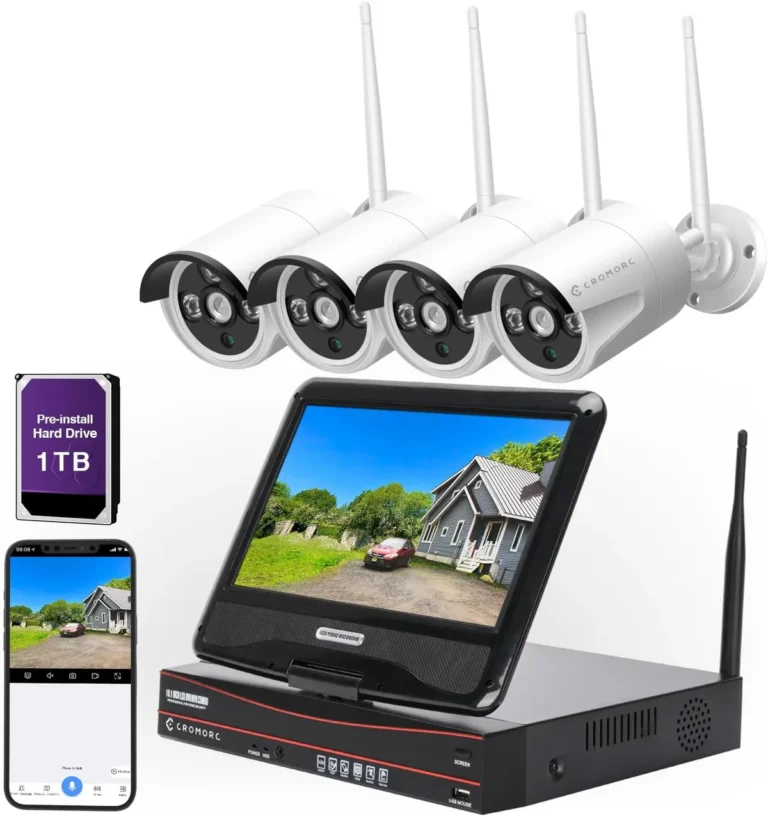
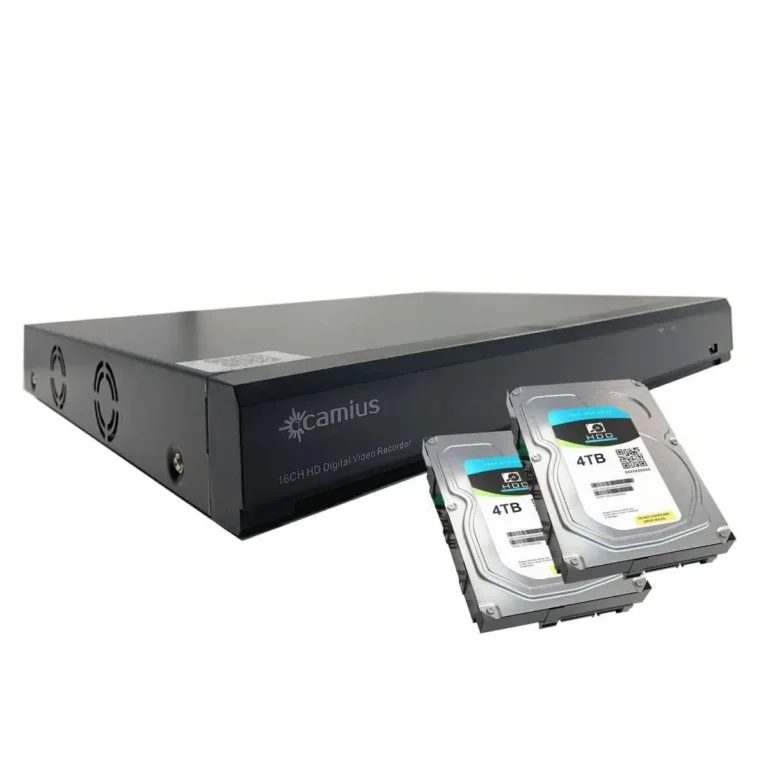
Local Storage typically involves a DVR or NVR unit on your property. These systems have internal hard drives where all recordings are saved. The retention period is directly tied to the hard drive's size and the rate at which it fills up based on your recording settings.
Once the drive is full, older footage is automatically overwritten to make space for new recordings. This is a common setup for homes and small businesses.
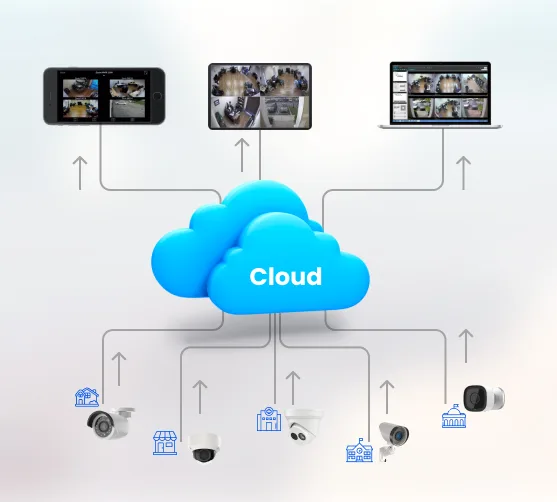
Cloud Storage involves sending your footage to remote servers managed by a service provider. The duration of your recordings is usually dictated by the specific subscription plan you choose. These plans often offer tiered options, such as 7 days, 30 days, or even 90 days of storage.
While convenient and often offering better security against on-site device failure, the length of retention is a contractual agreement with the provider. Many popular security camera brands offer cloud subscription services, with retention periods often ranging from one week to one year.
Deciding Your Footage Retention: Key Questions to Ask
To get a realistic idea of how long your CCTV system can keep recordings, you need to look at a few key elements of your setup. There isn't a single universal answer, so we need to break down your specific situation. By answering a few targeted questions, you can accurately determine your potential retention period.
1. Are You Recording 24/7 or Only When There's Movement?
This is probably the biggest factor influencing how quickly your storage fills up. Your system's recording mode determines the data output.
- Continuous Recording: If your cameras are always on, recording every single moment, they generate a constant stream of data. This consumes storage space rapidly. Manufacturer documentation typically advises that a system using continuous recording will need significantly more storage capacity to maintain the same retention period as a motion-detection-only system. This is often referred to as what is continuous recording on security cameras.
- Motion Detection Recording (Event-Based Recording): This setting only triggers recording when the camera's sensors detect movement in its field of view. This dramatically reduces the amount of data being saved, as it only captures relevant events. This approach is also known as what is event-based recording. Many systems also offer custom sensitivity settings to fine-tune when motion is triggered, helping to prevent false alarms and save space.
The choice between these two modes has a direct impact on your storage needs. For example, if you have a 4TB hard drive in your NVR, you might only get 5-7 days of continuous recording, but potentially 3-4 weeks of motion-detected recording from the same number of cameras.
2. How Much Storage Space Do You Have?
The physical or virtual space dedicated to storing your video files is your storage capacity. This is a hard limit on how much data can be held.
- Local Storage (DVR/NVR): For on-site systems, this is usually the size of the installed hard drive(s). Common sizes range from 1TB for basic setups to 8TB or more for professional installations. The more terabytes you have, the longer your footage can be stored before it's overwritten. For instance, a 2TB drive might offer 10-14 days of retention for a 4-camera system recording at 1080p with moderate motion, while an 8TB drive could stretch that to 40-60 days under similar conditions.
- Cloud Storage: If you're using a cloud service, your storage capacity is determined by your subscription plan. These plans are often sold with specific retention periods bundled in, like 7-day, 30-day, or 90-day plans. You can't typically "add more space" to a cloud plan in the same way you'd add a hard drive; you usually need to upgrade to a higher tier. This makes the retention period explicit from the start.
When considering storage, it's also important to think about data compression. Modern systems use codecs like H.264 or H.265 to reduce file sizes without significantly impacting visual quality. Newer codecs like H.265 can reduce bandwidth and storage requirements by up to 50% compared to older H.264, meaning your existing storage can hold footage for much longer.
3. What's Your Budget for Cloud Storage?
If you're opting for cloud storage, your budget directly translates into the retention period you can afford. Cloud services operate on a subscription model, and the price typically scales with the amount of storage needed and the duration for which you want recordings kept. This is a critical decision point as it dictates the maximum timeframe for your footage.
For example, a basic cloud plan might offer 7 days of storage for $3-$5 per month per camera. Stepping up to a 30-day plan could cost $10-$15 per month per camera, and 90-day plans might be in the $20-$30+ range per camera. These are approximate costs as of 2026 and can vary by provider.
It's crucial to match your needs with your budget. If you only need footage for short-term incident review, a lower-tier plan might suffice. However, if you require evidence for extended periods due to industry regulations or specific security concerns, you'll need to allocate a larger monthly budget.
Many providers offer discounts for annual subscriptions, which can be a cost-effective option if you know you'll need long-term storage. It’s also worth noting how much data does a security camera use, as this can help you estimate costs for cloud plans.
4. Are You Using Local Storage or the Cloud?
This question is fundamental because it frames the entire storage management process. The technology and approach to storing and retaining footage differ significantly between local and cloud solutions.
With local storage, like a DVR or NVR, you are the direct manager of the hardware. This means you're responsible for capacity planning, potential drive failures, and ensuring the system is running. The footage is physically present on your property, offering immediate access but also posing a risk if the device is damaged or stolen.
The duration is managed by the system's "loop recording" feature, which automatically overwrites the oldest data when storage is full. You can extend the retention period by installing larger hard drives or adding more storage units. Understanding what is local storage for security cameras is key here.
Cloud storage, on the other hand, shifts the management burden to a third-party provider. Your footage is sent over the internet to remote servers. The primary benefit is accessibility from anywhere with an internet connection and often robust data protection.
However, the duration of your recordings is dictated by your subscription. If you stop paying for a cloud service, you typically lose access to your footage after a short grace period. This makes the subscription plan and its associated retention period the definitive factor for how long your footage lasts.
For a deeper dive, check out what is cloud storage for security cameras.
5. What's Your Retention Policy?
Beyond the technical capabilities of your system, there's often a practical or legal requirement for how long footage needs to be kept. This is commonly referred to as a retention policy. For businesses, this can be driven by industry regulations, insurance requirements, or internal security protocols.
For example, financial institutions or casinos often have strict legal mandates to retain surveillance footage for 30, 60, or even 90 days or more, as it's crucial for fraud prevention and regulatory compliance. On the other hand, a homeowner might only need footage for a week or two to review recent activity or support an insurance claim. Setting a retention policy ensures you're not storing footage longer than necessary (which wastes space) or shorter than required (which can lead to compliance issues).
Many professional surveillance systems allow you to configure a specific retention period, after which the system automatically purges old data. This automated process is essential for maintaining compliance without manual intervention.
What to Expect: Typical Storage Durations
Understanding the variables is one thing, but what does it actually look like in practice? The duration of your CCTV footage can range quite a bit, from just a few days to many months, depending on the choices you make about your system.
Short-Term Storage Examples (Days to Weeks)
You'll typically encounter short-term storage durations in basic home security setups or small businesses with limited budgets for storage. These systems often prioritize affordability and simplicity over extensive recording archives.
- Scenario: A homeowner with a basic 4-channel NVR and a single 1TB hard drive, using continuous recording for all cameras at 720p resolution.
- Expected Duration: In this configuration, the hard drive will likely fill up within 4-7 days. Once full, the oldest footage gets automatically overwritten by new recordings. This is a common setup where the focus is on capturing immediate events rather than maintaining a long historical record. If motion detection is enabled and finely tuned, this could extend to 2-3 weeks, but continuous recording is the main driver for short durations here.
Medium-Term Storage Examples (Weeks to Months)
Medium-term storage is common for businesses that need more robust evidence or for homeowners who want a decent buffer for reviewing past events. This usually involves larger storage capacities or more efficient recording settings.
- Scenario: A small retail store using an 8-channel NVR with a 4TB hard drive. They've configured motion detection recording on their cameras, which are set to 1080p resolution.
- Expected Duration: With motion detection, this setup could realistically store footage for 3-6 weeks. The NVR only records when activity is detected, significantly reducing data accumulation. If the store were to switch to continuous recording, this 4TB drive might only hold 10-14 days of footage, highlighting the impact of recording mode. For a more in-depth look at storage needs, consider how much data does a security camera use.
Long-Term Storage Examples (Months to a Year+)
Achieving long-term storage, meaning several months to a year or more, usually requires a significant investment in storage capacity or a reliance on cloud storage plans. This is often seen in environments with strict regulatory requirements or high-value assets to protect.
- Scenario: A large commercial property utilizing a high-capacity NVR with 16TB of storage, running cameras at 4K resolution with advanced H.265 compression. Alternatively, a business might subscribe to a cloud storage plan offering 180-day or 365-day retention per camera.
- Expected Duration: With a 16TB drive and efficient compression, even with continuous recording, you could potentially store 2-4 months of footage. Cloud plans offering 180 days or a full year provide explicit, guaranteed retention periods, though these come with recurring subscription costs. This level of storage is vital for industries like finance, hospitality, or critical infrastructure where extended evidence is often a necessity.
Common Mistakes That Cut Footage Short
Even with a good system, a few common oversights can drastically reduce how long your CCTV footage lasts. Being aware of these pitfalls can help you avoid losing critical recordings unexpectedly.
- Default Settings: Many systems come with factory default settings that aren't optimized for your specific needs. For instance, a default might be set to continuous recording with a small storage capacity, leading to only a few days of retention. Always check and adjust these defaults. You might be surprised by why is my security camera not detecting motion if your sensitivity settings are too low, inadvertently reducing recording time.
- Underestimating Storage Needs: It's easy to buy a system and assume it will store footage for as long as you think you need. Without calculating expected daily data usage based on camera count, resolution, and recording mode, you can quickly run out of space. This is a common reason why footage disappears sooner than expected.
- Ignoring Drive Health: For local storage, hard drives have a finite lifespan. If a drive starts to fail and the system can't write new data properly, you might lose recordings without realizing it. Regular checks on system health, including drive status, are crucial. Some NVRs offer alerts for drive errors or nearing capacity.
- Not Planning for Overwriting: Unless you have unlimited storage, your system will eventually overwrite older footage. If you don't have a clear policy or technical means to back up important footage, you might lose it. Understanding that loop recording is standard can prompt you to implement better how to back up security camera footage strategies.
- Insufficient Bandwidth for Cloud: If you rely on cloud storage, an unstable or slow internet connection can prevent footage from uploading reliably. This means the cloud copy might be incomplete or unavailable, effectively shortening your accessible recording history. You may need to how to reduce security camera bandwidth if this is an issue.
Expert Tips for Maximizing Your Storage
To make the most of your CCTV system's storage capacity and ensure you have the footage you need for as long as you need it, consider these professional insights. These strategies can help you extend your recording duration without necessarily upgrading your hardware immediately.
- Optimize Recording Schedules: Don't record everything all the time if you don't need to. Leverage motion detection or set specific recording windows for times when activity is most likely. For example, if you only need to monitor a retail space during business hours, set recording to only occur then. This is a core principle behind what is event-based recording.
- Utilize Efficient Compression: Always opt for the most efficient video compression codec your system supports, typically H.265 or its successor. This technology can significantly reduce file sizes, often by 30-50% compared to older H.264, allowing you to store more footage on the same hard drive or cloud plan.
- Adjust Resolution and Frame Rate: While higher resolution (like 4K) and higher frame rates (like 30fps) provide better image quality, they also generate much larger files. Assess if you truly need the highest settings for all cameras. For less critical areas, dropping to 1080p or even 720p at a lower frame rate (e.g., 15fps) can drastically cut down on storage usage without losing the ability to identify individuals or key events.
- Regularly Review Footage Needs: Your requirements might change. Periodically review your retention policy and system logs. If you find you're consistently running out of space or never accessing footage older than a certain point, adjust your settings or storage capacity accordingly. This ensures your system is always optimized for your current needs.
- Implement Smart Storage Solutions: Some advanced NVRs offer features like RAID configurations for data redundancy or the ability to integrate with larger NAS (Network Attached Storage) devices for expanded capacity. Exploring these options can provide a more scalable and reliable long-term storage solution.
Frequently Asked Questions About CCTV Footage Duration
### How long should security footage be kept?
The ideal length for keeping security footage varies greatly depending on your specific needs, industry regulations, and local laws. For home use, 7 to 30 days is often sufficient for reviewing recent events. Businesses may need to keep footage for 60 to 90 days or longer, especially if required by law or for insurance purposes.
Always check relevant guidelines for your situation.
### Can I recover deleted security camera footage?
Sometimes, yes. If footage has been overwritten or intentionally deleted, recovery might be possible if the data hasn't been permanently erased from the storage medium. This often requires professional data recovery services and is more likely to be successful if attempted quickly after deletion.
Otherwise, deleted footage is typically gone for good.
### Does higher camera resolution affect how long footage lasts?
Yes, significantly. Higher camera resolutions, such as 4K compared to 1080p, produce much larger video files. This means that higher resolution cameras will consume storage space much faster, drastically reducing the overall retention period on the same amount of storage.
Using efficient compression like H.265 can help mitigate this impact.
### What happens when my CCTV storage is full?
When your CCTV system's storage capacity is full, it typically enters a "loop recording" mode. This means the oldest video files are automatically deleted to make space for new recordings. If you have continuous recording enabled, your footage will be overwritten on a rolling basis, effectively shortening the available history.
### Does cloud storage offer longer retention than local storage?
Not necessarily, but it offers different ways to achieve it. Cloud storage duration is determined by your subscription plan, which can be purchased for extended periods (months or years). Local storage duration is limited by the physical hard drive capacity.
You can have very long retention with either, but cloud storage makes it a predictable, subscription-based service, while local storage requires upfront hardware investment and careful capacity planning.