How to Maintain Security System Sensors
Keeping your security system's sensors in top condition is crucial for reliable home protection. Understanding how to maintain security system sensors ensures they perform as expected, preventing false alarms and ensuring you're alerted when real threats occur. It's a fundamental part of home safety that often gets overlooked.
Proper sensor upkeep involves regular checks and straightforward cleaning. According to manufacturer specifications, most wireless sensors require battery replacements every 3 to 5 years, but visual inspections and functional tests are recommended quarterly. Let's get into the specifics of how to keep your system's eyes and ears sharp.
Quick Answer
To maintain security system sensors, perform regular visual checks, clean them gently, and test their functionality. For wireless sensors, monitor and replace batteries as indicated, typically every 3-5 years. Ensure door/window sensors are properly aligned and address any obstructions or environmental interference promptly to prevent malfunctions and false alarms.
Why Bother With Sensor Maintenance?
You might be thinking, "They're just little boxes, what's the big deal?" Well, these sensors are the eyes and ears of your security system. If they're not working right, your system might not be as secure as you think. Imagine relying on your smoke detectors, only to find out later they were covered in dust and couldn't sense smoke.
It's a similar principle.
- Reliability: You want your alarm to go off when it's supposed to, not when a dusty sensor is having a bad day. This ensures your system acts as a deterrent and alert mechanism effectively.
- False Alarms: Keeping sensors clean and in good working order can cut down on those annoying false alarms. Nobody wants the police showing up because a cobweb tripped a motion detector, which can sometimes lead to fines.
- Longevity: Proper care means your sensors will likely last longer, saving you money on replacements over the life of your system.
The Basic Sensor Tune-Up: What You Can Do
Most of the maintenance you'll do is pretty straightforward and doesn't require a degree in engineering. It's more about being observant and doing a bit of light housekeeping for your security hardware. Think of it like giving your car a quick once-over before a long trip.
Checking Your Sensors: A Quick Routine
We're talking about a few minutes every few months. It’s less of a chore and more of a habit that pays off in peace of mind.
- Visual Inspection: Just take a walk around and look at your sensors.
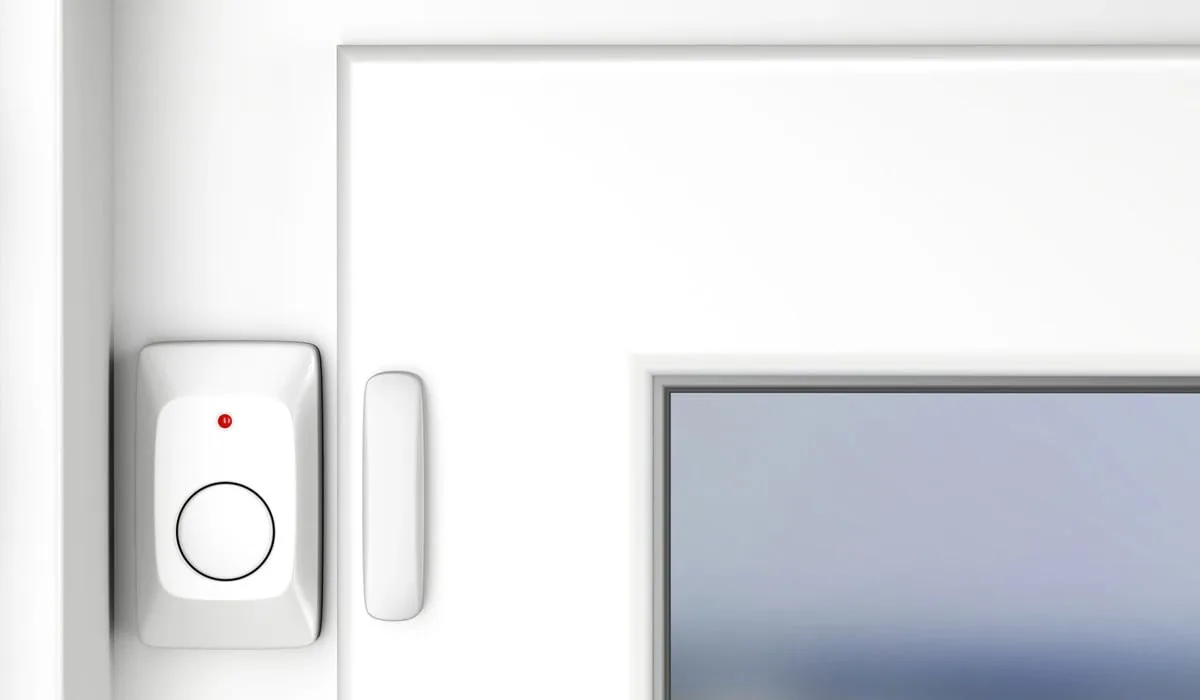
- Door/Window Sensors: Make sure they're still firmly attached to the door/window and the frame. Are they aligned correctly? Sometimes they can get bumped out of place, affecting their magnetic contact.
- Motion Sensors: Check that they're not obstructed by anything new, like a piece of furniture, a tall plant, or even new curtains. Anything blocking the sensor's view can affect its detection capability.
- Glass Break Sensors: Ensure they're clear and not covered by anything that could muffle the sound they're designed to detect.
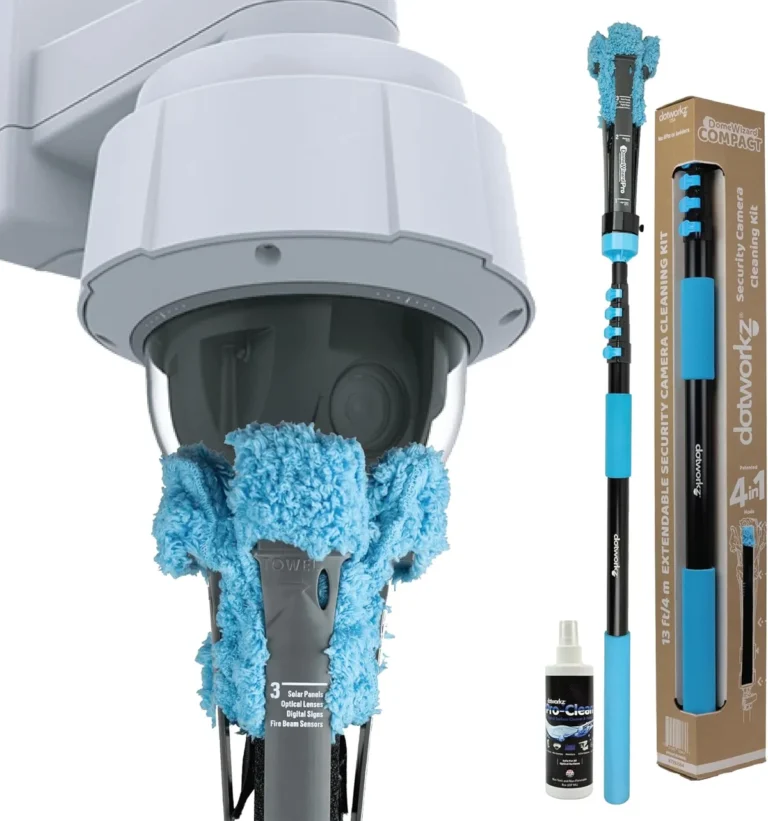
- Cleanliness is Key: Dust and grime can really mess with sensors, especially the optical ones in motion detectors or the lenses on cameras.
- Use a soft, dry cloth or a slightly damp cloth (make sure it's not wet!) to gently wipe down the surfaces. For really dusty vents on motion sensors, a quick blast of compressed air can work wonders. Just hold the can upright and don't blast too hard.
Testing Your Sensors: Making Sure They Work
This is the most important part! A visual check is good, but a functional test is better. It confirms that the sensors are actually communicating with your main security system.
Many systems allow for a specific test mode, which is ideal for this. If not, using the "Home" arming mode can often work for entry sensors without triggering a full alarm.
- Door/Window Sensors: The easiest way is to arm your system in "Home" mode. Then, open and close each protected door and window one by one. Listen for the confirmation beep or check your system's app or panel to see that it registered the open/close action. If it doesn't register, or if it triggers an alarm when it shouldn't, you've found something to address.
- Motion Sensors: Arm your system in a test mode if your system has one, or in "Home" mode and then walk through the area the sensor covers. You should see a light flash on the sensor itself (this is a common feature) or get a notification on your system that motion was detected. Make sure it doesn't trigger if you're just sitting still nearby, but does trigger when you walk through its detection zone.
- Glass Break Sensors: Testing these can be a bit trickier as you don't want to actually break glass. Some systems have a specific test mode or a way to simulate the sound. If yours doesn't, you can often test them by clapping loudly or making a sharp noise near them while the system is in a test or bypass mode. Check your manual for the manufacturer's recommendation.
What If Something's Not Right? A Troubleshooting Workflow
If you do a check and a sensor isn't behaving, don't panic. Here’s a quick workflow to help you diagnose the issue. This process is similar to how you might troubleshoot connectivity issues with other smart home devices.
Is it Obvious?
- Yes: Something is physically wrong, like a loose sensor, a battery indicator is on, or it’s blocked.
- Action: Address the obvious issue first (reattach, replace battery, clear obstruction). Then retest.
- No: The sensor looks fine, but it's not working correctly.
- Action: Move to the next step in the workflow.
Battery Issues?
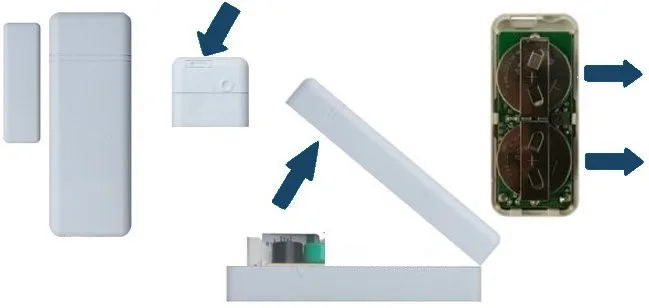
- Yes (low battery warning): Replace the battery with the correct type. Low batteries are a common culprit for intermittent sensor failures.
- Action: Replace battery and retest.
- No (battery is new or not indicated):
- Action: Move to the next step.
Connection/Alignment Issues? (Especially for door/window sensors)
- Yes: The two parts of the sensor might be too far apart or not aligned properly. This is common if doors or windows have shifted slightly.
- Action: Gently adjust the position of the sensor and magnet so they are closer when the door/window is closed. Make sure they are within the manufacturer's recommended gap, typically around 1/2 inch for many systems. Retest. If you're unsure about specific requirements, check the manual for your wired vs wireless home security system.
- No:
- Action: Move to the next step.
Environmental Interference? (More for motion or glass break sensors)
- Yes: Is there a new draft blowing curtains, a pet moving around that it’s not supposed to detect, or a recent change in temperature that could be affecting it? These can trick motion sensors into triggering or cause them to miss activity.
- Action: Adjust the sensor's position or sensitivity if possible, or try to mitigate the interference. For instance, ensure curtains don't constantly sway past a motion detector. Retest.
- No:
- Action: Contact your security system provider or a professional installer. It might be time for a replacement or a deeper dive into the system's settings.
When to Call in the Pros
While most of this is DIY-friendly, there are times when it's best to get professional help. If you've tried the basic troubleshooting steps and a sensor still isn't working, it could be a more complex issue with the sensor itself or the system's wiring or communication protocols. For instance, if a sensor is consistently reporting offline, it might indicate a deeper problem that requires specialized tools or knowledge.
- You're not comfortable: If you're unsure about any step, it's always better to ask an expert than to risk damaging something or misconfiguring your system. This is especially true if you have a complex professionally installed security system or are unfamiliar with its specific components.
- Persistent problems: If you've tried the basic troubleshooting steps and a sensor still isn't working, it could be a more complex issue with the sensor itself or the system's wiring or communication. It may be time to consider how often a security system should be replaced if components are failing.
- System updates or major changes: If you're upgrading your system or making significant changes, a professional can ensure all components, including sensors, are integrated and functioning correctly. This is also when you might discuss what features a home security system should have to ensure optimal performance.
Mistakes to Avoid
When maintaining your security sensors, a few common missteps can lead to more problems than they solve. Forgetting simple checks or using the wrong cleaning agents are easy traps to fall into. It's important to approach sensor maintenance methodically to ensure you're not accidentally degrading performance.
- Ignoring Low Battery Alerts: Many wireless systems give advance notice when a battery is running low. Some users delay replacement, only to find the sensor stops working entirely during a critical moment. Always address these alerts promptly.
- Over-Cleaning or Using Harsh Chemicals: While cleaning is important, using abrasive materials or harsh cleaning solutions can damage sensor lenses or casings. Stick to soft cloths and mild, approved cleaners.
- Not Testing After Maintenance: After cleaning, adjusting, or replacing batteries, it's crucial to test the sensor. If you don't confirm it's working, you might be operating under a false sense of security, much like assuming your car's oil change was done correctly without checking the dipstick.
- Disregarding Obvious Physical Damage: A sensor that's cracked, loose, or visibly damaged needs immediate attention. These issues can compromise the sensor's functionality and even its structural integrity.
Expert Tips for Optimal Sensor Performance
Professional installers and long-time security enthusiasts share a few best practices that go beyond the basics. These tips can help maximize the effectiveness and lifespan of your security system components. By implementing these strategies, you can ensure your sensors are always ready.
- Know Your Sensors: Understand the specific type of sensor you have (PIR motion, dual-tech motion, magnetic contact, acoustic glass break) and its unique maintenance needs. For instance, PIR sensors can be affected by heat sources, so avoid placing them near vents or direct sunlight.
- Regular System Checks: Beyond individual sensors, perform a full system check periodically. This includes testing the main control panel and ensuring all wireless devices are communicating. The how do home alarm systems work principle relies on every component talking to the central hub.
- Document Maintenance: Keep a simple log of when you last performed maintenance, replaced batteries, or tested specific sensors. This helps track routine tasks and identify patterns if a sensor starts failing repeatedly.
- Consider Environmental Controls: For critical areas, be mindful of environmental changes. If you live in an area with significant temperature swings, ensure your sensors are rated for those conditions.
What Are the Benefits of Regular Sensor Maintenance?
Keeping your security sensors in good shape offers tangible advantages that contribute to your overall home safety and peace of mind. It's not just about avoiding problems; it's about actively enhancing your system's performance. These benefits often outweigh the minimal effort required for upkeep.
- Increased Reliability: A well-maintained sensor is far more likely to perform its intended function when needed. This means your system will reliably detect intrusions, fire, or other hazards, providing timely alerts.
- Reduced False Alarms: Proper cleaning and alignment directly combat common causes of false alarms. This saves you and local authorities unnecessary call-outs and helps maintain your system's credibility.
- Extended Equipment Lifespan: Just like any electronic device, consistent, gentle care can prolong the operational life of your sensors. This can delay the need for costly replacements and contribute to the overall longevity of your security system, which often has a lifespan of 10-15 years according to industry standards.
- Cost Savings: By preventing false alarms and extending the life of your sensors, you save money on potential fines and replacement costs. Proactive maintenance is almost always cheaper than reactive repair or replacement.
FAQs
How often should I test my security sensors?
It's recommended to test your security sensors at least quarterly, or every three months, to ensure they are functioning correctly. This proactive testing helps catch issues before they become a problem, contributing to the overall reliability of your home security.
Can dust affect my security sensors?
Yes, dust and debris can significantly affect the performance of security sensors, particularly motion detectors and optical sensors. A buildup of dust can obstruct the sensor's view or interfere with its detection capabilities, potentially leading to false alarms or missed events.
What is the typical lifespan of a security sensor battery?
The typical lifespan for batteries in wireless security sensors ranges from 3 to 5 years. However, this can vary based on the sensor type, usage, and environmental factors. Most systems will provide a low-battery alert well in advance of complete failure.
How do I know if my door or window sensor is aligned correctly?
Door and window sensors rely on magnetic contact. If they are too far apart when the door or window is closed, the system may not register it as secured. Check your manufacturer's specifications for the maximum gap distance, usually around half an inch, and adjust the sensor and magnet positions to be closer if needed.
What are common environmental factors that can affect sensors?
Environmental factors like drafts, sudden temperature changes, and even vibrations can affect sensors. For example, strong drafts might move curtains or cause doors to creak, potentially triggering motion or glass break sensors. Extreme temperature fluctuations can sometimes impact the performance of electronic components.
Should I consider a professionally monitored vs. self-monitored system for sensor maintenance?
The type of monitoring system doesn't directly change how you maintain individual sensors, but it impacts who is alerted. With a self-monitored home security system, you receive all alerts yourself, making sensor testing and maintenance crucial for timely responses. For a professionally monitored security system, the monitoring center relies on your system's accurate reporting, so keeping sensors in order is equally vital.