What Happens If WiFi Goes Down With a Security System
When your home's WiFi network falters, your security system might lose its primary communication channel, impacting its ability to send alerts or allow remote access. This loss can create a concerning gap in your home’s protection. However, many modern security systems are designed with built-in redundancies, like cellular backups, that can keep them operational.
As of 2026, manufacturer specifications for many smart security hubs confirm they can operate on cellular networks if the primary internet connection drops. Understanding these backup capabilities is key to ensuring your home remains secure even when your WiFi is temporarily offline.
Quick Answer: How Your Security System Copes Without WiFi
If WiFi goes down, security systems may lose remote alerts and camera access. Cellular backup systems automatically switch networks. Local storage keeps recording events.
Some basic alarms still sound locally. Your system's resilience depends on its specific features.
Core Explanation: What Your Security System Needs to Communicate
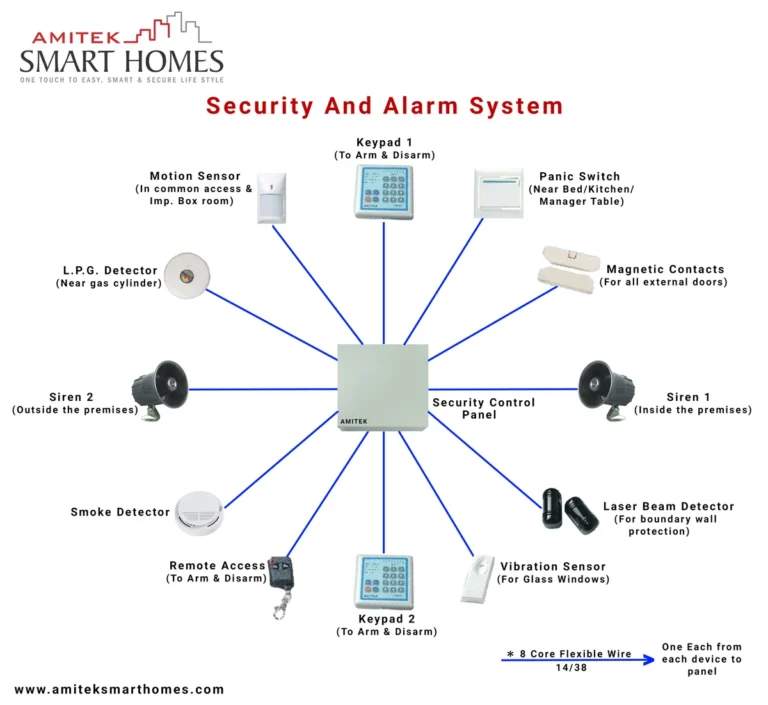
Your home security system is more than just a siren; it's a network of devices designed to protect your property by monitoring for intrusions, environmental hazards like fire or floods, and other emergencies. For many of these systems, especially those considered "smart," the ability to communicate effectively with the outside world is crucial. This communication usually happens in two primary ways: sending notifications to you and your monitoring center, and allowing you to interact with the system remotely.
This constant flow of information is how you know your home is safe, even when you're away. Without a reliable connection, these critical functions can be interrupted, leaving you potentially unaware of an unfolding event. Understanding how your specific system handles a dropped internet connection is therefore paramount to maintaining your peace of mind.
The Role of WiFi in Sending Alerts and Data
The WiFi network in your home acts as the main conduit for your security system to send and receive data. When an event is detected, such as a door sensor being triggered or motion being detected by a camera, the system packages this information and transmits it wirelessly. This data travels over your home's WiFi network to your router, which then sends it out to the internet.
From there, it can reach your smartphone via a dedicated app, or be sent directly to a professional monitoring center.
Manufacturer specifications often detail the data requirements for real-time video streaming, which can range from a few megabits per second for standard definition to over 25 Mbps for high-definition 4K cameras. This reliance on WiFi means that if your internet service provider experiences an outage, or if your home router malfunctions, your system can be effectively cut off from its remote communication pathways.
The Impact of a Lost Internet Connection
When your WiFi connection goes down, the immediate impact on your security system can vary significantly depending on its design. For systems that are entirely dependent on an internet connection for all functions, you might lose the ability to receive push notifications on your phone detailing an event. This means you wouldn't know about a potential break-in unless a loud siren alerted someone physically present.
Furthermore, remote access features, like checking live camera feeds or arming/disarming the system through an app, will likely become unavailable. This loss of connectivity is a critical point of failure for many consumer-grade security devices, as the National Institute of Standards and Technology (NIST) highlights the importance of layered security and redundancy in IoT devices.
Your System's Backup Plan: What to Look For
It's easy to assume all security systems will stop working when the internet does, but that's not always the case. Many systems are built with various levels of resilience. The key is understanding what kind of system you have and what features it includes to keep communicating or functioning when your home WiFi isn't available.
This is where the technology really shows its value, by offering alternative pathways for your system's critical operations.
Systems Relying Solely on WiFi
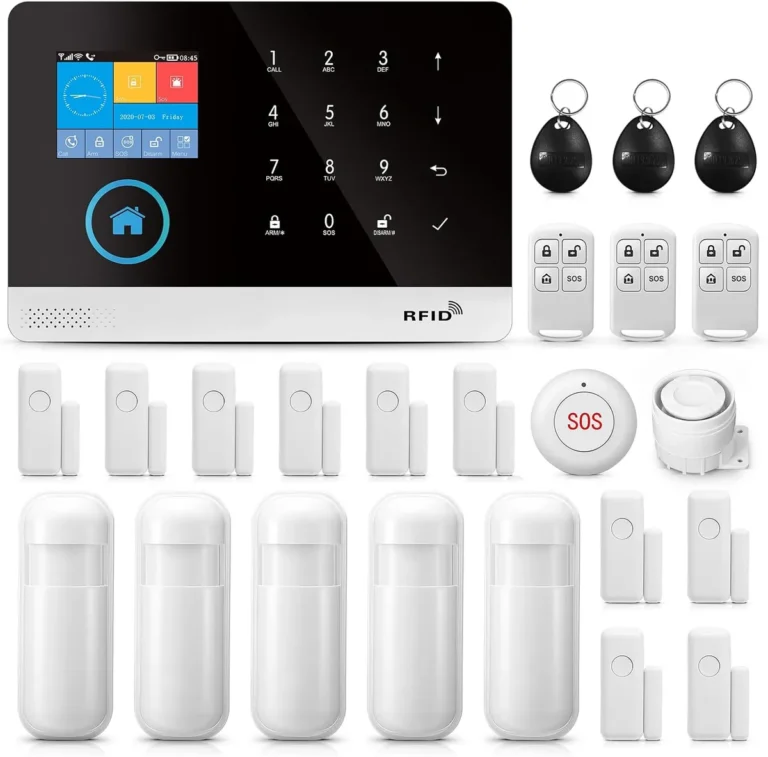
Some of the most basic or older wireless security systems are entirely reliant on your home's WiFi network for communication. These systems often connect directly to your router. If your WiFi signal drops, or your internet service is interrupted, these systems essentially become isolated.
They might still be able to trigger a local alarm, the siren will sound, for instance, but they lose the ability to send any data externally. This means no alerts to your phone, no notifications to a monitoring service, and no ability to remotely check on your home's status. For these devices, a WiFi outage is a complete communication blackout.
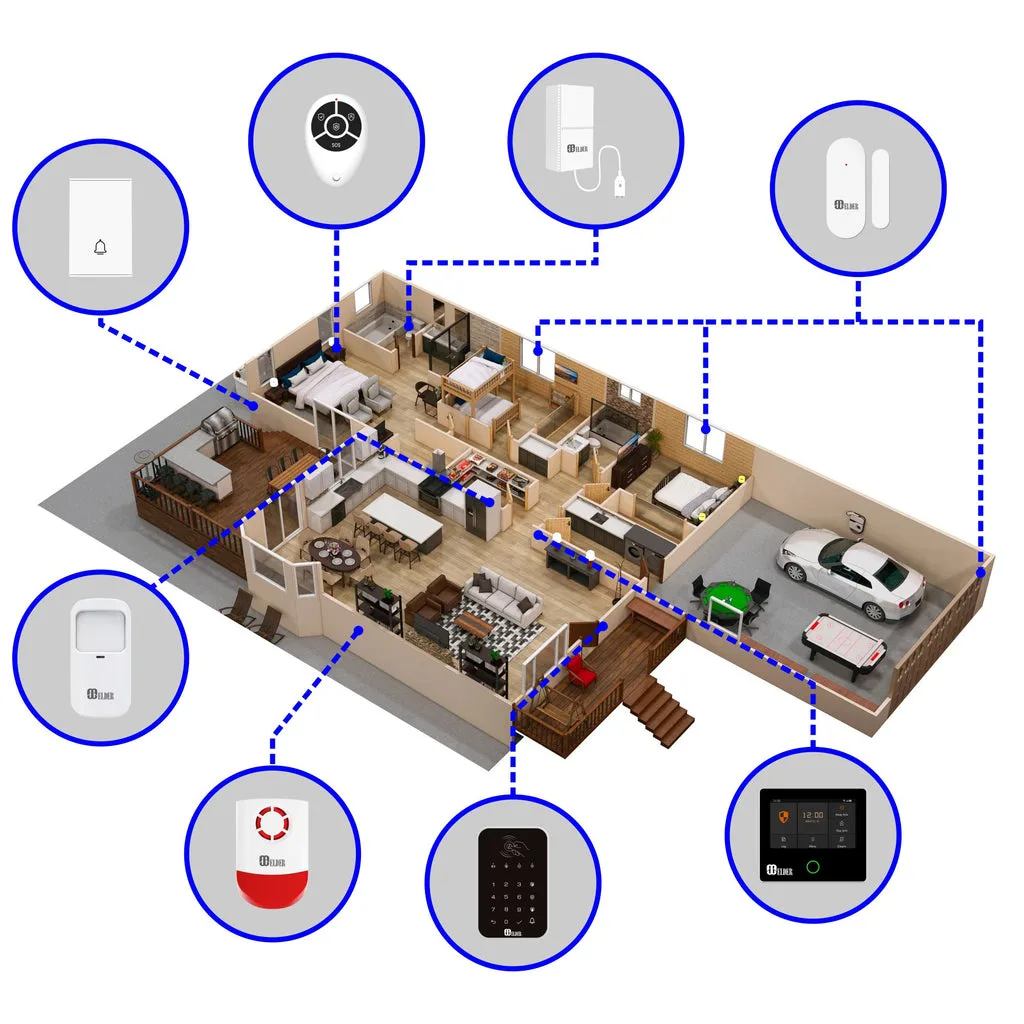
Image source: Bing (Web (fair-use with source credit))
The Lifesaver: Cellular Backup Systems
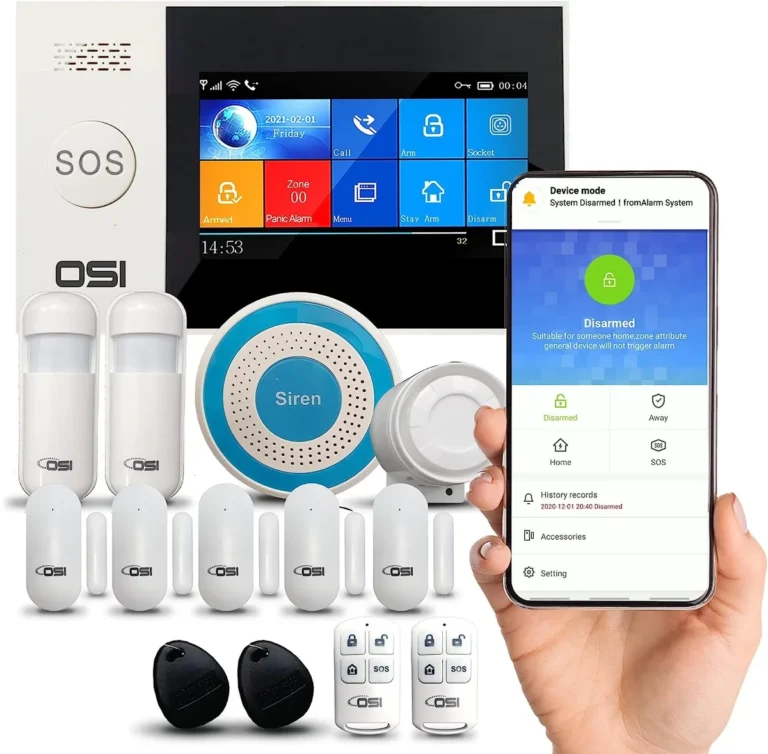
This is where things get much more robust. Many modern security systems, particularly those that are professionally installed or premium DIY options, come equipped with cellular backup. Think of this as a built-in mobile phone signal for your security system.
If your home WiFi network goes offline for any reason, be it an ISP outage, router issues, or even a localized signal jam, the security system automatically detects the loss of WiFi and switches to its cellular connection. This ensures that critical alerts, such as break-in notifications or environmental alarms, are still transmitted to your chosen monitoring service or directly to your mobile device. This feature is a significant upgrade and provides a vital layer of protection when your primary internet is unavailable.
According to industry standards, cellular backup significantly enhances system reliability.
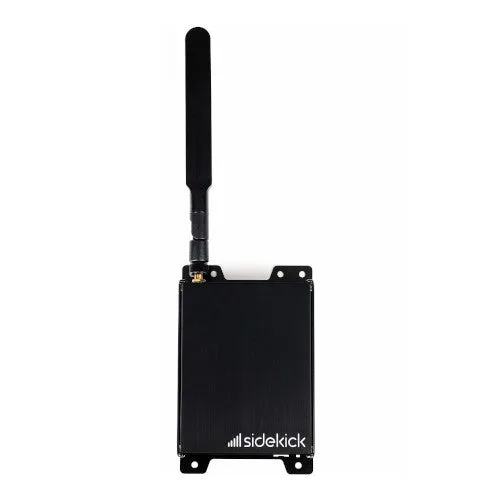
Image source: Bing (Web (fair-use with source credit))
Local Storage: Recording When the Cloud is Unreachable
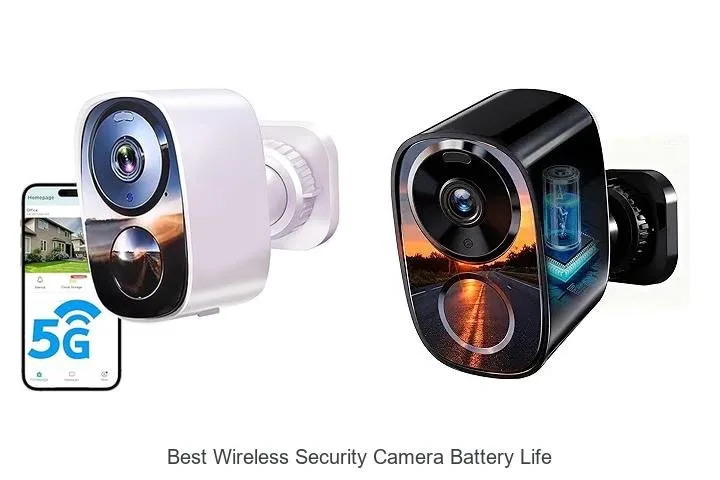
Beyond just sending alerts, many security cameras and some system hubs offer local storage capabilities. This often takes the form of an SD card slot in the device itself or a dedicated hard drive (DVR or NVR) connected to the system. When your WiFi is down, and cloud-based recording or streaming isn't possible, these devices can continue to record footage of events directly onto their local storage media.
This means that even if you don't receive an immediate alert, you will still have recorded evidence of what happened. Once your WiFi connection is restored, you can typically access these local recordings through the system's app or interface. This feature is particularly useful for capturing events that might occur during an extended internet outage.
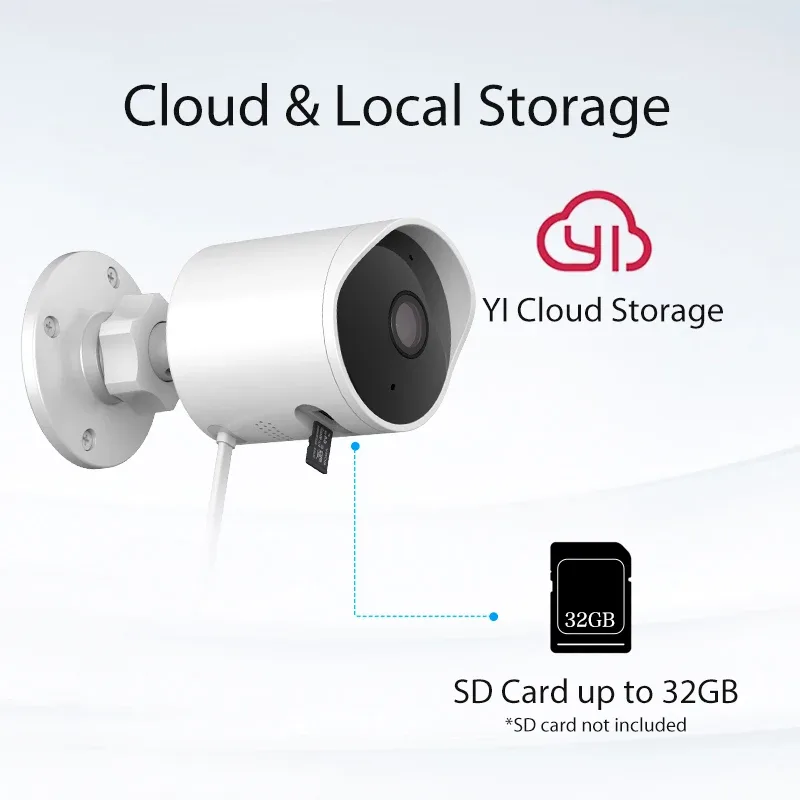
Image source: Web (Bing) / sistastore.com (Web image (fair-use with source credit))
Common Problems When WiFi Fails
Even with backup systems, a WiFi outage can still cause headaches for your security setup. The primary issues usually revolve around the loss of real-time communication and remote control, which can leave you feeling disconnected from your home's safety. While a loud siren might still activate locally, the sophisticated notifications and remote management features are often the first casualties when the internet signal drops.
Missing Real-Time Alerts
The most significant problem when WiFi fails is the interruption of real-time alerts. Your security system relies on a constant internet connection to instantly notify you, or a professional monitoring center, about potential security breaches or emergencies. For instance, if a door sensor is tripped while you're at work, your system typically sends an immediate push notification to your smartphone.
Without WiFi, this notification might never reach you. This means a break-in could be occurring without your immediate knowledge, delaying any response. While cellular backups maintain this alert function, systems without them leave a critical gap in your awareness.
Losing Remote Access and Control
Beyond just receiving alerts, most modern security systems offer robust remote access features through a smartphone app. This allows you to do things like arm or disarm your system from anywhere, check live video feeds from your security cameras, review recorded footage, or even communicate through two-way audio with someone at your door. When your home WiFi network is down, these functionalities become inaccessible.
You can't check if you remembered to arm the system, or see who's at the door, which can be incredibly frustrating and leave you feeling less in control of your home's security, especially during prolonged outages.
When Power Outages Complicate Things
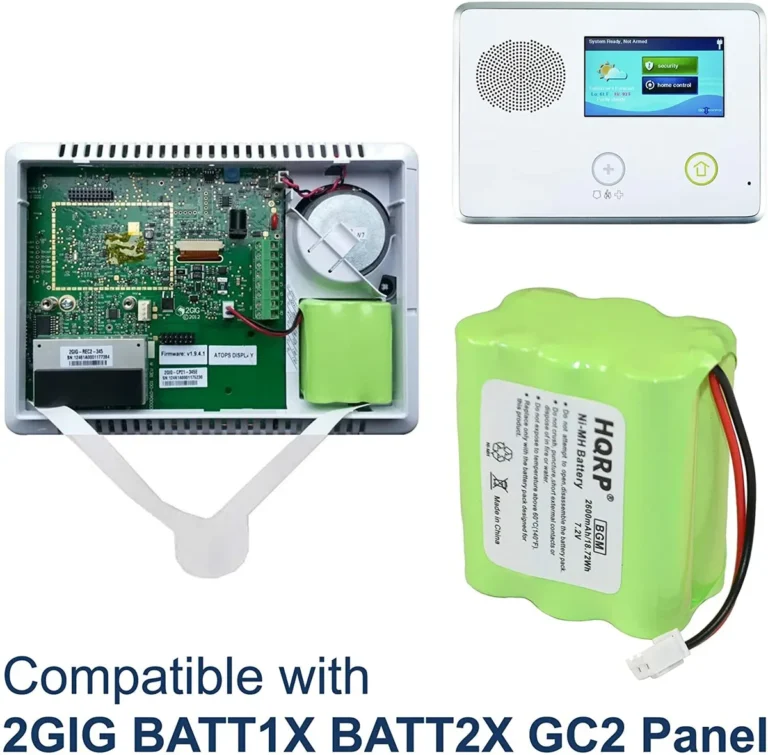
Often, a power outage in your home will directly lead to your WiFi going down, as most routers and modems require electricity to function. This creates a double layer of potential disruption for your security system. While many security system hubs have their own battery backups designed to keep the core functions running for several hours, your WiFi router likely does not, unless you’ve invested in a dedicated Uninterruptible Power Supply (UPS).
If the power goes out and your router shuts down, your WiFi-dependent security system will lose its connection. This scenario highlights why a cellular backup is so valuable; it bypasses the need for a functioning home internet infrastructure altogether.
Your System's Backup Plan: What to Look For
It's easy to assume all security systems will stop working when the internet does, but that's not always the case. Many systems are built with various levels of resilience. The key is understanding what kind of system you have and what features it includes to keep communicating or functioning when your home WiFi isn't available.
This is where the technology really shows its value, by offering alternative pathways for your system's critical operations.
Systems Relying Solely on WiFi
Some of the most basic or older wireless security systems are entirely reliant on your home's WiFi network for communication. These systems often connect directly to your router. If your WiFi signal drops, or your internet service is interrupted, these systems essentially become isolated.
They might still be able to trigger a local alarm, the siren will sound, for instance, but they lose the ability to send any data externally. This means no alerts to your phone, no notifications to a monitoring service, and no ability to remotely check on your home's status. For these devices, a WiFi outage is a complete communication blackout.
The Lifesaver: Cellular Backup Systems
This is where things get much more robust. Many modern security systems, particularly those that are professionally installed or premium DIY options, come equipped with cellular backup. Think of this as a built-in mobile phone signal for your security system.
If your home WiFi network goes offline for any reason, be it an ISP outage, router issues, or even a localized signal jam, the security system automatically detects the loss of WiFi and switches to its cellular connection. This ensures that critical alerts, such as break-in notifications or environmental alarms, are still transmitted to your chosen monitoring service or directly to your mobile device. This feature is a significant upgrade and provides a vital layer of protection when your primary internet is unavailable.
According to industry standards, cellular backup significantly enhances system reliability.
Local Storage: Recording When the Cloud is Unreachable
Beyond just sending alerts, many security cameras and some system hubs offer local storage capabilities. This often takes the form of an SD card slot in the device itself or a dedicated hard drive (DVR or NVR) connected to the system. When your WiFi is down, and cloud-based recording or streaming isn't possible, these devices can continue to record footage of events directly onto their local storage media.
This means that even if you don't receive an immediate alert, you will still have recorded evidence of what happened. Once your WiFi connection is restored, you can typically access these local recordings through the system's app or interface. This feature is particularly useful for capturing events that might occur during an extended internet outage.
Expert Tips for Staying Protected
Maintaining the security of your home means being proactive, especially when it comes to potential points of failure like your internet connection. It's not enough to just set up a system; you need to understand how it performs under stress. Being informed and taking a few simple steps can make a big difference in ensuring your security system continues to protect your home, even when your WiFi is gone.
The first and most crucial step is to understand exactly what your current security system can do if your WiFi goes offline. Don't assume; verify. Dig out your system’s user manual or visit the manufacturer's website.
Look for terms like "cellular backup," "LTE backup," or "battery backup for communication." If you have a system that relies purely on WiFi, assess how critical that remote alert function is to you. For many, especially those with professionally monitored security systems, a loss of WiFi could mean the monitoring center doesn't receive alerts. Understanding these specifics is key to identifying potential vulnerabilities.
If your assessment reveals that your current system is highly vulnerable to WiFi outages, it might be time to consider an upgrade. Systems with built-in cellular backup provide the most reliable solution, as they can automatically switch to a cellular network when the internet connection is lost. This ensures that alerts and communication continue uninterrupted.
When looking at new systems, pay close attention to the specifications regarding communication methods. Some systems offer a cellular backup as a standard feature, while others might have it as an optional add-on module. As of 2026, many manufacturers are emphasizing these redundant communication paths as a standard feature for smart home security.
For more on what to look for in a system, consider what features a home security system should have.
For any system, WiFi-dependent or otherwise, ensuring your router and modem are as resilient as possible is a smart move. The simplest way to achieve this is by connecting them to an Uninterruptible Power Supply (UPS) device. A UPS provides battery power during short electrical outages, giving your router enough time to either reconnect to the internet once power is restored or allowing your security system to continue communicating via cellular backup without interruption.
This small investment can prevent a cascading failure where a brief power flicker takes down both your internet and potentially your security system’s ability to notify you of an event.
Step-by-Step Process: Preparing for WiFi Outages
Proactive preparation is key to ensuring your security system functions as expected, even when your home’s internet connection is unreliable. Think of this as a checklist to ensure your system is ready for anything. It involves understanding your current setup and making a few smart adjustments.
The process isn't complicated, but it requires a bit of focused attention. First, you need to know what components your system has. Does it communicate solely over WiFi, or does it have a cellular backup?
What about local recording capabilities? Next, consider the power source for your critical network devices, like your router and modem.
Setting Up for Resilience
- Inventory Your System: Take stock of all your security devices. Note their primary communication method (WiFi, Ethernet, cellular) and whether they have any local storage options.
- Check Router/Modem Power: Identify if your router and modem have battery backup (UPS) or if they shut down during a power outage. If they shut down, consider purchasing a UPS.
- Verify Cellular Backup Functionality: If your system has cellular backup, test it if possible. Many systems allow for a test mode that simulates an outage.
- Update Firmware: Ensure all your security devices and your router/modem have the latest firmware installed. Updates often include performance improvements and security patches.
Testing Your System's Response
After preparing your system, it's wise to test its response to a simulated outage. This isn't about intentionally cutting off your internet, but rather understanding how it behaves. You can often do this by temporarily disconnecting your modem from the internet source or by putting your router into a "guest" mode that limits its functionality.
Observe if you still receive alerts on your phone, and if you can still access your cameras. This hands-on verification is more telling than just reading specifications.
Mistakes to Avoid: What Can Go Wrong
When dealing with WiFi outages and security systems, several common mistakes can leave you more vulnerable than you realize. Many of these stem from assumptions about how systems work or a lack of understanding about their limitations. Being aware of these pitfalls can help you avoid them and ensure your home's protection remains robust.
- Assuming All Systems Are Equal: Not all security systems are designed with robust backup communication. A system that is WiFi-only is inherently less resilient than one with cellular backup. Relying on a single communication method is a significant oversight.
- Ignoring Power for Network Gear: Many people forget that their WiFi router needs power. If you experience a power outage, your WiFi dies along with it, impacting any WiFi-dependent security devices. Not using a UPS for your router is a common mistake.
- Not Testing Your Backup: If your system has cellular backup, don't just assume it works. Manufacturers recommend periodic testing to ensure the backup communication link is active and functioning correctly. A test failure means you need to contact your provider.
- Overlooking Local Storage: While cloud storage is convenient, relying solely on it means no recordings during an outage. If your system has local storage options (like an SD card), ensure it's functional and has adequate space.
Use Cases: Who Needs Robust WiFi-Outage Protection?
The need for a security system that can handle WiFi outages varies depending on your lifestyle and property. Some homeowners might find their existing setup adequate, while others absolutely require a more resilient solution. Understanding these different scenarios can help you determine if you need to prioritize backup communication features.
For individuals or families who travel frequently, or for those who own vacation homes, a system with reliable cellular backup is almost essential. Being able to receive alerts and monitor their property remotely, regardless of local WiFi availability, provides critical peace of mind. Similarly, if you live in an area prone to frequent power outages or ISP disruptions, a system that can operate independently of your home internet is a wise investment.
Even for those who are home most of the time, the possibility of a missed alert during an emergency is a risk many prefer not to take.
Costs and Specifications: What to Expect
When evaluating security systems for their resilience against WiFi outages, understanding the associated costs and specific technical details is important. While basic WiFi-only systems might seem cheaper upfront, the long-term security implications could outweigh the initial savings. Features like cellular backup and local storage often come with added costs, either through device price increases or ongoing monthly fees.
- Cellular Backup Fees: Many systems with cellular backup charge a monthly fee, typically ranging from $5 to $20, on top of any basic monitoring costs. This fee covers the data transmission for the backup signal.
- Local Storage Costs: SD cards for cameras can range from $15 to $50 depending on storage capacity, often between 32GB and 256GB. DVRs or NVRs for more extensive local recording can cost several hundred dollars.
- UPS for Routers: A good quality UPS for your modem and router can cost anywhere from $50 to $150, depending on the capacity and features. This is a one-time purchase that benefits your entire network.
- System Lifespan: Keep in mind that security systems have a lifespan, generally between 8 to 15 years, with components like batteries needing periodic replacement. How long do home security systems last is a key consideration when planning for ongoing protection.
Frequently Asked Questions About WiFi Outages and Security
What is the biggest risk when WiFi goes down with a security system?
The biggest risk is missing critical alerts and losing remote access to your system.
Does a cellular backup system still need WiFi?
No, a cellular backup system can operate independently if the WiFi connection fails.
Can my security camera still record if my WiFi is down?
Yes, if the camera has local storage (like an SD card), it can record events to that media.
How long will my security system's battery backup last?
Battery backup duration varies significantly by manufacturer and system model, typically ranging from 4 to 24 hours.
Is cellular backup expensive?
Cellular backup usually involves a small monthly fee, often bundled with professional monitoring services.
Decision Guide: Choosing the Right Protection for Your Needs
When thinking about what happens if WiFi goes down with a security system, your choice boils down to how much risk you're willing to accept and what level of continuous protection you need. For basic deterrence and local alarms, a WiFi-only system might suffice. However, if real-time alerts and remote access are non-negotiable, a system with cellular backup is the superior choice.
Consider your priorities: do you need instant notification of every event, or is having local recordings available later acceptable? If you have a professionally installed system, discuss backup options with your provider. For DIY setups, prioritize models that explicitly state they offer cellular communication as a failover.