How Much Power Does a CCTV Camera Use?
When you're setting up a security camera system, one of the most practical questions you'll have is: How much power does a CCTV camera use? It's not just about knowing the wattage; it’s about ensuring your power supply can handle everything without a hitch, especially if you want reliable footage when you need it most.
Our research shows that power consumption varies a good deal, but understanding the core factors helps you plan efficiently. For instance, many standard dome cameras draw between 2 to 5 watts, while more advanced units like pan-tilt-zoom models can easily hit 10 to 25 watts or more, particularly when their night vision or zoom features are active.
Quick Answer
Most CCTV cameras use between 2 to 10 watts. Basic indoor cameras might only need 2-5 watts, while cameras with active night vision can reach up to 10 watts. Advanced Pan-Tilt-Zoom (PTZ) cameras often consume 10-25 watts or more.
Power over Ethernet (PoE) is a common delivery method, adhering to IEEE 802.3 standards.
What Drives CCTV Camera Power Consumption?
The amount of electricity a CCTV camera draws isn't a static figure; it's influenced by several key components and their operational demands. Think of it like a car, its fuel consumption changes based on how you drive it and what features you use. For cameras, these "driving" factors are pretty predictable once you know what to look for.
The Main Wattage Factors
At its core, a CCTV camera's power usage is determined by the components that are actively working. The central processing unit, image sensor, and any connected peripherals all contribute to the overall draw. Manufacturer specifications, which you'll often find on the camera's packaging or manual, will list its typical power consumption in watts (W).
This figure is your best guide for calculating system needs.
The Night Vision's Energy Bite
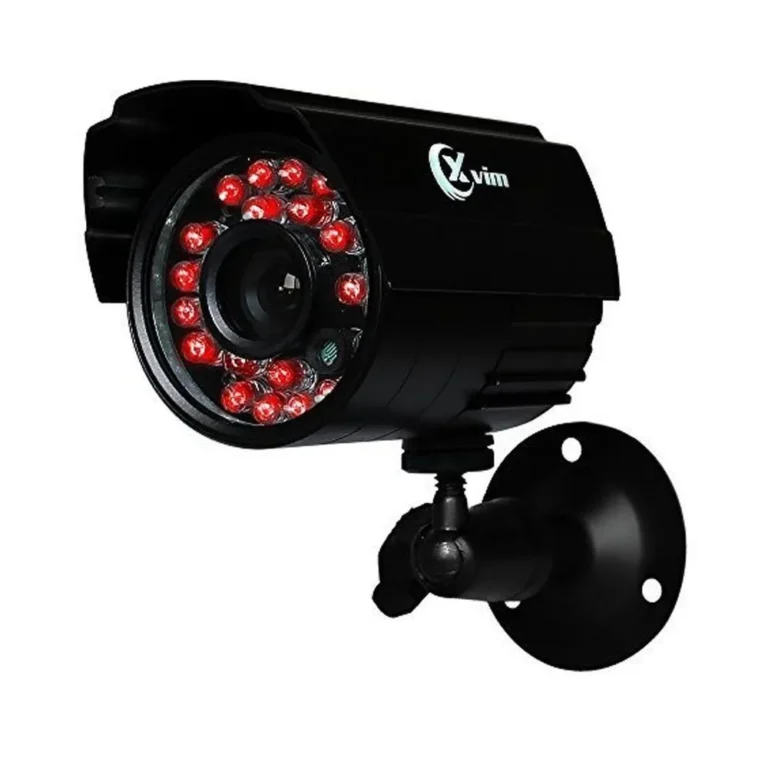
Infrared (IR) LEDs, which enable a camera to see in complete darkness, are often the biggest power draw on a camera. When activated, these LEDs require a significant amount of electricity to emit sufficient light for the sensor to capture an image. If your camera is consistently in a low-light environment, those IR LEDs will be on much of the time, increasing its average wattage.
For example, a camera might use 3 watts with its IR LEDs off, but jump to 7 watts when they're active.
PTZ Cameras: The Power Hungry Ones
Pan-Tilt-Zoom (PTZ) cameras are the heavyweights when it comes to power consumption. These units have motors to move the camera's lens and body, allowing for remote control of their viewing direction and zoom level. This mechanical operation, combined with high-resolution sensors and powerful IR illuminators that are often built-in, means they require considerably more power than a fixed-lens camera.
It's not uncommon for a PTZ camera to need between 10 to 25 watts, and some industrial-grade models can exceed this, especially when actively panning, tilting, or zooming.
Understanding CCTV Power Delivery Methods
How your CCTV camera receives its power significantly impacts your installation and system design. You'll primarily encounter two common methods: dedicated power adapters and Power over Ethernet (PoE). Each has its own advantages and specific requirements.
Power Adapters Explained
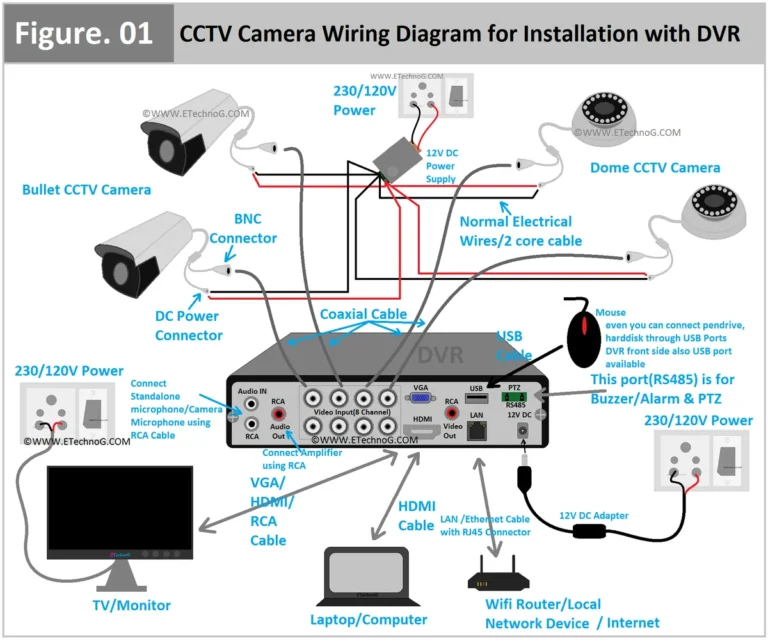
This is the most straightforward method. A CCTV camera powered by an adapter uses a small transformer that plugs into a standard wall outlet, converting the AC power from your home or business into the DC power the camera needs. Most cameras using this method typically require a 12-volt DC adapter, and the amperage (mA or A) will be specified.
It's essential to match the adapter's output voltage and amperage to the camera's requirements precisely to avoid damage or poor performance. If you're only installing one or two cameras, this can be a simple and cost-effective solution.
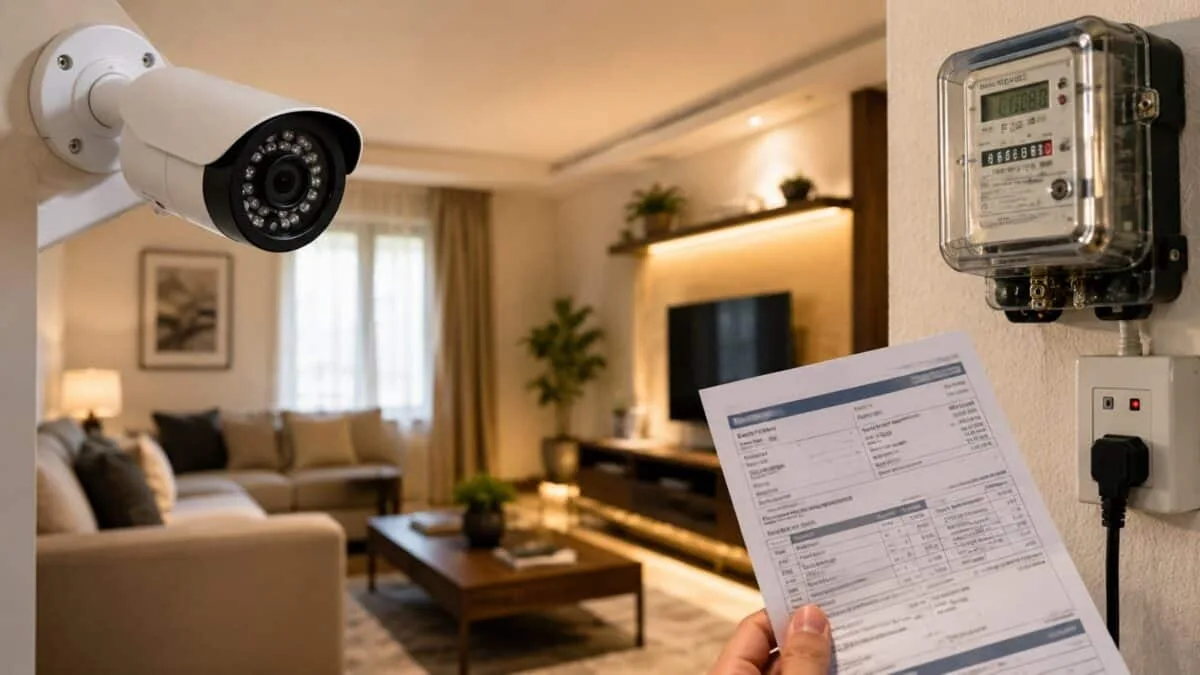
Image source: Bing (Web (fair-use with source credit))
The Convenience of Power over Ethernet (PoE)
Power over Ethernet, often abbreviated as PoE, is a game-changer for many installations. It allows a single Ethernet cable to carry both data and electrical power to the CCTV camera. This means you don't need to run a separate power cable to each camera location, simplifying installation and reducing the number of outlets required.
PoE is standardized under IEEE 802.3 specifications, with different versions (like 802.3af, 802.3at, and 802.3bt) supporting different power levels. A PoE-enabled network switch or a PoE injector at the network's hub provides the power, which is then distributed to the cameras connected via Ethernet. This is particularly useful for outdoor cameras or those mounted in hard-to-reach places.
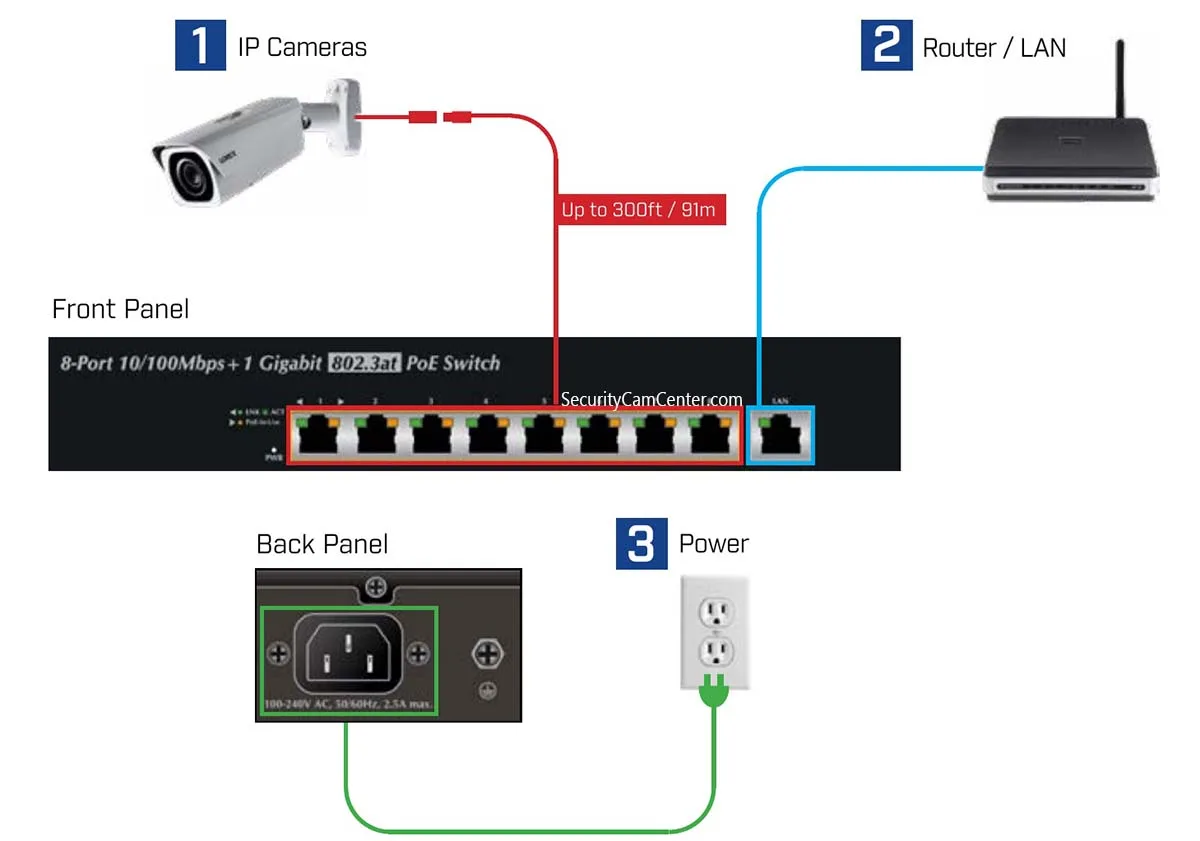
Image source: Bing (Web (fair-use with source credit))
Estimating Your Camera's Power Needs
Figuring out the exact wattage your CCTV cameras will draw is key to designing a stable and reliable surveillance system. This involves understanding the typical ranges and when those numbers might creep up, impacting your power source or battery backup plans. It's about anticipating the system's demands before installation.
Typical Wattage Ranges by Camera Type
In our research of common CCTV camera specifications, we found a fairly consistent range for different types of devices. Basic indoor and outdoor bullet or dome cameras, often referred to as fixed-lens cameras, are generally the most power-efficient. These typically operate within 2 to 5 watts.
When you add features like active infrared night vision, that number can climb to 5 to 10 watts. For more advanced cameras, especially those with PTZ capabilities, the requirements increase significantly. These models often draw between 10 to 25 watts, and some high-end PTZ units designed for extensive night operation or rapid movement can exceed 25 watts.
Understanding these figures helps you size up your power supply or PoE switch accordingly.
When Does Power Use Spike?
A camera’s power consumption isn't constant; it fluctuates based on its activity. The biggest spikes usually occur when the camera is performing power-intensive tasks. For cameras with night vision, the IR LEDs will draw more power when they are actively illuminating a scene, especially in darker conditions.
PTZ cameras consume more power when their motors are engaged for panning, tilting, or zooming. Additionally, high-resolution video streaming, particularly at higher frame rates, demands more processing power and thus more electricity. If your system is configured for continuous recording, the power draw will be more stable than systems that only activate recording during motion detection, which can lead to intermittent power surges.
Knowing when these spikes happen is crucial for planning battery backup capacity, ensuring that critical moments are not missed during power interruptions.
Planning Your CCTV Power Setup
Once you know how much power your individual cameras use, the next logical step is to plan how to supply that power reliably to your entire system. This involves thinking about the total load and how to keep your cameras running even when the main power source fails. Proper planning here prevents future headaches and ensures your surveillance system is always on guard.
Sizing Power Supplies for Multiple Cameras
When you're installing more than one camera, you can't just add up their individual wattages and expect it to work perfectly without considering the power source's capacity. If you're using individual power adapters, you'll need enough outlets, and critically, the adapters themselves must be rated for the camera's requirements. For systems using Power over Ethernet (PoE), the calculation is more centralized.
You'll need a PoE switch or injector that can supply enough total power to all connected cameras. For example, if you have four cameras each drawing 8 watts, you'd ideally want a PoE switch with a total power budget of at least 40 watts (4 cameras x 8 watts + a small buffer), ensuring it can handle peak demand from all devices simultaneously. It's always wise to choose a power supply with a little extra capacity, as this reduces strain on the unit and can prevent issues like Why Is My Security Camera Delayed due to power limitations.
Ensuring Uptime with Battery Backup (UPS)
Power outages can be a major vulnerability for any CCTV system, leaving you blind when you might need your cameras most. This is where an Uninterruptible Power Supply (UPS) becomes essential. A UPS contains a battery that kicks in instantly when main power is lost, providing a temporary power source.
To select the right UPS, you first need to calculate the total wattage of all your cameras and any other critical equipment you want to keep online (like your network router or DVR/NVR). Once you have that total wattage, you can consult UPS specifications. They are rated in volt-amperes (VA) and watts.
It's crucial to choose a UPS that can handle your total wattage, and consider how long you need your system to run on battery power. A UPS rated for 1000 VA might support several lower-wattage cameras for an hour, whereas a higher-capacity unit would be needed for longer runtimes or more power-hungry cameras.
Common Power-Related Mistakes to Avoid
When setting up a CCTV system, focusing solely on video quality or camera placement can lead you to overlook crucial power considerations. Making a few common mistakes with power can render your entire investment unreliable or even damage your equipment. It's about avoiding those simple errors that cause big problems down the line.
- Mismatched Power Adapters: Using a power adapter with the wrong voltage (e.g., a 9V adapter for a 12V camera) or insufficient amperage is a frequent oversight. This can lead to cameras not powering on, freezing, or even suffering permanent damage to their internal circuitry. Always double-check the camera's power requirements against the adapter's specifications.
- Overloading PoE Switches: A common error is connecting more cameras to a PoE switch than its total power budget can support. This might not cause immediate failure, but it can lead to unstable connections, dropped video feeds, or devices intermittently losing power. This can also contribute to Why Is My Security Camera Not Detecting Motion if the camera is struggling to stay online.
- Ignoring Peak Wattage: Many calculations are based on average power draw. However, cameras, especially PTZ units or those with IR activation, can have a peak wattage that is significantly higher than their average. Not accounting for this peak demand when sizing a UPS or PoE switch can lead to system failures during critical moments.
- Poor Cable Quality for PoE: Using low-quality or damaged Ethernet cables with PoE can result in power loss over distance or insufficient power reaching the camera. This can manifest as intermittent connectivity or poor video performance, contributing to issues like How to Improve Security Camera WiFi Signal even if the camera is wired. Ensure you use appropriate gauge Ethernet cables rated for your PoE standard.
- Neglecting Environmental Factors: While not directly a power connection mistake, extreme temperatures can affect a camera's power efficiency and longevity. Cameras operating in very cold or very hot environments might draw more power to regulate internal temperatures.
CCTV Camera Power Consumption: What Affects the Numbers?
The power consumption of your CCTV camera isn't just a single number; it’s a dynamic figure that changes based on what the camera is doing. Several key features and operational states directly influence how much electricity it draws. Understanding these factors is crucial for accurate system planning, whether you're setting up a single camera or a comprehensive network.
Resolution and Frame Rate Impacts
Higher video resolution means more pixels to process and transmit, which naturally requires more processing power and thus, more electricity. A 4K camera, for instance, will use more power than a 1080p camera because it's handling a significantly larger amount of data per second. Similarly, a higher frame rate (e.g., 30 frames per second versus 15) also increases data throughput and demands more processing power, leading to higher wattage usage.
This is why cameras optimized for detailed surveillance in critical areas might consume more power than those used for general monitoring.
The Role of Connectivity: PoE vs. Separate Power
The way your camera connects to your network and receives power plays a big role in its overall power needs and installation complexity. As we've touched on, Power over Ethernet (PoE) is a streamlined solution that delivers both data and power through a single Ethernet cable. This eliminates the need for separate power adapters and outlets near the camera, simplifying wiring, especially for outdoor installations or in locations where running extra power lines would be difficult.
A PoE-enabled switch, following standards like IEEE 802.3at, distributes power to connected devices.
On the other hand, cameras that do not support PoE require their own dedicated power adapter, typically plugged into a standard electrical outlet. This method is straightforward but means you need a power source in proximity to each camera, potentially leading to more visible wiring and the need for multiple outlets or power strips. While PoE offers convenience and cleaner aesthetics, the power consumption of the camera itself might be similar whether it's powered via PoE or a separate adapter, assuming both deliver the required voltage and amperage.
The choice often comes down to installation ease, existing infrastructure, and system scalability.
CCTV Camera Power Consumption: What Affects the Numbers?
The power consumption of your CCTV camera isn't just a single number; it’s a dynamic figure that changes based on what the camera is doing. Several key features and operational states directly influence how much electricity it draws. Understanding these factors is crucial for accurate system planning, whether you're setting up a single camera or a comprehensive network.
Resolution and Frame Rate Impacts
Higher video resolution means more pixels to process and transmit, which naturally requires more processing power and thus, more electricity. A 4K camera, for instance, will use more power than a 1080p camera because it's handling a significantly larger amount of data per second. Similarly, a higher frame rate (e.g., 30 frames per second versus 15) also increases data throughput and demands more processing power, leading to higher wattage usage.
This is why cameras optimized for detailed surveillance in critical areas might consume more power than those used for general monitoring.
The Role of Connectivity: PoE vs. Separate Power
The way your camera connects to your network and receives power plays a big role in its overall power needs and installation complexity. As we've touched on, Power over Ethernet (PoE) is a streamlined solution that delivers both data and power through a single Ethernet cable. This eliminates the need for separate power adapters and outlets near the camera, simplifying wiring, especially for outdoor installations or in locations where running extra power lines would be difficult.
A PoE-enabled switch, following standards like IEEE 802.3at, distributes power to connected devices.
On the other hand, cameras that do not support PoE require their own dedicated power adapter, typically plugged into a standard electrical outlet. This method is straightforward but means you need a power source in proximity to each camera, potentially leading to more visible wiring and the need for multiple outlets or power strips. While PoE offers convenience and cleaner aesthetics, the power consumption of the camera itself might be similar whether it's powered via PoE or a separate adapter, assuming both deliver the required voltage and amperage.
The choice often comes down to installation ease, existing infrastructure, and system scalability.
CCTV Camera Power Consumption: What Affects the Numbers?
The power consumption of your CCTV camera isn't just a single number; it’s a dynamic figure that changes based on what the camera is doing. Several key features and operational states directly influence how much electricity it draws. Understanding these factors is crucial for accurate system planning, whether you're setting up a single camera or a comprehensive network.
Resolution and Frame Rate Impacts
Higher video resolution means more pixels to process and transmit, which naturally requires more processing power and thus, more electricity. A 4K camera, for instance, will use more power than a 1080p camera because it's handling a significantly larger amount of data per second. Similarly, a higher frame rate (e.g., 30 frames per second versus 15) also increases data throughput and demands more processing power, leading to higher wattage usage.
This is why cameras optimized for detailed surveillance in critical areas might consume more power than those used for general monitoring.
The Role of Connectivity: PoE vs. Separate Power
The way your camera connects to your network and receives power plays a big role in its overall power needs and installation complexity. As we've touched on, Power over Ethernet (PoE) is a streamlined solution that delivers both data and power through a single Ethernet cable. This eliminates the need for separate power adapters and outlets near the camera, simplifying wiring, especially for outdoor installations or in locations where running extra power lines would be difficult.
A PoE-enabled switch, following standards like IEEE 802.3at, distributes power to connected devices.
On the other hand, cameras that do not support PoE require their own dedicated power adapter, typically plugged into a standard electrical outlet. This method is straightforward but means you need a power source in proximity to each camera, potentially leading to more visible wiring and the need for multiple outlets or power strips. While PoE offers convenience and cleaner aesthetics, the power consumption of the camera itself might be similar whether it's powered via PoE or a separate adapter, assuming both deliver the required voltage and amperage.
The choice often comes down to installation ease, existing infrastructure, and system scalability.