How Much Power Does a Home Security System Use
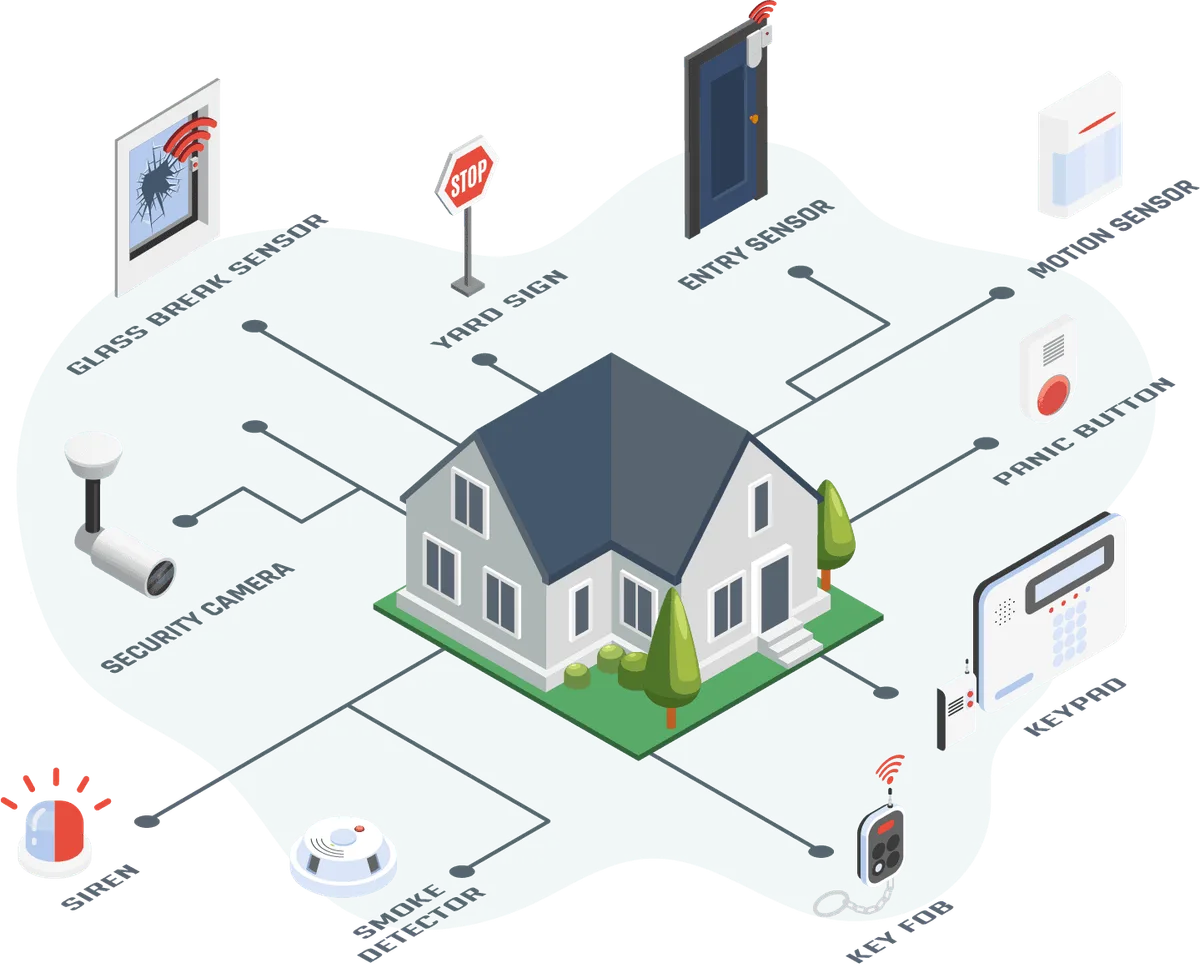
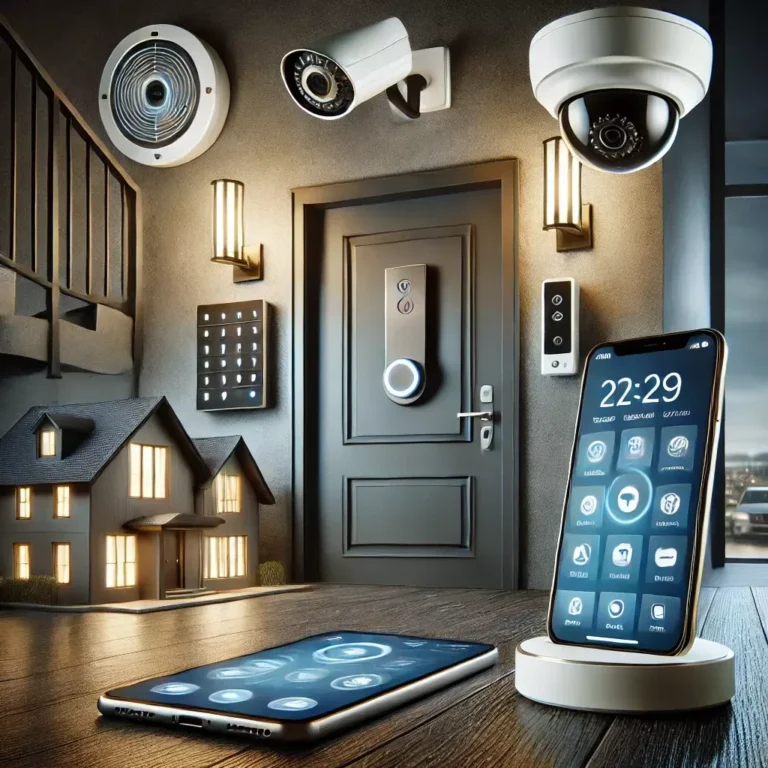
Image source: Web (Bing) / security.org (Web image (fair-use with source credit))
When planning your home security or monitoring energy bills, understanding "How much power does a home security system use?" is practical. These systems operate 24/7, and every component contributes to the overall draw. This knowledge aids in budgeting electricity costs and integrating your system with smart home energy management.
Our research found power consumption varies widely, from a few watts for simple sensors to tens of watts for cameras. For context, a standard LED light bulb uses 5-10 watts. Components like security cameras, central hubs, and smart locks significantly influence the overall draw, especially when active.
Quick Answer
A typical home security system uses between 5 and 50 watts, escalating with more cameras or advanced smart features. Simple wireless sensors might draw less than 1 watt, while an active security camera can pull 10-20 watts or more when recording and transmitting video. The central hub and cameras are the primary power consumers, particularly during active use.
Understanding the Power Draw: What You Need to Know
Home security systems are designed for constant vigilance, meaning they draw power continuously. However, power needs vary significantly between systems. We've detailed the core energy-consuming components and their power sources.
Wired vs. Wireless Power: The Basic Differences
The fundamental difference in power draw stems from whether components are wired or wireless. Wired systems connect directly to home electrical outlets, often via a central hub that distributes power or signals. Wireless systems primarily use batteries for sensors, cameras, and some hubs, though many wireless hubs require mains power for continuous operation.
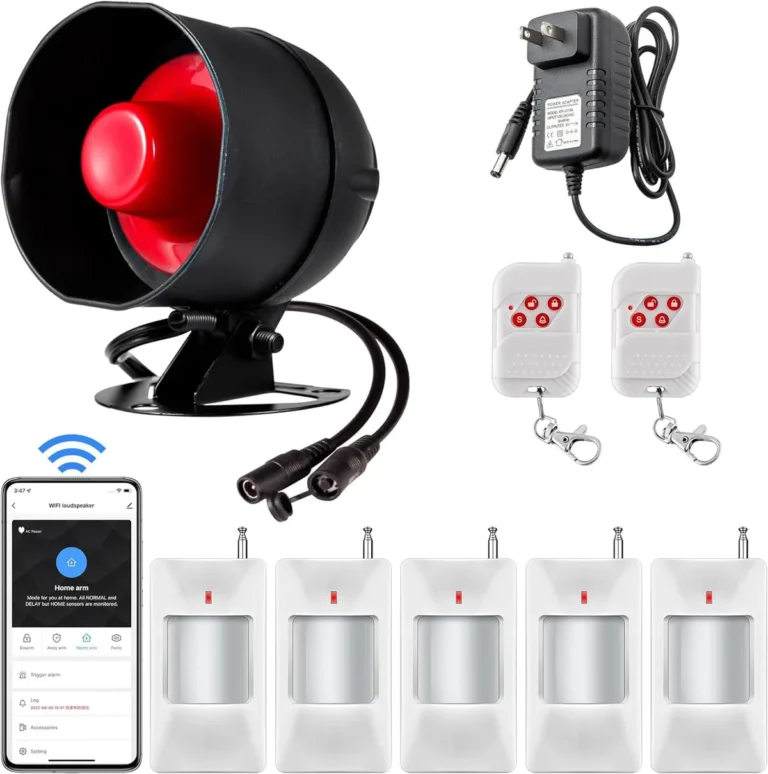
Manufacturer specifications indicate wired components have a consistent power draw that adds directly to your electricity bill. Wireless components offer flexibility but require ongoing battery replacements, which incur costs and have environmental implications. A wired door sensor might consume a fraction of a watt, while a wireless equivalent using a coin-cell battery might last a year or more, effectively drawing near-zero continuous power from the mains.
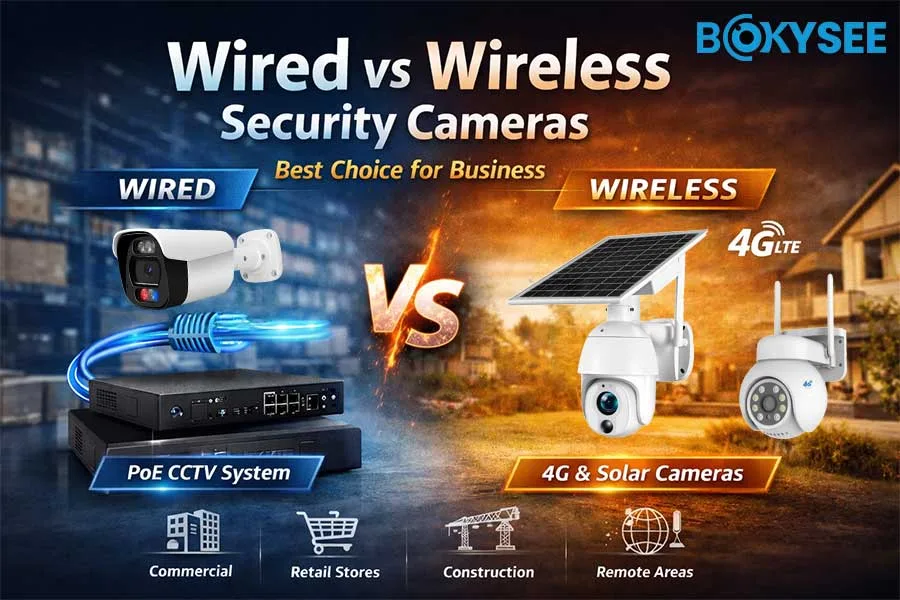
Image source: Bing (Web (fair-use with source credit))
What Components Use the Most Power?
Not all security system parts equally affect your power bill. Aggregate reviews indicate security cameras and the central hub or base station are typically the biggest power consumers.
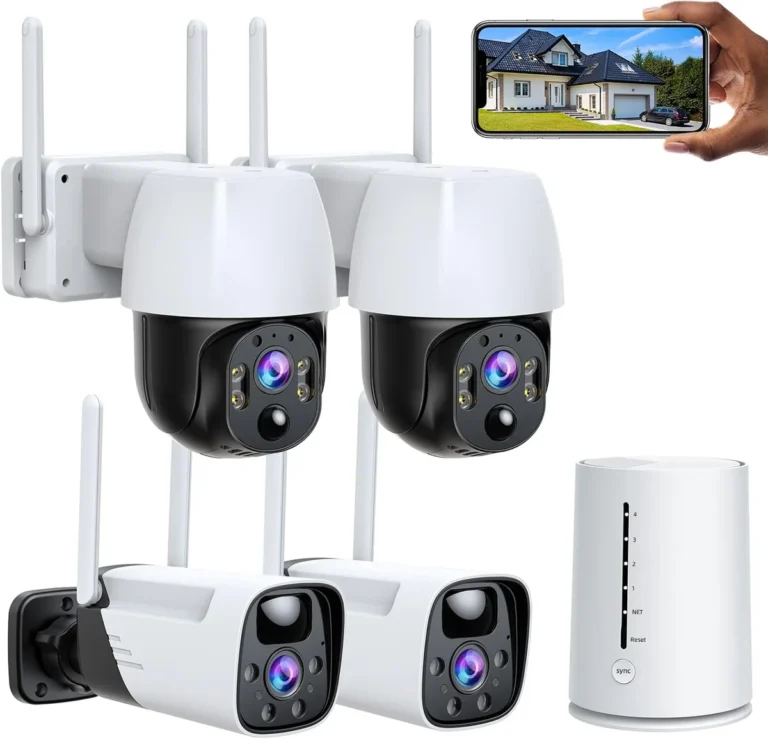
- Security Cameras: These are often the most power-hungry. Outdoor cameras, especially those with infrared (IR) night vision, continuous recording, or high-resolution streaming, draw more power than indoor models. An active camera recording and uploading footage can consume 10-20 watts or more, while a camera in standby mode might use only 2-5 watts.
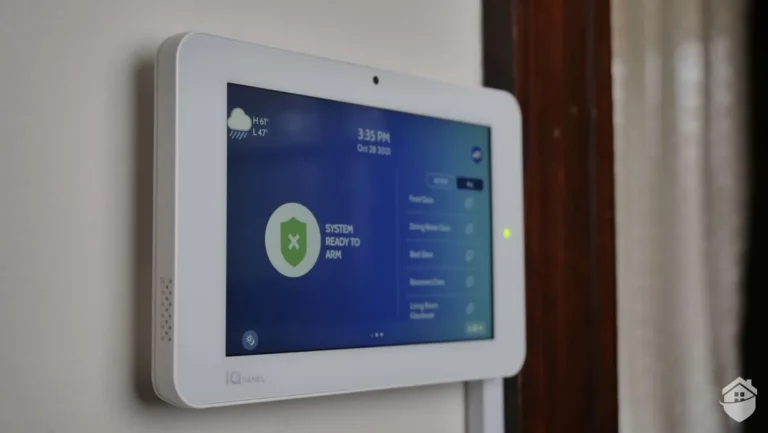
- Central Hub/Base Station: As the system's brain, it requires constant power to communicate with sensors, process alerts, and connect to your network. Power draw ranges from 5 to over 20 watts, depending on features like built-in sirens or cellular backup.
- Keypads and Other Sensors: Motion sensors, door/window sensors, and keypads consume very little power. Wireless versions are designed for battery longevity, meaning their active draw from a mains adapter (if applicable) is minimal, often less than 1 watt. Their primary power source is their battery.
- Smart Locks: If included, smart locks draw power when locking, unlocking, or communicating status. This draw is typically low, often under 5 watts, but cumulative with multiple locks.
Factors That Change Your System's Power Consumption
Your security system's power usage is not static; it's dynamic and depends on several key factors. Understanding these variables helps predict and manage your system's energy footprint, akin to how driving style affects a car's fuel efficiency.
Active Use vs. Standby: When Does it Really Draw Power?
This is a major differentiator in power consumption for cameras and the central hub. Standby mode, where a device is "listening" or waiting for a trigger, consumes minimal power. Active use, such as a camera recording, a sensor detecting motion, or the hub sending an alert, significantly increases power draw.
A wireless security camera might draw only 2-3 watts when idle, maintaining its connection. When motion is detected and it starts recording, streaming video, and sending notifications, that draw can jump to 15-25 watts or more. Similarly, a central hub might operate at 5 watts on standby but spike to 10-15 watts when actively processing an alarm.
The National Electrical Code (NEC) mandates that all electrical installations be safe and properly rated for their intended use, accounting for power spikes during active use.
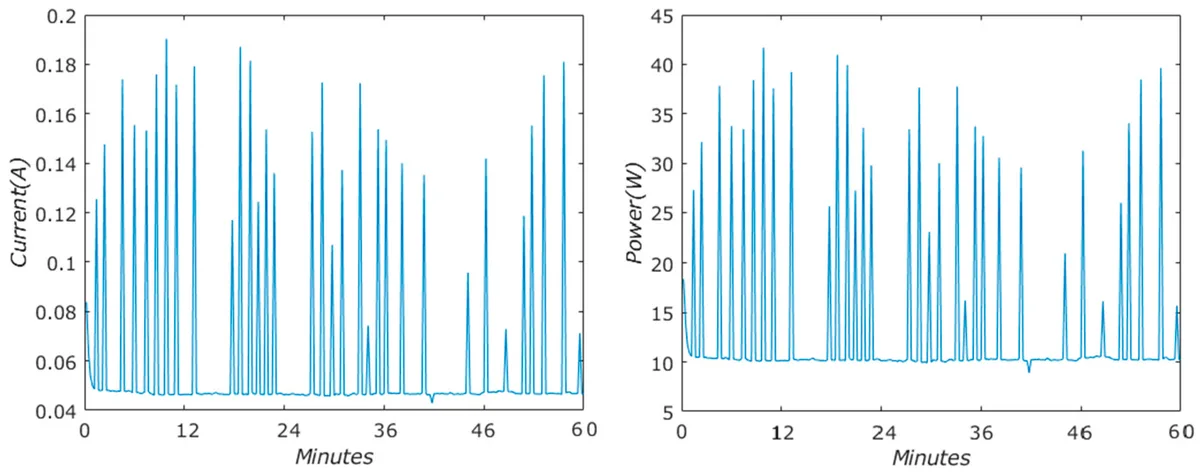
Image source: Web (Bing) / mdpi.com (Web image (fair-use with source credit))
The Impact of Smart Features and Connectivity
Modern home security systems increasingly integrate with smart home ecosystems. Features like high-definition video streaming, two-way audio, cloud storage backups, and constant Wi-Fi or cellular connectivity increase power demands. The "smarter" the system, the more power it likely consumes.
- High-Definition Video: Streaming and recording in 1080p or 4K resolution requires more processing power and bandwidth, leading to higher energy draw from cameras.
- Cloud Connectivity: Constantly uploading footage, event logs, and system status to cloud servers demands continuous power for data transmission from the hub and cameras.
- Two-Way Audio: Using the intercom feature on a security camera actively processes audio streams on both the camera and hub, increasing power usage.
- Wireless Protocols: While designed for efficiency, multiple wireless protocols (Wi-Fi, Z-Wave, Zigbee) running simultaneously on a central hub can increase its overall power draw compared to a simpler, single-protocol hub.
Estimating Your System's Energy Usage
Estimating your specific system's power consumption involves understanding key numbers and basic calculations. This provides a realistic estimate for budgeting and energy management, rather than precise milliwatt measurements.
Calculating Wattage: A Practical Approach
To estimate power consumption, determine the wattage of each component. This information is usually found on the device's label, in the user manual, or on the manufacturer’s website. Look for specifications like "Input: 100-240V ~ 50/60Hz, 1.0A." The power draw is approximately 1 Ampere multiplied by the Voltage (using a standard 120V for US households: 1A * 120V = 120 Watts maximum for that adapter, though actual draw is usually lower).
More often, direct wattage is listed, such as "Power Consumption: 8W."
Once you have component wattages, calculate total daily or monthly usage:
- Total Wattage: Sum the wattage of all active components.
- Hours of Operation: Estimate daily active power draw for each component (considering standby vs. active use).
- Kilowatt-hours (kWh): Multiply total wattage by hours of operation, then divide by 1,000 for daily kWh. Example: 20 watts continuous for 24 hours: (20W * 24 hours) / 1000 = 0.48 kWh per day.
- Monthly Cost: Multiply daily kWh by days in the month, then by your local electricity rate (e.g., $0.15 per kWh). Example: 0.48 kWh/day * 30 days * $0.15/kWh = $2.16 per month.
This calculation serves as a starting point; active use and standby draw can alter the figure.
Battery Backup: How Long Will It Last?
Most modern security systems include a battery backup for the central hub, ensuring operation during power outages. Battery capacity, measured in milliampere-hours (mAh) or ampere-hours (Ah), determines backup duration. Manufacturer specifications often list expected backup times, typically 4 to 24 hours, depending on the system's power draw and battery capacity.
For example, a system drawing 10 watts continuously might use a 12-volt, 7 Ah (7000 mAh) battery. Theoretically, this battery could power the system for about 8.4 hours (7000 mAh / 10W / 12V ≈ 58.3 hours at 1A draw; 7Ah / 0.083A ≈ 84 hours). This is a simplified calculation; actual run time is affected by battery health, temperature, and varying component draw.
Periodically test your battery backup, especially in areas prone to frequent power interruptions.
Reducing Your Home Security System's Power Footprint
To minimize your home security system's impact on your electricity bill, smart choices are key. This approach focuses on efficiency without compromising security.
Smart Choices for Lower Consumption
Selecting and configuring components wisely offers the most effective way to reduce power draw.
- Opt for Wireless Sensors: For less critical entry points like interior doors or accessible windows, wireless sensors are ideal. They run on batteries, minimally impacting your mains electricity bill.
- Choose Energy-Efficient Cameras: When cameras are needed, select models rated for low power consumption. Some cameras offer adjustable resolution and frame rates, reducing power draw when high-definition footage is not essential.
- Disable Unused Features: Turn off features you don't actively use, such as advanced motion detection zones on less critical cameras or two-way audio if it will not be utilized.
- Strategic Placement: For motion-activated cameras, position them to minimize false triggers. Every unnecessary recording event consumes more power.
Maintaining Your System for Optimal Efficiency
Regular maintenance ensures smooth and efficient system operation, indirectly managing power consumption.
- Check Battery Health: For wireless components, regularly monitor battery levels. Low batteries can sometimes increase power draw as devices attempt to maintain connection or report status. Promptly replace batteries per manufacturer recommendations (e.g., annually for many sensors).
- Update Firmware: Firmware updates often include power management improvements. Keeping your system's software current ensures you benefit from these optimizations. Verified buyer feedback reports some updates have led to noticeable battery life improvements for wireless devices.
- Inspect Wired Connections: For wired systems, periodically check power adapters and cables for damage or wear. A faulty connection can lead to inefficient power draw or safety hazards.
Common Pitfalls When Considering Power Usage
While focusing on features, cost, and installation, underestimating power consumption can lead to issues. Avoid these common mistakes:
- Ignoring Battery Costs: For wireless systems, the recurring cost and effort of battery replacements can be significant, especially for multiple components, overshadowing the initially low mains electricity draw.
- Overestimating Camera Needs: Installing cameras on every corner is tempting but increases total power draw, particularly for continuously recording or feature-rich models. Careful assessment of necessary camera placements saves energy.
- Not Factoring in Total System Draw: Individual sensor power usage may be low, but the combined draw of the hub, multiple cameras, keypad, and smart lock can become substantial, impacting monthly bills.
- Forgetting About Standby Power: Many electronic devices, including security system components, draw low levels of "standby" or "phantom" power continuously. Even if individual standby draw is low, it accumulates over time. UL certification standards for power supplies ensure standby power efficiency, but it's never truly zero.
Frequently Asked Questions About Security System Power
How much power does a typical wireless security camera use?
A wireless security camera uses very little power on standby, typically under 5 watts. However, when actively recording, streaming video, or using night vision, this can increase to 10-25 watts or more.
Do wired or wireless systems use more electricity?
Wired systems generally contribute more directly to electricity bills due to mains power connections. Wireless systems rely on batteries, incurring minimal direct electricity usage but requiring ongoing battery replacement costs and maintenance.
How can I reduce the power consumption of my security cameras?
Reduce camera power draw by lowering resolution settings, opting for motion-activated recording over continuous recording, and ensuring they are not unnecessarily triggering night vision in low-light conditions.
What is phantom power, and does it affect my security system?
Phantom power (standby or vampire power) is the energy a device consumes when off or in standby. Your security system's central hub and wired components draw phantom power, though modern systems are designed for relative efficiency in this regard.
Step-by-Step Process: Setting Up for Efficiency
Considering power needs during initial setup or when adding components can save future hassle and money. Informed choices during installation are crucial.
Planning Your System's Power Needs
Before installation, map component locations and their power sources. For wired devices, identify nearby outlets or plan for new electrical lines. For wireless devices, consider battery accessibility for future replacements.
Our research indicates that a thorough pre-installation plan helps prevent energy-related issues, aligning with general electrical safety guidelines for power distribution planning.
Connecting Components: Wired vs. Wireless Considerations
When using wired cameras or sensors, ensure power adapters match the voltage and amperage requirements specified by the manufacturer. Incorrect ratings can damage devices, create fire hazards, or cause malfunctions. For wireless components, have high-quality batteries readily available.
Many sensors use widely available CR2032 coin cell batteries with limited lifespans.
Testing and Configuration for Optimal Draw
After installation, thoroughly test each component to confirm functionality. Verify that motion sensors trigger, cameras stream, and the hub communicates reliably. During configuration, pay close attention to settings affecting power draw.
Many systems allow adjustment of recording quality or motion detection sensitivity. Appropriately setting these can significantly reduce active power consumption for cameras and hubs.
Expert Tips: Pro Advice for Managing Power
Security professionals and energy experts offer valuable insights beyond basic setup to fine-tune your system for optimal performance and minimal energy waste.
Smart Hub Placement Matters
Central hub placement can impact its power draw. A hub with Wi-Fi placed centrally with a strong signal may require less power to maintain a stable connection compared to a location with weak Wi-Fi. This also applies to wired cameras; robust connections prevent power fluctuations.
Leverage System Scheduling
Advanced security systems may allow scheduling feature activation. For instance, motion detection on a camera might not be needed 24/7. You could schedule it for increased sensitivity during specific times, conserving power by using full capacity only when necessary.
Consider Power Strips with Surge Protection
For wired components, use a quality power strip with surge protection. This safeguards devices from electrical spikes, prevents premature replacement, and consolidates power connections, making it easier to manage or turn off non-essential components during extended absences.
Safety: What You Need to Know About Electrical Draw
Working with any home electrical system carries risks if not done correctly. For security systems, understanding power draw is directly linked to electrical safety. Adhering to safety standards ensures functionality and household safety.
Understanding Voltage and Amperage Ratings
Always ensure power adapters or transformers for wired components match the manufacturer's specified voltage and amperage requirements. Incorrect ratings can damage devices, create fire hazards, or cause system malfunction. Look for certifications like UL or ETL on power supplies, indicating safety testing.
The National Electrical Code (NEC) provides guidelines for safe electrical installations and power distribution.
Preventing Overloads and Short Circuits
Overloading electrical circuits is a common safety concern. Plugging too many high-draw devices into a single circuit can trip breakers or cause overheating. When planning wired systems, consult an electrician for multiple high-power components, especially on the same circuit.
Battery Safety
Wireless systems offer convenience, but their batteries require safe handling. Lithium-ion batteries, common in cameras and hubs, can pose a fire risk if damaged, overcharged, or improperly disposed of. Always use recommended battery types and follow manufacturer guidelines for replacement and disposal.
Dispose of batteries, especially rechargeable ones, through local recycling programs or designated collection points for safe and responsible handling, preventing environmental contamination and reducing disposal risks. Adhering to these safety considerations ensures your home security system operates efficiently and without unnecessary risks.
Real Scenarios: How Power Usage Plays Out
Understanding power consumption through real-life examples clarifies how different home security system choices impact energy usage.
The Energy-Conscious Homeowner
An energy-conscious homeowner might choose a wireless system with strategically placed door/window sensors and a single, low-power indoor camera. The central hub connects to a smart power strip that can be turned off during extended absences, reducing phantom draw.
This setup likely draws less than 10 watts continuously, minimally impacting their monthly electricity bill.
The Small Business Owner's Setup
A small retail shop owner might opt for a more robust, wired system with multiple high-resolution outdoor cameras and a powerful central hub with cellular backup. Cameras may actively record during business hours and stream footage to the cloud.
This system could easily draw between 50-100 watts continuously, with higher usage during peak activity. This increased electricity cost is a necessary trade-off for enhanced security and monitoring.
The Tech-Savvy Smart Home Integrator
A homeowner deeply invested in a smart home ecosystem might choose a security system that integrates with other devices. This could include cameras with advanced AI, smart locks, and sensors communicating via Z-Wave or Zigbee. This interconnectedness means multiple devices constantly communicate and process data, leading to higher overall power draw than simpler systems.
A system like this might consistently hover around 30-60 watts, with spikes during active feature engagement.
Making the Right Choice for Your Home and Budget
Selecting a home security system involves balancing security needs, features, and budget, with power consumption as a key factor. It impacts both upfront equipment cost and ongoing operational expenses.
Evaluating Your Needs vs. Power Draw
Before committing to a system, assess your actual needs. Is constant video surveillance from multiple cameras required, or are door/window sensors and a central hub sufficient? For energy efficiency, prioritize wireless sensors and fewer, strategically placed cameras with lower power ratings.
For businesses or larger homes requiring comprehensive monitoring, higher power draw may be unavoidable, but upfront understanding allows for better budgeting.
Long-Term Cost of Ownership
Factor in electricity costs for the total cost of ownership. A system drawing 50 watts continuously adds noticeably to monthly expenses compared to one drawing 10 watts. Over the system's lifespan, this difference can amount to hundreds of dollars.
For battery-dependent systems, also consider ongoing battery replacement costs. As of 2026, electricity rates remain a significant factor in the long-term cost of any electronic system.
Seeking Professional Consultation
For complex systems or to ensure safe and efficient installation, consult a security professional or an electrician. They can assess needs, recommend components with suitable power profiles, and ensure your home's electrical system can safely handle the load, especially for systems with many wired cameras or smart home integration.