Is 4K CCTV Better Than 1080p?
So, you're wondering if stepping up to 4K CCTV is really worth it over the standard 1080p, right? It's a common question, and honestly, it's not a simple "yes" or "no." It really depends on what you need your cameras to do and what your setup looks like. Think of it like choosing between a good quality photo and an absolutely stunning, super-detailed one, both can show you what's happening, but one gives you a lot more.
We've all got different reasons for having CCTV, whether it's keeping an eye on your home, your business, or a specific area. CCTV systems capture video at resolutions ranging from 720p up to 8K, with 1080p and 4K being the most prevalent choices for consumers and businesses today. So, let's break down what 4K and 1080p actually mean in the real world of security cameras.
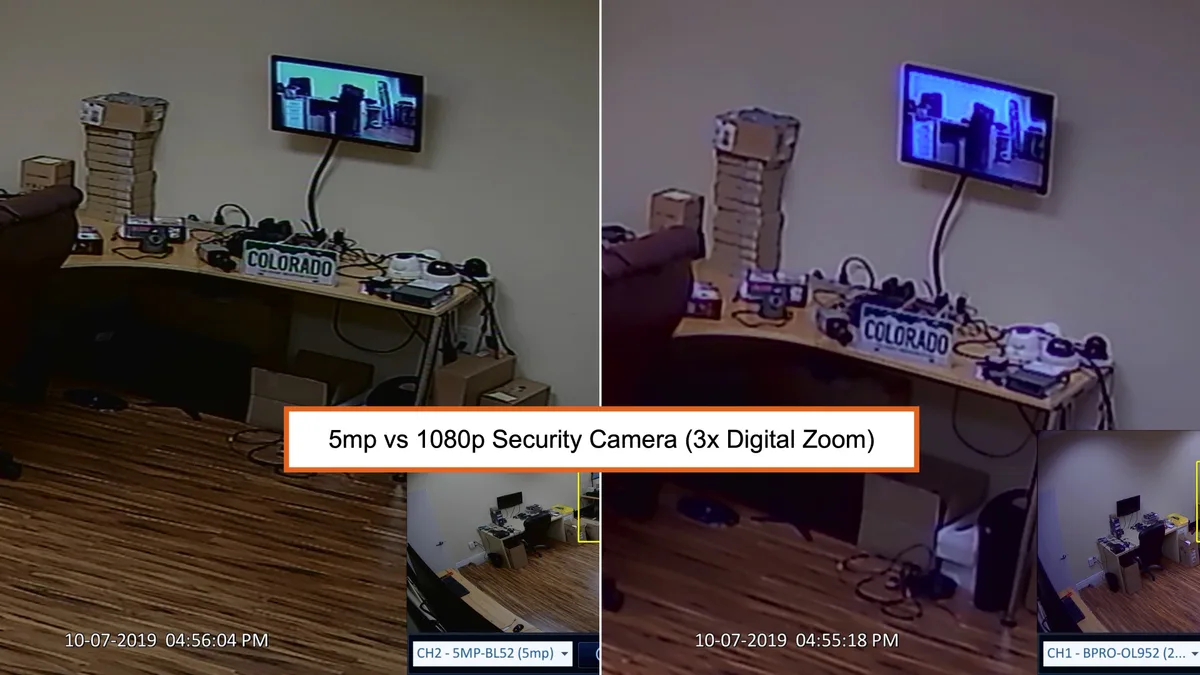
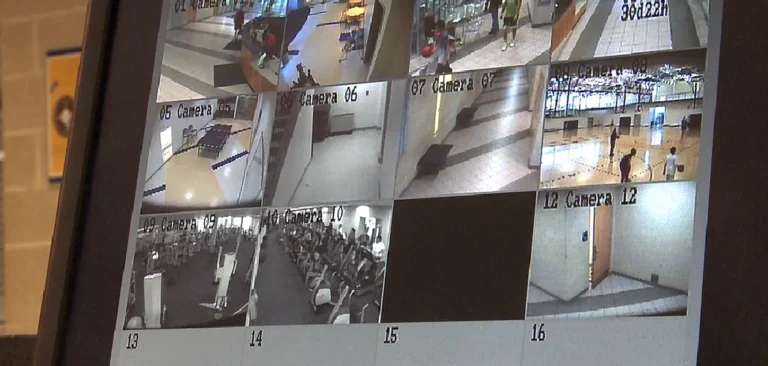
Image source: Web (Bing) / videos.cctvcamerapros.com (Web image (fair-use with source credit))
Quick Answer
4K CCTV offers significantly more detail than 1080p. It's better for capturing fine specifics like license plates or faces from afar. However, 4K requires more storage and bandwidth. 1080p provides adequate clarity for general surveillance and is more manageable for most home setups.
What Resolution Means for Your CCTV Cameras
Resolution is all about the sheer number of pixels a camera can capture. Think of pixels as tiny dots that make up the image you see. The more pixels, the more detailed and sharp the picture will be.
This detail is crucial for security cameras because it determines how well you can identify people, objects, or specific events captured on footage. Manufacturer specifications, like those from Hikvision or Dahua, often list resolution as the primary indicator of detail capability.
Pixels and Detail: The Core Difference
At its heart, the difference between 4K and 1080p is the pixel count.
- 1080p (Full HD): This resolution is equivalent to 1920 pixels horizontally by 1080 pixels vertically. That gives you a total of about 2 million pixels per frame. It's a standard that offers good clarity for most general surveillance tasks, allowing you to easily identify individuals and understand activity.
- 4K (Ultra HD): This resolution jumps to 3840 pixels horizontally by 2160 pixels vertically. This amounts to roughly 8 million pixels per frame, four times the pixel count of 1080p. This massive increase in pixels translates directly into a much sharper, more detailed image, allowing you to see finer elements that would be lost in a 1080p feed.
4K CCTV: When Extra Detail Makes a Real Impact
If your security needs involve capturing very specific details, especially from a distance, 4K CCTV is where you want to be. The sheer number of pixels packed into a 4K image allows for incredible clarity. This isn't just about a slightly sharper picture; it's about seeing things you simply can't with lower resolutions.
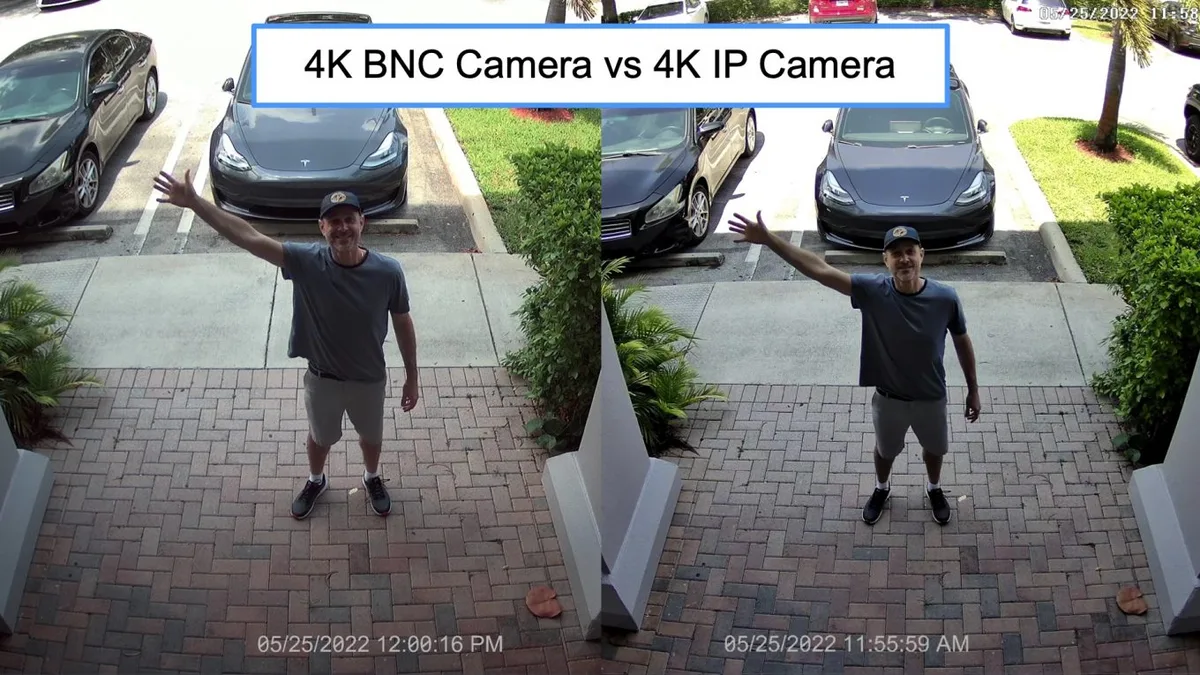
Image source: Web (Bing) / videos.cctvcamerapros.com (Web image (fair-use with source credit))
Identifying Specifics from a Distance
Imagine a scenario where a car drives past your property. With a 1080p camera, you might be able to see the car's make and color, but reading the license plate could be nearly impossible, especially if it's moving or at a significant distance. A 4K camera, however, can often capture enough detail to make that license plate legible.
This is invaluable for investigations or identifying potential suspects. Similarly, facial features become much clearer, aiding in positive identification.
Zooming In Without Losing Clarity
One of the biggest advantages of 4K is its digital zoom capability. When you zoom into a 1080p image, you're essentially just enlarging existing pixels, which quickly leads to a blurry, pixelated mess. With 4K, you have so many more pixels to work with.
This means you can zoom in significantly on a 4K recording and still retain a high level of detail. You can scrutinize a specific area of interest without the image degrading to the point of being useless, which is a common problem when trying to fix security camera video lag or poor image quality.
1080p CCTV: Still a Solid Choice for Many
Don't get me wrong, 1080p CCTV is far from outdated. For a huge number of applications, it provides more than enough visual information to be effective. It remains the standard for many reasons, primarily its balance of quality, cost, and system demands.
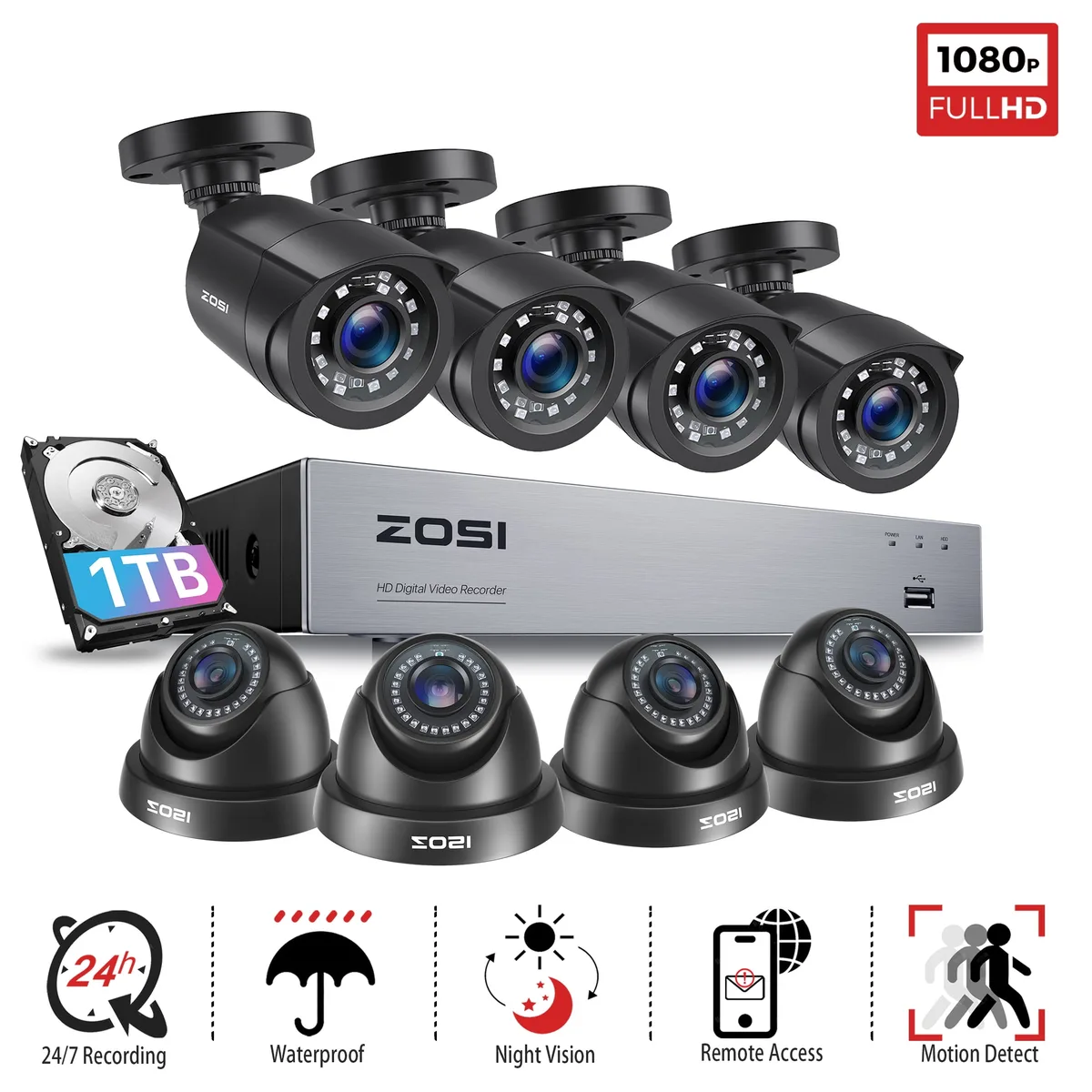
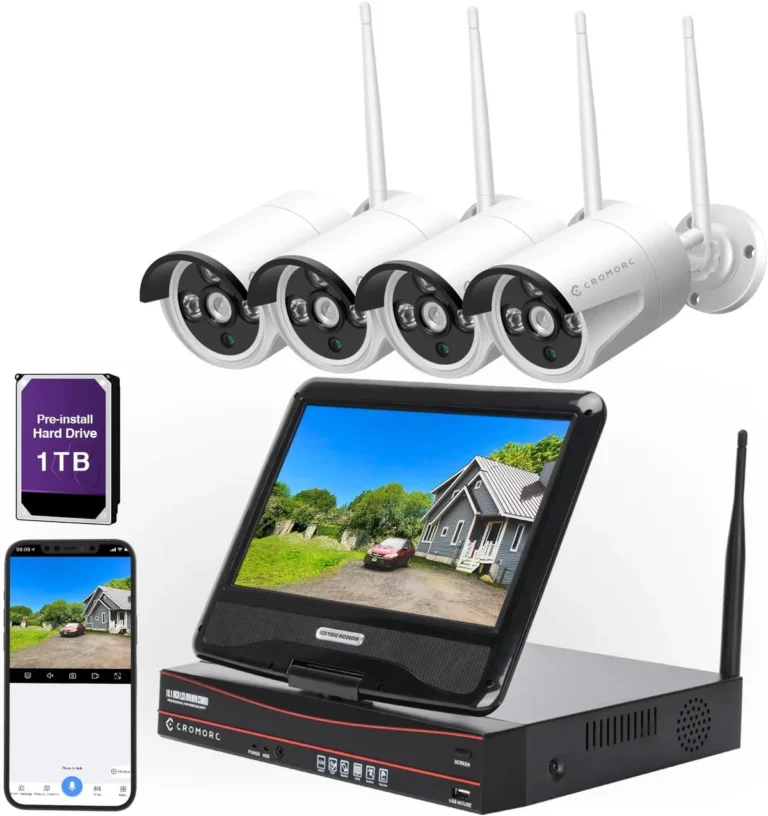
Image source: Web (Bing) / walmart.com (Web image (fair-use with source credit))
Everyday Home and Business Needs
For typical home security, 1080p cameras are often perfect. They're great for seeing who's at your front door, monitoring your driveway, or keeping an eye on your backyard. If you need to identify a visitor or see if someone is trespassing, 1080p typically delivers the clarity required.
Businesses also find 1080p suitable for general area monitoring, providing a clear overview without the intensive requirements of 4K. If you're experiencing issues with your current setup, you might be wondering why is my security camera delayed, resolution is one factor, but network performance is also key.
Cost-Effectiveness and Simplicity
A significant advantage of 1080p systems is their affordability. Both the cameras themselves and the storage solutions needed to record footage are generally less expensive than their 4K counterparts. This makes it a more accessible option for budget-conscious individuals or small businesses.
Furthermore, 1080p cameras place less strain on your network, making them easier to integrate, especially if you're trying to improve security camera WiFi signal or manage bandwidth.
Weighing the Trade-offs: 4K vs. 1080p
Choosing between 4K and 1080p isn't just about which has more pixels; it's about understanding the system-wide implications. The higher resolution of 4K comes with significant demands on your storage and network infrastructure. As of 2026, these considerations are more important than ever as systems become more complex.
Storage and Bandwidth Demands
This is arguably the biggest factor when comparing 4K to 1080p. 4K video files are substantially larger than 1080p files. A rough estimate suggests that a 4K camera recording continuously can use up to four times the storage space of a 1080p camera, and often more if it's at a higher frame rate. This means you'll need a larger hard drive for your Network Video Recorder (NVR) or Digital Video Recorder (DVR), or you'll incur higher costs for cloud storage.
You also need to consider that how much data does a security camera use is directly tied to resolution.
Performance and Compatibility
Higher resolution footage requires more processing power. If you're using older NVRs or DVRs, they might not be capable of handling multiple 4K streams efficiently, leading to performance issues or even dropped frames. Similarly, streaming 4K footage over your network, whether wired or wireless, demands a more robust connection.
If your internet bandwidth is limited, or your WiFi network isn't strong, you might experience buffering or lag. This can be a particular issue if you're trying to access live feeds remotely or if you're using wireless cameras that rely on a stable connection to reduce security camera bandwidth. The decision to go with 4K isn't just about the camera itself; it's about ensuring your entire surveillance system can handle the increased data.
This is why for many, the established performance and manageability of 1080p make it a more practical choice, especially when considering potential issues like why is my security camera showing a black screen which can be exacerbated by network strain.
Who Needs 4K CCTV and Who's Fine with 1080p?
Deciding between 4K and 1080p ultimately comes down to your specific needs and the environment you're monitoring. It's not about one being universally "better," but rather which is the right tool for the job. If you're aiming for maximum detail in critical areas, 4K shines.
For broader coverage with less demanding identification needs, 1080p is often sufficient and more practical.
Scenarios Demanding 4K Precision
If your primary concern is capturing granular detail that might be crucial for identification or evidence, 4K is your best bet. Think about situations like:
- Securing large commercial properties: Monitoring expansive parking lots, loading docks, or entry points where identifying vehicles or individuals from a distance is paramount.
- High-traffic retail environments: Capturing details on items, reading serial numbers on packages, or clearly identifying shoplifters from various angles.
- Areas with crucial identifiers: Where reading license plates, distinguishing specific clothing logos, or recognizing unique facial features is critical for security or investigation.
- Facial recognition integration: If you're using or planning to use advanced analytics, the higher detail from 4K can improve the accuracy of such systems.
For these use cases, the investment in 4K hardware and the increased storage costs are often justified by the enhanced security and investigative capabilities.
When 1080p is More Than Enough
For many users, 1080p security cameras offer a compelling balance of performance and practicality. It’s a proven standard that provides clear images for a wide range of applications:
- Residential homes: Monitoring front doors, backyards, and driveways to identify visitors, delivery personnel, or potential intruders.
- Small to medium businesses: Providing general surveillance of office spaces, retail floors, or common areas where a clear overview is needed.
- Monitoring pets or children: Ensuring a good view of domestic activities without the need for extreme detail.
- Budget-conscious setups: When cost is a major factor, 1080p offers a more affordable entry point into video surveillance, and the associated costs for recording and storage are lower.
If your goal is general awareness and the ability to identify people and events clearly, without needing to zoom into microscopic details, 1080p will likely meet your needs effectively. You can avoid many common issues like why is my security camera blurry by ensuring proper installation, but resolution is a fundamental factor.
Common Mistakes When Choosing CCTV Resolution
When people are setting up or upgrading their CCTV systems, a few common mistakes pop up regarding resolution that can lead to regret down the line. It's easy to get caught up in the latest tech, but understanding the practical implications is key.
- Overspending on 4K when it's not needed: Buying 4K cameras for every single camera in a large system when only a few critical cameras actually benefit from that level of detail. This leads to unnecessary costs for hardware, storage, and potentially network upgrades.
- Underestimating storage needs: Not realizing just how much space 4K footage consumes. If you opt for 4K but have limited storage capacity on your NVR or in the cloud, you might end up with only a few days of footage instead of weeks or months. This can make how long should security footage be kept a difficult question to answer practically.
- Ignoring network limitations: Installing 4K cameras on an older, slower network or WiFi setup. This can lead to constant buffering, dropped connections, and poor video quality, making the high-resolution cameras perform worse than lower-resolution ones. This is a common reason for how to fix security camera motion detection issues if the network can't keep up with streaming.
- Not considering bandwidth for remote viewing: If you plan to access your camera feeds frequently from outside your home or office, a robust internet connection is crucial for smooth 4K streaming. If your upload speed is slow, you'll struggle to view high-resolution feeds effectively, impacting your ability to how to improve security camera WiFi signal.
- Assuming higher resolution always means better results: While 4K offers more detail, the quality of the lens, image sensor, and software processing also play huge roles. A poorly designed 4K camera might still produce inferior images compared to a well-made 1080p camera in certain conditions.
Frequently Asked Questions About 4K vs. 1080p CCTV
Does 4K CCTV require a special NVR or DVR?
Yes, generally, to record and manage 4K footage effectively, you'll need an NVR or DVR that is specifically designed to handle 4K resolutions and the higher data rates associated with them. Older NVRs that only support 1080p may not be compatible.
Will 4K cameras work with my existing 1080p system?
While some hybrid systems might exist, typically, if your recorder is designed for 1080p, it won't be able to record or display 4K feeds from newer cameras. You would likely need to upgrade both the cameras and the recording device to take full advantage of 4K.
How much more storage does 4K CCTV use compared to 1080p?
On average, 4K CCTV can use three to four times more storage space than 1080p footage for the same duration and recording settings. This is a significant factor to consider when planning your storage solution, whether it's a local hard drive or cloud storage.
Is 4K CCTV overkill for a small home?
For most small homes, 4K CCTV is often overkill. 1080p cameras usually provide sufficient detail to monitor entry points, yards, and driveways effectively. The added cost and storage demands of 4K may not justify the marginal increase in detail for basic residential security.
Can I mix 4K and 1080p cameras on the same system?
This depends on the NVR or DVR. Some higher-end professional recorders are designed to handle a mix of resolutions, allowing you to use 4K cameras for critical areas and 1080p cameras for less sensitive zones. Always check the specifications of your recording device to confirm compatibility.
Your CCTV Resolution Verdict: Making the Right Choice
Ultimately, the question of whether 4K CCTV is "better" than 1080p boils down to your specific surveillance needs and your system's capabilities. There's no one-size-fits-all answer. If you require the absolute finest detail for identifying license plates, specific features on faces from a distance, or intricate markings, and you're prepared for the higher storage and bandwidth requirements, then 4K is the clear choice.
It offers unparalleled clarity that can be invaluable for critical security applications.
However, for the vast majority of home users and many businesses, 1080p provides an excellent balance of image quality, affordability, and manageability. It delivers clear, identifiable footage for general monitoring, deterring crime, and reviewing events without the significant infrastructure demands of 4K. Before you decide, carefully assess what you truly need to see, consider your budget, and evaluate your existing network and storage capacity.
Making an informed choice ensures you get a reliable and effective security system that meets your needs without unnecessary expense or complexity.