What Is the Best Resolution for CCTV Cameras?
Image source: Web (Bing) / pngtree.com (Web image (fair-use with source credit))
What is the best resolution for CCTV cameras? It's a question that pops up constantly, and the answer isn't as simple as picking the highest number. The "best" depends entirely on what you need your cameras to do, where they're installed, and your budget.
Manufacturer specifications confirm that resolutions range from standard High Definition (HD) like 1080p, which offers around 2 megapixels, all the way up to 4K, packing roughly 8 megapixels of detail. Choosing wisely means balancing clarity with practical considerations like storage and bandwidth.
Quick Answer: It's Not One-Size-Fits-All
The best resolution for CCTV cameras depends on your specific needs. For general monitoring, 1080p (2MP) is often sufficient. For identifying faces or license plates, 4MP or 4K (8MP) is usually required.
Consider your budget, storage capacity, and bandwidth needs when deciding.
Understanding CCTV Resolution: Pixels and Clarity
When we talk about resolution for CCTV cameras, we're really talking about the amount of detail they can capture. This detail is measured by the number of pixels in an image. Think of pixels as tiny dots that make up the picture; the more dots you have, the sharper and clearer the image will be.
This is crucial for effective surveillance because it dictates whether you can clearly see important information.
Megapixels: The Key to Detail
Megapixels (MP) are the standard unit for measuring camera resolution. One megapixel equals one million pixels. So, a camera with a 2MP resolution captures an image made up of approximately two million pixels.
Higher megapixel counts mean more pixels are packed into the image, allowing for greater detail, sharper edges, and the ability to zoom in digitally on footage without losing too much clarity. This enhanced detail is what helps distinguish between different individuals or read small text.
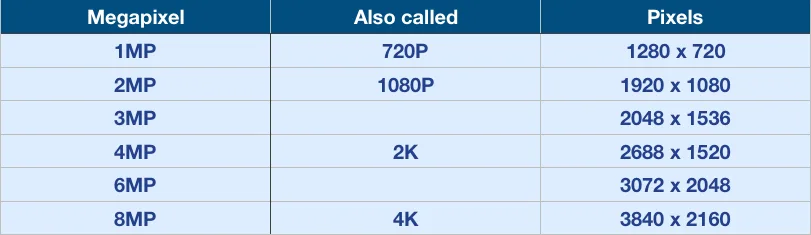
- 2MP (1080p): Offers a good balance for general surveillance.
- 4MP: Provides a noticeable jump in clarity, better for identifying people at moderate distances.
- 8MP (4K): Delivers extremely sharp images, ideal for capturing fine details like license plates or faces from further away.
How Resolution Affects What You See
The resolution of your CCTV camera directly impacts your ability to identify subjects, read text, or spot subtle details. A lower resolution camera might show that someone entered a room, but a higher resolution one can show you who they are. This is particularly important if the footage might be used as evidence or for identification purposes.
As of 2026, advancements continue to push resolution boundaries, but practical limitations still guide selection.
Common Resolutions: A Detailed Look
When you're shopping for CCTV cameras, you'll encounter a range of resolution options. Each offers a different level of detail and comes with its own set of advantages and disadvantages. Understanding these options is key to making an informed choice that fits your specific surveillance needs.
720p vs. 1080p: The HD Basics
The world of standard High Definition (HD) often starts with 720p and 1080p resolutions.
- 720p offers approximately 1 megapixel (MP). It's decent for general overview footage, like seeing activity in a wide area, but it lacks the detail for reliably identifying faces or reading small text from a distance. It produces smaller file sizes and requires less bandwidth, making it an economical choice for basic monitoring.
- 1080p, also known as Full HD, provides about 2 megapixels. This is a significant step up from 720p and is widely considered a good all-around resolution for many home and small business applications. You can often identify people clearly at moderate distances and get better detail overall. It remains a popular choice due to its balance of clarity, manageable file sizes, and affordability.
4MP, 5MP, and 4K: Stepping Up the Detail
For situations demanding more clarity and the ability to zoom in without losing significant detail, higher resolutions like 4MP, 5MP, and 4K (8MP) come into play.
- 4MP cameras offer roughly double the detail of 1080p. This means you can capture sharper images and zoom in further on footage before it becomes too pixelated. It's a good option for areas where you need more detail than 1080p can provide but don't necessarily need the absolute highest resolution.
- 5MP cameras push the detail even further, offering excellent clarity for a wide range of surveillance tasks. They strike a good balance between high detail and manageable storage and bandwidth requirements, making them suitable for many indoor and outdoor scenarios.
- 4K, or 8MP, represents the highest common resolution for many consumer and prosumer CCTV systems. This offers an incredibly sharp image with the ability to zoom deeply into live or recorded footage and still make out fine details like license plate numbers or facial features. However, this superior detail comes with the largest file sizes and highest bandwidth demands.
Choosing Your Best Resolution: It Depends on Your Goal
Deciding on the right resolution for your CCTV cameras isn't just about picking a number; it's about aligning that number with your surveillance objectives. What do you actually need the camera to do? Answering this question will guide you toward the most effective resolution for your situation.
For General Overview: What Resolution Do You Need?
If your primary goal is simply to monitor activity in a general area, perhaps to see if there's movement or to get a broad sense of who is present, lower resolutions can be perfectly adequate. For example, cameras covering large, open spaces like warehouses or wide yards might only need to provide a general overview. In these cases, resolutions like 720p (1MP) or 1080p (2MP) are often sufficient.
They provide enough detail to see that an event occurred without needing to identify specific individuals. This approach helps conserve storage space and reduces the strain on your network bandwidth, which can be a significant consideration for systems with many cameras.
For Identifying People and Details: When Higher is Better
When your surveillance needs include identifying individuals, reading text, or spotting specific objects, you'll want to lean towards higher resolutions. This is where cameras with 4MP, 5MP, or 4K (8MP) become essential. A 4MP camera, for instance, offers significantly more detail than a 1080p camera, allowing you to zoom in on faces or important markings with greater clarity.
If your goal is to capture evidence that can clearly identify a person or read a license plate, especially from a distance or in challenging lighting, 4K resolution provides the best chance of success. This increased detail is why higher resolutions are often recommended for entrances, exits, cash registers, or any area where positive identification is crucial.
For Covering Large Areas: Maximizing Detail
Monitoring large areas presents a unique challenge: how do you ensure you capture enough detail across a wide field of view? Higher resolution CCTV cameras are instrumental here. A 4K camera, with its approximately 8 megapixels, can cover a significant area and still allow you to digitally zoom into specific sections of the footage without the image becoming overly distorted or blurry.
This means you might be able to use fewer cameras to cover a large space, as each high-resolution camera can provide a more detailed view of a broader zone. For instance, a single 4K camera could potentially offer a more useful overview of a parking lot than multiple lower-resolution cameras.
Trade-offs: File Size, Bandwidth, and Cost
Choosing a high-resolution CCTV camera isn't just about the picture quality; it comes with practical implications for your storage, network, and budget. These factors are often overlooked but are critical for a functional and sustainable surveillance system. Understanding these trade-offs helps ensure you select a resolution that's not only clear but also manageable for your infrastructure.
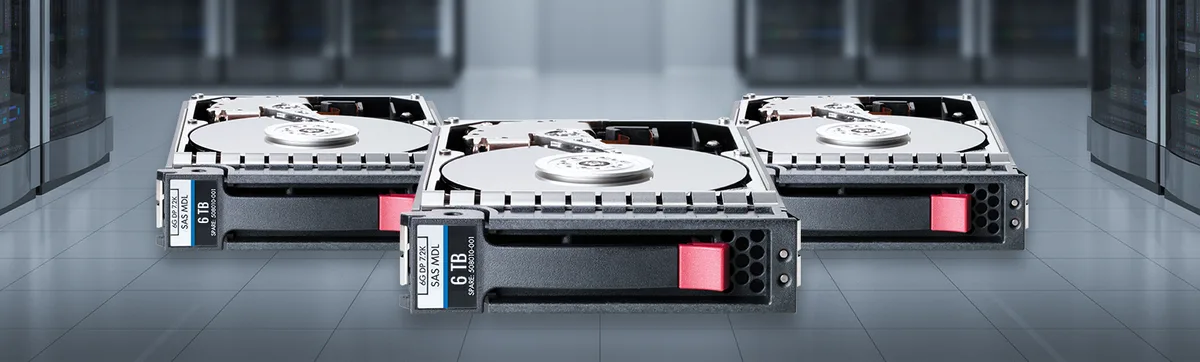
Storage Space: Higher Resolution Means Bigger Files
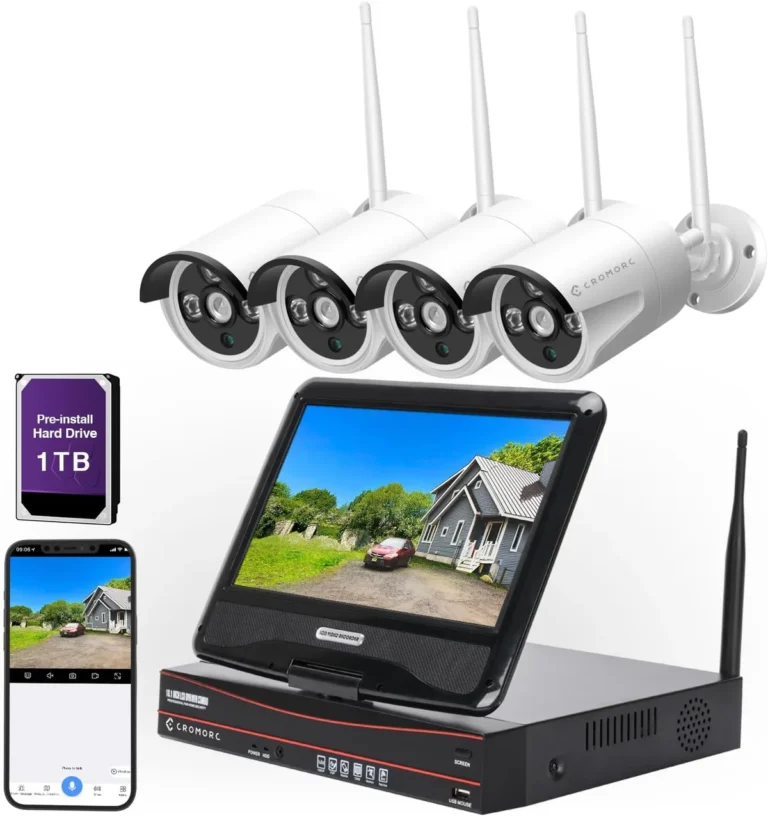
One of the most direct impacts of higher resolution is the size of the video files generated. A 4K camera records significantly more data per second than a 1080p camera. This means that if you have a limited amount of storage space on your Network Video Recorder (NVR) or hard drive, you'll be able to store less footage.
For example, recording continuously with 4K cameras might fill up a 4TB hard drive in a matter of days, whereas 1080p footage might last for weeks on the same drive. This often necessitates purchasing larger, more expensive storage solutions or implementing strategies like event-based recording to manage data. If you need to keep footage for extended periods, such as the 30 days often recommended by industry best practices, storage capacity becomes a primary concern.
Network Bandwidth: Streaming Demands
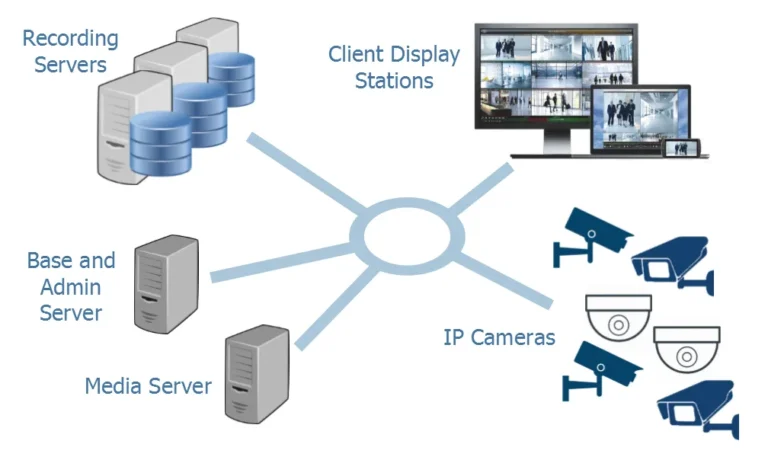
Higher resolution footage also consumes more network bandwidth, both for internal streaming within your local network and for remote access over the internet. If your internet connection or internal network is not robust enough, streaming high-resolution video can lead to lag, dropped frames, or even make other network services slow down. This is particularly relevant for IP cameras, which transmit video data over your network.
For instance, multiple 4K IP cameras streaming simultaneously can quickly saturate a typical home or small business network. If you experience issues like why is my security camera delayed, bandwidth is often a contributing factor. Reducing bandwidth usage might involve choosing a lower resolution or implementing more efficient video compression techniques.
Budget Considerations: Resolution vs. Price
There's a direct correlation between camera resolution and cost. Generally, cameras with higher megapixel counts are more expensive than their lower-resolution counterparts. This price difference isn't limited to the cameras themselves; the infrastructure supporting them also becomes pricier.
You'll need larger hard drives for storage, potentially more powerful NVRs to process the video streams, and possibly network upgrades to handle the increased bandwidth. Therefore, while 4K offers superior detail, it comes at a higher initial investment and ongoing operational cost compared to 1080p. Balancing the need for detail with your budget is crucial for a practical surveillance solution.
Common Mistakes to Avoid When Picking Resolution
When selecting CCTV cameras, it's easy to get caught up in the numbers and overlook practical implications. One common mistake is assuming that "higher resolution is always better" without considering the downstream effects. For instance, installing 4K cameras in a situation where 1080p would suffice can lead to unnecessary expenses in storage and potentially strain your network.
This can also make troubleshooting issues like why is my security camera blurry more complex if the underlying problem is network congestion rather than the camera itself.
Another frequent error is underestimating storage needs. Many users plan for the camera cost but forget that higher resolution footage consumes exponentially more storage space. If you need to retain footage for a specific period, like the 30 days recommended by many security standards, insufficient storage can force you to overwrite older footage prematurely.
This oversight can render your system less effective for evidence retrieval. It’s also a mistake to prioritize resolution over other critical factors like low-light performance or field of view, as a sharp image in complete darkness or one that misses the crucial area is ultimately useless.
Expert Tips for Selecting CCTV Camera Resolution
To make the most informed decision about your CCTV camera resolution, consider these expert recommendations. Firstly, clearly define what you need to see. If identifying faces and license plates from a distance is critical, invest in 4MP or 8MP (4K) cameras.
If general motion detection is enough, 1080p (2MP) might be perfectly fine and more cost-effective. Always factor in the size of the area each camera will cover; a wider view means pixels are spread thinner, so higher resolution is often needed for broad coverage.
Secondly, think about your existing infrastructure. Do you have ample storage space for larger video files, or will you need to upgrade your NVR or cloud storage plan? Check your network's bandwidth capacity, especially if you're using multiple IP cameras, to avoid connectivity issues that can cause video lag.
Consider how long you need to store footage, as this will directly impact storage requirements. Finally, don't forget about camera placement; a high-resolution camera positioned incorrectly might still not capture the detail you need. Sometimes, optimizing camera angles can be as important as selecting the highest resolution.
Frequently Asked Questions About CCTV Resolution
What is the difference between 1080p and 4K resolution?
1080p resolution has approximately 2 million pixels (2MP), offering clear images for general surveillance. 4K resolution has roughly 8 million pixels (8MP), providing four times the detail, which is crucial for identifying fine details like faces or license plates from a distance.
Can I mix resolutions in my CCTV system?
Yes, you can typically mix resolutions within a single CCTV system, especially if you're using an NVR that supports multiple camera types. This allows you to use higher resolution cameras in critical areas and lower resolution ones elsewhere to optimize storage and bandwidth usage.
Will higher resolution cameras drain my battery faster if they are wireless?
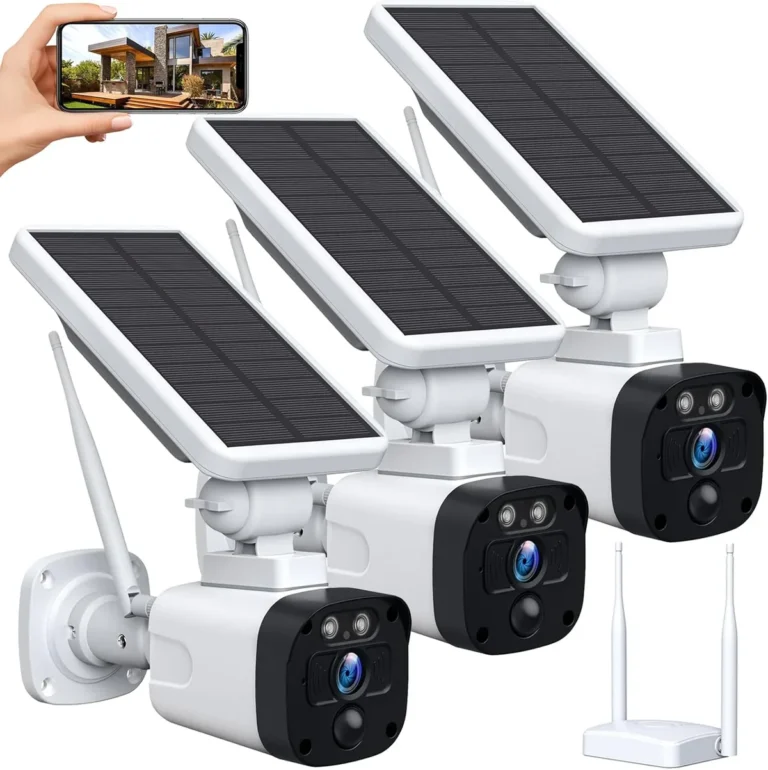
Generally, yes. Higher resolution cameras require more processing power and data transmission, which can lead to increased battery consumption. If using wireless or battery-powered cameras, this is a significant factor to consider when choosing resolution to ensure adequate operating time between charges.