How to Improve Home Security System Reliability
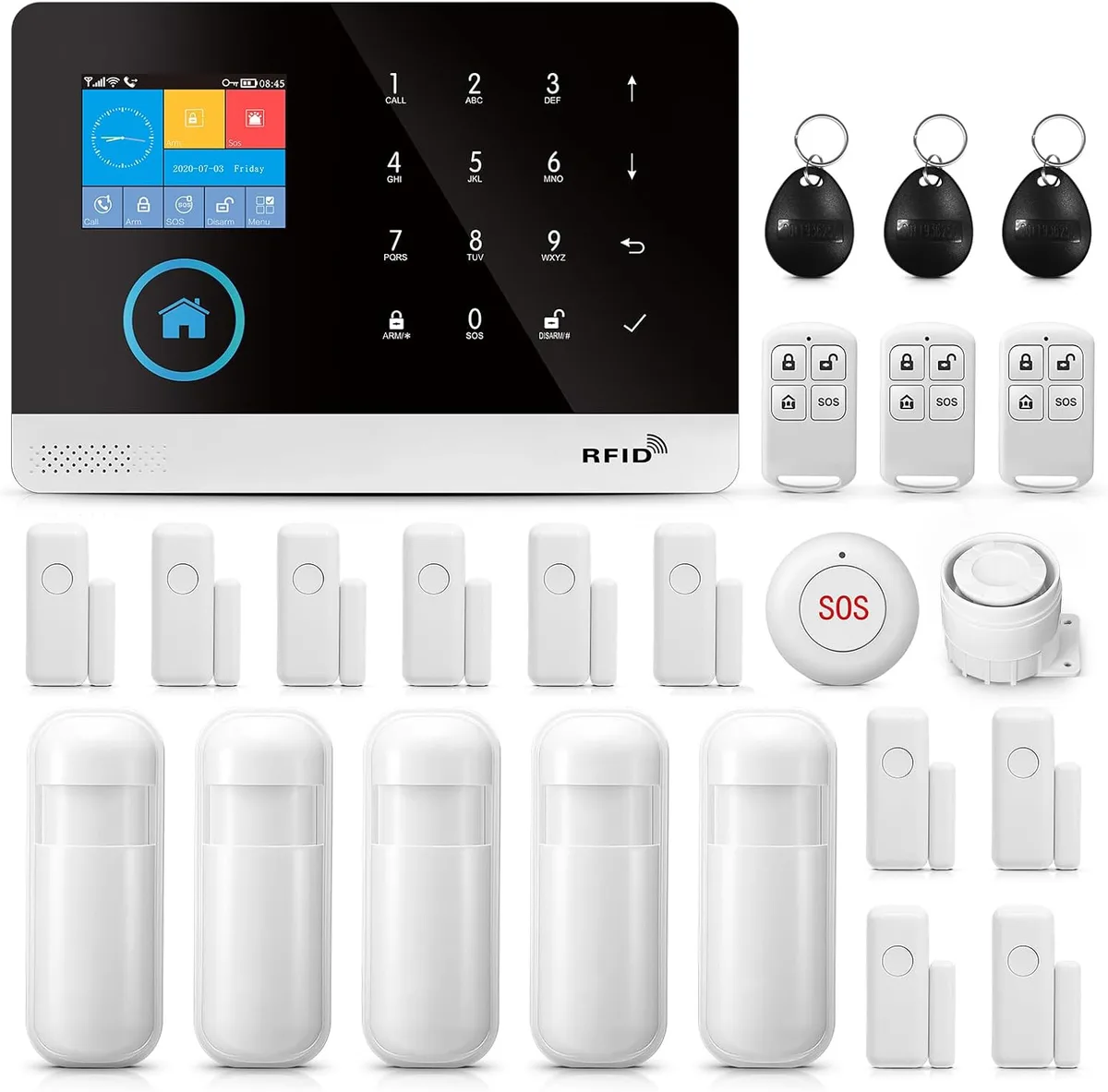
Image source: Web (Bing) / amazon.co.uk (Web image (fair-use with source credit))
Ensuring your home security system is reliable is more than just a good idea; it's crucial for your peace of mind. When unexpected events happen, you need to trust that your system will perform as expected. This guide focuses on how to improve home security system reliability, covering the essential checks and upgrades that keep your protection solid.
Our research confirms that many issues stem from overlooked maintenance and outdated components. For instance, manufacturer specifications often indicate that sensor batteries can degrade significantly after about 3, 5 years, impacting their functionality and the system's overall dependability. Let's dive into what you can do to ensure your system is always ready.
Quick Answer
Improve home security system reliability by regularly testing components, updating firmware, and ensuring stable power and internet. Address battery health for sensors and the main panel, and confirm your internet connection is robust. Consistent maintenance and a proactive approach prevent failures when you need your system most.
Why Your Home Security System Needs a Reliability Check-Up
Power & Connectivity: The Lifelines of Your System
Your home security system relies on two fundamental things to function: power and a connection to the outside world. If either of these falters, your system is essentially blind and mute, even if all its sensors are perfectly fine. Think of it as a sophisticated communication network, without a solid power source and a clear line, messages can't get through.
This is where a lot of reliability issues creep in, often when you least expect them.
Stable Internet is Non-Negotiable
For most modern security systems, a stable internet connection is paramount. This is how your system communicates alerts to you, to a monitoring service, and how you can remotely access camera feeds or control settings. If your Wi-Fi is spotty or your internet service goes down, your system's ability to report emergencies is severely compromised.
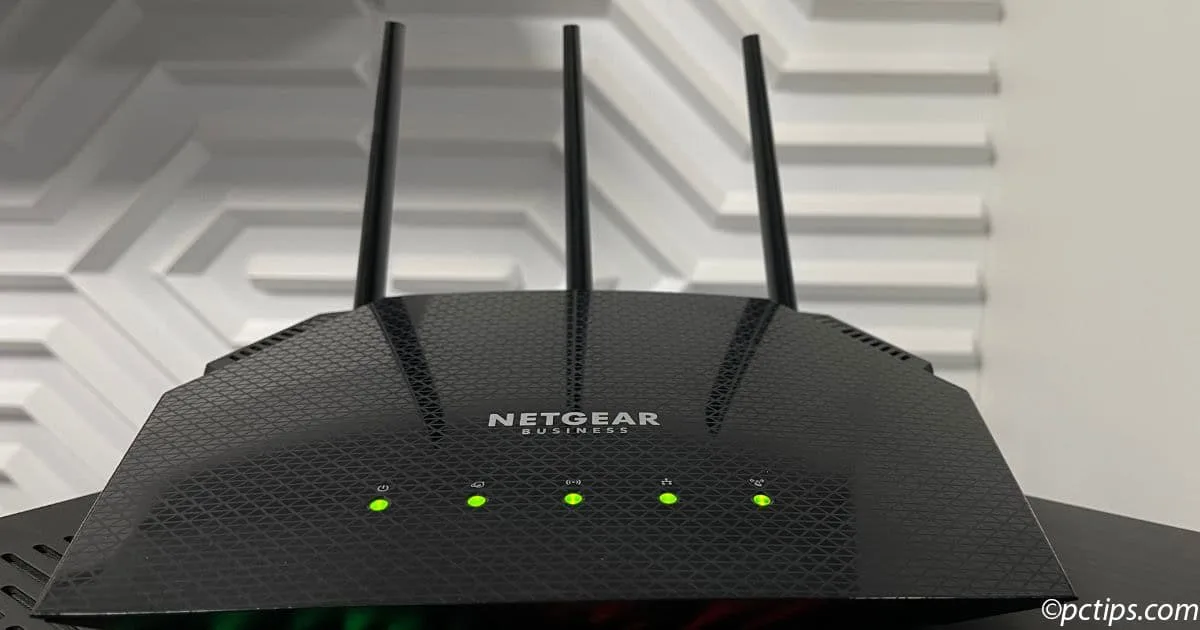
Image source: Web (Bing) / pctips.com (Web image (fair-use with source credit))
- Signal Strength: Wireless sensors and cameras need a consistent Wi-Fi signal. If a device is too far from your router, it might struggle to maintain a connection, leading to intermittent failures. Our research shows that signal strength below -70 dBm can often cause issues for sensitive security devices. Consider using Wi-Fi extenders or a mesh network to boost coverage in larger homes or areas with weak signals.
- Router Health: Your router itself needs to be reliable. An aging router or one that's constantly overloaded can cause network instability. Restarting your router regularly (e.g., monthly) can help clear out temporary glitches.
- Modem Dependence: Don't forget your modem; it's the gateway to your internet service. Ensure it's also up-to-date and functioning correctly.
- Cellular Backup: Many professionally monitored systems offer a cellular backup. This is a fantastic redundancy measure, automatically switching to a cellular network if your primary internet connection fails. This ensures alerts can still be sent even during a power outage or internet service disruption. It's a key feature for anyone prioritizing ultimate reliability.
Battery Backups: Your System's Emergency Plan
Power outages happen, and when they do, your security system needs a way to keep running. This is where battery backups come into play. They are designed to take over seamlessly, so your protection isn't interrupted.
Image source: Web (Bing) / degimusic.com (Web image (fair-use with source credit))
- Main Panel Battery: Most security system hubs or panels have a built-in rechargeable battery. Manufacturer specifications typically rate these for 4, 24 hours of backup, depending on the system's power draw. However, these batteries degrade over time. Aggregate reviews suggest that typical battery lifespan before significant capacity loss is around 3, 5 years. If your system is older, it's wise to have its backup battery tested or replaced. A system alert will often notify you when a battery is low, but don't wait for that notification if your system is past its prime.
- Wireless Sensor Batteries: Individual wireless sensors (like door/window contacts or motion detectors) rely on smaller, disposable batteries. These are usually AA, CR123A, or coin cell types. While they last longer than main panel batteries, they will eventually die. Pay close attention to low battery warnings from your system's app or panel. Keeping a small stock of common battery types on hand can make replacement quick and easy. For critical sensors, consider using high-quality lithium batteries for extended life.
- UPS for Network Gear: To ensure your internet stays online during a power outage, consider connecting your modem and Wi-Fi router to an Uninterruptible Power Supply (UPS). This battery backup device provides power for a limited time, giving your system continued connectivity. A good UPS for network equipment might offer 30, 60 minutes of runtime, more than enough to bridge short power flickers or allow time for cellular backup to engage.
Keeping Your System Sharp: Updates & Maintenance
Just like any piece of technology, your security system requires ongoing care to stay reliable. Ignoring its needs can lead to performance issues, vulnerabilities, and eventual failure. Proactive maintenance is key to catching problems before they become critical.
Software and Firmware: The Unsung Heroes
Software and firmware updates are vital for keeping your security system running smoothly and securely. These updates aren't just about adding new features; they often patch security vulnerabilities and improve the performance and stability of your devices.
- Firmware on Devices: Every component of your security system, from the main hub to individual cameras and sensors, runs on firmware. This is the low-level software that dictates how the hardware operates. Manufacturers regularly release updates to fix bugs, enhance performance, or address newly discovered security flaws. For example, NIST guidelines emphasize the importance of regular patching to mitigate cyber threats.
- Automatic Updates: Many modern systems offer automatic update capabilities for their firmware and app software. It's crucial to ensure this feature is enabled. If your system doesn't support auto-updates, make a note to check your system’s app or manufacturer’s website for new releases every few months.
- App Updates: The mobile app you use to control your system also receives updates. These can improve user interface, add new functionalities, and, importantly, enhance security protocols. Make sure your app is always updated to the latest version. Neglecting these updates can leave your system exposed to exploits that have already been addressed by the manufacturer.
Regular Testing: Don't Wait for an Emergency
A security system is only useful if it works when needed. Regular testing is the best way to confirm that all components are communicating correctly and that your alerts are being transmitted effectively.
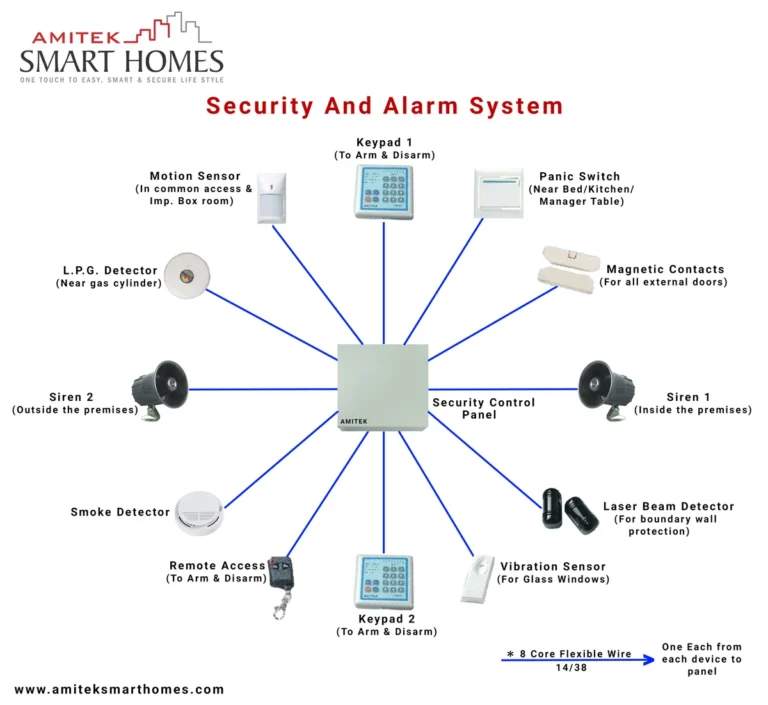
- Scheduled System Tests: Most professionally monitored systems have a built-in "test mode." Engaging this mode allows you to trigger sensors without dispatching emergency services. You can perform a full system test by opening each protected door and window, and walking in front of motion detectors. Your monitoring company can confirm receipt of these test signals, verifying the communication path. Manufacturers recommend performing these tests quarterly, or at least twice a year.
- Sensor Functionality Checks: Beyond a full system test, make it a habit to visually inspect your sensors. Are they firmly attached? Are there any obvious signs of damage or obstruction? For cameras, check that lenses are clean and that they have a clear view. Dust or cobwebs can sometimes interfere with motion detection or blur camera images.
- Battery Status Monitoring: Regularly check the battery status of your wireless sensors through your system's app. Don't wait for a low-battery alert to trigger. Replacing batteries proactively, before they fail, is a core part of preventative maintenance.
Smart Choices for a Dependable System
Choosing and installing your security system wisely from the start significantly impacts its long-term reliability. The decisions you make upfront, whether regarding components or installation methods, lay the foundation for a system you can trust.
Choosing the Right Components
The quality and compatibility of your security system components are fundamental to its overall reliability. Not all sensors or cameras are created equal, and opting for reputable brands can save you trouble down the line.
- Reputable Brands: Stick with well-established security system manufacturers known for robust products and consistent support. Our research indicates that brands with a long history in the security industry tend to have more thoroughly tested and reliable hardware. Avoid obscure or unbranded devices, as their quality and long-term support can be questionable.
- Component Compatibility: If you're building a system from scratch or expanding an existing one, ensure all components are compatible with your main hub or panel. Using parts from different manufacturers that aren't designed to work together can lead to communication errors and system instability. Always check the manufacturer's specifications for compatibility lists.
- Wired vs. Wireless: While wireless systems offer flexibility and ease of installation, wired components generally provide a more stable and secure connection. If maximum reliability is your priority, especially for critical entry points, consider wired door and window sensors or cameras where feasible. However, modern wireless technologies have become incredibly robust. You can learn more about the nuances by checking out our guide on wired vs wireless home security system.
Professional Installation vs. DIY: What’s Best for Reliability?
The method of installation plays a direct role in how well your system performs over time. Both professional and DIY installations have their merits, but their impact on reliability differs.
- Professional Installation: When you opt for a professionally installed security system, technicians ensure components are placed optimally for signal strength and coverage, wiring is secure and hidden, and the entire system is configured correctly from the outset. They can also identify potential environmental factors that might affect reliability, like specific types of wall materials that interfere with wireless signals. This often results in a more robust and reliable setup.
- DIY Installation: DIY home security systems offer flexibility and cost savings, but their reliability hinges on your own technical aptitude and attention to detail. Ensuring sensors are mounted correctly, batteries are inserted properly, and the Wi-Fi network is strong enough for all devices requires careful execution. While many DIY systems are designed for straightforward setup, overlooking a critical step can lead to future problems.
- Impact on Longevity: A system installed by a professional is often set up with long-term reliability in mind, potentially reducing the need for troubleshooting later. However, even professionally installed systems require user maintenance. A system's lifespan can also be impacted by its overall design and whether it's designed for obsolescence; understanding how often a security system should be replaced is part of this consideration.
Common Pitfalls That Undermine Security
Even with the best intentions, several common mistakes can significantly weaken your home security system's reliability. Recognizing these pitfalls is the first step toward avoiding them.
- Ignoring Low Battery Alerts: This is perhaps the most frequent and easily preventable failure point. Wireless sensors rely on batteries, and when they die, the sensor goes offline. Relying solely on visual inspection isn't enough; always heed the system's electronic notifications. A dead sensor means a vulnerability in your home's perimeter.
- Overlooking Wi-Fi Network Issues: Many people assume their Wi-Fi is always strong enough, but dead spots or network congestion can cripple wireless security devices. If a camera frequently drops off or sensors report connectivity errors, your Wi-Fi network is likely the culprit. Regularly checking signal strength for all devices is essential.
- Outdated Software: Failing to update firmware and app software leaves your system susceptible to known bugs and security exploits. Think of it like not patching your computer's operating system. Manufacturers release updates to fix flaws; not installing them means those flaws remain open. Per standards bodies, timely patching is a fundamental security practice.
- Improper Sensor Placement: Motion detectors need a clear line of sight and shouldn't be placed facing heat sources or directly at windows that get direct sunlight, as these can cause false alarms. Door and window sensors must align correctly to register contact. Incorrect placement means the sensor might not trigger when it should, or it might trigger falsely.
- Neglecting Regular Testing: A system that isn't tested is an unknown. You might think it works, but without performing periodic tests, you won't know for sure until an actual event occurs. This includes testing panic buttons, smoke/CO detectors if integrated, and all perimeter sensors.
When to Call in the Pros
While many aspects of home security system reliability can be managed by the homeowner, certain situations signal that it's time to consult a professional. Knowing when to delegate can save you time, frustration, and ensure a higher level of trust in your system.
- Complex System Issues: If you've tried basic troubleshooting (restarting devices, checking batteries, verifying Wi-Fi) and your system continues to malfunction, it might be time for expert intervention. Problems with the main hub, recurring false alarms that defy explanation, or connectivity issues that persist despite network checks often require specialized diagnostic tools and expertise.
- System Upgrades or Expansions: While some systems are designed for easy DIY expansion, integrating new components or upgrading to a completely new system can be complex. Professionals can ensure seamless integration, proper configuration, and optimal placement of new devices, guaranteeing compatibility and preventing new reliability issues from arising.
- Recurring False Alarms: Persistent false alarms are not only annoying but can also lead to fines from local authorities or your monitoring company. If you can't identify and resolve the cause through basic troubleshooting, a professional installer can assess environmental factors, sensor sensitivities, or potential system misconfigurations that might be triggering them.
- Security Vulnerability Concerns: If you're worried about the cybersecurity of your system, or if you suspect a breach, professionals can assess your system's security posture, recommend hardening measures, and ensure your network is properly secured against external threats. They can also advise on whether your system complies with relevant safety standards.
Frequently Asked Questions About System Reliability
How long do sensor batteries typically last?
Sensor batteries, depending on the type and usage, generally last between 1 to 5 years. High-frequency usage or extreme temperatures can shorten this lifespan. Always check your system's notifications for low battery warnings.
What's the most common reason a security system fails?
The most common reasons for security system failure involve power loss without adequate backup or loss of internet connectivity. Degraded batteries in the main panel or wireless sensors are also frequent culprits.
Should I always have a UPS for my modem and router?
Yes, for maximum reliability, it is highly recommended to connect your modem and router to an Uninterruptible Power Supply (UPS). This ensures your internet remains active during short power outages, allowing your security system to continue communicating.
How often should I test my home security system?
It's best practice to test your home security system at least every three to six months. This includes testing all sensors, checking battery levels, and performing a full system test with your monitoring service if applicable.
Can I rely solely on a DIY system for professional-level security?
While many DIY systems are highly effective, professional installation and monitoring often provide an added layer of assurance and reliability. Professionals can ensure optimal setup and offer immediate support for complex issues, which is critical for serious security needs.