What Is the Best CCTV Camera for Home?
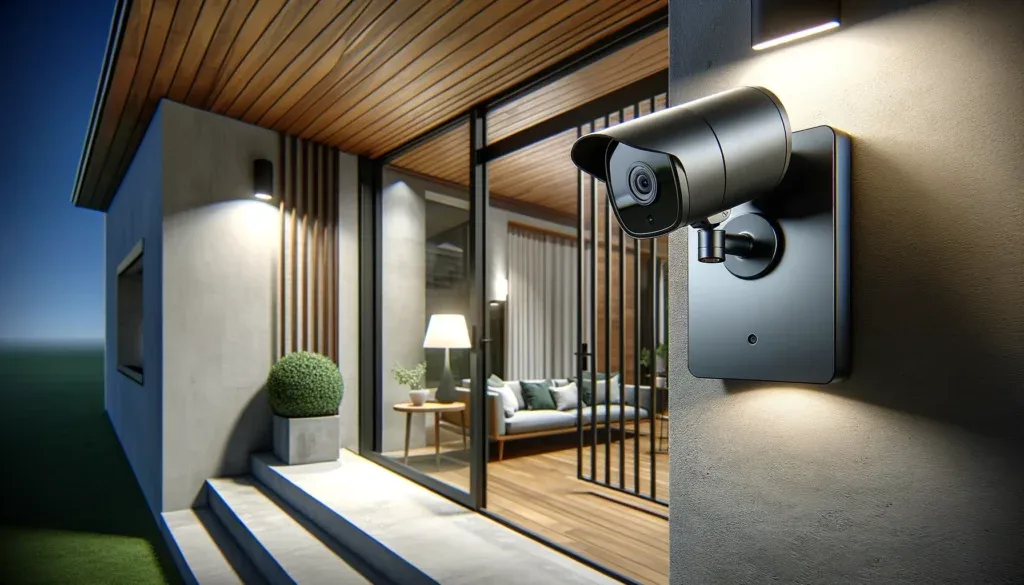
Image source: Bing (Web (fair-use with source credit))
When you're wondering "What is the best CCTV camera for home?", the answer isn't one-size-fits-all. It really depends on your specific needs, property layout, and what you want to achieve with your surveillance system. From keeping an eye on the front door to monitoring your entire perimeter, the right camera makes all the difference.
Our research indicates that a truly effective home CCTV setup balances advanced features with ease of use, ensuring you get clear footage and timely alerts without unnecessary complexity. As of 2026, understanding key specifications like resolution (aiming for at least 2K for detailed images) and field of view is crucial for making an informed decision.
Key Factors for Choosing Your Home CCTV Camera
Selecting the right CCTV camera involves looking beyond just the brand name. It's about understanding how different features translate into real-world benefits for your home security. Let's break down what truly matters.
Resolution: Seeing the Details That Matter
Resolution is your camera's ability to capture a clear, sharp image. It's measured in pixels, and higher numbers mean more detail.
- What to look for: Most entry-level cameras offer 1080p (Full HD), which is a good starting point. For significantly better detail, especially if you need to zoom in on footage to identify faces or license plates, consider cameras with 2K or even 4K resolution. For example, a 4K camera has four times the pixels of a 1080p camera, providing much finer detail.
- Real-world impact: Higher resolution means you can zoom in further on recorded footage without the image becoming overly pixelated. This is critical for identification purposes. If you need to read a distant sign or make out the make and model of a vehicle, higher resolution is essential.
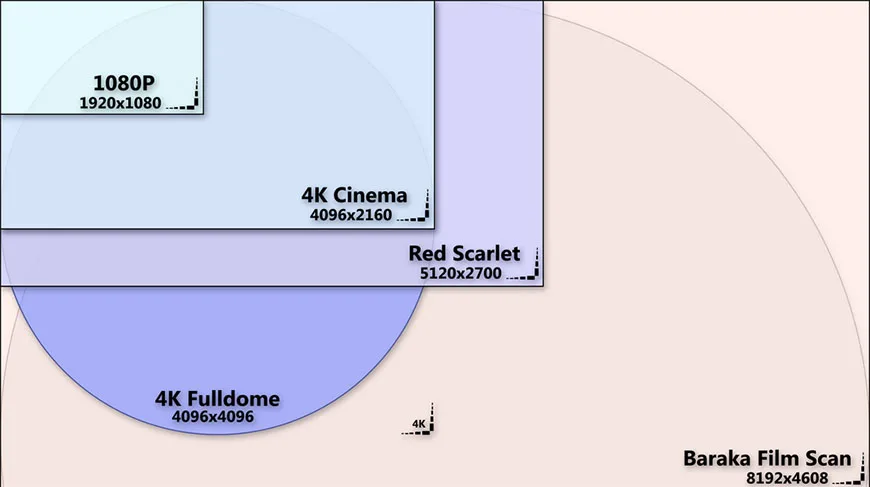
Image source: Bing (Web (fair-use with source credit))
Field of View: How Much Ground Does It Cover?
The field of view (FOV) tells you how wide an area a single camera can capture. It's measured in degrees. A wider FOV means one camera can cover more ground, potentially reducing the number of cameras you need.
- What to look for: Most home security cameras offer a FOV between 110 and 140 degrees. Some advanced models push this to 180 degrees or even wider, sometimes using fisheye lenses for panoramic views.
- Real-world impact: For large areas like a backyard or a long driveway, a camera with a wider FOV is more efficient. If you have a narrow entryway, a slightly narrower, more focused view might be better. Think about the specific blind spots you need to cover.
Night Vision: Seeing Clearly in the Dark
Criminal activity often happens under the cover of darkness, making effective night vision a non-negotiable feature. Cameras use infrared (IR) LEDs to illuminate the scene without being visible to the human eye, producing black-and-white images.
- What to look for: Check the advertised range of the IR LEDs, usually stated in meters or feet. Some higher-end cameras also offer color night vision, which uses ambient light or specialized sensors to provide color images even in very low light. This can be significantly more helpful for identification.
- Real-world impact: Black-and-white IR footage is adequate for general detection, but color night vision can help distinguish clothing colors, vehicle paint, or other details that are lost in grayscale. This feature can be crucial when trying to identify a suspect.
Motion Detection & Smart Alerts: Only Get Notified When It Counts
You don't want your phone buzzing every time a leaf blows by. Effective motion detection means the camera only alerts you when it senses something significant, like a person or a vehicle.
- What to look for: Advanced features include customizable motion zones, allowing you to draw specific areas in the camera's view to monitor while ignoring others (like a busy street). Person detection and vehicle detection are key for filtering out false alarms caused by pets, swaying branches, or changing light conditions.
- Real-world impact: This is what truly makes a camera "smart." By reducing false positives, you're more likely to pay attention to actual alerts, ensuring you don't miss important events. If you often find yourself asking "Why is my security camera not detecting motion?" or getting too many irrelevant alerts, it’s time to look at these advanced detection features.
Power & Connectivity: Wired vs. Wireless Realities
How your camera is powered and connects to your network significantly impacts where you can place it and its reliability.
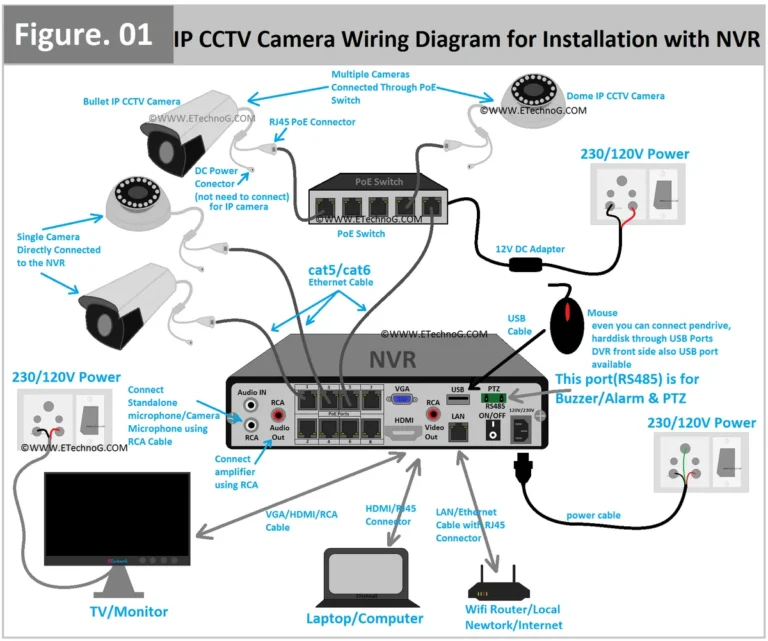
- Wired (PoE, Power over Ethernet): These cameras draw power and send data through a single Ethernet cable. This provides a very stable connection and consistent power, but requires running cables which can be labor-intensive.
- Wireless (Wi-Fi): These cameras connect to your home network wirelessly. They are easier to install but require a strong Wi-Fi signal and a nearby power outlet. If you're experiencing issues, you might need to improve your security camera WiFi signal.
- Battery-Powered: These offer the most placement flexibility as they don't need to be near an outlet. However, you'll need to recharge or replace batteries periodically, and their connectivity can sometimes be less stable than wired options.
Comparing CCTV Camera Types: Which Fits Your Home Best?
The "best" CCTV camera isn't a single model, but rather the type that best suits your property and security needs. Each design has specific strengths and weaknesses that make it ideal for different scenarios.
Bullet Cameras: For Focused Monitoring
Bullet cameras are the classic, cylindrical security cameras. They are often easily visible, which can act as a strong visual deterrent.
- Best For: Monitoring specific points like driveways, front doors, or backyard gates where a clear, focused view is needed. They are excellent for longer-range surveillance.
- Pros: Generally easy to aim, good for visible deterrence, often available with robust weatherproofing for outdoor use.
- Cons: Can be more conspicuous if discreetness is desired, might require more units to cover a wide area.
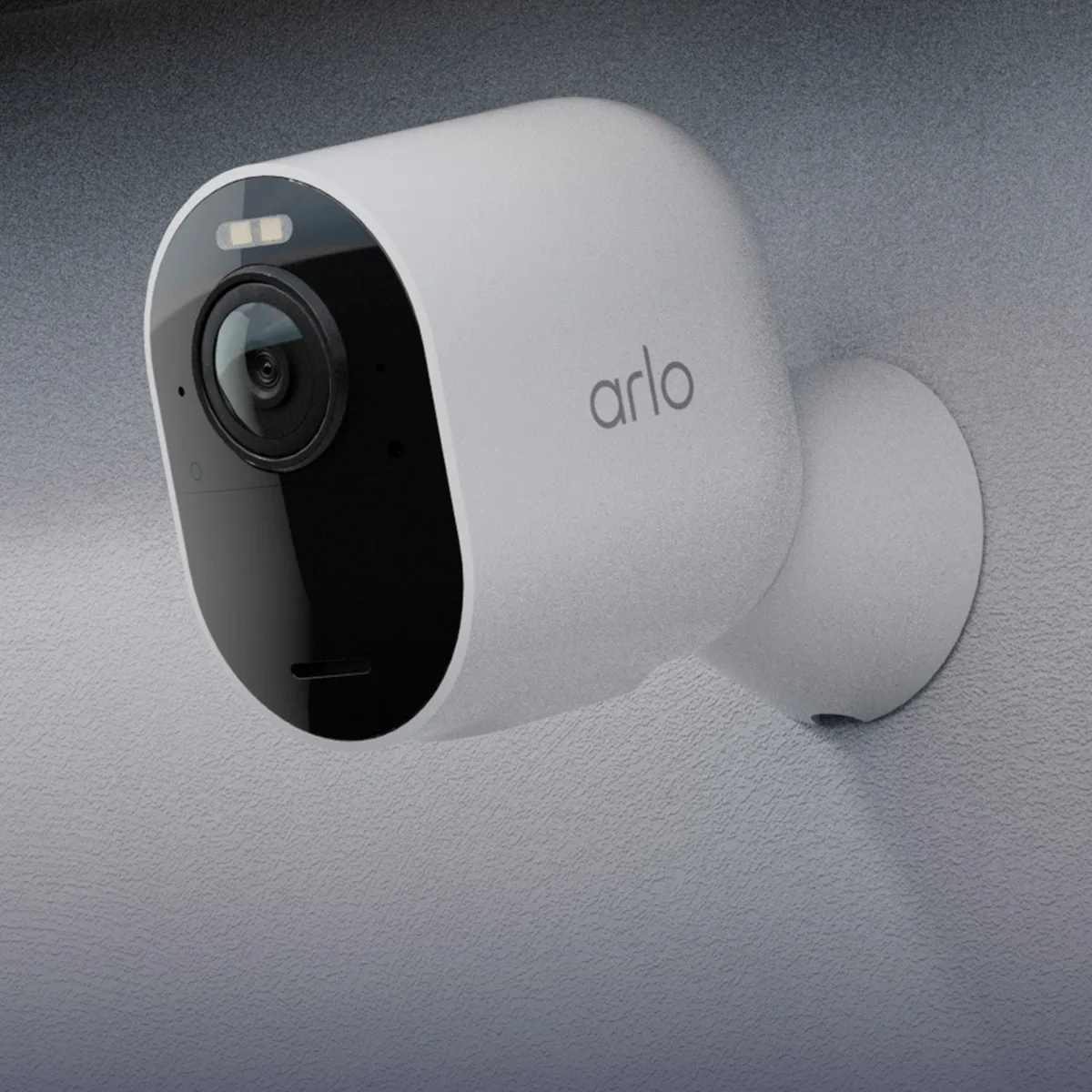
Image source: Web (Bing) / arlo.com (Web image (fair-use with source credit))
Dome Cameras: Discreet Wide Coverage
Dome cameras are spherical and often mounted on ceilings or walls. Their design makes it harder for people to tell which way they are pointing, offering a more discreet surveillance option.
- Best For: Covering wider areas such as entryways, living rooms, or general indoor/outdoor areas where you want to monitor without drawing undue attention to the camera itself.
- Pros: Discreet appearance, often vandal-resistant, wide-angle capabilities.
- Cons: Can be harder to aim precisely once mounted, may require more cleaning if mounted outdoors where dust can accumulate on the dome.
PTZ Cameras: Pan, Tilt, and Zoom Control
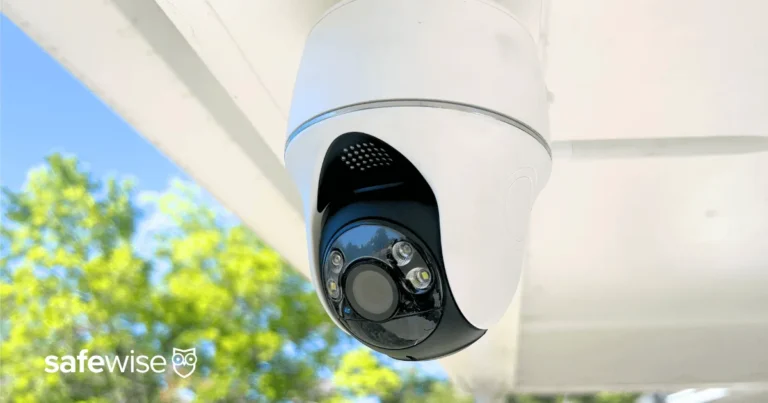
PTZ stands for Pan, Tilt, and Zoom. These cameras offer the ability to remotely control their movement, allowing you to sweep across an area, tilt up or down, and zoom in on specific details.
- Best For: Large properties, open spaces, or areas requiring detailed monitoring of multiple points from a single camera. They are often used in commercial settings but can be beneficial for expansive residential properties.
- Pros: High flexibility and coverage from a single unit, powerful zoom capabilities for detailed inspection.
- Cons: Typically more expensive, can be complex to set up and configure, may require a stable network connection for smooth operation.
Wire-Free & Battery-Powered: Maximum Placement Flexibility
These cameras run on rechargeable batteries and connect to your Wi-Fi network wirelessly, eliminating the need for power cables. This offers unparalleled freedom in placement.
- Best For: Locations where running power or Ethernet cables is difficult or impossible, such as detached garages, gates, or temporary setups. They are also great for renters.
- Pros: Extremely easy to install and relocate, no need for nearby power outlets, wide range of mounting options.
- Cons: Battery life requires regular recharging or replacement, potential for less stable Wi-Fi connections compared to wired options, recording may be limited to motion-activated events to conserve battery.
Smart Doorbells: Your First Line of Defense
Smart doorbell cameras combine a doorbell with a high-resolution camera, motion detection, and two-way audio. They are your primary tool for monitoring who is at your front door.
- Best For: Front door monitoring, package delivery verification, and general screening of visitors.
- Pros: Provides immediate alerts for front door activity, allows two-way communication with visitors, often integrates with other smart home systems.
- Cons: Limited field of view compared to dedicated security cameras, typically requires existing doorbell wiring or a dedicated battery.
Real-World Scenarios: CCTV Camera Choices for Different Homes
The best CCTV camera setup isn't just about features; it's about how those features apply to your specific living situation. What works for a sprawling ranch might be overkill for a city apartment. Let's look at a few common scenarios.
Apartment Living: Discreet Security
For apartment dwellers, discreet surveillance is often key. You might be focused on monitoring your front door, a balcony, or common entry areas.
- Priorities: Ease of installation, compact size, and minimal visual impact.
- Recommendations: Consider wire-free cameras that are easy to mount and remove, or smart doorbell cameras if your building allows. Look for models with two-way audio so you can speak to visitors. Ensure any camera you choose complies with your building's regulations.
Suburban Homes: Perimeter and Yard Coverage
Suburban homes often have more exterior space to monitor, including yards, driveways, and side entrances. Security here might focus on deterring intruders and capturing evidence of any suspicious activity.
- Priorities: Good resolution (2K or higher), reliable night vision, customizable motion detection to avoid false alarms from wildlife, and weather resistance for outdoor placement.
- Recommendations: A combination of bullet cameras for key entry points and wider-angle dome cameras for general area coverage can be effective. Wired or robust Wi-Fi connections are generally preferred for reliability.
Larger Properties: Extended Surveillance Needs
If you have a larger property, a farm, or a home with significant acreage, your surveillance needs are more extensive. You'll need cameras that can cover long distances and potentially monitor vast areas.
- Priorities: Wide fields of view, long-range night vision, powerful zoom capabilities, and potentially PTZ (Pan-Tilt-Zoom) cameras to cover expansive areas. Reliable and robust connectivity is paramount.
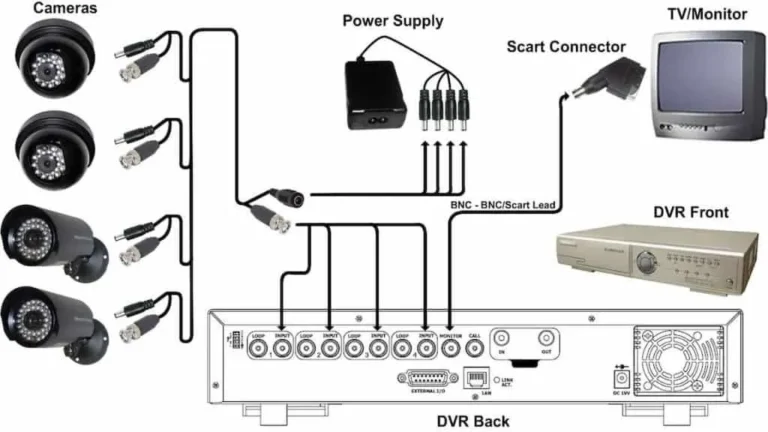
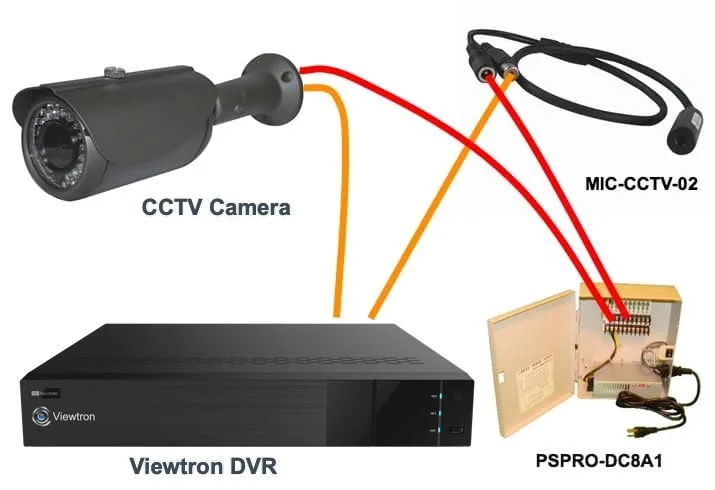
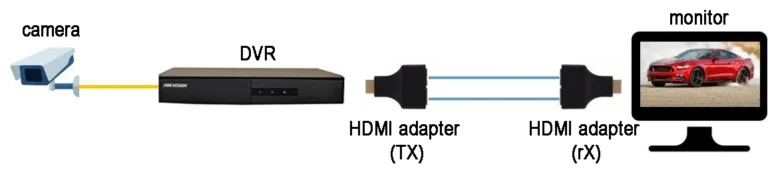
- Recommendations: Multiple cameras might be necessary, possibly managed by a Network Video Recorder (NVR) or Digital Video Recorder (DVR) system for centralized storage. Consider cameras designed for longer outdoor range.
Common Mistakes When Buying Home CCTV Cameras
Many people make a few common slip-ups when they're first looking for home CCTV cameras. Avoiding these can save you time, money, and a lot of frustration down the line.
- Overlooking Night Vision: Thinking you only need cameras for daytime use is a mistake. Most incidents occur at night, and poor night vision renders cameras useless when you need them most.
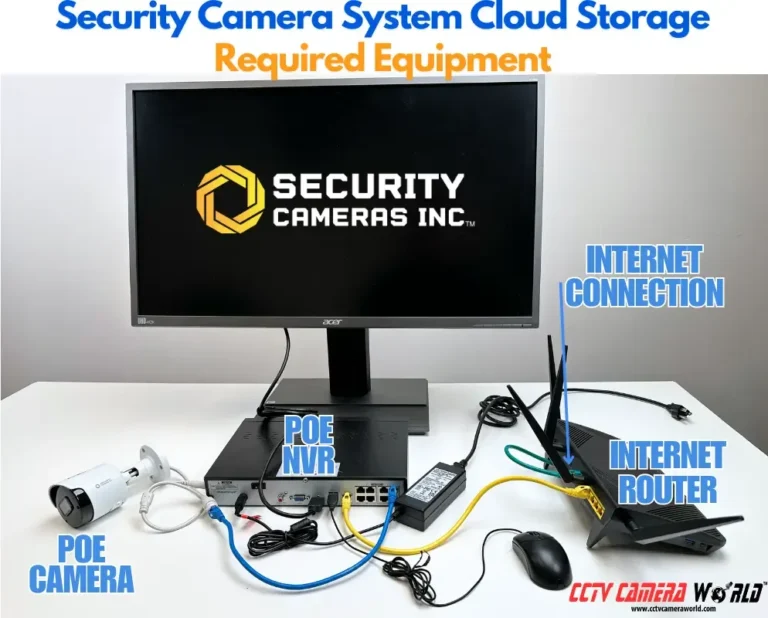
- Ignoring Storage Costs: Many cloud-based systems come with attractive initial pricing, but the monthly subscription fees can add up significantly over the years. Always factor in the long-term cost of cloud storage.
- Underestimating Wi-Fi Needs: Wireless cameras rely heavily on a strong, stable Wi-Fi signal. If your router is far from the camera location or your signal is weak, you'll experience lag or connection drops. You might need a mesh network or extender. If you're wondering why is my security camera delayed, your WiFi could be the culprit.
- Choosing the Wrong Field of View: A camera with too narrow a field of view might miss important activity, while one with an excessively wide view might create a distorted image or capture too much irrelevant detail.
- Not Checking Weather Ratings: Using indoor cameras outdoors, or outdoor cameras not rated for your local climate, will lead to premature failure. Always look for appropriate IP ratings for weather resistance.
Setting Up Your Home CCTV System: A Practical Guide
Getting your CCTV system up and running might seem daunting, but breaking it down into steps makes it manageable. This guide focuses on general setup principles applicable to most systems.
Plan Your Camera Placement:
- Identify key areas to monitor (entrances, driveways, blind spots).
- Consider light sources and potential for glare or shadows.
- Determine the best mounting height for optimal view and deterrence without being too accessible.
Install the Cameras:
- Wired Cameras: Run Ethernet (PoE) or power cables to each location. Mount the cameras securely.
- Wireless/Battery Cameras: Mount the cameras, ensuring they are stable and positioned correctly. Charge batteries fully before installation.
Connect to Your Network:
- Wired: Connect Ethernet cables to your router or PoE switch, and then to the cameras or NVR/DVR.
- Wireless: Follow the manufacturer's app instructions to connect each camera to your Wi-Fi network. This often involves scanning a QR code or entering Wi-Fi credentials. If you struggle here, consider how to improve security camera WiFi signal.
Configure Storage:
- Local (MicroSD): Insert a compatible MicroSD card into each camera or NVR/DVR.
- Cloud: Sign up for a subscription plan and link your cameras through the app.
- NVR/DVR: Connect the recording device to your network and install hard drives if necessary.
Set Up Alerts and Features:
- Download the mobile app.
- Configure motion detection zones, sensitivity, and alert types (person, vehicle).
- Set up continuous recording or event-based recording as desired. You can learn about what is event-based recording to tailor this.
Test and Adjust:
- Walk through the monitored areas to test motion detection.
- Check live view and recorded footage for clarity and framing.
- Fine-tune camera angles and motion settings as needed. If you notice issues, you might need to fix security camera motion detection.
Frequently Asked Questions About Home CCTV Cameras
How much does a good home CCTV camera system typically cost?
The cost varies widely, but expect to pay anywhere from $50-$100 for a single basic wire-free camera to $500-$1000 or more for a multi-camera wired system with an NVR. Cloud storage subscriptions are usually an additional $5-$20 per month per camera.
How long should security footage be kept?
This depends on your needs and local regulations. Some people prefer to keep footage for 7 days, while others might retain it for 30 days or longer. It's important to consider how long should security footage be kept based on potential investigative timelines.
Do I need a wired or wireless CCTV camera?
Wired cameras offer more reliable connectivity and power, ideal for permanent installations. Wireless cameras offer greater flexibility in placement but depend on Wi-Fi signal strength and battery life. The choice depends on your property layout and installation capabilities.
What is the difference between NVR and DVR?
An NVR (Network Video Recorder) is used with IP cameras and connects over your network, usually via Ethernet. A DVR (Digital Video Recorder) is used with analog cameras and typically uses coaxial cables. Both record footage to a hard drive.
Can I access my CCTV footage remotely?
Yes, most modern CCTV systems come with mobile apps or web portals that allow you to view live feeds and recorded footage from anywhere with an internet connection. This is a key benefit for remote monitoring.
Your Decision Guide: Picking the Right CCTV Camera
After weighing the features, types, and setup considerations, it's time to make a choice. The "best" CCTV camera for your home is the one that most effectively addresses your specific security priorities and integrates seamlessly into your daily life.
- If budget is tight and placement is simple: A single, good-quality Wi-Fi camera with 1080p resolution and decent night vision might suffice for monitoring a front door or small area.
- For comprehensive coverage and peace of mind: Consider a multi-camera system. A wired PoE system offers the most reliability for perimeter surveillance if running cables is feasible.
- If ease of installation is paramount: Wire-free cameras or smart doorbells are excellent options, but be prepared for battery maintenance and potential Wi-Fi considerations.
- For the highest detail and evidence quality: Prioritize cameras with 2K or 4K resolution and color night vision, especially for areas where identification is critical.
Remember to check manufacturer specifications for details like IP ratings for weather resistance and the actual tested range of night vision. Always consider how the storage solution (local vs. cloud) impacts ongoing costs and accessibility. By aligning camera capabilities with your unique needs, you can create a robust and effective home security solution.