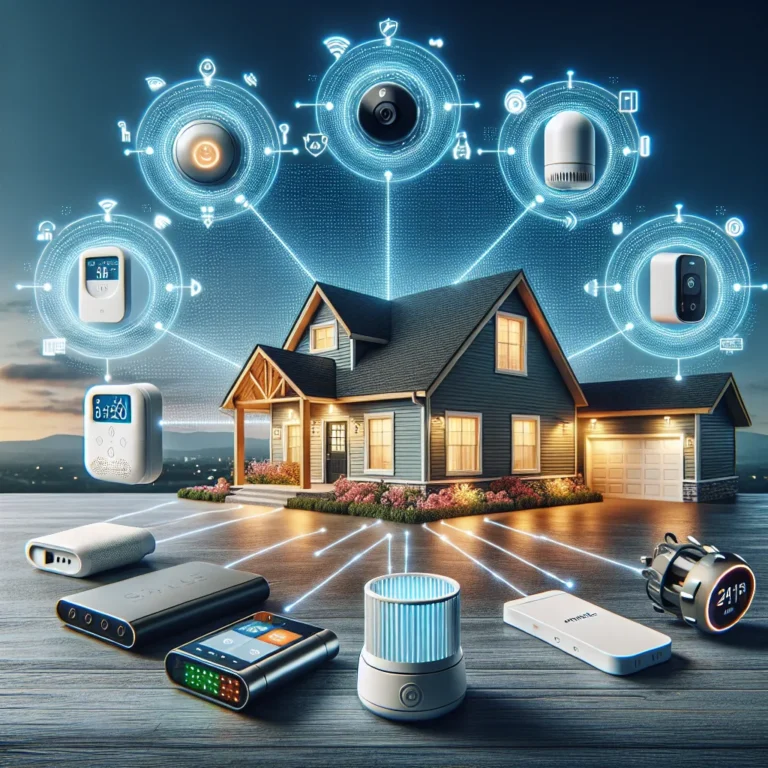
What Is Smart Home Security
When you think about keeping your home safe, wires and alarms used to be the main game. Now, it's all about smart tech. So, what is smart home security?
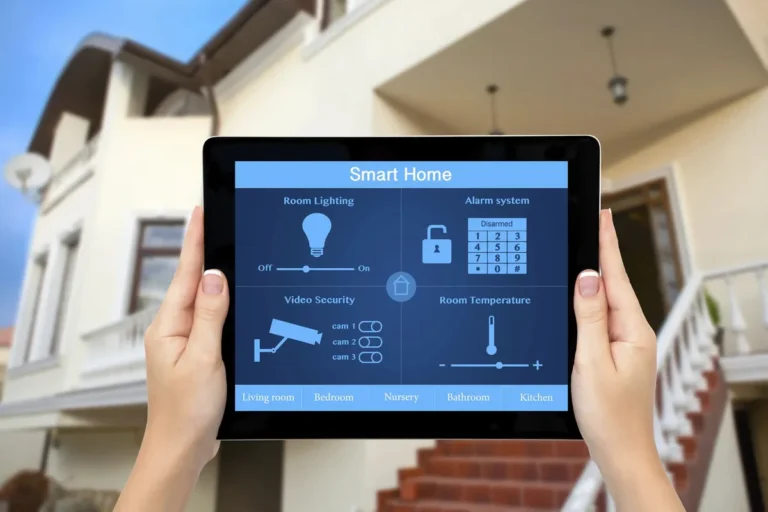
It's a connected system that uses devices like cameras, sensors, and locks, all controlled through your smartphone or voice assistant, to monitor and protect your living space. It brings a new level of convenience and insight to home protection.
These systems offer features like remote access, motion alerts, and even two-way audio, allowing you to see and speak to visitors from anywhere. For instance, many smart cameras meet the ONVIF Profile S standard, ensuring interoperability with various network video recorders and software, a crucial detail for those building a comprehensive setup. Let's dive into what that really means for you.
Quick Answer
Smart home security is a network of connected devices, like cameras, sensors, and locks, that you control remotely via your phone or voice. It offers real-time alerts, remote monitoring, and automation to enhance home protection. These systems integrate with other smart devices for a cohesive security and home management experience.
Is Smart Home Security Right For You? Figuring Out Your Needs
Deciding if smart home security fits your life comes down to a few key questions about what you need and what you already have. It's not just about buying the latest gadget; it's about finding a solution that genuinely makes you feel more secure and in control. Think about your daily routine, your property, and your comfort level with technology.
For example, if you travel frequently or have a large home, remote monitoring can offer immense peace of mind. If you're concerned about packages being stolen from your porch, a video doorbell might be your priority. Conversely, if you're perfectly happy with a basic alarm system and rarely use apps for home management, a full smart setup might feel like overkill.
Our research indicates that users who already have a smart home ecosystem, like Amazon Alexa or Google Home, find integrating new security devices much simpler.
The Building Blocks of Smart Home Security: What You'll Need
To build a smart home security system, you'll be working with several core components that talk to each other. It’s like putting together a puzzle where each piece adds a layer of protection or convenience. Understanding these parts is key to choosing what's best for your situation.
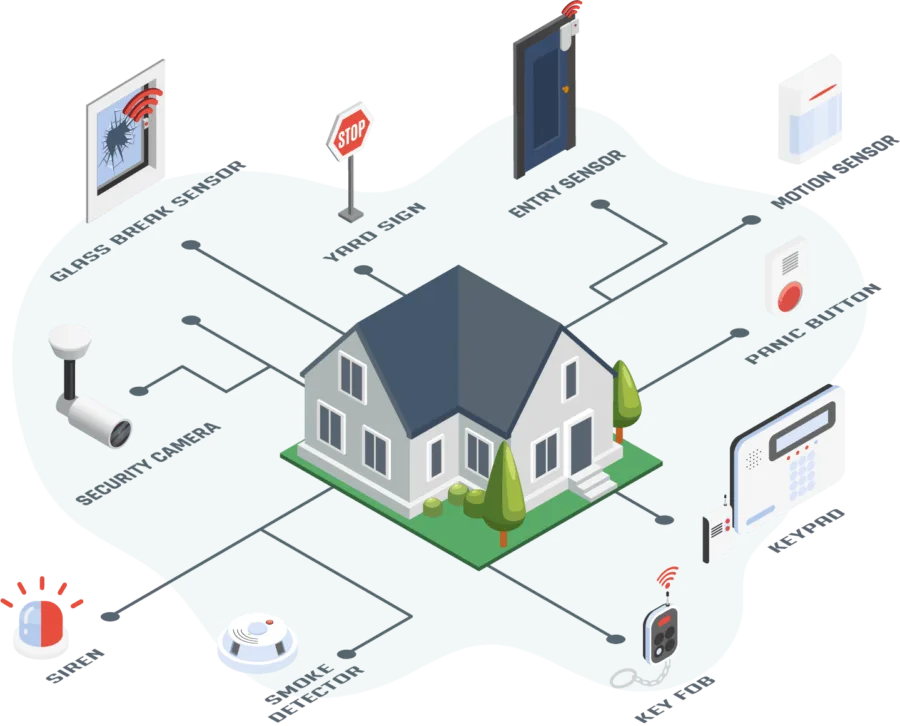
Image source: Web (Bing) / pinterest.com (Web image (fair-use with source credit))
Key Components: From Locks to Cameras
These are the gadgets that do the actual work of monitoring and securing your home. They can often be purchased individually or as part of a starter kit.
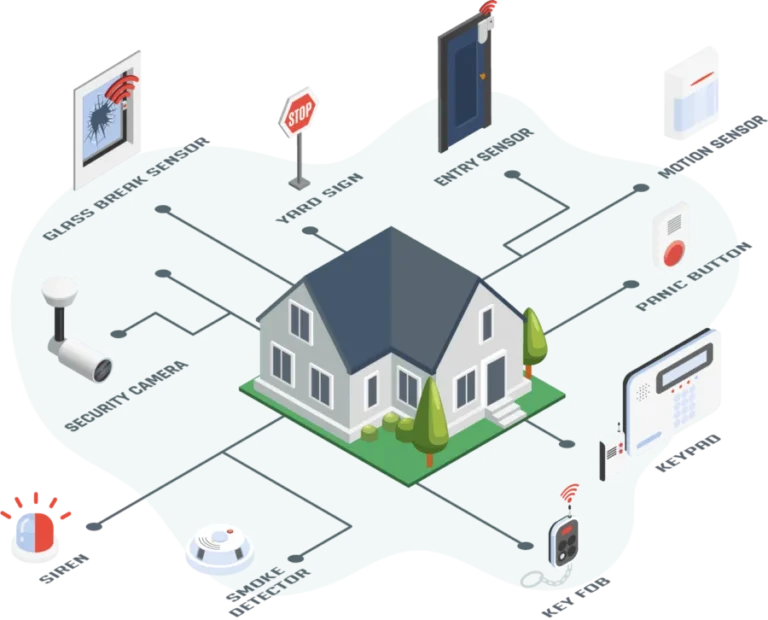
- Smart Locks: These replace your traditional deadbolts. You can lock and unlock them using your smartphone, a keypad, or sometimes even voice commands. They can also grant temporary access codes to guests or service providers.
- Wireless Security Cameras: These are your eyes and ears, both inside and outside your home. They stream video to your phone, often with motion detection that sends you alerts. Features like night vision and two-way audio are common.
- Video Doorbells: A popular choice, these combine a doorbell with a camera. You can see and speak to anyone at your front door, even when you're not home, and get alerts for motion at your doorstep.
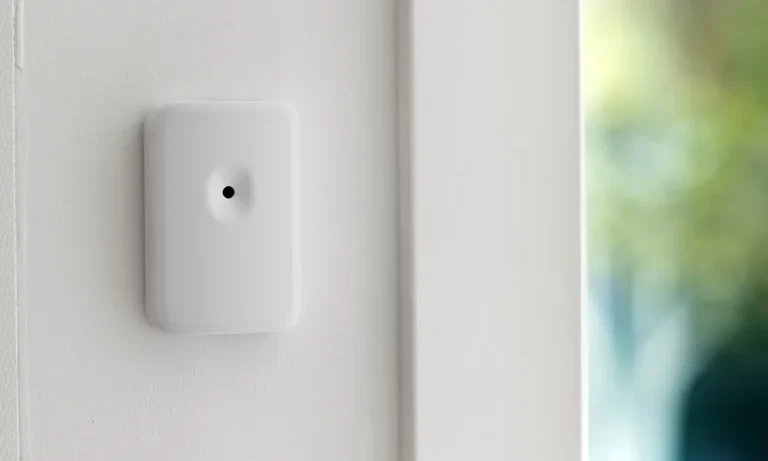
- Smart Sensors: These are the smaller, less visible but vital parts of the system.
- Motion Sensors: Detect movement within a certain range, ideal for covering larger areas or hallways. Many are designed to ignore pets, preventing false alarms.
- Door/Window Sensors: These consist of two parts that attach to a door or window and its frame. When separated (meaning the door or window is opened), they trigger an alert.
- Glass Break Sensors: Listen for the specific frequency of breaking glass, useful for securing rooms with large windows.
Sensors: The Silent Guardians
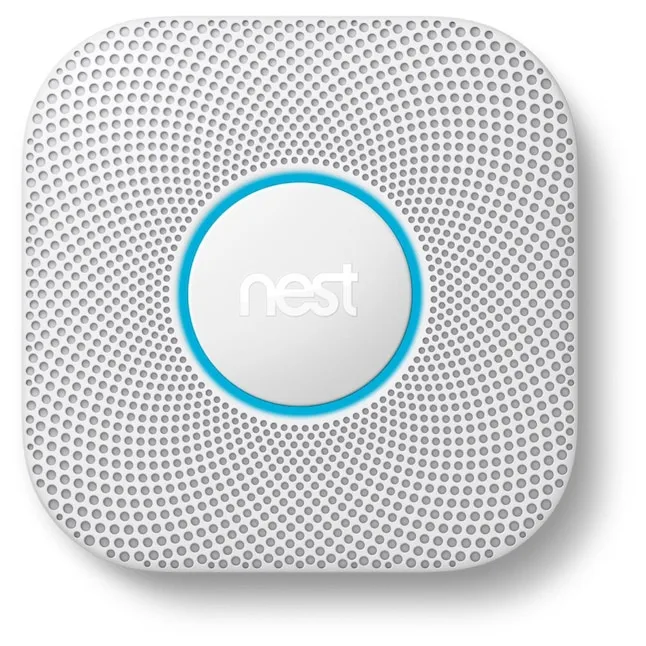
Sensors are often the first line of defense. They work quietly in the background, ready to alert you the moment something is amiss. Think of them as your home's early warning system.
They're usually battery-powered and communicate wirelessly with a central hub or directly with your Wi-Fi network. The effectiveness of these sensors relies heavily on their placement and sensitivity settings, which can usually be adjusted via the system's app.
How Smart Home Security Keeps You Safe: The Basics
At its heart, smart home security is about leveraging connected technology to deter potential threats and alert you to any unusual activity, all in near real-time. It’s a proactive approach that offers more than just an alarm sounding after a break-in. The system works by having your devices communicate with each other and with you, wherever you are.
When a sensor is triggered (like a door opening or motion detected), it sends a signal to your smart home hub or directly to your Wi-Fi network. This signal then prompts your smartphone app to send you an alert. Depending on your setup, this alert might be a simple notification, or it could trigger other actions, such as turning on lights, recording video from nearby cameras, or even sending a signal to a professional monitoring service.
This interconnectedness means you're always in the loop about what's happening at home.
Common Setups: Choosing Your Path
When you're looking into smart home security, you'll quickly see there are a few main ways to go about it, each with its own pros and cons. It really boils down to how much control you want, how much you're willing to spend, and how hands-on you want to be with the setup and monitoring.
DIY vs. Professional Monitoring: A Quick Look
This is often the first big decision point.
- DIY (Do-It-Yourself) Systems: You buy the equipment (cameras, sensors, locks) and install it yourself. You're in charge of setting it up, managing the apps, and responding to alerts. This route is usually more budget-friendly upfront and gives you complete control. Many systems today, like those from Wyze or SimpliSafe, are designed for easy self-installation.
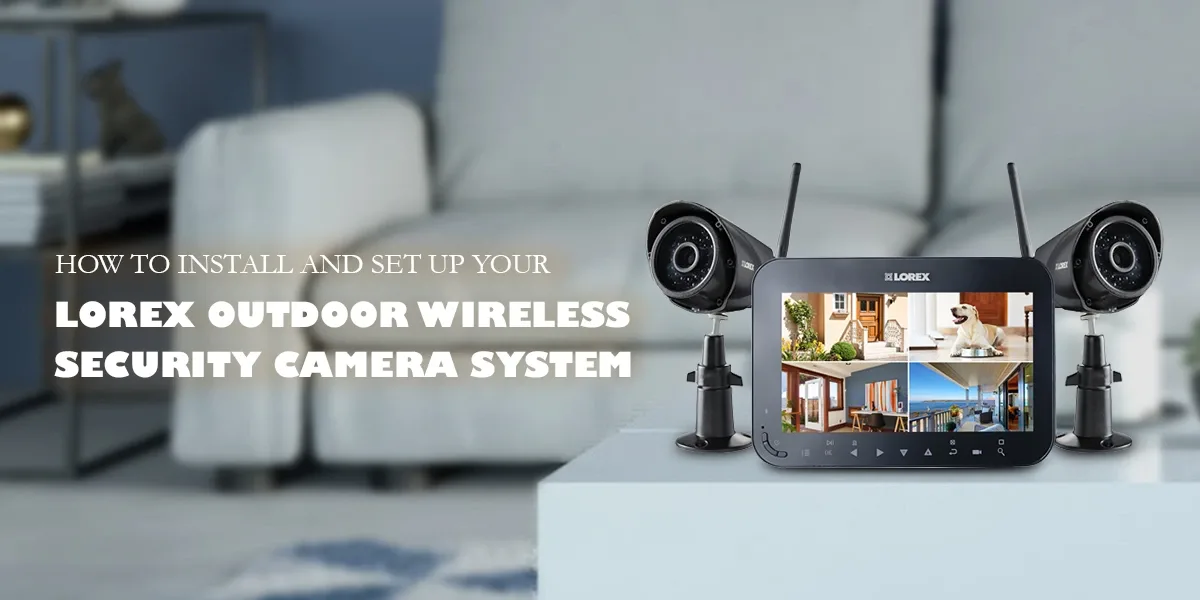
Image source: Web (Bing) / lorexitech.com (Web image (fair-use with source credit))
- Professionally Monitored Systems: With this option, you still buy the equipment and often have it installed by a technician, but a professional monitoring center watches over your system 24/7. If an alarm is triggered, they'll verify the situation and dispatch emergency services if needed. This offers the highest level of security but comes with a monthly fee. Companies like ADT offer this service.
Building Your Own System: A Simple Workflow
If you opt for a DIY approach, the process generally follows a predictable path. It's about connecting your devices and customizing their behavior.
- Choose Your Hub/Platform: Decide if you want a dedicated smart home hub or if you'll rely on existing platforms like Amazon Alexa, Google Home, or Apple HomeKit to manage your devices. Some systems have their own proprietary hubs.
- Select Your Devices: Pick the specific components, cameras, locks, sensors, that address your security concerns. Ensure they are compatible with your chosen hub or platform.
- Install the Hardware: Follow the manufacturer's instructions to physically install each device. This usually involves mounting cameras, attaching sensors to doors/windows, and replacing your existing deadbolt with a smart lock.
- Connect to Wi-Fi/Hub: Power on your devices and connect them to your home Wi-Fi network or pair them with your smart home hub using the system's mobile app.
- Configure Settings: Use the mobile app to name your devices, set up motion zones for cameras, adjust sensor sensitivity, and define alert preferences.
- Test Everything: Arm the system and deliberately trigger each sensor and camera to ensure they are working correctly and sending alerts as expected.
Benefits & Drawbacks / Pros and Cons
Smart home security offers a compelling mix of advantages, but like any technology, it has its downsides. Understanding both sides helps you make an informed decision about whether it’s the right fit for your home.
The Upside:
- Enhanced Control and Convenience: You can manage your home security from anywhere using your smartphone. Lock doors remotely, check camera feeds, and receive alerts instantly. This convenience is a major draw for busy households.
- Deterrent Effect: Visible cameras and smart locks can act as strong deterrents to potential intruders. The mere presence of such technology often makes a property a less attractive target.
- Insight and Awareness: Real-time alerts and live video feeds provide immediate awareness of what's happening at your property. This can be invaluable for monitoring children, pets, or deliveries.
- Integration Capabilities: Smart security devices can often integrate with other smart home gadgets, creating automated routines. For example, unlocking your smart lock could disarm your security system, or motion detected by a camera could turn on your smart lights.
The Downside:
- Reliance on Internet and Power: Most smart security systems depend on a stable Wi-Fi connection and a consistent power supply. Outages can render the system temporarily inoperable unless it has battery backup and cellular failover.
- Potential for False Alarms: As mentioned, false alarms are a common frustration. They can occur due to environmental factors or device misconfigurations, leading to unnecessary alerts or even dispatches.
- Subscription Costs: While many devices can be used without a monthly fee, features like cloud video storage, professional monitoring, and advanced analytics often require a subscription. These recurring costs can add up over time.
- Privacy Concerns: With cameras and microphones in your home, privacy is a significant consideration. It's crucial to understand data handling policies and ensure your system is configured to protect your personal information.
Step-by-Step Process / How to Guide
Setting up a smart home security system, especially a DIY one, is designed to be manageable. While specifics vary by brand, the general process remains consistent. It involves physical installation, app configuration, and system testing.
- Unpack and Inventory: Carefully unbox all your devices. Check the contents against the packing list to ensure everything is present. Familiarize yourself with each component’s power source and mounting options.
- Install Devices:
- Smart Locks: Follow the included instructions to remove your old deadbolt and install the new smart lock. Ensure it operates smoothly manually before connecting it to power and the app.
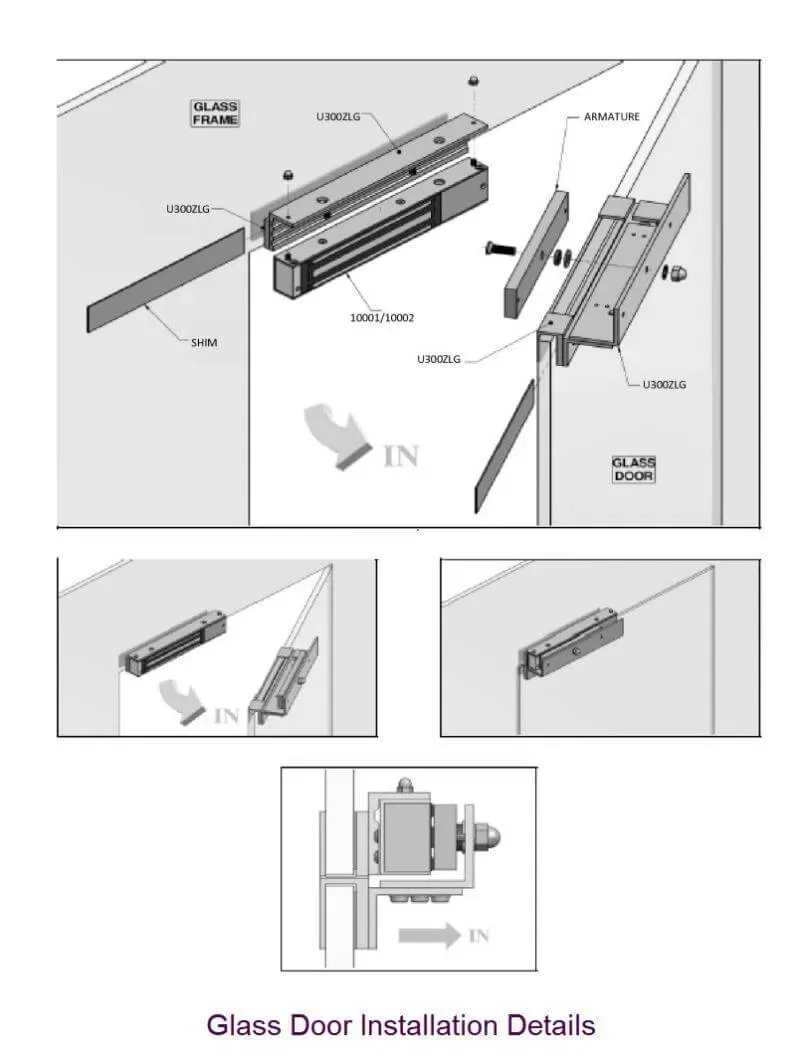
Image source: Web (Bing) / network.nadshealthykitchen.com (Web image (fair-use with source credit))
*   **Cameras & Doorbells:** Mount cameras in desired locations, ensuring they have a clear view and are within Wi-Fi range. For video doorbells, you'll typically need to connect them to your existing doorbell wiring or use a battery-powered model.
*   **Sensors:** Attach door/window sensors to their respective frames using the provided adhesive or screws. Place motion sensors in corners of rooms or high-traffic areas, typically 6-8 feet off the ground.
- Download the App & Create Account: Get the system’s mobile app from your device’s app store. Follow the prompts to create an account, which will be used to manage all your devices.
- Connect Devices to Network/Hub: Power on your devices. Use the app to guide each device through connecting to your home Wi-Fi network. For systems with a dedicated hub, you'll pair the devices with the hub first.
- Configure Settings: Within the app, you can name each device (e.g., "Front Door Lock," "Living Room Camera"). Customize motion detection zones for cameras, set alert schedules, and configure any integration with other smart home services.
- Test Thoroughly: Arm the system and intentionally trigger each sensor. Open doors, walk in front of motion detectors, and test your video doorbell. Verify that you receive alerts on your phone and that cameras are recording.
Comparison / Alternatives / Options
When you're looking at smart home security, it's helpful to see how different approaches stack up. The primary choice most people face is between a fully DIY system and one that includes professional monitoring. Understanding who each option is best for can guide your decision.
| Feature | DIY Smart Security | Professionally Monitored System |
|---|---|---|
| Upfront Cost | Lower; you buy hardware outright. | Higher; hardware often bundled with installation fees. |
| Monthly Fees | Optional (for cloud storage, advanced features). | Required; covers monitoring service. |
| Installation | Typically self-installed, often very simple. | Often professionally installed, sometimes self-install options. |
| Response to Alerts | You respond directly; no automatic dispatch. | Monitoring center verifies and contacts emergency services. |
| Control | Full control via smartphone app. | Full control via app, with monitoring backup. |
| Best For | Budget-conscious users, tech-savvy individuals, renters. | Those seeking maximum security assurance, less tech-inclined users, homeowners. |
Beyond these two main paths, you also have the option of using standalone smart devices. For example, you could buy just a smart lock and a video doorbell without a central system. This offers flexibility but lacks the integrated control and cohesive alerts of a full system.
Manufacturer specifications for systems like Ring or Arlo often detail their integration capabilities.
Use Cases / Best For / Who It's Right For
Smart home security isn't a one-size-fits-all solution. It excels for specific needs and user types, offering tailored benefits that address common concerns. Knowing these use cases can help you identify if it aligns with your own situation.
- Frequent Travelers: If you're often away from home, smart security provides crucial remote monitoring. You can check in on your property, receive alerts about any activity, and even grant temporary access to house sitters or cleaners. This offers peace of mind while you're miles away.
- Package Delivery Monitoring: For those who frequently receive deliveries, a video doorbell or a camera covering the porch can be invaluable. You get an alert when a package arrives, can see who dropped it off, and can even speak to delivery personnel. This helps prevent porch piracy.
- Pet Owners: Smart cameras with two-way audio allow you to check on your pets, speak to them if they’re being too noisy, or even dispense treats with compatible devices. Motion sensors can alert you if your pet is exploring off-limits areas.
- Renters: Many smart security systems, especially those using wireless sensors and cameras, are easy to install and uninstall. This makes them a great option for renters who can't make permanent modifications to their property.
- Tech Enthusiasts: If you enjoy integrating technology into your home and appreciate the convenience of app control and automation, smart security systems fit right into a connected home ecosystem.
Essentially, if you value convenience, remote access, and proactive alerts, smart home security is likely a good fit. It offers a modern approach to home protection that goes beyond traditional alarm systems.
Common Pitfalls: What to Watch Out For
Even with the best intentions, setting up and using smart home security can lead to a few common headaches if you're not careful. Being aware of these potential issues can save you a lot of frustration down the line.
- False Alarms: These are probably the most annoying. They can happen from pets triggering motion sensors, strong winds moving outdoor cameras, or even a simple connectivity glitch. Many systems allow you to adjust sensitivity or set up "safe zones" to minimize these.
- Connectivity Issues: Smart devices rely on a stable Wi-Fi signal. If you have dead spots in your home or your internet connection is unreliable, devices might go offline, rendering them useless. A mesh Wi-Fi system can often resolve these coverage problems.
- Battery Life Concerns: Many wireless devices run on batteries. While manufacturers often quote long battery lives (sometimes over a year for sensors), real-world usage with frequent alerts or extreme temperatures can drain them faster than expected. It’s good practice to keep spare batteries on hand.
- Privacy Worries: Cameras in your home raise privacy questions. It's crucial to understand data handling policies and ensure your system is configured to protect your personal information.
- Device Compatibility: Not all smart devices play nicely together. Before buying, always check if the devices you're interested in are compatible with your existing smart home platform (e.g., Google Home, Alexa, HomeKit). Standards like Matter are aiming to improve this, but it's still a consideration.
Smart Security in Action: Real-World Scenarios
Seeing how smart home security works in everyday situations can really help you grasp its value. It's not just about hypothetical break-ins; it's about practical applications that make life easier and safer.
- The Package Thief Deterrent: Imagine you're at work, and your video doorbell detects motion. You get an alert, check your phone, and see a delivery driver dropping off a package. You can then use the two-way audio to say, "Thanks! I've got it." This interaction alone can deter someone with less honest intentions from taking the package later.
- Checking on Home While Away: You're on vacation, and a family member asks if you remembered to lock the back door. With your smart lock, you can simply open the app, check the lock's status, and if it's unlocked, you can lock it remotely with a tap. Similarly, you can check security cameras to see if your pets are doing okay or if everything looks normal.
- Receiving Immediate Alerts: If a door or window sensor is tripped while the system is armed, you'll get an instant notification on your phone. This means you know immediately if an unexpected entry occurs, allowing you to assess the situation and decide on the next steps, whether that’s calling the police or checking your cameras.
- Granting Temporary Access: Hosting visitors or having a repair person come to your home while you're out? A smart lock allows you to create temporary access codes that expire after a set time. This eliminates the need to hide a physical key or wait around for them.
Frequently Asked Questions About Smart Home Security
What’s the difference between smart security and a traditional alarm system?
Traditional systems are usually hardwired and monitored by a company that dispatches authorities. Smart security uses wireless devices, offers remote app control, and often integrates with other smart home tech, giving you more hands-on management.
Do I need a Wi-Fi connection for smart home security?
Yes, most smart security devices rely heavily on your home's Wi-Fi network to communicate and send alerts to your phone. Some systems offer cellular backup for internet outages, but Wi-Fi is the primary connection.
Can I use smart security if I rent my home?
Absolutely. Many wireless smart security systems are ideal for renters because they don't require drilling or permanent wiring, making them easy to install and remove when you move.
How secure is the data collected by smart security systems?
Reputable brands use encryption protocols, such as AES-256, to protect data transmitted between devices, apps, and their servers. However, it's always wise to review the manufacturer's privacy policy to understand how your data is handled and stored.
What happens if the power goes out?
Many smart security devices have battery backups, and some systems offer cellular backup. This means your system can continue to function and send alerts even during a power outage or internet disruption, though features might be limited.