What Does a Security System Hub Do
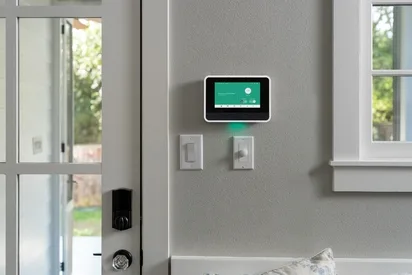
Image source: Bing (Web (fair-use with source credit))
What Does a Security System Hub Do? Your Security's Brain Explained
Ever wondered what makes your home security system tick? It's not just a bunch of sensors and cameras; there's a central command center making sure everything works together. Understanding what a security system hub does is key to grasping how your home stays protected.
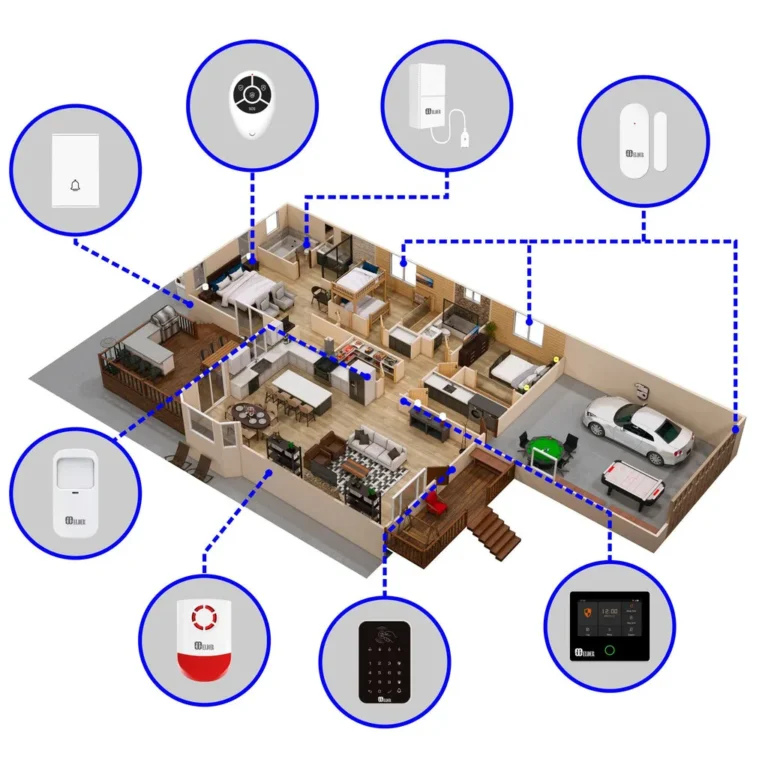
This hub is the crucial component that connects all your different security devices, processes their information, and triggers the appropriate responses. Think of it as the brain, processing signals from your eyes (cameras) and ears (sensors) to decide the best course of action, often communicating vital information wirelessly, sometimes using protocols like Z-Wave, which are designed for low-power, reliable mesh networking.
Quick Answer: The Hub as Your Security System's Command Center
A security system hub acts as the central brain for your entire home security setup. It connects and communicates with all your individual security devices, such as sensors and cameras. The hub receives alerts from these devices, processes the information, and then initiates a programmed response, like sounding an alarm or sending notifications to your phone.
It's the core component that ensures your various security gadgets function as a cohesive, protective system.
Core Explanation: How Your Security Hub Works
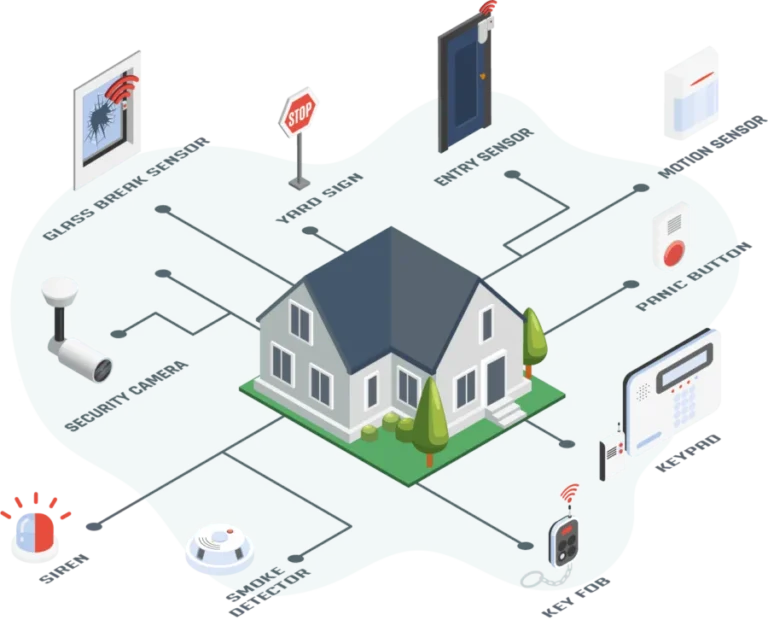
At its heart, a security system hub is designed to bring all the pieces of your security puzzle together. Without it, your door sensors, motion detectors, and cameras would just be isolated gadgets. The hub's main purpose is to create a unified network where these devices can communicate with each other and with you.
Connecting All Your Devices
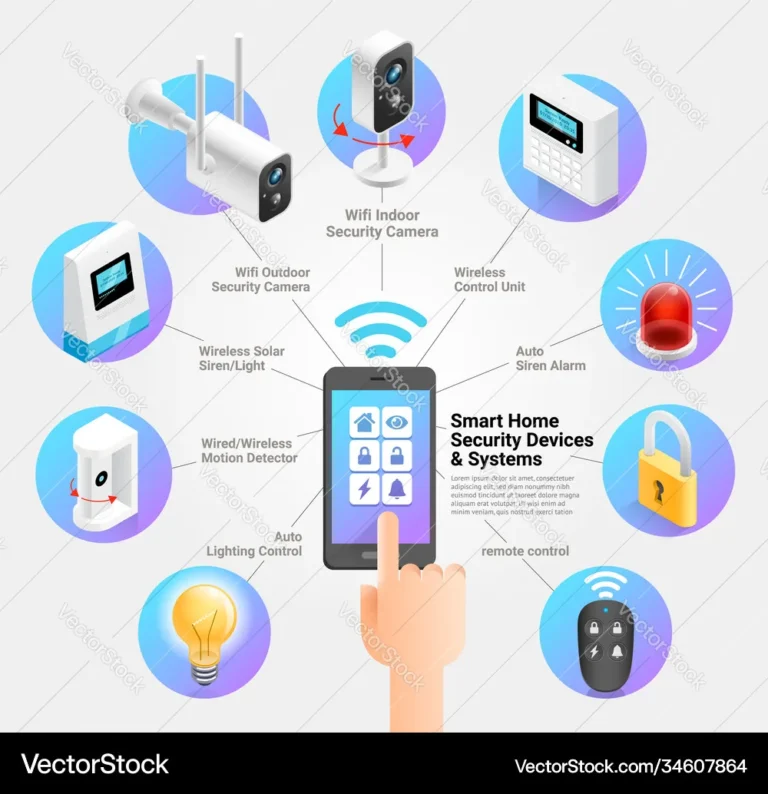
This is the hub's foundational job. It uses various wireless technologies, think Wi-Fi for broader range, or Z-Wave and Zigbee for lower-power, more localized communication, to talk to every single sensor, camera, and other compatible smart home device you have connected to your security system. It acts as the central point of contact, ensuring each device has a pathway to send and receive information.
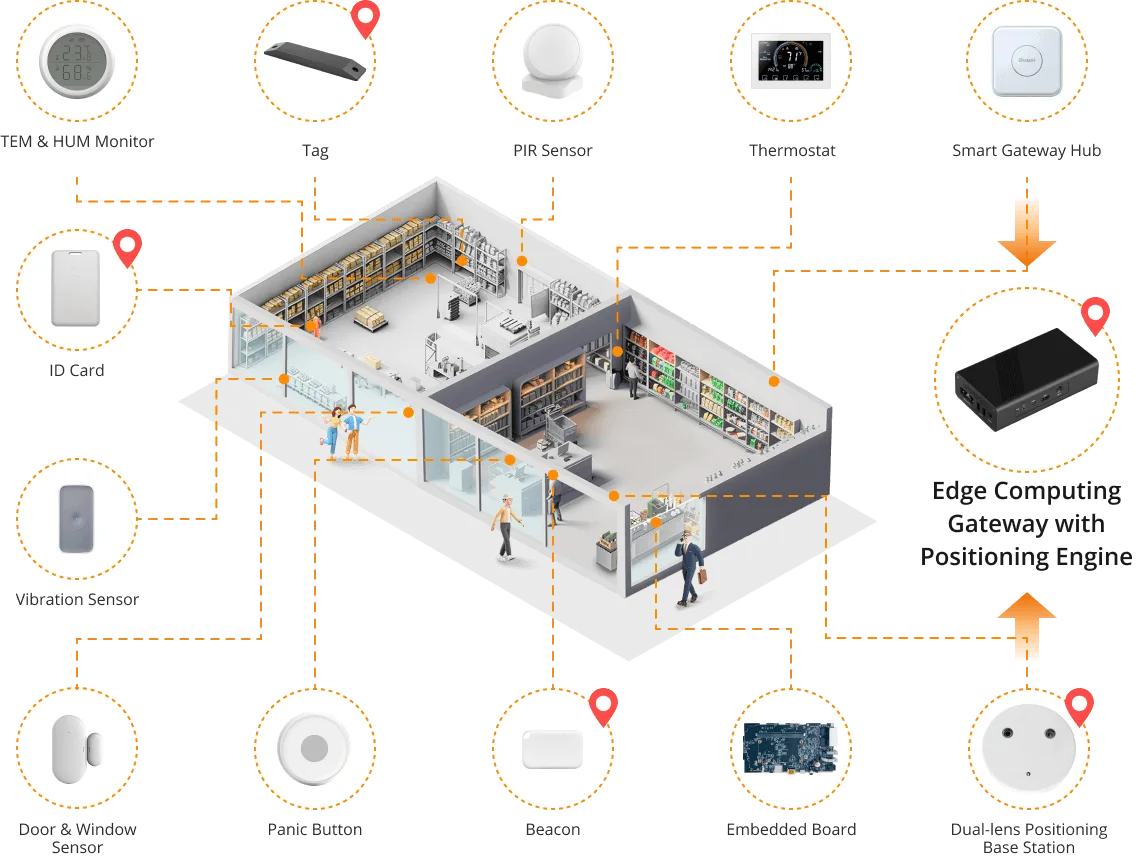
Image source: Bing (Web (fair-use with source credit))
Receiving and Processing Alerts
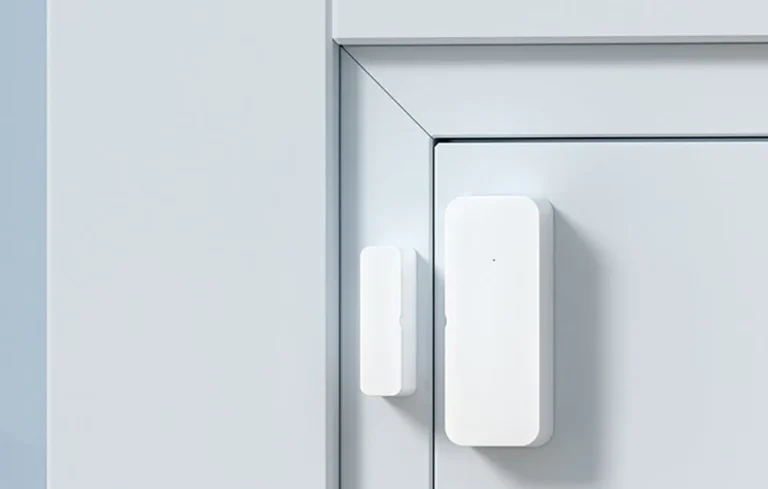
When a sensor detects something out of the ordinary, like a window being opened or motion in a prohibited area, it doesn't just sit there. It immediately sends a signal wirelessly to the hub. The hub is then responsible for interpreting this signal.
It knows which device sent it and what that specific alert means in the context of your armed system.
Taking Action When It Matters
Once the hub has received and processed an alert, it’s programmed to take specific actions. This decision-making process is defined by how you've set up your security system. For instance, if a door sensor triggers while the system is armed, the hub will initiate the pre-set response.
Key Features: What Your Hub Actually Does
Your security system hub is packed with capabilities that are essential for effective home protection. It’s not just a passive listener; it’s an active manager and communicator.
Managing System Arming and Status
A primary function of the hub is to manage the state of your entire security system. You typically interact with the hub, either through a keypad, a mobile app, or a web portal, to arm or disarm the system. This means telling it whether to be on alert for intrusions or if it's okay to ignore routine movements.
The hub keeps track of this armed status for all connected sensors.
Notifying You of Events
When an event occurs that triggers an alarm, the hub is the primary device responsible for informing you. It doesn't just make a noise; it actively pushes notifications to your smartphone, tablet, or computer. These alerts are usually detailed, telling you which sensor was triggered and at what time, so you know exactly what’s happening even when you're not at home.
Benefits: Why a Hub is Essential for Security
Having a dedicated security system hub brings significant advantages that you just don't get with standalone devices. It's the glue that holds your entire protective strategy together, making everything more robust and user-friendly.
Unified Control and Integration
The most significant benefit is unified control. Instead of managing multiple apps for different devices, the hub centralizes control. It allows all your disparate security components, sensors, cameras, alarms, even smart locks, to work in concert.
This integration means a single event can trigger a cascade of actions across your system, offering a more comprehensive security posture.
Enhanced Automation and Responsiveness
With a hub, you unlock advanced automation capabilities. For example, you can program the hub to turn on all the lights and sound the siren if a motion sensor is triggered after dark. This level of automated responsiveness is crucial for deterring intruders and alerting you instantly, providing peace of mind whether you're home or away.
Potential Problems: What Can Go Wrong
While hubs are designed for reliability, like any technology, they can encounter issues. Understanding these potential pitfalls can help you troubleshoot or even prevent problems before they impact your security.
Device Compatibility Issues
Not all security devices are created equal, and not all of them speak the same wireless language. A common problem is trying to pair a sensor with a hub that doesn't support its communication protocol (like Z-Wave, Zigbee, or Wi-Fi). Manufacturer specifications for hubs often list compatible device types, and it's crucial to check this list before purchasing new components to ensure they'll work together seamlessly.
Signal Interference and Connectivity Glitches
Wireless communication is fantastic, but it's not immune to interference. Thick walls, large metal objects, other wireless devices (like microwaves or older cordless phones), and even distance can weaken the signals between sensors and the hub. This can lead to delayed alerts or missed signals altogether.
Ensuring the hub is centrally located and away from potential sources of interference is key for optimal performance.
Common Scenarios: Putting the Hub to Work
Seeing the hub in action through real-world scenarios really highlights its importance in your home security. It's all about how the hub orchestrates events to keep you safe.
Scenario 1: Intrusion Alert While Armed
Imagine your security system is armed for the night. If a front door sensor detects the door being opened, it sends a signal to the hub. The hub immediately recognizes this as an unauthorized entry.
Its programmed response kicks in: it triggers the loud indoor and outdoor sirens, sends an urgent alert to your smartphone via its companion app, and, if you have it, signals your professional monitoring service to dispatch authorities.
Scenario 2: Smoke Detection
Many modern security hubs can also integrate with smart smoke and carbon monoxide detectors. If one of these sensors detects smoke, it sends a signal to the hub. The hub, in turn, can activate the siren to alert occupants, send a notification to your phone, and even turn on all the lights in the house to aid evacuation, providing a crucial layer of safety beyond intrusion detection.
Making the Right Choice: Is a Hub For You?
Deciding if a security system hub is the right fit for your home involves considering your specific needs and existing technology. It’s not a one-size-fits-all solution, but for many, it’s the backbone of effective home security.
Who Needs a Security Hub?
You'll likely benefit from a dedicated security hub if you have multiple security devices, or if you plan to expand your system over time. It’s particularly useful if you’re looking for seamless integration with other smart home devices, such as smart lights or thermostats, to create automated routines. If you want a single point of control and advanced customization, a hub is essential.
If you're starting with just one or two basic door/window sensors and don't plan to add more, a hub might be overkill. Some simpler systems can operate as standalone units. However, research indicates that by 2026, a significant majority of new home security installations incorporate some form of central hub for greater flexibility and future-proofing.
Frequently Asked Questions About Security Hubs
What's the difference between a security hub and a smart home hub?
While there's overlap, a dedicated security system hub is specifically designed to manage and control security devices like sensors, cameras, and alarms. A smart home hub often has broader capabilities, integrating with entertainment, lighting, and climate control in addition to security. Many security hubs now include smart home features, blurring the lines.
How do I know if my existing devices are compatible with a new hub?
Always check the hub manufacturer's specifications for a list of compatible devices or protocols. Common protocols include Z-Wave, Zigbee, and Wi-Fi. You can often find compatibility lists on the manufacturer's website.
If unsure, contacting their support team is recommended.
Can a security hub work without an internet connection?
Many security hubs can function for basic security tasks, like sounding an alarm when a sensor is triggered, even without an internet connection. However, you’ll typically lose remote access features, such as receiving smartphone notifications or controlling your system remotely, which rely on internet connectivity. Professional monitoring services also require a stable connection to communicate with the hub.
How often should I test my security system hub?
It's a good practice to test your security system hub and connected devices at least once a month. This ensures that sensors are communicating correctly and that the hub is processing alerts as expected. Most system apps will guide you through a testing process, simulating an alarm trigger and checking for notifications.