What Is a Smart Security Camera
So, you've been hearing about "smart security cameras" and wondering what makes them so smart, right? It's a really good question, and honestly, it's not as complicated as it might sound. Think of it like this: a smart security camera is basically your eyes and ears when you can't be there yourself.
It's a security camera, for sure, but with some extra brainpower that lets it connect to your home's Wi-Fi. This connection is the key. It’s what allows it to do all the cool, "smart" stuff that regular old cameras can't.
Quick Answer
A smart security camera is a Wi-Fi-enabled device that records video and sends alerts to your phone. It offers remote viewing, motion detection, and often two-way audio capabilities. These cameras enhance home security by providing real-time monitoring and immediate notifications of potential events.
As of 2026, they are a common component of smart home ecosystems.
Your Home's Digital Watchdog: Core Explanation
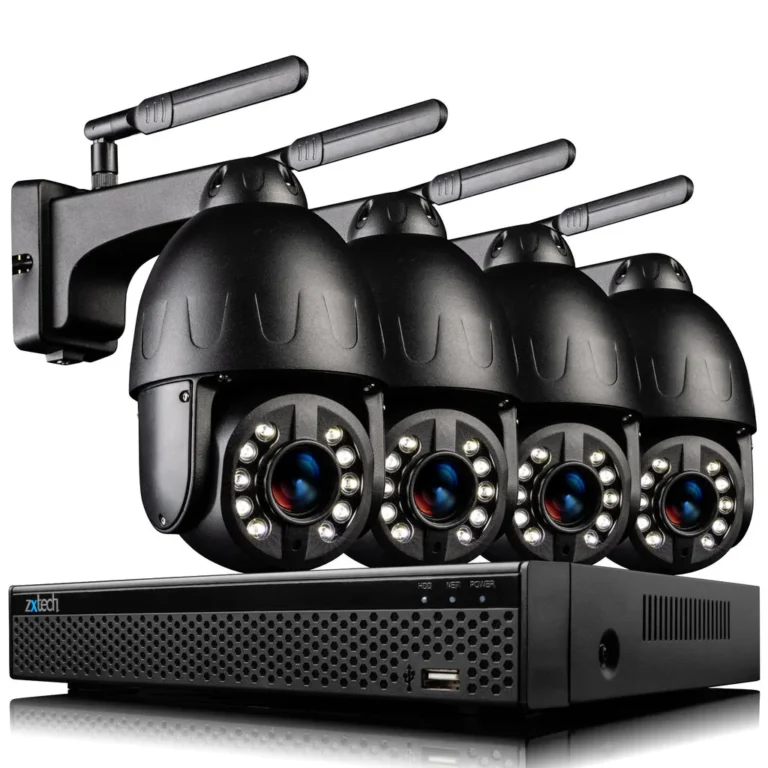
At its heart, a smart security camera is a surveillance device designed to keep an eye on your property. What elevates it from a standard security camera is its ability to connect to your home's wireless internet network. This Wi-Fi connection is the gateway to all its advanced features, transforming a simple recording tool into an interactive security asset.
Manufacturer specifications confirm these devices are built to stream data wirelessly, allowing for remote access and notifications.
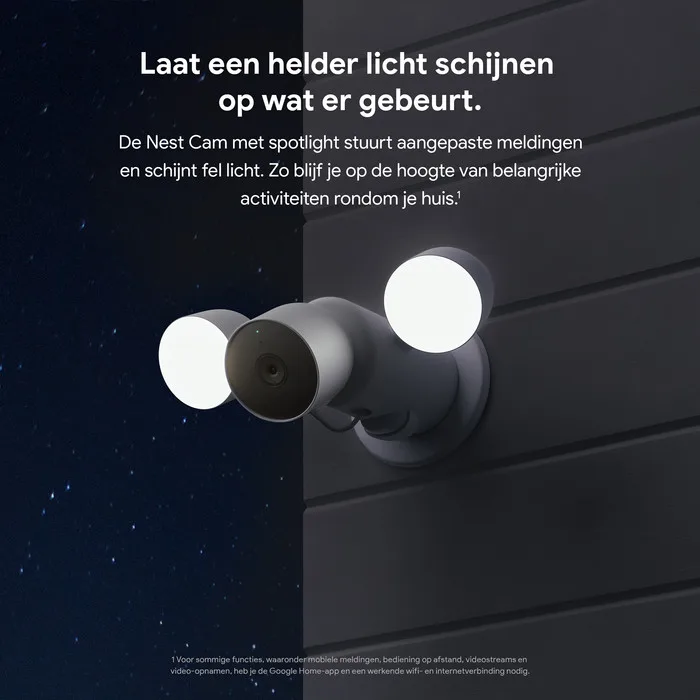
Image source: Bing (Web (fair-use with source credit))
This connectivity means you're not tied to a physical location to see what's happening. You can access live feeds, review recorded events, and receive alerts from virtually anywhere with an internet connection. It’s about extending your awareness beyond the walls of your home, offering a proactive approach to security.
The integration of smart technology means these cameras are less about passive recording and more about active monitoring and timely information delivery.
Key Features That Make Them "Smart"
The "smart" in smart security camera isn't just a marketing term; it refers to a suite of technologies that give these devices their advanced capabilities. These aren't your grandpa's VCR-taped security systems. We're talking about real-time interaction and intelligent alerts.
Here's a breakdown of what makes them stand out:
- Motion Detection: This is a cornerstone feature. Instead of recording 24/7, many smart cameras can detect movement within their field of view. When motion is sensed, the camera can trigger recording and send an alert. Some advanced models allow you to define specific "motion zones" so you only get notified about activity in critical areas, like your front door, and not just a tree swaying in the wind.
- Remote Viewing: This is probably the most used "smart" feature. Via a dedicated mobile app or web interface, you can view a live video stream from your camera at any time. This lets you check in on your home, pets, or family members while you're away, offering a significant sense of security.
- Push Notifications: When motion is detected or another significant event occurs, your camera can send an instant notification directly to your smartphone or tablet. This immediate alert system is crucial for reacting quickly to potential security breaches or unexpected occurrences. Aggregate reviews report that timely notifications are a primary benefit for users.
- Two-Way Audio: Many smart cameras come equipped with a built-in microphone and speaker. This allows for two-way communication. You can speak through the camera's app to someone on the other side of the lens, whether it's a delivery person, a family member, or even a potential intruder you wish to confront remotely.
- Cloud Storage & SD Card Support: Saving your footage is essential. Smart cameras typically offer options for storing recordings either locally on a MicroSD card inserted into the camera or remotely via a cloud-based subscription service. Cloud storage provides an extra layer of security, as recordings are preserved even if the camera is stolen or damaged.
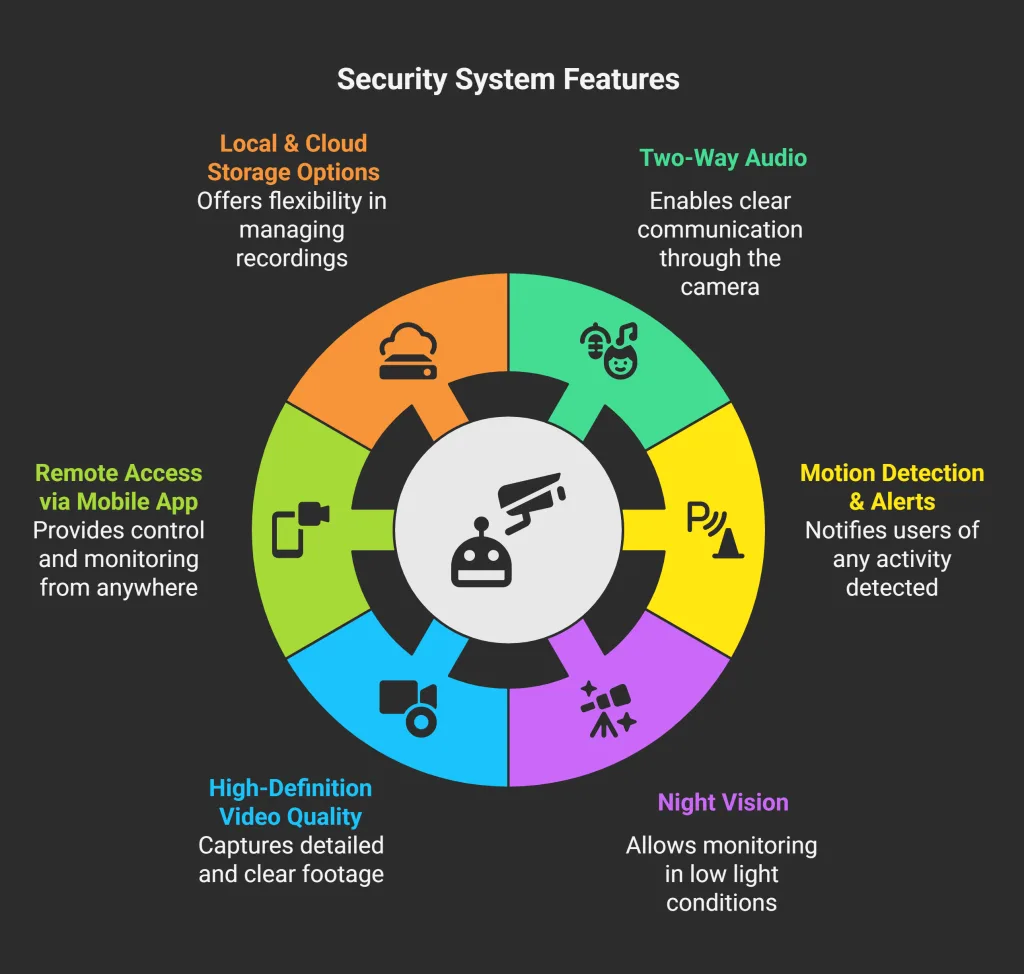
Image source: Bing (Web (fair-use with source credit))
Real-Life Scenarios: Who Uses Smart Cameras and Why
Smart security cameras aren't just for high-tech homes or people worried about break-ins. Their versatility makes them useful for a wide range of people and situations. Think about your daily life and where a little extra visibility might come in handy.
- Busy Professionals: If you work long hours, you might use a camera to check on your pets. You can see if your dog is barking incessantly or if your cat is getting into trouble. It offers peace of mind knowing your furry friends are okay.
- Parents and Guardians: For families with children, a camera can be invaluable. You can check in on kids after school before you get home, ensure they're doing their homework, or even just see them playing safely.
- Elderly Care: Smart cameras can offer a discreet way to monitor the well-being of elderly relatives living independently. You can ensure they are safe, alert if they've fallen (some models have specific fall detection), or simply check in for a friendly wave.
- Property Owners: Beyond home security, cameras are used to monitor rental properties, vacation homes, or even just to keep an eye on your car parked in the driveway. The ability to remotely view and record can be a deterrent and provide evidence if issues arise.
- Package Deliveries: With the rise of online shopping, porch piracy is a concern. A camera focused on your front door can record deliveries, deter potential thieves, and provide proof of delivery or theft.
Essentially, anyone who wants an extra layer of awareness and security for their property can benefit. Manufacturer documentation often highlights these diverse use cases, emphasizing how the technology adapts to various user needs.
Potential Pitfalls: Risks and Mistakes to Watch Out For
While smart security cameras offer a lot of advantages, it's also important to be aware of potential downsides and common mistakes people make. Being informed can help you avoid frustrating issues and ensure your security system works effectively.
- Privacy Concerns: This is a big one. Because these cameras connect to your network and often stream data, they can be vulnerable to hacking. Ensuring you have strong, unique passwords for your camera and your Wi-Fi network is critical. Some cameras may also inadvertently capture footage of neighbors, which can lead to disputes. Understand the field of view and placement carefully.
- Wi-Fi Reliability: Smart cameras rely heavily on a stable Wi-Fi connection. If your internet is spotty or your router is too far away, you'll experience dropped connections, poor video quality, and missed alerts. Some manufacturers, like those following IEEE 802.11 standards, detail optimal placement for signal strength.
- False Alerts: Motion detection isn't always perfect. A pet running through the frame, shadows moving, or even heavy rain can sometimes trigger a notification, leading to what's known as "alert fatigue." While you can often adjust sensitivity and zones, this can be a persistent annoyance if not configured correctly.
- Subscription Costs: While many cameras offer basic functionality for free, advanced features like extended cloud storage, person detection, or sophisticated alert customization often require a monthly or annual subscription fee. These costs can add up over time.
- Power Dependency: Most smart cameras need a constant power source, either via a plug-in adapter or batteries. Battery-powered models require regular recharging or replacement, and plug-in models will cease functioning during a power outage unless connected to a backup power system.
The Upside: What You Gain with Smart Security
Despite the potential pitfalls, the benefits of using a smart security camera often outweigh the drawbacks for many people. They offer a tangible increase in security awareness and a sense of control over your home environment.
Here's what you stand to gain:
- Enhanced Peace of Mind: Knowing you can check on your home remotely, see who's at the door, or receive immediate alerts about activity provides a significant level of reassurance. This is particularly valuable when you're traveling or away for extended periods.
- Deterrence of Crime: The visible presence of a smart security camera can act as a powerful deterrent to potential burglars or vandals. Many would-be intruders avoid properties that appear to be monitored.
- Evidence Gathering: In the unfortunate event of a break-in, theft, or other incident, the footage captured by your camera can be invaluable evidence for law enforcement and insurance claims.
- Convenience and Connectivity: Features like two-way audio and remote viewing streamline daily tasks. You can grant access to a delivery person, check on a child arriving home from school, or simply see your pet's antics.
- Smart Home Integration: Many smart cameras work seamlessly with other smart home devices, creating a more connected and automated living experience. This integration allows for automated actions based on detected events, like turning on lights when motion is detected after dark.
These benefits contribute to a feeling of greater safety and control, making smart security cameras a popular choice for modern homeowners and renters alike.
Smart Cameras vs. Other Options: Making the Right Choice
When you're thinking about home security, smart cameras are just one piece of the puzzle. Understanding how they compare to other options can help you decide if they're the right fit for your needs, or if you should consider a different approach.
Traditional Security Cameras
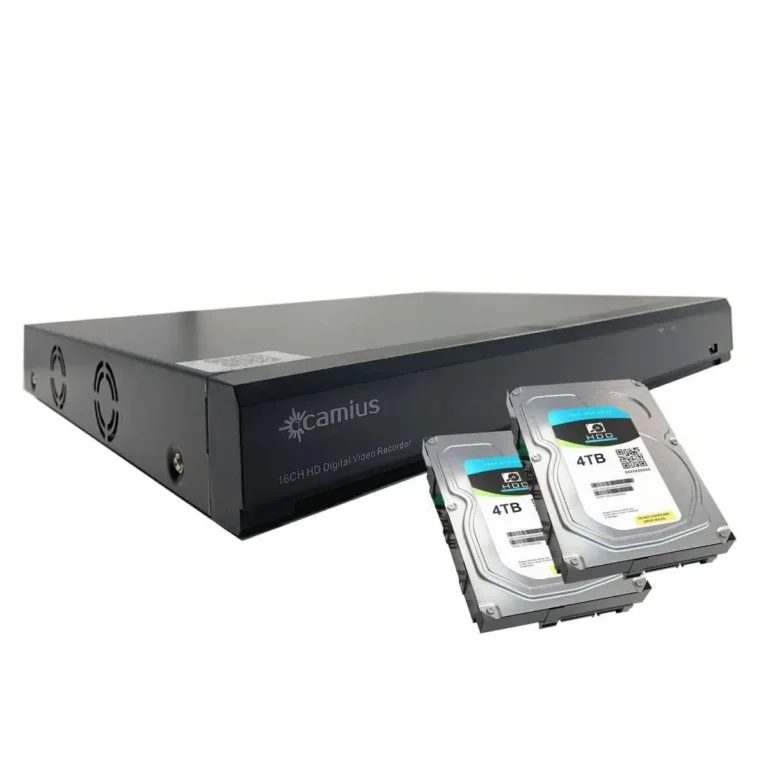
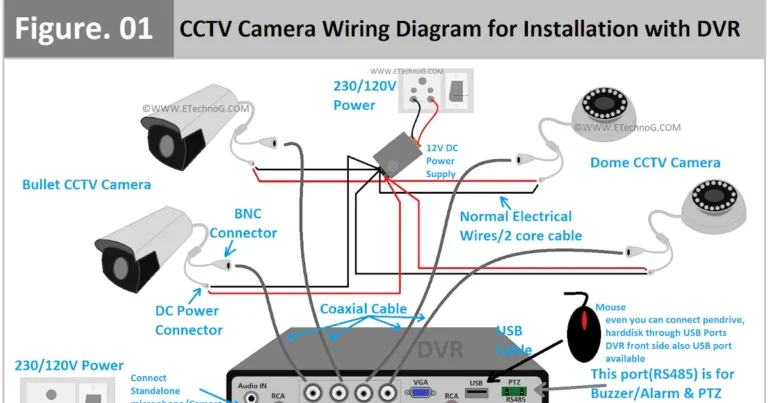
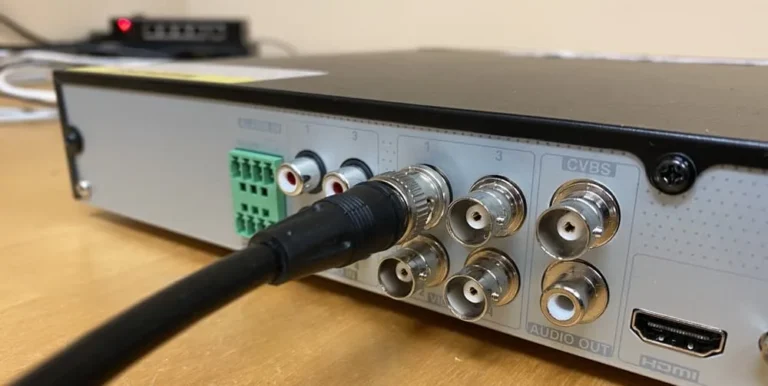
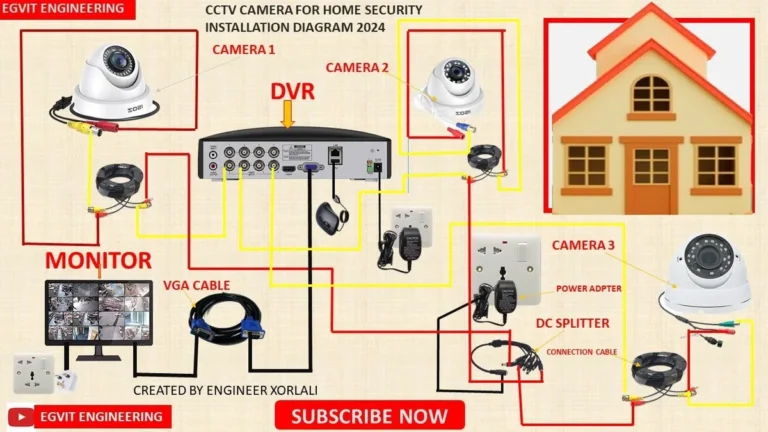
These cameras record video, but they typically lack the internet connectivity and smart features of their modern counterparts. They often store footage on local Digital Video Recorders (DVRs) or Network Video Recorders (NVRs).
- Best for: Situations where remote viewing and instant alerts aren't a priority, or where a simpler, self-contained system is preferred. They can be more cost-effective upfront if smart features aren't needed.
- Key Difference: No Wi-Fi, no mobile alerts, no remote access. Footage is usually only accessible by physically connecting to the recording device.
Video Doorbells
These are specialized smart cameras designed specifically for your front door. They combine a doorbell button with a camera, motion detection, and two-way audio.
- Best for: Monitoring your front entryway, screening visitors, and managing package deliveries. They integrate directly into your existing doorbell wiring or can be battery-powered.
- Key Difference: Focused on a single point of entry, often with a narrower field of view than a general security camera but with the added doorbell functionality.
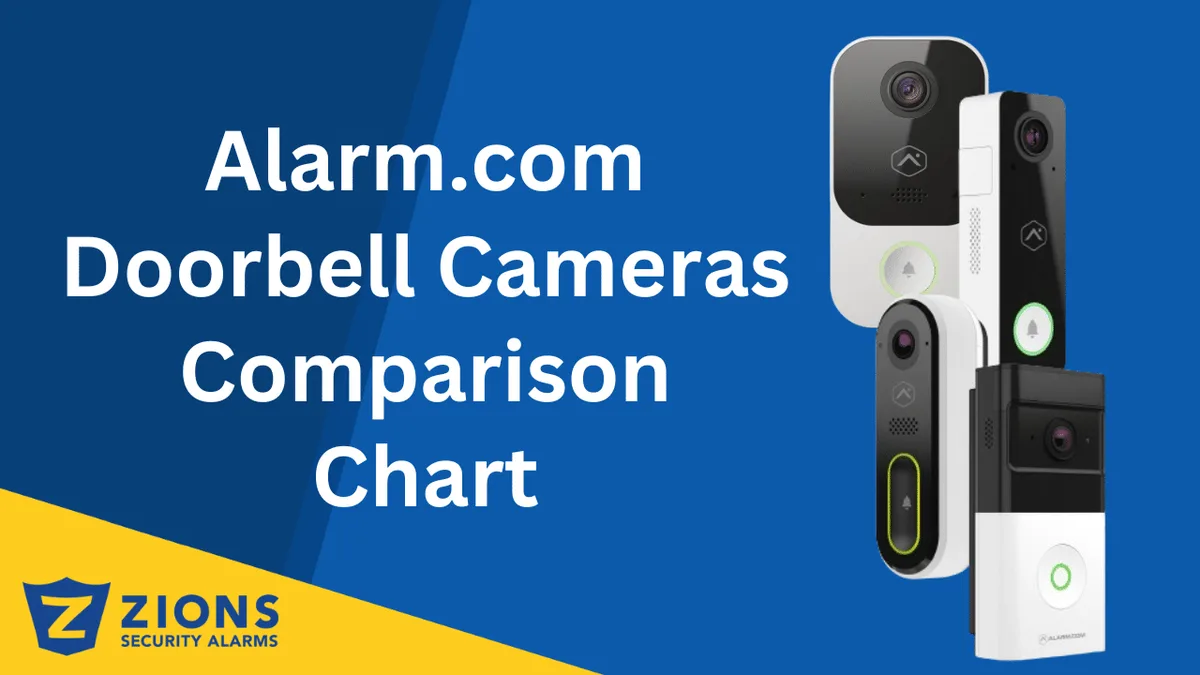
Image source: Bing (Web (fair-use with source credit))
Integrated Home Security Systems
These are comprehensive systems often involving professional installation, a central hub, and multiple sensors (door/window contacts, motion detectors, glass break sensors) along with cameras. They are typically monitored by a professional service.
- Best for: Users who want a complete, professionally managed security solution with features like emergency dispatch. They offer a higher level of security for larger properties or those seeking maximum protection.
- Key Difference: Much higher cost, professional installation and monitoring, and a broader range of security functions beyond just video surveillance.
Choosing the right option depends on your budget, desired level of control, and specific security concerns. A smart camera offers a flexible, often DIY-friendly solution for targeted monitoring.
Pricing, Specs, and What to Expect
When you start looking at smart security cameras, you'll notice a wide range in terms of price and technical specifications. Understanding these details can help you find a camera that fits both your needs and your budget. Prices can range anywhere from under $50 for basic indoor models to several hundred dollars for advanced outdoor cameras with high-resolution capabilities and advanced AI features.
Here's a general look at what you might encounter:
Key Specifications to Consider
- Resolution: This determines the clarity of the video. Common resolutions include 1080p (Full HD) and 2K. Higher resolutions offer sharper images, which can be crucial for identifying details.
- Field of View (FOV): Measured in degrees, this indicates how wide an area the camera can see. A wider FOV (e.g., 130-180 degrees) covers more ground, reducing the need for multiple cameras.
- Night Vision: Most cameras offer some form of night vision, often using infrared LEDs. The range of this night vision (e.g., 30 feet, 100 feet) is an important spec for outdoor security.
- Power Source: Cameras can be wired (plug-in), battery-powered (rechargeable or disposable), or even solar-powered. Battery life is a major factor for wireless models; manufacturer specifications often cite usage based on typical motion detection events.
- Storage Options:
- MicroSD Card: Local storage, capacity varies (e.g., up to 128GB or 256GB).
- Cloud Storage: Often requires a subscription, with tiers based on storage duration (e.g., 7-day, 30-day rolling history) and features like AI event analysis.
- Connectivity: Most use Wi-Fi (802.11b/g/n/ac) on 2.4GHz or 5GHz bands. Some outdoor cameras might use cellular data, but this is less common for typical home use.
Subscription Models
It's essential to factor in potential ongoing costs. Many cameras come with a free tier of cloud storage, but this is often limited to a few days or only records events triggered by specific AI detections (like person or package alerts). For continuous recording or longer storage periods, a subscription plan is usually necessary.
These plans can range from $3 to $20 per month per camera, depending on the features offered.
Frequently Asked Questions
How long does setup take?
Setup time varies, but most basic smart cameras can be installed and connected to Wi-Fi within 15 to 30 minutes. This usually involves mounting the camera, downloading a mobile app, and following on-screen instructions to connect it to your network.
Do I need a Wi-Fi network?
Yes, a stable Wi-Fi network is essential for a smart security camera to function. It uses your Wi-Fi to stream video, send alerts, and receive commands from your smartphone or other connected devices.
Can I use a smart camera without a subscription?
Many smart cameras offer basic functionality, like live viewing and motion alerts, without a subscription. However, advanced features like extended cloud storage, person detection, or continuous recording often require a paid plan.
Are they weatherproof?
Many smart cameras are designed for outdoor use and are built to be weatherproof, often with an IP rating (like IP65 or IP67) indicating their resistance to dust and water. Indoor cameras are not designed for outdoor conditions.
How do I protect my camera from being hacked?
Use strong, unique passwords for your camera and Wi-Fi network. Enable two-factor authentication if available. Keep the camera's firmware updated, as manufacturers often release security patches.
Avoid connecting cameras to public Wi-Fi networks.
Can I connect multiple cameras?
Yes, most smart security camera systems allow you to connect and manage multiple cameras through a single app, offering a comprehensive view of your entire property.
Making the Smart Choice for Your Home
Choosing a smart security camera means choosing a tool to give you more awareness and control over your property. It's about peace of mind and a proactive approach to security, whether you're checking on pets or keeping an eye on deliveries.
The technology is constantly evolving, offering clearer video, smarter alerts, and better integration with your daily life. By understanding the core features, potential drawbacks, and how they stack up against other security options, you can make an informed decision. Remember to prioritize strong passwords and a reliable Wi-Fi network to ensure your system is both effective and secure.