How Often Should Security Systems Be Tested
So, you've got a security system in place, which is a smart move for protecting your home or business. But here's the reality: a system that isn't regularly checked might not be working when you need it most. Asking "how often should security systems be tested" is the first step to ensuring your protection is reliable.
Think of it like a health check for your peace of mind.
Regular testing is vital because modern security systems have many components that can fail. Manufacturer specifications often recommend monthly checks to ensure all elements, from sensors to communication pathways, are functioning optimally. Failing to test can leave you vulnerable without you even realizing it, turning a perceived safeguard into a potential liability.
Quick Answer
Security systems should be tested monthly. This ensures sensors, communication signals, and user interfaces are operational. Test immediately after any system changes, like adding new devices or updating software.
Neglecting regular tests risks a false sense of security and potential failure during an actual event.
Why Regular Testing is Non-Negotiable for Your Security System
Your security system is a complex piece of technology designed to keep you safe. It's not a "set it and forget it" kind of thing. Over time, components can degrade, batteries can die, or connections can loosen, especially if you've recently had any work done around your property.
Without consistent checks, you might be operating under the dangerous assumption that everything is functioning perfectly when, in reality, a critical part could be silently failing. This is especially true for systems that integrate with professional monitoring services.
The Real Danger: A False Sense of Security
The most significant risk of not testing your security system is the false sense of security it can create. You pay for protection, you see the devices installed, and you assume you're covered. However, research indicates that a staggering number of security system failures are due to simple maintenance oversights rather than system defects.
If a sensor isn't properly communicating or a critical component has malfunctioned, the alarm might not trigger, and the monitoring center won't be alerted. This leaves you exposed, with the system failing at its most critical job.
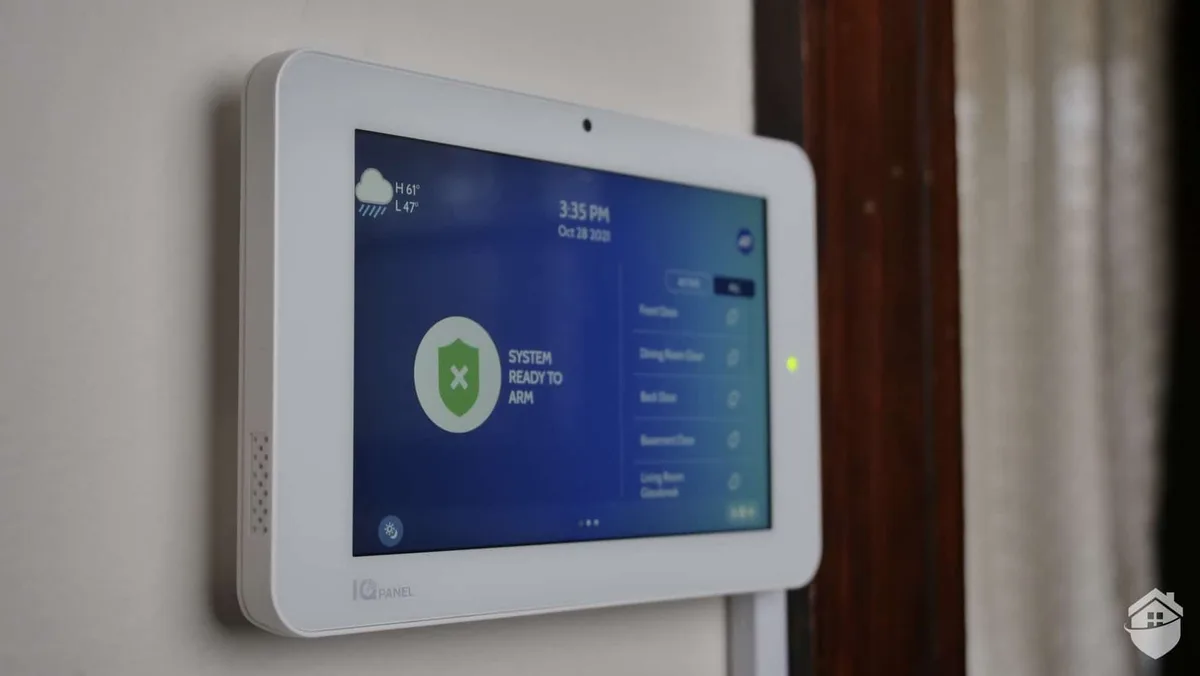
Image source: Web (Bing) / safehome.org (Web image (fair-use with source credit))
Core Security System Testing: What Needs Checking?
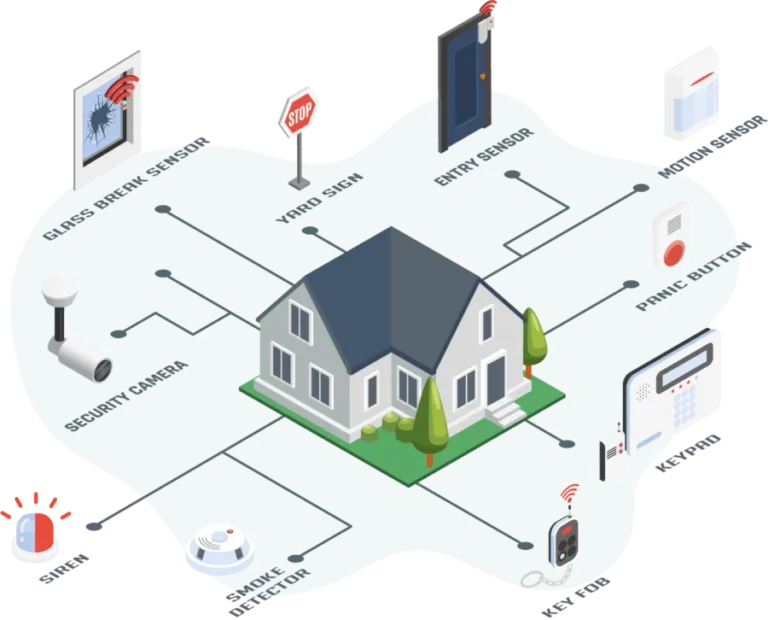
When we talk about testing your security system, we're not just talking about arming and disarming it. It's a more thorough process that ensures every part of the system is communicating and responding as it should. This includes verifying that the physical sensors are active, that the system can send alerts, and that you can control it easily.
Sensor Functionality: Your First Line of Defense
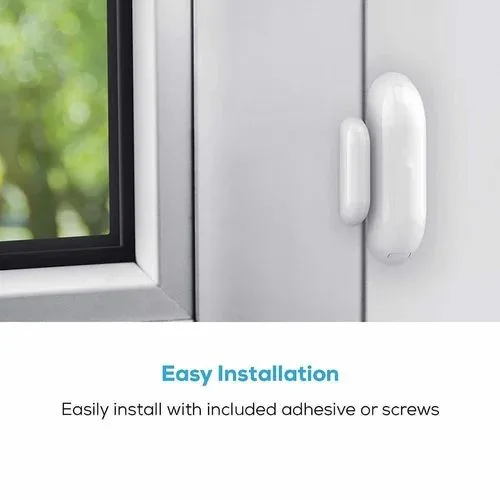
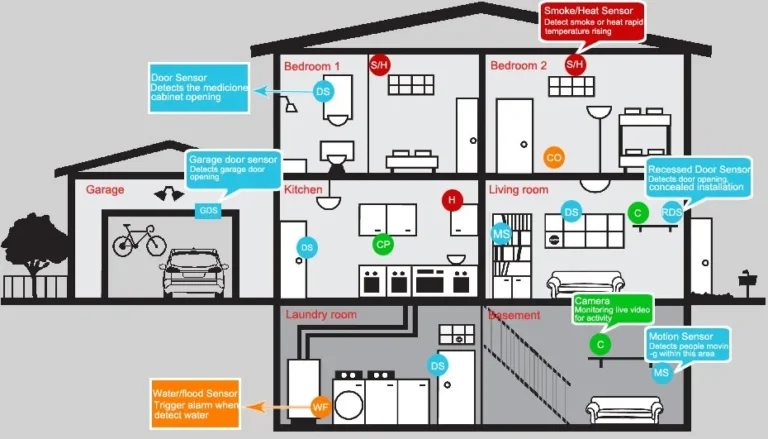
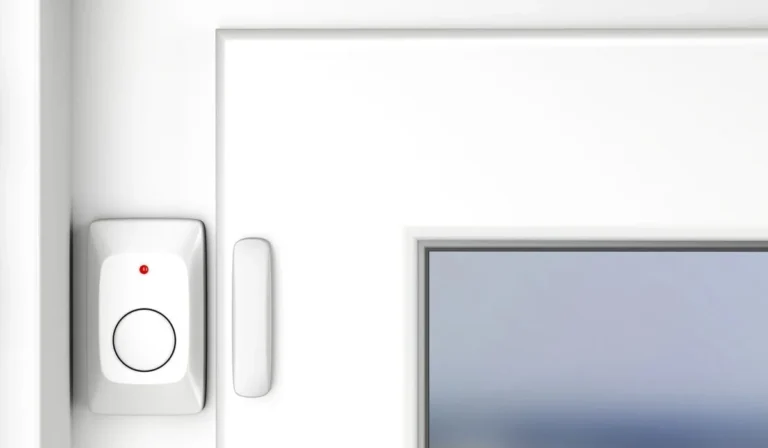
Sensors are the eyes and ears of your security system. Whether it's a door/window contact sensor, a motion detector, or a glass break sensor, each plays a critical role. Testing these ensures they reliably detect intrusions.
For example, a door sensor should trigger an alert the moment a protected door is opened, and a motion detector should sense movement within its coverage area. If these sensors aren't functioning, the system won't know an intrusion has occurred, rendering the rest of the system moot.
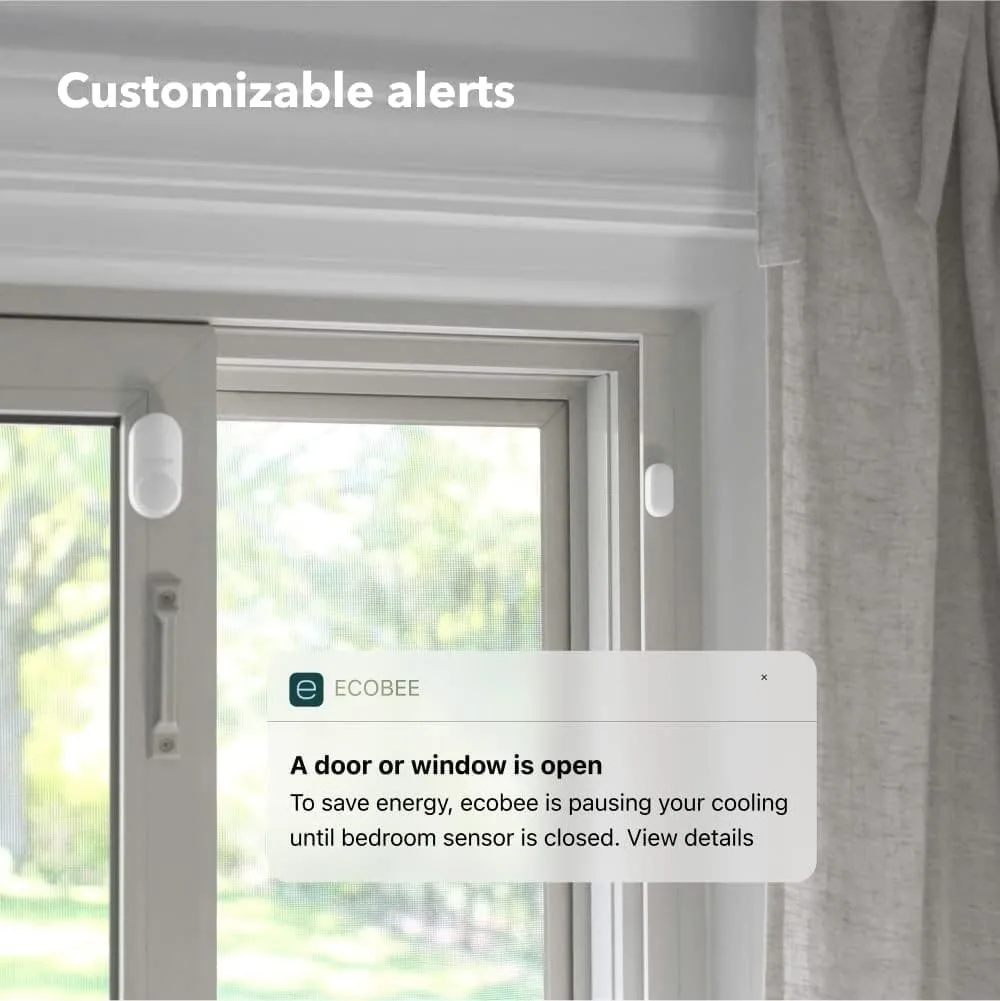
Image source: Web (Bing) / getzella.com (Web image (fair-use with source credit))
A basic sensor test involves manually activating each one. For door/window sensors, this means opening and closing them while the system is armed. For motion detectors, you would walk through the detection zone.
It's vital to confirm that each activation results in a signal to the main control panel, which then should ideally trigger an audible alarm or a notification to your mobile app or monitoring center, depending on your system's configuration.
Communication Links: Ensuring Help Gets the Message
For systems connected to a professional monitoring center, the communication link is paramount. This is how the system signals an emergency to trained operators who can then dispatch authorities. Common communication methods include cellular networks, broadband internet, or even traditional phone lines.
Testing this pathway confirms that your system can reliably transmit alarm signals and other notifications.
A system might register a sensor trigger locally with an audible alarm, but if the communication link is down, the monitoring center will never know. This can happen due to internet outages, cellular signal loss, or even issues with the monitoring service itself. Many systems have a built-in "test mode" that allows you to perform this check without dispatching emergency services.
Per standards from organizations like Underwriters Laboratories (UL), consistent communication is a key performance indicator for monitored alarm systems.
User Interface Checks: Keypads, Apps, and Fobs
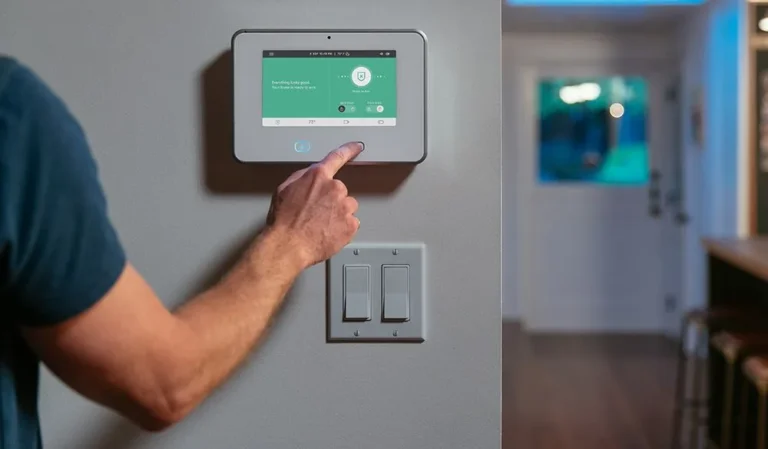
How do you interact with your security system? Usually, it's through a keypad, a mobile app, or a key fob. Testing these user interfaces ensures you can arm and disarm the system, check its status, and manage settings conveniently and reliably.
If your keypad is unresponsive, your mobile app is glitching, or your key fob isn't recognized, you could face significant frustration or a critical delay in managing your security.
During a test, ensure that arming and disarming the system works flawlessly through each method you regularly use. If you rely heavily on the mobile app, verify it connects quickly and displays accurate system status. For key fobs, confirm they can arm and disarm the system from a reasonable distance.
Issues with these interfaces can stem from low batteries, software bugs, or connectivity problems, all of which can be identified and resolved during a routine check.
The Critical Testing Schedule: How Often is Enough?
Deciding on the right testing frequency for your security system depends on several factors, including the system's complexity, its age, and your personal risk assessment. However, there are widely accepted guidelines that serve as excellent starting points to ensure your system remains in peak operating condition. Consistency is key, as sporadic testing means you could miss intermittent issues.
For Home Security Systems: Monthly Routine
For most homeowners, a comprehensive system test once a month is the recommended practice. This schedule ensures that all components, from individual sensors to the central hub and its communication lines, are functioning correctly. A monthly check allows you to catch minor issues, like a weakening battery in a sensor or a temporary communication glitch, before they escalate into significant problems.
It's a proactive approach that keeps your system reliable without being overly burdensome.
Image source: Web (Bing) / livingsecurity.com (Web image (fair-use with source credit))
This routine check should involve activating each sensor, verifying the system arms and disarms correctly via keypad and app, and placing a call to your monitoring service to confirm signal transmission (using their designated test mode, of course). This regular cadence helps build a habit of vigilance, making system maintenance a natural part of home upkeep. For a deeper dive into what makes a home security system robust, consider exploring what features should a home security system have.
For Commercial Systems: Increased Frequency & Vigilance
Commercial security systems often protect more valuable assets or sensitive areas, and therefore, typically require more frequent and thorough testing. While monthly checks are still a baseline, many businesses opt for quarterly or even bi-weekly testing, depending on the scale and criticality of the protected environment. For high-risk locations, such as banks, jewelry stores, or facilities handling sensitive data, more frequent verification is essential.
The complexity of commercial systems, which may include advanced video analytics, multiple access control points, and integrated alarm networks, necessitates more rigorous testing. Furthermore, regulatory compliance or insurance requirements might mandate specific testing frequencies. Regularly consulting with your security provider or referring to the system's operational manual will help determine the most appropriate testing schedule for your business needs.
Understanding the different types of systems is also key; for instance, wired vs wireless home security system configurations might have slightly different maintenance needs.
Testing Triggers: When to Test Immediately
Beyond scheduled checks, certain events absolutely require an immediate system test. The most common trigger is any change to the system or its environment. This includes:
- Adding or removing devices: If you install a new sensor, camera, or smart home device that integrates with your security system, test its functionality right away.
- Battery replacements: After changing a battery in any component (sensors, key fobs, control panel), test that specific component and then the whole system.
- Software or firmware updates: System updates can sometimes alter functionality or introduce new issues. Test immediately after any update is applied.
- Power outages or surges: If your area has experienced significant power fluctuations, test your system to ensure it recovered properly and its backup power is functional.
- Physical disturbances: Any construction, landscaping, or other work done near system wiring or sensors can potentially dislodge or damage them. Test the affected components and the overall system afterward.
Performing an immediate test after these events can prevent a small issue from becoming a critical failure at an inopportune moment. It’s about verifying that the system remains intact and operational after any disruption.
Common Security System Testing Mistakes to Avoid
Making mistakes during security system testing can be just as bad as not testing at all. These errors often stem from overlooking key steps or not understanding the system's full capabilities. Being aware of these common pitfalls can help you perform more effective tests and ensure your system is truly ready to protect you.
Skipping the Communication Test
One of the most critical oversights is failing to test the system's communication link to its monitoring center or your mobile device. Many people check if their sensors trigger an alarm locally but forget to verify that the signal actually leaves their home or business. This test is particularly important for professionally monitored systems, as a silent failure here means help won't be dispatched if an intrusion occurs.
Remember, the audible siren is only one part of the protection; the alert reaching the right people is the other.
Ignoring System Changes
Another frequent mistake is neglecting to test the system after any modifications. Did you recently replace a sensor battery? Did the internet provider make changes to your network?
Have you updated the system's app? Any of these seemingly minor events could impact how your security system functions. Forgetting to re-test after such changes means you might be unaware of a new vulnerability.
It's always better to be safe and run a quick check to confirm everything is still working in sync.
Relying on Assumptions, Not Checks
Perhaps the most dangerous mistake is assuming your system is working because it's installed and hasn't been triggered recently. Security systems require active maintenance, not passive assumption. Components can fail unexpectedly due to age, power fluctuations, or environmental factors.
A system that hasn't been tested in months might have a hidden issue that only becomes apparent during an actual emergency. Proactive testing, as opposed to reactive reliance, is the only way to ensure true security.
When to Call in the Pros: Expert Help for Testing
While many routine tests can be performed by homeowners or business managers, there are situations where professional expertise is not just recommended, but necessary. Understanding when to bring in the pros ensures your system is tested to the highest standards, especially for complex setups or after significant issues arise. Relying on professional installation, like those offered by what is a professionally installed security system, often includes ongoing support for such matters.
Professional technicians have specialized tools and in-depth knowledge of various security system brands and models. They can perform diagnostics that go beyond basic sensor checks, identifying underlying issues with wiring, circuit boards, or software that a typical user might miss. If your system is older, or if you've experienced repeated false alarms or system failures, a professional assessment is a wise investment.
They can also advise on upgrades or replacements, ensuring your system remains effective over time, addressing questions like how often should a security system be replaced.
Furthermore, if your system is part of a commercial operation with strict compliance requirements, professional testing may be mandated. They can provide documentation of these tests, which can be crucial for insurance purposes or regulatory audits. For anyone unsure about their system's status or its testing procedures, engaging a qualified security professional is the most reliable way to guarantee your protection is robust and up-to-date.
Frequently Asked Questions About Security System Testing
How long does a security system test usually take?
A basic monthly test involving checking a few key sensors and confirming communication typically takes between 10 to 30 minutes. More complex systems or those requiring a deeper diagnostic might take longer, especially if performed by a professional.
Can I test my security system myself?
Yes, most home security systems are designed for user testing. Many systems have a specific "test mode" accessible through the control panel or app that alerts the monitoring company you are performing checks, preventing false dispatches. Always consult your system's manual for precise instructions.
What happens if my security system fails a test?
If your system fails a test, do not ignore it. Note which component or function failed. If it's a simple fix like a low battery, replace it and re-test.
For more complex issues, such as sensor failure or communication problems, contact your security provider or a qualified technician for assistance.
Should I test my security cameras during the test?
Yes, it's a good idea to check your security cameras as part of your testing routine. Verify they are recording, that the live feed is clear, and that any motion detection alerts are functioning as expected. This ensures your visual surveillance is also operational.