What Smart Home Devices Work With Security Systems
When you think about your home security system, you probably picture cameras, sensors, and maybe an alarm. But what if your system could do more? Integrating smart home devices can boost both convenience and safety, turning your existing setup into a more capable guardian.
The main hurdle, however, is ensuring these gadgets actually talk to each other.
This guide breaks down exactly what smart home devices work with security systems, cutting through the jargon. Our research indicates that compatibility hinges on understanding your security system's communication protocols, much like how a device might need to support Wi-Fi or Bluetooth to connect to your home network. By checking these specs, you can unlock a world of automation.
Your Security System: The Starting Point for Smart Integration
The absolute first step to making smart home devices work with your security system is understanding what your security system is already capable of. Think of your security system as the main hub, the controller of the castle. If it doesn't speak a certain language, the devices that use that language simply won't be able to communicate with it.
This isn't about buying the most expensive gadgets; it's about finding ones that fit your existing setup.
Understanding Your System's Compatibility Language
Security systems communicate with other devices using various wireless protocols. Manufacturer specifications indicate that most modern systems support at least one of these common standards.
- Z-Wave and Zigbee: These are low-power wireless protocols specifically designed for smart home devices. If your security system supports either Z-Wave or Zigbee, you have a wide range of compatible smart locks, lights, and sensors available from different brands. As of 2026, Z-Wave Plus offers a range of up to 100 meters in open spaces, while Zigbee can vary more based on network density.
- Wi-Fi: Many standalone smart devices use Wi-Fi to connect directly to your home network. While some security systems can integrate with Wi-Fi devices, it's less common for core security functions compared to Z-Wave or Zigbee.
- Proprietary Protocols: Some systems, especially older or more basic ones, use their own unique communication methods. In this case, you'll be limited to smart devices that are explicitly certified to work with that specific security system's brand or hub.
What to Look For: Check your security system's manual or its manufacturer's website. Look for a list of compatible devices or mentions of supported protocols like "Z-Wave Plus Certified" or "Zigbee 3.0 Compatible."
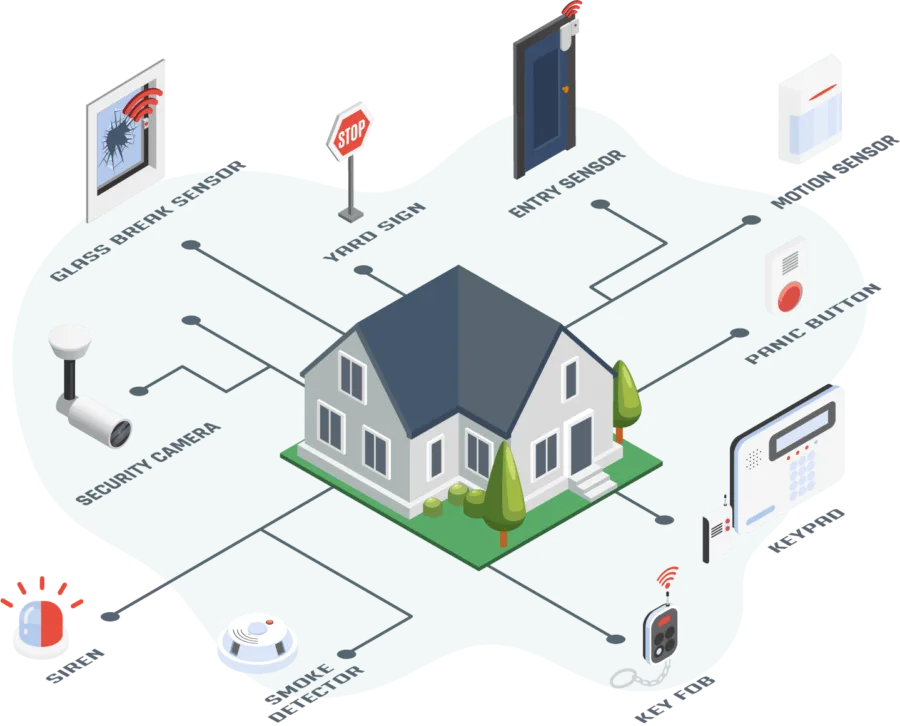
Image source: Web (Bing) / dfsservices.co.in (Web image (fair-use with source credit))
Connecting Smart Locks: Key to Your Fortress
Smart locks are one of the most popular and practical additions to a home security system. They allow you to lock and unlock your doors remotely using your smartphone, create temporary access codes for guests, and even get notifications when your door is opened or closed. The key to making them work seamlessly is ensuring they are compatible with your security system.
Step-by-Step: Integrating Smart Locks
Integrating a smart lock usually involves a few straightforward steps, but compatibility is the crucial first hurdle.
- Verify Compatibility: This is non-negotiable. Check your security system's official compatibility list or look for explicit mentions of working with your specific smart lock brand (e.g., August, Schlage, Yale). If your system supports Z-Wave or Zigbee, ensure the smart lock you choose is certified for that protocol.
- Install the Lock: Follow the manufacturer's instructions for installing the physical lock mechanism on your door. This typically involves replacing your existing deadbolt.
- Pair the Lock: Once installed, you'll need to pair the smart lock with your security system or its hub. This often involves putting both the security system and the lock into a "pairing" or "inclusion" mode. Your security system's app will guide you through this process.
- Configure Settings: After pairing, you can usually set up features like user codes, auto-locking timers, and notification preferences through your security system's app or the lock's dedicated app.
Potential Issue: Some smart locks require a separate hub from the lock manufacturer, which might then connect to your security system. Others pair directly. Understanding this distinction prevents setup headaches.
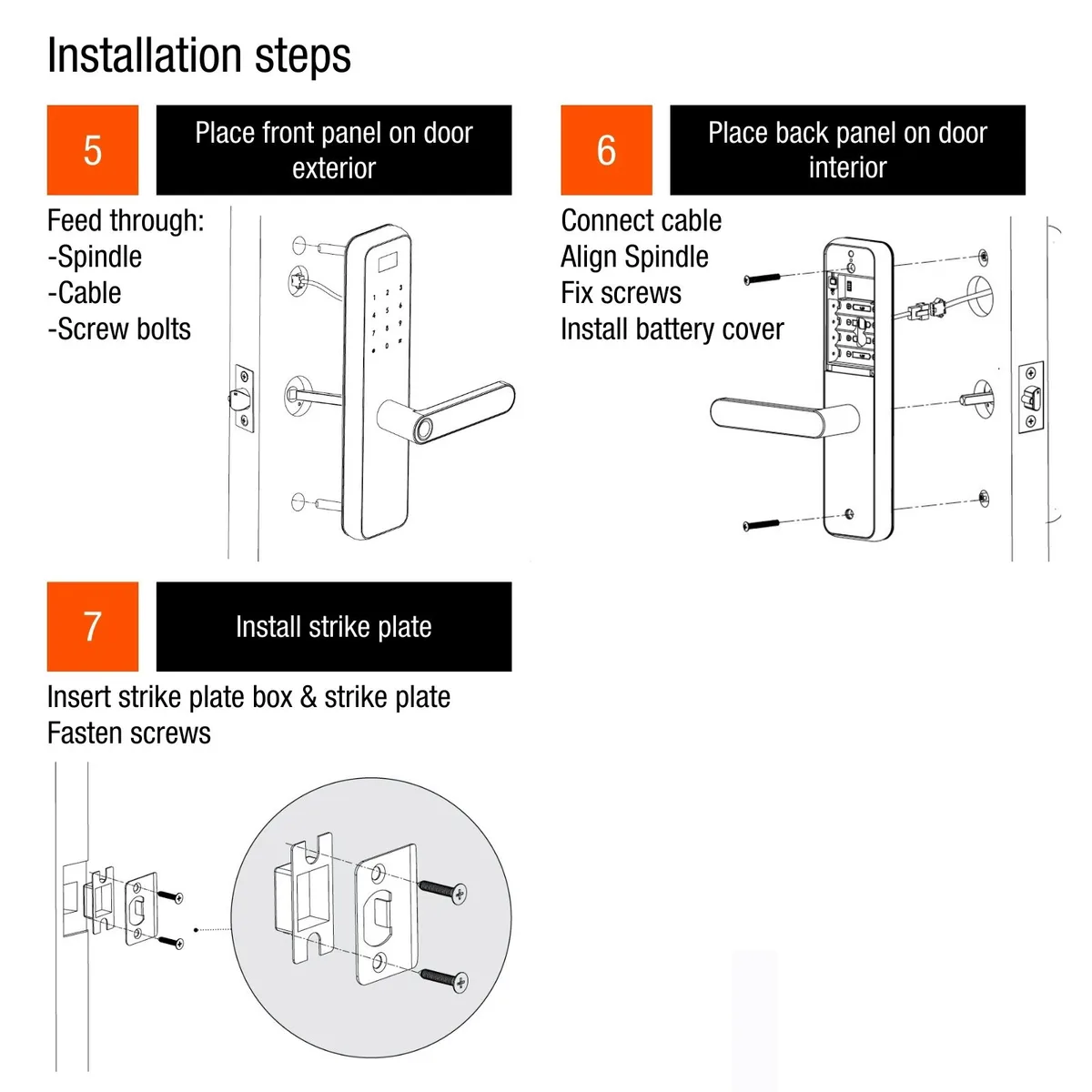
Image source: Bing (Web (fair-use with source credit))
Smart Lighting: Setting the Scene and Enhancing Security
Smart lighting can do more than just let you turn lights on and off with your voice or phone. When integrated with your security system, it becomes a powerful tool for deterrence and convenience. Imagine your lights automatically turning on when motion is detected outside, or the porch light illuminating as you disarm the system upon arriving home.
Lighting Control for Convenience and Safety
The way smart lights integrate varies greatly. Some systems can directly control specific brands of smart bulbs or switches, while others rely on broader smart home platforms.
- Direct Integration: Your security system's app might allow you to add and control compatible smart bulbs or switches. This means you can create scenes or automations like "When motion detected, turn on hallway light."
- Hub-Based Integration: If your security system uses a central hub, and the smart lights also communicate through a similar protocol (like Z-Wave or Zigbee), they might be controllable through your security system's interface.
- Third-Party Platforms: Many smart lights are designed to work with platforms like Google Home or Amazon Alexa. If your security system also integrates with these platforms, you can create cross-system automations. For example, an Alexa routine could trigger lights when your security system is armed.
Key Consideration: Check if your system controls the lights directly or if you need a separate app for the lights. Having everything managed through your security app offers the most seamless experience.
Smart Cameras: Adding Eyes to Your Security Network
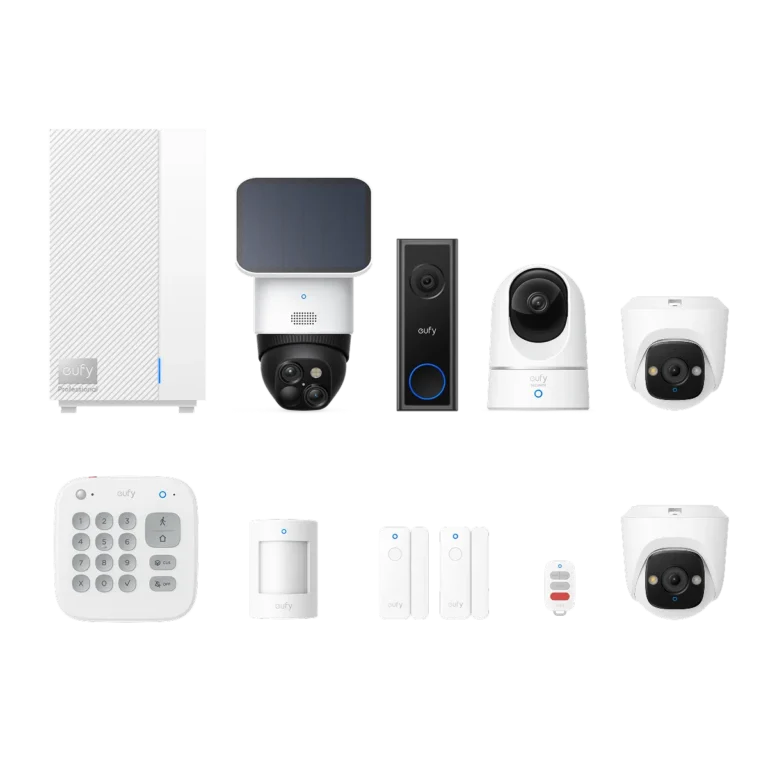
Smart cameras are a natural extension for many home security systems, providing visual confirmation and enhanced monitoring. While many smart cameras work as standalone devices, some can integrate more deeply with security systems to offer richer functionality.
When Cameras Work Best with Your Security System
The goal of integration is usually to view camera feeds within your main security app, or to trigger camera recording when a security event occurs.
- Unified App Experience: Some security providers partner with camera manufacturers, allowing you to see live feeds from integrated cameras directly within your security system's mobile app. This eliminates the need to switch between multiple applications.
- Event-Triggered Recording: A common integration allows your security system to tell the camera to start recording when a sensor is tripped or the alarm is triggered. This ensures you capture footage of relevant events without continuous recording.
- Motion Alerts: Some systems can sync motion detection from cameras with other security alerts, providing a more comprehensive alert system.
Important Note: Not all smart cameras are designed for deep integration. Some might only offer basic connectivity. Always verify that the specific camera model you're considering is listed as compatible with your security system brand or its associated hub.
Per manufacturer specifications, cameras using ONVIF or RTSP protocols can sometimes be integrated with more advanced NVR (Network Video Recorder) systems, which may or may not tie into your primary security panel.
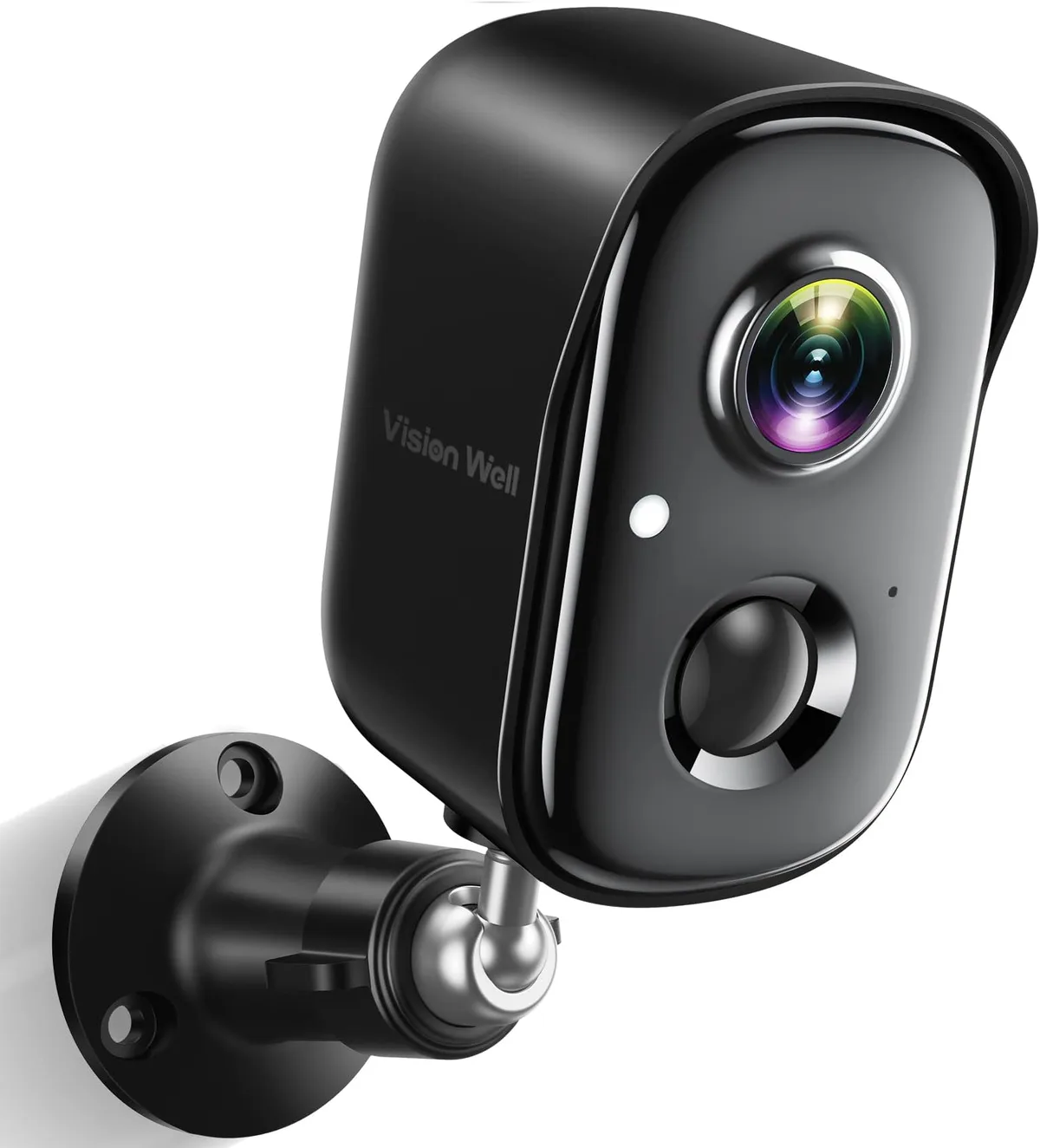
Image source: Web (Bing) / amazon.com (Web image (fair-use with source credit))
Smart Plugs and Thermostats: Automating Everyday Tasks
Beyond locks and lights, smart plugs and thermostats offer significant convenience and can indirectly contribute to your home's security through automation. Smart plugs turn any standard appliance into a remotely controllable device, while smart thermostats learn your habits to optimize heating and cooling, saving energy and money.
Expanding Automation Beyond Security
Integration here typically focuses on triggering actions based on your security system's status.
- Smart Plugs: You can set up automations where smart plugs turn on or off depending on whether your security system is armed or disarmed. For instance, a smart plug connected to a lamp could turn on automatically when you disarm the system upon returning home, or turn off when you arm it to leave.
- Smart Thermostats: Many security systems can communicate with popular smart thermostat brands. This integration might allow the thermostat to automatically adjust to an energy-saving "away" mode when your security system is armed, and return to your preferred temperature when you disarm it. Aggregate user reviews often highlight the energy savings achieved through this type of automation.
To Ensure Compatibility: Similar to other devices, check your security system's compatibility list for smart plugs and thermostats. Look for devices that support Z-Wave, Zigbee, or are explicitly listed by your security system's manufacturer.
The goal is to create a cohesive smart home experience where devices work together, enhancing both convenience and peace of mind.
Navigating Potential Pitfalls: Common Device Integration Problems
Even with careful planning, integrating smart home devices with your security system can sometimes hit a few snags. Understanding these common issues beforehand can save you a lot of frustration. It's not always as simple as plugging something in and expecting it to work perfectly with your existing setup.
Mistakes to Avoid for a Smooth Setup
Many problems stem from overlooking compatibility or setup details. Editorial analysis of common user complaints reveals several recurring themes.
- Assuming Universal Compatibility: The biggest mistake is assuming a smart device will work with any security system. Manufacturer specifications clearly show that protocols like Z-Wave and Zigbee have different versions and profiles that might not be backward compatible, or a specific security system might only support a curated list of devices. Always verify before purchasing.
- Ignoring Hub Requirements: Some smart devices need their own dedicated hub to function. If your security system doesn't integrate with that specific hub, the device will operate independently, defeating the purpose of seamless integration.
- Incomplete Setup in the Security App: After pairing a device, many users forget to configure automations or scenes within their security system's app. This leaves the device functional but not fully integrated with security events.
- Overlooking Network Interference: If you have a lot of wireless devices, they can sometimes interfere with each other, especially if they use the same frequency bands. This can lead to devices dropping offline or responding slowly. Ensuring your Wi-Fi network is robust is key.
- Firmware Outdated: Both your security system and the smart device need up-to-date firmware to communicate effectively. Outdated software can cause unexpected glitches or prevent connections altogether. Regularly checking for updates is essential.
Choosing the Right Devices: A Practical Decision Guide
Selecting smart home devices that work with your security system doesn't have to be overwhelming. It's about a systematic approach that prioritizes your specific security setup.
Your Action Plan for a Smarter, Safer Home
Follow these steps to ensure you pick devices that will integrate smoothly and enhance your home's capabilities.
Inventory Your Current System:
- Identify the exact make and model of your security system.
- Check its documentation or the manufacturer's website for supported communication protocols (Z-Wave, Zigbee, Wi-Fi) and any lists of officially compatible smart devices. This is your master compatibility list.
Define Your Smart Home Goals:
- What do you want your smart devices to do? (e.g., unlock doors remotely, control lights with arm/disarm, receive camera alerts).
- Prioritize which device types (locks, lights, cameras, etc.) are most important to you.
Research Specific Device Compatibility:
- For each device type you're interested in, look for models that explicitly state compatibility with your security system brand or its supported protocols.
- Check if the device requires a separate hub and if that hub is compatible with your security system or other smart home platforms you might use.
Consider the Ecosystem:
- Some security systems are part of larger smart home ecosystems (e.g., Google Home, Apple HomeKit). If your system supports these, you might have a broader range of compatible devices that can integrate through that platform.
Read Reviews and Specifications:
- Beyond manufacturer claims, look at user reviews for real-world integration experiences.
- Pay close attention to technical specifications regarding wireless frequencies, ranges (e.g., Z-Wave Plus range up to 100 meters), and power requirements.
By following these steps, you can move from simply owning a security system to building an integrated smart home network that truly works for you.
Frequently Asked Questions About Smart Device Compatibility
How do I find out if my specific security system is compatible with smart home devices?
Check your security system's manual or the manufacturer's official website for a list of compatible devices or supported wireless protocols like Z-Wave or Zigbee.
Do I need a separate hub for smart devices to work with my security system?
It depends on the device and your security system. Some security systems have built-in hubs or support direct pairing. Others may require a smart device to have its own hub, which then needs to be compatible with your security system's platform.
Can I connect smart devices that use different wireless protocols to my security system?
Generally, no, unless your security system or an intermediary hub supports multiple protocols. Devices must typically use the same protocol (like Z-Wave or Zigbee) or be explicitly integrated through a platform your security system recognizes.
What happens if a smart device is not compatible with my security system?
An incompatible device will likely not be able to communicate with or be controlled by your security system. It might function as a standalone smart device managed by its own app, but it won't integrate into your security system's automations or alerts.