How Does a Home Alarm System Work
How does a home alarm system work? It’s a question many of us have wondered, especially when considering home security. These systems act as vigilant guardians, detecting threats and alerting you or authorities.
At their core, alarm systems combine sensors, a central control panel, and a communication method to provide a layered defense. Manufacturer specifications often highlight response times, and per the ANSI/ASIS International standards for security systems, proper installation and maintenance are critical for optimal performance.
Quick Answer
A home alarm system works by using sensors to detect intrusions. When a sensor is triggered, it sends a signal to the control panel. The panel then activates an alarm and/or notifies a monitoring service.
This process is designed to deter intruders and alert occupants or law enforcement to a potential threat.
The Big Picture: What Exactly Is a Home Alarm System?
A home alarm system, often called a security system or intrusion detection system, is essentially a network of devices designed to protect your property from unauthorized entry. Think of it as your home's digital watchman. It’s not just about making noise; it’s a sophisticated setup that can sense when something is wrong and take action.
These systems are built to provide a sense of security and to act as a deterrent. When you arm the system, you're activating its "alert" mode, ready to detect any abnormal activity. The effectiveness of any system relies on the integration of its components and how well it’s configured for your specific home layout and needs.
The Key Players: Breaking Down the Components
To understand how a home alarm system works, it’s helpful to know its main parts. Each piece plays a crucial role in the overall protective function.
The Control Panel: The System's Brain
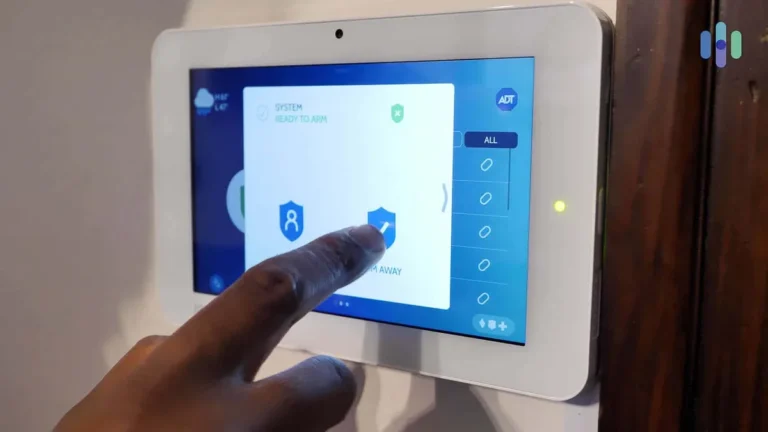
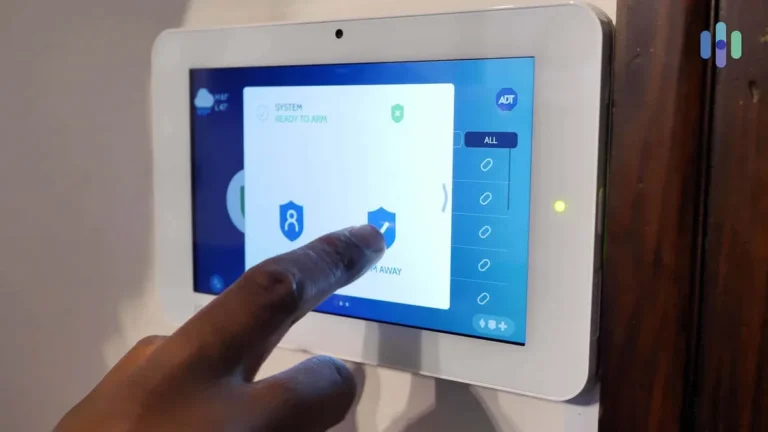
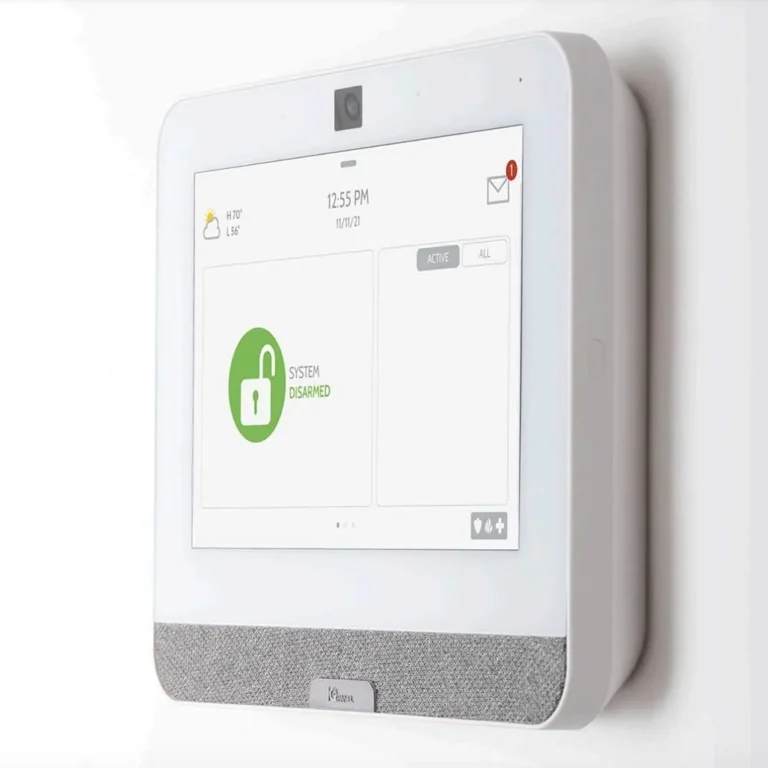
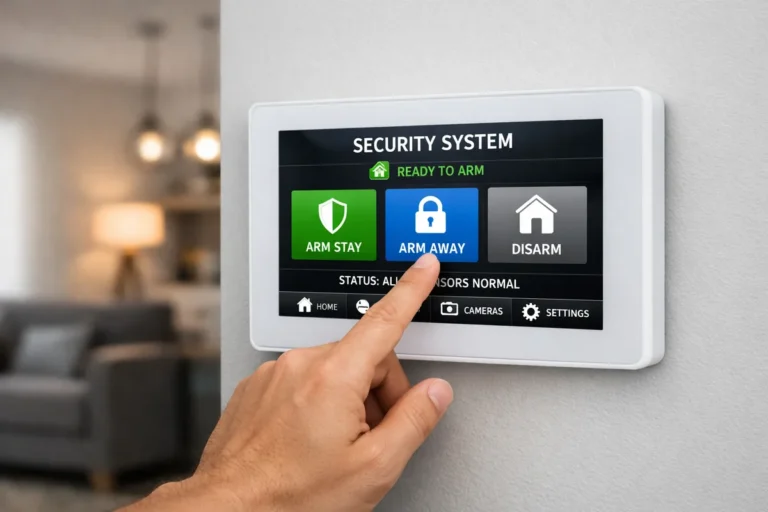
The control panel is the central hub where everything connects. This is where you’ll arm and disarm the system, usually via a keypad, and it's what receives alerts from all the sensors. When a sensor is triggered, it’s the control panel that interprets the signal and decides what to do next, whether that’s sounding a siren or contacting a monitoring center.
It’s the command center that orchestrates the entire security operation.
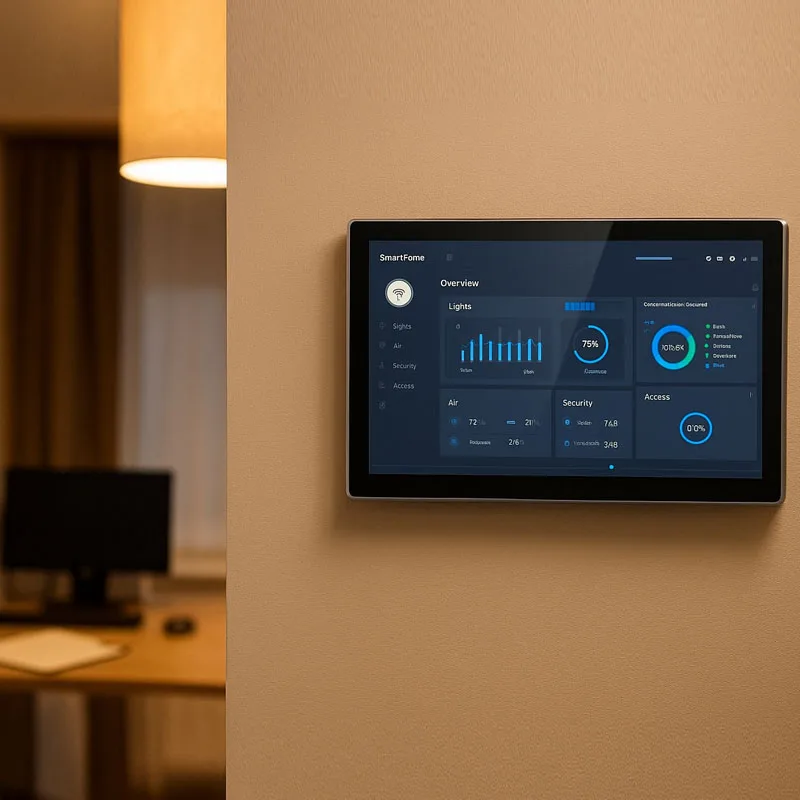
Image source: Bing (Web (fair-use with source credit))
Sensors: The Eyes and Ears of Your Home
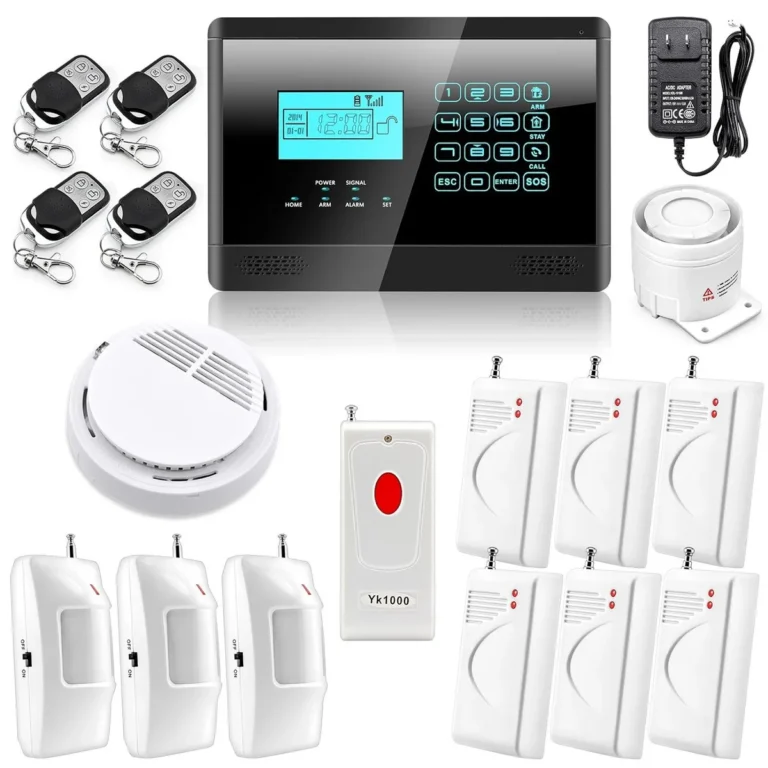
Sensors are the devices that actually detect intrusions. They’re placed strategically around your home to monitor doors, windows, and interior spaces. Without sensors, the system wouldn't know if a boundary has been breached.
- Door/Window Sensors: These are typically made of two magnetic parts. One part is attached to the door or window frame, and the other to the movable part itself. When the door or window is closed, the magnets are aligned, and the sensor is "closed" or secure. Open it up, and the magnets separate, signaling the control panel that an entry point has been compromised.
- Motion Sensors: These devices, often using passive infrared (PIR) technology, detect changes in heat within a room. They’re excellent for covering larger open areas, like living rooms or hallways, and can detect movement even if a door or window isn't opened.
- Glass Break Sensors: These are specialized sensors that listen for the specific acoustic frequency of breaking glass. They provide an additional layer of protection, especially for homes with large windows.
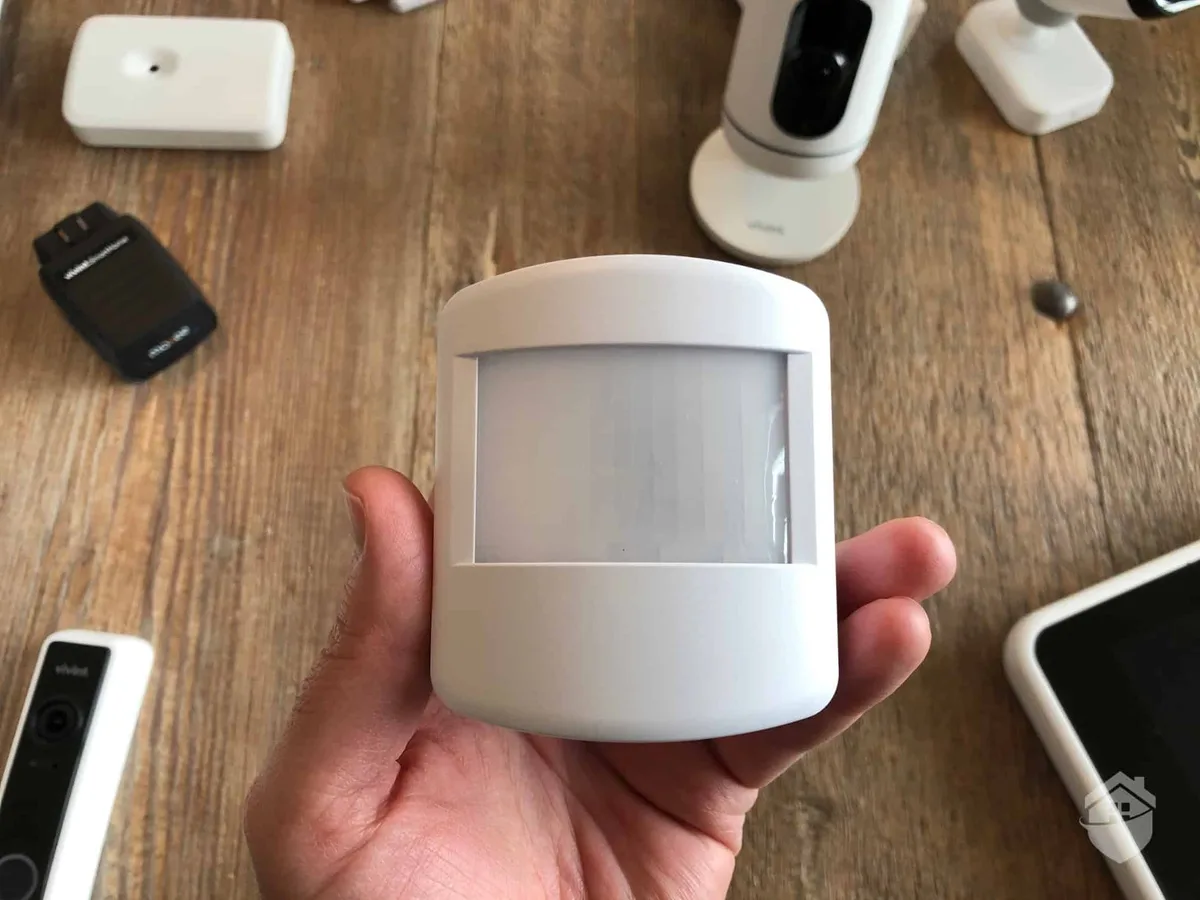
Image source: Web (Bing) / safehome.org (Web image (fair-use with source credit))
The Siren and Communicator: Sounding the Alarm and Making the Call
Once the control panel identifies a threat, two main actions typically occur: the siren sounds, and the communicator gets to work.
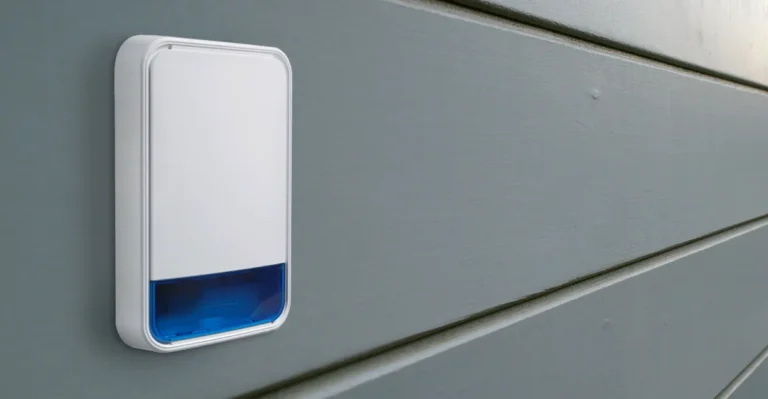
The siren is the audible alarm, designed to startle intruders and alert anyone nearby, including neighbors, that a potential break-in is happening. These can range in volume, with some professional systems capable of producing very loud decibel levels.
The communicator is the system's voice to the outside world. This can be through a traditional landline, a cellular connection, or an internet connection (Ethernet or Wi-Fi). Its job is to send an alert signal to a designated monitoring center or directly to your smartphone via an app.
This notification is crucial for initiating a response, whether it's from you or professional emergency services.
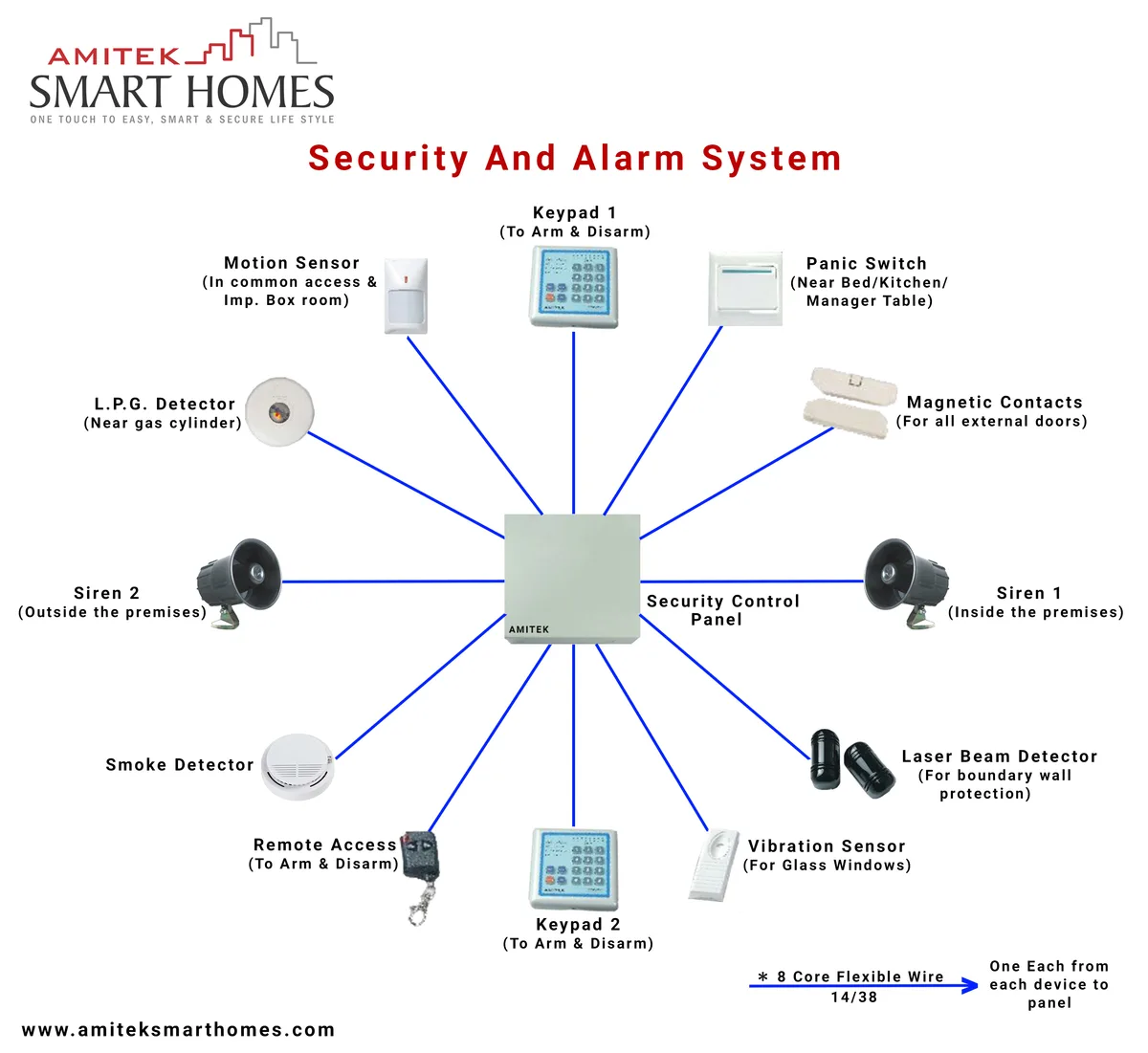
Image source: Web (Bing) / circuitdiagram.co (Web image (fair-use with source credit))
How the Magic Happens: The Chain Reaction of Protection
So, how does all this come together when an incident occurs? It’s a quick chain reaction designed to be as fast as possible.
- Tampering Detected: Let’s say someone tries to force open a secured window. The magnetic contact sensor on that window separates.
- Sensor Signals Control Panel: The now-separated sensor immediately sends a signal to the main control panel.
- Panel Verifies Status: The control panel, which was armed by you earlier, recognizes this as an unauthorized event.
- Alarm Sounds: The panel then triggers the siren to sound loudly, drawing attention to the situation.
- Communication Initiated: Simultaneously, the system's communicator is activated. It sends an alert message via its connected network (cellular, landline, or internet) to the monitoring station or your mobile device.
- Response Team Alerted: If professionally monitored, the response team receives the alarm signal, verifies the incident, and dispatches appropriate help, such as local law enforcement.
This entire sequence, from sensor trigger to potential dispatch, is designed to happen within seconds.
Wired vs. Wireless: Two Ways to Connect Your Security
Home alarm systems primarily operate through either wired or wireless configurations, and understanding the difference is key to how they function and how they’re installed.
- Wired Systems: In a wired setup, all components, sensors, control panel, siren, are physically connected by wires that run through your home’s walls. This offers a very reliable connection, as it’s not susceptible to wireless interference, and the components draw power directly from the mains. However, installation can be more complex and invasive, often requiring drilling and running cables, making it more common for new construction or significant renovations. Per National Electrical Code (NEC) standards, proper wiring is essential for safety and functionality.
- Wireless Systems: These systems use radio frequencies to communicate between the sensors and the control panel. Installation is generally much simpler and faster, as there's no need to run wires. Sensors are typically battery-powered, requiring periodic battery replacements. While convenient, wireless systems can be more prone to interference from other electronic devices, and the battery life of sensors is a maintenance consideration. Modern wireless systems often use secure, encrypted communication protocols to enhance reliability and prevent jamming.
Smartening Up: How Alarm Systems Connect to Your Phone and Home
The evolution of home alarm systems has brought them into the era of smart home technology. Today’s systems often connect to your home’s Wi-Fi network, transforming them from standalone security devices into integrated smart home hubs.
This connectivity allows for remote control and monitoring via a smartphone app. You can arm or disarm your system, check sensor status, and receive real-time notifications directly on your phone, no matter where you are. Many smart alarm systems also integrate with other smart devices, such as smart locks, lighting, and cameras, enabling them to work together.
For example, if the alarm is triggered, your smart lights could flash, or a connected camera could begin recording. This level of integration provides enhanced convenience and a more comprehensive security ecosystem.
Step-by-Step Process: Setting Up Your Alarm System
Getting your home alarm system up and running involves a few key steps, whether you’re doing it yourself or having it professionally installed. The goal is to ensure every component is correctly placed and communicating effectively.
First, you'll want to decide where your control panel will be located. It should be in a central, easily accessible spot, but not so obvious that an intruder could disable it immediately. Next, systematically install your sensors.
Door and window sensors need precise alignment for the magnets to work correctly. Motion detectors should be placed in high-traffic areas, often in corners for the widest coverage, and at a height that avoids pets if possible, as many use PIR technology to detect heat signatures.
Finally, connect the control panel to your home’s network (Wi-Fi, cellular, or landline) for communication. Testing each sensor and the overall system after installation is crucial. You’ll want to confirm that each sensor triggers an alert on the control panel and that communication to the monitoring center or your phone works reliably.
As of 2026, many DIY systems offer guided app-based setup that walks you through these steps.
Common Questions About How Your Alarm Works (FAQs)
How long does it take for an alarm system to detect a breach?
Detection time can vary, but modern systems are designed for near-instantaneous response. Once a sensor is triggered, it sends a signal to the control panel within milliseconds. The panel then processes this signal and activates its response (siren, notification) within seconds.
What if the power goes out? Does the alarm still work?
Most home alarm systems have battery backup. The control panel typically has a battery that can power the system for several hours, and wireless sensors run on their own batteries. If your system uses a cellular communicator, it can still send alerts even if your home internet is down.
Can pets trigger the alarm?
Yes, pets can trigger motion sensors, especially older models or those not specifically designed for pet immunity. Newer pet-immune motion sensors use advanced technology to differentiate between the heat signatures of humans and animals, often by requiring a larger or warmer mass to detect movement. Placement height also plays a role.
How are alarms monitored?
Alarms are monitored either by you directly through smartphone notifications, or by a professional monitoring service. When a signal is received, professional monitoring centers follow specific protocols, which usually involve trying to contact you to verify the alarm before dispatching emergency services to your home.
What’s the difference between a burglar alarm and a fire alarm?
While both are alert systems, a burglar alarm is designed to detect unauthorized entry, whereas a fire alarm detects smoke or heat. Many modern smart security systems can integrate both types of detection for comprehensive home safety, with separate sensors and notification protocols for each type of emergency.