Why Is My Home Alarm Not Working
It's unsettling when your home alarm system suddenly goes quiet or refuses to arm. You rely on it for peace of mind, and when it's not working, that feeling can quickly turn into worry. Fortunately, most common alarm system issues are fixable without needing a technician.
Many systems, like those adhering to UL standards for residential security, rely on a consistent power source. If your main panel is dark or a specific sensor isn't responding, it's usually due to a straightforward problem with power, battery life, or a simple connectivity hiccup that we can get to the bottom of.
Quick Answer
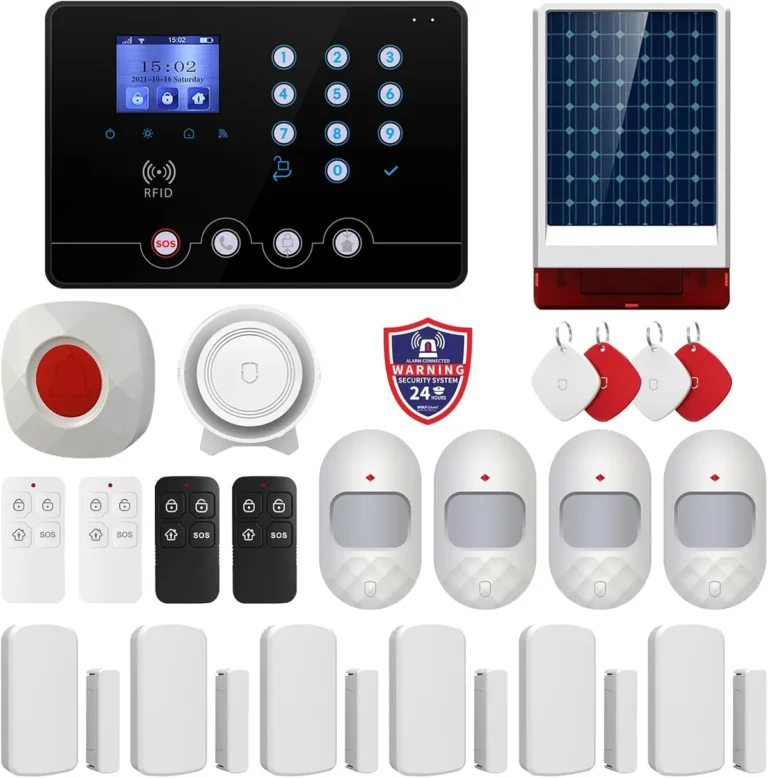
Your home alarm isn't working because of issues like a tripped breaker, unplugged transformer, or a dead backup battery. Sensor problems can stem from low batteries, physical misalignment, or interference. Most issues can be diagnosed by checking power, sensor status, and system alerts.
Addressing these common culprits often resolves the problem quickly.
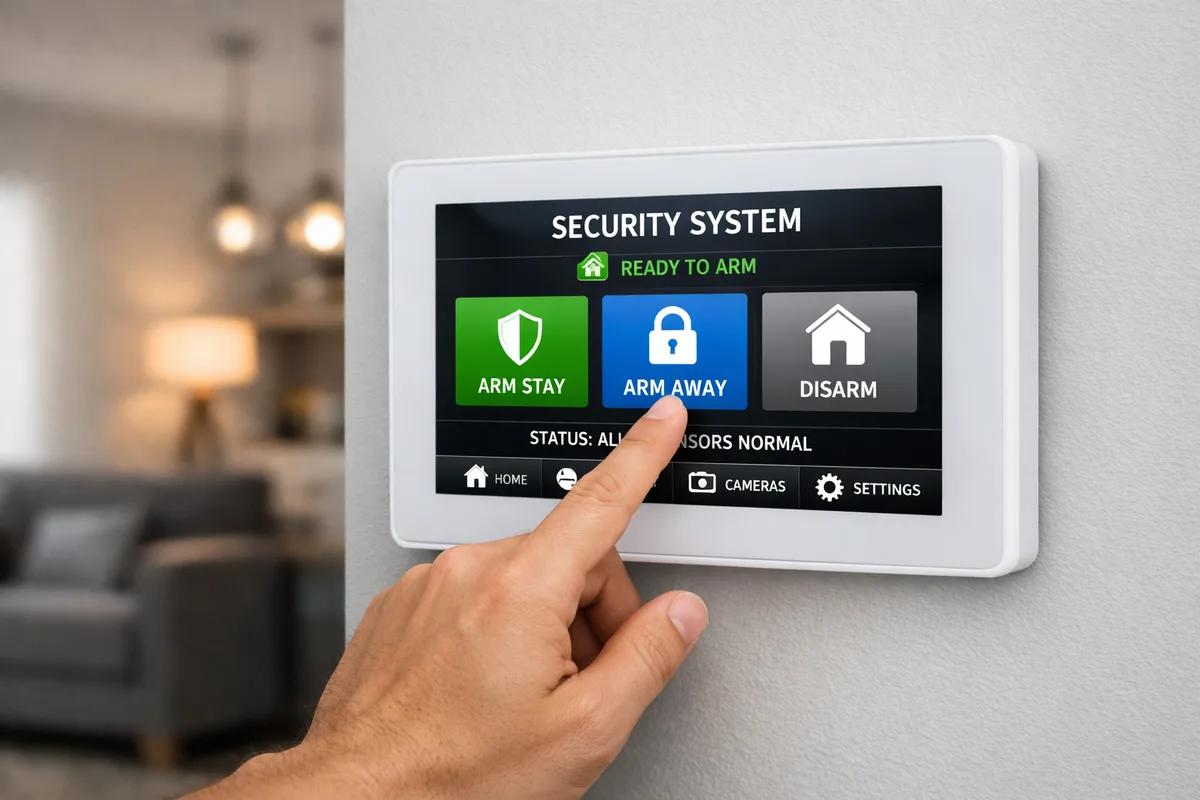
Image source: Bing (Web (fair-use with source credit))
Troubleshooting a Dead or Unresponsive Alarm Panel
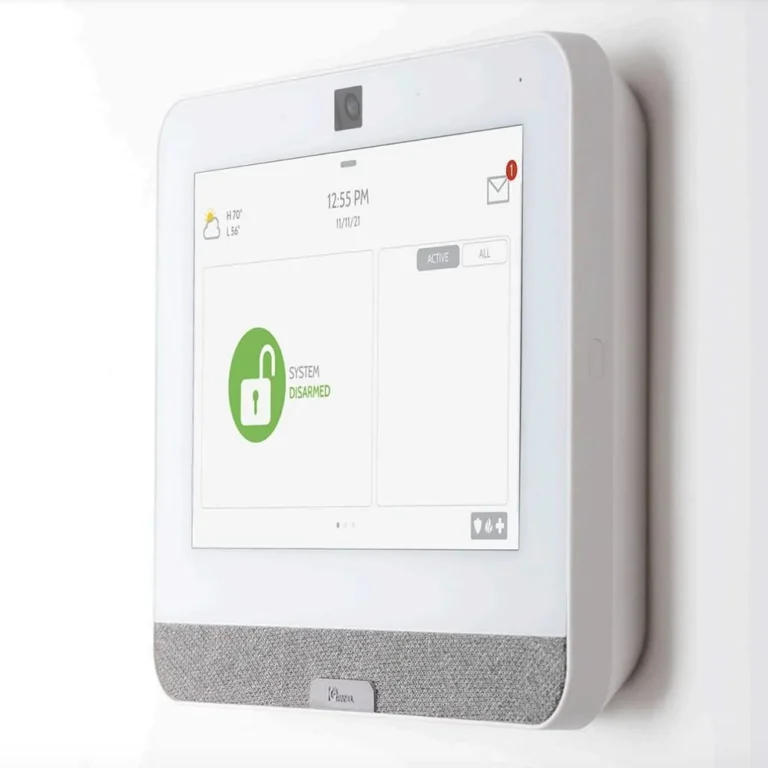
If your alarm panel is completely dark, or the screen is blank and unresponsive, the most immediate suspect is a loss of power. This is the first place to look because without power, nothing else in the system can function. Don't jump straight to thinking the panel itself is broken; often, the fix is much simpler.
Checking Wall Power and Circuit Breakers
Your alarm panel likely gets its primary power from a small transformer that plugs into a standard wall outlet, usually located near the panel. This transformer then connects to the panel via low-voltage wiring.
- Is the Transformer Plugged In? It sounds obvious, but these transformers can sometimes get accidentally unplugged, especially if you're cleaning or rearranging furniture nearby. Double-check that it's firmly seated in the wall outlet.
- Is the Outlet Working? To test the outlet itself, try plugging in a known working device, like a lamp or a phone charger. If that device doesn't power on, the outlet may not be receiving power.
- Check Your Circuit Breaker Panel: The outlet powering your alarm system is connected to a circuit breaker. It's possible this circuit breaker has tripped. Locate your home's main electrical panel and look for a breaker that's in the "off" position or halfway between "on" and "off." If you find one, flip it completely to "off" and then back to "on." If it trips again immediately, there might be a more serious electrical issue with that circuit, and you'll need to consult an electrician.
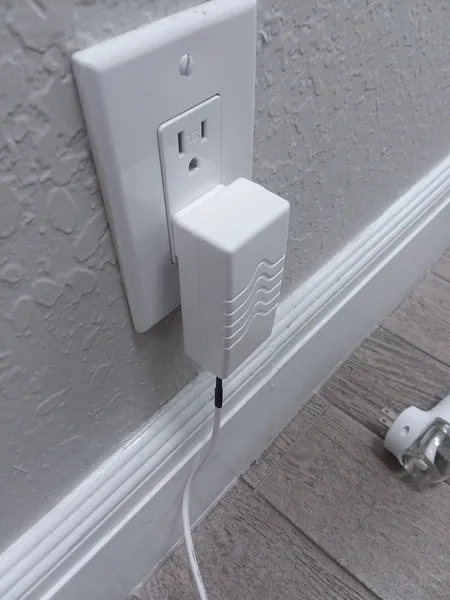
Image source: Bing (Web (fair-use with source credit))
Investigating the Backup Battery
Most home alarm systems include a backup battery. This battery is designed to keep the system running for several hours if the main AC power is interrupted, like during a power outage. If your panel is dead even though it's plugged in, the backup battery could be the culprit.
- Battery Lifespan: Backup batteries typically last between 3 to 5 years. Over time, they lose their capacity to charge. If your system is several years old, the battery may simply be at the end of its service life.
- "Low Battery" or "System Fault" Warnings: Many panels display specific alerts when the backup battery is low or failing. If you've seen these messages recently, it's a strong indicator the battery needs replacing.
- Battery Replacement: Replacing the backup battery is often a straightforward DIY task, but it's crucial to use the correct battery type recommended by your alarm system manufacturer. You can usually find this information in your system's manual or on the manufacturer's website, such as ADT's support pages or Honeywell's product documentation.
Sensor Problems: When Doors, Windows, or Motion Detectors Fail
If your alarm panel is powered on and showing normal status, but specific sensors aren't functioning correctly, meaning they aren't detecting when a door opens or motion occurs, the issue likely lies with those individual components. These sensors communicate wirelessly or via wires to the main panel, and a fault in one can make it seem like the whole system is down.
Door and Window Sensor Alignment and Batteries
Door and window sensors are typically made of two parts: a sensor and a magnet. When the door or window is closed, the two parts are close enough to complete a circuit or trigger a magnetic switch, telling the system it's secure.
- Alignment is Key: If these two pieces have shifted apart, even by a small amount, the sensor won't register a "closed" state. Check that the parts are still lined up closely when the door or window is shut. Sometimes, house settling or a loose screw can cause them to drift.
- Battery Power: Most wireless door and window sensors run on small coin-cell batteries, similar to those in watches. These batteries have a limited lifespan, often around 1 to 3 years depending on usage and battery quality. If a sensor stops communicating, the most common fix is replacing its battery. Your alarm panel might display a "zone low battery" warning for the specific sensor.
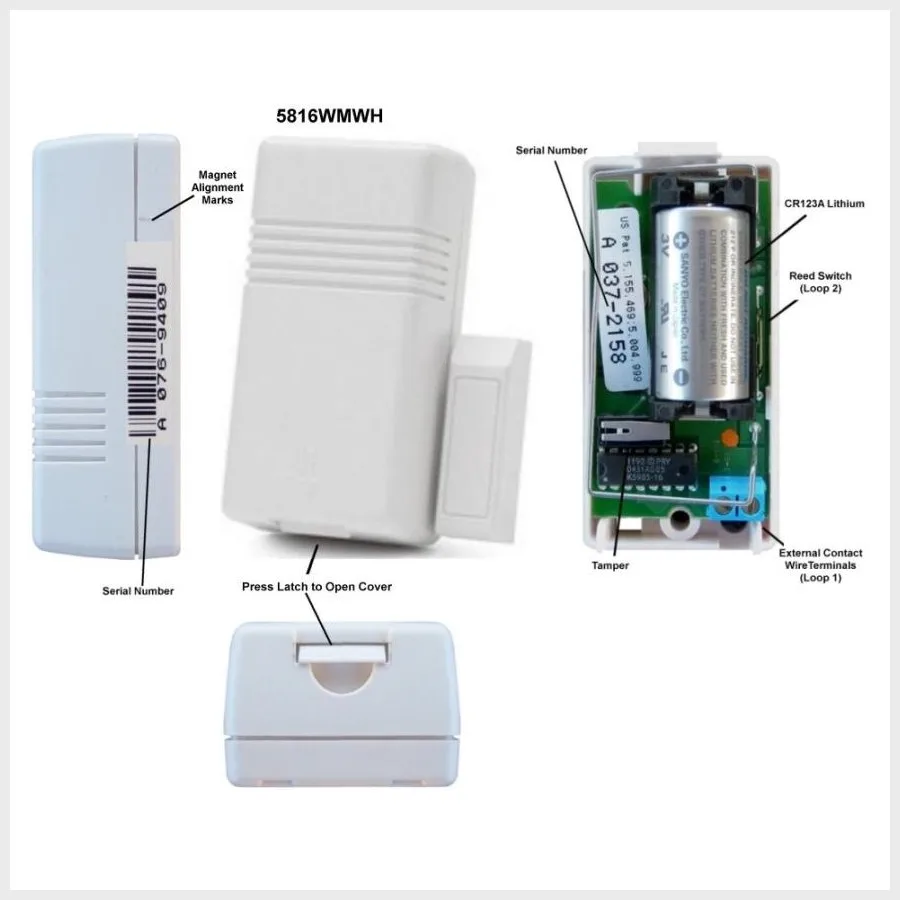
Image source: Web (Bing) / brinkshome.com (Web image (fair-use with source credit))
Motion Detector Issues: Obstructions and Battery Life
Motion detectors, also known as Passive Infrared (PIR) sensors, detect movement by sensing changes in infrared radiation. Several factors can cause them to malfunction or fail to report activity.
- Line of Sight: Ensure nothing is obstructing the motion detector's view. Furniture, curtains, plants, or even large decorations can block its detection field. For optimal performance, motion detectors are typically mounted in corners of rooms, facing into the open space.
- Environmental Factors: Extreme temperature changes, direct sunlight, or drafts from HVAC vents can sometimes interfere with a motion detector's readings, leading to false alarms or an inability to detect actual motion.
- Battery Life: Similar to door and window sensors, wireless motion detectors rely on batteries that will eventually need replacing. If a motion detector isn't responding, check for any system alerts indicating a low battery for that specific zone and replace it if necessary.
Understanding System Alerts and Error Messages
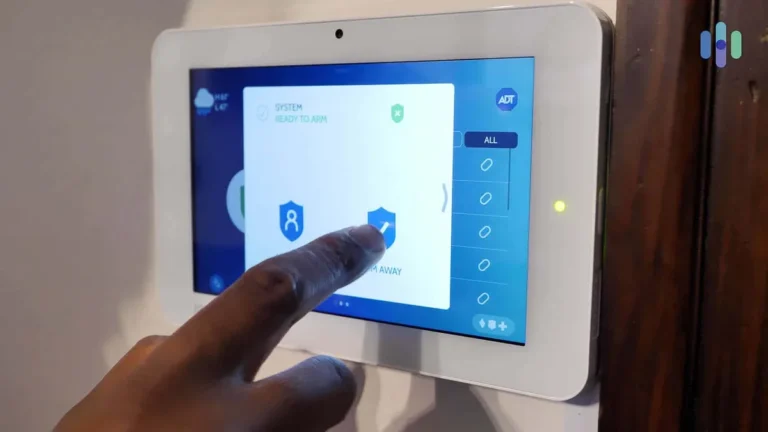
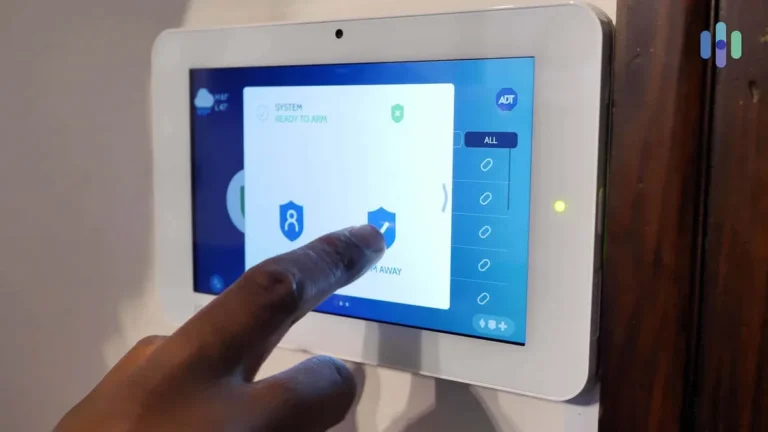
Your alarm system is designed to tell you what's wrong through various indicators and messages displayed on the keypad or through an associated mobile app. Learning to interpret these messages is crucial for quick troubleshooting. These alerts aren't just random; they're specific diagnostic codes designed to pinpoint the exact problem area.
Decoding "Zone Fault" and "Low Battery" Warnings
When your alarm panel flashes a "Zone Fault" message, it means there's an issue with a specific sensor or its communication with the main panel. The system can't communicate properly with that particular part. Often, the panel will also specify the zone number associated with the fault, so you know which sensor is affected.
"Low Battery" warnings are more straightforward. They indicate that the battery in a wireless sensor (like a door/window contact or motion detector) is running critically low and needs replacement. Ignoring these warnings can lead to that sensor becoming completely unresponsive, rendering that part of your security coverage useless.
As of 2026, many systems will send push notifications to your phone for these critical alerts, improving response times.
What Other System Indicators Mean
Beyond specific zone faults and battery warnings, alarm panels use a range of indicators. A "System Fault" or "Trouble" light often signals a more general problem, which could be related to power, a communication error with the monitoring service, or an internal system issue. Some systems might display a numerical error code on the keypad.
Consulting your system's manual or the manufacturer's website is the fastest way to understand what these codes signify. For instance, a common manufacturer like DSC offers extensive technical documentation online for their panels.
Common Glitches and Environmental Interference
Even when everything is installed correctly and components are functioning within their expected lifespan, external factors and minor electronic hiccups can cause your alarm system to behave erratically. These aren't necessarily signs of failure but rather temporary disruptions that often have simple solutions.
Dealing with False Alarms from Drafts or Noise
False alarms can be incredibly frustrating and, in some areas, may even incur fines from local authorities. Motion detectors, especially older models, can sometimes be triggered by environmental factors. Sudden drafts from open windows or doors, heat from vents, or even curtains that sway can mimic movement.
Similarly, loud noises or vibrations can sometimes trigger glass break sensors.
To mitigate this, ensure motion detectors are placed away from direct airflow and direct sunlight. If you have pets, consider using pet-immune motion detectors, which are designed to differentiate between the weight and movement patterns of animals and humans. For glass break sensors, verify they are not positioned near speakers or areas prone to loud impacts.
Simple System Resets to Try
Like any complex electronic device, a home alarm system can occasionally encounter a minor software glitch or communication freeze. A simple power cycle can often resolve these temporary issues.
- Steps for a Power Cycle:
- Disarm your alarm system.
- Locate the main alarm panel.
- Unplug the main transformer from the wall outlet.
- If there's a readily accessible battery backup, disconnect it as well.
- Wait for at least 60 seconds. This allows any residual power to dissipate.
- Reconnect the backup battery (if applicable).
- Plug the main transformer back into the wall outlet.
- Allow the system to reboot completely, which might take a few minutes.
- Once the panel is fully operational, re-arm the system and test its functions.
This process, often referred to as a "hard reset," can clear temporary memory errors and re-establish communication pathways without wiping your system's programming.
When to Call Your Alarm Provider
After exhausting the basic troubleshooting steps, checking power, batteries, sensor alignment, and performing a system reset, if your home alarm system remains non-functional or continues to display error messages, it’s time to seek professional help. Continuing to troubleshoot complex issues without the right tools or knowledge could potentially cause further damage to the system.
Recognizing When Professional Help is Needed
There are several indicators that signal it's time to contact your alarm installation company or monitoring service. If you've gone through the troubleshooting steps outlined above and the problem persists, it suggests a deeper issue. This could include:
- Persistent System Faults: If the panel continuously shows a "System Fault" or "Trouble" alert that you can't clear, there might be an internal component failure within the panel itself.
- Communication Errors: If your system is monitored and you're experiencing communication issues with the central station, this points to a problem with the system's connection to the telephone line, cellular module, or internet.
- Multiple Sensor Failures: If several sensors simultaneously stop working, it might indicate a broader problem with the system's wireless receiver or the main control board.
- Inability to Arm: If you consistently cannot arm the system, and no specific zone fault is identified, the issue could be with the arming circuit or the keypad's programming.
- Unfamiliarity or Discomfort: If you're simply not comfortable performing the troubleshooting steps, or if the instructions seem overly complex, it's always best to rely on the expertise of a qualified technician.
Your alarm provider has access to specialized diagnostic equipment and can often perform remote diagnostics. They can also identify if a specific component needs to be replaced or if a firmware update is required. For systems installed by major providers like SimpliSafe or Vivint, their customer support is designed to guide you through these scenarios.
Sensor Maintenance and Long-Term Optimization
Keeping your alarm system in top shape isn't just about fixing problems when they arise; a little preventative care goes a long way. Regular maintenance helps ensure your system is always ready to protect your home and can prevent those frustrating "why is my home alarm not working" moments.
Battery Replacement Schedule
Wireless sensors are convenient, but their batteries will eventually die. Most manufacturers recommend checking and replacing sensor batteries annually, even if no low-battery warning has appeared. This proactive approach helps avoid unexpected failures.
For example, many common wireless sensors use CR2032 coin cell batteries, which typically last 1-3 years. Keeping a small stash of fresh batteries can make this task quick and easy.
Testing Sensors and System Functionality
It’s a good practice to test your entire alarm system at least every six months. This involves arming the system and deliberately triggering each sensor to ensure it registers correctly. For door and window sensors, open them one by one while the system is armed in test mode.
For motion detectors, walk through their coverage areas. This routine testing confirms that all components are communicating with the panel and responding as expected. Most modern systems have a dedicated "test mode" accessible through the panel or app, which allows you to do this without triggering a real alarm or notifying the monitoring center.
Common Mistakes to Avoid
When troubleshooting your home alarm, certain missteps can lead to more confusion or even damage. Being aware of these common errors can save you time and potential repair costs.
Overlooking Simple Power Checks
It's easy to dismiss power issues as too basic, but many alarm failures stem from a simple unplugged transformer or a tripped circuit breaker. Before diving into complex sensor diagnostics, always verify that the main panel is receiving adequate power. A quick check of the breaker box or ensuring the transformer is firmly in its outlet can resolve the problem instantly.
This is especially true after a power surge or when power is restored following an outage.
Ignoring System Alerts
Your alarm panel displays messages for a reason. "Zone Fault" or "Low Battery" alerts are not to be ignored. These messages are the system's way of telling you exactly where the problem lies.
Delaying action on these warnings means a sensor could fail completely, leaving a vulnerability in your home's security. Address alerts promptly by consulting your system's manual or the manufacturer's guidance to understand the specific meaning of each message.
Frequently Asked Questions About Non-Working Alarms
My alarm panel is completely blank. What should I do first?
Start by checking if the wall transformer is securely plugged into the outlet and if that outlet is receiving power. Then, look for a tripped circuit breaker in your home's main electrical panel. If power is confirmed, the backup battery may be dead and needs replacement.
Why does my door sensor sometimes work and sometimes not?
This intermittent issue is often due to slight misalignment of the two sensor components or a weakening battery. Ensure the sensor and its magnet are properly aligned when the door is closed. If the battery is old, replacing it can restore consistent operation.
Can environmental factors cause my alarm to trigger falsely?
Yes, motion detectors can be sensitive to drafts, direct sunlight, or rapid temperature changes. Glass break sensors can sometimes be triggered by loud noises. Ensure detectors are positioned away from potential environmental interference and consider pet-immune models if applicable.
How often should I replace my alarm system's backup battery?
Manufacturer specifications typically recommend replacing backup batteries every 3 to 5 years. However, it's wise to check them annually, especially if you live in an area prone to frequent power outages, and replace them sooner if you notice "low battery" warnings.
What does a "System Fault" message mean?
A "System Fault" or "Trouble" message indicates a more general problem that isn't specific to a single sensor. This could relate to power issues, a fault within the main control panel, or a communication problem with the monitoring service. It usually requires further diagnosis, potentially by a professional.