Do CCTV Cameras Have Microphones?
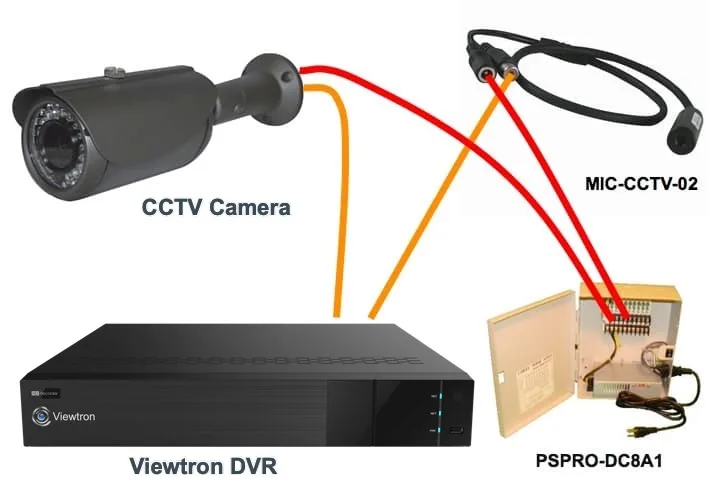
Image source: Web (Bing) / avatar.crnfrd.co.uk (Web image (fair-use with source credit))
Do CCTV Cameras Record Sound? The Quick Answer
Some CCTV cameras have microphones, but many do not. Whether a particular camera records audio depends on its specific model and manufacturer. Features like "audio recording" or "two-way audio" on a product spec sheet confirm microphone presence.
Always check local laws regarding audio surveillance, as consent is often required.
How to Tell If Your CCTV Camera Has a Microphone
Figuring out if your surveillance system can pick up sound is like being a detective. It’s not always obvious from a glance. The key is to investigate the camera's design and documentation.
Checking Camera Specifications and Manuals
Your camera's user manual or its original product listing is your best bet for definitive information. Manufacturer specifications will clearly state if a microphone is included and what its capabilities are. Look for terms like "built-in microphone," "audio recording," or "two-way audio." These details are usually found in the technical specifications section.
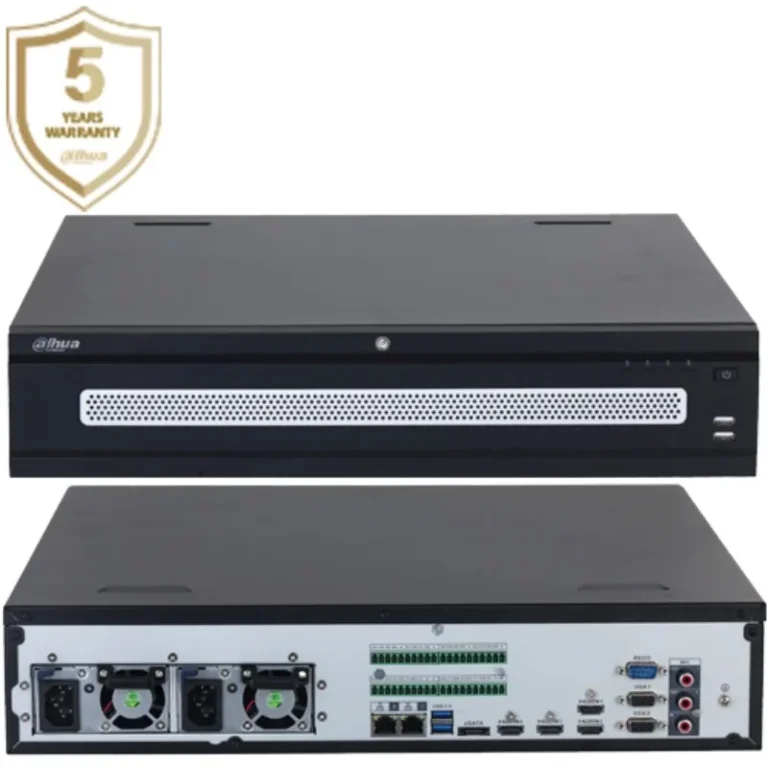
For example, many professional-grade security cameras, like those adhering to standards such as ONVIF, will explicitly list audio support.
Image source: Web (Bing) / in.pinterest.com (Web image (fair-use with source credit))
Inspecting the Camera Hardware
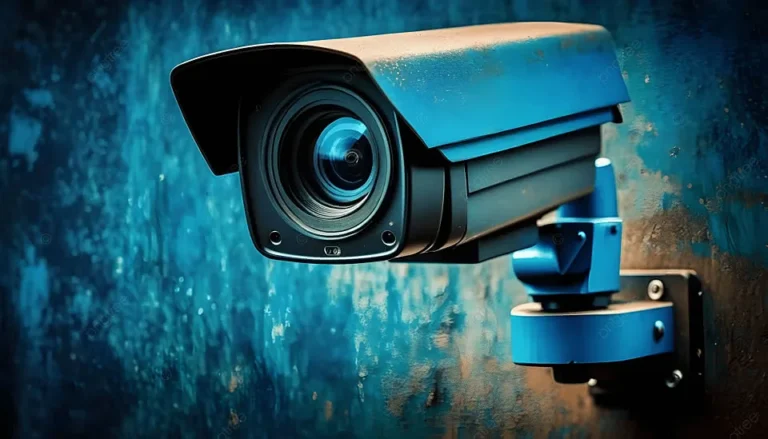
Sometimes, you can spot a microphone by physically examining the camera itself. Most cameras with audio capture will have a small, discreet hole on their casing. This opening is typically no larger than a pinhole and is where the microphone is housed.
It's often located near the lens or on the main body of the camera. However, this visual cue isn't always reliable, as some microphones are extremely well-hidden or integrated internally.
Exploring App and Software Settings
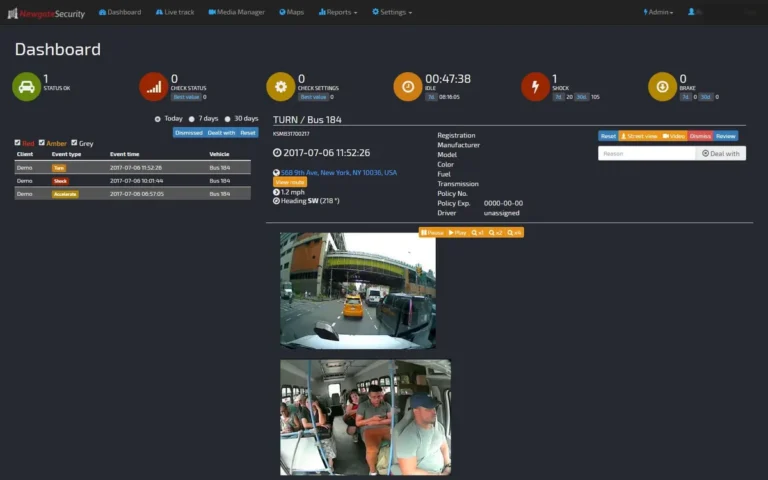
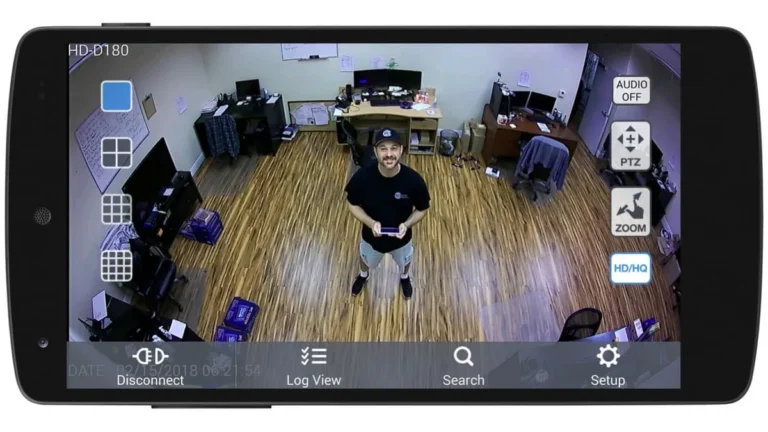
If you use a mobile app or desktop software to manage your security cameras, dive into the settings menu. Most camera platforms offer options related to audio. You might find toggles to enable or disable audio recording, adjust audio sensitivity, or even activate two-way communication features.
If these options are present and selectable, it's a strong indication that your camera is equipped with a microphone. If the settings are grayed out or absent, audio recording is likely not supported.
Why Some CCTV Cameras Include Microphones
Manufacturers include microphones in security cameras for several strategic reasons, aiming to enhance the system's overall effectiveness and utility beyond just capturing video.
For Enhanced Evidence and Context
Audio can be incredibly valuable in any surveillance scenario. Hearing conversations, spoken threats, or even ambient sounds can provide crucial context that video alone might miss. For instance, a suspect's words can confirm identity, intent, or the sequence of events.
This added layer of detail can significantly strengthen evidence gathered from an incident, making investigations more conclusive. Aggregate user reviews often highlight audio clarity as a key factor in serious investigations.
Enabling Two-Way Communication
Many modern CCTV cameras, particularly those designed for home or small business use, offer two-way audio capabilities. This feature allows you to not only hear what's happening but also to speak through the camera's speaker. It’s incredibly useful for interacting with visitors, like delivery personnel when you’re not home, or for deterring unwanted activity by speaking directly to an intruder.
This bidirectional communication transforms the camera from a passive recorder into an active interaction tool.
Audio for Deterrence
Some surveillance systems use audio in an active way to deter potential criminals. Cameras can be programmed to emit loud warning sounds or spoken alerts when motion is detected in specific zones. This immediate, audible response can startle an intruder and prompt them to leave before any damage or theft occurs.
The psychological impact of an unexpected sound can be a powerful deterrent, often preventing incidents before they escalate.
When a CCTV Camera Doesn't Have a Microphone
While many cameras boast audio features, a significant number are designed purely for visual surveillance. This omission of a microphone is often a deliberate choice driven by several factors, including cost reduction, simplified functionality, and adherence to privacy expectations in certain environments.
- Cost-Effectiveness: Adding a microphone, the necessary audio processing components, and associated software features increases manufacturing costs. For basic surveillance needs, manufacturers may choose to omit these to offer a more affordable product.
- Focus on Video: For many applications, the primary need is simply to record visual evidence. In such cases, audio might be seen as an unnecessary complication or a feature that doesn't add significant value to the core security function.
- Privacy Considerations: In some locations or for certain types of surveillance, recording audio might be perceived as overly intrusive or legally complex. Manufacturers may opt for video-only cameras to avoid potential privacy issues or to cater to users who prefer not to record sound.
- Technical Simplicity: Video-only cameras generally have simpler internal architecture and require less processing power for audio streams. This can lead to more reliable performance and easier firmware management.
Understanding the Legalities of Audio Recording
This is arguably the most critical aspect when considering cameras with microphones. Just because a device can record audio doesn't mean it's legal to do so everywhere, at all times. Laws surrounding audio surveillance vary significantly by location and are designed to protect individuals' privacy.
Ignoring these can lead to serious legal trouble, including hefty fines and even criminal charges.

Image source: Web (Bing) / pngtree.com (Web image (fair-use with source credit))
Consent Laws: One-Party vs. Two-Party
The primary distinction in audio recording laws is whether your jurisdiction follows "one-party consent" or "two-party consent" rules.
- One-Party Consent: In these locations, it is legal to record a conversation as long as at least one party to the conversation is aware of and consents to the recording. This often means if you are part of the conversation, you can record it without informing the other party. However, using a camera to record conversations between two other people without their knowledge is usually illegal.
- Two-Party Consent: These locations require that all parties involved in a conversation must consent to the recording. If you are recording audio in a two-party consent state or country, you must obtain explicit permission from everyone involved before you start recording.
As of 2026, a growing number of states and countries are adopting stricter privacy regulations that may impact audio recording capabilities.
Privacy in Public vs. Private Spaces
The location where the camera is installed also plays a significant role. Generally, there's a lower expectation of privacy in public spaces where people can be seen and heard by anyone. However, recording audio in public spaces can still be restricted depending on local ordinances.
In private spaces, such as inside a home or office, the expectation of privacy is much higher. Recording audio in these areas without consent is almost always illegal and can lead to severe penalties.
Verifying Your Local Regulations
It is absolutely crucial to research and understand the specific laws governing audio recording in your city, state, and country. Websites of local government bodies, often ending in .gov, are reliable sources for this information. For example, official state legislative websites typically detail wiretapping and eavesdropping laws.
If you're unsure, consulting with a legal professional is the safest course of action to ensure compliance and avoid legal pitfalls.
Common Mistakes and What to Avoid
When setting up or using CCTV cameras, especially those with potential audio capabilities, it's easy to stumble into common pitfalls. Being aware of these mistakes can save you a lot of trouble, from ineffective surveillance to legal headaches. Many users overlook the importance of checking their camera's exact specifications, assuming all devices in a product line behave the same.
This can lead to buying a camera that doesn't meet your audio recording needs or, conversely, one that records audio when you didn't intend it to.
Another frequent error is assuming that just because a camera has a microphone, it's automatically legal to record everything it hears. This oversight is particularly common when cameras are placed in areas where guests or employees might not expect to be recorded audibly. Forgetting to properly update security camera firmware is also a significant mistake, as it can leave your system vulnerable to breaches or cause unexpected behavior in its features, including audio recording.
Regularly checking for firmware updates, such as those provided by manufacturers through their official channels, is a proactive measure. If your cameras are intended to record audio, ensuring they are functioning correctly and that the audio track aligns with the video is also vital.
What If My Camera's Motion Detection Isn't Working?
If your security camera’s motion detection is acting up, it's frustrating. You might be missing important events or getting too many false alarms. Our research indicates this often stems from incorrect sensitivity settings or environmental factors like shifting shadows or blowing leaves.
If your camera isn't detecting motion at all, double-check that the feature is enabled in your camera’s app or software, and ensure there are no obstructions in its field of view. Sometimes, a simple firmware update can resolve these issues. For more complex issues, understanding how to fix security camera motion detection problems might be necessary.
Why Is My Security Camera Showing a Black Screen?
A black screen on your security camera feed is a classic problem. It usually means the camera isn't transmitting video properly, or your viewing device isn't receiving the signal. Common culprits include loose cable connections, power supply issues, or network connectivity problems.
If you're using an app, try closing and reopening it, or even restarting your camera and router. For more persistent issues, checking how to reset a security camera might be necessary.
Why Is My Security Camera Blurry?
Blurry video can render your surveillance footage almost useless. This issue often arises from a dirty lens, incorrect focus settings, or even camera shake. Manufacturers often recommend cleaning the lens with a soft, lint-free cloth regularly.
If the blurriness is constant and not related to environmental factors, it could be a hardware problem with the camera's lens or internal focus mechanism. Sometimes, adjusting the camera's mounting to prevent vibrations can also help achieve a clearer image. If your camera constantly suffers from this, you might be interested in how to improve security camera WiFi signal if it's a wireless model, as a weak signal can sometimes cause image degradation.
Frequently Asked Questions (FAQs)
Do all security cameras have microphones?
No, not all security cameras have microphones. Many are designed for video-only surveillance. The presence of an audio recording feature depends entirely on the specific model and manufacturer's design.
Can I legally record conversations with my CCTV camera?
Whether you can legally record conversations depends heavily on your local laws, specifically whether your area follows one-party or two-party consent rules. Always verify your local regulations before recording audio.
How do I know if my camera supports two-way audio?
Look for "two-way audio," "audio talk-back," or similar phrases in your camera's product specifications or manual. You can also check your camera's app settings for options to speak through the camera.
What happens if I record audio illegally?
Illegally recording conversations can lead to significant legal penalties, including fines and potential criminal charges, depending on the jurisdiction and the specifics of the violation.
Can I disable the microphone on my CCTV camera?
Yes, most CCTV cameras that have microphones allow you to disable the audio recording feature through their software settings. This is a good practice if you only need video surveillance or are concerned about privacy.
Making the Right Choice for Your Security Needs
Deciding whether you need a CCTV camera with audio capabilities involves weighing several factors, from your specific security goals to legal considerations. If enhanced evidence or direct communication is a priority, a camera with a microphone might be ideal. However, always remember that audio recording brings legal responsibilities.
For many basic surveillance tasks, video alone is sufficient and simplifies installation and compliance. If you're unsure about the legal landscape in your area, opting for a video-only camera is the safer route. If you do opt for audio, ensure you understand how to manage its settings, check for regular firmware updates for security and functionality, and always adhere to local privacy laws.
Making an informed choice ensures your surveillance system is effective and legally sound.