How to Maintain a Home Security System
Image source: Bing (Web (fair-use with source credit))
Keeping your home security system in good working order is just as crucial as installing it in the first place. A well-maintained system offers reliable protection, but neglect can turn a trusted safeguard into a weak link. Regular check-ups ensure your home stays secure, especially when you need it most.
Our research indicates that ignoring maintenance can lead to unexpected failures, such as a dead battery in a critical sensor or a communication glitch. According to manufacturer specifications, most wireless sensors have a typical battery lifespan of 2-5 years, but this can vary based on environmental factors and usage. Knowing how to maintain your home security system means addressing these potential issues before they become serious problems.
Quick Answer
Maintaining your home security system involves regular testing of sensors and the main panel, replacing batteries proactively, cleaning components, and checking for software updates. You should perform basic checks monthly, more thorough battery and cleaning tasks quarterly, and a full system test with your monitoring company annually. This consistent upkeep ensures your system is ready to protect your home.
Why Bother Maintaining Your Security System?
Think of your security system as a vigilant guard for your home. Just like any guard, it needs to be alert, functional, and ready for duty at all times. When you don't maintain it, you're essentially asking that guard to perform under pressure with potentially faulty equipment.
This is where things can go wrong, and the consequences can range from minor inconveniences to significant security breaches.
The Risks of Neglect
Neglecting your home security system can have several unpleasant outcomes. For instance, a wireless motion detector might go offline due to a dead battery, leaving a room unprotected without you ever realizing it. Similarly, dust or cobwebs can obstruct a camera lens or a motion sensor, rendering it useless.
These aren't just minor glitches; they represent real vulnerabilities. The National Institute of Standards and Technology (NIST) emphasizes the importance of regular system checks for critical infrastructure, a principle that directly applies to home security as well. Failing to maintain your system means you might not get that vital alert when it matters most, leading to potential theft, property damage, or worse.
What Kind of System Do You Have?
Before diving into maintenance, it's helpful to know what type of system you're working with. This helps tailor your approach, as different systems have unique needs.
Wired vs. Wireless vs. Smart: Key Differences
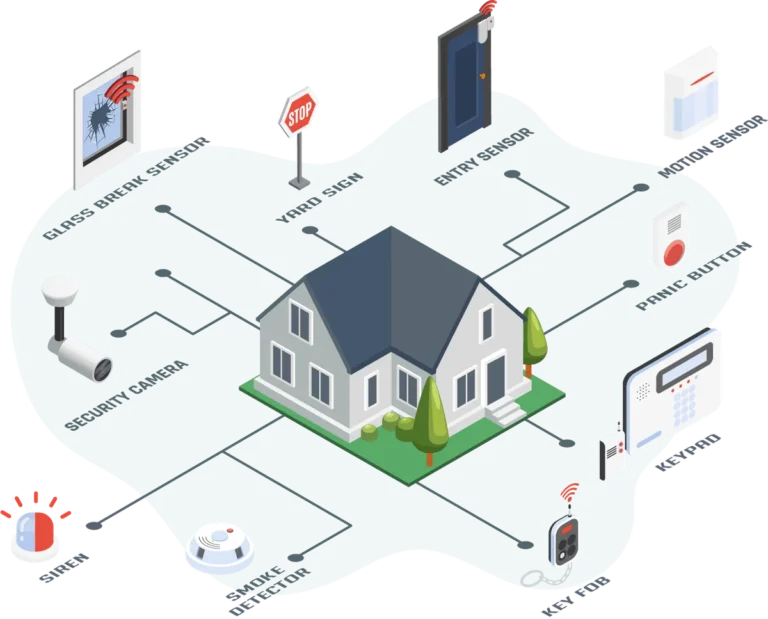
Understanding the fundamental differences between system types dictates the kind of maintenance they require. Wired systems, for example, are generally more stable but can have their own issues with wiring integrity over time. Wireless systems offer flexibility but rely heavily on battery power and signal strength.
Smart systems integrate with your home network, adding the need for software updates and Wi-Fi checks.
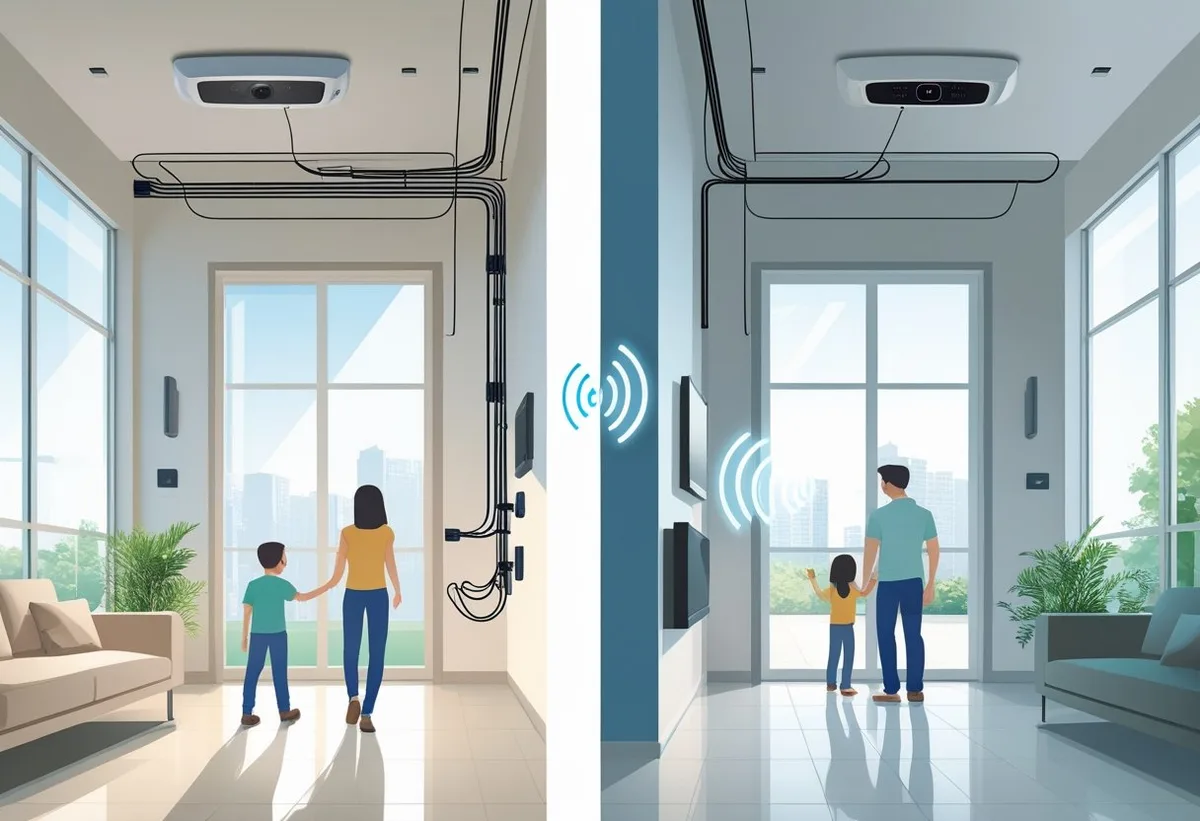
Image source: Web (Bing) / thealarmmasters.com (Web image (fair-use with source credit))
- Wired Systems: These use physical wires to connect sensors, keypads, and the main control panel. They are often considered very reliable as they don't depend on batteries for their primary operation, but installation can be more complex. Manufacturers like Honeywell, for example, have long offered robust wired systems.
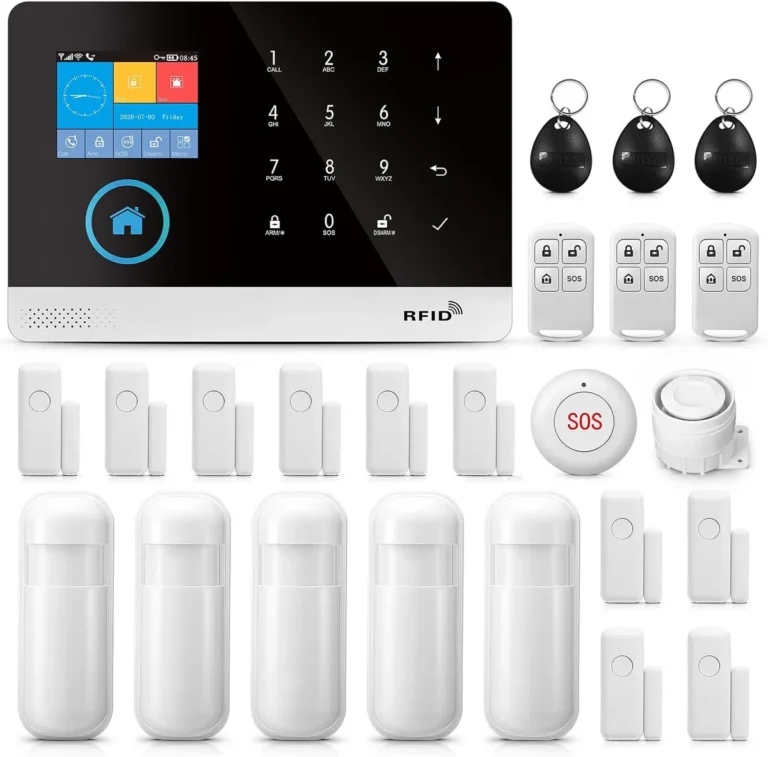
- Wireless Systems: These systems communicate between components using radio frequencies. They are popular for their ease of installation and flexibility. However, they require regular battery replacement in sensors and rely on good signal strength to connect to the main panel. Many DIY systems, such as those from SimpliSafe, operate primarily on wireless technology.
- Smart Home Integrated Systems: These systems leverage Wi-Fi or other wireless protocols to connect to your home network and often integrate with other smart home devices. They offer remote access via smartphone apps and advanced features like geofencing. Brands like Google Nest or Ring systems fall into this category, requiring occasional software updates and robust Wi-Fi connectivity.
- Consider your system's age: According to research on system lifecycles, even robust systems may require component replacements or upgrades after 10-15 years. Knowing how old your system is can help you anticipate potential needs.
Your Home Security Maintenance Checklist
Consistent, scheduled maintenance is the backbone of a reliable security system. It's not a set-it-and-forget-it kind of thing. Think of it as routine tune-ups to keep everything running like a well-oiled machine.
Monthly "Quick Check" Tasks
These are the easy, quick wins that you can do without much fuss. They help you catch minor issues before they become major ones.
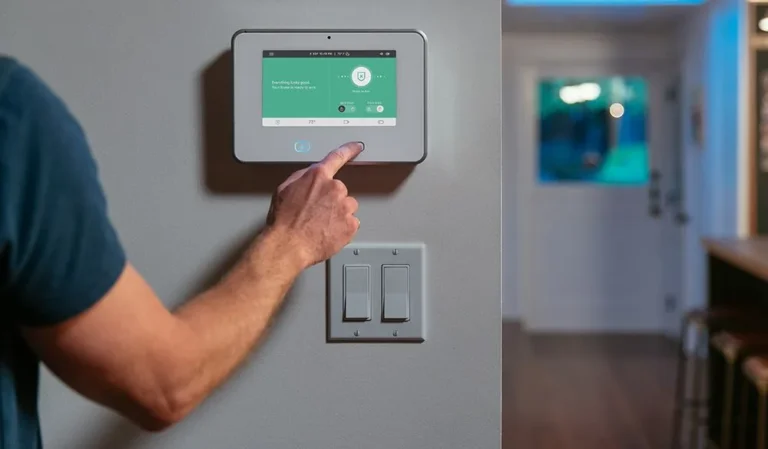
- Test your keypad and panel: Simply walk over to your main security panel. Check that the display is clear and readable, and that there are no unusual error messages or warning lights flashing. Press a few buttons to ensure the interface is responsive.
- Perform a sensor walk-test: This is crucial for confirming all your sensors are communicating with the main panel.
- Put your system into "Test Mode" (this usually prevents it from triggering a silent alarm to your monitoring company).
- Open and close each protected door and window.
- Walk in front of each motion detector.
- Listen for a confirmation beep from the panel or look for an indicator light that shows the sensor has been triggered and communicated.
Quarterly "Deeper Dive" Tasks
These tasks require a bit more time but are essential for proactive care, especially for wireless components.
- Check and replace batteries: This is one of the most common maintenance needs, particularly for wireless systems.
- Wireless Sensors: Many systems will alert you when a sensor's battery is low. However, it's a good practice to check these at least quarterly, especially for sensors that have been in place for over a year. Refer to your system's manual for the exact battery type needed. Using the wrong battery can damage the sensor.
- Main Panel Backup Battery: Most security panels have a backup battery that kicks in during a power outage. These typically last 3-5 years. If your panel indicates a battery fault or if it's nearing the end of its expected life, it's time to consider a replacement.
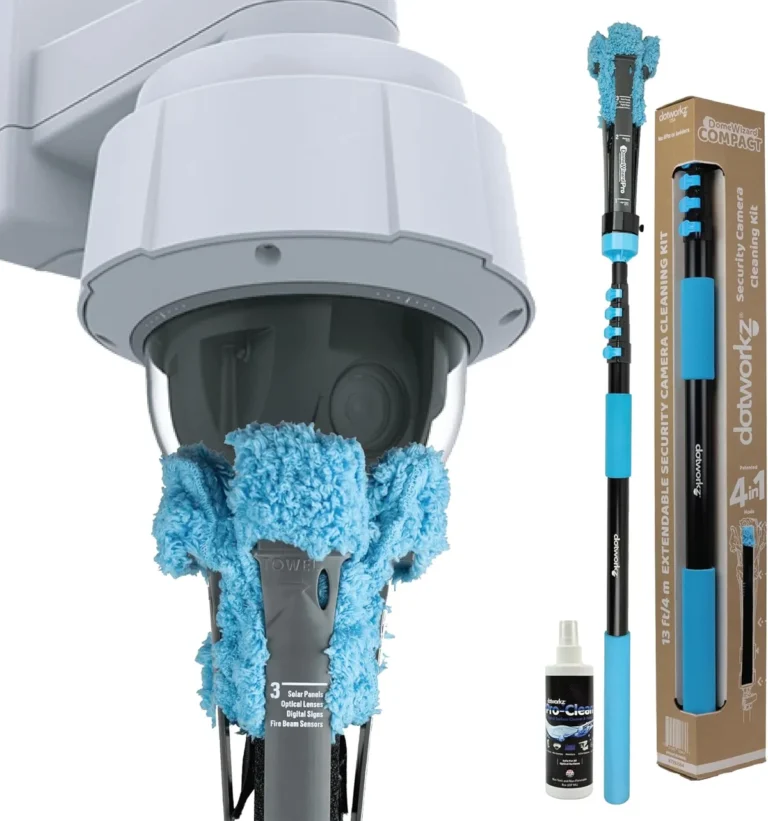
- Clean sensors and cameras: Dust, pet hair, and even cobwebs can accumulate on sensors and camera lenses. This can interfere with their performance. Use a soft, dry microfiber cloth to gently wipe down all visible sensor surfaces and camera lenses. For stubborn dirt, a slightly damp cloth can be used, but ensure no moisture gets into any openings.
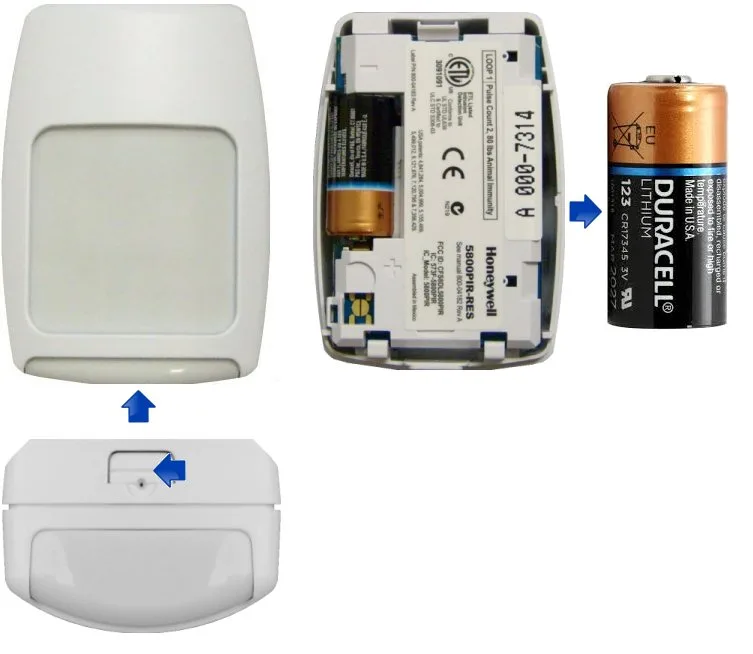
Image source: Web (Bing) / granitetools.co.uk (Web image (fair-use with source credit))
Annual "Full System Health" Checks
This is where you take a comprehensive look at your system's performance and ensure all its parts are working together.
- Full system test with monitoring service: If you have a professionally monitored system, this is a must-do. Call your security provider and ask them to put your system into test mode for a specific period. Then, trigger every sensor in your home (doors, windows, motion detectors, glass break sensors). The monitoring company can confirm that each signal is received correctly and logged. This tests the entire chain, from your home to their central station.
- Review and update emergency contacts: Ensure the contact list your security company has on file is current. Have people moved or changed phone numbers? An outdated list can cause delays if an alarm is triggered and they need to reach someone.
- Check for software and firmware updates: For smart home security systems, it's vital to ensure all components are running the latest software or firmware. Manufacturers release these updates to patch security vulnerabilities, improve performance, and add new features. You can usually check for these updates through the system's mobile app or online portal. Per standards set by organizations like UL (Underwriters Laboratories), ensuring up-to-date firmware is a key aspect of maintaining device security and functionality.
Troubleshooting Common Security System Hiccups
Even with regular maintenance, sometimes things don't work quite as expected. Don't panic; many common issues have straightforward solutions.
What Error Messages Mean
Your security panel often provides clues when something is wrong through error codes or messages. These are designed to guide you toward a solution. For example, an "RF Jamming" alert might indicate that a wireless signal is being intentionally blocked, a serious security concern.
A "Tamper" alert on a sensor means its cover has been removed or it's been physically disturbed. Always refer to your system's manual or the manufacturer's support website for a comprehensive list of error codes and their meanings.
When a Sensor Goes Silent
If a sensor fails to register when triggered during a test, the first thing to check is its battery. For wireless sensors, a dead or dying battery is the most common culprit. If the battery is new and the sensor still isn't working, it might have lost its connection to the main panel.
Many systems allow you to re-sync wireless devices; this process usually involves removing the sensor from the panel's memory and then re-adding it. For wired systems, a silent sensor could indicate a loose wire connection, a faulty sensor itself, or an issue with the wiring harness.
Battery Issues: The Usual Suspect
Battery problems are frequent with wireless home security systems. Factors like extreme temperatures (hot or cold) and heavy usage (e.g., a frequently opened door) can shorten battery life. As of 2026, typical battery life for most wireless sensors ranges from 2 to 5 years.
When a sensor consistently shows a low battery warning, or if it suddenly stops responding, replacing the battery is usually the first and most effective step. Always use the specific battery type recommended by the manufacturer to avoid compatibility issues or damage.
When to Call the Experts
While many maintenance tasks are manageable for the average homeowner, some situations call for professional intervention. Knowing when to escalate is key to preventing further damage or security gaps.
Knowing Your Limits
If you're uncomfortable working with electronics, dealing with wiring, or if troubleshooting steps don't resolve an issue, it's best to step back and call a professional. Trying to force a fix without the right knowledge can sometimes worsen the problem or even damage the system. For instance, if you suspect a critical wire has been cut or damaged, or if your system repeatedly displays complex error codes you can't decipher, it's time to enlist professional help.
This also applies if you're unsure about the proper procedure for replacing a main panel battery, which can sometimes involve system resets.
What a Professional Can Do
Professional security technicians have specialized tools and extensive training to diagnose and repair a wide range of issues. They can perform in-depth diagnostics on both wired and wireless components, check for signal interference, and ensure your system is configured optimally. They can also advise on system upgrades if your current setup is outdated or no longer meets your needs.
For those with professionally monitored systems, installers can ensure the communication link to the monitoring center is robust and compliant with industry standards. You might consider a professional check if you've recently moved into a new home with an existing system or if you're experiencing persistent false alarms.
Frequently Asked Questions About Security System Maintenance
How often should I test my home security system?
You should perform a quick sensor test monthly and a full system test with your monitoring company (if applicable) at least annually.
What's the most common maintenance issue?
The most frequent issue, especially with wireless systems, is replacing batteries in sensors. These typically need replacement every 2-5 years.
Can I maintain my security system myself?
Yes, basic maintenance like testing sensors, replacing batteries, and cleaning components can be done by most homeowners. However, complex repairs or wiring issues usually require a professional.
How do I know if my security system needs professional service?
If you've tried basic troubleshooting like replacing batteries or re-syncing devices and the system still has issues, or if you encounter error messages you can't resolve, it's time to call a professional.
How long do home security systems typically last?
The lifespan of a home security system can vary, but many systems can last 10-15 years or more with proper maintenance, though individual components like batteries or specific sensors may need replacement sooner.
Your Maintenance Action Plan
Taking proactive steps to maintain your home security system ensures it remains a reliable defense for your property. Start by identifying your system type and then establish a routine for checks. Remember to keep your system's manual handy, as it's your best resource for specific troubleshooting and maintenance procedures.
Consistent attention to these details means your security system will be ready when you need it most, providing ongoing peace of mind for you and your family.

2 Comments