How to Protect Security Camera Footage
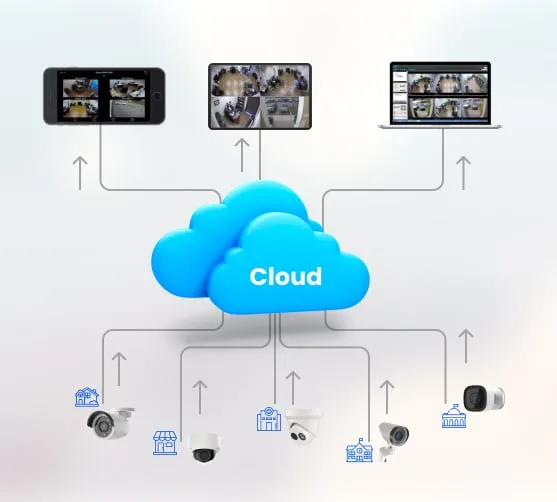
Image source: Bing (Web (fair-use with source credit))
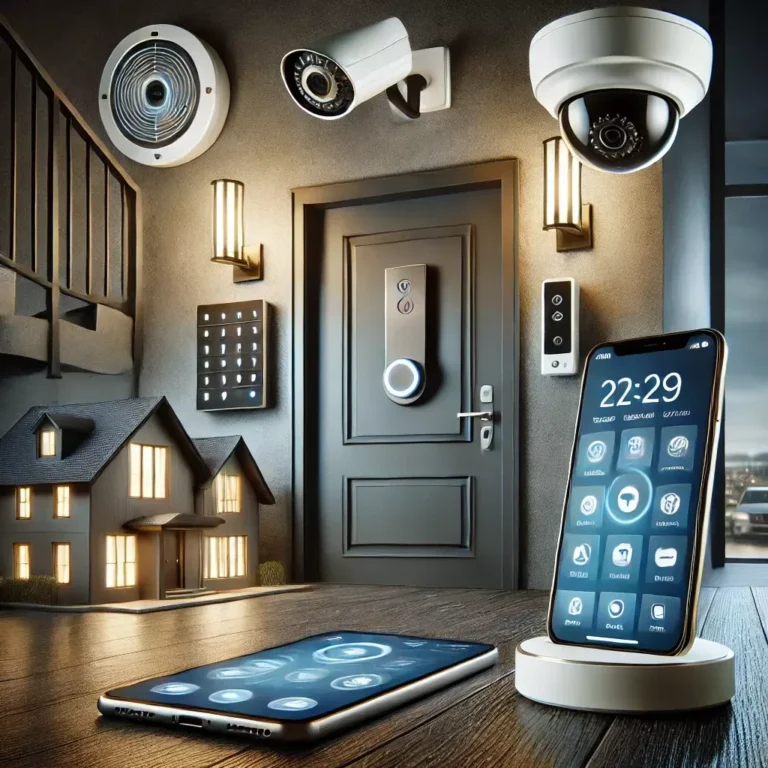
You've got security cameras, which is fantastic for keeping an eye on things. But what happens to all that recorded video? Protecting your security camera footage is crucial, ensuring that vital evidence or memories are safe from loss, tampering, or accidental deletion.
Think of it as safeguarding your digital eyewitness.
This guide walks you through the practical steps to keep your recordings secure, whether they're stored locally or in the cloud. We'll cover common pitfalls and best practices, drawing from manufacturer specifications and established data retention principles. As of 2026, ensuring the integrity of this data is more important than ever.
Quick Answer
Protect your security camera footage by securing the recording device physically and digitally, understanding its storage method, and implementing regular backups. For local storage, change default passwords and consider off-site backups. For cloud storage, enable two-factor authentication and know the retention policy.
Regularly download critical footage and keep system firmware updated.
Understanding Where Your Footage Lives
The first step in protecting your security camera footage is knowing exactly where it's stored. This determines the methods you'll use and the potential vulnerabilities you need to address. Think of it like choosing a safe for your valuables; the type of safe you need depends on what you're storing and where.
Local Storage (DVR/NVR/SD Card)
This is where recordings are kept directly on your property. You'll typically find this setup with Digital Video Recorders (DVRs) or Network Video Recorders (NVRs), which store footage on internal hard disk drives (HDDs). Many standalone IP cameras also use microSD cards for local storage.
Manufacturer specifications often confirm that HDDs can offer substantial recording capacity, with common drives ranging from 1TB to 8TB or more, depending on the system.
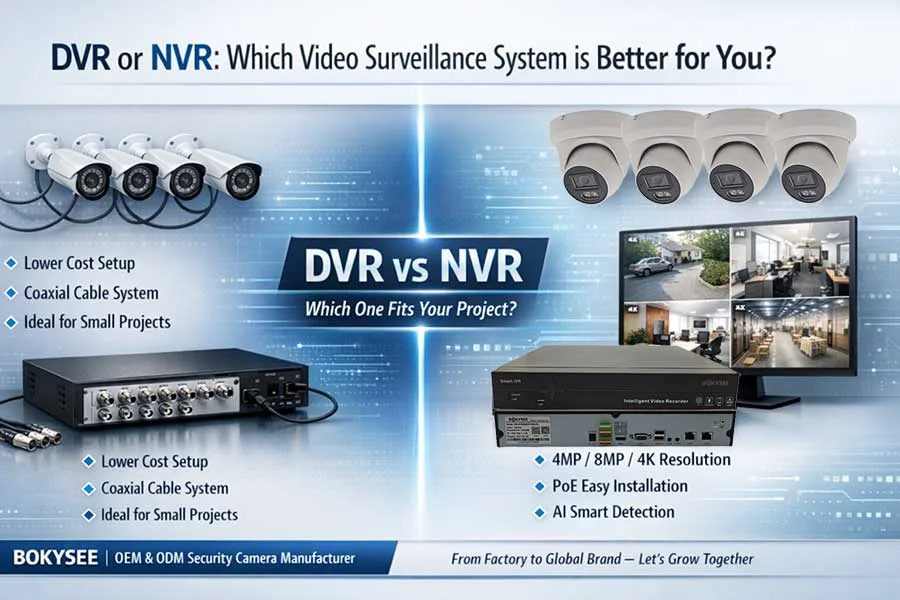
Image source: Bing (Web (fair-use with source credit))
The advantage here is direct control and no reliance on an internet connection for recording. However, it also means your physical storage device is a potential target for theft or damage. If the recorder or camera is stolen or broken, the footage is gone with it.
Ensuring the longevity of your recordings depends heavily on the physical security of these devices and the health of their storage media.
Cloud Storage
With cloud storage, your camera's footage is sent over the internet to remote servers operated by the camera manufacturer or a third-party service. This is a popular option for many modern, wireless home security cameras. Services often provide a certain amount of free storage, typically for a limited duration, such as 7 or 30 days, with paid plans offering longer retention.
For example, some services might offer up to 60 days of continuous cloud recording for an additional monthly fee.
The main benefit of cloud storage is convenience and off-site redundancy. If your property is compromised, your footage is still safe elsewhere. However, this method relies entirely on your internet connection's stability and the security of your cloud account.
A weak internet connection can lead to incomplete uploads, and a compromised account means unauthorized access to your private recordings.
Securing Your Footage: A Step-by-Step Workflow
Protecting your security footage involves a proactive approach tailored to your specific storage method. This isn't a set-it-and-forget-it task; it requires ongoing attention to ensure your recordings remain accessible and untampered with.
For Local Storage Users
If your cameras record to an NVR, DVR, or SD card, you have direct control but also direct responsibility for physical security and data integrity. Think of it as locking up your own filing cabinet.
Physical Security for Recorders
The most basic protection is to make sure your recording device itself is secure.
- Location, Location, Location: Don't place your NVR or DVR in plain sight. Install it in a locked closet, a secure cabinet, or even a dedicated surveillance room if possible. If a thief can't easily find or access your recorder, they can't easily destroy or steal your footage.
- Camera Placement: For cameras using SD cards, ensure the camera itself is mounted securely and in a location that makes it difficult to access or remove the card without tools and time.
Network Security Basics
Most modern NVRs and DVRs connect to your home network to allow remote viewing. This connectivity opens up potential digital vulnerabilities.
- Change Default Passwords: This is critical. Always change the default administrator password on your NVR/DVR to something strong and unique. Default passwords are widely known and easily guessed.
- Secure Your Wi-Fi: If your NVR or cameras are connected wirelessly, ensure your home Wi-Fi network is secured with a strong WPA2 or WPA3 password. A weak Wi-Fi password could allow unauthorized access to your network, potentially reaching your recording devices. Learn more about what is a wireless home security system.
Optimizing Recording Settings
How you configure your cameras impacts how much footage you have and for how long.
- Overwrite Settings: Most systems are set to automatically overwrite the oldest footage when storage is full. Understand this timeframe. If your drive overwrites every 7 days, footage older than that is permanently gone. Adjust your recording schedule and storage capacity to retain footage for the period you need.
- Motion Detection: Recording only when motion is detected saves storage space and makes it easier to find specific events. However, be aware that this can miss events happening in between detected motion.
Manual and Automated Backups
Never rely solely on your primary storage device.
- Manual Downloads: Periodically, or when you capture critical events, manually download footage from your NVR/DVR to an external hard drive or a USB flash drive. Store this backup in a separate, secure location, ideally off-site, to protect against local disasters like fire or theft.
- Automated Backups: Some advanced NVRs and security systems offer features to automatically back up footage to another storage device on your network (like a Network Attached Storage, or NAS, device) or to an off-site server. Consult your system's manual to see if this functionality is available.
For Cloud Storage Users
Cloud storage offers convenience, but it shifts your focus from physical security to account security and understanding service terms.
Account Security Essentials
Your cloud account is the gateway to your footage.
- Strong, Unique Passwords: Use a complex password that you don't use for any other online service. Consider using a password manager to generate and store these strong passwords securely.
- Enable Two-Factor Authentication (2FA): This is one of the most effective ways to prevent unauthorized access. 2FA requires a second verification step, usually a code sent to your phone or generated by an app, in addition to your password. This means even if someone steals your password, they can't access your account without your phone.
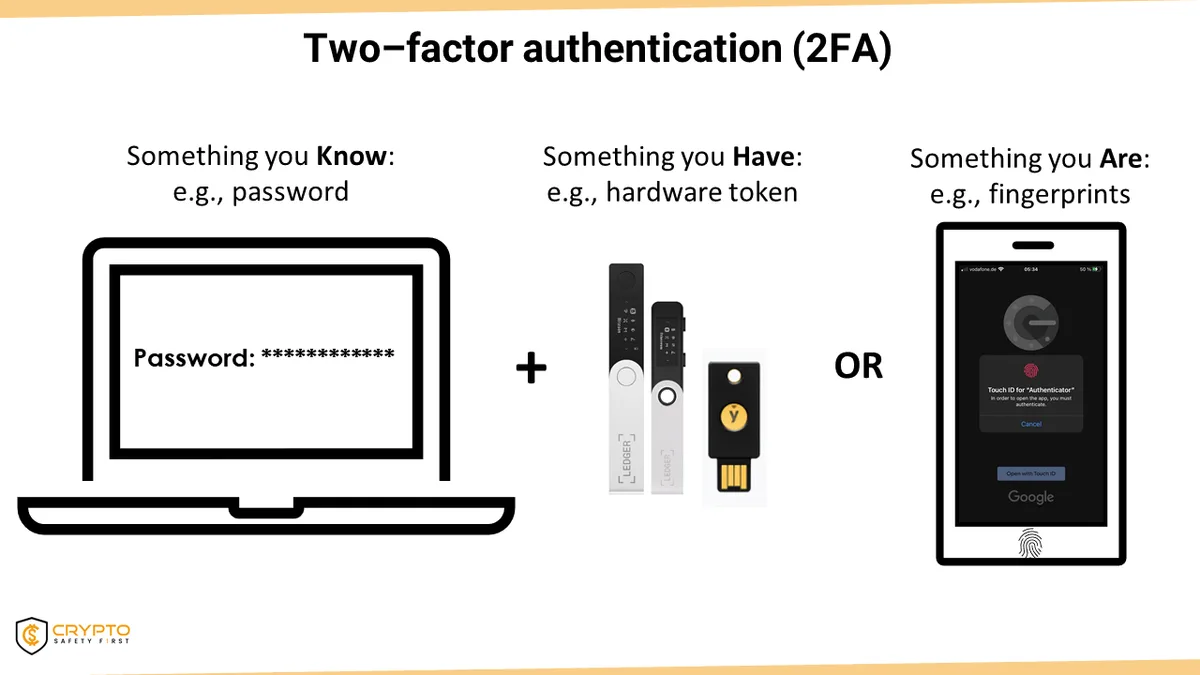
Image source: Web (Bing) / cryptosafetyfirst.com (Web image (fair-use with source credit))
Understanding Cloud Retention Policies
Every cloud storage service has a policy on how long it keeps your recordings. This is a critical piece of information.
- Know the Duration: Is it 7 days, 30 days, or longer? Some services offer extended storage for a fee, which might be necessary depending on your needs. Manufacturer specifications usually detail these retention periods. For instance, a common free tier might retain footage for 7 days, while a premium tier could offer 30 or 60 days.
- Upgrade If Necessary: If you need to keep footage for longer than the standard retention period, plan to upgrade your subscription or implement a manual download strategy.
Downloading Important Footage
Don't assume your cloud footage will be available indefinitely.
- Save Critical Events: If an important event occurs (e.g., a break-in, an accident), download the relevant footage as soon as possible. Save it to your computer, an external hard drive, or a secure cloud storage service. This ensures you have a copy even if the service's retention period expires.
Common Mistakes That Put Your Footage at Risk
Even with the best intentions, a few common oversights can leave your security camera footage vulnerable. Recognizing these mistakes is the first step to avoiding them and ensuring your recordings are always there when you need them. Many users overlook the simple yet crucial steps that provide layers of protection.
Overlooking Physical Security
One of the biggest mistakes is neglecting the physical safety of your recording hardware. If your NVR, DVR, or even an individual camera with an SD card is easily accessible, it can be stolen or disabled, wiping out all your stored footage. This is particularly true for DIY home security systems where devices might be installed in less obvious but still vulnerable locations.
Neglecting Account Security
For cloud-based systems, weak account security is a direct invitation for unauthorized access. Failing to use strong, unique passwords or skipping the setup of two-factor authentication (2FA) leaves your footage exposed. If someone gains access to your account, they could delete, download, or alter your recordings without you even knowing.
This is akin to leaving your house keys under the doormat.
Ignoring Cloud Retention Limits
Many users assume cloud footage is stored forever. This is rarely the case. Cloud services have specific retention policies, and once that period ends, the footage is usually automatically deleted.
If you need footage from more than 30 or 60 days ago, and your service only keeps it for 7 days, that data is irretrievably lost. This is a critical limitation to understand when relying on these services.
Relying Solely on Automatic Overwriting
While automatic overwriting is a necessary function to manage storage space, it's not a backup strategy. If your system overwrites footage every week, and you need evidence from two weeks ago, it's gone. This setting is about managing space, not long-term preservation.
Proper protection requires a separate strategy for archiving important footage beyond this cycle.
Benefits of Protecting Your Footage
Why go through the effort of protecting your security camera footage? The payoff comes in crucial moments when you need reliable information. It's not just about having recordings; it's about having usable recordings.
Ensuring Evidence Availability
The primary benefit is having irrefutable proof. Whether it's for a police report, an insurance claim, or a personal dispute, protected footage serves as your digital eyewitness. If a theft occurs, protected footage can help identify the perpetrator and recover stolen property.
This availability is paramount for any investigation or resolution process.
Deterring Unauthorized Access
When you implement strong security measures for your footage, you also deter potential intruders and unauthorized viewers. Knowing that systems are secure makes them less appealing targets for tampering. This layered security approach, from device access to account protection, contributes to the overall safety and integrity of your surveillance system.
This ties into the broader picture of what are the benefits of a home security system.
Expert Tips for Maximum Footage Protection
To truly safeguard your security camera footage, think beyond the basics and implement strategies that offer multiple layers of defense. These expert-level tips can significantly enhance the reliability and security of your recordings.
Combining Local and Cloud Storage
The most robust protection often comes from using both local and cloud storage simultaneously. Your NVR or camera records locally, providing continuous recording even if your internet is down. Simultaneously, critical footage is uploaded to the cloud.
This creates redundancy; if your local hardware is stolen or damaged, the cloud copy remains safe. Conversely, if your internet fails, your local storage still captures events. This hybrid approach aligns with best practices for data resilience and is often recommended for businesses and homes alike.
Learn more about what is a smart home security system for integrated solutions.
Regular Maintenance and Updates
Like any technology, security camera systems and their storage solutions require upkeep.
- Firmware Updates: Manufacturers regularly release firmware updates for cameras, NVRs, and DVRs. These updates often patch security vulnerabilities discovered since the last release. Checking for and installing these updates promptly is crucial for protecting your system from cyber threats. Manufacturer documentation will guide you on how to check for and apply these updates. Per industry standards from organizations like NIST, keeping software updated is a fundamental security measure.
- Hardware Checks: For local storage, periodically check the health of your hard drives. Most NVRs and DVRs have a diagnostic tool that can report on drive health. A failing drive can lead to data corruption or complete loss of footage. Replacing aging drives proactively can prevent catastrophic data loss. For example, enterprise-grade HDDs are often rated for 24/7 operation and have specific failure rates that users should monitor.
Frequently Asked Questions
How long does security camera footage typically get stored?
Storage duration varies greatly depending on whether you're using local or cloud storage, the capacity of your drives, and your system's settings. Local systems often overwrite footage every 7-30 days by default, while cloud services typically offer 7-day or 30-day retention plans, with options to extend for a fee.
Can someone hack into my security cameras and steal footage?
Yes, if your cameras or the associated network and accounts are not properly secured. Weak passwords, outdated firmware, and unsecured Wi-Fi networks can make your system vulnerable to unauthorized access and footage theft.
What's the best way to back up my security camera footage?
The best approach is often a combination of methods. For critical events, manually download footage to an external hard drive stored off-site. If your system supports it, configure automated backups to another secure location, such as a Network Attached Storage (NAS) device or a reliable cloud backup service distinct from your camera's primary cloud storage.
How often should I check my security camera footage security?
It's good practice to perform a security check at least monthly. This includes reviewing your account security settings (especially for cloud storage), checking the status of local storage devices, ensuring recording settings are as intended, and verifying that any automated backups are running successfully. Firmware updates should be checked for more frequently, or whenever a notification is received.