Are Home Security Cameras Secure
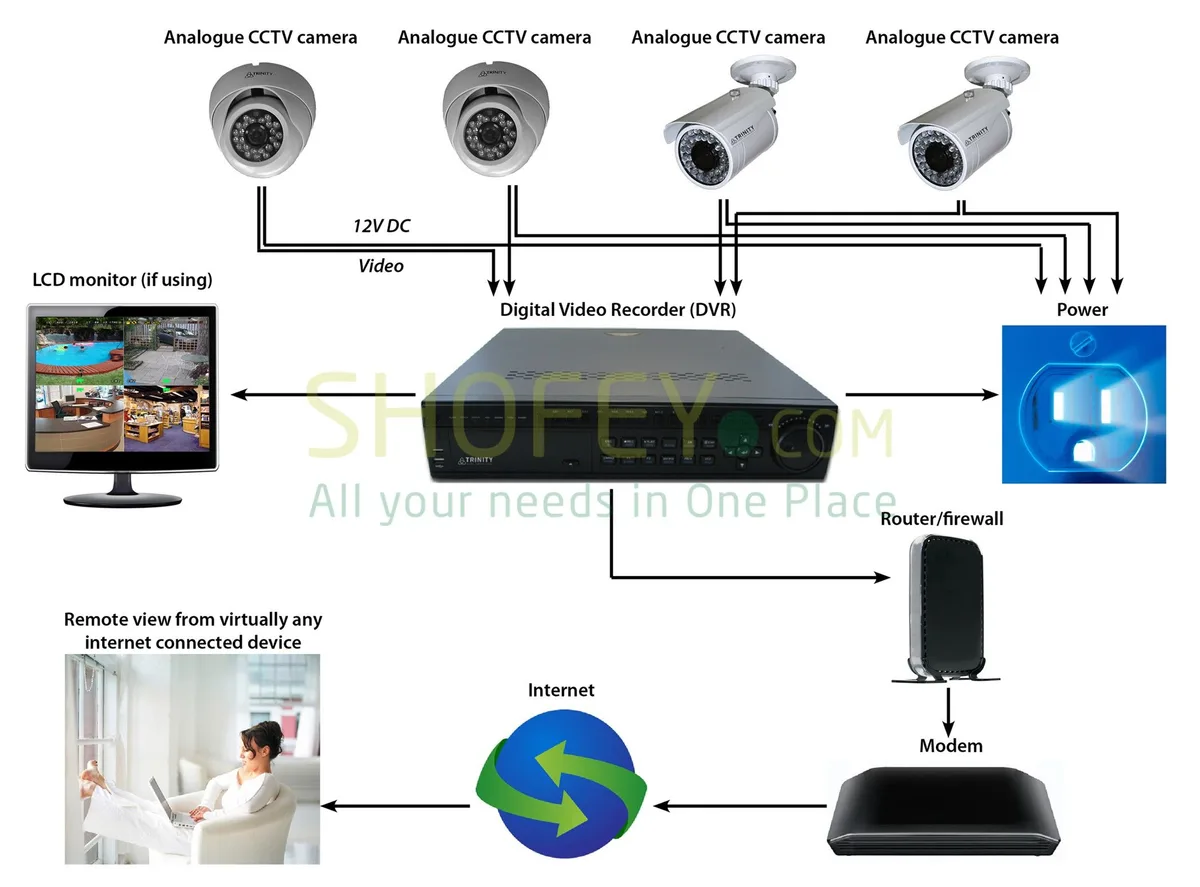
Image source: Web (Bing) / enginelistlibby55.s3-website-us-east-1.amazonaws.com (Web image (fair-use with source credit))
Are Home Security Cameras Actually Secure? Let's Talk Realistically
You're thinking about beefing up your home's security with cameras, or maybe you already have them, and the big question is: "Are home security cameras secure?" That's a super smart question to ask, and honestly, it's not a simple yes or no. It's more about how you set them up, maintain them, and what you expect from them.
Think of it this way: a strong lock on your door is great, but if you leave the key under the mat, it's not doing much good. Home security cameras are kind of the same. They can be incredibly secure and a fantastic tool for peace of mind, but they also have potential weak spots if we're not careful.
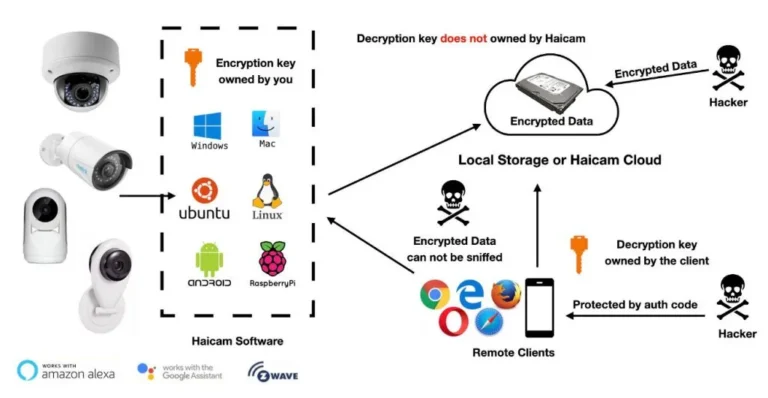
Manufacturer specifications often detail encryption protocols, such as AES-256, which are vital for protecting data streams.
Quick Answer
Home security cameras can be secure, but it depends heavily on user actions and manufacturer practices. Their security hinges on strong passwords, updated firmware, secure Wi-Fi, and robust data encryption. Vulnerabilities often arise from weak default credentials, unpatched software, or compromised networks.
Common Worries and What's Really Going On
It's understandable to be concerned about the security of your surveillance system, especially with news of data breaches. The idea of private footage falling into the wrong hands is unsettling. However, the reality is often a mix of genuine risks and preventable issues.
Can Hackers See My Live Feed or Recordings?
Yes, this is a real concern, but not an inevitable outcome. If a camera has weak default passwords, unpatched security flaws, or is connected to a compromised network, it becomes a tempting target. Some older or budget-friendly models might have had more inherent vulnerabilities.
Aggregate reviews report that many modern cameras, especially from reputable brands, employ end-to-end encryption, which is a significant safeguard against unauthorized viewing of live feeds or stored recordings. The key is that this protection is only effective if users enable and maintain it.
Is My Data Safe in the Cloud?
When you use cloud storage for your video clips, you're entrusting your data to a third party. The risk here is that if the cloud provider experiences a breach, or if your account login credentials are compromised, your footage could be at risk. Major cloud storage providers typically use strong encryption, both for data in transit (as it travels from your camera to the cloud) and at rest (while it's stored on their servers).
However, as per guidance from agencies like the Cybersecurity & Infrastructure Security Agency (CISA), your account security is paramount; using strong, unique passwords and enabling two-factor authentication for your cloud account is critical to prevent unauthorized access.
Can My Camera Be Used to Spy on Me?
This concern touches on two areas: direct hacking and data privacy. While direct hacking is a technical exploit, the risk of your camera being used for surveillance can also come from company data handling practices. Some companies might collect more data than you're comfortable with, even if it's not technically a "hack." It’s crucial to review the privacy policy of your camera’s manufacturer to understand what data is collected, how it's used, and if it’s shared with third parties.
Also, be mindful of camera placement, avoid pointing them at private areas like bedrooms or bathrooms, even within your own home.
How Cameras Compare: Wired vs. Wireless Systems
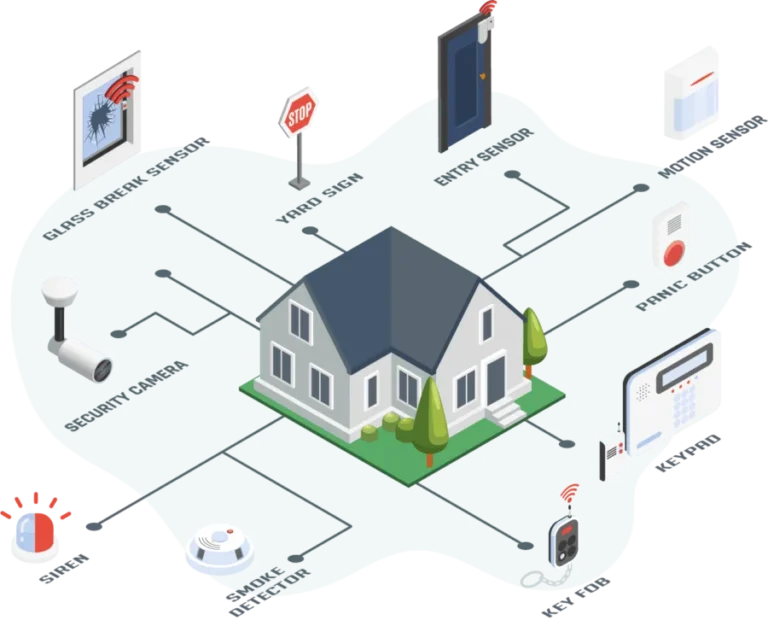
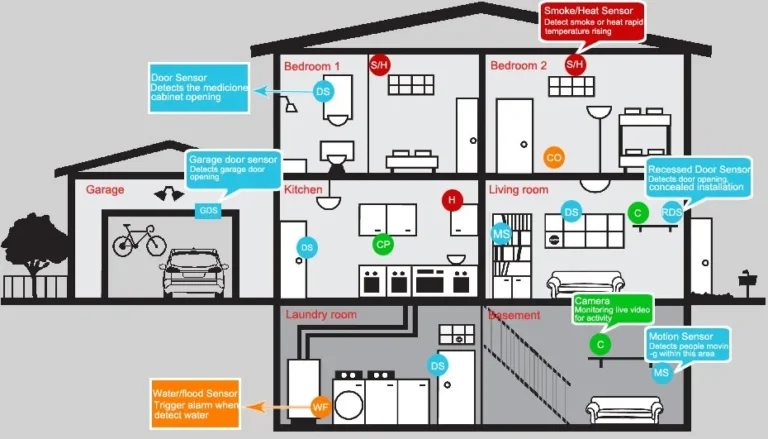
When you're looking at home security cameras, a fundamental choice is between wired and wireless systems. Each has its own set of security implications and practicalities.
- Wired Systems: These cameras connect to your network and power source via physical cables.
- Security Strength: Generally considered more secure out-of-the-box because they don't rely on Wi-Fi, which can be a point of intrusion. Cables are also harder to tamper with remotely.
- Considerations: Installation can be more complex and less flexible, often requiring professional help. Running cables through walls and ceilings can be a significant undertaking.
- Wireless Systems: These cameras connect to your network via Wi-Fi and are often battery-powered or plugged into an outlet.
- Security Strength: Security depends heavily on your Wi-Fi network's strength and the camera's own security features. If your Wi-Fi is compromised, your wireless cameras are too.
- Considerations: Offer easier installation and more flexible placement options. Battery life needs management, and Wi-Fi signal strength is critical for reliable performance.
You can explore the nuances of wired vs. wireless home security system setups to understand which might better suit your home's architecture and your security needs.
What Features Should a Home Security Camera Have for Security?
Not all cameras are created equal when it comes to security. When you're evaluating models, look for specific features that indicate a commitment to protecting your data and privacy. Manufacturer specifications often highlight these, but it’s worth knowing what to look for.
- Strong Encryption: As mentioned, look for robust encryption like AES-256 for both data transmission and storage. This scrambles your footage so it's unreadable to anyone without the decryption key.
- Regular Firmware Updates: A company that actively releases firmware updates is showing it's committed to patching security vulnerabilities as they are discovered. Check how often these updates are pushed out and if they are automatic.
- Secure Authentication: Beyond just a password, features like two-factor authentication (2FA) add a critical layer of security. This requires a second form of verification, usually via your smartphone, to log in.
- Privacy Controls: The ability to easily disable recording, mute microphones, or set specific recording schedules within the app provides you with direct control over your privacy.
- Secure Cloud Service: If opting for cloud storage, research the provider's security practices, including their data retention policies and breach notification procedures. Organizations like NIST provide frameworks for evaluating cloud security.
When choosing a system, understanding what features should a home security system have is key to ensuring your security cameras are robust.
Making Your Cameras as Secure as Possible: Your Action Plan
Your role in ensuring your security cameras are secure is paramount. While manufacturers provide the technology, your consistent actions are what truly bolster your defense against potential threats. Think of it as a partnership where vigilance is key.
Change Default Passwords IMMEDIATELY
This is the single most important thing you can do, period. Many security cameras ship with generic default passwords, like "admin" or "12345," which are easily guessed by hackers. Leaving these unchanged is like leaving your front door wide open.
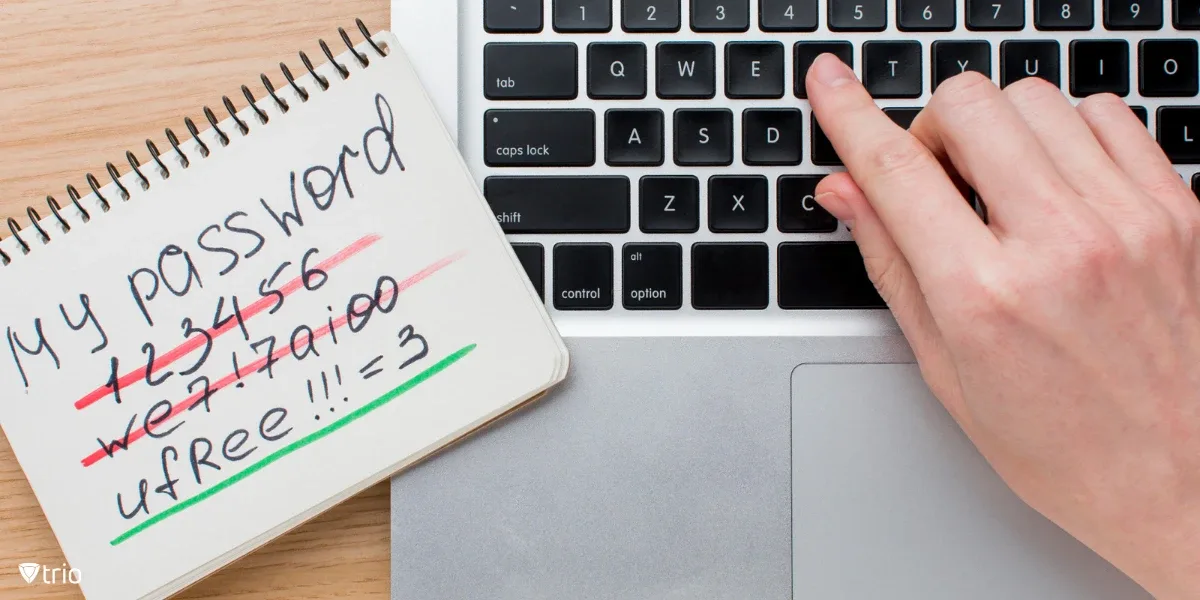
You absolutely must change this password to something unique, complex, and strong. We're talking a mix of uppercase and lowercase letters, numbers, and symbols. Don't reuse a password you use for email or social media; this one needs to be for the camera system only.
Think of it as your digital deadbolt. This simple step drastically reduces the risk of unauthorized access.
Enable Two-Factor Authentication (2FA)
If your camera's app or cloud service offers two-factor authentication, turn it on without hesitation. This adds a crucial extra layer of security. Even if a hacker somehow gets their hands on your password, they still need a second piece of information, usually a code sent to your smartphone, to gain access.
This process works because it verifies not just what you know (your password) but also what you have (your phone). It’s a widely recommended practice by cybersecurity experts to protect online accounts and IoT devices. For as many services as possible, enabling 2FA is a no-brainer for better security.
Keep Firmware Updated
Manufacturers regularly release firmware updates for their security cameras. These updates aren't just for adding new features; they are critical for patching security vulnerabilities that may have been discovered. Think of firmware as the camera's operating system.
When a flaw is found, hackers can exploit it to gain access. By keeping your camera's firmware up-to-date, you ensure it has the latest security fixes installed. Many modern cameras allow you to enable automatic updates, which is the easiest way to stay protected without manual effort.
Check your camera's app or manufacturer's website regularly for update information.
Secure Your Wi-Fi Network
Your home Wi-Fi network is the gateway for your wireless security cameras. If your network itself is not secure, then your cameras are inherently at risk, no matter how strong their individual security features are. A strong Wi-Fi password is the first step.
We recommend using WPA3 encryption if your router supports it, or at least WPA2. Change your Wi-Fi password periodically. For an extra layer of isolation, consider setting up a separate "guest" network for your smart home devices, including your cameras.
This way, if one device on the guest network is compromised, it's less likely to affect your primary network where your computers and sensitive data reside. You can learn more about what is a wireless home security system to understand its connectivity.
Be Smart About Camera Placement
Where you put your cameras matters for both security and privacy. Avoid placing them in areas where they could inadvertently capture footage of neighbors' private property or public spaces where privacy is expected, unless there's a clear security justification.
Consider the physical security of the camera itself. If a camera is easily accessible from the outside, it could be physically damaged or tampered with. Mount cameras in locations that are difficult to reach without a ladder.
Also, ensure the camera's field of view covers the areas you intend to monitor effectively, without pointing into private indoor spaces.
The Bottom Line: Security is a Partnership
Ultimately, the security of your home cameras isn't solely determined by the brand you buy or the technology they use. It's a collaborative effort. Manufacturers have a responsibility to build secure products and provide timely updates.
You, as the user, have the responsibility to implement those security measures correctly and maintain them.
Ignoring basic security steps like changing default passwords or updating firmware leaves your system vulnerable. By actively participating in your own security, you significantly enhance the protection offered by your cameras. This proactive approach ensures your system remains a tool for safety and peace of mind, rather than a potential liability.