What Is a Home Security System
You've probably thought about home security, wondering "What is a home security system?" and if it’s something you really need. It’s more than just a siren; it’s about creating layers of protection for your home and loved ones. Understanding the basics can make a big difference in feeling secure.
When we look at the core functionality, these systems are designed to detect unauthorized entry or environmental threats, alerting you and potentially authorities. Many modern systems meet stringent standards, like those set by Underwriters Laboratories (UL), ensuring reliability in critical moments. Let's break down what that really means for you.
Quick Answer
A home security system is a network of devices that detect unauthorized entry or environmental hazards. It alerts occupants and, often, a monitoring service. Systems typically include a central control panel, sensors for doors and windows, and motion detectors.
They enhance safety by deterring criminals and providing early warnings.
What Exactly is a Home Security System?
At its heart, a home security system is a proactive measure designed to protect your home and family. It’s a collection of integrated devices that work together to detect potential threats and notify you or a professional monitoring service. Think of it as your home’s digital guardian, always on watch.
These systems aren't just about burglars, either. Many can also detect fires, carbon monoxide leaks, or water damage, offering a broader safety net. The complexity can range from simple alarms that just sound a siren to sophisticated smart home setups that let you monitor everything from your phone, no matter where you are.
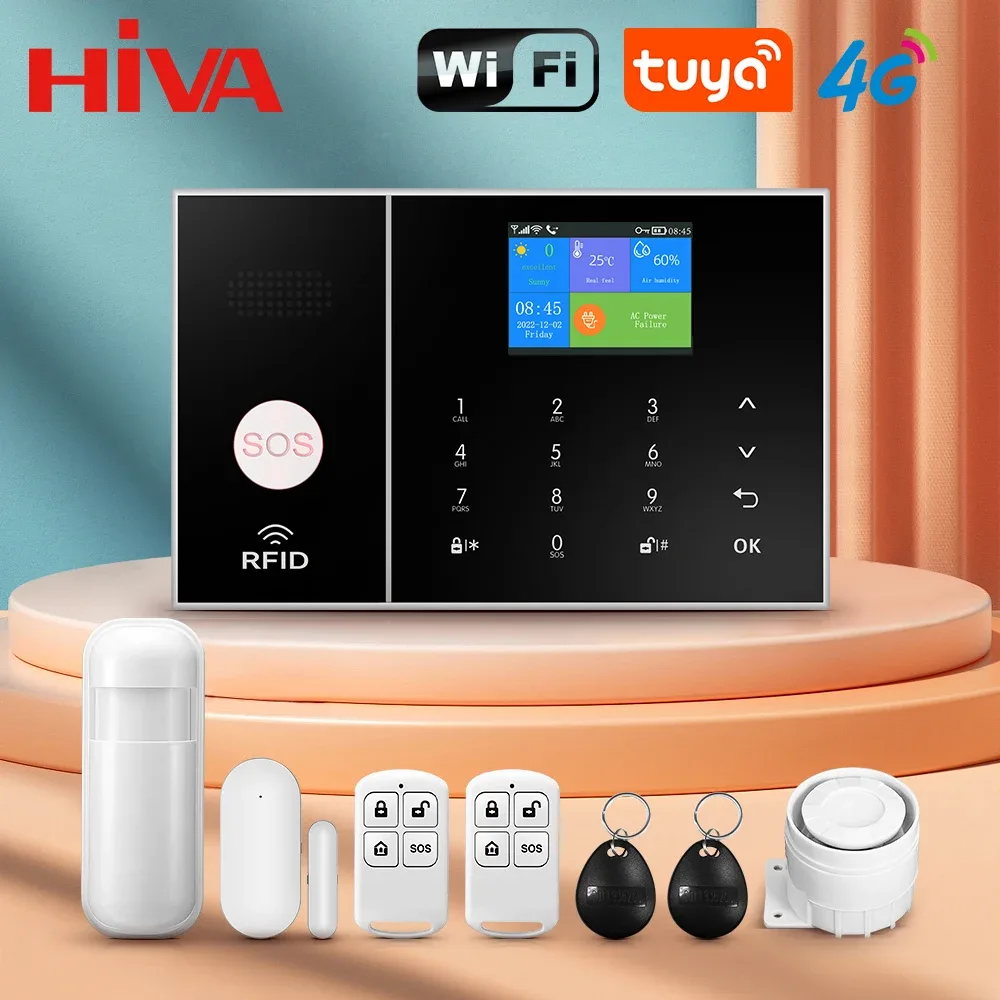
Image source: Bing (Web (fair-use with source credit))
Why Home Security Accuracy Matters: Beyond Just an Alarm
When we talk about home security, accuracy isn't just a nice-to-have; it’s absolutely critical. A system that cries wolf too often leads to complacency, making you less likely to respond when a real threat occurs. Conversely, a system that misses a genuine intrusion leaves you vulnerable.
Our research indicates that reliable systems balance sensitivity with specificity. This means they can reliably detect what they're supposed to, like a door being forced open, without being triggered by everyday events like a pet walking by or a sudden gust of wind. The goal is peace of mind, which relies entirely on trust in the system's ability to perform accurately when it counts.
The Core Components: What's Actually Inside Your System
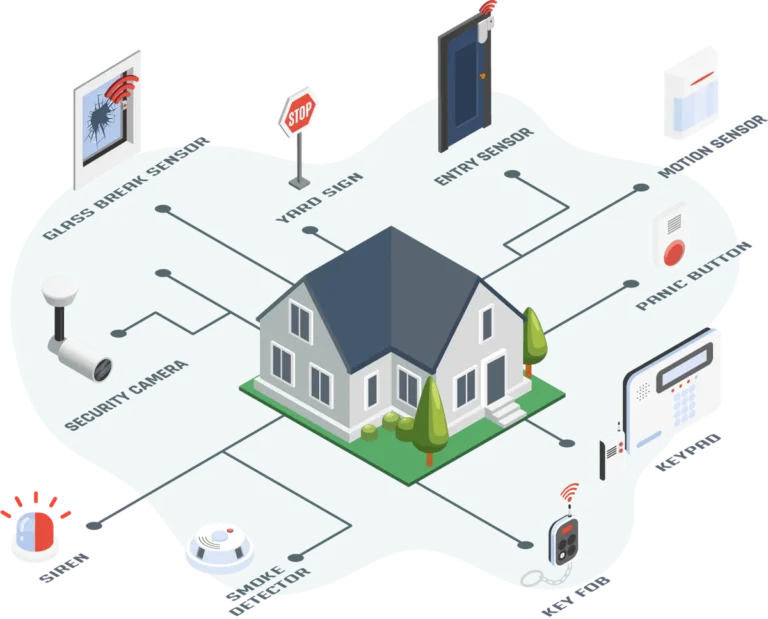
A home security system is usually made up of several key components that communicate with a central hub. Each piece plays a specific role in providing comprehensive protection. Understanding these parts helps you see how the whole system works to keep your home safe.
Control Panel & Hubs
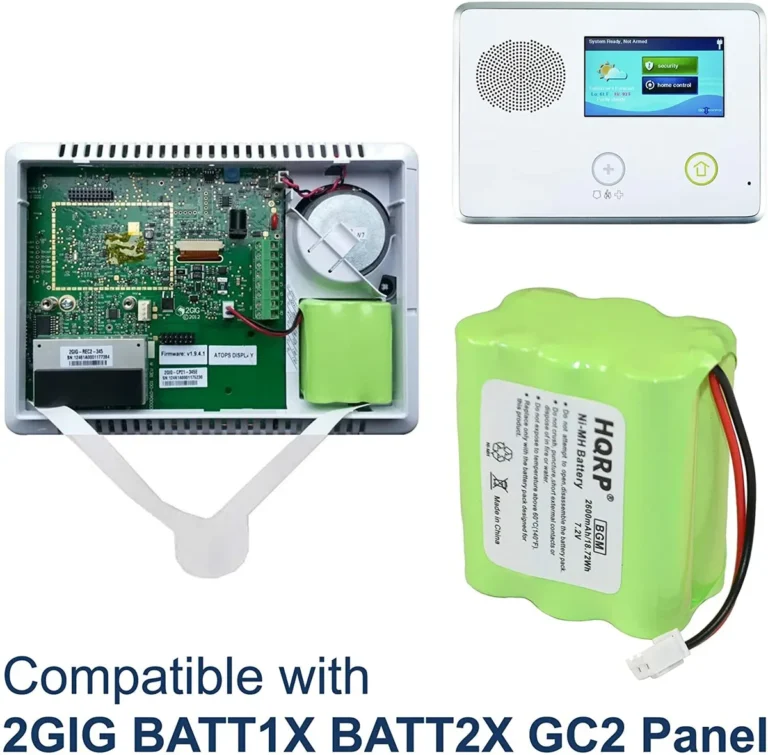
This is the brain of your security system. The control panel, often a keypad or a touchscreen device, is where you arm and disarm the system. It also receives signals from all the other sensors and communicates with the monitoring center or your smartphone.
Newer systems use a central hub that connects wirelessly to all devices, often integrating with smart home platforms.
Sensors: Eyes and Ears of Your Home
Sensors are the detectors that keep watch for trouble.
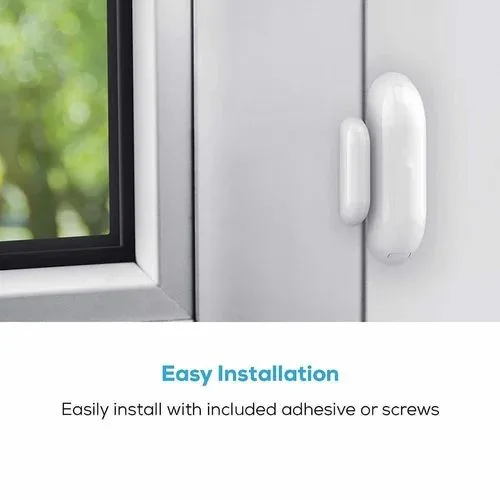
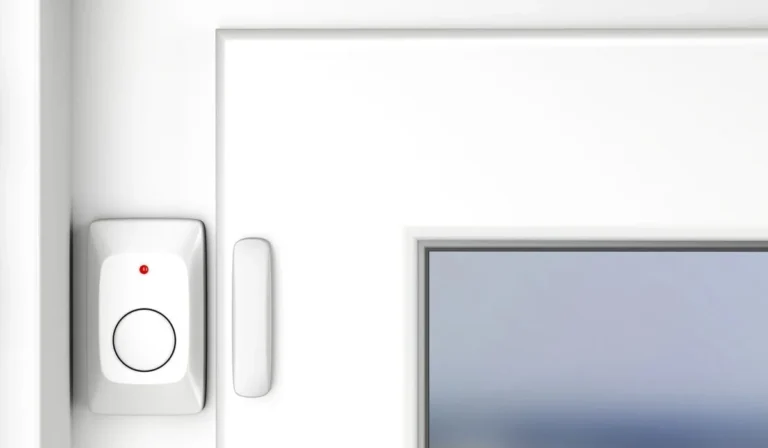
- Door and Window Sensors: These are typically two-piece magnetic sensors. When a door or window is opened, the magnetic connection breaks, triggering an alert. They're vital for securing entry points.
- Motion Detectors: Placed strategically indoors, these sensors use passive infrared (PIR) technology or dual-tech sensors (PIR plus microwave) to detect movement within a specific area. Most are designed to ignore pets under a certain weight limit to reduce false alarms.
- Glass Break Sensors: These listen for the specific frequency of breaking glass. They're a good addition for homes with large windows or glass doors, providing an extra layer of detection.
Cameras & Monitoring Devices
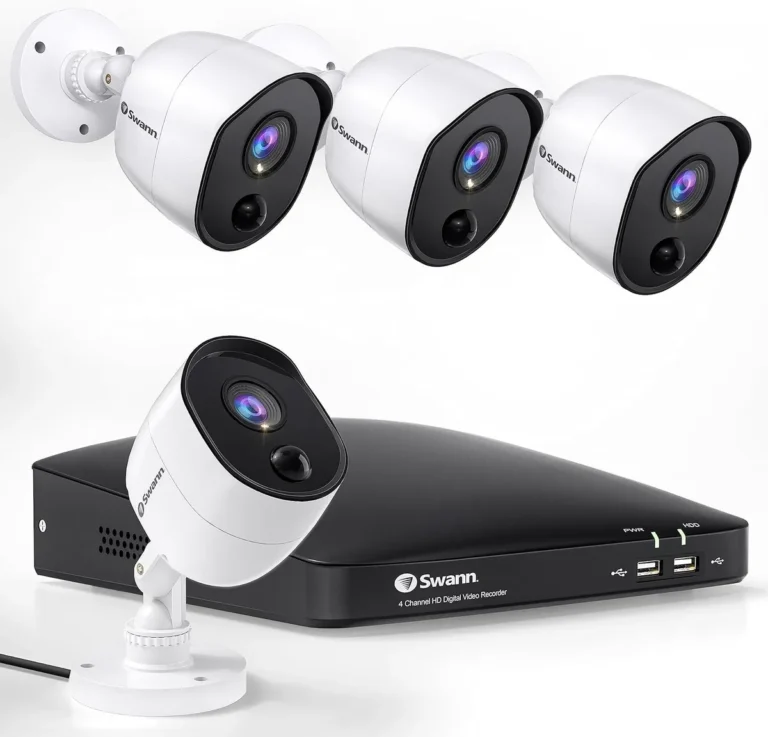
Cameras act as visual verification and recording tools.
- Indoor Cameras: Useful for keeping an eye on pets, children, or specific rooms.
- Outdoor Cameras: Designed to withstand weather, these monitor your property's perimeter, driveways, and entryways.
- Doorbell Cameras: Combine a doorbell with a camera, allowing you to see and speak to visitors remotely, and to record anyone approaching your front door. Many cameras offer two-way audio and night vision.
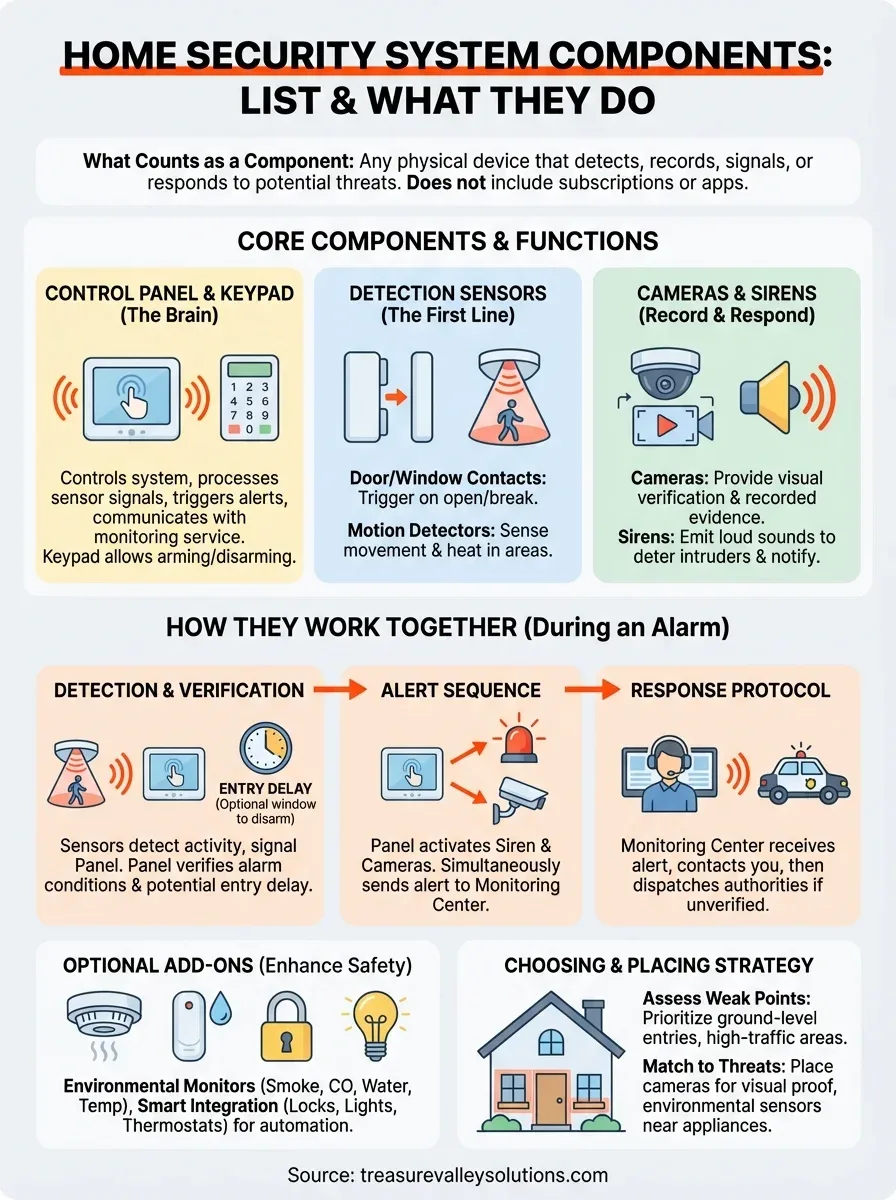
Image source: Web (Bing) / treasurevalleysolutions.com (Web image (fair-use with source credit))
Real Risks: The Problems Home Security Aims to Solve
Home security systems are designed to tackle a range of potential issues, from the obvious threat of intrusion to less immediate, but equally important, environmental dangers. They offer solutions that go beyond simple locks and alarms, providing proactive protection.
Deterring Intruders
The mere presence of a visible security system, like cameras or yard signs, can act as a strong deterrent. Criminals often look for easier targets, and a home that appears protected is less appealing. If an intrusion does occur, the system’s sensors trigger an immediate alert, notifying occupants and potentially law enforcement through a professional monitoring service.
This rapid response can significantly reduce the time an intruder has inside your home, minimizing theft and potential damage.
Detecting Environmental Hazards
Beyond break-ins, many modern home security systems include environmental sensors that protect against invisible threats.
- Smoke Detectors: Integrated smoke alarms can alert you to fires, even when you're not home, allowing for faster emergency response.
- Carbon Monoxide Detectors: These vital sensors detect the odorless, colorless gas that can be fatal if inhaled. Early detection can save lives.
- Water Leak Sensors: Placed in basements, near water heaters, or under sinks, these can alert you to leaks before they cause extensive, costly water damage.
Remote Monitoring Peace of Mind
One of the biggest benefits of smart home security systems is the ability to monitor your home remotely. Through a dedicated mobile app, you can check camera feeds, arm or disarm your system, and receive alerts in real-time. This offers immense peace of mind, especially when you're away on vacation, at work, or even just running errands.
You can verify your home's status at a glance, knowing you'll be notified of any unusual activity.
Safety First: Using Your System Wisely
Having a home security system is a great step, but using it correctly is key to ensuring it provides the protection you expect. Improper use can lead to frustration, missed alerts, or even fines. Focusing on safe practices maximizes the system's effectiveness.
Avoiding False Alarms
False alarms are a common headache. They can be triggered by simple things like an unsecured window left open during an alarm, a pet wandering into a motion sensor's path, or even low batteries in a sensor. When an alarm goes off without a real threat, it can lead to complacency from you and your family.
Worse, many local municipalities have ordinances that can result in fines after a certain number of false alarms. The best approach is diligent system maintenance and careful arming.
Understanding Privacy Settings
With integrated cameras and smart devices, privacy is a major consideration. It's essential to understand how your system collects and stores data, especially video footage. Always review the privacy policies of your security provider and familiarize yourself with the settings on your cameras and mobile app.
Ensure you’re comfortable with where your data is stored (locally or in the cloud) and who has access to it.
Image source: Web (Bing) / mindinventory.com (Web image (fair-use with source credit))
Knowing Local Regulations
Before installing or relying on a home security system, it’s wise to check local regulations. Many areas have specific rules regarding alarm permits, response protocols, and even limits on false alarms that can incur fines. For instance, some cities require you to register your alarm system with the local police department.
Understanding these requirements ensures your system is compliant and that you're prepared for any official procedures during an emergency. You can typically find this information on your city or county government’s website.
Who Needs a Home Security System?
While many people consider home security for protection against burglary, the need can extend much further. It’s about tailoring security to your specific lifestyle and property. The decision often hinges on your comfort level with risk and your daily routines.
For Homeowners and Renters
Homeowners are often primary candidates due to their direct investment in the property. They have a vested interest in protecting their assets and ensuring the safety of their families. Installation options range from permanent wired systems to wireless DIY setups.
Renters can also benefit significantly. Many systems are wireless and portable, making them ideal for apartments or rented homes. They can often be moved when you relocate, offering a flexible security solution.
Specific Situations: When It's a Must-Have
Beyond general safety, certain situations make a home security system particularly valuable.
- Frequent Travelers: If you often leave your home empty for extended periods, a remote monitoring system provides essential oversight.
- Homes with Valuable Possessions: If you own expensive electronics, art, or other valuables, a robust security system acts as a deterrent and offers rapid notification in case of a breach.
- Homes with Vulnerable Occupants: For households with young children, elderly individuals, or those with medical needs, systems with environmental sensors (like smoke or CO detectors) and easy-to-use panic buttons offer critical safety features.
- Areas with Higher Crime Rates: Living in a neighborhood with a higher incidence of property crime can make a security system a wise investment for peace of mind.
Common Mistakes When Setting Up or Using Home Security
Even with the best intentions, setting up and using a home security system can lead to pitfalls if you’re not careful. Many of these errors stem from overlooking details or misunderstanding how the system works. Being aware of common mistakes can help you avoid them and ensure your system offers reliable protection.
One frequent error is improper sensor placement. Motion detectors, for instance, need clear lines of sight and shouldn't be aimed at heat sources like vents or windows that get direct sun, as this can cause false triggers. Similarly, door and window sensors must be aligned perfectly; even a slight misalignment can prevent them from communicating effectively.
Ensuring all sensors are properly calibrated and tested after installation is crucial.
Another common pitfall is neglecting system maintenance. Batteries in wireless sensors eventually die, and without regular checks, you could find yourself unprotected without warning. Many systems will alert you to low batteries, but if you ignore these notifications, you're taking a risk.
Ignoring software updates for smart hubs and apps can also create vulnerabilities or lead to compatibility issues.
Is Your System Truly Secure? Checking for Vulnerabilities
Are you sure your Wi-Fi network is robust enough to support your security system? Many DIY systems rely on your home's Wi-Fi. If your network is weak or has outdated security protocols, it could be a weak link.
Hackers can potentially exploit unsecured networks to gain access to your system or sensitive data. Always ensure your router uses WPA2 or WPA3 encryption and that you have a strong, unique password.
Also, consider the physical security of your hub and control panel. If a burglar can easily disable or remove the main control unit, the entire system can be compromised. For professionally monitored systems, ensure the monitoring station itself adheres to high security standards, such as those outlined by Underwriters Laboratories (UL), which requires rigorous testing and operational protocols.
Home Security Costs: What to Expect
The cost of a home security system can vary significantly, depending on the type of system, the number of components, and whether you opt for professional monitoring. It's important to look at both the upfront equipment costs and the ongoing monthly fees. Understanding these expenses helps you budget effectively and choose a system that fits your financial comfort zone.
- Upfront Equipment Costs: These can range from a few hundred dollars for a basic DIY kit to several thousand for a comprehensive, professionally installed system with multiple cameras and sensors. For example, a starter kit with a hub, two door/window sensors, and one motion detector might cost between $200 and $400. Adding professional-grade cameras or specialized sensors will increase this price.
- Monthly Monitoring Fees: This is the recurring cost for professional monitoring services, which dispatch authorities when an alarm is triggered. Fees typically range from $20 to $60 per month, depending on the provider and the level of service. Some systems, especially DIY ones, offer self-monitoring through an app, which usually has no monthly fee but lacks professional dispatch.
- Installation Fees: Professionally installed systems often come with an installation fee, which can range from $100 to $500 or more, depending on the complexity of the setup. DIY systems eliminate this cost, as you install them yourself.
It's also worth noting that some companies require a long-term contract for their monitored services, while others offer month-to-month options. Always read the contract terms carefully regarding cancellation policies and potential price increases.
Expert Tips for Choosing and Managing Your System
When selecting and maintaining a home security system, a few expert insights can make a big difference. It’s not just about buying the most expensive gear; it's about choosing what fits your needs and keeping it in top working order. Our research points to these practices as highly effective.
First, assess your specific needs. Walk through your home and identify potential vulnerabilities. Do you have multiple entry points?
Large windows? Is there a detached garage you want to monitor? The number and type of sensors you need will depend on this assessment.
Don't overbuy; focus on securing critical areas like main doors, ground-floor windows, and main living spaces.
Consider integration with your existing smart home devices. If you already use smart lighting or voice assistants, look for a security system that can communicate with them. This allows for more advanced automation, like lights turning on when motion is detected outside.
Always check for compatibility with platforms like Amazon Alexa or Google Assistant, as confirmed on manufacturer specification sheets.
Maintaining Your System: The Ongoing Task
Regular maintenance is key to ensuring your system functions reliably.
- Test Regularly: Once a month, test your sensors, cameras, and the control panel. Arm the system in test mode (if available) and trigger each sensor to confirm it’s working.
- Check Batteries: For wireless systems, replace batteries proactively, usually once a year or when the system alerts you to low power.
- Keep Software Updated: For smart systems, install app and firmware updates promptly. These often include security patches and performance improvements.
- Clean Sensors and Cameras: Dust can interfere with motion detectors, and dirt can obscure camera lenses. Wipe them down periodically.
By staying proactive with maintenance, you ensure your system is always ready.
Frequently Asked Questions About Home Security Systems
How long does installation typically take?
Installation time varies widely. A simple DIY system with a few sensors might take 1-3 hours. Professionally installed systems, especially those with extensive wiring or multiple components, can take anywhere from a few hours to an entire day or more.
Can I use a security system if I rent my home?
Yes, absolutely. Many modern systems are wireless and easy to install and remove, making them perfect for renters. You can often take the system with you when you move.
Just ensure you understand your lease agreement regarding any modifications or security installations.
What happens if my power goes out?
Most modern home security systems have battery backup for the main control panel and some wireless devices. Many also have cellular backup, meaning the system can still communicate with the monitoring center via a cellular signal if your internet and power are out.
Do security systems really deter burglars?
Yes, visible security systems, signs, and cameras are proven deterrents. Studies and aggregate user feedback indicate that burglars often avoid homes with apparent security measures. While not foolproof, they significantly reduce the likelihood of a break-in.
Can I monitor my system myself without a monthly fee?
Many DIY systems offer self-monitoring through a mobile app. You'll receive alerts directly on your smartphone. However, this means you are responsible for contacting emergency services if needed.
Professional monitoring services offer an added layer of security by having a dedicated team handle dispatch.

One Comment