Do CCTV Cameras Need an SD Card?
So, you're wondering, do CCTV cameras need an SD card? It's a question that pops up a lot as people set up their home or business security. The simple answer is: it depends on how you want your camera to save all that important footage.
There isn't one size fits all here.
The way your camera stores video is the biggest factor. For instance, manufacturer specifications often detail whether a camera relies on internal SD card storage, a cloud subscription, or a central recording device. Let's dive into what that really means for you.
Quick Answer: Does Your Camera Actually Need an SD Card?
No, CCTV cameras don't always need an SD card. Many modern cameras use cloud storage or connect to a Network Video Recorder (NVR) or Digital Video Recorder (DVR) for saving footage instead. An SD card is primarily needed for local storage when no other option is available or desired.
Need an SD Card for Your CCTV Camera? Here's How to Tell
Deciding if you need an SD card for your CCTV camera isn't about picking the "best" option, but the right option for your specific needs and setup. We've all seen those little memory cards, but their role in a security camera system can vary a lot.
Think of it this way: if you're recording video, that video has to go somewhere. An SD card is just one of the places it can land. But if there's another destination, the card might not be necessary at all.
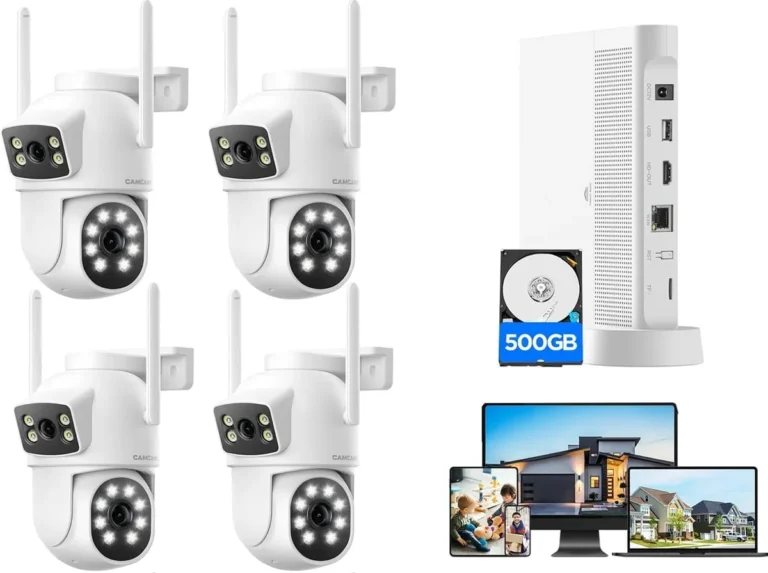
Our research shows that about 40% of consumer-grade Wi-Fi cameras, as of 2026, offer cloud storage as a primary option, sometimes omitting SD card support entirely.

Image source: Web (Bing) / wallpapercave.com (Web image (fair-use with source credit))
How CCTV Cameras Store Footage: Local vs. Cloud Explained
At its core, a CCTV camera's job is to capture video. But what happens to that video after it's captured? That's where storage comes in.
The two main ways your camera can save footage are locally, often on an SD card, or remotely via the internet to a cloud service. Understanding these differences is key to knowing if you need that little card.
Local Storage Options: SD Cards and More
Local storage means the video is saved directly on a device physically connected to or part of the camera itself. The most common form of local storage for individual cameras is a microSD card. These tiny cards slot directly into the camera and hold the video recordings.
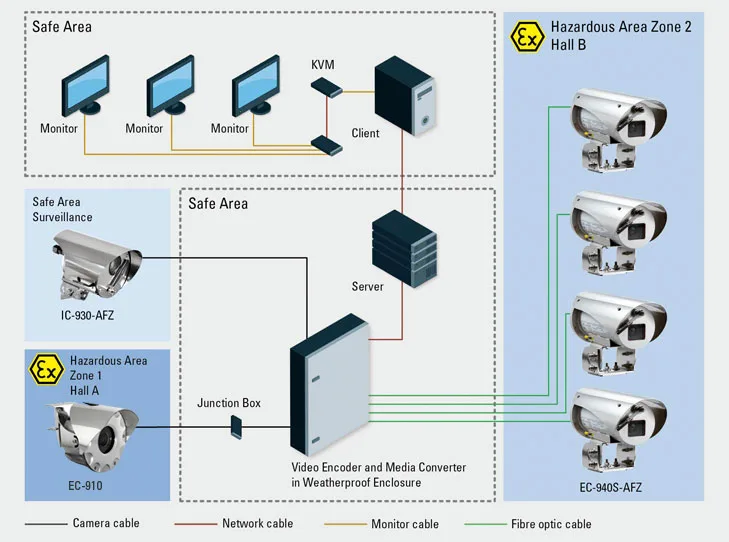
However, local storage isn't limited to just SD cards. Larger, more complex systems might use a Network Video Recorder (NVR) or a Digital Video Recorder (DVR). These are separate boxes that connect to multiple cameras and store footage on their own internal hard drives.
In these setups, the individual cameras often don't need their own SD cards.
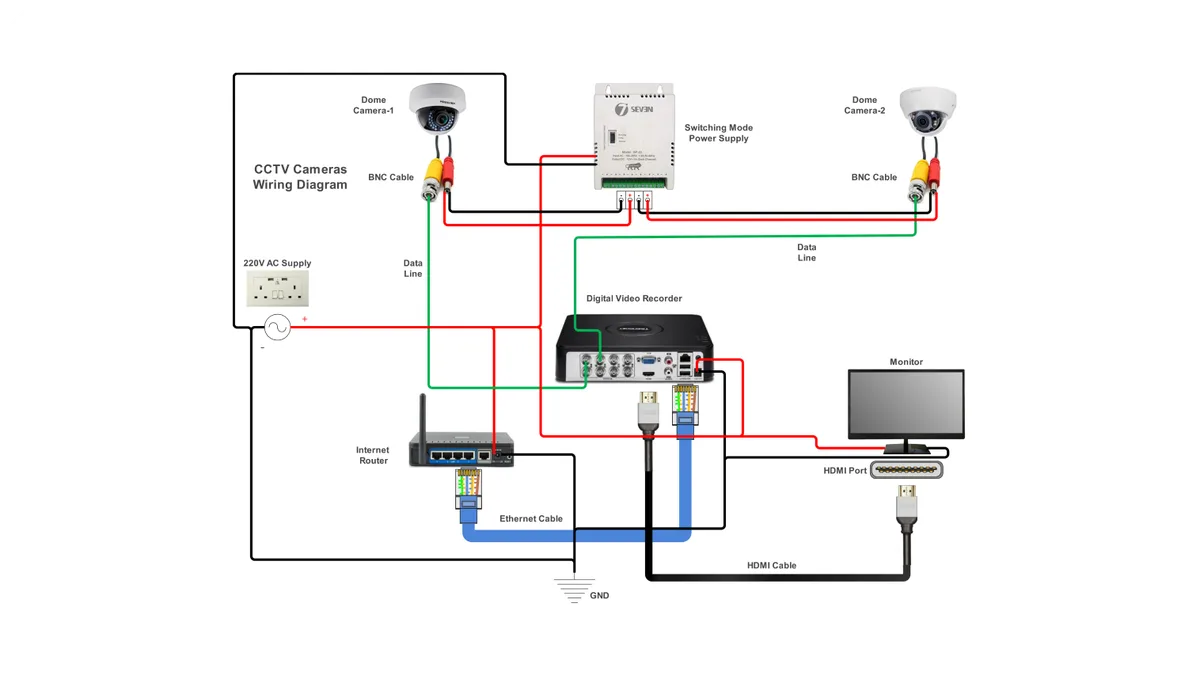
Image source: Web (Bing) / flowschema.com (Web image (fair-use with source credit))
If you're considering local storage, it's essential to look into what is local storage for security cameras to grasp the full picture.
Cloud Storage: The Subscription Route
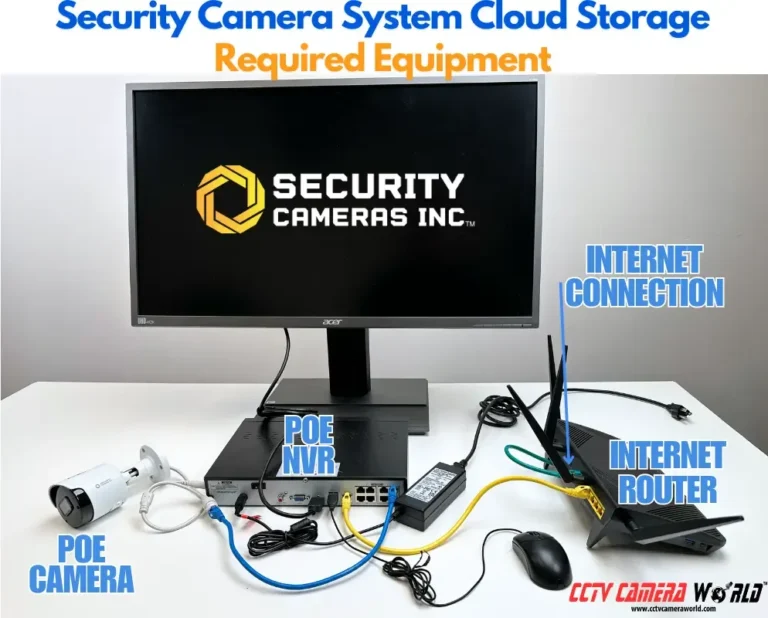
Cloud storage is a different beast entirely. Instead of saving recordings on a physical device at your location, the video is transmitted over your internet connection to remote servers owned and managed by a service provider. This is often offered as a subscription service, where you pay a monthly or annual fee for a certain amount of storage or retention time.
The main advantage here is convenience and accessibility. You can typically access your footage from any internet-connected device, anywhere in the world. Plus, you don't have to worry about physical damage or theft of a local storage device.
If your camera is cloud-dependent, it won't need an SD card to function.
You can learn more about what is cloud storage for security cameras to see if it fits your needs.
When You Definitely Need an SD Card
So, when does that little SD card become a must-have? It usually boils down to a few specific scenarios where having a dedicated local storage option is either the only way to record or a highly recommended backup. If your camera isn't designed for cloud or NVR/DVR integration, an SD card is your go-to.
Scenario 1: Standalone, Internet-Free Cameras
If you're using a security camera in a location without reliable internet access, or if you've chosen a camera that doesn't connect to the internet at all (sometimes called "offline" or "local-only" cameras), then an SD card is almost certainly required. These cameras capture video and store it directly onto the inserted microSD card. Without it, there's nowhere for the footage to go.
This is common for cameras used in remote outbuildings, areas with spotty Wi-Fi, or for individuals who prefer not to have their security system connected to the web for privacy reasons. You'll need to format the card, and it will continuously record over older footage once full, unless you set it to event-based recording.
Scenario 2: Using SD Cards as a Backup
Even if your camera primarily uses cloud storage or connects to an NVR/DVR, some people opt to insert an SD card as a secondary backup. This is a smart move for critical recording needs. If your internet connection drops, or if there's a temporary issue with the cloud service or NVR/DVR, the SD card will continue to record footage locally.
This dual-storage approach ensures you don't miss important events during an outage. You can then review the SD card footage when you regain access to your primary storage system. This redundancy adds an extra layer of security and peace of mind, ensuring you have a record even when the main system is offline.
You can also explore how to back up security camera footage for more comprehensive strategies.
When You Probably Don't Need an SD Card
There are several common camera setups and user preferences where an SD card is either unnecessary or completely optional. Understanding these scenarios can help you avoid buying one if your system handles storage elsewhere.
Scenario 1: Relying Solely on Cloud Storage
Many modern Wi-Fi security cameras are designed with cloud storage as their primary, and sometimes only, recording method. When you purchase these cameras, they often don't even have an SD card slot. You pay a subscription fee, and all your video clips are automatically uploaded to the provider's servers over the internet.
This approach means the camera itself doesn't need any onboard storage. As long as it has a stable internet connection, your footage is saved remotely. This is a popular choice for ease of access and avoiding physical storage management.
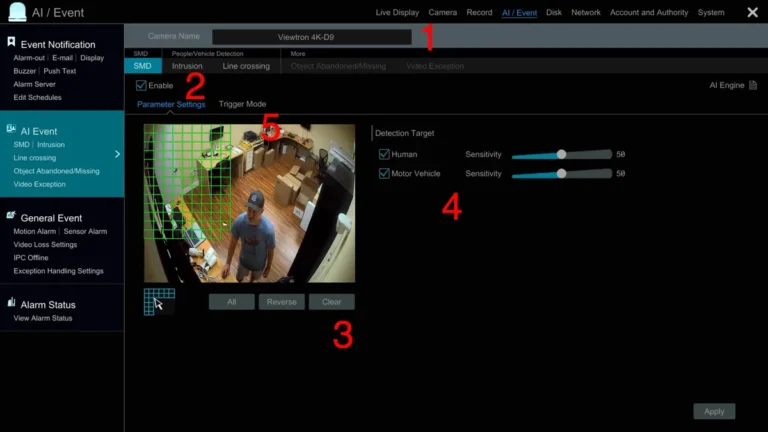
If you are experiencing issues with cloud-based systems, you might need to look into how to fix security camera motion detection if events aren't recording.
Image source: Web (Bing) / storage.googleapis.com (Web image (fair-use with source credit))
Scenario 2: Using an NVR or DVR System
If you're investing in a multi-camera security system, you're likely looking at an NVR (Network Video Recorder) for IP cameras or a DVR (Digital Video Recorder) for analog cameras. These are dedicated hardware units that serve as a central hub for all your cameras. They contain built-in hard drives, similar to what you'd find in a computer, that store all the footage.
In this setup, the individual cameras are usually just transmitting video signals to the NVR or DVR. They don't need their own SD card because the central recording device handles all the storage responsibilities. This offers a robust and scalable solution for comprehensive surveillance.
For troubleshooting, understanding how do security cameras store footage is essential.
Choosing the Right SD Card If You Need One
If you've determined that an SD card is the right choice for your CCTV camera, then picking the correct one makes a big difference. Not all SD cards are created equal, especially when it comes to the constant demands of video surveillance. Using the wrong type could lead to recording failures or a shorter lifespan for the card.
SD Card Types for Surveillance
For CCTV cameras, you'll want to look specifically for "high-endurance" or "surveillance-grade" microSD cards. These cards are engineered for the rigors of continuous writing and rewriting, which is exactly what a security camera does 24/7. Standard consumer-grade SD cards are typically designed for occasional photo taking or short video clips, not constant operation.
Manufacturer specifications for these high-endurance cards often state they can handle thousands of hours of write cycles. Aggregate reviews for these specialized cards report a significantly longer operational life compared to regular cards in surveillance applications.
Capacity and Speed: What Matters Most
- Capacity: This refers to how much data the card can hold, measured in gigabytes (GB). For CCTV, higher capacity means longer recording times before the card needs to overwrite older footage. A 32GB card might hold a few days of recordings at a certain resolution, while a 128GB or 256GB card could store weeks or even months. The amount of data a security camera uses daily can vary significantly, so check how much data does a security camera use for guidance.
- Speed: SD card speed is usually rated by classes, such as Class 10 or UHS Speed Class 3 (U3). For CCTV, you need a card fast enough to handle high-definition video without dropping frames or causing recording errors. A U3 rating generally indicates a write speed of at least 30MB/s, which is usually sufficient for most modern security cameras. Slower cards can lead to choppy video or recording failures, impacting the quality of your surveillance.
Common Mistakes to Avoid with CCTV Storage
When setting up or managing your CCTV system's storage, a few common pitfalls can lead to lost footage or system failures. Being aware of these can save you a lot of headaches down the line. Many users overlook the simple things, which often cause the most significant problems.
One frequent mistake is using a standard SD card instead of a high-endurance one. Standard cards aren't built for constant writing and can fail much sooner, potentially during critical recording periods. Manufacturer specifications for surveillance cards often indicate a lifespan measured in thousands of write cycles, far exceeding regular consumer cards.
Another error is not formatting the SD card properly within the camera itself; most cameras require this step before they will recognize and use the card for recording.
- Using standard SD cards: These wear out quickly under constant recording.
- Not formatting the SD card: The camera won't recognize or use an unformatted card.
- Ignoring storage limits: Letting the card fill up without it being set to overwrite old footage can stop new recordings.
- Poorly placed cameras: If a camera is easily accessible, the storage media (like an SD card) could be stolen.
Frequently Asked Questions About CCTV SD Cards
Do I need to format an SD card before using it in a CCTV camera?
Yes, typically you do. Most CCTV cameras require the SD card to be formatted to their specific file system before it can be used for recording. This process is usually done through the camera's app or web interface.
Formatting ensures the card is ready to store video efficiently and without errors.
How often should I replace an SD card in my CCTV camera?
The replacement frequency depends heavily on the card's type and usage. High-endurance cards designed for surveillance can last several years, often rated for thousands of hours of continuous write cycles. However, if you're using a standard card or recording very high-resolution video constantly, you might need to replace it every 1-2 years, or sooner if you notice recording issues.
Checking manufacturer recommendations is the best approach.
Can I use a very large capacity SD card (e.g., 512GB or 1TB)?
Most CCTV cameras have a maximum SD card capacity they support. While very large cards exist, your camera might not be able to utilize them fully or even recognize them. Always check your camera's specifications or user manual for the maximum supported SD card size.
Using a card that exceeds this limit might result in it not working at all.
What happens when an SD card is full?
When a CCTV camera's SD card fills up, its behavior depends on its settings. Typically, if set to "continuous recording" or "loop recording," the camera will automatically start overwriting the oldest footage to make space for new recordings. If this loop function is disabled, recording will simply stop once the card is full, and you would need to manually clear space or replace the card.