What Is the Best CCTV Camera?
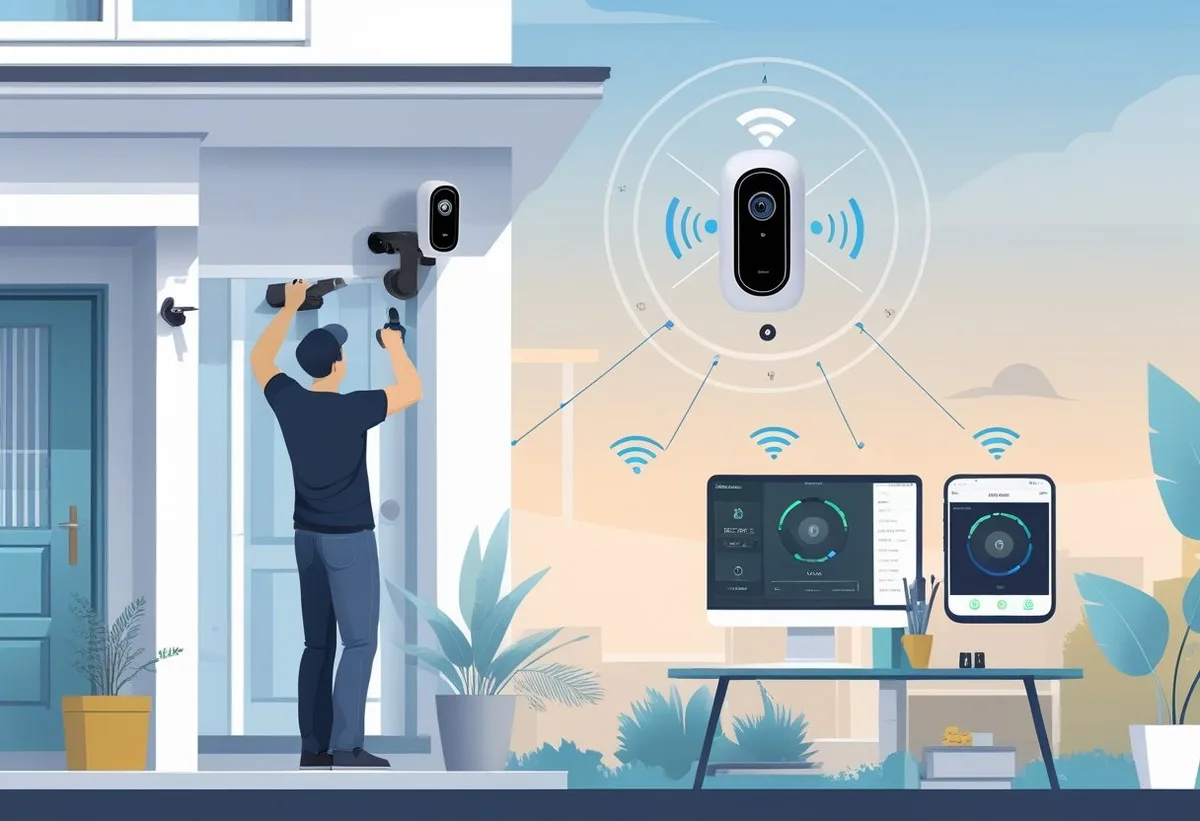
Image source: Bing (Web (fair-use with source credit))
Choosing the right CCTV camera can feel overwhelming with so many options out there. What is the best CCTV camera? It really depends on your specific needs, whether you're securing your home or monitoring your business.
To make the right choice, you'll want to understand the different types of cameras, their features, and how they fit into your security setup. For instance, understanding the difference between 4K resolution and 1080p helps clarify image clarity, and knowing about Infrared night vision versus color night vision is crucial for low-light performance.
Quick Answer: What Makes a "Best" CCTV Camera?
The best CCTV camera balances your specific security needs with practical features and budget. For homes, look for easy setup and good motion detection. For businesses, higher resolution like 4K and robust storage are key.
As of 2026, features like AI person detection and wide dynamic range (WDR) significantly improve effectiveness.
CCTV Camera Types: Wired vs. Wireless & IP vs. Analog
Understanding the fundamental types of CCTV cameras is your first step. Each category offers distinct advantages and disadvantages that cater to different installation scenarios and performance expectations. It’s not a one-size-fits-all situation; the "best" type for you hinges on where and how you plan to use it.
Wired Security Cameras: The Reliable Workhorse
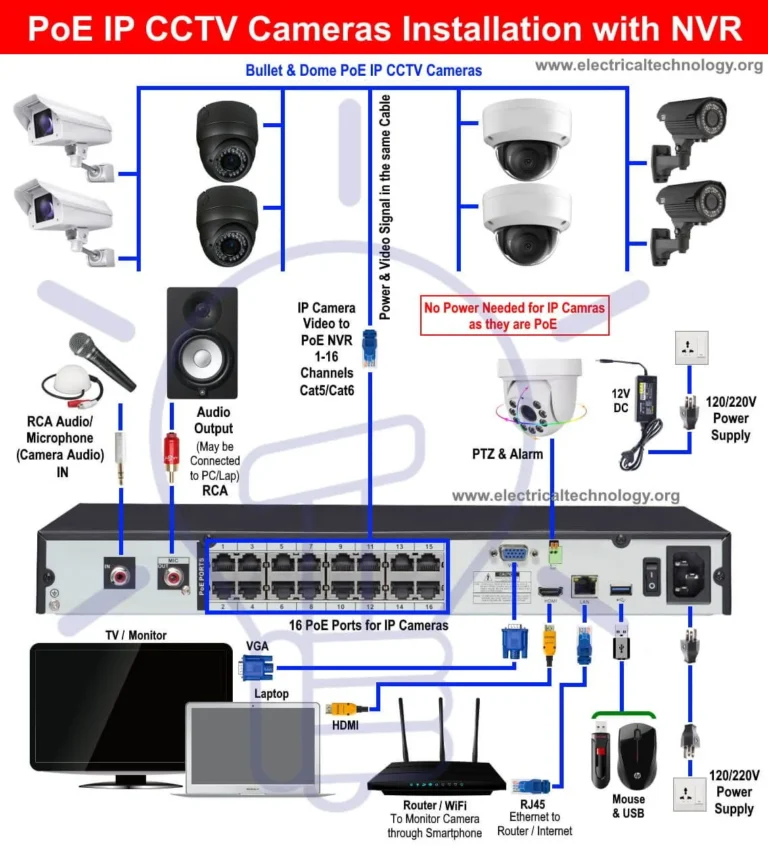
Wired security cameras, particularly those using Power over Ethernet (PoE), offer a robust and stable connection. Because they receive both data and power through a single Ethernet cable, they are less susceptible to interference and signal dropouts. This makes them ideal for permanent installations where consistent performance is paramount.
Manufacturer specifications often highlight their enhanced reliability compared to wireless options, especially in environments with many competing Wi-Fi signals. Their setup, however, typically requires running cables through walls or ceilings, which can be more involved than wireless installations.
Wireless Security Cameras: Convenience and Flexibility
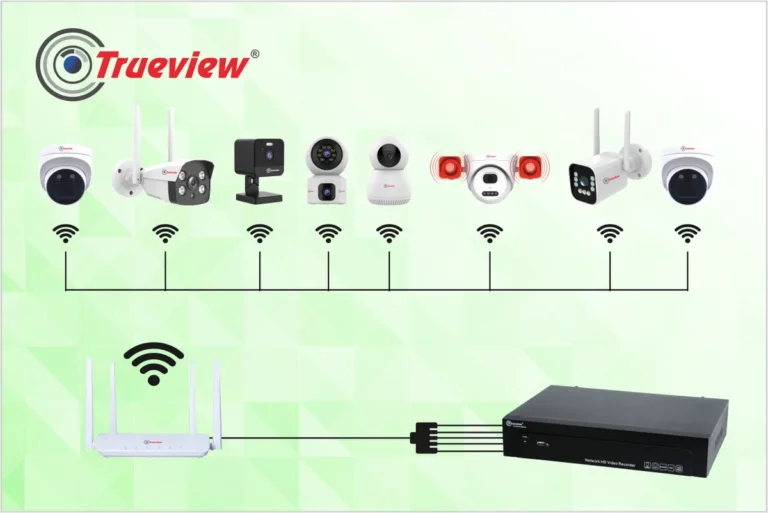
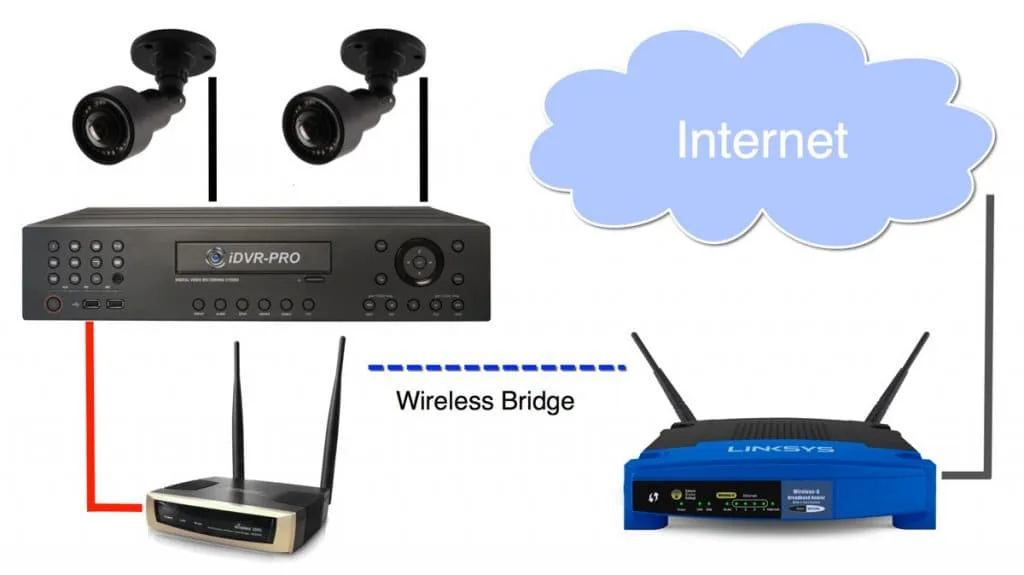
Wireless security cameras offer significant ease of installation, a major draw for many users. They connect to your network via Wi-Fi, eliminating the need to run video cables. Power is still required, usually via a nearby outlet or sometimes a battery pack, but this still simplifies placement.
Aggregate reviews report that their primary advantage is flexibility, allowing you to reposition them easily if your needs change. However, their performance can be affected by Wi-Fi signal strength and network congestion. If you've ever struggled with a weak Wi-Fi signal, you know how this can impact live streaming and recording.
We recommend ensuring a strong, stable network, perhaps by looking into ways to improve your Wi-Fi signal.
IP Cameras: The Smart Surveillance Choice
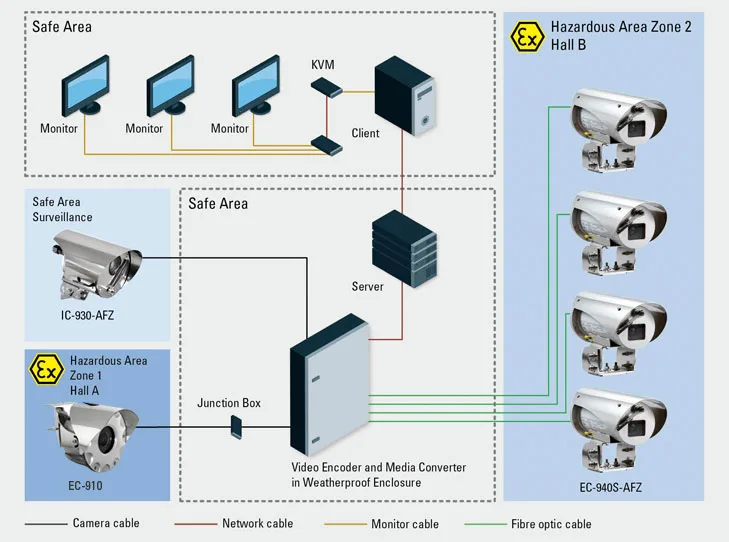
IP (Internet Protocol) cameras are digital devices that transmit data over a network. They are the most common type of modern security camera, offering high resolutions like 4K and advanced features such as AI detection for people, vehicles, or pets. These cameras connect to your network via Ethernet (often with PoE) or Wi-Fi and record to a Network Video Recorder (NVR) or cloud storage.
Their smart capabilities allow for more accurate motion detection and fewer false alarms. Per NIST guidelines on network security, ensuring your IP cameras are on a secure network is crucial to prevent unauthorized access.
Analog Cameras: The Budget-Friendly Option
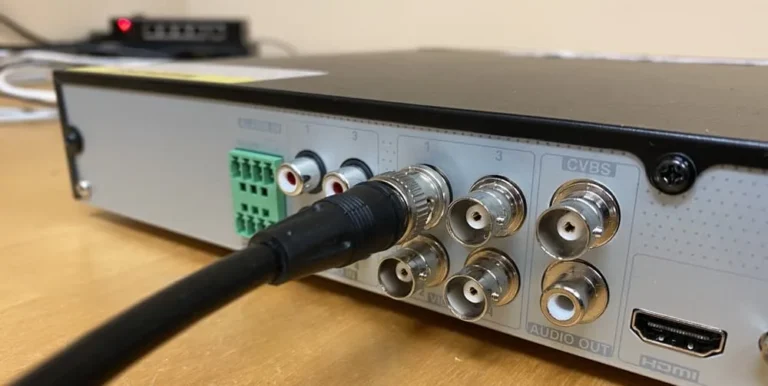
Analog CCTV cameras, also known as traditional CCTV, transmit video signals through coaxial cables to a Digital Video Recorder (DVR). While they are generally less expensive and simpler to set up for basic surveillance, their image quality is typically lower than IP cameras, often topping out at resolutions around 960H or 1080p. They are a good choice for budget-conscious users who need basic monitoring without advanced features.
However, they lack the network connectivity and smart capabilities of IP cameras, meaning they cannot be easily accessed remotely via the internet without additional hardware and setup.
Key CCTV Features That Matter for Security
Beyond just the type of camera, specific features dictate how effective a CCTV system will be. When you're evaluating options, pay close attention to these performance-driving attributes. They are the details that separate a basic recording device from a truly useful security tool.
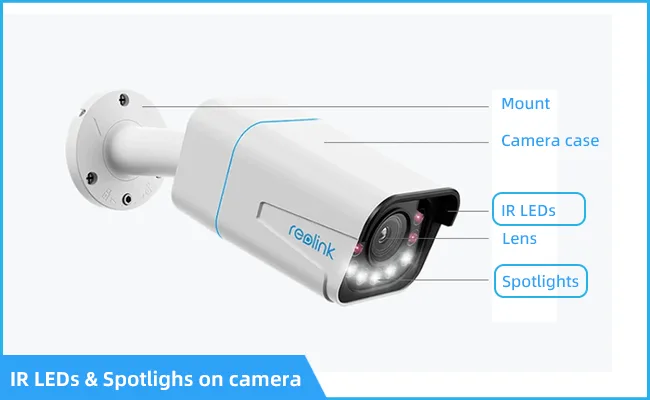
Image Quality: Resolution, Night Vision, and WDR
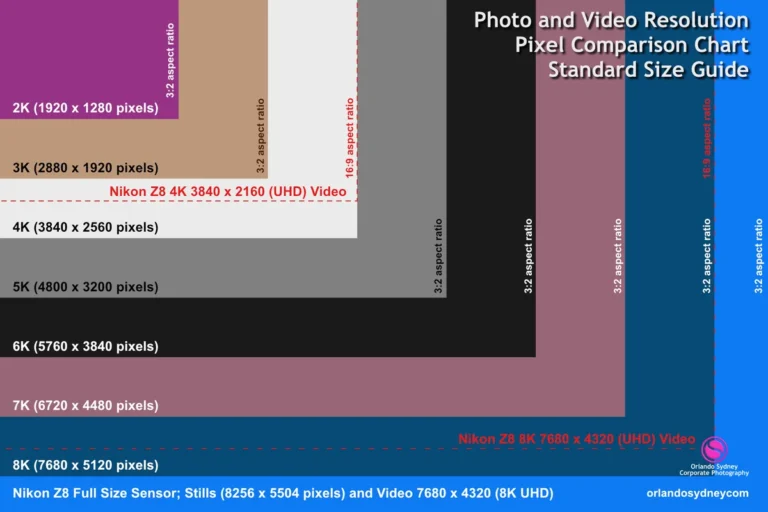
Image quality is arguably the most critical aspect of any CCTV camera. Resolution, measured in pixels, determines how much detail you can see. While 1080p (Full HD) is a common standard, 4K resolution offers four times the detail, allowing for much clearer identification of faces or license plates, especially when zooming in.
Night vision is essential for round-the-clock surveillance. Infrared (IR) night vision provides black-and-white images in complete darkness, with varying ranges depending on the camera. Newer technologies offer color night vision, providing more detail in low light.
Wide Dynamic Range (WDR) is another key feature, helping cameras balance bright and dark areas in a scene simultaneously, preventing overexposure in sunlit areas and underexposure in shadows. This is vital for areas with challenging lighting conditions, like a doorway with bright sunlight outside and a darker interior.
Motion Detection and Smart Alerts
Most modern CCTV cameras include motion detection, which triggers recording or alerts when movement is detected in the camera's field of view. However, basic motion detection can lead to frequent false alarms from non-threatening events like swaying trees or passing cars. Advanced CCTV systems now offer AI-powered motion detection that can distinguish between people, vehicles, pets, and general motion.
This significantly reduces nuisance alerts and allows you to focus on genuine security events. Some systems even allow you to set specific "detection zones" within the camera’s view. If you're experiencing too many false alarms, checking out how to fix security camera motion detection issues might be your next step.
Storage Options: Local vs. Cloud
How your footage is stored is a crucial consideration. Local storage typically involves a microSD card inserted directly into the camera or a Network Video Recorder (NVR) or Digital Video Recorder (DVR) that stores footage from multiple cameras. This offers greater control over your data and avoids ongoing subscription fees.
Cloud storage, on the other hand, saves footage to remote servers. This provides off-site backup in case the camera or local storage device is damaged or stolen. Cloud services usually come with monthly fees, and the amount of data you can store is often tiered.
Understanding how security cameras store footage and the differences between cloud vs local storage security cameras is key to choosing the right setup.
Two-Way Audio and Other Communication
Some CCTV cameras come equipped with built-in microphones and speakers, enabling two-way audio. This feature allows you to not only hear what's happening in the camera's vicinity but also to speak through the camera using a mobile app or interface. This can be useful for deterring potential intruders, communicating with visitors, or even speaking to pets or children remotely.
While not a primary security feature for everyone, two-way audio adds a layer of interactivity and convenience to certain monitoring situations.
Who Needs Which Type of CCTV Camera?
Ultimately, the "best" CCTV camera isn't a universal product; it's the one that precisely matches your situation. Understanding your specific needs will guide you toward the most suitable technology and feature set.
Best CCTV Cameras for Homeowners
For homeowners, ease of installation, reliable motion detection with smart alerts, and clear night vision are often top priorities. Wireless cameras with Wi-Fi connectivity are popular due to their simple setup, allowing for quick deployment around the property perimeter or in key indoor areas. Features like two-way audio can be beneficial for interacting with delivery drivers or deterring unexpected visitors.
Cloud storage offers peace of mind for off-site data backup, while local storage via an NVR or microSD card provides a more budget-friendly option. Cameras with good motion detection that can differentiate between people and pets are highly valued to avoid unnecessary notifications.
Best CCTV Cameras for Small Businesses
Small businesses often require more robust solutions that offer higher resolution for detailed identification and broader coverage. IP cameras with 4K resolution and advanced AI detection are frequently favored. These cameras, when paired with an NVR, can provide continuous recording and ample storage for extended surveillance periods, which is critical for compliance or incident review.
Weatherproof outdoor cameras are essential for monitoring entrances, parking lots, and perimeters. Businesses may also benefit from cameras with wider fields of view to cover larger areas with fewer devices. Ensuring proper data security and considering how long security footage should be kept are also important factors for business owners.
Avoiding Common CCTV Camera Pitfalls
Even with the best setup, several common mistakes can render your surveillance system less effective or even useless. Recognizing these potential issues upfront can save you a lot of frustration and ensure your security investment pays off.
Installation Mistakes
Improper placement is a frequent pitfall. Cameras that are too high might not capture facial details, while those too low can be easily tampered with or obstructed. Blind spots, areas the camera can't see, are also created by poor positioning.
For wireless cameras, not ensuring a strong Wi-Fi signal at the installation point is another common error, leading to connectivity problems. When setting up a system, consider the camera’s field of view and aim it strategically to cover the desired area without significant overlap or gaps. If you experience a weak signal, learning how to improve security camera WiFi signal is a smart move.
Privacy Concerns and Legalities
It's vital to be aware of privacy laws and regulations regarding surveillance, especially when using cameras that can record audio or have wide fields of view. In many regions, recording conversations without consent is illegal. Posting cameras that overlook a neighbor's property or public spaces without proper justification can lead to legal issues.
Always research local ordinances and consider clear signage to inform individuals that they are being recorded. Knowing how long security footage should be kept can also be dictated by legal requirements or company policy.
False Alarms and Poor Performance
One of the biggest frustrations is a security system that cries wolf too often. Basic motion detection can trigger alerts for non-threats like blowing leaves or headlights. This constant stream of false alarms can lead to users ignoring actual alerts.
Poor night vision or low resolution means you can't identify what triggered an event, making the footage useless for investigation. Ensuring your camera has advanced detection capabilities and is positioned where it can achieve its optimal performance, especially in low light, is crucial. If you find your camera isn't detecting motion accurately, understanding why is my security camera not detecting motion can help.
Costs and Specifications to Consider
The price of CCTV cameras can range from under $50 for a basic indoor wireless camera to over $1,000 for professional-grade multi-camera systems with advanced features. When evaluating cost, consider not just the initial purchase price but also any ongoing fees for cloud storage or professional monitoring services.
- Budget Cameras ($50, $150): Typically wireless, suitable for indoor use or basic outdoor monitoring. Offer 1080p resolution, basic motion detection, and often microSD card storage.
- Mid-Range Cameras ($150, $300): Offer better resolution (1440p to 4K), improved night vision, wider fields of view, and more advanced motion detection (e.g., person detection). May include two-way audio and better weatherproofing.
- High-End Systems ($300+ per camera or system): Professional-grade IP cameras with 4K+ resolution, superior low-light performance (color night vision), advanced AI analytics, robust NVR/DVR integration, and higher durability for harsh environments.
When comparing specifications, look for:
- Resolution: 1080p minimum, 4K preferred for detail.
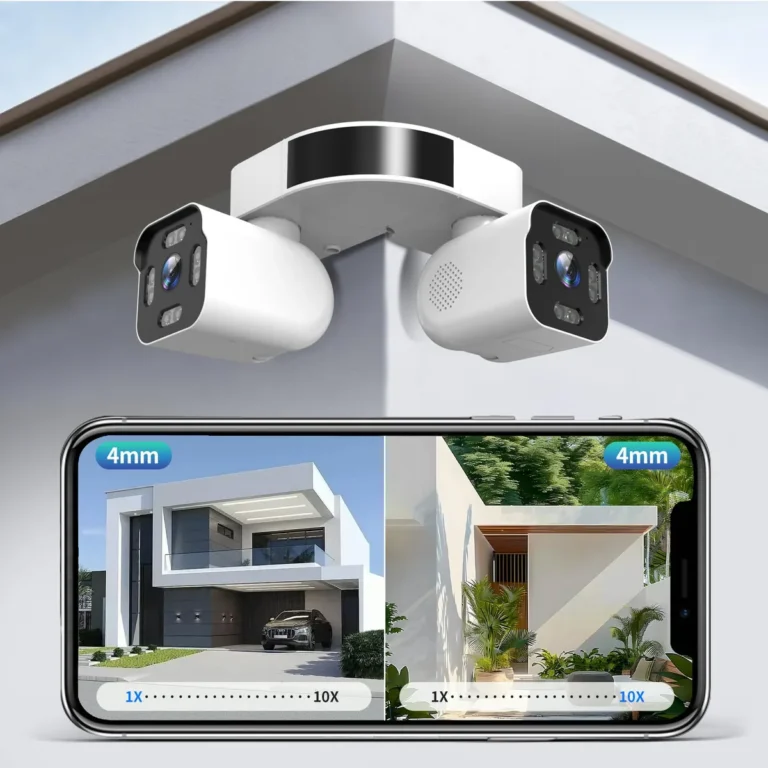
- Field of View (FoV): Wider angles cover more area.
- Night Vision Range: Check specified distance (e.g., 100ft).
- IP Rating: For weatherproofing (e.g., IP66 or IP67 for outdoor use).
- Storage Capacity: MicroSD card (up to 256GB or more), NVR/DVR channel support, or cloud plan limitations.
As of 2026, many mid-range to high-end cameras offer features like AI-powered object recognition and cloud storage tiers starting around $5-$15 per month per camera, depending on storage duration and features. Always check manufacturer specifications carefully against your needs.
How to Properly Install and Set Up Your CCTV System
Proper installation is more than just mounting a camera; it's about strategic placement for maximum effectiveness and security. Incorrect setup can lead to blind spots, poor image quality, or even make the camera itself vulnerable. For wired systems, this involves running cables carefully through walls or conduits, ensuring they are protected from the elements and potential tampering.
For wireless cameras, the primary concern is finding a location with a strong, consistent Wi-Fi signal.
If you're using an NVR or DVR, proper configuration is also essential. This includes setting up recording schedules, motion detection zones, and ensuring the device has adequate storage space. Network configuration for IP cameras involves assigning IP addresses and ensuring they can communicate with the recorder or your network.
For more in-depth guidance on these aspects, understanding how to update security camera firmware is also important for ongoing performance and security.
Maintaining Your CCTV Cameras for Long-Term Performance
CCTV cameras, like any technology, require some maintenance to ensure they continue to function optimally. Regular checks can prevent issues before they become serious problems. This includes physically inspecting cameras for any signs of damage, especially for outdoor units exposed to weather.
Cleaning lenses is critical; dust, dirt, or spiderwebs can significantly degrade image quality.
For systems that record footage, it’s wise to periodically check the storage capacity. If you're using local storage, ensure the drive or SD card isn't full and that old footage is being overwritten or archived as intended. If you have remote access, test it periodically to confirm connectivity.
Staying on top of firmware updates is also a key part of maintenance, as manufacturers often release patches to improve performance or address security vulnerabilities.
How to Troubleshoot Common CCTV Camera Issues
Even with the best setup, you might encounter issues. If your camera isn't recording, the first step is to check its power source and its connection to the NVR, DVR, or network. For wireless cameras, verify the Wi-Fi signal strength.
If the image is blurry, check the lens for dirt or smudges and ensure the camera is securely mounted and not vibrating.
If motion detection isn't working as expected, review the settings and ensure you haven't accidentally disabled it or set detection zones incorrectly. False alarms are often a sign that the sensitivity is too high or that the camera is positioned where it frequently detects non-threatening movement. If your camera is showing a black screen, it's often a connection or power issue, or potentially a hardware failure.
In such cases, sometimes a simple reset can resolve the problem.
Frequently Asked Questions About CCTV Cameras
How long does installation typically take?
Installation time varies greatly depending on the type of system and your property. A simple wireless camera might take less than an hour to set up and mount. A multi-camera wired system with cables run through walls could take an entire day or more, often requiring professional help.
Do I need a NVR or DVR for my cameras?
Yes, if you plan to record footage from multiple cameras continuously or manage them centrally. Analog cameras connect to a DVR, while IP cameras connect to an NVR. Standalone wireless cameras may use microSD cards or cloud storage, sometimes foregoing a dedicated recorder.
Can I view my cameras remotely?
Most modern CCTV systems, especially IP cameras, offer remote viewing via a mobile app or web interface. This requires your camera system to be connected to your home or business network, which is then connected to the internet. Ensure your internet connection is stable for smooth remote access.
How much data do security cameras use?
The amount of data depends on resolution, frame rate, and whether the camera is recording continuously or only on motion detection. A 4K camera recording continuously can use several gigabytes per hour. A 1080p camera using event-based recording will use significantly less.
What is the average lifespan of a CCTV camera?
A well-maintained CCTV camera typically lasts between 5 to 10 years. Outdoor cameras might have a slightly shorter lifespan due to exposure to harsher elements. The lifespan of associated equipment like NVRs or DVRs can be similar, often around 5-7 years.