What Is a Professionally Monitored Security System
When you hear "professionally monitored security system," it’s easy to picture an alarm going off and someone calling the cops. But what that actually means, and why it's different from systems you monitor yourself, is crucial for knowing what level of protection you're getting. It’s about more than just the hardware; it's about the human element ready to act when you can't.
This kind of system provides a continuous line of defense, ensuring that your home is watched over even when you're asleep, at work, or on vacation. Unlike self-monitored setups, where you're solely responsible for responding to alerts, a professionally monitored service has a dedicated team that takes that burden off your shoulders. This 24/7 oversight is a key factor differentiating it from simpler home alarm setups, with many services adhering to standards like those set by Underwriters Laboratories (UL) for reliable operation.
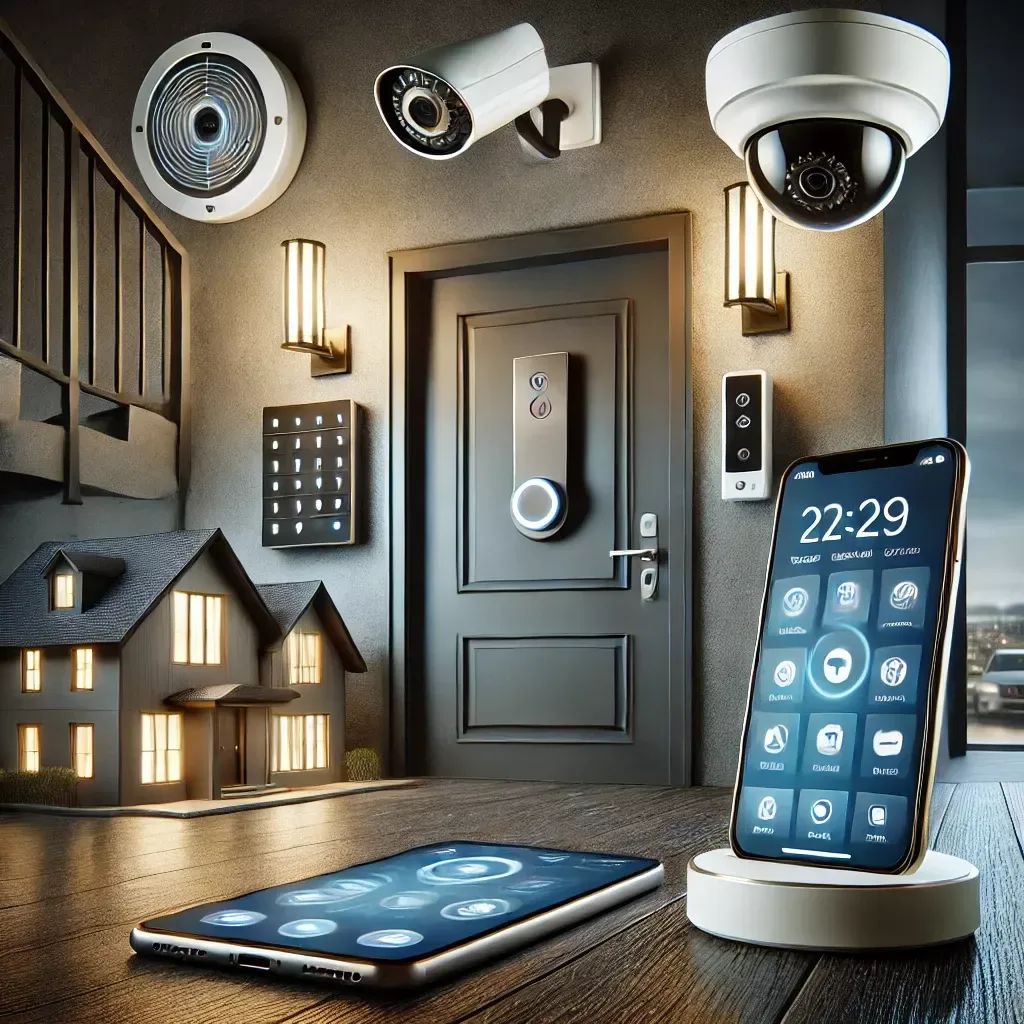
Image source: Web (Bing) / pinterest.com (Web image (fair-use with source credit))
Quick Answer
A professionally monitored security system is a home or business alarm setup where a third-party company monitors your system's alerts around the clock. When an alarm triggers, this service contacts you for verification and then dispatches emergency services like police or fire departments if necessary. It provides an active response layer beyond just the siren.
The Core Difference: A Pro vs. You When the Alarm Sounds
At its heart, the difference between a professionally monitored security system and other types of alarms comes down to who is responsible for reacting when trouble strikes. With a professionally monitored system, that responsibility is handed over to a dedicated security monitoring center. These are trained professionals whose sole job is to watch your system and respond to emergencies 24 hours a day, seven days a week.
If your alarm goes off, the signal is sent to this center. They’ll typically try to reach you first to confirm if it’s a genuine emergency or a false alarm. If they can't connect with you, or if the situation sounds serious, they are authorized to dispatch the appropriate local emergency responders, police for a break-in, or the fire department for a smoke or heat detection.
This immediate, trained intervention is the primary advantage.
Compare this to a self-monitored system. In that scenario, when an alarm triggers, you receive a notification on your phone or computer. You then have to decide if it’s real and make the call to emergency services yourself.
While this works for some, it’s a point of failure if you miss the notification, have no signal, or are in a situation where you can't make the call yourself. The professional monitoring layer removes that single point of human failure from your end.
How Professionally Monitored Systems Work: Step-by-Step
Understanding the workflow of a professionally monitored security system reveals the layers of protection in place. It’s a designed process aiming for swift and accurate responses to potential threats.
The Signal Chain: From Sensor to Dispatch
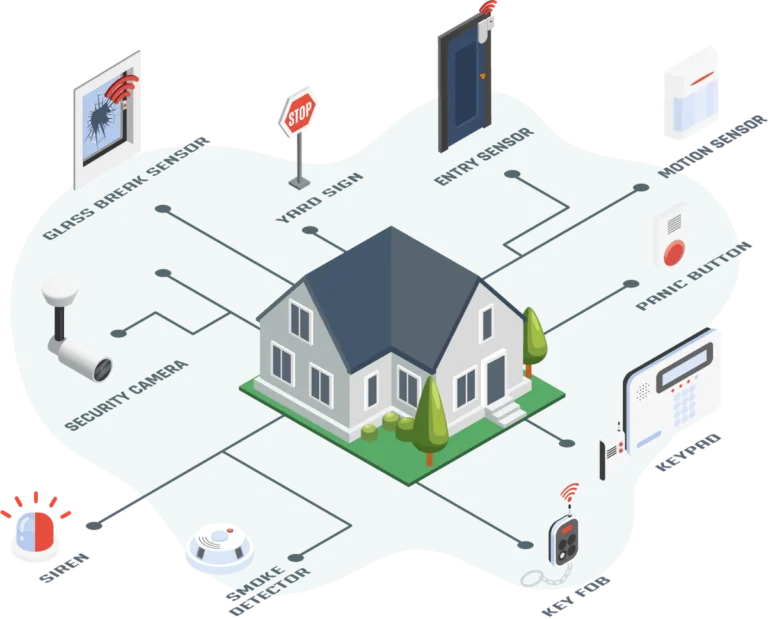
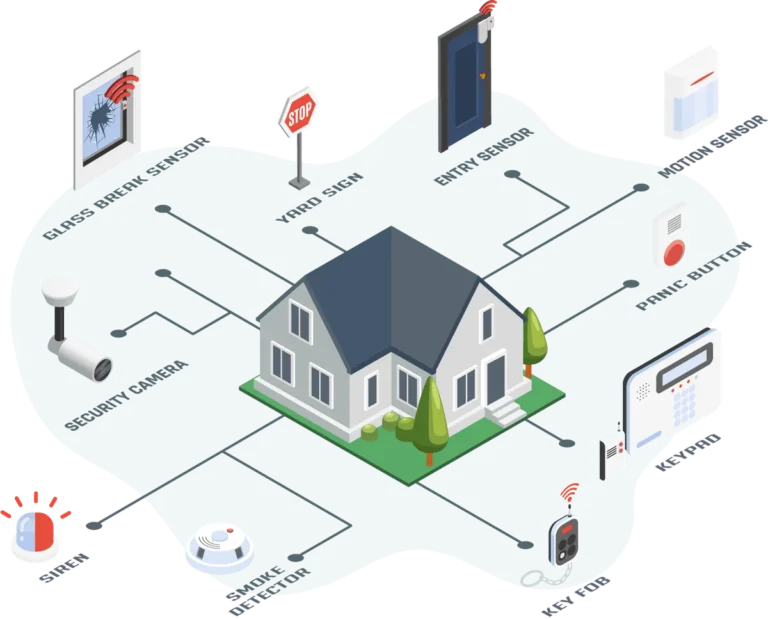
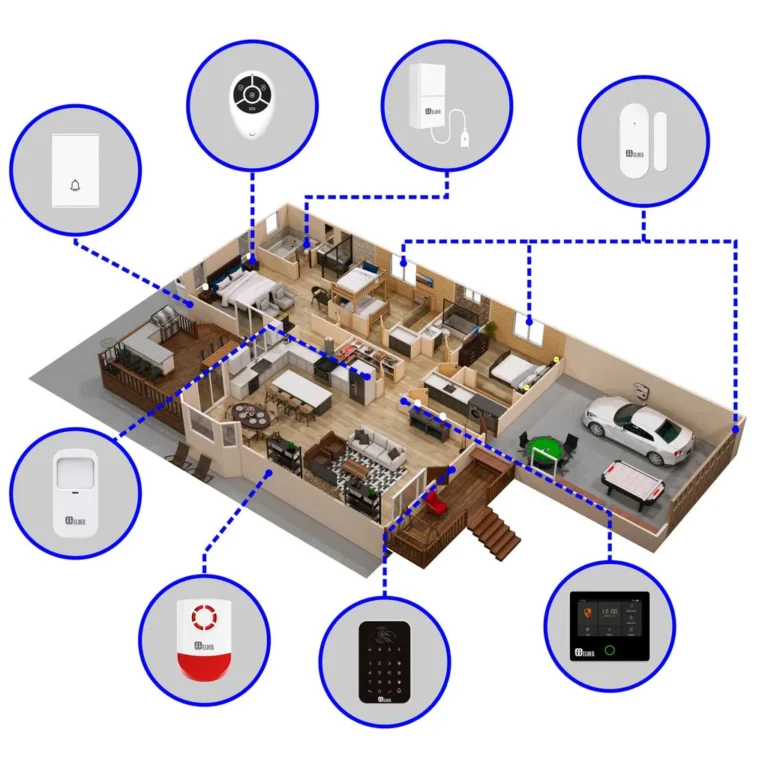
When a sensor in your home detects a potential problem, like a door or window opening unexpectedly, or a smoke detector activating, it sends a signal. This signal travels through your security system's control panel and is transmitted to a central monitoring station. These stations are equipped with specialized equipment and staffed by trained operators.
Image source: Web (Bing) / freecadfloorplans.com (Web image (fair-use with source credit))
The Monitoring Center's Role in Verification
Upon receiving an alarm signal, the monitoring center operators follow strict protocols. As per industry standards, this usually involves attempting to contact the homeowner or designated emergency contacts. This verification step is crucial to minimize unnecessary dispatches of emergency services, which can strain resources and potentially lead to fines for false alarms.
Operators use a pre-arranged contact list and specific verification questions.
If contact is made and it’s confirmed to be a false alarm, the system is typically reset. However, if they cannot reach you, or if the communication confirms a real threat (like hearing a break-in in progress, or confirming smoke), the monitoring center will then immediately dispatch the relevant emergency services. They provide the responding authorities with vital information about the type of alarm and the location.
Key Benefits: More Than Just an Alarm
Opting for a professionally monitored security system brings a set of advantages that go beyond simply having an audible alarm. These benefits contribute to a more robust and reassuring security posture for your home.
Faster Emergency Response Times
One of the most significant benefits is the potential for quicker response times from law enforcement or fire departments. When a professional monitoring service dispatches emergency services, they are doing so based on their own assessment and verification procedures. This can shave critical minutes off the response time compared to situations where a homeowner must first detect the alarm, understand the threat, and then make the call themselves.
Aggregated data suggests this direct dispatch can significantly reduce arrival times.
Peace of Mind When You're Away
Knowing that your home is being watched over by a dedicated team, even when you’re miles away, offers substantial peace of mind. Whether you’re on a business trip, on vacation, or simply at the grocery store, you don't have to worry about missing an alert. The monitoring center acts as your constant, vigilant eyes and ears, ready to act on your behalf.
This constant oversight is a major reason why many families choose this level of security.
Potential for Reduced False Alarm Fines
Many municipalities have ordinances in place to penalize homeowners for frequent false alarms. These fines can add up quickly and become a significant annoyance. Professionally monitored systems often have more sophisticated verification processes, which can help reduce the incidence of false alarms being reported to authorities.
By confirming a genuine emergency before dispatch, they help homeowners avoid these costly penalties.
Potential Downsides to Consider
While the benefits of professional monitoring are clear, it's also important to look at the potential drawbacks to make an informed decision for your specific needs.
Monthly Fees vs. One-Time Costs
Professionally monitored systems typically come with a recurring monthly fee for the monitoring service itself. This is in addition to the upfront cost of the security equipment. While many self-monitored systems only require the initial purchase of hardware, the ongoing cost of professional monitoring can be a significant factor for some budgets.
These fees cover the operation of the monitoring center, the trained staff, and the technology that enables the service.
Reliance on a Third-Party Service
When you choose professional monitoring, you are placing a degree of trust in a third-party company to respond effectively to your emergencies. This means their operational reliability, the quality of their staff, and their communication systems directly impact your security. Issues like power outages at the monitoring center, communication disruptions, or staff errors, though rare, are potential risks that come with relying on an external service.
It's essential to research the monitoring company's reputation and reliability before committing.
Who Benefits Most from Professional Monitoring?
Professional monitoring isn't necessarily for everyone, but it shines for certain individuals and households by addressing specific security concerns with a higher level of assurance.
Families and Individuals Seeking Maximum Safety
For households where security is a top priority, such as families with young children, elderly individuals living alone, or those who travel frequently, professional monitoring offers a significant upgrade in safety. The immediate dispatch of emergency services without requiring the homeowner's direct intervention provides a critical layer of protection during urgent situations. This is particularly valuable for ensuring the well-being of vulnerable family members.
Those Living in Higher-Risk Areas
If you live in an area with a higher incidence of crime, or if your home has specific vulnerabilities like being isolated or having multiple points of entry, professional monitoring can be a wise investment. The continuous watch and immediate dispatch capability can be a stronger deterrent and a more effective response mechanism in these environments. For instance, areas where police response times might naturally be longer can benefit most from the direct dispatch that professional monitoring provides.
When to Consider Alternatives
While professional monitoring offers substantial advantages, it's not the only option. Understanding alternatives helps you tailor your security approach to your budget and specific needs.
The Rise of Self-Monitored Systems
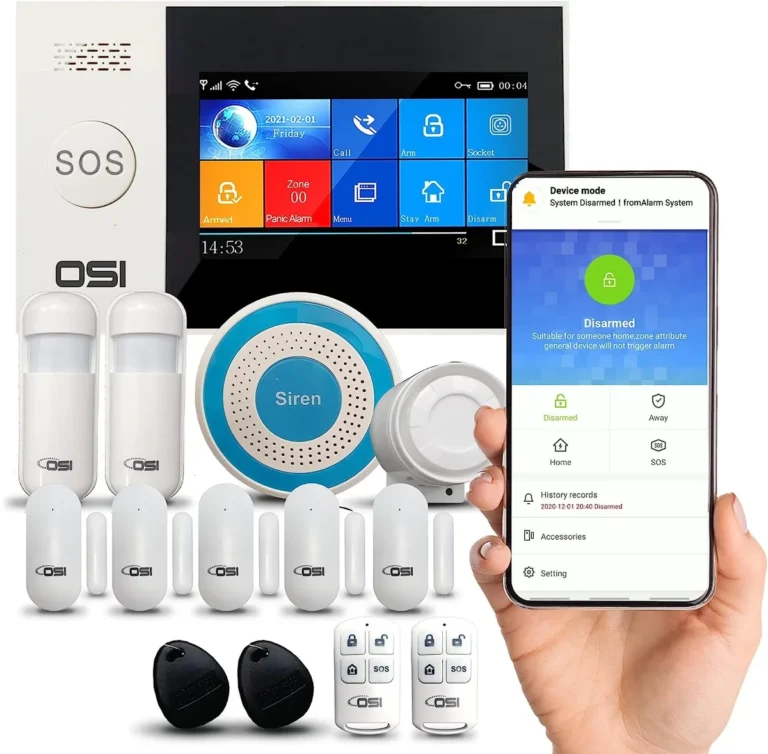
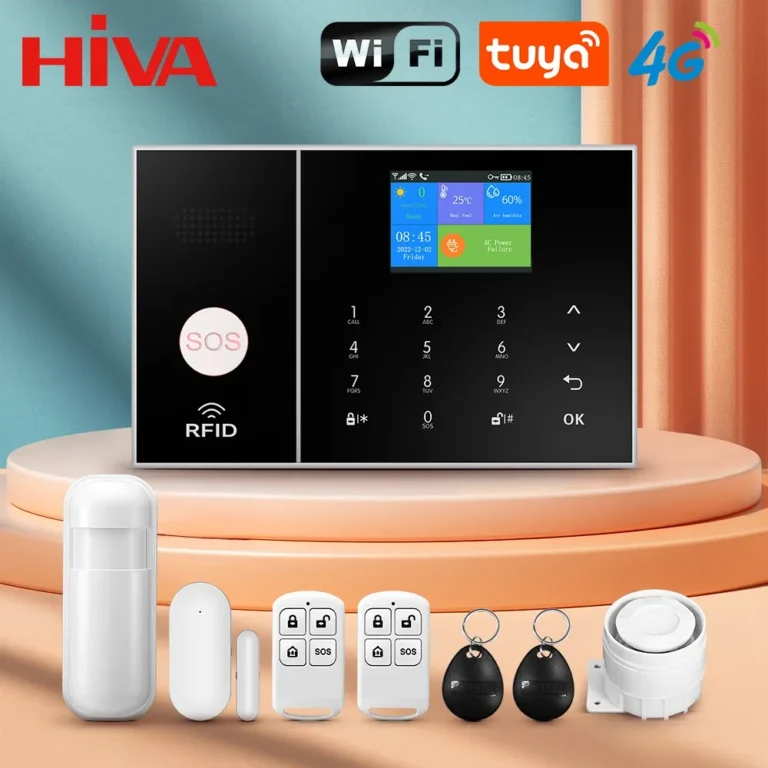
Self-monitored security systems have grown in popularity, largely due to their lower upfront costs and the absence of monthly monitoring fees. These systems rely on the homeowner to receive alerts via smartphone apps or email and then decide on the appropriate response. Manufacturers often design these systems for easy DIY installation and integration with smart home devices.
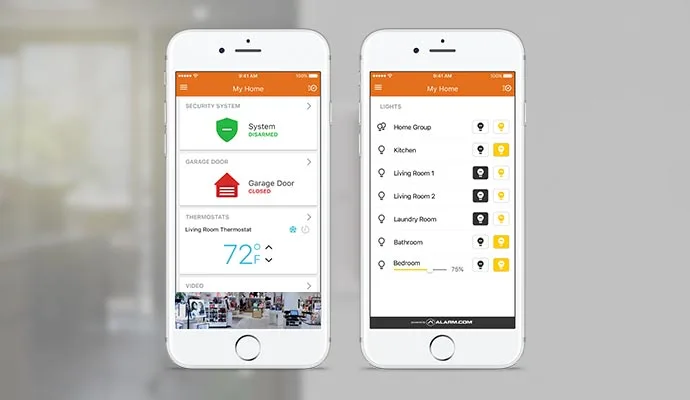
Image source: Web (Bing) / asdsecurity.com (Web image (fair-use with source credit))
The primary difference here is that you are the sole responder. When an alarm sounds, your phone buzzes, and you must assess the situation and contact emergency services if needed. This provides flexibility and control, but it also means the responsibility for acting falls entirely on you.
It's a viable option for those who are comfortable being the first line of defense and are confident they will not miss an alert, or for those on a tighter budget.
Understanding DIY System Limitations
The main limitation of DIY security systems, especially those that are self-monitored, is the absence of a dedicated response team. This means if you're in an area with poor cellular reception, your phone battery dies, or you're simply unable to answer the alert promptly, the system might not trigger the help you need. While many DIY systems offer features like remote camera viewing and two-way audio, they still require you to be the one to initiate contact with authorities.
For critical situations, this dependency on your immediate availability can be a significant drawback compared to the constant oversight of professional monitoring.
Monthly Fees
As mentioned, a primary consideration with professional monitoring is the ongoing monthly fee. These can range from $20 to $60 or more per month, depending on the provider and the services included. While this fee ensures 24/7 professional oversight, it's a cost that self-monitored systems avoid.
For example, a basic self-monitored smart home security kit might cost a few hundred dollars upfront but has no recurring charges for monitoring. This makes DIY options more budget-friendly in the long run for some users.
Coverage and Equipment Variety
While professional monitoring services often bundle equipment, the selection can sometimes be more limited or proprietary compared to the vast array of DIY smart home devices. If you already have smart home gadgets like cameras or smart locks from different brands, integrating them seamlessly into a professionally monitored system might be challenging or impossible without a proprietary hub. DIY systems, on the other hand, often boast broader compatibility with various smart home ecosystems and a wider selection of individual components to choose from.
Frequently Asked Questions About Professional Monitoring
Is it worth the extra cost?
Whether professional monitoring is worth the extra cost really depends on your priorities. If peace of mind, potentially faster emergency response, and knowing that someone is always watching your home is paramount, then the monthly fees can be well justified. For individuals or families who travel often or live in areas with higher crime rates, it's often considered a vital investment.
However, if you're on a tight budget, comfortable with managing alerts yourself, and have reliable technology, a self-monitored system might suffice.
What happens if the monitoring center makes a mistake?
Mistakes by monitoring centers, while uncommon, can happen. Protocols are in place to minimize these. If a false dispatch occurs due to an error, the homeowner might still face local fines, though some monitoring companies offer policies to cover these.
Reputable monitoring services are typically UL Listed or certified by organizations like the CSAA, indicating they meet rigorous operational standards. Their training and technology are designed to prevent errors, but it's always wise to understand the provider's service agreement and any recourse for dispatch errors.
Can I use my existing alarm system with professional monitoring?
In many cases, yes, you can. If you have an existing alarm system that's still functional, some companies will allow you to "take over" the monitoring of your current equipment. This can be a cost-effective way to gain professional monitoring without buying a completely new system.
However, compatibility can vary, so it's essential to check with the potential monitoring service provider to see if your specific alarm panel and components are supported. They will often need to ensure your system can reliably transmit signals to their central station.
How do I choose a reputable monitoring company?
When selecting a monitoring company, look for established providers with a proven track record. Check for certifications from bodies like Underwriters Laboratories (UL) or the Central Station Alarm Association (CSAA), as these indicate adherence to strict operational and security standards. Review customer testimonials and independent ratings to gauge their responsiveness and customer service.
Also, ensure you understand their equipment compatibility, the monitoring contract terms, and their emergency dispatch protocols. A company that is transparent about its processes and responsive to your questions is a good sign.
Is Professional Monitoring Right for Your Home?
Ultimately, the decision on whether a professionally monitored security system is the right choice hinges on your personal circumstances, your budget, and your desired level of security. If you value the assurance of 24/7 professional oversight and the immediate dispatch of emergency services, then the ongoing investment is likely worthwhile. It offers a robust safety net that frees you from the responsibility of being the sole responder to alarms.
However, if you're looking for a more budget-friendly solution, are comfortable managing alerts yourself, and have a reliable way to receive and act on notifications, then a self-monitored system might meet your needs. Many modern DIY systems offer impressive features and connectivity. Weigh the benefits of constant professional vigilance against the costs and the independence of self-monitoring to determine the best fit for your home and family.
Mistakes to Avoid: Common Pitfalls with Security Systems
When setting up any security system, whether professionally monitored or self-monitored, certain common mistakes can undermine its effectiveness. Being aware of these pitfalls can save you from potential security gaps or unnecessary frustration. One prevalent issue is relying too heavily on a single type of sensor.
A system that only has door and window contacts, for instance, might miss an intruder who breaks a window rather than opening a door.
Another common error is neglecting regular system maintenance. Like any technology, security components can fail over time. Batteries in wireless sensors need replacing, and control panels should be kept updated.
Manufacturer specifications often recommend testing your system monthly to ensure all components are communicating correctly with the monitoring center. Skipping these tests means you might not know about a problem until it’s too late, such as a sensor failing to transmit an alarm signal.
Improper placement of sensors and cameras is also a frequent mistake. A motion detector placed too close to a heating vent might trigger false alarms due to temperature fluctuations. Similarly, cameras aimed directly at bright lights or windows can produce poor-quality images, making identification difficult.
For professionally monitored systems, frequent false alarms caused by these placement errors can lead to fines from local authorities. Always consult the installation guide for optimal placement to maximize effectiveness and minimize false triggers.
Costs and Equipment: What to Expect Financially
The financial aspect of security systems breaks down into two main categories: upfront hardware costs and ongoing service fees. For professionally monitored systems, this typically means a higher total investment. The security equipment itself, control panel, keypads, sensors, cameras, can range from a few hundred dollars to over a thousand, depending on the number of components and brand.
This hardware cost is then supplemented by a monthly monitoring fee, which, as discussed, can typically range from $20 to $60 per month.
In contrast, self-monitored DIY systems often boast a lower entry cost for the hardware, with some basic kits available for under $200. Because you are doing the monitoring, there are usually no recurring monthly fees for the service itself. However, some DIY systems offer optional premium features, such as advanced cloud storage for video footage or cellular backup for internet outages, which may come with their own subscription costs.
This makes it important to carefully review the full cost of ownership for both types of systems over several years.
Here’s a general breakdown:
| System Type | Typical Upfront Hardware Cost | Typical Monthly Monitoring Fee | Overall Cost (e.g., 5 Years) |
|---|---|---|---|
| Professionally Monitored | $300 – $1500+ | $20 – $60+ | $1500 – $5000+ |
| Self-Monitored (DIY) | $100 – $600+ | $0 – $20+ (optional features) | $100 – $1000+ |
Note: Costs are approximate and can vary significantly by provider, features, and promotions.
This table highlights how the long-term expense of professional monitoring tends to be higher due to the recurring service fees, even if the initial hardware is comparable or more expensive for certain DIY setups.
Installation and Setup: DIY vs. Professional
The installation process is a significant differentiator between professionally monitored and many DIY security systems. Professionally monitored systems, especially those requiring complex wiring or integration, often necessitate installation by a certified technician. This ensures the system is set up correctly and communicates properly with the monitoring center from day one.
While this adds to the initial cost, it guarantees expert setup and can prevent many of the common installation errors that affect system performance.
Many DIY security systems, conversely, are designed for straightforward self-installation. They often feature wireless components that simply adhere to walls or doorframes, and the setup is typically guided by a mobile app. This approach saves on installation fees and allows users to place sensors exactly where they want them, adapting the system as their needs change.
However, it requires the user to be comfortable with basic technology and follow instructions carefully to ensure all components are active and communicating as intended.
Here's a look at the typical installation approaches:
| System Type | Installation Method | Typical Time to Install | Key Considerations |
|---|---|---|---|
| Professionally Monitored | Professional Installation | 2-6 hours | Scheduled appointment, potential wiring, expert setup |
| Self-Monitored (DIY) | User-Installed (DIY) | 30 mins – 3 hours | App-guided setup, wireless components, user responsibility |
This contrast in installation method underscores the difference in the user experience and the level of involvement required from the homeowner.
Maintenance and Upkeep: Keeping Your System Running
Regardless of whether you choose professional or self-monitoring, regular maintenance is key to ensuring your security system functions reliably. For professionally monitored systems, many providers include some level of remote system health checks as part of their service. This can alert you or them to issues like low battery in a sensor or a communication fault before it becomes a critical problem.
However, you are still responsible for tasks like replacing batteries when prompted and keeping the physical components clean.
For DIY systems, you are in full control of maintenance. This involves regularly testing your sensors, usually through the system's app, to confirm they are active. Checking and replacing batteries in wireless devices is a common task, and many systems will notify you when a battery is low.
Keeping camera lenses clean and ensuring your Wi-Fi network is stable are also essential for optimal performance, especially for systems that rely heavily on video feeds. Consistent upkeep prevents minor issues from escalating into system failures during an actual event.
Here’s what typical maintenance involves:
- Battery Replacement: Wireless sensors and keypads run on batteries that need periodic replacement. Most systems will alert you when battery levels are low.
- System Testing: Regularly test your system (e.g., monthly) by arming it and triggering a sensor to ensure it communicates with the monitoring center or your app.
- Component Cleaning: Keep sensors, keypads, and camera lenses clean to ensure optimal performance and prevent false alarms.
- Software/Firmware Updates: For smart DIY systems, keep the app and device firmware updated for the latest features and security patches.
- Wi-Fi Network Check: Ensure your home Wi-Fi is stable and strong, as many modern systems rely on it for communication.
A well-maintained system, whether professionally monitored or not, provides a much higher level of security assurance.

2 Comments