Why Is My Motion Sensor Going Off
It's frustrating when your motion sensor decides to sound an alarm for no apparent reason. You rely on these devices for security or convenience, and a false trigger can be anything from an annoyance to a serious disruption. We've all experienced that moment of alarm, only to find out it was just the cat, or maybe a strong gust of wind.
This guide is designed to help you troubleshoot those unexpected activations. According to current manufacturer specifications, many modern motion sensors, particularly PIR (Passive Infrared) types, are calibrated to detect subtle heat changes, meaning environmental factors can play a significant role. Let's dive into what might be causing your sensor to go off and how you can fix it.
Quick Answer
False alarms happen because motion sensors detect heat changes or physical movement. Common culprits include pets, drafts, sunlight fluctuations, insects, or incorrect sensor placement. Adjusting sensitivity, repositioning the unit, or addressing environmental factors like vents often resolves the issue.
Motion Sensor Basics: How They Detect Movement
Motion sensors are designed to alert you to activity, but understanding how they work is the first step to diagnosing why they might be overreacting. Most residential and commercial motion sensors use one of a few primary technologies, with PIR being the most common.
PIR Sensors: The Heat Detectors
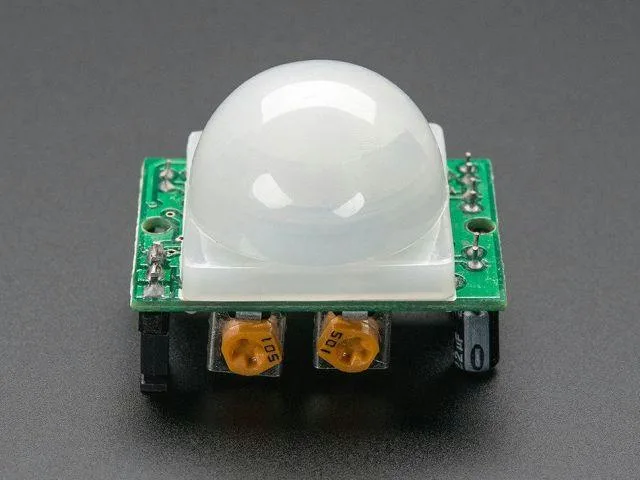
Passive Infrared (PIR) sensors are the workhorses of motion detection. They don't emit any energy; instead, they detect infrared radiation, which is essentially heat, emitted by objects. Everything with a temperature above absolute zero gives off heat.
- How it works: A PIR sensor has a lens made of a material like fresnel, which is cut into segments. These segments focus the infrared energy onto a heat-sensitive element. When a warm object, like a person or an animal, moves across the sensor's field of view, it interrupts the steady pattern of heat it's used to seeing, causing a change that triggers the alarm. Manufacturer specifications often detail a detection range, typically from 15 to 50 feet, depending on the model and environmental conditions.
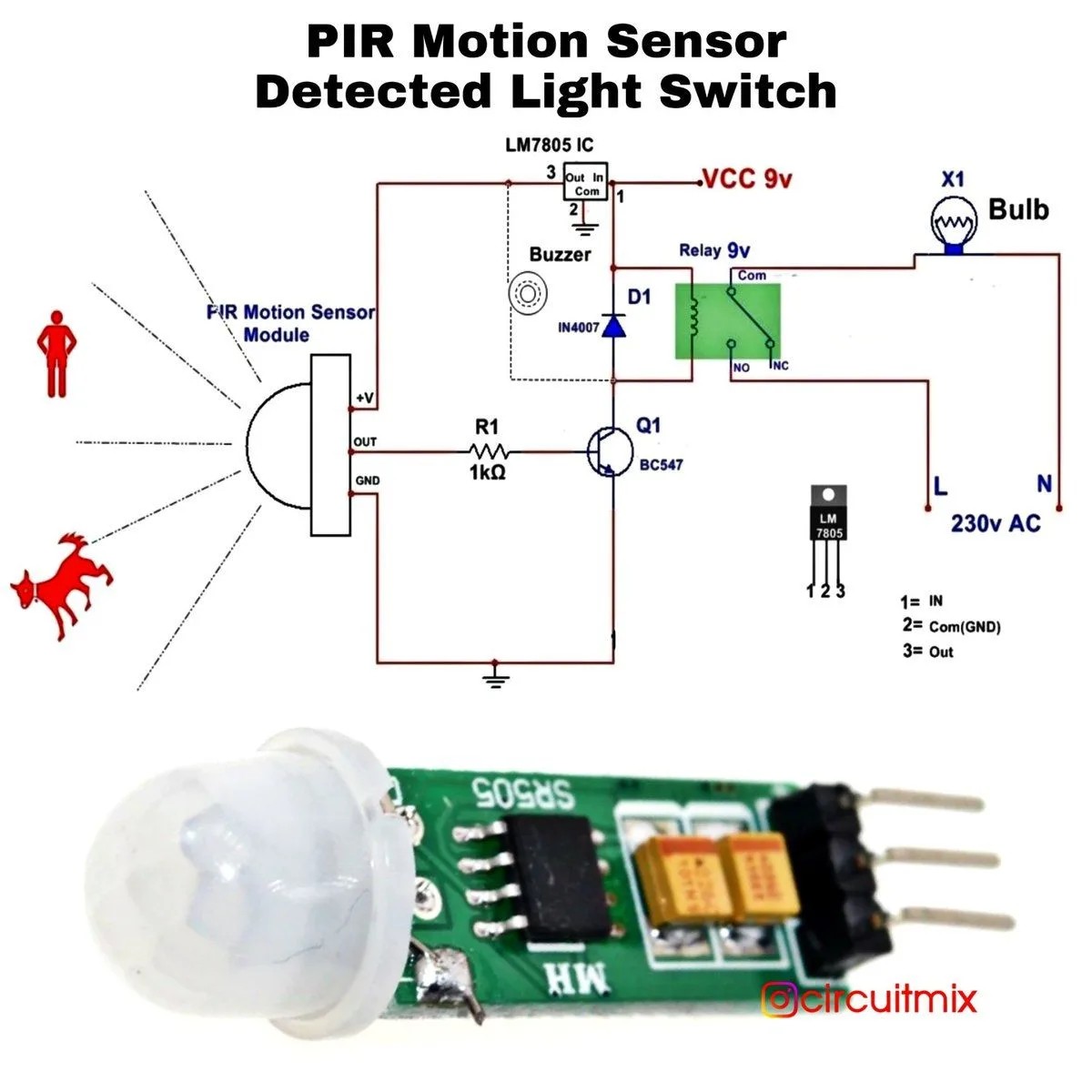
Image source: Web (Bing) / corner.vineyardnewhaven.org (Web image (fair-use with source credit))
How Environmental Factors Affect Detection
The accuracy of a PIR sensor can be significantly influenced by its surroundings. Since these sensors rely on heat detection, anything that causes a sudden or unusual change in temperature within the sensor's view can lead to a false alarm. Understanding your environment is key to troubleshooting.
- Heat Sources: Proximity to heating vents, radiators, direct sunlight, or hot appliances can cause the sensor to register a constant heat source. This might be misinterpreted as movement if the source fluctuates or if air currents move the heat.
- Air Currents: Drafts from open windows, doors, or HVAC systems can move curtains, plants, or other light objects. These movements can be detected as activity. These currents can also directly affect the temperature detected by the sensor.
Common Culprits: What's Really Triggering Your Sensor?
When your motion sensor acts up, the cause usually falls into a few predictable categories. It's less about the sensor being "broken" and more about it reacting to something it's designed to detect, even if that something isn't what you expect.
Pets and Other Critters
If you have pets, especially cats or small dogs, they are often the primary suspects for false alarms. Their movement, even a casual stroll, is detected by the sensor.
- Sensitivity issues: Many sensors have adjustable sensitivity settings. If yours is set too high, it might pick up even minor movements.
- Pet-immune sensors: Newer security systems offer pet-immune motion detectors. These differentiate between the heat signature and movement patterns of humans versus smaller animals. However, even these have limitations, and very large or agile pets might still set them off. The effectiveness of pet-immune features can vary, with some models designed to ignore pets under a certain weight, often around 40 to 80 pounds.
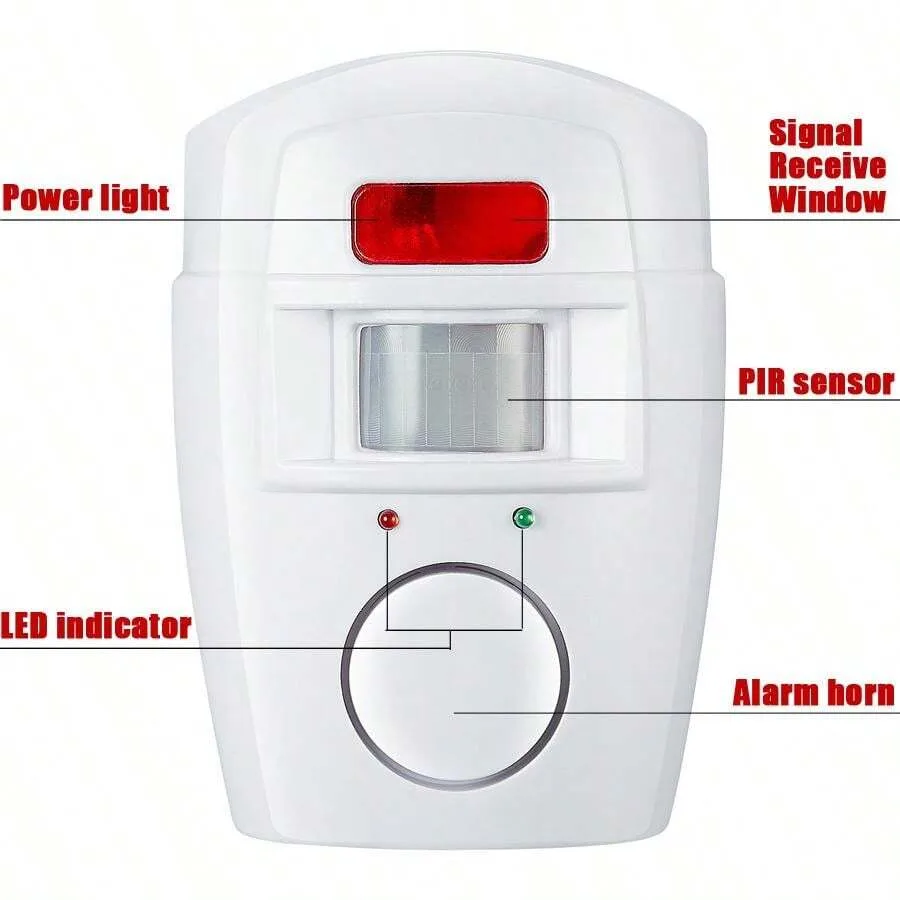
Image source: Bing (Web (fair-use with source credit))
Environmental Triggers: Drafts, Sunlight, and More
Beyond pets, the environment surrounding your sensor is a fertile ground for false alarms. Unexpected heat fluctuations or subtle movements can easily trick a sensitive detection system.
- Sunlight: Direct sunlight hitting the sensor can cause a rapid temperature increase. As the sun moves or a cloud passes, the subsequent temperature drop can trigger it. This is common with windows.
- Vents and Drafts: Air from HVAC vents, ceiling fans, or drafts from poorly sealed windows can cause curtains, blinds, or lightweight objects to move. These movements can be detected as activity. Heat or cool air blowing directly onto the sensor can also create temperature variances.
- Heat Sources: Proximity to radiators, fireplaces, or appliances can create a constant heat signature. If the output of these sources fluctuates, it can trigger the sensor.

Image source: Bing (Web (fair-use with source credit))
Insects and Webs
Insects and spiderwebs can cause your motion sensor to go off. A spiderweb catching dust or a tiny insect can reflect light or cause subtle movements that the sensor detects.
- Outdoor sensors: These are particularly susceptible to insects. A moth flying in front of the sensor could easily trigger it.
- Indoor sensors: Even indoors, a stray spider can build a web in front of the sensor, leading to unexpected alerts. A quick clean-up usually solves this problem.
Troubleshooting Steps: Fixing False Alarms
When your motion sensor gives you grief with false alarms, get systematic. We’ll walk through common causes and how to address them, starting with simple checks.
Step 1: Check for Obvious Movement
Before adjusting settings or moving hardware, observe your surroundings. Is anything actually moving that the sensor might be picking up?
- Pets: Are your pets playing, walking, or stretching in the sensor’s view?
- Curtains/Blinds: Are they swaying due to a draft?
- Plants: Are indoor plants positioned where a fan or open window might move their leaves?
- Decorations: Do you have anything hanging that might sway, like mobiles or wind chimes?
If you spot something obvious, the fix is straightforward: secure the item, move it out of the sensor's line of sight, or adjust your pet’s routine.
Step 2: Evaluate Sensor Placement and Aim
How and where your motion sensor is installed plays a huge role in its effectiveness and tendency to trigger falsely. A sensor aimed at a window or busy doorway is more likely to be tripped by external activity.
- Line of Sight: Ensure the sensor has a clear view of the area you want to monitor. Obstructions like furniture, large plants, or stacked boxes can block its detection capabilities or create blind spots.
- Avoid Windows and Doors: Aiming a sensor directly at a window or exterior door means it will likely pick up movement from outside, people walking by, cars, or animals. Sensors should cover the interior of a room or hallway, not point outwards.
- Height and Angle: Most motion sensors are designed for optimal performance when mounted at a specific height, usually between 6 and 8 feet off the ground. The angle matters; it should be angled downwards slightly to cover the floor area. Incorrect mounting height or angle can reduce detection range or increase false triggers.
Step 3: Address Temperature and Environmental Shifts
Motion sensors, particularly PIR types, are sensitive to heat. Temperature fluctuations within the sensor's detection zone cause false alarms.
- Sunlight: If a sensor is in direct sunlight for part of the day, that sunlight can heat up the sensor's casing or the area it’s monitoring. When the sun moves, the sudden temperature drop can trigger the alarm. Position the sensor so it’s not in direct sun, or use blinds or curtains to shield it.
- HVAC Vents and Drafts: Air from heating or cooling vents can create temperature gradients. If a vent blows directly onto the sensor, it registers temperature changes as movement. Drafts from doors or windows can cause subtle temperature shifts or move objects. Ensure vents aren't blowing directly onto the sensor and seal any drafts.
- Heat-Generating Appliances: Keep sensors away from radiators, space heaters, or other appliances that produce significant heat. The radiated heat can interfere with accurate motion detection.
Step 4: Refresh Power and Check for Interference
Sometimes, simple fixes involve the sensor's power source or its communication with your system.
- Low Battery: For wireless motion sensors, a low battery is a common cause of erratic behavior, including false alarms. The sensor might not have enough power to operate its detection circuitry correctly. Our research indicates that battery-powered devices often show unusual behavior as their power source dwindles.
- Action: Replace the batteries. Most sensors use common AA or AAA batteries. Always use fresh, high-quality batteries.
- Interference: It’s possible other wireless devices operating on similar frequencies could cause interference. This is more likely if you've recently installed new wireless gadgets.
- Action: If you suspect interference, temporarily turn off other wireless devices (like routers, cordless phones, or smart home hubs) to see if the sensor's behavior changes. If the problem stops, you've found your culprit and may need to reconfigure device channels or reposition them.
Step 5: Inspect for Physical Issues
Finally, look closely at the sensor itself. Physical damage or grime can impact its performance.
- Dirt and Dust: Over time, dust, cobwebs, or debris can accumulate on the sensor lens. This obstructs its view or interferes with detecting infrared signals.
- Action: Gently clean the sensor’s lens with a soft, dry microfiber cloth. For stubborn grime, use a slightly damp cloth, but ensure it's completely dry before re-securing. Avoid harsh chemicals, which could damage the plastic or coating.
- Damage: Has the sensor been bumped, dropped, or exposed to moisture? Physical damage can compromise its internal components.
- Action: If you notice visible damage, it might be time to replace the sensor. Check your warranty information for potential replacements.
When to Consider Sensor Replacement
After going through troubleshooting steps, if your motion sensor still triggers false alarms frequently, the unit itself might be failing. Like any electronic device, motion sensors have a lifespan, and components degrade over time.
- Age of the sensor: While many sensors last for years, older models may become less reliable. If your sensor is more than 5-7 years old, consider if it's at the end of its operational life.
- Persistent issues: If fixes like adjusting placement, cleaning, changing batteries, or mitigating environmental factors don't resolve false alarms, the sensor's internal electronics could be faulty. This might manifest as erratic behavior without an external cause.
- Cost-effectiveness: Sometimes, a replacement sensor is inexpensive compared to the ongoing frustration and security gaps from false alarms. Many modern sensors are more advanced, offering better pet immunity or easier smart home integration. For instance, many brands offer sensors with a 5-year battery life. Ensure a new sensor is compatible with your existing system.
Motion Sensor Troubleshooting FAQs
### Why does my motion sensor go off at night?
At night, ambient light levels drop, making subtle heat changes or movements more noticeable to the sensor. Drafts from doors, pets moving, or even headlights from passing cars can trigger it more easily.
### Can a spider web trigger a motion sensor?
Yes, a spider web can trigger a motion sensor. If the web is large enough or catches dust, it can create a visual obstruction or reflect light that the sensor interprets as movement. This is common for outdoor sensors.
### How do I adjust the sensitivity on my motion sensor?
Sensitivity adjustments vary by model. Some have a physical dial or switch on the unit. Others are adjusted through a companion mobile app or a security system's control panel.
Consult your sensor's user manual for specific instructions.
### My motion sensor is triggered by sunlight. What can I do?
Try repositioning the sensor so it’s not in direct sunlight. If not possible, use blinds or curtains to shield it during peak sun hours. Some sensors have a "daylight mode" or sensitivity settings that can ignore light changes.