How to Reduce Security Camera Bandwidth
Got a bunch of security cameras and noticing your internet connection is crawling? You're not alone. That constant stream of video data can quickly gobble up your available bandwidth, slowing down everything else you do online.
But don't worry, there are effective ways to get that speed back without compromising your security.
This guide will walk you through the practical steps to optimize your camera's performance. We'll look at settings, network tweaks, and common pitfalls. For instance, manufacturer specifications often indicate that H.265 compression can reduce bandwidth needs by up to 50% compared to older H.264, making it a key factor in managing your network load.
Let's get your internet back up to speed.
Quick Answer
To reduce security camera bandwidth, lower camera resolution and frame rates. Utilize efficient video compression like H.265. Enable motion detection so cameras record only when necessary.
Connect cameras via wired Ethernet when possible. Optimize router Quality of Service (QoS) settings to prioritize camera traffic.
Why Your Security Cameras Are Eating Your Internet Bandwidth
Security cameras, especially modern high-definition ones, are essentially constantly transmitting data. Think of your internet connection as a pipe; the higher the quality of video your cameras send, the wider the stream of data, and the more of that pipe it takes up. If you have multiple cameras running at 1080p or higher, and they're all set to record continuously, that usage can add up fast.
This heavy usage often leads to a noticeable slowdown in your internet speed for other devices. You might experience buffering when streaming videos, lag during online gaming, or slower download and upload speeds. Understanding that a single 1080p camera can consume between 2 to 6 Mbps, and a 4K camera significantly more, highlights why managing this is crucial for smooth internet operation.

Image source: Web (Bing) / paessler.com (Web image (fair-use with source credit))
Quick Wins: The Easiest Ways to Cut Camera Bandwidth
Before you dive into complex network settings, some simple adjustments to your cameras themselves can make a big difference. These are the low-hanging fruit that often yield the most immediate improvements.
- Lower Resolution: Most cameras let you choose from various resolution settings. If you're not actively monitoring a critical entry point, dialing down the resolution from 4K to 1080p, or from 1080p to 720p, can slash bandwidth usage. You'll still get clear images for identification purposes.
- Reduce Frame Rate: Cameras record a series of images per second (FPS). While 30 FPS provides very smooth motion, often 15 FPS or even 10 FPS is perfectly adequate for security footage, especially when only motion triggers recording. Less frames mean less data to transmit.
- Enable Motion Detection: Instead of having cameras record 24/7, set them to only capture footage when motion is detected. This is probably the single most effective way to save bandwidth and storage space, as you’re only transmitting data when something is actually happening.
Digging Deeper: Fine-Tuning Camera Settings for Efficiency
Beyond the most basic settings, there are more technical adjustments you can make directly on your cameras or Network Video Recorder (NVR) that significantly impact bandwidth. These require a bit more understanding of camera technology but offer substantial gains.
Resolution and Frame Rate Adjustments
When you're looking at your camera settings, you'll almost always find options for resolution and frame rate. These are your primary tools for controlling data output.
- Resolution: This refers to the pixel dimensions of the video frame, essentially how much detail the image contains. Higher resolutions like 4K (3840 x 2160 pixels) provide incredibly sharp images, perfect for identifying faces or license plates from a distance. However, they demand a lot more bandwidth. For general surveillance of less critical areas, 1080p (1920 x 1080 pixels) often strikes a good balance between detail and data usage. You might find that reducing a camera from 4K to 1080p can cut its bandwidth requirement by 50-75%.
- Frame Rate (FPS): This is the number of still images, or frames, that make up one second of video. A higher frame rate results in smoother video playback, mimicking real-time motion. For typical security applications where the goal is to capture events, 15 FPS is frequently sufficient. If your cameras are set to 30 FPS, reducing it to 15 FPS can effectively halve the bandwidth used for video transmission, as fewer frames need to be sent per second.
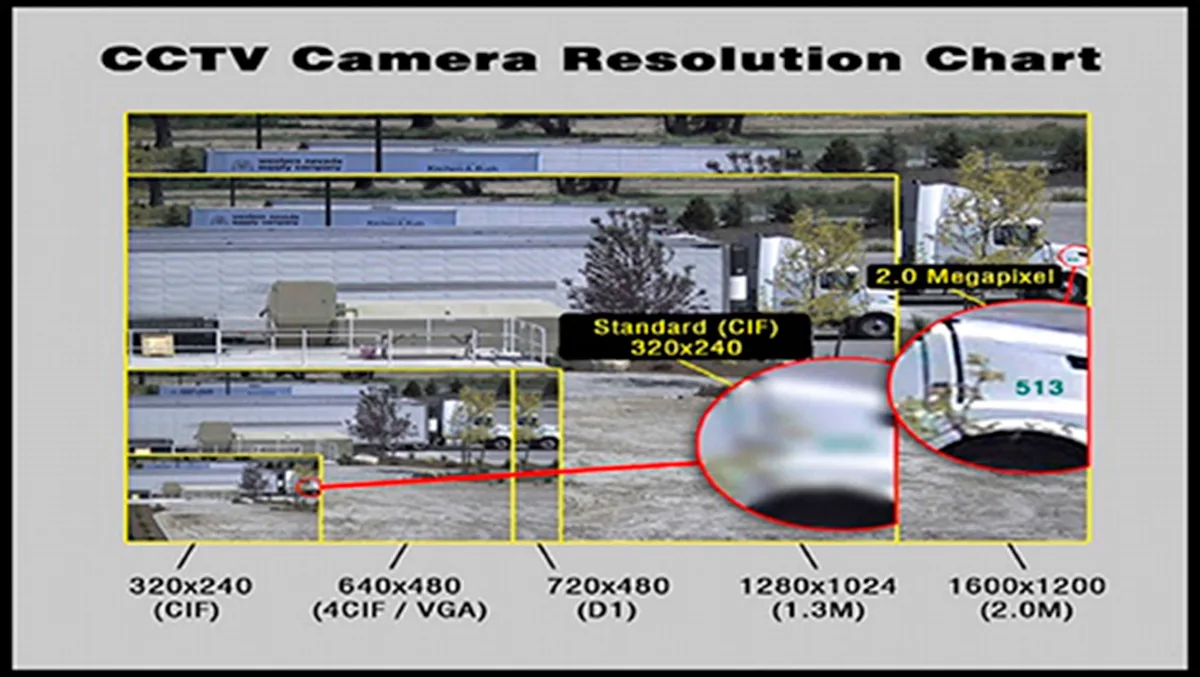
Image source: Web (Bing) / alilimorocco.com (Web image (fair-use with source credit))
The decision on how low to go with these settings depends on what you need to see. If a camera is monitoring a quiet backyard, 10 FPS at 720p might be fine. If it's covering a busy street intersection where capturing license plates is vital, you'll want to retain higher settings, perhaps using other bandwidth-saving methods.
Mastering Video Compression (H.264 vs. H.265)
Video compression is how cameras make video files smaller so they require less storage and less bandwidth. Think of it like packing clothes for a trip, you want to fit as much as possible into a small suitcase. The type of compression used has a direct impact on efficiency.
- H.264: This is a widely adopted and older compression standard. It's compatible with almost all devices and software. However, it's not the most efficient, meaning it requires more bandwidth to achieve a certain video quality compared to newer standards.
- H.265 (HEVC): This is the successor to H.264, officially known as High Efficiency Video Coding (HEVC). Manufacturer specifications indicate that H.265 can achieve roughly the same video quality as H.264 while using about 30-50% less bandwidth. This makes it a critical feature if you're looking to significantly reduce your network load.
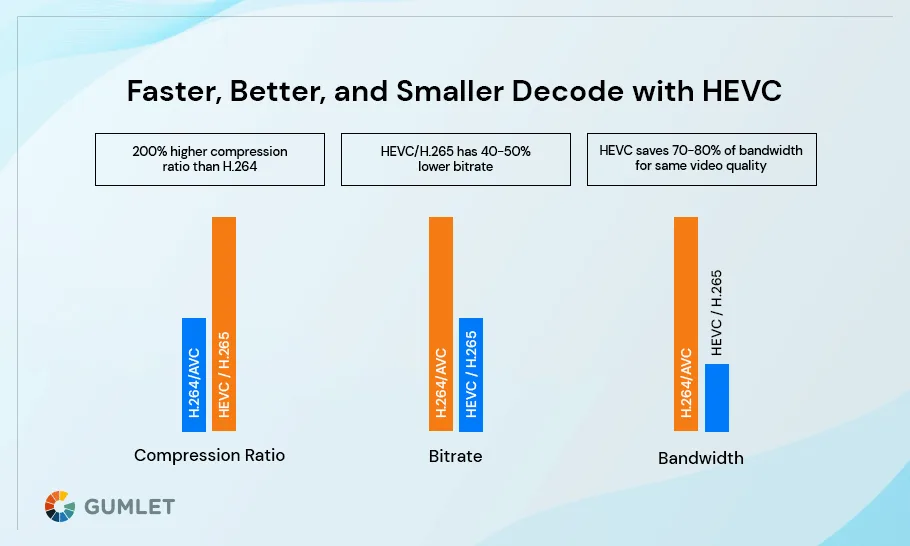
Image source: Web (Bing) / gumlet.com (Web image (fair-use with source credit))
To benefit from H.265, both your camera and your NVR (or viewing software) must support it. If you're setting up a new system, look for H.265 support. If you have existing cameras, check their specifications; many newer models will offer this advanced compression.
Adjusting your cameras to use H.265 can provide a substantial reduction in bandwidth without requiring you to lower resolution or frame rates as drastically.
Leveraging Motion Detection and Smart Recording
Continuous recording, where cameras are always transmitting video, is a major bandwidth user. Smart recording strategies, primarily centered around motion detection, dramatically reduce this by only sending data when it's relevant.
- How it Works: Instead of streaming video 24/7, cameras with motion detection analyze the video feed for changes. When movement is detected within a defined area (often called a "motion zone"), the camera starts recording and transmitting video. When the motion stops, recording can be paused after a set period.
- Bandwidth Savings: This means your cameras are only actively using significant bandwidth when an event occurs. For many home and small business users, this can reduce overall bandwidth consumption from cameras by 80% or more, as most of the time, nothing is happening.
- Configuration: Most camera systems allow you to customize motion detection sensitivity, set specific motion zones (to avoid recording trees swaying in the wind, for example), and define pre- or post-recording buffer times. Properly tuning these settings is key to maximizing savings without missing important events. As of 2026, advanced AI-based detection can further refine what constitutes "motion," distinguishing between people, vehicles, and animals to reduce false alerts and unnecessary recordings.
Network Housekeeping: Making Your Router Work Smarter
Sometimes, the problem isn't just what your cameras are sending, but how your network is handling that traffic. Optimizing your router and network setup can free up a surprising amount of bandwidth.
Wired Connections vs. Wi-Fi for Cameras
The debate between wired and wireless connections is common in networking, and for security cameras, it's particularly relevant to bandwidth management.
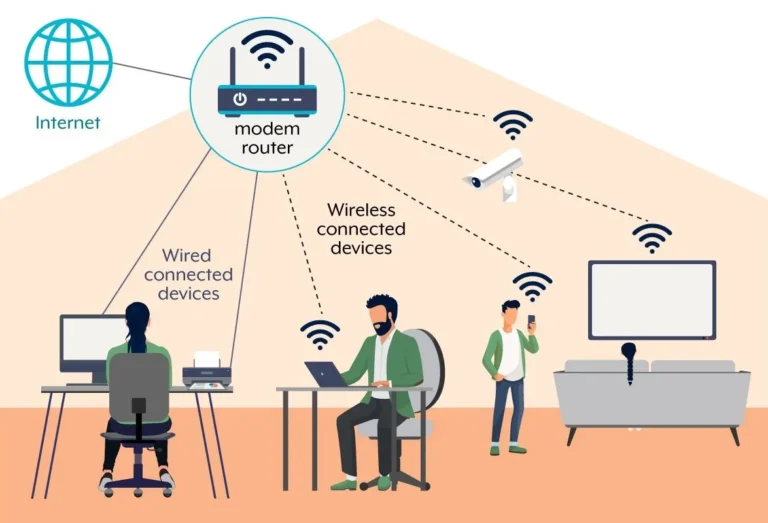
- Wired (Ethernet): Connecting your cameras directly to your router or NVR using Ethernet cables offers the most stable and efficient data transfer. Ethernet provides a dedicated, interference-free channel for data. This means a more consistent speed and less overhead compared to Wi-Fi. For cameras that require high bandwidth or are located far from your Wi-Fi access point, a wired connection is almost always preferable.
- Wi-Fi: While convenient for placement, Wi-Fi signals can be subject to interference from other devices, distance, and physical obstructions like walls. This interference can lead to dropped packets, retransmissions, and thus, less efficient bandwidth usage. When multiple Wi-Fi cameras are active, they compete for airtime, which can further reduce the effective bandwidth available to each camera and other devices on your network.
If you're experiencing bandwidth issues and have wireless cameras, consider switching critical cameras to wired connections if feasible. This can provide a more direct and consistent data stream, freeing up Wi-Fi bandwidth for other devices.
Prioritizing Camera Traffic (QoS)
Most modern routers come with a feature called Quality of Service (QoS). This allows you to tell your router which types of data or which devices are most important and should get priority when the network is busy.
- How QoS Works: When your internet connection is nearing capacity, QoS helps ensure that your critical devices and applications get the bandwidth they need first. For example, you can set your security cameras or your work computer to have higher priority than less time-sensitive activities like background software updates.
- Setting it Up: Accessing QoS settings usually involves logging into your router's administration page via a web browser. You'll typically find options to prioritize by device (using MAC addresses or IP addresses) or by application/service. For camera bandwidth reduction, you'd want to ensure your cameras or your NVR are listed with a high-priority setting.
- Benefit: By prioritizing your camera traffic, you ensure that even when your network is heavily used, your cameras can still transmit their data reliably, preventing drops or stuttering. This can indirectly help manage bandwidth by ensuring efficient use of what's available.
Common Camera Bandwidth Mistakes to Avoid
Even with the best intentions, there are a few common missteps people make when trying to reduce security camera bandwidth that can lead to frustration or missed footage. Being aware of these can save you a lot of hassle.
- Over-compressing Video: While H.265 is great, pushing compression to its absolute maximum can degrade video quality to the point where details are lost, making the footage useless for identification. It’s a balance, aim for good quality at a reduced bandwidth, not just the lowest possible bandwidth.
- Ignoring Other Network Devices: You might optimize your cameras perfectly, only to find your streaming smart TV or a guest's laptop is hogging all the bandwidth. Remember to consider your entire network's usage. A Wi-Fi analyzer app can help identify other bandwidth-hungry devices or channels.
- Disabling Motion Detection Entirely: Some users, in an effort to not miss anything, might disable motion detection and go back to 24/7 recording. This is often counterproductive as it immediately reintroduces the high bandwidth usage you were trying to eliminate. It’s better to carefully tune motion detection settings.
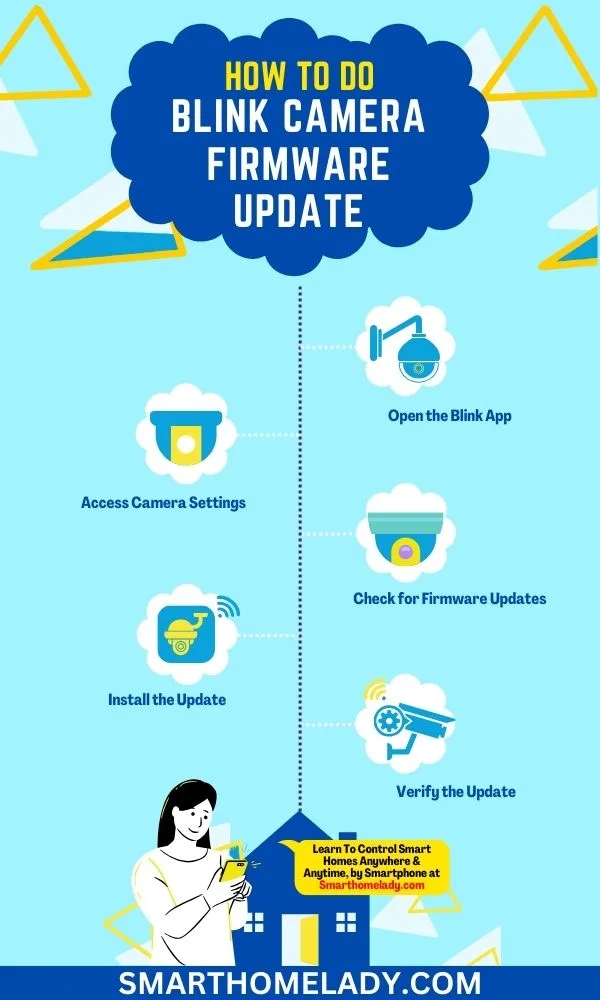
- Using Outdated Firmware: Manufacturers regularly release firmware updates for cameras and NVRs. These updates can include performance enhancements and improved bandwidth efficiency. Failing to update means you might be missing out on optimizations that could help.
When to Reconsider Your Camera Setup
If you've tried all the basic and intermediate steps, tweaking resolution, frame rates, compression, and motion detection, and you're still struggling to manage your bandwidth, it might be time to evaluate your hardware. Sometimes, the cameras themselves are simply not designed for efficient bandwidth usage, or your overall network infrastructure isn't robust enough for the demands.
Consider the age and capabilities of your cameras. Older models may not support advanced compression standards like H.265, limiting your options. If you have a large number of cameras, especially at high resolutions, your internet service plan might be the bottleneck.
It might be worth investigating if your Internet Service Provider (ISP) offers plans with higher upload speeds, as cameras send data out of your home. For very demanding scenarios, an upgrade to more professional-grade cameras with better bandwidth management features or a more robust NVR could be the solution.
Frequently Asked Questions About Security Camera Bandwidth
How much bandwidth does a single security camera use?
A single 1080p security camera typically uses between 2 to 6 Mbps of bandwidth. This can increase significantly for higher resolutions like 4K, or decrease with lower frame rates and better compression.
Can I reduce bandwidth without lowering video quality?
Yes, by using more efficient video compression like H.265 (HEVC) and by only recording when motion is detected, you can significantly reduce bandwidth usage without drastically impacting essential video quality.
Is wired or Wi-Fi better for camera bandwidth?
Wired Ethernet connections are generally better for camera bandwidth as they offer a more stable, interference-free connection that is more efficient for data transfer compared to Wi-Fi.
How does motion detection save bandwidth?
Motion detection saves bandwidth by only activating recording and data transmission when the camera detects movement, rather than streaming or recording video continuously. This dramatically reduces overall data usage.