What Is an IP CCTV Camera?
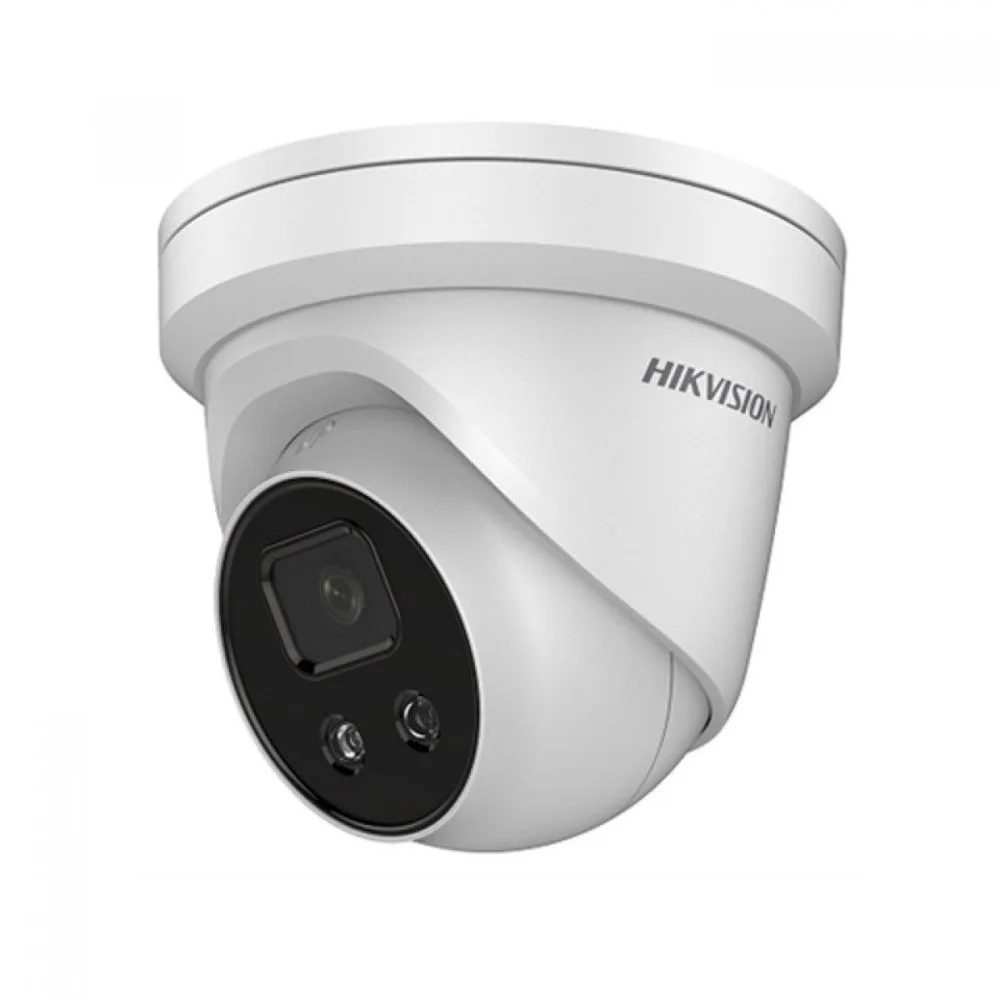
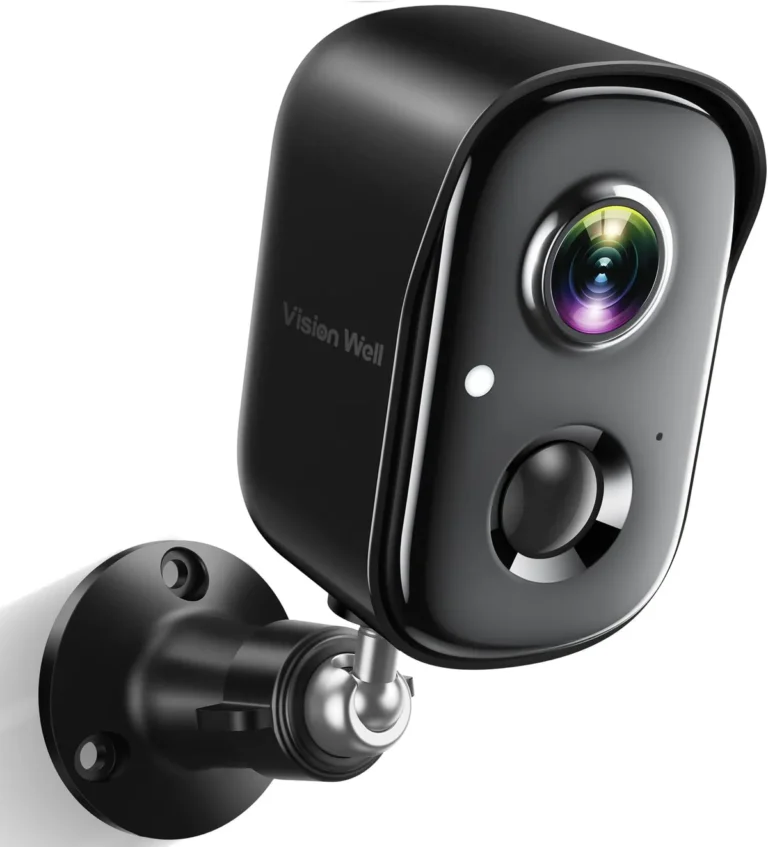
Image source: Web (Bing) / indiamart.com (Web image (fair-use with source credit))
Thinking about security cameras? You've probably come across the term "IP CCTV camera" and wondered what makes it different. It's essentially a modern security camera that uses your internet network to send its video signal, offering a much clearer picture and more flexibility than older systems.
This digital approach is key to understanding its advantages for both homes and businesses.
This guide will break down exactly what an IP CCTV camera is, how it works, and what you gain by choosing one. We’ll cover the core technology, its standout features, and the real-world benefits, helping you understand why this is the go-to option for many today.
Quick Answer: It's a Digital Security Camera That Uses Your Internet Network
An IP CCTV camera is a digital video surveillance device. It captures footage and transmits it as data over a network. This means it connects to your home or business's internet router.
Manufacturer specifications confirm these cameras often use standard network protocols, allowing for remote viewing and advanced features.
Core Explanation: How IP CCTV Cameras Work
At its heart, an IP CCTV camera is a small computer with a camera lens. It captures video and converts it into digital data. This data is then sent across your network, just like emails or web pages.
The Role of the Internet Protocol (IP)
The "IP" in IP CCTV stands for Internet Protocol. This is the fundamental set of rules that governs how data is sent and received over networks, including the internet. When a camera uses IP, it means it can communicate with other devices on the same network, and potentially over the internet, using this common language.
Each IP camera gets its own unique IP address on the network.
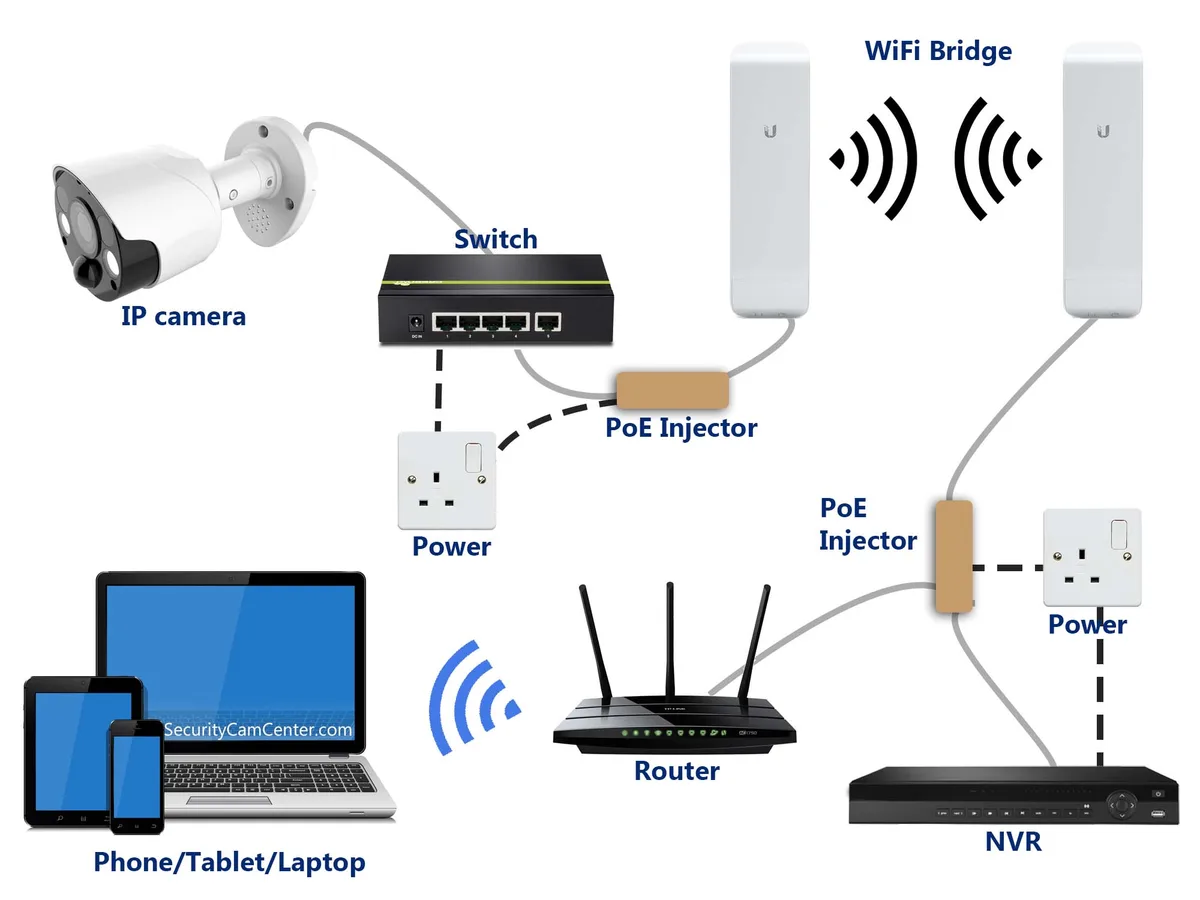
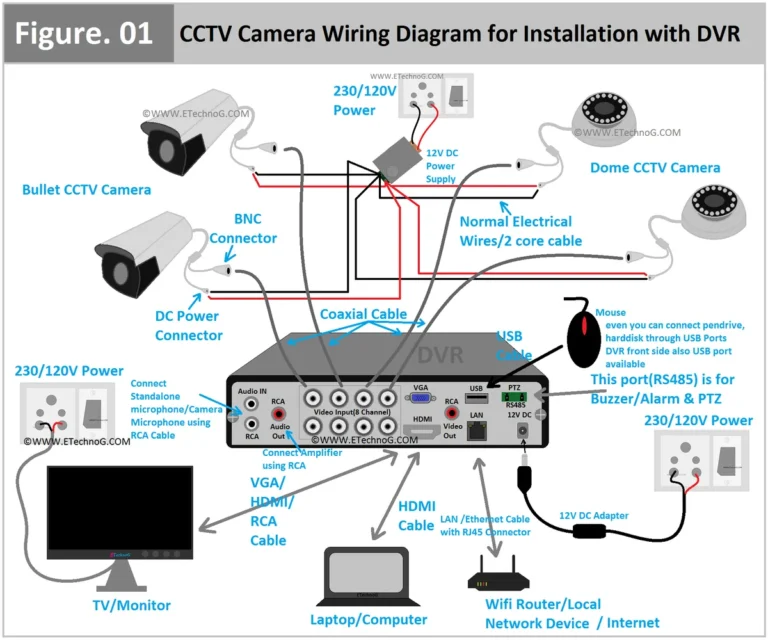
Image source: Web (Bing) / diagramboard.com (Web image (fair-use with source credit))
Digital Data Transmission
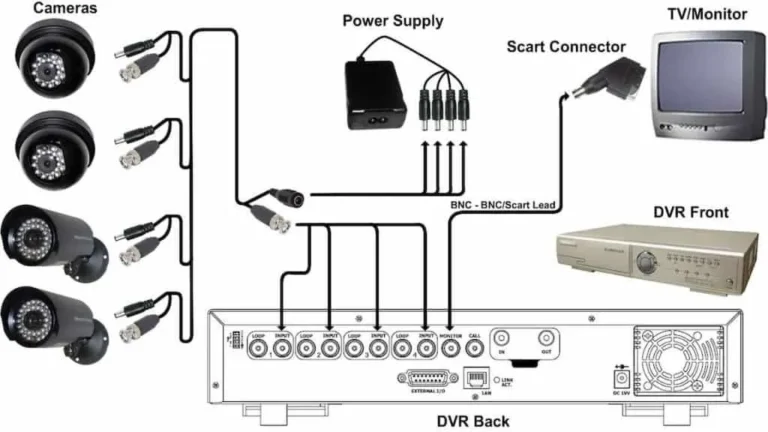
Unlike older analog CCTV cameras that used dedicated coaxial cables for a direct video feed, IP cameras send their footage as digital data packets. These packets travel through your network infrastructure, typically via Ethernet cables or Wi-Fi. This digital nature is what allows for higher resolution and clearer images.
Aggregate reviews report that this digital transmission is less prone to interference compared to analog signals.
Connecting to Your Network
To function, an IP camera needs to be connected to your network. This is usually done in one of two ways:
- Ethernet Cable: A physical cable connects the camera directly to your router or a network switch. This is often the most reliable connection.
- Wi-Fi: The camera connects wirelessly to your existing Wi-Fi network. This offers more placement flexibility but can be affected by signal strength and interference. If you're experiencing issues with your camera's connection, learning how to improve security camera WiFi signal might be helpful.
Features That Matter: What Makes Them Smart
IP CCTV cameras pack a lot of advanced technology into a small package. These features are what really set them apart from older analog systems and offer enhanced security capabilities.
High-Definition Video Quality
One of the biggest advantages of IP cameras is their ability to record in high definition. While analog cameras were often limited to standard definition resolutions, IP cameras commonly offer HD (720p), Full HD (1080p), and even higher resolutions like 4K. This means you get much sharper, more detailed images, making it easier to identify people or objects.
This clarity is crucial for security footage, especially for identifying a suspect or a license plate.
Power over Ethernet (PoE)
Many IP cameras support Power over Ethernet (PoE). This is a fantastic feature that simplifies installation significantly. PoE allows the camera to receive both power and data transmission through a single Ethernet cable.
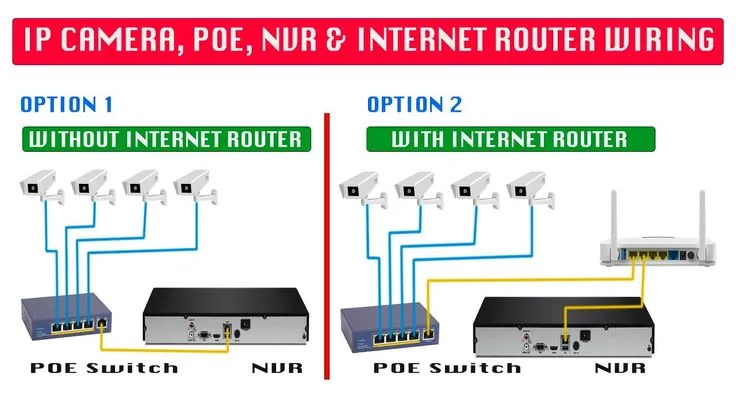
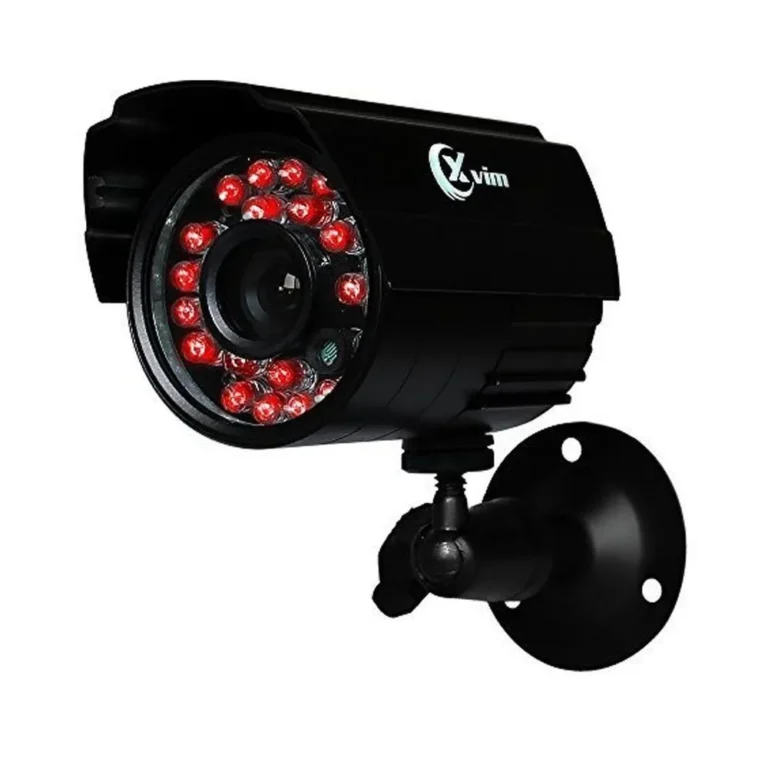
Image source: Web (Bing) / in.pinterest.com (Web image (fair-use with source credit))
This means you don't need to run a separate power cable to each camera location, which can be a huge advantage for outdoor installations or in older buildings. You'll just need a PoE-enabled network switch or injector, which then powers the cameras through the network cable. This technology adheres to IEEE 802.3af or 802.3at standards, ensuring compatibility across devices.
Remote Access and Viewing
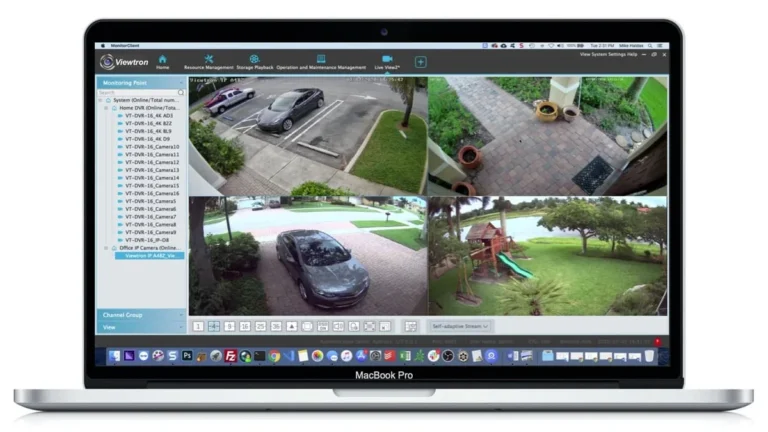
Because IP cameras are connected to your network, they can often be accessed remotely. This means you can view live video feeds or recorded footage from your camera system from virtually anywhere in the world using a smartphone, tablet, or computer with an internet connection. This capability is invaluable for checking in on your property while you're away.
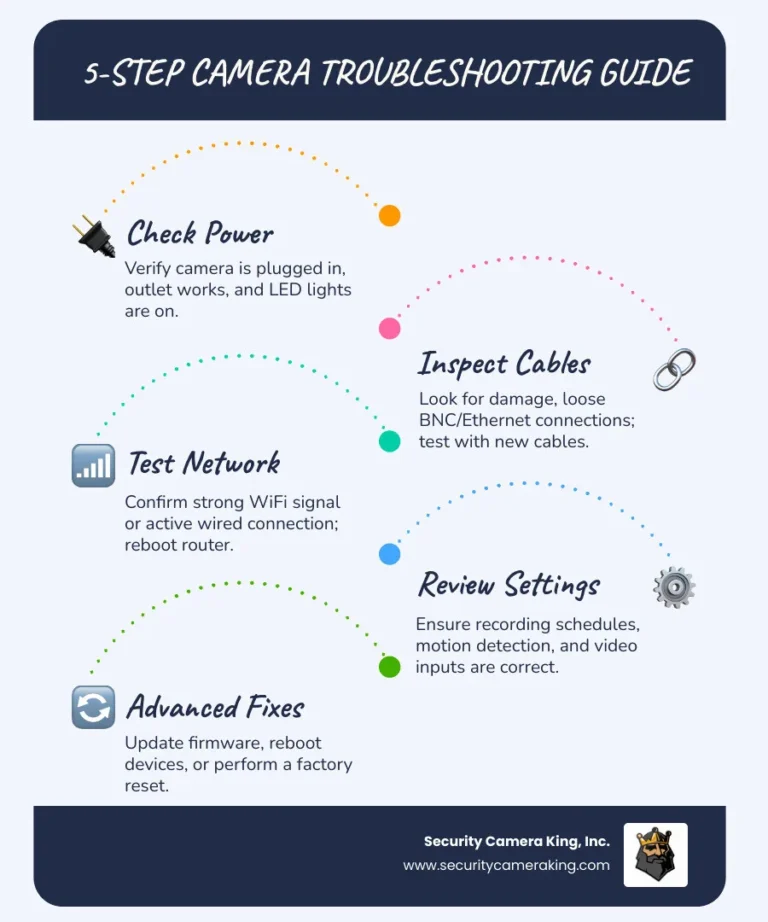
If you're experiencing remote access issues, you might want to look into why is my security camera delayed.
Advanced Analytics and Features
Many IP cameras come with built-in smart features. These can include:
- Motion Detection: Alerts you when movement is detected within the camera's field of view. Some systems allow for advanced motion detection to differentiate between people, vehicles, or specific zones. If your system isn't triggering alerts, you might need to learn how to fix security camera motion detection.
- Night Vision: Utilizes infrared LEDs to illuminate the scene in low-light or complete darkness.
- Two-Way Audio: Allows for communication through the camera, enabling you to speak and listen.
- Wide Dynamic Range (WDR): Helps balance out very bright and very dark areas in a scene, providing clearer images in challenging lighting conditions.
Benefits: Why They're Better for Security
Choosing IP CCTV cameras over older analog systems offers a significant upgrade in performance, flexibility, and overall security effectiveness. These advantages translate into better protection and peace of mind.
Enhanced Image Clarity
The high-definition video quality is a standout benefit. While analog cameras often struggled with grainy or blurry images, especially in low light, IP cameras provide crisp, detailed footage. This improved clarity is essential for accurate identification and provides undeniable evidence if an incident occurs.
Manufacturer specifications often detail resolutions like 1080p or 4K, standard for modern IP systems.
Greater Scalability and Flexibility
IP camera systems are more scalable than their analog predecessors. You can often add more cameras to your network as needed, provided your network infrastructure and recording device (like a Network Video Recorder, or NVR) can handle the load. This flexibility means you can start with a few cameras and expand your surveillance coverage over time without overhauling the entire system.
Simplified Installation (with PoE)
The integration of Power over Ethernet (PoE) drastically simplifies installation for many IP cameras. Running a single Ethernet cable for both data and power reduces wiring complexity and cost, especially for larger installations or when cameras need placement without nearby power outlets. This also leads to a cleaner, more professional look with less visible cabling.
Remote Accessibility
The ability to view your security cameras from anywhere in the world is a major draw. Whether you're on vacation, at work, or out for the evening, you can check in on your property via a smartphone app or web browser. This constant connectivity offers a high level of reassurance and control over your security.
Future-Proofing
With ongoing advancements in digital technology, IP camera systems are generally more future-proof. They can often be upgraded with new firmware to add features or improve performance and integrate more readily with other smart home or business technologies. Keeping your firmware updated ensures optimal performance.
Common Mistakes to Avoid When Using IP Cameras
While IP CCTV cameras offer many advantages, a few common pitfalls can lead to frustration or compromised security. Being aware of these mistakes helps in setting up and maintaining your system effectively.
Neglecting Network Security
Since IP cameras rely on your network, securing that network is paramount. A weak or unsecured Wi-Fi password, or an unpatched router, can make your cameras vulnerable to unauthorized access. Attackers could potentially view your footage or even take control of the cameras.
Always use strong, unique passwords for your Wi-Fi and NVR, and keep your network equipment firmware updated. Regularly reviewing your network security is a good practice.
Overlooking Bandwidth Requirements
Each IP camera streams data, and multiple cameras can consume significant network bandwidth. If your network is already heavily used by other devices (like streaming services or large downloads), adding several high-resolution IP cameras can lead to performance issues, including video lag or dropped frames. It's wise to understand how much data does a security camera use and how much data does a security camera use to plan accordingly.
Reducing security camera bandwidth can be achieved through settings like lower resolution or frame rates when not actively monitoring.
Incorrect Camera Placement
Placing cameras without careful consideration can lead to blind spots or footage that is too grainy or too far away to be useful. For example, pointing a camera directly into the sun can wash out the image, and placing it too high might make facial recognition impossible. Think about the primary purpose of each camera, identification, general area monitoring, or deterring entry, before mounting.
If your camera footage is blurry, it might be a placement issue or a lens problem.
Ignoring Firmware Updates
Just like your smartphone or computer, IP cameras receive firmware updates from manufacturers. These updates often fix security vulnerabilities, improve performance, and add new features. Failing to update the firmware leaves your cameras susceptible to known exploits and may mean you're missing out on valuable enhancements.
Learning how to update security camera firmware is key to system maintenance.
Inadequate Storage Solutions
High-resolution IP cameras generate a lot of data. If you're relying on local storage (like an SD card or NVR hard drive), ensure it has sufficient capacity to store the footage you need, especially if using continuous recording. Not having enough storage means older footage gets overwritten, potentially losing important evidence.
You'll want to consider how long should security footage be kept based on your needs and legal requirements. Understanding cloud vs local storage for security cameras can help you make the right choice.
Who Needs an IP CCTV Camera? Use Cases Explained
IP CCTV cameras aren't just for high-end corporate security; they're incredibly versatile and beneficial for a wide range of users and situations. Their digital nature and network connectivity open up many practical applications.
For Homeowners: Enhanced Property Protection
If you're a homeowner, an IP CCTV camera system can provide an invaluable layer of security. Whether you want to monitor your property while at work, keep an eye on deliveries, check on pets, or deter potential intruders, these cameras offer reliable surveillance. Systems can range from a single camera covering your front door to a multi-camera setup monitoring your entire property.
The remote viewing feature is particularly appealing for busy families or those who travel frequently.
For Small Businesses: Safeguarding Assets and Operations
Small business owners can greatly benefit from IP cameras. They can help monitor employee activity, track customer traffic, deter theft (both internal and external), and provide security for valuable inventory or equipment. A retail store might use cameras to monitor the checkout counter and sales floor, while an office might focus on entry points and server rooms.
Many systems integrate with existing network infrastructure, making them a cost-effective solution.
For Rental Property Owners: Tenant and Property Monitoring
Landlords and property managers can use IP cameras to enhance security for their tenants and protect their investment. Cameras can monitor common areas, entrances, and exits, helping to ensure a safe environment. They can also provide oversight for remote property management.
When using cameras on rental properties, it's important to be aware of privacy laws and tenant rights regarding surveillance.
For Remote Monitoring Needs
Anyone needing to monitor a location remotely will find IP cameras useful. This could include monitoring construction sites, remote outbuildings, agricultural land, or even just checking on an elderly relative's home. The ability to access live feeds from a smartphone makes them ideal for situations where physical presence isn't always possible.
For Those Seeking Higher Quality Footage
If the quality of your security footage is a top priority, IP cameras are the way to go. Their high-definition resolution means you can zoom in on details, clearly identify individuals, and capture finer nuances that older analog systems cannot match. This is critical for any situation where clear, actionable evidence might be needed.
If your camera seems to be showing a black screen, it might be a connectivity issue that needs troubleshooting.