How Does Smart Home Security Work
When you think about securing your home, the idea of smart technology often comes up. But how does smart home security work, really? It's not just about alarms; it's a connected ecosystem designed to keep you informed and safe.
We've looked at how these systems function, from the initial setup to the everyday alerts.
These systems rely on a network of devices that communicate wirelessly, often using protocols like Wi-Fi or Zigbee, to send signals to a central hub. According to manufacturer specifications, typical wireless range for these protocols can extend up to 100 feet under optimal conditions, allowing for comprehensive coverage within a home. Let's break down what you're actually seeing and how it all comes together.
Quick Answer
Smart home security systems work by connecting various wireless devices, like sensors, cameras, and locks, to a central hub that communicates with your smartphone. When a sensor detects motion or a door opens, it sends an alert through the hub to your app, letting you see, hear, or react remotely. These systems are designed for easy setup and provide real-time notifications for enhanced home safety and peace of mind.
What Makes Smart Security Visual?
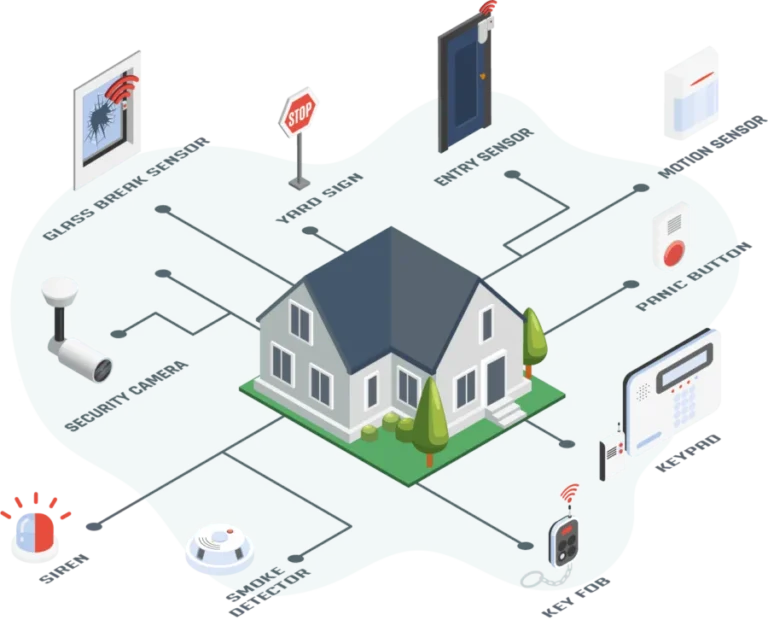
Understanding smart home security systems is so much easier when you can visualize them. It’s not just about lists of gadgets; it’s about seeing how they fit together and what they’re actually doing. Think of it like a digital nervous system for your house.
Each component has a role, and their interactions create a protective layer.
For instance, a motion detector doesn't just register movement; it sends a specific signal. A security camera captures video evidence, but its effectiveness is in its placement and field of view, which you can visually assess. Seeing these pieces in action, even through diagrams or photos, helps you grasp how they create a cohesive security net.
This visual understanding is key to troubleshooting, optimizing placement, and truly feeling in control of your home’s safety.
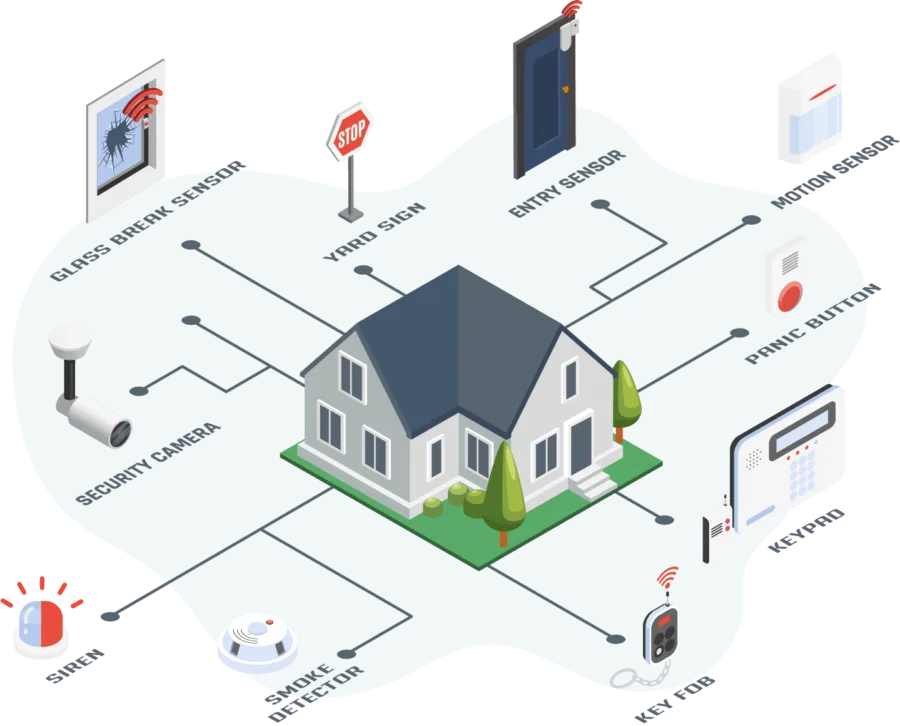
Image source: Web (Bing) / dfsservices.co.in (Web image (fair-use with source credit))
The Smart Security Setup: What You'll See
When you're setting up a smart home security system, you're dealing with a collection of individual devices, each with a specific job. These aren't just random gadgets; they're designed to work in concert. Visually identifying each component and understanding its typical placement is the first step to grasping how the whole system operates.
The Hub: The Brain of the Operation
The central piece of most smart security systems is the hub, sometimes called a base station or gateway. This is what all your other smart devices connect to, and it's how they talk to the internet and your phone. You'll typically see it as a small, often discreet box, sometimes with a few indicator lights.
It acts as the translator and traffic controller. When a door sensor triggers, it sends its signal to the hub. The hub then processes this information and, if it’s connected to your Wi-Fi, sends an alert to your smartphone via the system's mobile app.
Many hubs also have a built-in siren or battery backup to keep things running if the power goes out. Manufacturer specifications often detail the supported wireless protocols and the maximum number of devices it can manage.
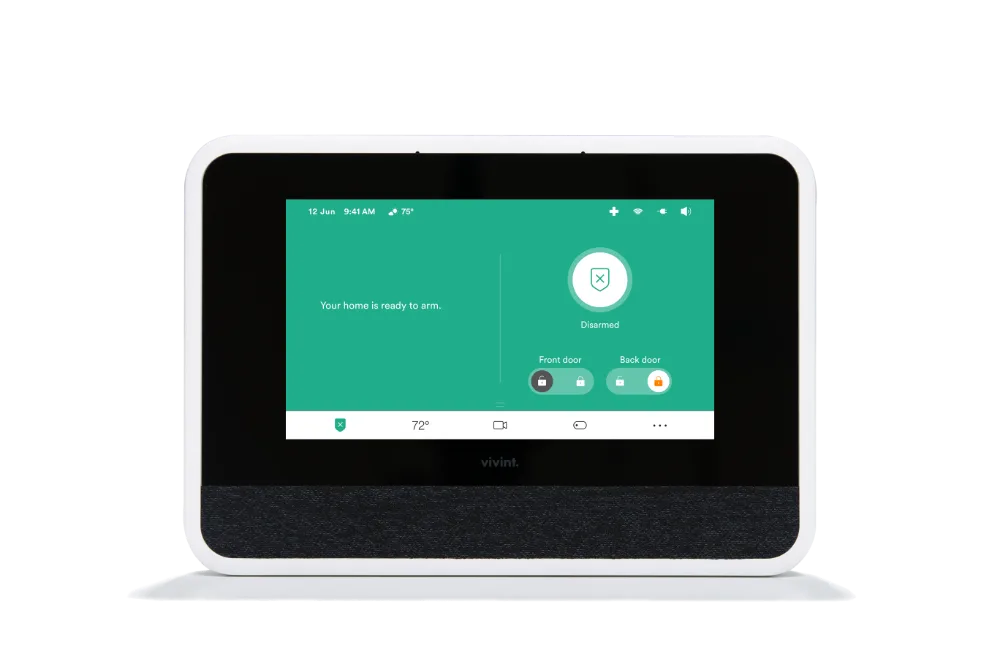
Image source: Web (Bing) / vivint.com (Web image (fair-use with source credit))
Sensors: The Eyes and Ears
Sensors are the workhorses that detect specific events. The most common types you'll see are contact sensors and motion detectors.
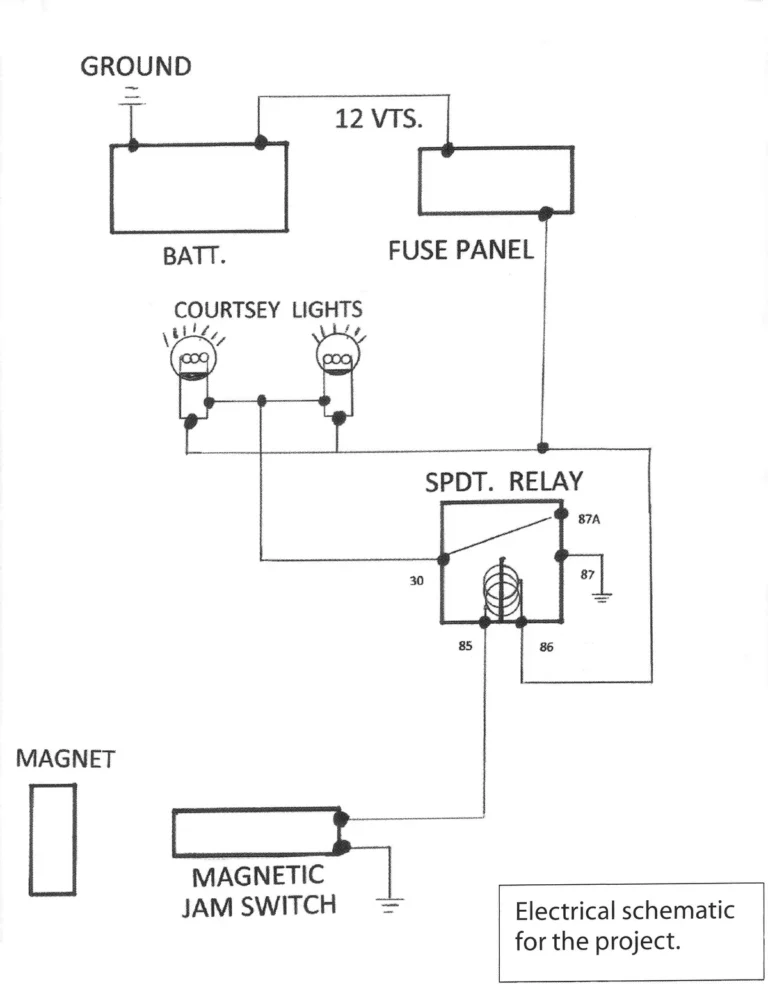
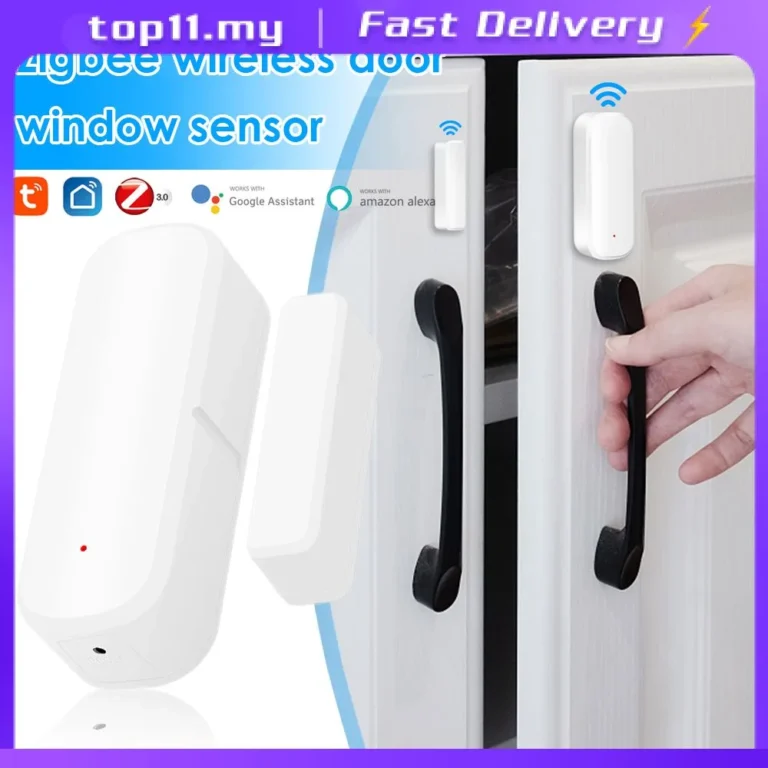
- Contact Sensors: These usually come in two small parts that attach to doors, windows, or cabinets. When the two parts are separated by more than about half an inch, they trigger an alert. You’ll typically see them as small, rectangular plastic units, often white or beige, designed to blend in with your door frames or window sills.
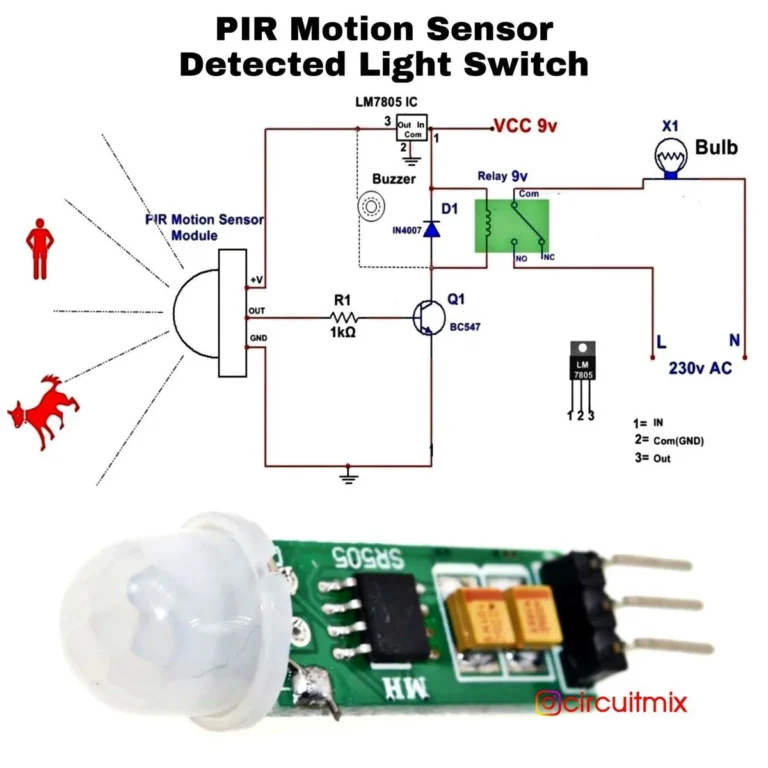
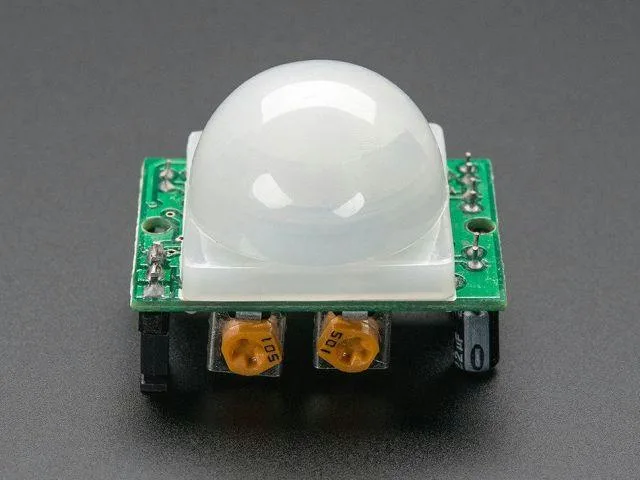
- Motion Detectors: These are often triangular or somewhat rounded devices that mount in corners or on walls. They use passive infrared (PIR) technology to detect changes in heat signatures within their range, signaling movement. Their placement is critical; you want to see them covering entry points or high-traffic areas without being triggered by pets (unless you have pet-immune models) or moving curtains.
Understanding where these sensors are visually placed helps you map out your home's security coverage.
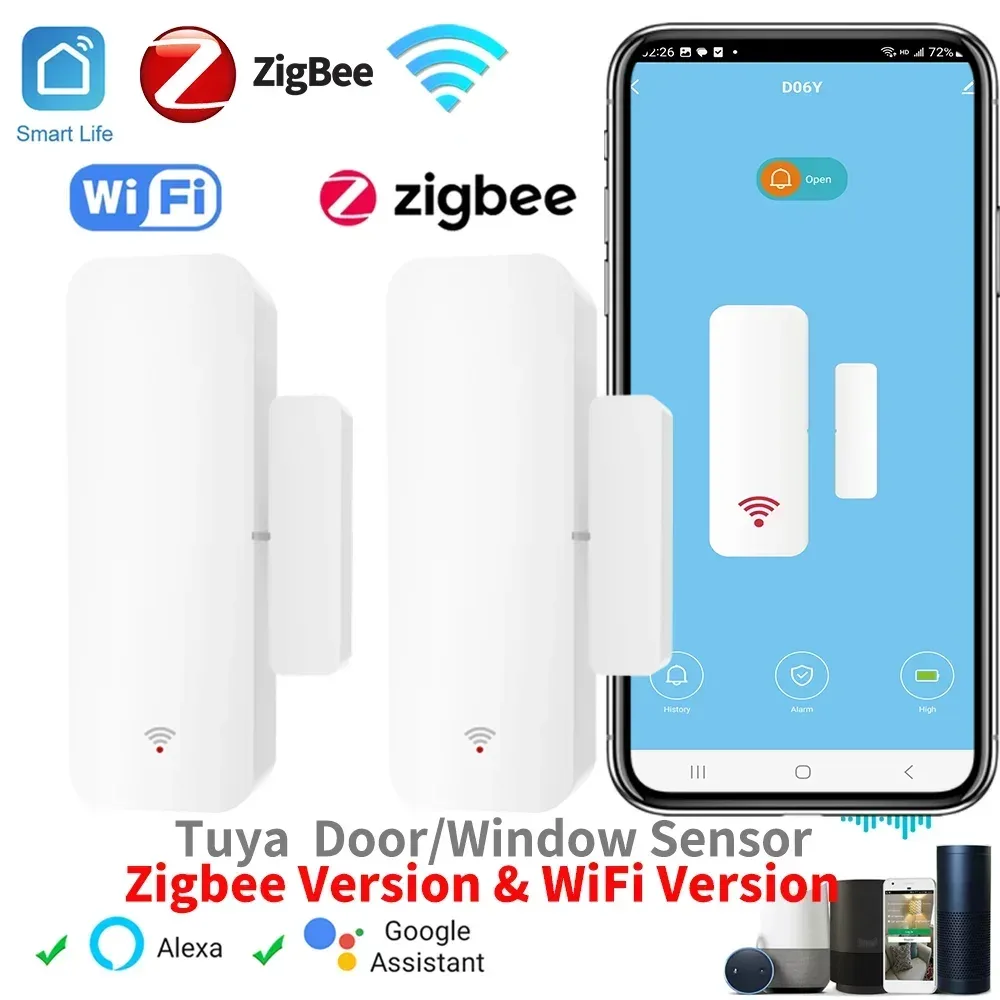
Image source: Web (Bing) / gearbest.ma (Web image (fair-use with source credit))
Cameras: Your Digital Watchtowers
Smart security cameras are probably the most visually obvious component. You'll see indoor cameras, often small, discreet units that sit on shelves or mount to walls, and outdoor cameras, which are typically larger, more robust, and designed to withstand the elements.
Key visual features to note on cameras include the lens (which determines the field of view), any visible infrared LEDs for night vision, and often a small microphone and speaker for two-way audio. Placement is crucial for their effectiveness; indoor cameras might guard main living areas or entry points, while outdoor cameras cover your property perimeter, driveways, or backyards. The quality of the image, measured in pixels like 1080p or 4K, is a critical attribute that directly impacts your ability to identify details.
Smart Locks & Sirens: The Action Takers
Smart locks replace your traditional deadbolts, often looking sleek and modern on your front door. You'll see keypads, touchscreens, or keyholes, and some integrate with your existing deadbolt mechanism. They connect wirelessly to your hub, allowing you to lock or unlock your door remotely via your app.
Alarm sirens are designed to be loud. You might see them as standalone units, sometimes wall-mounted, or integrated into the main hub. Their purpose is to audibly alert occupants and deter intruders when a security breach is detected.
Their visual presence is usually a clear indicator of their function, a robust unit designed to emit a powerful sound.
How It All Connects: The Wireless Dance
Smart home security systems rely on a network of devices that communicate wirelessly to function as a team. This wireless connection is the backbone of the system, allowing for flexible placement and easier installation compared to traditional hardwired setups. Understanding the types of wireless signals used is key to appreciating how these systems work and potential interference issues.
The Role of Your Wi-Fi
Wi-Fi is the most common way smart security devices connect to the internet, and subsequently, to your smartphone app. Your home's Wi-Fi router acts as the central point for many of these devices. When a camera streams video or a sensor sends an alert, it often travels through your Wi-Fi network to reach the cloud or directly to your phone.
If your Wi-Fi signal is weak or unstable in certain areas of your home, it can directly impact the performance of your smart security devices. Camera feeds might lag, or sensors could drop off the network entirely. Most manufacturers recommend a strong, stable internet connection with a download speed of at least 5 Mbps for basic camera streaming, and higher for multiple cameras or higher resolutions.
The security of your Wi-Fi network itself is also critical, as it’s the gateway for your entire smart security system.
Other Wireless Languages (Z-Wave, Zigbee)
While Wi-Fi handles internet connectivity, many smart home devices, including security components, use other low-power wireless protocols like Z-Wave and Zigbee. These are designed for short-range communication between devices and the central hub, rather than directly to the internet.
- Z-Wave: Operates on a different frequency than Wi-Fi, meaning it's less prone to interference from your router or other Wi-Fi devices. It's known for its mesh networking capabilities, where devices can relay signals, extending the network's range and reliability. Manufacturer specifications often list compatibility with Z-Wave Plus for improved performance and range.
- Zigbee: Similar to Z-Wave, Zigbee is another low-power, mesh-networking protocol. It's widely used in smart home ecosystems. Like Z-Wave, it avoids interference from Wi-Fi. Both Z-Wave and Zigbee devices typically communicate with a hub that is then connected to your home's Wi-Fi network to send data to the cloud and your mobile app.
This layered approach to wireless communication ensures that your security devices can talk to each other and the hub efficiently and reliably.
Getting Notifications: What Happens When Something's Up
One of the biggest benefits of smart home security is the instant notifications you receive when something unusual happens. These alerts are your direct line to what’s going on at home, no matter where you are. Understanding how these notifications work, and what they mean, is crucial for responding effectively.
Understanding Alerts
When a smart security device detects an event, like a door opening, motion detected in a prohibited zone, or a camera sensing a person, it sends a signal to the system's hub. The hub then processes this signal and, if configured, pushes an alert to your smartphone or tablet via the system's dedicated mobile app. These alerts can take various forms: a push notification that pops up on your screen, an email, or even an SMS message, depending on your system's settings and your preferences.
The content of the alert is usually specific. It might tell you which sensor was triggered ("Front Door Opened") or provide a snapshot from a camera ("Motion Detected by Driveway Camera"). This specificity allows you to quickly assess the situation without needing to log into the app immediately.
Aggregate user reviews often highlight the speed and reliability of these notification systems as a major advantage.
The Link to Monitoring Services
For an added layer of security, many smart systems offer integration with professional monitoring services. This is where the alerts you receive can also be sent to a live monitoring center staffed by trained professionals.
If an alert is triggered and you don't respond within a set timeframe, or if the monitoring service deems it a potential emergency, they can dispatch the appropriate authorities, such as the police or fire department. This requires an ongoing subscription fee, and the speed of response can vary depending on your location and the services offered by the monitoring company. When evaluating these services, it's worth noting that response times are often cited in terms of minutes, with reputable services aiming for under 60 seconds to initiate contact.
Common Smart Security Frustrations (and How to Spot Them Visually)
While smart security systems offer incredible convenience and peace of mind, they aren't immune to problems. Many common issues can be spotted visually or understood by observing the system's behavior. Recognizing these potential pitfalls helps you troubleshoot and ensure your system is always working correctly.
False Alarm Triggers
False alarms are one of the most frustrating aspects of any security system, smart or traditional. For smart systems, these can be triggered by a variety of things, often related to sensor placement or sensitivity. For example, a motion detector might be aimed at a window where sunlight changes can cause a false trigger, or a pet might be wandering through a zone that isn't set to ignore animals.
Visually, you can spot potential issues by examining where your sensors are placed. Is a motion detector aimed at a heating vent? Is a contact sensor slightly misaligned, leaving a small gap?
Sometimes, even a strong gust of wind rattling a door can trigger a contact sensor. Understanding the environment around your sensors is the first step to reducing unwanted alerts.
Signal Issues
Smart security devices rely on wireless communication, and like any wireless technology, they can experience signal interference or weak connections. This can manifest in several ways. You might notice that a camera feed is constantly buffering or pixelated, or that a particular sensor seems to be offline for no apparent reason.
Visually, there aren't direct indicators of signal issues on the devices themselves, other than perhaps a status light on the hub. However, you can infer signal problems if devices that are far from the hub or located near potential interference sources (like large metal appliances or other wireless routers) are performing poorly. Manufacturer documentation often provides recommended spacing guidelines between devices and the hub to ensure optimal signal strength.
For instance, official sites might suggest keeping devices within 30-50 feet of the hub for reliable Zigbee or Z-Wave communication.
Making Smart Security Work for You
The way you use smart home security depends entirely on your needs and living situation. A system that's perfect for a large family might be overkill for a single person, and vice-versa. Identifying your priorities helps you select and configure the right devices.
Different Needs, Different Setups
Consider what you want to protect and from whom. If you're primarily concerned about package theft or someone trying your doors, a robust doorbell camera and reliable contact sensors are key. For those worried about break-ins while away, a system with motion detectors and cameras that offer remote live viewing is essential.
Some systems integrate with smart locks, letting you grant temporary access to guests or service providers, which is a significant convenience. The total number of devices you need will also scale with the size of your home and the specific areas you want to monitor.
Visual Cues for Basic Safety Checks
Even without a full system, you can visually assess your home's current security posture. Look at your doors and windows: are they solid? Do locks operate smoothly?
For smart systems, check that sensors are visibly attached and appear to be aligned correctly. If you have cameras, can you see their lenses are clear and positioned to cover critical areas? Visual inspection helps ensure the physical components are in place and ready to do their job when the digital signals start flowing.
Frequently Asked Questions About Smart Security Systems
How long does setup typically take?
Setup time varies greatly depending on the system's complexity and whether you're installing a few devices or a comprehensive suite. For basic systems with a hub, a couple of contact sensors, and a motion detector, you might be looking at 1-2 hours. More advanced setups involving multiple cameras, smart locks, and integrating with a smart home ecosystem could take half a day or more.
Many users report that following the app's step-by-step instructions makes the process manageable.
Can I use smart security without a monthly subscription?
Yes, many smart home security systems can be used without a monthly subscription for their core features, such as receiving alerts on your phone and arming/disarming the system. However, features like cloud video storage for cameras, professional monitoring services, and extended warranty support typically require a paid subscription. Some manufacturers offer tiered plans with different feature sets and pricing.
What happens if my internet goes down?
If your internet connection goes down, most smart security systems will still function locally to some extent. For example, alarms might still trigger if a sensor is tripped, and sirens can sound. However, you will lose remote monitoring capabilities, such as receiving app notifications or viewing live camera feeds, until your internet connection is restored.
Many hubs are equipped with battery backups to maintain core functions during power outages, but cellular backup for alerts often requires a subscription.
How secure is my data with these systems?
Data security is a significant concern. Reputable manufacturers employ encryption protocols, such as AES-256, to protect data transmitted between devices, the hub, and the cloud. They also implement secure authentication methods for app access.
However, it's crucial to use strong, unique passwords for your Wi-Fi network and your security system's account, and to keep device firmware updated, as recommended by organizations like the National Institute of Standards and Technology (NIST).
Will smart security work with my existing smart home devices?
Many smart home security systems are designed to integrate with popular smart home platforms like Amazon Alexa, Google Home, and Apple HomeKit. This allows you to control your security system using voice commands or create automation routines. For example, you could set your lights to turn on when motion is detected outside.
Compatibility can vary by brand and model, so it’s always wise to check the product specifications for integration details before purchasing.
Real-World Visuals: What a Setup Looks Like
Seeing how smart home security components are typically installed and what they look like in a real home environment can demystify the technology. It’s one thing to read about a contact sensor, another to see it discreetly placed on a door frame. These visual examples help solidify your understanding of system integration and practical application.
Imagine a typical entry: a sleek smart lock on the front door, often with a modern keypad. Next to it, a doorbell camera peeks out, capturing anyone who approaches. Inside, a central hub sits unobtrusively on a shelf, its indicator lights showing it's connected.
Motion detectors are often mounted high in corners of living rooms or hallways, angled to cover large areas. Indoor cameras might be small, cube-like devices placed on tables, while outdoor cameras, often mounted under eaves or on exterior walls, appear more robust, built to withstand weather. Seeing these devices in situ helps you envision their functionality and potential placement within your own home.