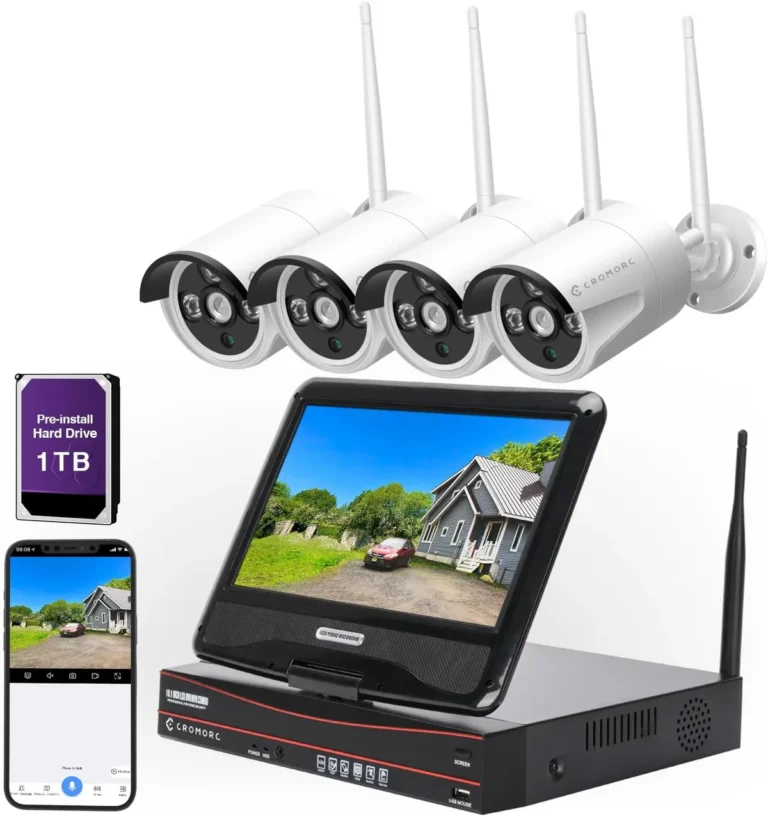
How Long Should Security Footage Be Kept
Figuring out how long to keep your security camera footage can feel like a puzzle. There’s no single answer that fits everyone, because it depends a lot on your specific situation and what rules you need to follow.
In our research, we've found that while some organizations might keep footage for 30 days, others, especially those dealing with complex investigations or strict compliance, may need to retain it for a year or even longer. It’s a careful balance between having enough evidence and managing storage costs and privacy.
Quick Answer
Security footage should be kept based on legal requirements, industry standards, and your specific operational needs. Many businesses retain footage for 30 to 90 days, but this can vary widely. Compliance with regulations like GDPR or CCPA may dictate specific retention periods.
It's crucial to balance investigative needs with privacy concerns.
Why Security Footage Retention Matters: More Than Just Storage
Thinking about how long to keep your security camera footage is more than just a storage problem; it's about risk management, legal compliance, and operational efficiency. If you keep footage for too short a time, you might lose crucial evidence needed for an investigation, whether it's a criminal matter, a civil dispute, or an internal policy violation. On the other hand, keeping footage for too long can create significant privacy risks, increase storage costs, and make it harder to find relevant data when you actually need it.
Establishing a clear retention policy is essential for any organization using video surveillance.

How Long is "Long Enough"? Factors Influencing Your Footage Retention Period
Deciding on the right retention period isn't a simple best-guess. It involves a blend of legal mandates, industry norms, and practical operational requirements. What works for a small retail shop might not be sufficient for a bank or a hospital.
We've identified several key factors that go into making this decision, and understanding them is the first step to building a policy that actually works.
Legal Obligations and Compliance Frameworks
This is often the biggest driver. Different regions and industries have specific laws about how long you must keep certain types of data, including video surveillance. For instance, if your business operates in Europe, the General Data Protection Regulation (GDPR) has strict guidelines on data retention.
It emphasizes data minimization, meaning you should only keep personal data for as long as necessary for the purpose it was collected. In the U.S., regulations vary by state and industry; some may have minimum retention periods for specific incidents, while others focus more on privacy.
For example, financial institutions often face specific federal and state regulations regarding record-keeping for transactions and security incidents, which can extend well beyond typical retention times. Similarly, healthcare facilities must comply with HIPAA, which has implications for video footage if it captures Protected Health Information (PHI). Failing to adhere to these legal obligations can result in hefty fines and legal challenges.

Business Needs and Incident Response Timelines
Beyond legal requirements, think about what you actually need the footage for. What kind of incidents might you need to investigate? Is it petty theft, employee misconduct, customer slip-and-falls, or more serious security breaches?
Your business operations will dictate how far back you need to reach.
- Retail: To investigate theft or vandalism, you might need footage going back 30-60 days to cover typical reporting timelines or warranty periods.
- Manufacturing: For equipment malfunctions or workplace accidents, you might need to retain footage for several months to align with workers' compensation claim periods or equipment warranty investigations.
- Logistics/Transportation: Investigating cargo damage or delivery disputes could require footage covering days or weeks of transit.
Consider the typical timeline for filing claims or initiating legal action in your industry. If a customer has up to a year to file a liability claim, retaining footage for at least that long might be prudent, provided privacy concerns are managed.
Privacy Considerations and Data Minimization Principles
This is where the "too long" problem comes in. Keeping footage indefinitely or for excessively long periods raises significant privacy concerns for employees, customers, and visitors. Data minimization, a core principle in many privacy laws, means you should only collect and retain the data you absolutely need.
Storing vast amounts of unnecessary footage can increase your liability if a data breach occurs, as more sensitive information could be compromised.
It's not just about complying with laws like the California Consumer Privacy Act (CCPA) or GDPR; it's also about building trust. When individuals know their data is handled responsibly and not kept longer than necessary, it fosters confidence in your organization. Therefore, retention policies should actively work to delete footage that is no longer required, rather than just letting it accumulate.
Minimizing Risk: Common Mistakes in Footage Retention Policies
Many organizations stumble when setting up their security footage retention policies, often leading to unintended consequences. One of the most common errors is adopting a "one-size-fits-all" approach that doesn't account for different types of footage or varying legal jurisdictions. For example, keeping all footage for 180 days might seem safe, but it could be unnecessarily long for routine daily operations and too short for complex legal investigations, exposing you to both privacy risks and insufficient evidence.
Another frequent mistake is lacking a documented, actionable policy. If retention periods aren't clearly defined and communicated to staff responsible for managing the system, footage might be deleted prematurely or kept for far too long. This lack of clear procedure can lead to inconsistent application of the policy and potential legal exposure.
Furthermore, not regularly reviewing and updating the policy as laws change or business needs evolve is a critical oversight. Policies should be living documents, subject to periodic review, ideally annually, to ensure ongoing compliance and relevance.
Building Your Footage Retention Schedule: A Practical Guide
Creating a solid footage retention schedule requires a methodical approach. It’s about establishing clear rules that guide how long different types of video data are kept. This isn't just about setting a number; it's about defining the 'why' behind that number and ensuring the process is followed consistently.
We've broken down the process into actionable steps to help you build a schedule that fits your unique situation.
Step 1: Assess Your Unique Needs
Before you pick any numbers, take a hard look at your organization. What are your primary reasons for using security cameras? Are you trying to deter crime, monitor employee activity (where legally permissible), ensure customer safety, or investigate specific types of incidents?
List out all potential uses of the footage. Consider the types of incidents you are most likely to encounter and the typical timeframes for reporting or investigating them. For example, a retail store might prioritize short-term retention for shoplifting incidents, while a facility with complex machinery might need longer retention for accident investigations.
Step 2: Consult Legal and Compliance Experts
This step is non-negotiable for any organization dealing with sensitive data or operating in regulated industries. Your legal counsel or a dedicated compliance officer can help you understand the specific laws and regulations applicable to your location and industry. They can advise on mandatory minimums or maximums for data retention, as well as best practices for privacy compliance, such as GDPR or CCPA requirements.
For instance, if your business operates across multiple states or countries, you’ll need to factor in the most stringent retention requirements or develop region-specific policies.
Step 3: Define Your Retention Periods by Footage Type
Not all footage is created equal. You might have different retention needs for various camera locations or types of events. Consider segmenting your retention periods:
- High-Traffic Public Areas: Footage here might be kept for a shorter duration, say 30 days, unless a specific incident occurs. This helps minimize privacy exposure.
- Sensitive Areas (e.g., Cash registers, server rooms): Footage from these areas might require a longer retention period, perhaps 90 days or more, to cover potential fraud or security breaches.
- Incident-Specific Footage: If a specific incident is reported or under investigation, the relevant footage must be flagged and retained until the investigation or legal process is fully concluded, overriding standard deletion protocols.
Aggregating user reviews and manufacturer specifications indicate that many common NVR/DVR systems offer granular controls for setting different retention periods based on camera or storage pool.
Step 4: Implement Secure Deletion Protocols
Once footage has reached the end of its designated retention period, it must be securely deleted. This isn't just about hitting a delete button; it's about ensuring the data is unrecoverable. Many modern video management systems (VMS) have automated deletion features that overwrite older footage.
However, for sensitive data or in highly regulated environments, you may need more robust methods.
- Automated Overwriting: This is the most common method, where new footage automatically replaces the oldest data on storage devices. Ensure your system is configured correctly.
- Secure Wiping: For critical data or when decommissioning storage hardware, professional data wiping services or specialized software that performs multiple passes to render data unreadable are recommended.
- Regular Audits: Periodically audit your deletion logs and storage practices to confirm that data is being deleted as scheduled and that no unauthorized access or retention is occurring.
This secure deletion process is just as critical as the retention itself, as it directly addresses data minimization and privacy obligations.
Best Practices for Video Surveillance Data
Beyond the core requirements, experienced professionals share insights to refine your video surveillance data handling. One key tip is to establish a clear, written policy that is accessible to all relevant personnel. This policy should detail not only retention periods but also who is responsible for managing the footage, procedures for accessing footage, and protocols for handling requests for footage from internal or external parties.
According to aggregated user feedback on surveillance systems, clear documentation prevents misuse and ensures consistent application of rules.
Another crucial practice is regular system maintenance. This includes ensuring your storage hardware is functioning correctly, your VMS software is up-to-date, and your automated deletion processes are running without errors. Manufacturer specifications for VMS systems often highlight the importance of timely updates for both security patches and feature enhancements, including improved data management.
Finally, consider a phased retention approach. For instance, active footage needed for daily operations might be stored on faster, more accessible (and potentially more expensive) storage, while older footage slated for longer retention could be moved to more economical archival storage solutions. This can significantly optimize storage costs without compromising access when needed.
Understanding Storage Needs and Costs: Data, Metrics, and Tech
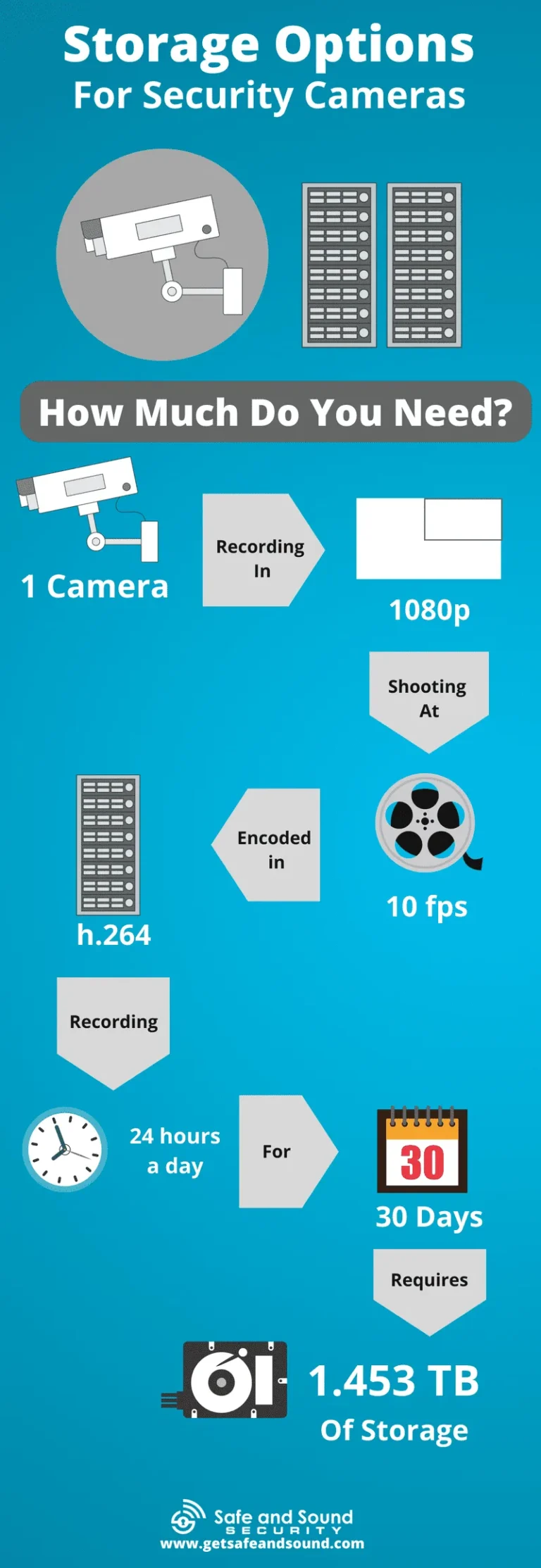
When you're deciding how long to keep security footage, the sheer volume of data becomes a major consideration, and it directly impacts your storage costs. The amount of storage space you'll need depends on several factors, including the number of cameras, their resolution, the frame rate (frames per second, or FPS), and the compression method used. Higher resolution cameras (like 4K) and higher frame rates produce significantly more data than lower-resolution or lower-FPS cameras.
For example, manufacturer data for common 4MP IP cameras using H.265 compression indicates that continuous recording at 30 FPS can consume roughly 120-150 GB per camera per week. If you have 10 such cameras running 24/7, that's approximately 1.2-1.5 TB of data per week. If your retention policy is 90 days (about 12-13 weeks), you'd need around 15-20 TB of storage just for that period.
This calculation highlights why a well-defined retention policy is critical for budgeting. Cloud storage options offer flexibility but can become expensive over longer retention periods, often charging per terabyte per month. On-premise Network Video Recorders (NVRs) require an upfront investment in hardware but can offer lower long-term costs for high volumes of data, provided you manage capacity effectively.
As of 2026, the cost per terabyte for enterprise-grade HDDs has continued to decrease, making longer retention periods more feasible, but careful planning is still essential.
When to Call the Experts: Navigating Complex Situations
While this guide provides a solid framework, there are times when you absolutely need to bring in professional help. If your business operates in a highly regulated industry, such as finance, healthcare, or government, the legal complexities surrounding data retention can be immense. Simply guessing or relying on generic advice could lead to serious compliance failures.
Consulting with a legal expert specializing in data privacy and security law is paramount in these cases.
Additionally, if you're dealing with a large-scale surveillance system with hundreds of cameras, or if you're considering integrating advanced video analytics, the technical and internal policy implications can become overwhelming. IT security consultants or specialized VMS providers can offer tailored advice on system architecture, storage solutions, and policy implementation that aligns with your specific operational environment and risk profile. They can also help troubleshoot issues and ensure your system is configured for optimal security and compliance.