How Does a CCTV Camera Record Video?
Ever wondered how those security cameras manage to capture and save everything they see? Understanding how a CCTV camera records video is key to knowing what you're actually getting from your surveillance system. It’s not just magic; it’s a clever combination of light, sensors, and digital processing working together.
This process starts the moment light hits the camera and ends with your footage safely stored, ready for review. We'll break down the essential components and the journey your video takes from the scene to your storage device. This will help you appreciate the technology and potentially troubleshoot issues if they arise.
Quick Answer
CCTV cameras record video by converting light into digital signals. A lens focuses light onto an image sensor, which captures light intensity and color. This analog data is converted to digital, processed, and then stored on a local device like a DVR or microSD card, or sent to cloud storage.
This entire process happens continuously or based on motion detection.
The Journey of Light: From Scene to Sensor
At its heart, a CCTV camera is all about capturing light. It's the fundamental input that allows anything to be seen. The journey begins with the environment in front of the camera.
- Light Reflection: Objects in view reflect ambient light. This light contains information about the objects' shape, color, and texture.
- The Lens's Role: The camera's lens acts like the pupil of your eye. It gathers this reflected light and focuses it onto a specific point inside the camera. The quality and type of lens affect how much light is gathered and how sharp the resulting image will be. Manufacturer specifications often detail lens aperture (f-stop) and focal length, which are crucial for light gathering and field of view.
- Focusing the Image: The lens precisely directs this focused light onto the camera's image sensor. This sensor is the digital equivalent of film in older cameras.
Image source: Web (Bing) / pngtree.com (Web image (fair-use with source credit))
This focused light is what the sensor will then translate into the building blocks of your video footage. Without proper light, even the most advanced camera can struggle.
Inside the Camera: Key Components at Work
Beyond the lens, several crucial internal components work together to turn that light into a usable video stream. Each plays a specific, vital role in the recording process.
- The Image Sensor: This is where the light data is actually captured. Modern cameras typically use either a CMOS or CCD sensor. These sensors are divided into millions of tiny light-sensitive points called pixels. When light hits a pixel, it generates an electrical charge proportional to the light's intensity and color. Aggregate reviews show that sensor size significantly impacts low-light performance.
- Analog-to-Digital Converter (ADC): The electrical signals generated by the pixels are analog. To be processed and stored digitally, they must be converted. The ADC takes these analog signals and transforms them into discrete digital values that a computer can understand. This conversion rate is often measured in bits, with higher bit depth allowing for a wider range of color and tonal detail.
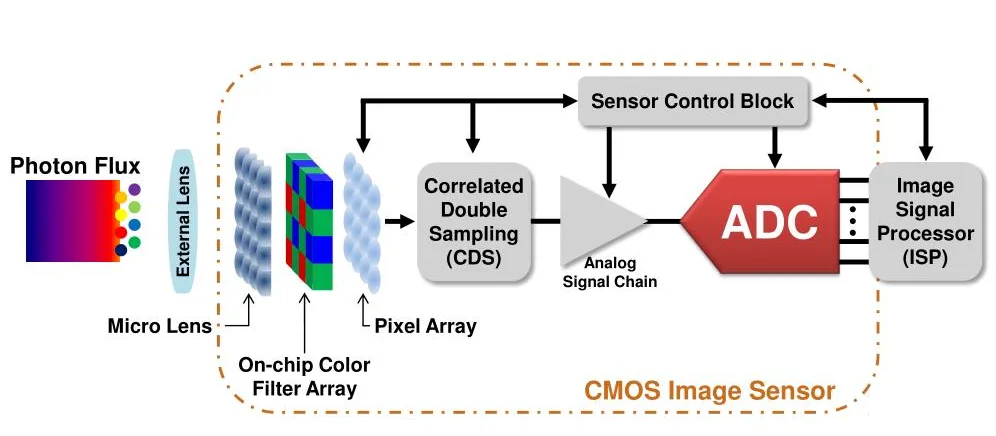
Image source: Web (Bing) / zhuanlan.zhihu.com (Web image (fair-use with source credit))
These two components, the sensor and the ADC, are the camera’s eyes and its initial translation engine. Their quality directly impacts the final video output.
Turning Light into Digital Pixels: The Conversion Process
This stage is where the raw light information becomes data that your security system can work with. It’s a critical step that dictates the clarity and detail of the recorded video.
- Pixel Data Capture: Each pixel on the image sensor measures the light falling on it. For color cameras, different color filters (often a Bayer pattern) are used over the pixels to capture red, green, and blue light information.
- Signal Amplification and Conversion: The electrical signal from each pixel is then amplified. After amplification, the Analog-to-Digital Converter (ADC) samples this analog signal at specific intervals and assigns it a digital value. This process essentially quantizes the continuous analog signal into a series of numbers. The resolution of the ADC (e.g., 10-bit, 12-bit) determines how many distinct tonal values can be represented, impacting dynamic range.
- Image Processing: Once digitized, the raw pixel data undergoes further processing within the camera. This can involve correcting lens distortions, adjusting white balance, enhancing contrast, and reducing noise. Some cameras also perform video compression at this stage, reducing the file size for efficient storage and transmission. Per IEEE standards for digital imaging, these processes aim to produce a clear, viewable image.
This transformation is incredibly rapid, happening many times per second to create the illusion of smooth motion. If you've ever seen security footage with choppy motion or odd color casts, it can sometimes point to issues during this conversion or processing phase. If you notice any such quality issues, you might want to review articles on how to fix security camera video lag or why your security camera is blurry.
Where Does the Footage Go? Recording and Storage Options
Once the video data is processed and ready, it needs to be stored. This is where the different types of CCTV systems come into play, offering various ways to keep your footage safe.
- Local Storage:
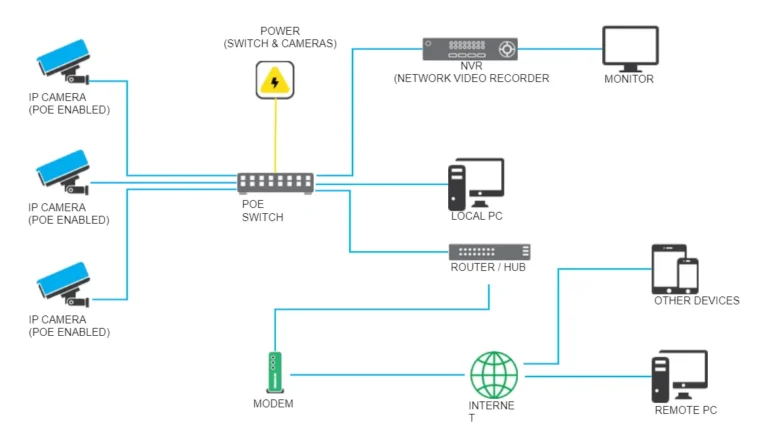
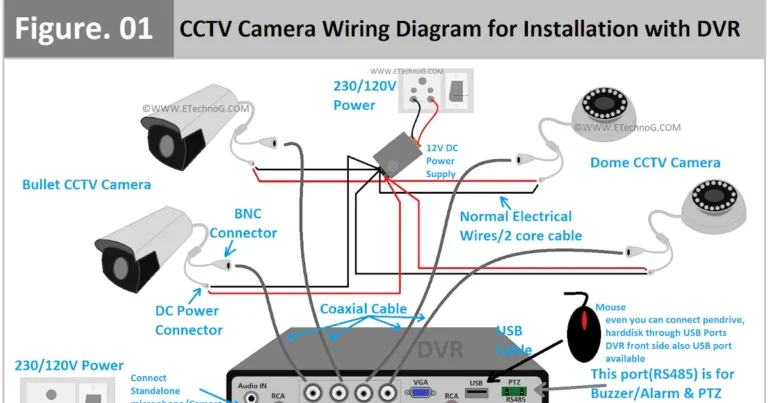
- Digital Video Recorders (DVRs): These are common in analog CCTV systems. Cameras connect directly to the DVR via coaxial cables, and the DVR handles recording, compression, and storage onto its internal hard drives. DVRs are robust and can store large amounts of footage.
- Network Video Recorders (NVRs): For IP camera systems, NVRs are used. IP cameras send their video streams over a network (like Ethernet or Wi-Fi) to the NVR, which then records and stores the footage. NVRs offer more flexibility and can often support higher resolutions.
- microSD Cards: Many modern IP cameras have a slot for a microSD card, allowing them to record footage directly onto the camera itself. This is a great backup if the network connection to an NVR is lost or if you need a simple, standalone recording solution.
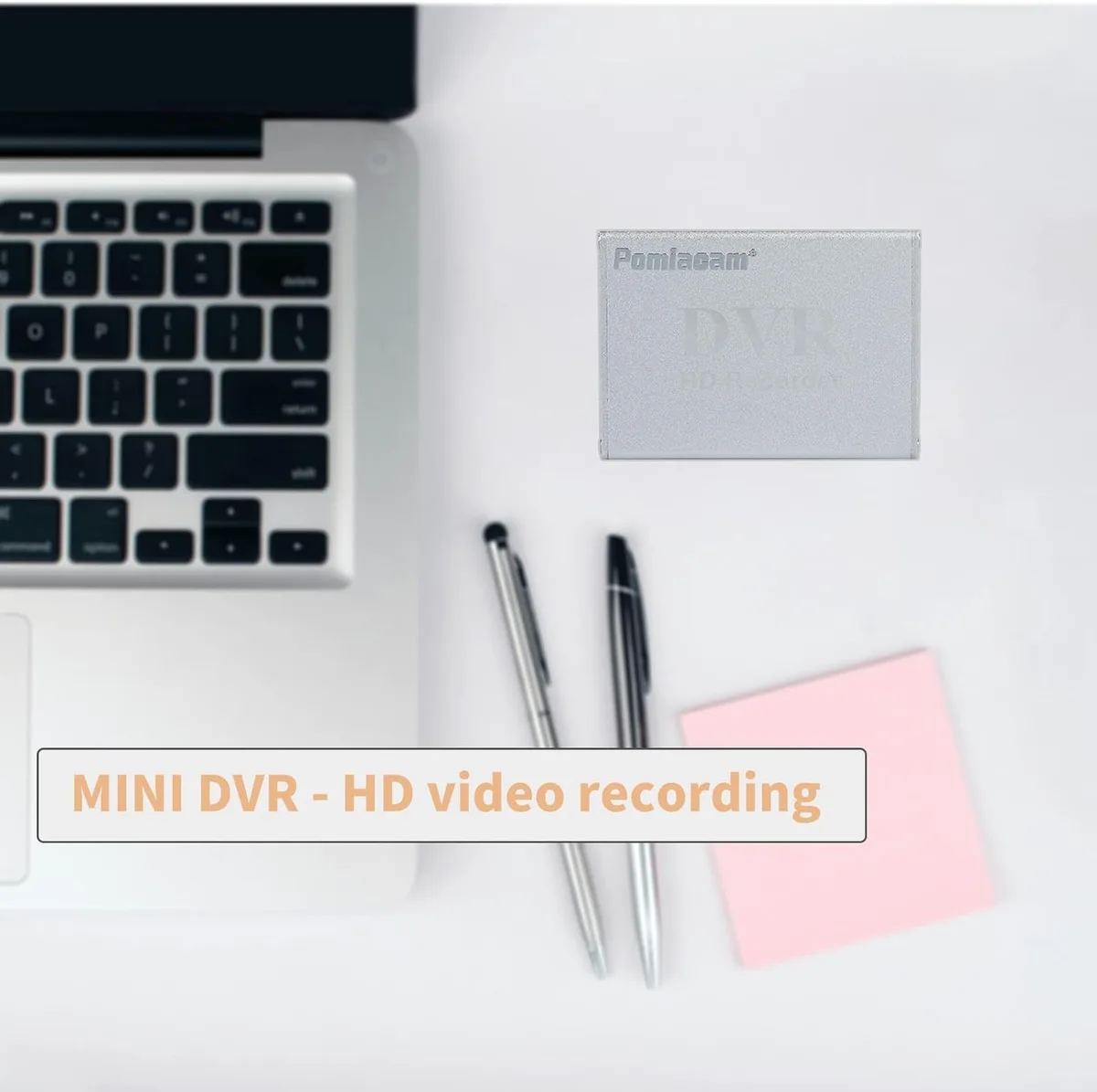
Image source: Web (Bing) / ebay.com (Web image (fair-use with source credit))
- Cloud Storage: This option involves sending your video data over the internet to remote servers managed by a service provider. It offers accessibility from anywhere and off-site data protection, meaning your footage is safe even if the cameras or local storage devices are damaged or stolen. However, it typically requires a subscription fee and a stable internet connection. Understanding how much data a security camera uses is crucial before committing to cloud storage.
The choice of storage impacts how long footage is kept, its accessibility, and the overall cost of the system. We explore the differences further in articles about cloud vs local storage for security cameras.
Common Recording Hiccups and How to Avoid Them
Even with the best technology, things can go wrong with CCTV recording. Understanding these common problems helps you catch them early and keep your surveillance system running smoothly. Knowing why your security camera is delayed or why your security camera is not detecting motion can save you a lot of frustration.
- Storage Full: The most basic issue is running out of storage space.
- How to avoid: Most recorders use a loop recording method, meaning they overwrite the oldest footage when the drive is full. You can adjust recording schedules, reduce resolution, or upgrade to a larger hard drive or cloud storage plan. For continuous recording systems, understanding what is continuous recording on security cameras is key.
- Power Outages: A sudden loss of power can interrupt recording.
- How to avoid: Using an Uninterruptible Power Supply (UPS) for your cameras, NVR/DVR, and network equipment ensures continuous operation during short power interruptions.
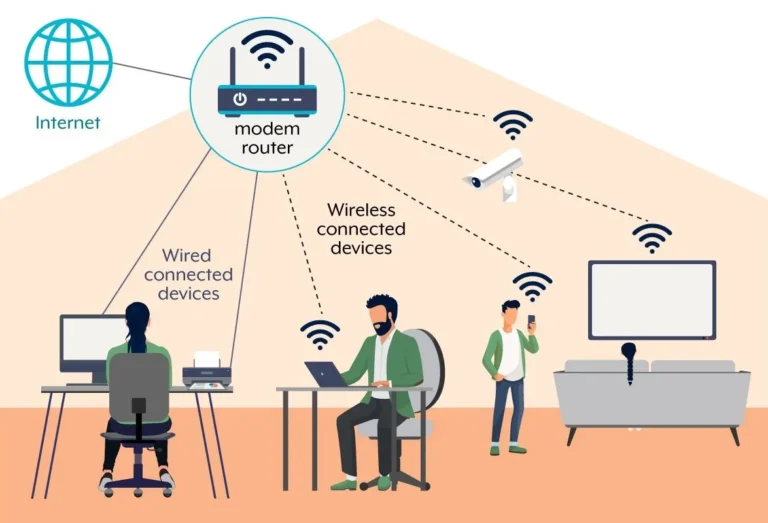
- Network Connectivity Issues: For IP cameras relying on Wi-Fi or Ethernet, a weak or unstable network connection is a major problem.
- How to avoid: Ensure a strong signal if using Wi-Fi, or a stable Ethernet connection. Regularly check your network health and consider solutions like mesh networks or signal boosters if you're finding do security cameras use a lot of WiFi. Poor connectivity is a primary reason for why is my security camera showing a black screen.
- Data Corruption: Sometimes, recorded files can become corrupted, making them unreadable.
- How to avoid: Use high-quality, reliable storage media (hard drives, microSD cards). Regularly check the health of your storage devices. Backing up important footage to a separate location can provide a crucial safety net. Learning how to back up security camera footage is a smart preventative step.
Addressing these issues proactively ensures you have reliable footage when you need it most. If you're experiencing recording problems, it might be time to update your security camera firmware or even reset a security camera.
Quick Q&A: Your Top CCTV Recording Questions Answered
How long does security footage typically get kept?
This varies widely. Most systems use loop recording, overwriting old footage. Retention periods can range from a few days to months, depending on storage capacity, recording settings, and legal requirements.
Many businesses follow guidelines on how long security footage should be kept for compliance.
Can I record video without an internet connection?
Yes, absolutely. Many CCTV cameras, especially older analog systems or IP cameras with onboard microSD card slots, can record locally without any internet connection. However, remote viewing or cloud storage requires an internet connection.
What's the difference between DVR and NVR recording?
DVRs are used with analog CCTV cameras, receiving signals via coaxial cables and recording them. NVRs are for IP cameras, receiving video streams over a network and recording them. NVRs generally offer higher resolutions and more advanced features.
Does continuous recording use a lot of storage?
Yes, continuous recording uses significantly more storage than event-based recording because it captures every moment. To manage this, it often relies on loop recording or requires substantial storage capacity. You can learn more about how much data does a security camera use for specific estimates.