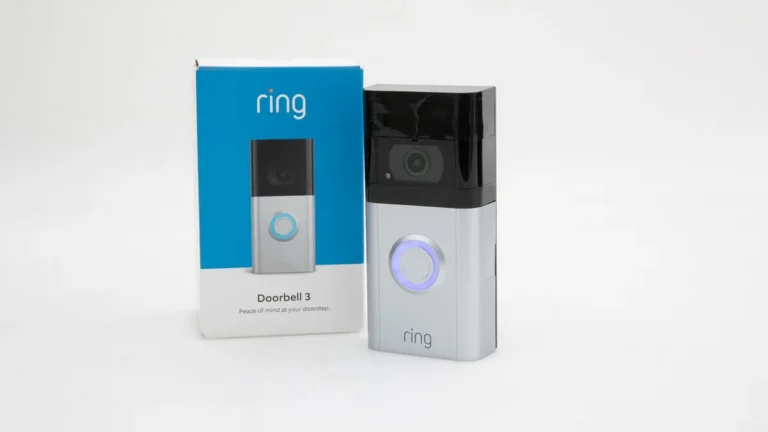
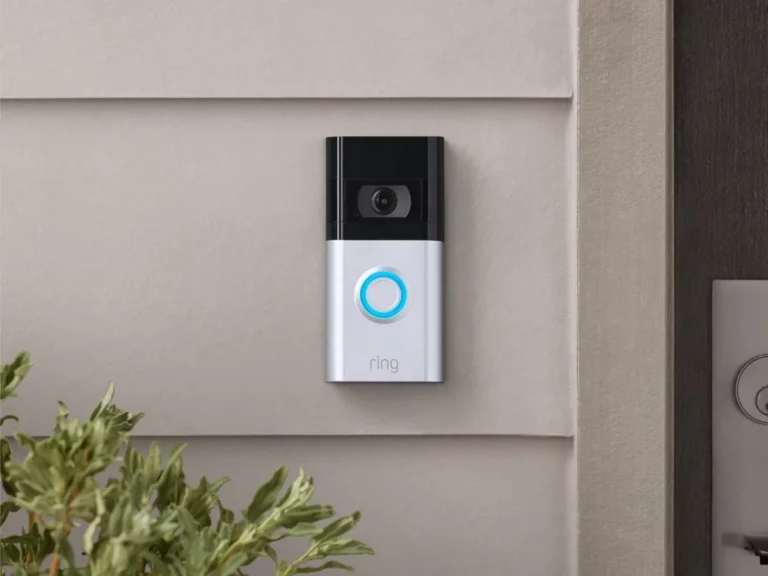
Can a Video Doorbell Work Without WiFi
You've probably seen them everywhere, those sleek little cameras perched by the front door. But what happens when your home internet decides to take a break? Can your video doorbell still do its job, or is it just a fancy paperweight when the WiFi goes down?
It's a super common question, and the answer involves understanding how these devices actually communicate.
Most video doorbells rely heavily on your WiFi network to send you alerts and let you see who's at the door, no matter where you are. Manufacturer specifications often confirm that a stable 2.4 GHz or 5 GHz WiFi connection is crucial for optimal performance, with some models even requiring it for initial setup. Let's dive into what this really means for you when your internet connection is offline.
Quick Answer
No, most video doorbells cannot fully function without WiFi. They need WiFi to send alerts, stream live video, and enable two-way audio to your smartphone. Without WiFi, the "smart" features are disabled, though some might still allow the doorbell to ring locally.
The Short Answer: It Depends, But Mostly No for Smart Features
The straightforward answer to whether a video doorbell works without WiFi is generally no, especially if you expect it to perform its most useful functions. Think of your WiFi network as the highway connecting your video doorbell to the outside world, specifically, to your smartphone or tablet. Without that highway, the signals can't travel.
This means you'll miss out on those crucial remote alerts when someone rings the bell or motion is detected. The ability to see and speak to visitors when you're miles away? That's also off the table.
For most modern video doorbells, a constant, stable WiFi connection isn't just a nice-to-have; it's a requirement for their core features to operate.
What Happens When Your WiFi Goes Out?
When your home WiFi network experiences an outage, your video doorbell's smart capabilities typically go silent. It's like unplugging the brain of the operation. Here’s a breakdown of what you’ll likely encounter:
- Local Ringing Still Works (Usually): The most basic function, the physical chime when someone presses the button, will often still operate. It’s a simple electrical circuit at its heart.
- No Smart Alerts: You won't receive notifications on your phone. The signal that triggers an alert can't travel beyond your home's network.
- Live View and Two-Way Audio Disabled: Accessing the live feed from your smartphone or talking to someone at the door remotely requires an active internet connection.
- Recording Limitations: Some doorbells with local SD card storage might continue to record. However, you'll only be able to access this footage once your WiFi is back online and you can connect to the device through its app.
How Your Video Doorbell Uses WiFi
Your video doorbell is essentially a small, specialized computer with a camera and microphone. To perform its "smart" functions, it needs to communicate with servers and your personal devices, and that's where WiFi comes in.
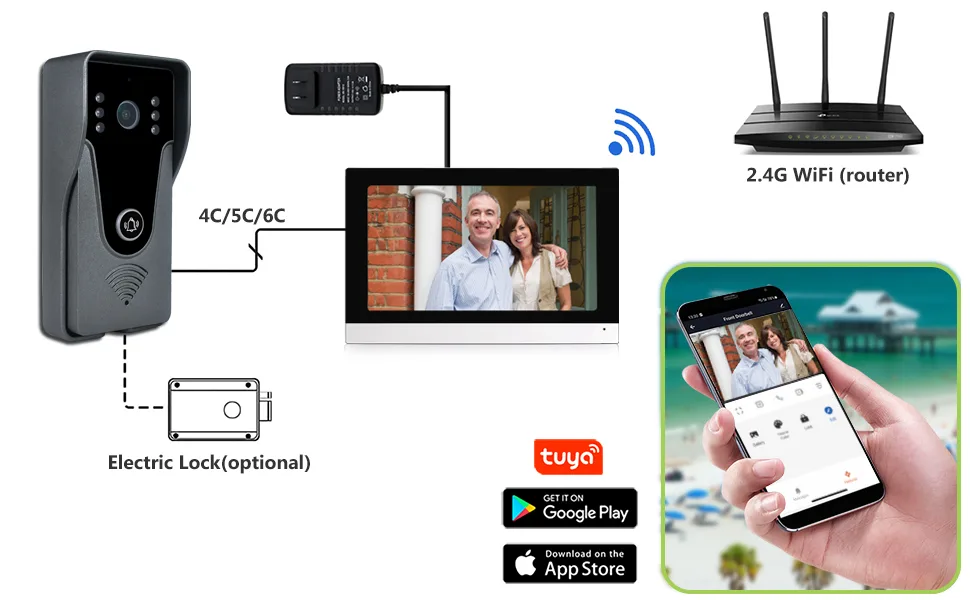
This communication process generally follows these steps:
- Event Trigger: Motion is detected, or the doorbell button is pressed.
- Signal to Router: The doorbell sends a signal to your home's WiFi router.
- Internet Upload: The router sends this signal out to the internet.
- Cloud Processing: The doorbell company's cloud servers receive and process the data.
- Notification Push: The cloud servers send a notification to your paired smartphone app.
- Live Stream/Recording Access: If you open the app to view live video or recordings, the data travels back through the internet, your router, and to your device.
Any interruption in this chain, most commonly at the WiFi router, breaks the connection.
Understanding Your Doorbell's Connection Needs
When you're looking at video doorbells, their reliance on your home network is a fundamental aspect of their design. This connectivity is what transforms a simple doorbell into a security and convenience tool.
Modern video doorbells, such as those often manufactured by companies like Ring or Google Nest, are designed with IoT (Internet of Things) principles in mind. This means they are built to connect to your home's wireless network to interact with other devices and services. The goal is to provide you with information and control remotely, a feature that is entirely dependent on a functional internet link.
Core Components: What Makes a Video Doorbell "Smart"
A typical video doorbell is comprised of several key components that work together, with WiFi acting as the central nervous system for its smart capabilities:
- Camera Lens: Captures video footage of your doorstep. Resolution can range from 720p to 1080p or higher, affecting image clarity.
- Microphone & Speaker: Enables two-way audio communication.
- Motion Sensors: Detect movement in a designated area.
- Doorbell Button: Triggers an alert when pressed.
- Processor & Internal Storage: Manages device functions and, in some models, stores recordings locally.
- WiFi Chipset: The essential component that allows the device to connect to your home's wireless network.
Without a WiFi connection, the camera and microphone can still technically function to record locally, but the ability to transmit that data or interact with you remotely is lost.
Local vs. Cloud: Where Your Data Lives
The way your video doorbell handles recorded footage is a major factor in its functionality, especially during WiFi outages. There are generally two primary methods: local storage and cloud storage.
- Local Storage: Some video doorbells feature an SD card slot. When motion is detected or the button is pressed, the device can save the video directly to this card. This means footage is stored physically on the doorbell itself. While this allows for recording even if your internet is temporarily down, you typically need your WiFi to be back online to access and view these recordings through the doorbell's companion app on your smartphone.
- Cloud Storage: Many video doorbells, particularly subscription-based models, upload recorded footage to secure servers in the cloud. This offers convenience and off-site backup. However, it also means that if your WiFi is down, the doorbell cannot upload new recordings to the cloud, and you won't be able to access any previously stored cloud footage until your internet service is restored.
Understanding which method your specific doorbell uses is key to knowing its limitations during a WiFi outage. For instance, aggregate user reviews often highlight that while local recording is a backup, the true utility of a video doorbell lies in its cloud-connected features, which are inaccessible without internet.
When Might a Video Doorbell Work (Partially) Without WiFi?
While the headline is that most video doorbells are hobbled without WiFi, there are specific scenarios where they might offer some limited functionality. This is less about seamless operation and more about understanding the absolute minimum they can do when their primary connection is severed.
The key to any partial functionality lies in the device's ability to operate independently of a constant internet stream, or to record data locally rather than relying on remote servers. This often means sacrificing the "smart" features that make these devices so appealing in the first place.
The Role of Local Storage (SD Cards)
For video doorbells equipped with an SD card slot, there's a potential lifeline during WiFi outages. Manufacturer specifications for models with this feature confirm that they can record video directly onto the card inserted into the device. This means that if someone rings your bell or triggers the motion sensor while your internet is down, the event might still be captured.
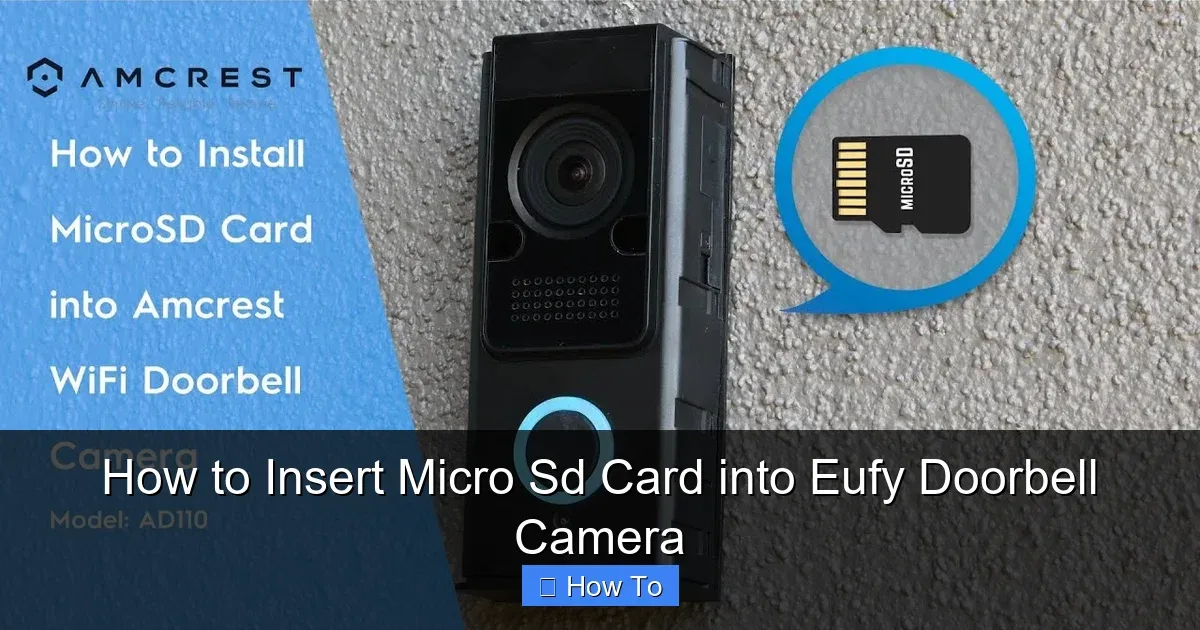
However, it's crucial to understand the limitations. Accessing these locally stored recordings typically requires your WiFi network to be operational again. You’ll use the doorbell's companion app to connect to the device and then download or view the footage from the SD card.
You won't get real-time alerts or the ability to communicate remotely with visitors while your WiFi is offline. Think of it as a black box that records events for later review, rather than an active monitoring system during an outage.
Older Wired Systems vs. Smart Doorbells
It's worth distinguishing what we're discussing. When people ask if a video doorbell works without WiFi, they're usually referring to modern, internet-connected devices. However, the concept of a doorbell itself doesn't inherently require WiFi.
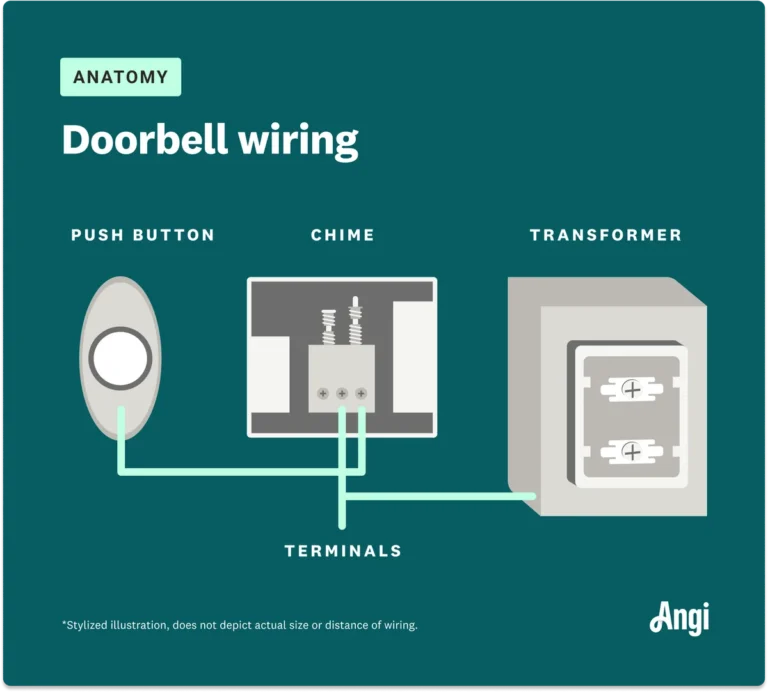
Traditional, non-video doorbells are often simple electrical circuits. When the button is pressed, it completes a circuit that sends a signal to a chime unit inside your home, causing it to ring. This system operates entirely independently of any WiFi network.
Conversely, a video doorbell integrates a camera, microphone, and speaker into this system, and it's these additions that necessitate a network connection. If you were to somehow disconnect a smart video doorbell from WiFi, it would essentially revert to being just a button, unable to send video or audio signals anywhere. It highlights that the "video" and "smart" aspects are the parts that are WiFi-dependent.
The "Can it Work Without WiFi" Decision Guide
Figuring out if your video doorbell will function, even partially, without WiFi boils down to a few key questions about your specific needs and your device's capabilities. It’s less about a simple yes or no and more about understanding the trade-offs.
This decision guide helps you navigate the various scenarios based on what you expect your doorbell to do and what your current home network situation is.
Your Situation: What Do You Need It To Do?
First, let’s pinpoint what you absolutely need your video doorbell to accomplish. This will quickly tell you if a WiFi outage is a major concern or a minor inconvenience.
- If you need to receive alerts and see who's at the door from anywhere (e.g., at work, on vacation): You absolutely need a working WiFi connection and a stable internet service. This is the primary benefit of a smart video doorbell. Without WiFi, this core functionality is lost.
- If you primarily need the doorbell to ring inside your home and perhaps record locally for later review (and you’re home to access it): You might have limited functionality. A model with local SD card storage could still record events, but you won't get remote access or notifications.
- If you are looking for a basic doorbell that simply announces visitors but don't care about video or remote access: Then any traditional wired or battery-powered doorbell would suffice, and WiFi isn't a factor. However, this isn't a video doorbell.
Essentially, if the "smart" features are what you value, a reliable internet connection is non-negotiable.
Evaluating Your Doorbell Model's Capabilities
Once you know what you need, the next step is to check what your specific video doorbell model can actually do without a WiFi connection. This usually requires a quick look at its specifications or manual.
- Check for SD Card Slot: Does your doorbell have a physical slot for a microSD card? Manufacturer specifications will clearly state if local recording to an SD card is supported and what the maximum capacity is (e.g., "Supports up to 128GB microSD cards"). This is the primary feature that enables any offline recording.
- Review Manufacturer Specs: Visit the manufacturer's website or check the product manual. Look for sections on connectivity requirements, offline functionality, or troubleshooting. Official documentation will confirm if features like two-way talk, live streaming, and push notifications are dependent on an active internet connection. For example, a technical document might state, "All remote access and notification features require a continuous WiFi connection and active internet service."
- Consult User Manuals: The user manual that came with your doorbell will detail its operational modes. If it’s not readily available, search online for "[Your Doorbell Model] user manual PDF." This will provide specific insights into how it behaves during network interruptions.
- Consider Subscription Services: Many video doorbells rely on cloud-based subscription services for extended recording history or advanced features. If your model requires such a service, it’s highly probable that it will offer minimal to no functionality when your internet is down.
Common Problems & What to Expect During an Outage
When your WiFi connection goes dark, your video doorbell's smart features usually disappear with it. This can be frustrating, especially if you rely on it for security or convenience. Understanding these common issues helps manage expectations.
Missing Alerts and Live Views
The most immediate impact of a WiFi outage is the loss of notifications. Your smartphone won't receive any alerts when motion is detected or the doorbell button is pressed. This means you won't know if someone is at your door unless you happen to be looking out the window.
Similarly, attempting to access a live view through your doorbell app will likely result in an error message. The device can't stream video data to the internet, and therefore, you can't view it remotely. It’s a stark reminder of how dependent these devices are on a constant internet connection.
Accessing Recorded Footage
If your video doorbell has local storage, like an SD card, it might still be recording events. However, accessing this footage is often impossible while your WiFi is down. The app used to view these recordings needs to connect to the doorbell, and that connection is typically made over your home network.
So, while the recording might be happening, the ability to retrieve and watch it is usually on hold. Manufacturer documentation for devices with SD card support often states that viewing requires an active connection, reinforcing the WiFi dependency for data retrieval.
Expert Tips for Maintaining Connectivity
Keeping your video doorbell operational, especially during unexpected WiFi disruptions, involves proactive steps. It’s about building resilience into your home network and understanding your device's fallback capabilities.
Ensuring a Stable WiFi Network
A strong and stable WiFi signal is the bedrock of your video doorbell's performance. Regularly check your router's performance and consider options to boost your signal strength if you experience dead zones. This could involve relocating your router, using a WiFi extender, or upgrading to a mesh network system.
Many video doorbells operate best on a 2.4 GHz band, which offers better range, though it can be more prone to interference than the 5 GHz band. Ensuring your router is updated with the latest firmware can also improve stability and security. According to NIST guidelines on wireless network security, regular updates are crucial.
When to Consider Alternatives
If uninterrupted doorbell functionality is a critical need, and your WiFi is frequently unreliable, you might need to explore alternative solutions. For some, a traditional wired doorbell system, which has no reliance on WiFi, might be a backup.
However, this sacrifices all video and remote access features. For enhanced security and monitoring during outages, some users opt for cellular-enabled security cameras or systems that have a dedicated cellular backup for their internet connection. These solutions come at a higher cost but offer more reliable connectivity.
Frequently Asked Questions About WiFi and Doorbells
Can I use a video doorbell without any internet at all?
No, not for its smart features. While the doorbell button might still make a chime inside your house, you won't get any alerts on your phone, live video feed, or two-way audio. Some models with SD cards can record locally, but you'll need WiFi to access that footage later.
Will my video doorbell still record if my WiFi is down?
It depends on the model. If your video doorbell has an SD card slot, it may continue to record events directly to that card. However, you'll typically need your WiFi to be restored to access and view these recordings through its app.
Cloud-based recording will not function during an outage.
How can I get alerts if my WiFi is out?
Unfortunately, standard video doorbells cannot send you alerts if your WiFi is out. Their notification system relies entirely on the internet connection. For alerts during an internet outage, you would need a system with a cellular backup feature, which is less common in basic video doorbells.
Is there a way to connect my video doorbell directly to my phone without WiFi?
Generally, no. While some devices might offer a very limited Bluetooth setup option for initial configuration, ongoing functionality like live streaming and alerts relies on WiFi to connect through your home network and the internet. Direct phone-to-doorbell connections without WiFi are rare for video doorbells.
What is the minimum internet speed required for a video doorbell?
Manufacturer specifications often recommend a minimum upload speed of 1-2 Mbps per camera for smooth HD streaming. For example, a common recommendation from many brands is an upload speed of at least 2 Mbps for a single device. Check your specific model's requirements, as higher resolutions demand more bandwidth.
Verdict: WiFi is Key for Smart Doorbell Functionality
Your video doorbell is designed to be a connected device, and that connection is primarily through your home's WiFi network. While some models offer very basic local recording capabilities, the core benefits of remote alerts, live viewing, and two-way audio are lost when your internet connection is down.
If uninterrupted access and security are paramount, investing in a reliable internet service and a robust WiFi network is essential. For scenarios where internet outages are frequent, exploring solutions with cellular backup might be a more suitable, though often more expensive, option.