How Do Smart Doorbells Work
Ever wonder if that package made it to your porch or who's ringing your bell when you're not home? Smart doorbells are quickly becoming a must-have for modern homeowners, offering a clear picture of who's at your front door, no matter where you are. They're not just fancy buzzers; they're integrated pieces of home security tech that offer real peace of mind.
Understanding how these devices work is key to using them effectively. It’s about more than just seeing a visitor; it’s about leveraging technology to enhance your home’s security and convenience. From HD cameras to real-time alerts, these gadgets have a lot going on behind the scenes.
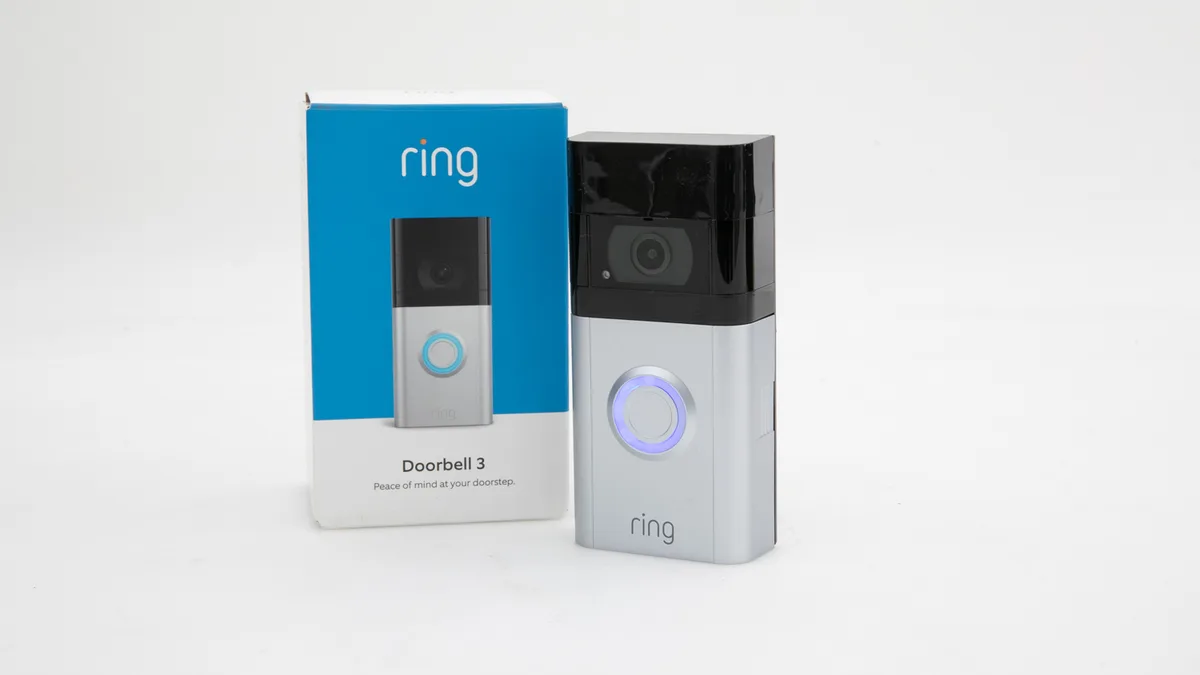
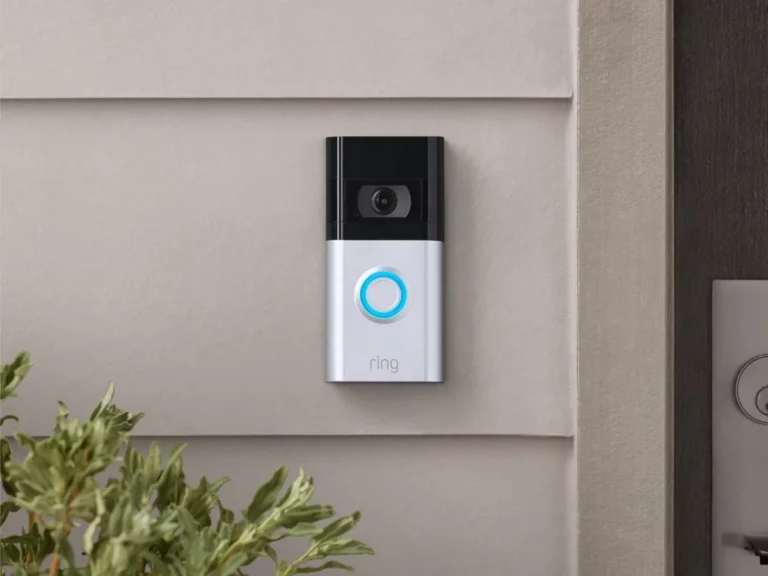
Image source: Bing (Web (fair-use with source credit))
Quick Answer: How Do Smart Doorbells Work?
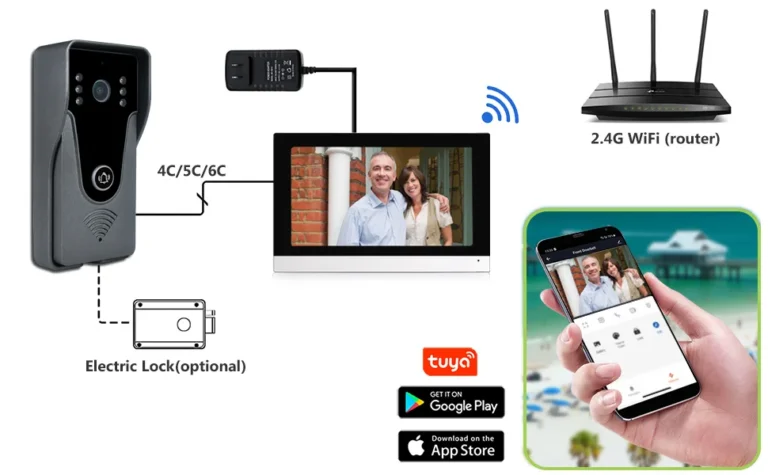
Smart doorbells work by connecting to your home's Wi-Fi network. When someone presses the button or motion is detected, they stream live video and audio to a mobile app on your phone. This allows you to see, hear, and even speak to visitors remotely.
They use cameras, microphones, speakers, and motion sensors, transmitting data wirelessly to your devices for instant alerts and recorded footage.
The Core Components: What's Inside That Little Box?
At their heart, smart doorbells are sophisticated little devices packed with technology designed to keep you informed about who's at your door. They combine several key components to deliver their functionality.
Camera & Lens: Your Smart Eye
This is arguably the most crucial part. The camera in a smart doorbell captures video footage. Most models offer high-definition (HD) resolution, often 1080p or higher, meaning you get clear, crisp images.
A wide-angle lens is also standard, allowing the camera to see a much larger area than a traditional peephole. This ensures you can see not just the person at your door, but also the porch area, which is especially useful for monitoring package deliveries. Many also feature night vision, typically using infrared LEDs, to provide a clear black-and-white image even in complete darkness.
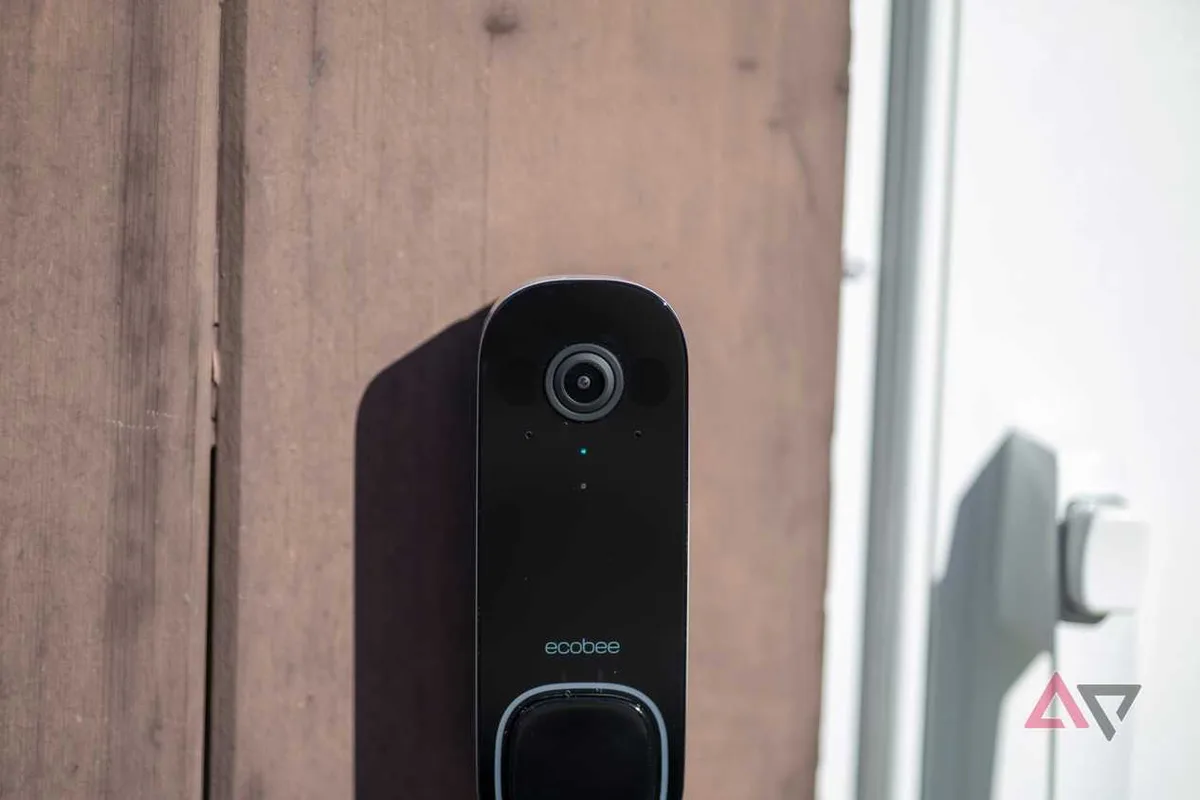
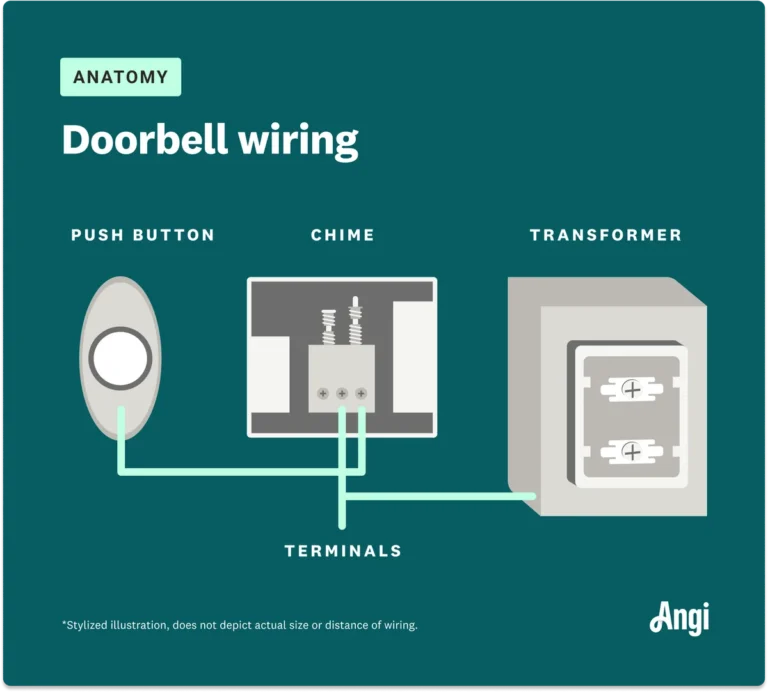
Image source: Web (Bing) / androidpolice.com (Web image (fair-use with source credit))
Motion Sensors: Detecting Activity
Beyond just reacting to a button press, most smart doorbells are equipped with motion sensors. These can be simple Passive Infrared (PIR) sensors, which detect changes in heat, or more advanced AI-powered systems. The AI versions can differentiate between people, pets, and other moving objects like cars or swaying branches, significantly reducing false alerts.
When motion is detected within a configurable zone, the doorbell can start recording video and send an alert to your phone.
Two-Way Audio: Talking Through the Door
This feature turns your smart doorbell into an interactive device. It includes a built-in microphone and speaker. This allows you to not only see and hear visitors but also to speak to them in real-time, using your smartphone or tablet as if you were standing at the door.
It’s incredibly handy for telling a delivery driver where to leave a package or for greeting guests before you've even reached the door.
Connectivity: The Wi-Fi Connection
The "smart" aspect of these doorbells comes from their ability to connect to the internet, usually via your home's Wi-Fi network. This wireless connection is what allows the doorbell to send live video, audio, and alerts to your mobile devices. A stable Wi-Fi signal is absolutely critical for the device to function properly.
Many manufacturers recommend having a strong Wi-Fi signal strength of at least -70 dBm or better at the installation point for reliable performance.
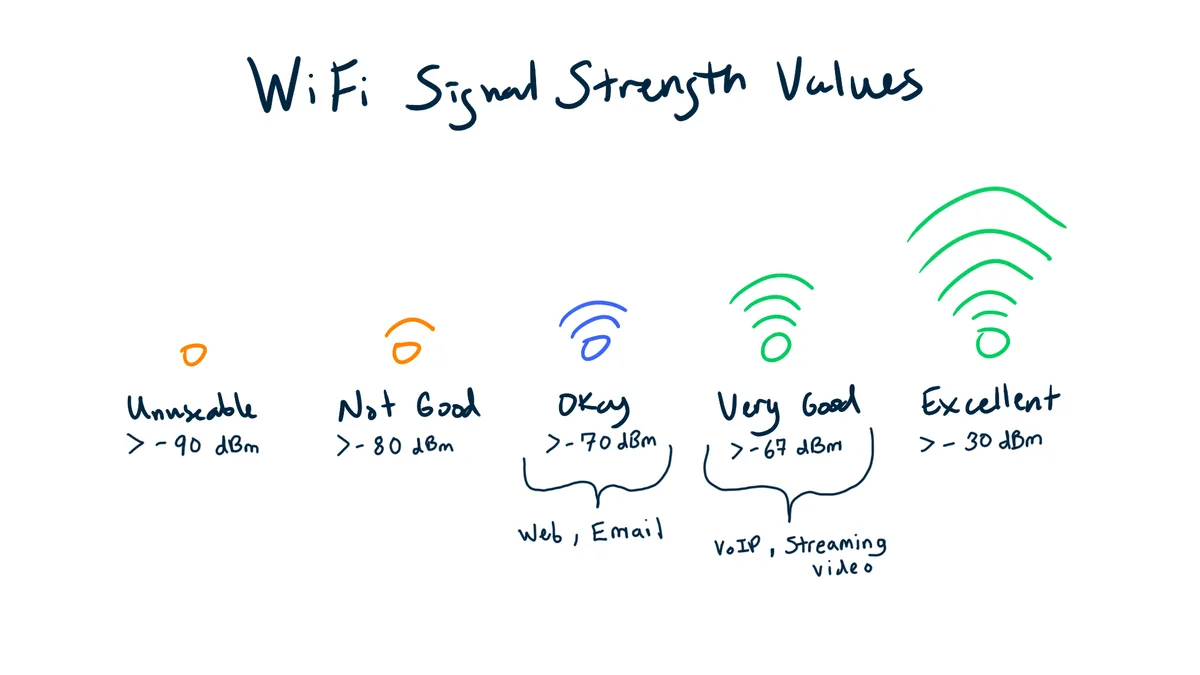
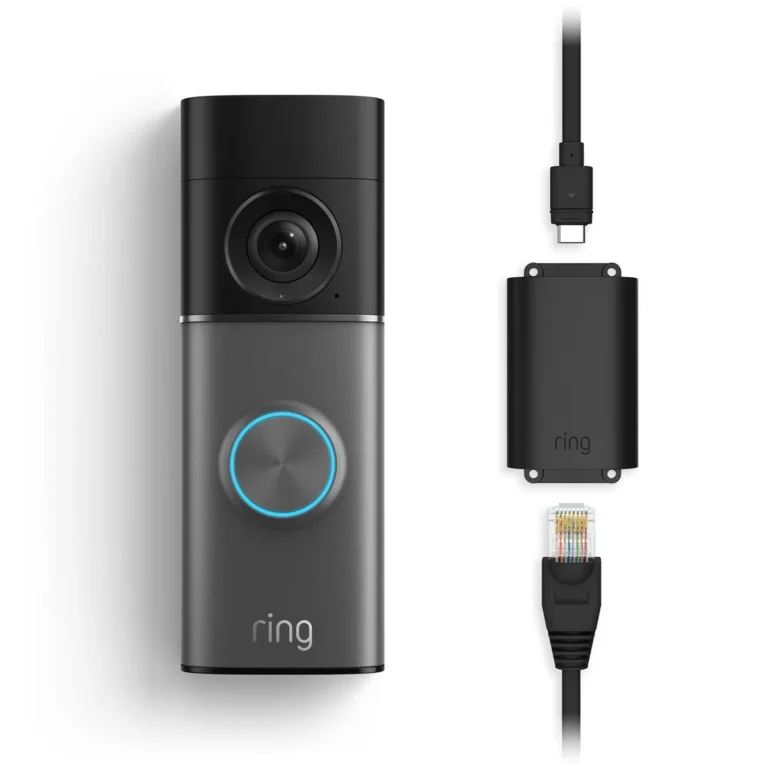
Image source: Web (Bing) / techgrid.com (Web image (fair-use with source credit))
Power Source: Battery vs. Wired
Smart doorbells have two main power options: battery-powered or wired. Battery-powered models offer more flexibility in placement, as you don't need to connect them to your home's existing doorbell wiring. However, these batteries need to be recharged periodically, typically every few months, depending on usage and settings.
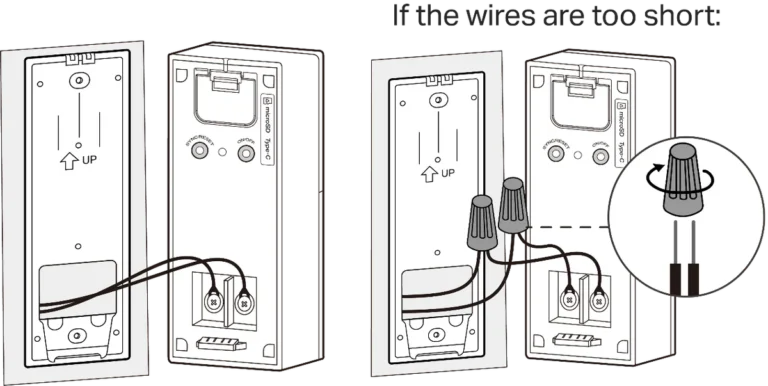
Wired models draw power directly from your home's electrical system, usually using the existing doorbell wiring, which provides continuous power and eliminates the need for recharging. This is often the preferred method for its reliability.
Setting Up Your Smart Doorbell: A Visual Walkthrough
Getting your smart doorbell up and running is usually a straightforward process, though it does involve a few critical steps to ensure it works as intended. The exact steps can vary slightly between brands, but the general flow is quite consistent.
Mounting and Placement
This is where you decide where the doorbell will live. Most come with mounting brackets. For wired models, you'll often align the bracket with the existing doorbell wiring location.
If you're moving it or using a battery-powered one, consider the field of view you want. You want to place it high enough to capture faces but low enough to avoid seeing too much sky or irrelevant ground. Manufacturer specs typically recommend a mounting height of around 48 inches from the ground for optimal facial recognition.
You'll usually use screws to secure the bracket to your wall, whether it's wood, brick, or siding.
Connecting to Your Network
Once the hardware is mounted, you'll need to connect your doorbell to your home Wi-Fi. This is almost always done through the doorbell's companion mobile app. You'll typically put the doorbell into pairing mode, then use the app to find your Wi-Fi network and enter your password.
The doorbell then establishes its internet connection. A solid light indicator on the device usually confirms a successful Wi-Fi connection. If you're having trouble, check that your Wi-Fi password is correct and that the doorbell is within range of your router; sometimes a Wi-Fi extender is necessary for weaker signal areas.
App Setup and Configuration
With the doorbell powered on and connected to your network, the next step is configuring its settings via the mobile app. This is where you personalize how your doorbell operates. You’ll likely create an account with the manufacturer, name your device, and set up alert preferences.
Key configurations include adjusting the motion detection zones to focus on specific areas (like your walkway but not the street), setting sensitivity levels, and choosing notification types. You might also set up recording schedules or decide whether to use cloud storage or local storage for recorded events.
Common Smart Doorbell Challenges and How to Fix Them
Even the best technology can hit a snag now and then. Smart doorbells are generally reliable, but a few common issues pop up that can be a bit frustrating if you don't know what to do. Thankfully, most of these are fixable.
Dealing with Wi-Fi Woes
This is the most frequent culprit for a malfunctioning smart doorbell. If your doorbell is offline, not sending alerts, or showing a choppy live feed, your Wi-Fi is probably the issue.
- Check Router: Ensure your Wi-Fi router is powered on and broadcasting.
- Signal Strength: Use your phone's Wi-Fi settings or a dedicated app to check the signal strength at your doorbell's location. If it's weak, you might need to move your router closer, upgrade to a mesh Wi-Fi system, or use a Wi-Fi extender. Manufacturer specifications often suggest a signal strength of -70 dBm or higher for consistent performance.
- Network Congestion: Too many devices on your network can slow things down. Try rebooting your router and modem.
- Bandwidth: Some older or cheaper routers might struggle with the demands of continuous video streaming.
Taming False Motion Alerts
Getting a notification every time a car drives by or a branch blows in the wind can be incredibly annoying. These "false positives" happen when motion sensors are too sensitive or not configured correctly.
- Adjust Zones: Most apps let you draw specific motion zones. Exclude areas like streets or busy sidewalks.
- Sensitivity Settings: Lower the motion detection sensitivity. Some models have multiple tiers, from low to high.
- AI Detection: If your doorbell has AI capabilities, ensure it's enabled and configured to detect only people. This significantly filters out non-human motion.
- Placement: Sometimes, the angle of the doorbell can cause issues. Ensure it's not pointing directly at street traffic or areas with constant movement.
Battery Life Blues
For battery-powered doorbells, a short battery life can be a major pain point. If you find yourself recharging more often than expected, here’s why:
- Frequent Motion Events: The more motion the doorbell detects and records, the more battery it uses.
- Live View Usage: Frequently accessing the live view drains the battery faster.
- Wi-Fi Signal Strength: A weak Wi-Fi signal makes the doorbell work harder to maintain a connection, using more power.
- Temperature: Extreme cold or heat can affect battery performance and longevity. For instance, aggregate user reviews often report reduced battery life in temperatures below freezing.
- Settings: Higher resolution video and longer recording times consume more power.
Beyond the Door: Smart Doorbell Use Cases
While their primary job is to monitor your front door, smart doorbells offer a surprising range of practical uses that go far beyond just seeing who’s there. They've become versatile tools for home security and convenience.
- Package Delivery Monitoring: This is a huge one for many people. You can see when a delivery driver arrives, confirm they've left your package, and even get alerts when it's been dropped off. This helps deter porch pirates and ensures you know exactly when your items have arrived.
- Visitor Identification: Whether it's a friend, a repair person, or an unexpected visitor, you can see who's at your door before you decide to answer. This adds a layer of security and convenience, especially if you're busy or don't recognize the person.
- Deterring Intruders: The visible presence of a camera can be a significant deterrent to potential burglars. Many smart doorbells also have built-in lights or sirens that can be activated remotely or automatically when suspicious activity is detected.
- Remote Home Monitoring: Beyond just visitors, smart doorbells can act as a simple, localized security camera for your entryway. You can check in remotely to see if there’s any unusual activity around your front door, even if no one is ringing the bell.
- Greeting Guests Remotely: Imagine being stuck in traffic or running late. You can use the two-way audio to let your guests know you'll be a few minutes late or give them instructions on how to enter if you've arranged it.
What to Look For: Key Features and Specs
When you're looking to buy a smart doorbell, it's easy to get overwhelmed by all the different features and technical jargon. Breaking down what matters most can help you make an informed choice.
- Video Resolution: Aim for at least 1080p HD. This ensures clear video quality, allowing you to see details like faces or license plates. Some models offer higher resolutions like 2K or 4K for even sharper images, but this also means larger file sizes and potentially higher bandwidth requirements.
- Field of View (FOV): This refers to how wide an angle the camera can see. A wider FOV (e.g., 160 degrees or more) is better for capturing more of your porch and surroundings, making it more effective for package monitoring.
- Night Vision: Essential for 24/7 security. Look for infrared night vision, which provides clear black-and-white footage in low light or complete darkness. Some advanced models offer color night vision.
- Motion Detection: Consider the type of motion detection. AI-powered human detection is superior to basic PIR sensors as it drastically reduces false alerts from non-human movement, like swaying trees or passing cars.
- Two-Way Audio: This is a standard feature now, but check its clarity. Good audio quality means you can have a clear conversation with visitors.
- Power Source: Decide between battery-powered for easier installation or wired for continuous power. Battery life varies significantly, with manufacturer specifications often stating ranges from a few weeks to several months depending on usage.
- Weather Resistance: Look for an IP rating (Ingress Protection) to indicate how well the doorbell can withstand environmental elements. An IP65 rating, for example, means it's protected against dust and low-pressure water jets.
- Storage Options: Will recorded footage be stored locally (e.g., on an SD card) or in the cloud? Cloud storage usually requires a subscription fee, which can range from $3 to $10 per month per device, depending on the provider and features offered.
Mistakes to Avoid: What Not To Do With Your Smart Doorbell
Even with the best intentions, there are a few common missteps people make with smart doorbells that can lead to frustration or reduced effectiveness. Being aware of these can save you a lot of headaches down the line.
- Ignoring Wi-Fi Strength: Many people install their doorbell and assume their Wi-Fi is strong enough everywhere. However, exterior walls and distance can significantly weaken the signal. Aggregate user feedback often points to poor Wi-Fi as the primary reason for connectivity issues. Always check signal strength at the planned mounting location before installation.
- Overly Sensitive Motion Detection: Setting motion detection to its highest sensitivity might seem like the best way to catch everything, but it usually results in constant, useless notifications. This floods your phone with alerts for passing cars or leaves blowing. You'll end up tuning them out, defeating the purpose.
- Skipping Firmware Updates: Manufacturers regularly release firmware updates to improve performance, fix bugs, and enhance security. Neglecting these updates can leave your doorbell vulnerable or prevent it from accessing new features. It’s a good practice to enable automatic updates if available.
- Poor Camera Placement: Mounting the doorbell too high can mean you only see foreheads, or too low and you're looking at shoes. Some users also mount it where it's directly exposed to harsh sun, causing glare and poor video quality during certain times of day. The recommended 48-inch mounting height is there for a reason.
Costs and Specs: What You're Paying For
When considering a smart doorbell, the cost isn't just the upfront purchase price. You’ll need to factor in potential subscription fees, battery replacements, and possibly the cost of Wi-Fi extenders if your signal is weak. Prices for the doorbell units themselves can range from around $50 for basic models to $300 or more for premium versions with advanced AI and higher resolution cameras.
Key Specifications to Consider:
- Resolution: 1080p HD is standard. Higher is better but not always necessary.
- Field of View: Look for 160 degrees or wider for better coverage.
- Night Vision Range: Manufacturers specify a range (e.g., up to 30 feet). Ensure it covers your porch area.
- Storage: Cloud subscriptions can add $3-$10 per month per device. Local storage (SD card) is a one-time purchase.
- Battery Life: For battery models, this varies from 1-6 months between charges, heavily influenced by usage.
Expert Tips for a Smarter Setup
Getting the most out of your smart doorbell involves a few insider tricks that go beyond the basic setup guide. These tips can enhance its effectiveness and integrate it better into your home.
- Optimize Your Wi-Fi: Before installing, test your Wi-Fi signal strength at the planned location. If it's weaker than -70 dBm, consider installing a mesh Wi-Fi system or a dedicated Wi-Fi extender to ensure a stable connection. A strong, consistent connection is paramount for real-time streaming and alerts.
- Tweak Motion Zones Precisely: Don't just accept the default motion zones. Spend time in the app fine-tuning them. Exclude busy sidewalks or streets, and focus on areas where you genuinely want to detect movement, like your porch, walkway, or driveway. This drastically cuts down on nuisance notifications.
- Leverage AI Features: If your doorbell has AI-powered person detection, make sure it's enabled and properly configured. This technology can differentiate between people, pets, vehicles, and general motion, providing much more relevant alerts.
- Integrate with Your Smart Home: Many smart doorbells can connect with other smart home devices, like smart lights or voice assistants. For instance, you could set up an automation so that when the doorbell detects motion, your porch lights turn on automatically.
- Regularly Review Recordings: Don't just get the alert; take a moment to review the recorded footage, especially if it's a person alert. This helps you get familiar with who is around your home and can be useful if you ever need to provide evidence.
Safety, Legal, and Privacy Considerations
While smart doorbells enhance security, they also bring up important safety, legal, and privacy considerations that everyone should be aware of. It's not just about technology; it's about responsible use.
- Recording Laws: Be aware of local laws regarding video and audio recording. In many places, it's legal to record public areas visible from your property, but laws about recording conversations can vary. Always ensure your device is compliant with regional regulations.
- Neighborly Etiquette: Ensure your doorbell's camera doesn't unnecessarily record your neighbor's private property, like their windows or backyard. Aim to keep the field of view focused on your own entryway.
- Data Security: Your recorded footage and account information are valuable. Use strong, unique passwords for your smart doorbell account and your Wi-Fi network. Enable two-factor authentication if offered by the manufacturer.
- Privacy of Visitors: While you're getting security footage, remember that visitors have a reasonable expectation of privacy. Avoid placing cameras in a way that captures intimate details of their lives outside your property. Always check manufacturer documentation and local guidelines on privacy.
Frequently Asked Questions About Smart Doorbells
How long does setup usually take?
Setup typically takes between 15 minutes to an hour, depending on whether you're replacing an existing doorbell or installing from scratch. Connecting to Wi-Fi and the app usually takes the least amount of time, while mounting and wiring can add to the duration.
Do smart doorbells require a subscription?
Many smart doorbells offer optional subscription plans for cloud storage of video recordings and advanced features like AI-powered person detection. Some models offer limited free cloud storage or rely solely on local storage (like an SD card), which doesn't require a subscription.
Can I install a smart doorbell myself?
Yes, many smart doorbells are designed for DIY installation. Battery-powered models are the easiest. If you're using a wired model and have existing doorbell wiring, it's generally straightforward, but if you need to run new wires, you might consider hiring an electrician.
What is the typical lifespan of a smart doorbell?
With proper care and depending on environmental conditions, most smart doorbells are designed to last several years. Manufacturer warranties typically range from one to two years. Battery life for rechargeable models needs to be considered separately; batteries may need replacement every 2-4 years.